ScreenshotAPI.net vs Microlink: Which Screenshot API Is Better in 2026?
Compare ScreenshotAPI.net and Microlink on pricing, browser controls, outputs, and operations, then choose the screenshot API that fits your workload.
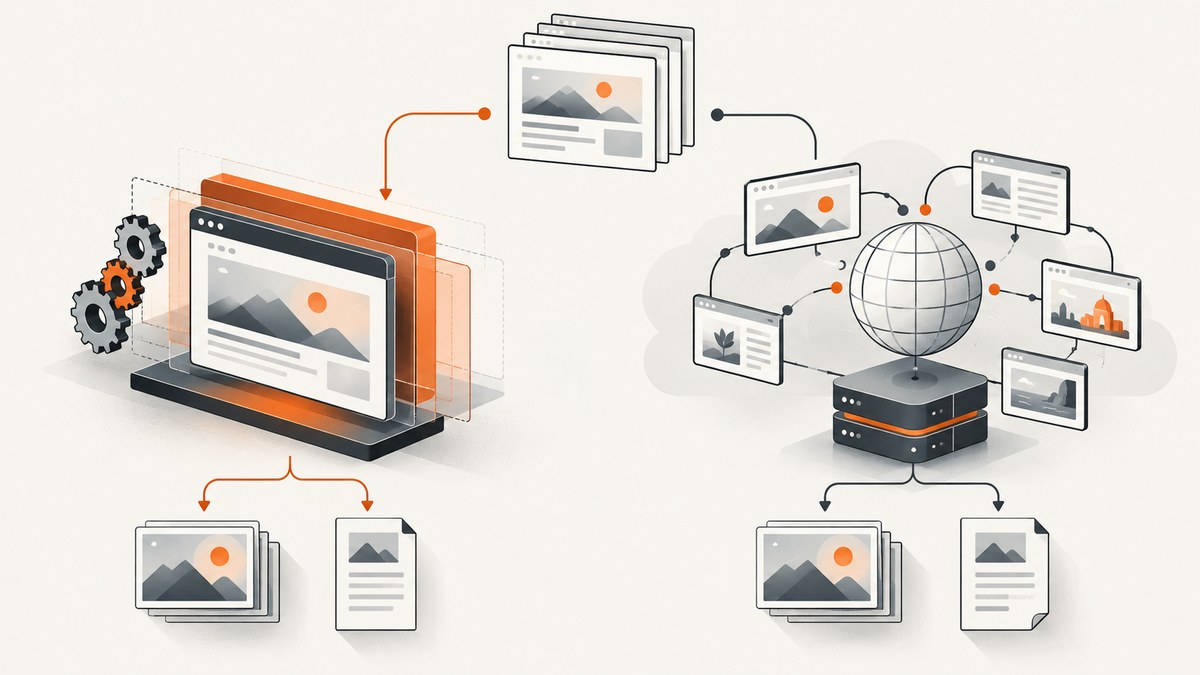
Short answer: ScreenshotAPI.net is the more focused choice for screenshot-centric work, with lower published entry pricing and options for bulk processing, scheduling, PDF and video output, and storage integrations. Microlink is the broader platform: consider it when screenshots are one part of link previews, metadata retrieval, extraction, device-specific rendering, authenticated pages, or interactive browser workflows. Neither is universally better; compare the features you will actually use and verify current quotas and prices before committing.
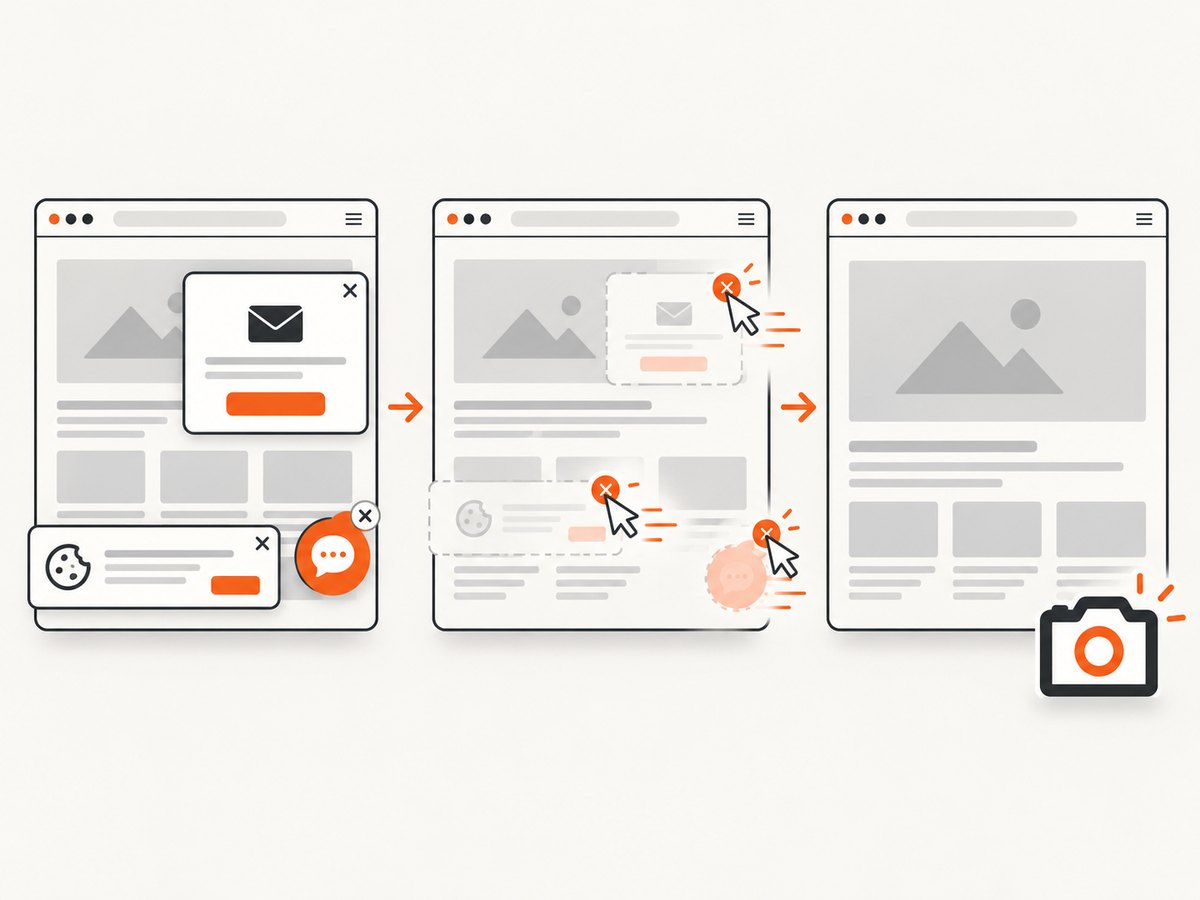
If you want a third option to evaluate first, ScreenshotNeo focuses on clean screenshots: it removes known consent banners, popups, and chat widgets before capture, and bills only clean shots. Its paid plans start at $5 for 3,000 shots, with 1,000 free monthly shots and no card required.
1. At a glance
| Question | ScreenshotAPI.net | Microlink |
|---|---|---|
| Product scope | Focused screenshot and rendering endpoint | Web data and browser API that also supports screenshots |
| Published entry offer | 7-day trial with 100 screenshots; paid Essentials starts at $9/month for 1,000 | 25 free requests per day; Pro is listed at $49/month for approximately 46,000 requests |
| Response shape | Requested output file is described as returned directly | JSON with a screenshot URL by default; can return the image directly using an embed option |
| Notable strengths | Bulk processing, scheduling, video, PDF, and storage integrations | Metadata, extraction, device emulation, interactions, and broader web workflows |
| Published performance claims | 99.9% SLA and sub-3-second average render time, per vendor | 99.9% SLA and P95 cold response under 3 seconds, per vendor |
These are vendor-published statements, not the result of a side-by-side independent benchmark. The services’ quotas, pricing, features, and terms can change. Check their live pages before selecting a plan or using a number in a budget.
2. What each service is designed to do
ScreenshotAPI.net: rendering as the main task
ScreenshotAPI.net presents itself as a screenshot and rendering endpoint. Its feature set includes full-page capture, custom viewport settings, waits, JavaScript and CSS controls, PDF, bulk processing, and storage integrations. The vendor’s feature page describes real Chromium, more than 75 rendering parameters, and more than 20,000 ad and cookie blocking rules. Treat these counts and performance statements as vendor claims; they are not independently validated here.
That focus is useful when your core job is to capture a list of pages on a schedule, create PDF or video outputs, or route generated files into an existing storage workflow. If you need a general-purpose source of page metadata or extracted web data, determine whether its other available capabilities cover your specific workflow before assuming a screenshot endpoint will do so.
Microlink: screenshots inside a web-data platform
Microlink’s screenshot endpoint is part of a broader browser and web-data offering. Its screenshot documentation highlights device emulation, ad and cookie blocking, JavaScript and CSS injection, click and scroll actions, and global edge caching. The wider platform is relevant if one integration needs to return a screenshot as well as metadata, link preview data, or extracted content.
This wider scope can reduce the number of services in an application, but it also means you should compare the request and response model for each operation you plan to use. A screenshot request and a metadata request may have different output handling, quotas, or costs.
3. Pricing and request economics
Published pricing gives ScreenshotAPI.net the lower paid entry point in this comparison. Its pricing page lists a 7-day trial with 100 screenshots, Essentials at $9 per month for 1,000, Startup at $29 for 10,000, and Business at $175 for 100,000. It lists paid-tier rate limits of 20, 40, and 80 requests per minute, respectively. Microlink lists 25 free requests per day and a Pro plan at $49 per month for approximately 46,000 requests per month; enterprise buyers can inquire about dedicated infrastructure.
| Service / tier | Published allocation | Published price | Questions to check |
|---|---|---|---|
| ScreenshotAPI.net trial | 100 screenshots over 7 days | Free trial | Trial expiry, payment details, and feature access |
| ScreenshotAPI.net Essentials | 1,000 screenshots/month | $9/month | Rate limit, overages, and included output options |
| ScreenshotAPI.net Startup | 10,000 screenshots/month | $29/month | Rate limit, storage costs, and overage handling |
| ScreenshotAPI.net Business | 100,000 screenshots/month | $175/month | Rate limit, concurrency, and support terms |
| Microlink free | 25 requests/day | Free | Daily reset, key requirements, and endpoint coverage |
| Microlink Pro | Approximately 46,000 requests/month | $49/month | What counts as a request, overages, and feature limits |
Do not compare only the headline per-request price. Count all operations in your workflow: a screenshot plus metadata might require one or multiple calls depending on the API; retries can consume requests; and bulk, storage, video, or dedicated infrastructure may affect the total. Check if unsuccessful captures count toward quota and how caching is accounted for. The published research does not establish equivalent definitions of a request across vendors.
4. Browser controls and output formats
Both services support full-page capture, custom viewports, wait conditions, JavaScript or CSS control, and ad or cookie blocking. Microlink particularly highlights device emulation and interaction, including click and scroll actions. ScreenshotAPI.net emphasizes bulk work, scheduling, video, PDF, and storage routing. Confirm the exact parameter names and plan eligibility in current vendor documentation before building around an option.
For a page that is only correct after interaction, check whether the service can reproduce the steps deterministically. A click may be necessary to reveal a menu; a wait may be needed for a client-rendered chart; a custom viewport may be required to capture a mobile layout. Each additional wait or action can increase render time and introduce another failure point if the page changes.
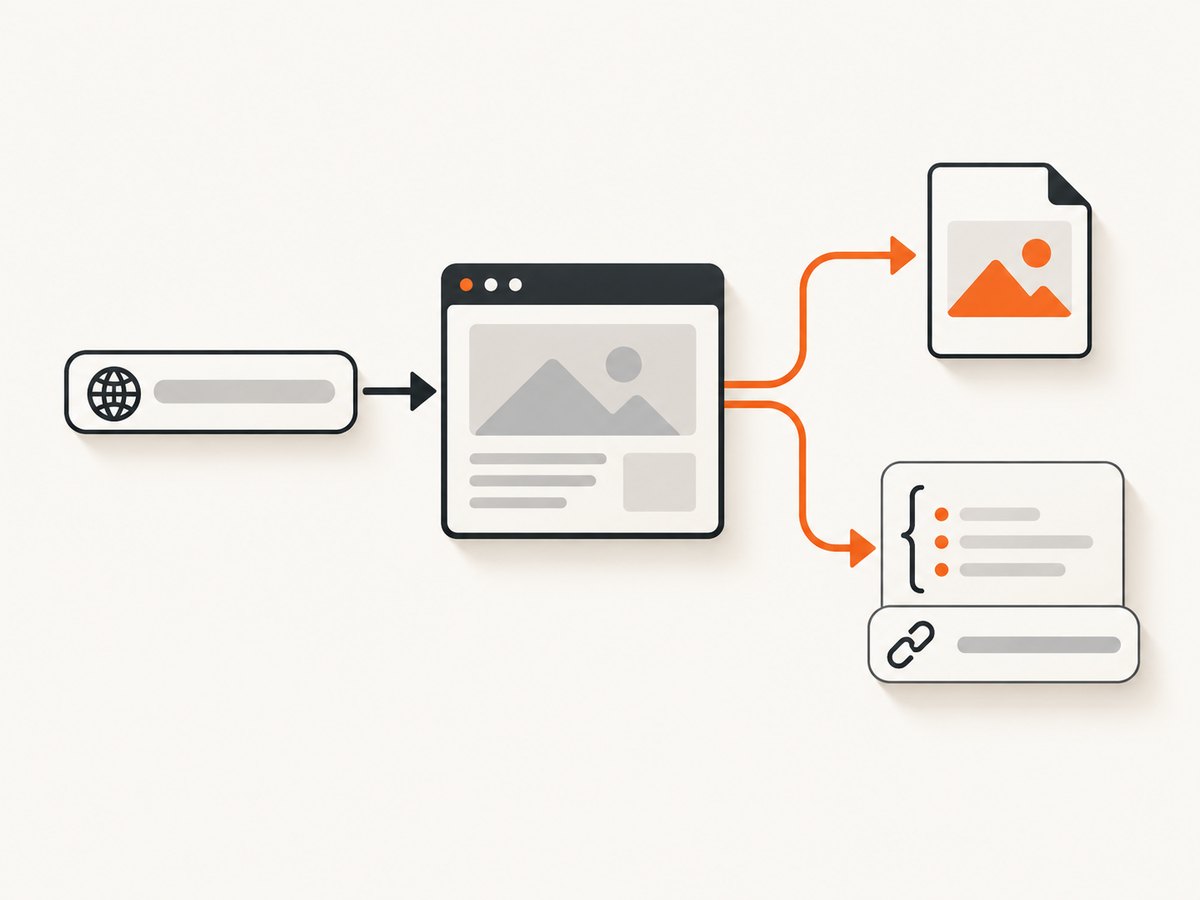
Output handling is a practical difference. ScreenshotAPI.net is described as returning the requested file directly. Microlink returns JSON by default, with a screenshot URL, and its documentation shows an embed parameter for direct image output. If your application expects bytes, a URL, or JSON metadata, make that contract explicit in your client and test error responses separately from successful image responses.
5. A minimal capture from each API
The exact vendor parameters vary by output and feature. These examples show the basic request shape; consult each service’s live documentation for account setup, supported query parameters, and current response details. Do not place a private API key in browser-side code or a public repository.
ScreenshotAPI.net with cURL
curl --get 'https://shot.screenshotapi.net/screenshot' \
  --data-urlencode 'token=YOUR_SCREENSHOTAPI_KEY' \
  --data-urlencode 'url=https://example.com' \
  --data-urlencode 'width=1440' \
  --data-urlencode 'height=900' \
  --output screenshot.png
Use the current documented endpoint and parameter names for your account. The endpoint above illustrates the common token, URL, viewport, and file-output pattern; verify it against the provider’s current API reference before deploying.
Microlink with cURL
curl --get 'https://api.microlink.io' \
  --data-urlencode 'url=https://example.com' \
  --data-urlencode 'screenshot=true' \
  --data-urlencode 'embed=screenshot.url'
Microlink’s default response is JSON. Its documentation describes using embed=screenshot.url to request the image directly. For an authenticated plan, follow current key and header guidance in its documentation.
Python client handling Microlink’s default JSON
import requests

response = requests.get(
    "https://api.microlink.io",
    params={"url": "https://example.com", "screenshot": "true"},
    timeout=60,
)
response.raise_for_status()
data = response.json()

# The default response contains a screenshot URL. Fetch it separately.
screenshot_url = data["data"]["screenshot"]["url"]
image = requests.get(screenshot_url, timeout=60)
image.raise_for_status()
with open("screenshot.png", "wb") as output:
    output.write(image.content)
This two-request pattern demonstrates the default JSON-plus-URL workflow. Inspect the response schema and error format in the current API documentation; validate that the screenshot field exists before dereferencing it in production.
Node.js client handling a direct image response
const params = new URLSearchParams({
  url: 'https://example.com',
  screenshot: 'true',
  embed: 'screenshot.url'
});

const response = await fetch(`https://api.microlink.io?${params}`);
if (!response.ok) {
  throw new Error(`Screenshot request failed: ${response.status}`);
}

const image = Buffer.from(await response.arrayBuffer());
await import('node:fs/promises').then(fs =>
  fs.writeFile('screenshot.png', image)
);
Run this in a Node.js environment that supports the built-in Fetch API. If using a Microlink response without the embed option, parse JSON and fetch the returned screenshot URL instead. Use your vendor account’s documented authentication when required.
6. Choose based on your workload
- List required outputs. If you need only screenshots, compare capture fidelity, response handling, and price. If you need PDF, video, or storage routing, verify the relevant ScreenshotAPI.net tier and details. If you need metadata or extraction alongside images, include Microlink in the evaluation.
- Map browser actions. Write down viewport, device emulation, waits, clicks, scrolls, injected CSS or JavaScript, and any authenticated access. Test the most complex page, not just a static homepage.
- Estimate requests. Multiply captures per page by pages, schedules, users, and retry attempts. Add other API operations and account for peak traffic separately from monthly totals.
- Match the response shape. Decide whether your pipeline wants image bytes, a hosted URL, or JSON with metadata. Include the extra fetch in latency, error handling, and security decisions when a URL is returned.
- Validate operational terms. Check rate limits, concurrency, caching, URL lifetime, support, SLA scope, overage behavior, and whether failed renders count against quota.
- Run a representative pilot. Compare your own target pages across regions and time windows. Record success rate, time to usable output, visual correctness, and total billed requests. Vendor speed statements do not predict your particular pages or network.
Decision: choose ScreenshotAPI.net when screenshot rendering and scheduled or bulk output dominate the job. Choose Microlink when screenshot capture sits inside a broader metadata, extraction, link-preview, emulation, or interaction workflow. For a screenshot API that removes consent clutter before capture and charges only for clean shots, evaluate ScreenshotNeo as the first alternative.
7. Or skip the browser setup
For a one-call option, ScreenshotNeo accepts a URL and returns PNG, JPEG, WebP, or PDF. Its API also has options for full-page and element capture, viewport and device settings, waits, CSS and JavaScript, cookies and headers, caching, bulk requests, async jobs, and signed image links. See the ScreenshotNeo API documentation for the current parameters.
curl -G "https://api.screenshotneo.com/v1/shot" \
  -d access_key=YOUR_API_KEY \
  --data-urlencode url=https://stripe.com \
  -o shot.webp
Python:
import requests

r = requests.get(
    "https://api.screenshotneo.com/v1/shot",
    params={"access_key": "YOUR_API_KEY", "url": "https://stripe.com"},
    timeout=90,
)
open("shot.webp", "wb").write(r.content)
Node.js:
const q = new URLSearchParams({
  access_key: 'YOUR_API_KEY',
  url: 'https://stripe.com'
});
const res = await fetch(`https://api.screenshotneo.com/v1/shot?${q}`);
if (!res.ok) throw new Error(`Screenshot failed: ${res.status}`);
await import('node:fs/promises').then(fs =>
  fs.writeFile('shot.webp', Buffer.from(await res.arrayBuffer()))
);
Cookie banners, popups, and chat widgets are removed before the shot. Bot checks, blank pages, and failed loads are never billed, and response headers report the page verdict and billing status. An MCP server lets AI agents use the take_screenshot, get_page_info, and capture_pdf tools. The free plan includes 1,000 screenshots a month with no card; paid plans start at $5 for 3,000. Sign up for 1,000 free screenshots a month, with no card required.
8. Reliability, performance, and cost controls
Both vendors publish 99.9% SLA figures. Microlink states a P95 cold response under three seconds; ScreenshotAPI.net states a sub-three-second average render time. These are self-reported claims and should not be treated as a guarantee for a specific page, geography, or output size. No independent latency, visual-fidelity, regional-availability, or failure-rate test is available in this comparison.
- Set a client timeout. Rendering can be slower than a normal HTTP request, especially for long pages or waits. Use a timeout aligned with your application and retry budget.
- Retry selectively. Retry transient connection failures and appropriate server errors with bounded exponential backoff and jitter. Avoid repeatedly retrying invalid URLs, unsupported parameters, authorization failures, or deterministic page errors.
- Make output handling defensive. Check status and content type before writing response bytes as an image. For JSON-plus-URL responses, validate the JSON status and screenshot URL, then handle the download as a separate operation.
- Use caching where acceptable. If a page changes infrequently, avoid paying for redundant captures by using a cache or your own deduplication key. Confirm vendor cache semantics and freshness.
- Control concurrency. Stay within documented per-minute limits and any concurrency cap. Queue bulk work and smooth bursts so a scheduled batch does not overwhelm your quota.
- Reduce unnecessary page work. Choose the smallest viewport and output that meet the use case, and avoid long waits where a selector or network-idle condition is more precise and supported.
Track successful outputs, failed renders, retries, and request charges separately. A vendor’s SLA describes a service commitment under its terms; it does not guarantee that a third-party site will load, that a bot check will be passable, or that a page’s visual state is stable.
9. Troubleshooting
| Symptom | Likely cause | What to do |
|---|---|---|
| 401 or 403 response | Missing, invalid, or unauthorized key, or a plan restriction | Check the account key, authentication method, URL encoding, and feature entitlement in current vendor docs. Keep secrets server-side. |
| 429 response | Rate or quota limit reached | Reduce concurrency, queue requests, honor retry guidance, and check the plan’s per-minute and monthly limits. |
| Blank or incomplete screenshot | Capture happened before client rendering or lazy content completed | Use a documented wait, selector, or scroll option. Verify the target page works in a normal browser and that the requested viewport exposes the content. |
| Cookie dialog or overlay covers content | The target page requires consent or a dialog dismissal | Use supported cookie/ad blocking or interaction controls, and test whether the site exposes content only after consent. Do not assume every site’s consent flow is identical. |
| Image file contains JSON or HTML | Error response was saved as if it were an image, or the API returned its default JSON shape | Check HTTP status and content type. For Microlink, use the documented embed option for direct image output or parse JSON and retrieve the screenshot URL. |
| Capture times out | Slow page resources, overly long waits, or an unreachable target | Test the URL independently, use a more specific wait, reduce unnecessary page work, and increase the client timeout only when the workload justifies it. |
| 429 or intermittent failures in a batch | Request burst exceeds the tier limit or a dependency is temporarily unavailable | Throttle workers, spread scheduled jobs, and retry transient errors with a bounded policy. Record request identifiers and timestamps for support. |
| Screenshot URL does not load later | Hosted output URL may be temporary or access-controlled | Check documented URL expiry and storage behavior. Download output promptly or route it to durable storage if your plan supports that workflow. |
10. FAQ
Which service is better for a one-off screenshot?
Either can work. Prefer the API whose response format, authentication, and free or trial allocation make the smallest integration for your particular use.
Can Microlink return image bytes rather than JSON?
Its documentation shows embed=screenshot.url for a direct image response. Without that option, the default is JSON containing a screenshot URL.
Are the published speed and SLA numbers independently measured?
No. They are vendor claims. The research did not run an independent performance or availability test.
Are the listed prices guaranteed to remain current?
No. They are the published figures collected for this comparison and can change. Verify live pricing, quotas, and feature gates before purchase.
What should I benchmark before switching providers?
Use representative pages and compare successful output rate, visual correctness, end-to-end time, response handling, request consumption, and monthly cost at your expected volume.
Sources and verification
- ScreenshotAPI.net pricing and feature descriptions.
- Microlink pricing, screenshot API documentation, and screenshot product page.
- Pricing and feature descriptions in this post reflect the research dossier and should be rechecked against the linked vendor sources before publication or implementation.


