ScreenshotOne Full-Page Screenshot
Capture complete web pages with ScreenshotOne, trigger lazy-loaded content, tune scrolling, and fix incomplete full-page screenshots.

A ScreenshotOne full-page screenshot starts with one option: full_page=true. ScreenshotOne then renders beyond the initial viewport and, by default, scrolls through the page before returning to capture it. That scrolling helps trigger lazy-loaded images and other content that appears only after the page moves.
For a basic request, send a URL and your access key to the ScreenshotOne /take endpoint:
curl -G "https://api.screenshotone.com/take" \\
  --data-urlencode "access_key=YOUR_ACCESS_KEY" \\
  --data-urlencode "url=https://example.com/article" \\
  --data-urlencode "full_page=true" \\
  -o page.png
Full-page rendering is affected by page length, lazy loading, animations, viewport dimensions, and infinite-scroll behavior. Treat the basic request as a starting point, then tune scrolling and waiting when the result is incomplete.
1. Make the first full-page request
cURL
curl -G "https://api.screenshotone.com/take" \\
  --data-urlencode "access_key=YOUR_ACCESS_KEY" \\
  --data-urlencode "url=https://example.com/article" \\
  --data-urlencode "full_page=true" \\
  --data-urlencode "format=png" \\
  -o article.png
Python
import requests

params = {
    "access_key": "YOUR_ACCESS_KEY",
    "url": "https://example.com/article",
    "full_page": "true",
    "format": "png",
}

response = requests.get(
    "https://api.screenshotone.com/take",
    params=params,
    timeout=120,
)
response.raise_for_status()
with open("article.png", "wb") as output:
    output.write(response.content)
Node.js
const query = new URLSearchParams({
  access_key: 'YOUR_ACCESS_KEY',
  url: 'https://example.com/article',
  full_page: 'true',
  format: 'png'
});

const response = await fetch(`https://api.screenshotone.com/take?${query}`);
if (!response.ok) {
  throw new Error(`ScreenshotOne returned ${response.status}`);
}
const bytes = Buffer.from(await response.arrayBuffer());
await require('node:fs').promises.writeFile('article.png', bytes);
ScreenshotOne also documents POST requests with JSON. POST is useful when your option set becomes large; the documented maximum POST body is 100 MiB. The access key can be supplied as a query parameter, in the JSON body, or with the X-Access-Key header.
curl -X POST "https://api.screenshotone.com/take" \\
  -H "Content-Type: application/json" \\
  -H "X-Access-Key: YOUR_ACCESS_KEY" \\
  --data '{
    "url": "https://example.com/article",
    "full_page": true,
    "format": "png"
  }' \\
  -o article.png
2. Understand how full-page capture works
A normal viewport screenshot captures what is visible at one width and height. With full_page=true, ScreenshotOne renders the page beyond that viewport. Its default full-page scrolling is enabled through full_page_scroll=true. The browser scrolls down and back up, allowing pages that use intersection observers or lazy-loading attributes to request images and sections lower in the document.
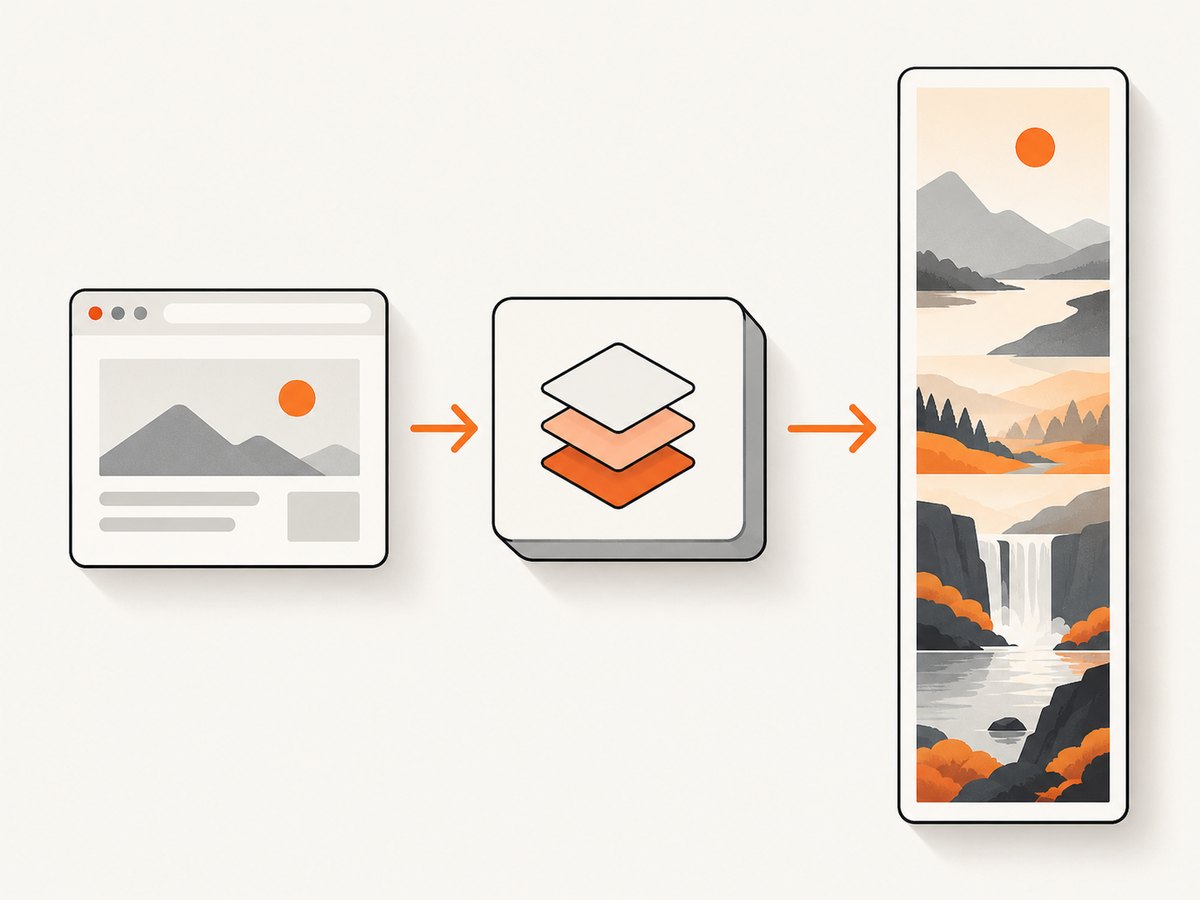
The default algorithm uses Chrome DevTools Protocol behavior with ScreenshotOne tuning and site-specific optimizations. For complicated layouts or animated pages, full_page_strategy=by_sections (the option name shown in ScreenshotOne’s options reference) captures sections separately and combines them. Section capture can avoid some problems caused by a single very tall screenshot, but it can increase work and may require scroll tuning.
| Situation | First setting to try | Why |
|---|---|---|
| Images are missing below the fold | full_page_scroll=true |
Scrolls through the page to trigger lazy loading. |
| Content appears only after scrolling | full_page_scroll_by and full_page_scroll_delay |
Smaller steps and a pause give observers time to react. |
| Sticky headers or animations create seams | by_sections |
Captures and joins sections rather than relying on one tall capture. |
| Page never ends | full_page_max_height |
Places a hard height bound on the result. |
| Output is too large for downstream systems | full_page_slices=true |
Splits the rendered image into vertical slices. |
3. Tune lazy-loaded images and delayed content
When a page uses lazy-loaded images, the scroll increment and pause are important. ScreenshotOne’s guide uses a 500-pixel increment and a 1,500-millisecond delay as an example. Its options reference says values between 100 and 500 pixels can help on some sites. These are tuning starting points, not universal values.
curl -G "https://api.screenshotone.com/take" \\
  --data-urlencode "access_key=YOUR_ACCESS_KEY" \\
  --data-urlencode "url=https://example.com/catalog" \\
  --data-urlencode "full_page=true" \\
  --data-urlencode "full_page_scroll=true" \\
  --data-urlencode "full_page_scroll_by=500" \\
  --data-urlencode "full_page_scroll_delay=1500" \\
  --data-urlencode "delay=5000" \\
  -o catalog.png
Use an additional page-load delay when the application fetches content after its initial load. A five-to-ten-second wait is a practical range suggested by the vendor guide for pages that need more time. If the site exposes a reliable readiness element, waiting for that selector is usually more deterministic than choosing a large fixed delay.
Animations can change the pixels between sections. ScreenshotOne documents reduce_motion as best-effort. It can reduce CSS motion, but custom JavaScript animation, canvas drawing, and animated image files can still differ. If a page remains unstable, combine reduced motion with a longer delay or the section-based algorithm.
4. Choose a viewport deliberately
Viewport width and height affect line wrapping, responsive breakpoints, navigation, and the total height of the page. Set them explicitly when screenshots must be reproducible:
curl -G "https://api.screenshotone.com/take" \\
  --data-urlencode "access_key=YOUR_ACCESS_KEY" \\
  --data-urlencode "url=https://example.com/docs" \\
  --data-urlencode "full_page=true" \\
  --data-urlencode "viewport_width=1440" \\
  --data-urlencode "viewport_height=900" \\
  --data-urlencode "device_scale_factor=2" \\
  -o docs@2x.png
ScreenshotOne device presets emulate browser settings. They are not photographs from a physical phone or tablet. For visual regression work, record the preset or exact viewport, scale, user agent, timezone, and geolocation so later captures use the same rendering conditions.
5. Control exceptionally long pages
Infinite feeds and pages that append content while scrolling can keep growing. Set full_page_max_height to bound the output. This protects memory, response size, and processing time, while making the result predictable.
curl -G "https://api.screenshotone.com/take" \\
  --data-urlencode "access_key=YOUR_ACCESS_KEY" \\
  --data-urlencode "url=https://example.com/feed" \\
  --data-urlencode "full_page=true" \\
  --data-urlencode "full_page_max_height=20000" \\
  -o feed.png
If another system cannot handle one very tall bitmap, request full_page_slices=true. The documented default slice height is 4,000 pixels, and the allowed range is 1 to 16,000 pixels. Choose a slice size that fits your storage, OCR, or review pipeline.
6. Use PDF when the deliverable is a document
For a printable result, ScreenshotOne documents a PDF combination of format=pdf, media_type=screen, pdf_print_background=true, and pdf_fit_one_page=true.
curl -G "https://api.screenshotone.com/take" \\
  --data-urlencode "access_key=YOUR_ACCESS_KEY" \\
  --data-urlencode "url=https://example.com/report" \\
  --data-urlencode "format=pdf" \\
  --data-urlencode "media_type=screen" \\
  --data-urlencode "pdf_print_background=true" \\
  --data-urlencode "pdf_fit_one_page=true" \\
  -o report.pdf
Fitting a long page onto one PDF page can produce an unusually tall or very small document. For readable output, use paper size, margins, landscape mode, and page ranges instead of forcing every pixel onto one sheet.
7. Common errors and fixes
| Symptom | Likely cause | Fix |
|---|---|---|
| Only the hero section appears | Full-page mode is absent or the page has not finished loading. | Set full_page=true; add a readiness wait or delay. |
| Lazy images are blank | Scroll events are too large or too fast. | Enable scrolling, try 100–500 pixel steps, and increase scroll delay. |
| Sections overlap or show seams | Sticky elements or animation change during a tall capture. | Try by_sections, reduce motion, and wait for a stable state. |
| Capture times out | Heavy JavaScript, slow third-party resources, or an unbounded feed. | Block unnecessary resources, cap maximum height, or use a smaller viewport. |
| Page is still changing | Animations or polling continue after load. | Use reduce_motion, a selector wait, or a longer delay. |
| Output is too tall | Infinite scrolling keeps adding content. | Set full_page_max_height or capture a bounded route. |
| Request is rejected | Invalid option, missing access key, or reached account limit. | Check the option spelling and authentication, then inspect the documented error response. |
8. Performance, reliability, and cost planning
Full-page work costs more time than a viewport shot because the browser must render, scroll, wait, and possibly stitch many sections. Reduce unnecessary work by choosing a realistic viewport, blocking ads and trackers where appropriate, using a selector wait instead of an excessive fixed delay, and limiting unbounded pages.
Reliability depends on the page. ScreenshotOne explicitly warns that reliable full-page rendering is difficult and that some pages may remain uncapturable after tuning. Build retries around transient failures, store the URL and option set with each artifact, and validate that the returned image height and key lower-page regions exist.
The pricing page checked on 2026-09-29 listed Basic at $17/month for 2,000 screenshots, Growth at $79 for 10,000, and Scale at $259 for 50,000. Listed overage prices were $0.009, $0.006, and $0.004 per extra screenshot respectively. Prices exclude VAT and can change, so confirm the current page before budgeting. The vendor states that only successful requests are charged.
9. A production checklist
- Set
full_page=trueand record the viewport. - Confirm lazy-loaded images appear near the bottom of the result.
- Choose a scroll increment and delay appropriate to the page.
- Wait for a selector or stable state when the application is asynchronous.
- Reduce motion or use section capture for animated layouts.
- Cap height for infinite-scroll pages.
- Use slices when downstream systems have image-size limits.
- Retry transient failures and log response errors.
- Keep credentials out of browser code and public URLs.
Or skip the browser setup
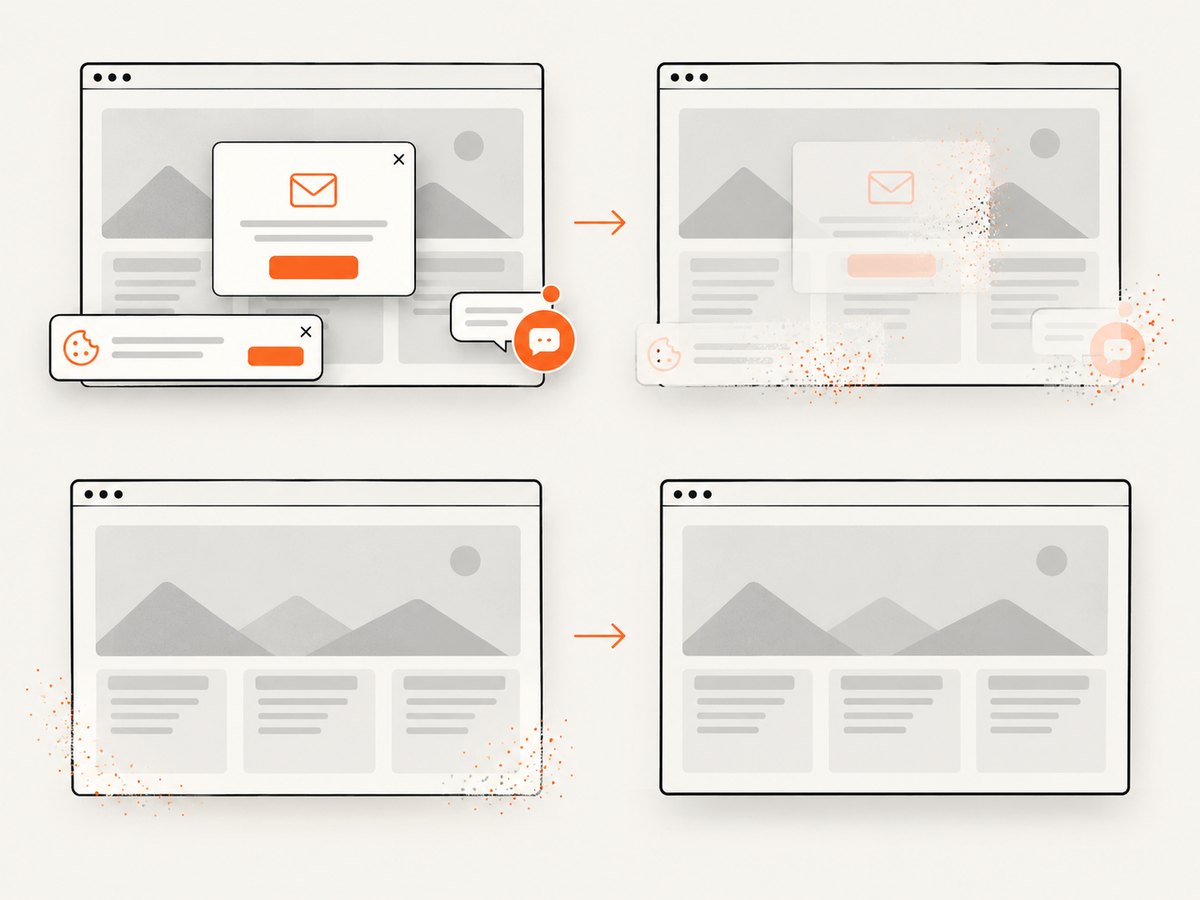
ScreenshotNeo provides a single GET request for a full-page image or PDF, with lazy images loaded during capture. Its clean-shot workflow accepts consent banners and removes more than 60 known consent platforms, newsletter popups, and chat widgets before the shot; each step can be disabled.
Using the API is documented at https://screenshotneo.com/docs/:
cURL
curl -G "https://api.screenshotneo.com/v1/shot" -d access_key=YOUR_API_KEY --data-urlencode url=https://stripe.com -o shot.webpPython
import requests
r = requests.get("https://api.screenshotneo.com/v1/shot", params={"access_key": "YOUR_API_KEY", "url": "https://stripe.com"}, timeout=90)
open("shot.webp", "wb").write(r.content)
Node.js
const q = new URLSearchParams({ access_key: 'YOUR_API_KEY', url: 'https://stripe.com' });
const res = await fetch(`https://api.screenshotneo.com/v1/shot?${q}`);
Bot checks, blank pages, timeouts, failed loads, and cache hits are not billed, and response headers identify the page verdict and billing status. ScreenshotNeo also has an MCP server with take_screenshot, get_page_info, and capture_pdf tools for Claude, Cursor, and other MCP clients. The Free plan includes 1,000 screenshots per month with no card; paid plans start at $5 for 3,000. Create a free ScreenshotNeo account.
FAQ
Does full-page mode capture content loaded by JavaScript?
It can, when scrolling triggers the site’s lazy-loading behavior. Add a scroll delay or readiness wait when the application needs more time.
Should I use one tall image or slices?
Use one image for visual review and slices when storage, OCR, or another consumer has height limits.
Can full-page capture guarantee pixel-perfect results?
No. Animated, canvas-heavy, sticky, and continuously updating pages can remain difficult even after tuning.
When is PDF preferable?
Choose PDF when users need printing, page ranges, margins, or a document artifact rather than a single bitmap.


