ScreenshotOne vs ApiFlash: Which Screenshot API Is Better in 2026?
Compare ScreenshotOne and ApiFlash pricing, features, limits, and integration details, then choose based on your workload—not an unverified speed claim.

Direct answer: The available documentation does not establish a universal winner between ScreenshotOne and ApiFlash, and there is no independent controlled comparison of their speed, uptime, or visual fidelity. ApiFlash has the lower published paid entry price: $7 per month for 1,000 screenshots. ScreenshotOne Basic is $17 per month for 2,000. At the higher named tiers, ApiFlash lists more screenshots for less money, while ScreenshotOne documents a broader set of output formats and workflows. Compare the exact options, billing rules, and representative pages your application needs before choosing.
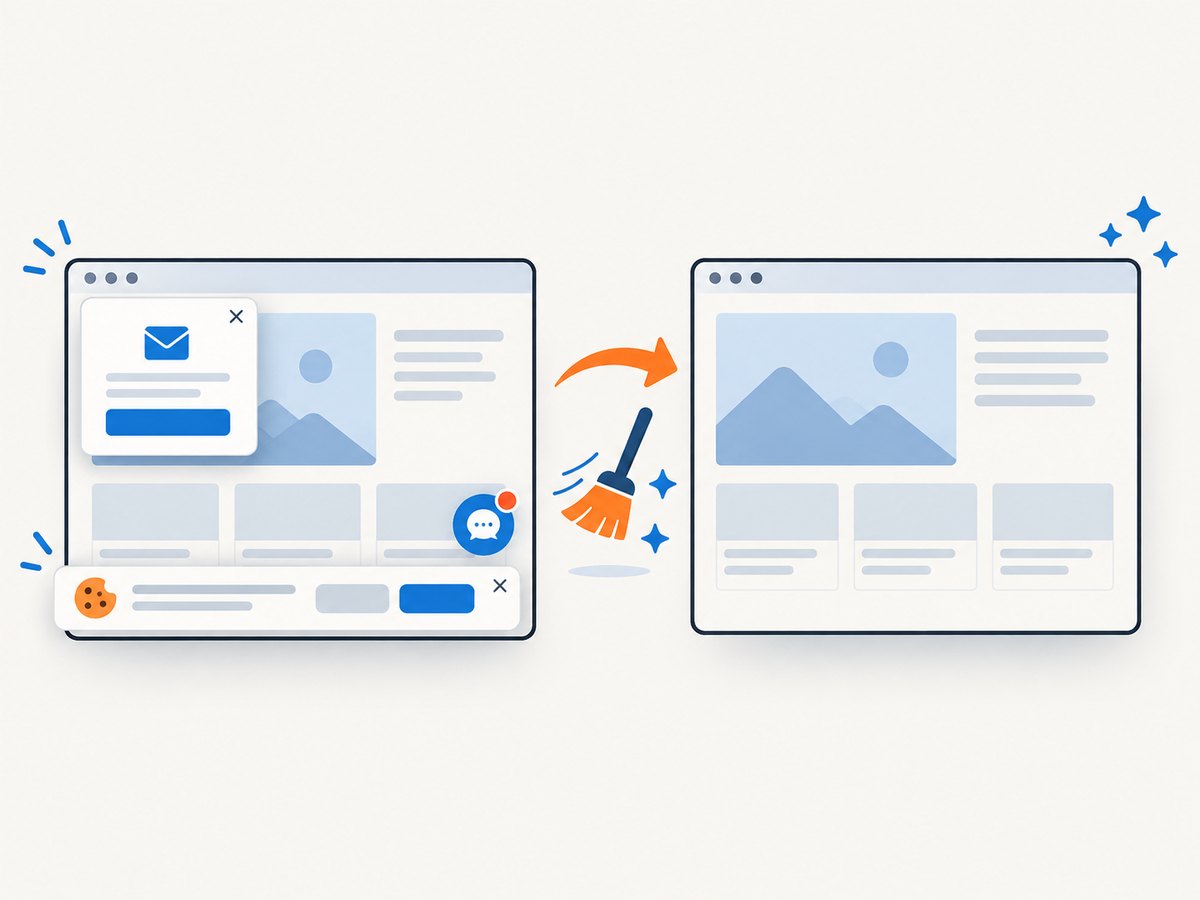
If you want a third option to evaluate first, ScreenshotNeo is a website screenshot API and MCP server. It removes known consent banners, newsletter popups, and chat widgets before capture, bills only clean shots, and has a free tier with 1,000 screenshots per month.
1. What the two APIs do
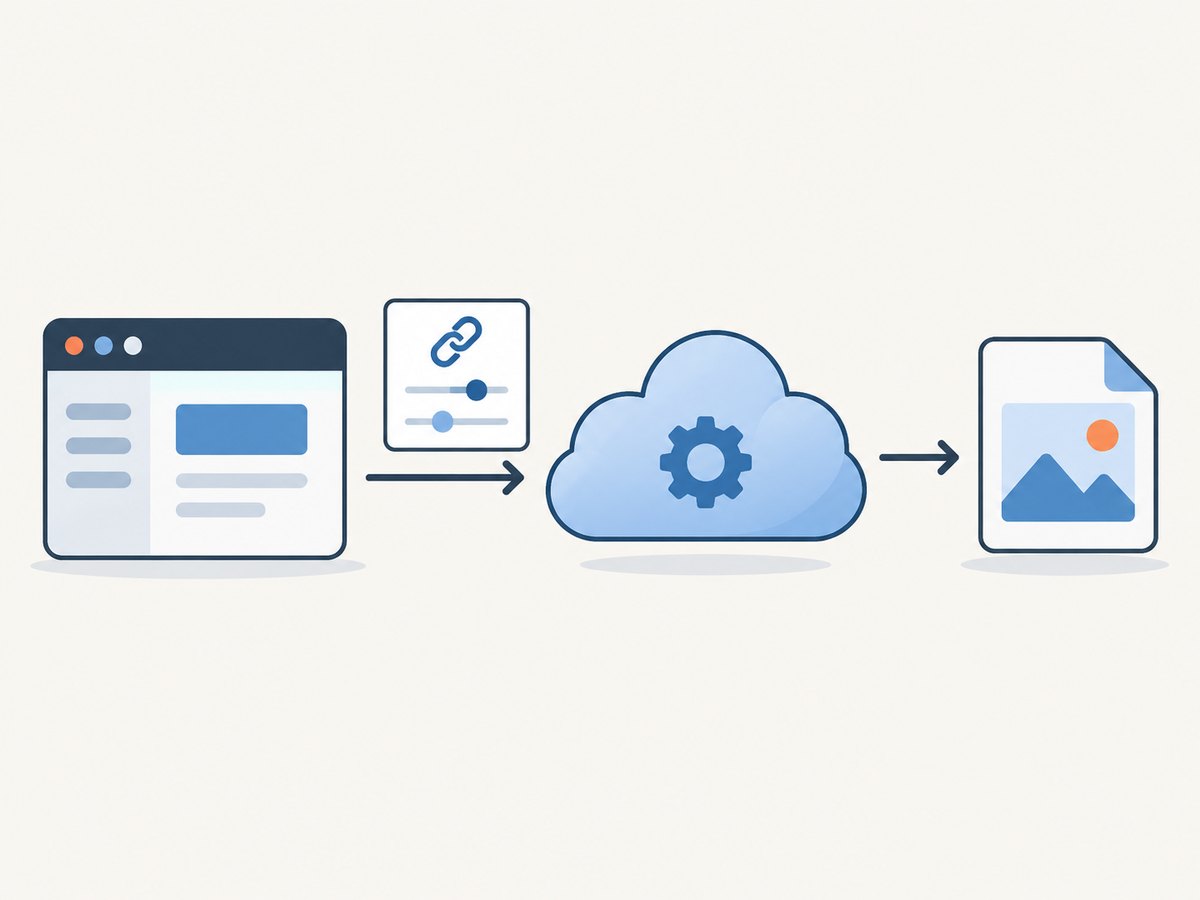
Both services let an application send an HTTP request with a target URL and capture options, then receive a screenshot or related output. Both document access-key authentication and HTTPS API usage. The practical choice comes down to the output and capture behavior you require, how much you expect to capture, and the billing and rate limits that fit your traffic.
Feature lists are vendor descriptions, not proof that the services render every site in the same way. A complex page can depend on fonts, authentication, lazy-loaded images, consent dialogs, client-side scripts, and timing. No hands-on head-to-head test was performed for this comparison.
2. Pricing and quota comparison
The following is a snapshot of the vendors’ published plans gathered for this article. Prices and plan contents can change; confirm the current pricing pages before purchase. The tiers do not line up exactly, and this table does not calculate a normalized total cost for a particular workload.
| Provider and tier | Published price | Included screenshots | Published details |
|---|---|---|---|
| ScreenshotOne Free | $0 | 100 | Free usage |
| ScreenshotOne Basic | $17/month | 2,000/month | 40 requests/minute; listed overage $0.009 each |
| ScreenshotOne Growth | $79/month | 10,000/month | 80 requests/minute; listed overage $0.006 each |
| ScreenshotOne Scale | $259/month | 50,000/month | 150 requests/minute; listed overage $0.004 each |
| ApiFlash Free | $0/month | 100 | PNG, JPEG, WebP; full-page and mobile capture; ad and cookie-banner hiding; S3 export |
| ApiFlash Lite | $7/month | 1,000 | Basic support and listed core feature set |
| ApiFlash Medium | $35/month | 10,000 | Priority support and listed core feature set |
| ApiFlash Large | $180/month | 100,000 | Premium support and listed core feature set |
ScreenshotOne’s pricing page describes charging quota for successful uncached unique renders and lists usage alerts and configurable hard limits. ApiFlash’s cited plan page lists its named quotas and features. Treat these as the vendors’ published terms and verify the exact current accounting rules, cache behavior, and overage policy for your account.
3. Feature and output differences
| Need | ScreenshotOne documentation | ApiFlash documentation |
|---|---|---|
| Image formats | PNG, JPEG/JPG, WebP, GIF, JP2, TIFF, AVIF, and HEIF are listed | JPEG, PNG, and WebP are listed |
| Other outputs | PDF, HTML, and Markdown options are documented | The cited docs focus on image output |
| Page capture | Full-page screenshots and other capture options are documented | Full-page, mobile, and scrolling-related options are documented |
| Storage and delivery | Pricing page lists caching, S3 upload, webhooks, and signed links | Homepage lists S3 export |
| Plan-specific options | Growth lists location choice, scrolling screenshots, and video; Scale lists GPU rendering and priority support | Homepage lists core features across plans and describes custom enterprise plans |
Do not infer that similarly named features behave identically. For example, confirm how a provider handles a cookie banner on your target pages, whether an output format is available on your chosen tier, and whether cache hits count toward your quota. ScreenshotOne’s docs describe one of Markdown, HTML, or URL as required for its options request. Check its current API reference for the precise parameter requirements.
4. How to choose for your workload
Compare cost at the volume you actually expect
ApiFlash Lite has the lower paid entry price, while ScreenshotOne Basic includes twice its listed monthly screenshot quota. For a larger workload, ApiFlash Large lists 100,000 screenshots at $180, compared with ScreenshotOne Scale’s 50,000 at $259. Those headline numbers do not settle total cost: compare support, features, successful-render rules, cache accounting, overages, and the request rate your application needs.
Estimate a normal month and a busy month. Include retries, repeated URLs, and any cache configuration. Then check whether the plan’s rate limit or concurrency behavior can handle peaks. A low average monthly volume can still exceed a per-second or per-minute limit during a batch job.
Match outputs to the product you are building
If you need PDF or HTML/Markdown output, ScreenshotOne explicitly lists those choices in its options documentation. If your use case needs PNG, JPEG, or WebP, both vendors list those image formats. Verify the exact output and plan before implementing around it.
Test the pages that matter
Choose representative URLs that cover your real rendering conditions: a short static page, a long page, a page with lazy images, a page behind authentication, and one with consent or dynamic content. Compare the resulting images at the viewport and timing settings your application will use. Published feature descriptions cannot establish how a specific target page will render.
Check integration and operational requirements
Review the supported HTTP methods, authentication, payload size, output delivery, rate limits, and error responses. The researched sources establish API-key integration, but they do not provide a complete independent security or privacy comparison. If data handling or regional processing matters, ask each provider for the terms that apply to your use case.
5. Integrate ScreenshotOne
ScreenshotOne documents access-key authentication, HTTPS, and GET and POST request patterns. Its API documentation also describes JSON request bodies and a 100 MiB maximum POST body. HTTPS is recommended; HTTP is described for legacy compatibility. Keep the key in a server-side secret store and avoid placing it in browser JavaScript or logs.
cURL
curl -G "https://api.screenshotone.com/take" \
  --data-urlencode "access_key=$SCREENSHOTONE_ACCESS_KEY" \
  --data-urlencode "url=https://example.com" \
  -o screenshot.png
Python
import os
import requests

response = requests.get(
    "https://api.screenshotone.com/take",
    params={
        "access_key": os.environ["SCREENSHOTONE_ACCESS_KEY"],
        "url": "https://example.com",
    },
    timeout=90,
)
response.raise_for_status()
with open("screenshot.png", "wb") as image:
    image.write(response.content)
Node.js
const params = new URLSearchParams({
  access_key: process.env.SCREENSHOTONE_ACCESS_KEY,
  url: 'https://example.com',
});

const response = await fetch(
  `https://api.screenshotone.com/take?${params}`,
  { signal: AbortSignal.timeout(90_000) }
);
if (!response.ok) {
  throw new Error(`ScreenshotOne request failed: ${response.status}`);
}
const image = Buffer.from(await response.arrayBuffer());
await import('node:fs/promises').then(fs => fs.writeFile('screenshot.png', image));
These minimal examples show the request and save the response. Add only options supported by the current API reference, and check the response content type and status before treating the body as an image. For larger or structured option sets, the documented POST request pattern can avoid putting a long parameter list in the URL. See the ScreenshotOne API documentation for the current endpoint, parameters, authentication, and output behavior.
6. Integrate ApiFlash
ApiFlash documents an HTTPS endpoint supporting GET and POST and requires a valid access key. Its options include viewport dimensions, full-page capture, image quality, page scrolling, freshness/cache controls, and cache TTL. Consult its current API documentation for exact parameter names and defaults.
cURL
curl -G "https://api.apiflash.com/v1/urltoimage" \
  --data-urlencode "access_key=$APIFLASH_ACCESS_KEY" \
  --data-urlencode "url=https://example.com" \
  --data-urlencode "format=png" \
  -o screenshot.png
Python
import os
import requests

response = requests.get(
    "https://api.apiflash.com/v1/urltoimage",
    params={
        "access_key": os.environ["APIFLASH_ACCESS_KEY"],
        "url": "https://example.com",
        "format": "png",
    },
    timeout=90,
)
response.raise_for_status()
with open("screenshot.png", "wb") as image:
    image.write(response.content)
Node.js
const params = new URLSearchParams({
  access_key: process.env.APIFLASH_ACCESS_KEY,
  url: 'https://example.com',
  format: 'png',
});

const response = await fetch(
  `https://api.apiflash.com/v1/urltoimage?${params}`,
  { signal: AbortSignal.timeout(90_000) }
);
if (!response.ok) {
  throw new Error(`ApiFlash request failed: ${response.status}`);
}
const image = Buffer.from(await response.arrayBuffer());
await import('node:fs/promises').then(fs => fs.writeFile('screenshot.png', image));
For production, set the access key in an environment variable or secret manager. Avoid logging full request URLs if they contain credentials. The examples use the documented HTTPS endpoint and commonly listed URL, access-key, and format parameters; verify any additional option against ApiFlash’s current reference before relying on it.
7. Or skip the browser setup
ScreenshotNeo is the first alternative to try if you want a single-call screenshot API with consent cleanup and explicit page verdicts. It is a website screenshot API and MCP server from Yorker Media. The call below returns a WebP capture of a URL; the ScreenshotNeo API documentation describes its options.
curl -G "https://api.screenshotneo.com/v1/shot" \
  -d access_key=YOUR_API_KEY \
  --data-urlencode url=https://stripe.com \
  -o shot.webp
Python:
import requests

r = requests.get(
    "https://api.screenshotneo.com/v1/shot",
    params={"access_key": "YOUR_API_KEY", "url": "https://stripe.com"},
    timeout=90,
)
open("shot.webp", "wb").write(r.content)
Node.js:
const q = new URLSearchParams({ access_key: 'YOUR_API_KEY', url: 'https://stripe.com' });
const res = await fetch(`https://api.screenshotneo.com/v1/shot?${q}`);- Cookie banners, newsletter popups, and chat widgets are removed before the shot; each cleanup step can be turned off.
- Bot checks and CAPTCHAs, blank pages, timeouts, failed loads, and cache hits are never billed. Response headers say the page verdict and whether it was billed.
- An MCP server gives AI agents, including Claude and Cursor, tools to take screenshots, get page information, and capture PDFs.
- 1,000 screenshots a month are free with no card; paid plans start at $5 for 3,000. Every feature is available on every plan.
Sign up for ScreenshotNeo’s free plan to get 1,000 screenshots per month with no card.
8. Rate limits, performance, reliability, and cost
Rate limits and bursts
ApiFlash documentation specifies a limit of 20 requests per second with a burst size of 400, and says excess requests beyond the burst are terminated with HTTP 429. It also describes rate limiting repeated identical failed captures. Recheck current operational terms before implementation. ScreenshotOne’s listed plans show 40, 80, and 150 requests per minute for Basic, Growth, and Scale. These are different published measures and should not be treated as directly equivalent.
For batch processing, use a queue and a concurrency limit. On rate-limit responses, wait before retrying and add randomized delay so multiple workers do not retry together. Do not retry a permanent error indefinitely.
Performance and capture reliability
The available sources do not establish an independent speed, uptime, or visual-fidelity winner. A screenshot’s completion time depends on the target site’s response and client-side behavior as well as the API. Set a timeout that matches your user-facing needs, and test pages with long network activity, lazy loading, redirects, and authentication.
For a dynamic page, decide how the capture should know it is ready: a specific element appearing, a fixed delay, or a provider’s documented wait condition. An overly short wait can produce an incomplete screenshot; an overly long wait ties up requests and can increase latency. Record failures by URL and response status, but redact secrets and sensitive page data.
Estimate cost and limit surprises
Use the provider’s current definitions of a billable capture, cache hit, failure, and overage. ScreenshotOne’s pricing page says successful uncached unique renders count toward quota and describes usage alerts and hard limits. ApiFlash’s cited materials describe plan quotas and cache freshness controls. Model expected cache-hit rates only after checking the exact rules, and use alerts or caps where available.
Keep a small representative workload for evaluating both output quality and cost. Track total requests, successful captures, retries, cache behavior, and actual quota consumption. A plan’s included screenshot count alone does not tell you what a production workload will cost.
9. Troubleshooting
| Symptom | Likely cause | What to do |
|---|---|---|
| HTTP 401 or access-key error | Missing, invalid, or misconfigured key | Check the secret name and account key; confirm the request includes the documented access-key parameter. |
| HTTP 429 | Request rate or burst exceeded | Reduce concurrency, queue work, and retry with backoff. For ApiFlash, check its current documented rate and burst limits. |
| Downloaded file is JSON or an error page | Request failed but the script saved the response body as an image | Check the HTTP status and content type before writing the body; log a sanitized error response. |
| Image is blank or incomplete | Page failed, scripts are still loading, or the capture happened too early | Open the target directly, verify access, and adjust documented wait, scroll, or full-page options. |
| Images missing lower on the page | Lazy-loaded resources were not triggered | Use the provider’s documented page-scrolling or full-page behavior and verify with a long-page test URL. |
| Output format is wrong | Format option omitted, unsupported, or unavailable in the selected workflow | Set a supported format explicitly and inspect the response content type. |
| Unexpected quota use | Retries, unique URLs, cache misses, or a different billable-success rule | Review usage records and current plan definitions; add request deduplication and cache controls. |
10. A practical decision checklist
- Write down monthly volume, peak request rate, and whether the workload arrives in batches.
- List required outputs and workflows: image formats, PDF, text output, storage, webhooks, or signed delivery.
- Check current plan quotas, overage prices, cache accounting, failure billing, and rate limits.
- Capture the same representative pages with each candidate using the settings your application will use.
- Compare completeness, latency, failures, and actual usage accounting; do not infer these from a feature list.
- Choose the smallest plan that meets both the functional requirements and peak traffic, then set usage alerts or limits.
Choose ApiFlash if its lower entry price or listed large-tier quota better fits your budget and its documented output options cover your use case. Choose ScreenshotOne if its documented output and workflow options suit your application and the higher entry plan’s quota works for your volume. If consent cleanup, non-billed failed or blank captures, and an MCP workflow are important, evaluate ScreenshotNeo as well.
11. Frequently asked questions
Is ApiFlash cheaper than ScreenshotOne?
Its listed paid entry plan is cheaper: ApiFlash Lite is $7 per month for 1,000 screenshots, compared with ScreenshotOne Basic at $17 per month for 2,000. At larger listed tiers, ApiFlash Large has a lower price and more included screenshots than ScreenshotOne Scale. Compare current terms and feature needs before treating either as cheaper for your workload.
Which one is faster?
The researched sources do not provide an independent controlled speed test. Measure the pages, options, and regions that matter to your application.
Can either API capture a PDF?
ScreenshotOne explicitly lists PDF rendering in its pricing and options material. The cited ApiFlash documentation focuses on image formats; verify its current documentation if PDF output is a requirement.
Do the published uptime figures settle reliability?
No. The research includes vendor-published uptime claims for ScreenshotOne, but no matched, independently audited reliability comparison. Review contractual terms and measure your own success rate for the pages you need.
Can I switch providers later?
Both use HTTP requests with a URL and an access key, but capture option names, limits, errors, and billing semantics differ. Keep provider-specific code behind a small interface and validate image output when migrating.


