How to Scroll to the Bottom of a Page With Pyppeteer
Use Pyppeteer’s page.evaluate to reach the bottom, handle lazy-loaded content and nested scrollers, and troubleshoot reliable full-page captures.
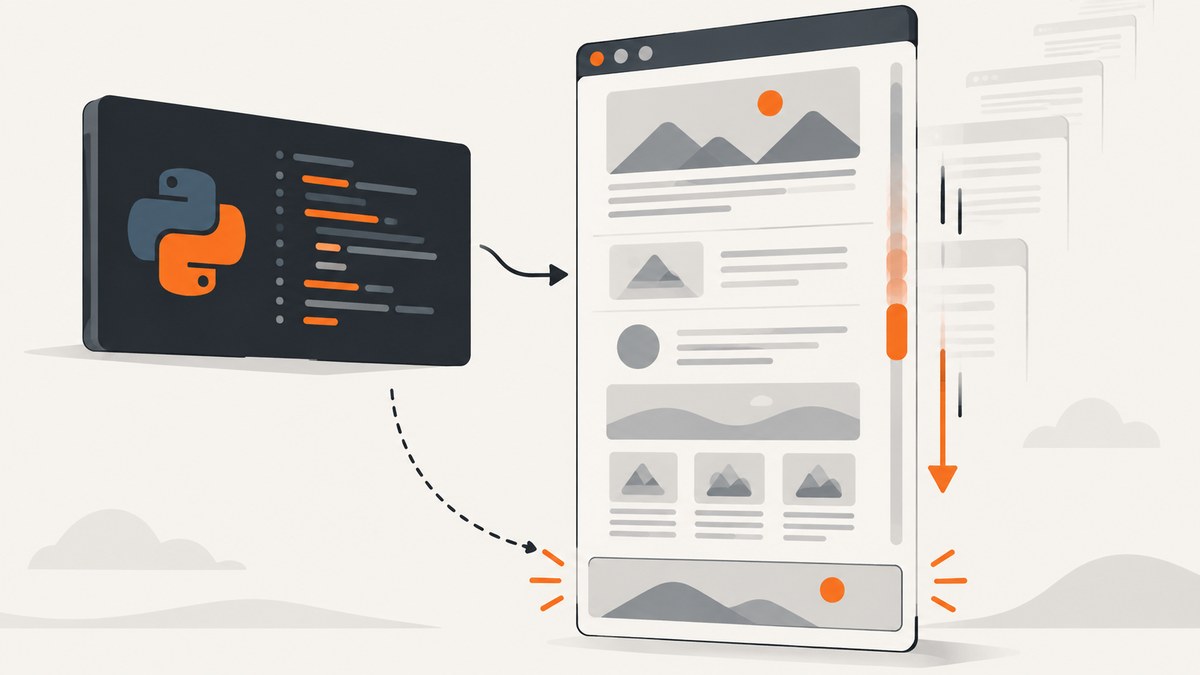
Direct answer: run JavaScript in the page with Pyppeteer’s page.evaluate() method:
await page.evaluate('''() => {
  window.scrollTo(0, document.documentElement.scrollHeight);
}''')
This moves the top-level window to the bottom that exists at that moment. Pyppeteer documents Page.evaluate for running a function or expression in the page context.
1. Minimal working script
import asyncio
from pyppeteer import launch

async def main():
    browser = await launch()
    try:
        page = await browser.newPage()
        await page.goto('https://example.com', waitUntil='networkidle2')
        await page.evaluate('''() => {
            window.scrollTo(0, document.documentElement.scrollHeight);
        }''')
    finally:
        await browser.close()

asyncio.get_event_loop().run_until_complete(main())
Replace the example URL with the page you need. window.scrollTo accepts an x and y coordinate; document.documentElement.scrollHeight supplies the current document height.
2. Choose the right scrolling strategy
Jump once
Use the one-shot call for static pages, when all content is already in the DOM, or when you only need to trigger a bottom-of-page event.

Scroll in steps
Some sites load images or rows only when the viewport approaches them. Scroll by viewport-sized increments and re-read the height:
metrics = await page.evaluate('''() => ({
    height: window.innerHeight,
    pageHeight: document.documentElement.scrollHeight
})''')
position = 0
while position < metrics['pageHeight']:
    position += metrics['height']
    await page.evaluate('''y => window.scrollTo(0, y)''', position)
    await asyncio.sleep(0.25)
    metrics = await page.evaluate('''() => ({
        height: window.innerHeight,
        pageHeight: document.documentElement.scrollHeight
    })''')
Repeat until the height is stable
For feeds that append content, use a bounded loop. A stable height is a heuristic, so also consider an item count or a site-specific completion signal.
previous_height = 0
stable_rounds = 0

for _ in range(20):
    height = await page.evaluate(
        'document.documentElement.scrollHeight', force_expr=True
    )
    if height == previous_height:
        stable_rounds += 1
        if stable_rounds >= 2:
            break
    else:
        stable_rounds = 0
    previous_height = height
    await page.evaluate('''() => {
        window.scrollTo(0, document.documentElement.scrollHeight);
    }''')
    await asyncio.sleep(1)
The cap prevents an infinite loop on pages that continuously stream content. Tune the delay and number of stable rounds for the site.
3. Expressions, functions and force_expr
page.evaluate() accepts a JavaScript function string or an expression string. Function strings are convenient for scrolling:
await page.evaluate('''() => window.scrollTo(0, document.documentElement.scrollHeight)''')When evaluating a bare expression, explicitly set force_expr=True. Pyppeteer tries to detect whether a string is a function or expression, and detection can fail.
height = await page.evaluate(
    'document.documentElement.scrollHeight',
    force_expr=True
)
Arguments can be passed to the evaluated function:
await page.evaluate('''y => window.scrollTo(0, y)''', 1200)4. Pages where the window is not the scroller
A layout may put the scrollbar on a nested element such as .results. Scrolling the window then appears to do nothing. Set that element’s scrollTop to its scrollHeight:

selector = '.results'
await page.evaluate('''selector => {
    const element = document.querySelector(selector);
    if (!element) throw new Error(`No element matches ${selector}`);
    element.scrollTop = element.scrollHeight;
}''', selector)
For an infinite nested list, repeat the operation and watch the element’s height or child count. If the page uses an iframe, obtain the frame first and evaluate inside that frame.
5. Waiting for navigation and lazy content
Wait for navigation before scrolling. networkidle2 is useful for many pages, but it does not guarantee that every application has finished rendering. For a known element, wait explicitly:
await page.goto(url, waitUntil='domcontentloaded')
await page.waitForSelector('.results')
await page.evaluate('''() => {
    window.scrollTo(0, document.documentElement.scrollHeight);
}''')
await asyncio.sleep(1)
Some lazy loaders require an element to remain visible, a wheel event, or an explicit “Load more” click. Use the site’s actual completion signal when available.
6. Capturing a full-page result
If scrolling is only needed to trigger lazy loading, capture after the content settles:
await page.screenshot({'path': 'page.png', 'fullPage': True})Full-page capture cannot include content that never entered the DOM.
7. Troubleshooting
| Symptom | Cause | Fix |
|---|---|---|
| Nothing moves | A nested element owns the scrollbar. | Set that element’s scrollTop. |
| Final items are missing | Content is appended after the first scroll. | Use the bounded stable-height loop and wait between iterations. |
Evaluation failed: SyntaxError |
An expression string was classified incorrectly. | Pass force_expr=True or use a function string. |
| Height never stabilizes | The feed is unbounded or changes continuously. | Set a hard iteration cap and stop on an item count or business rule. |
| Browser remains running | An exception skipped cleanup. | Call browser.close() in finally. |
| Navigation times out | Slow resources or connections that remain open. | Wait for a specific selector and record the URL and exception. |
| Content is behind consent UI | The page requires interaction before rendering. | Accept or dismiss the dialog before scrolling. |
8. Performance and reliability checklist
- Prefer one jump for static pages.
- Set maximum iterations and an overall timeout.
- Measure both document height and the content signal you need.
- Use selectors or network conditions instead of long fixed sleeps where possible.
- Reuse a browser process for multiple URLs, with a fresh page per URL.
- Close pages and the browser in cleanup paths.
- Log the final URL, iteration count, last height and exception text.
9. Pyppeteer maintenance note
The Pyppeteer repository describes the project as an unofficial Python port of Puppeteer and warns that it is unmaintained, pointing readers toward Playwright Python. Existing scripts still use Page.evaluate, but this status matters when selecting a dependency for new work.
10. Or skip the browser setup
If you need the finished screenshot rather than browser automation, ScreenshotNeo accepts one GET request:
curl -G "https://api.screenshotneo.com/v1/shot" -d access_key=YOUR_API_KEY --data-urlencode url=https://stripe.com -o shot.webpimport requests
r = requests.get("https://api.screenshotneo.com/v1/shot", params={"access_key": "YOUR_API_KEY", "url": "https://stripe.com"}, timeout=90)
open("shot.webp", "wb").write(r.content)const q = new URLSearchParams({ access_key: 'YOUR_API_KEY', url: 'https://stripe.com' });
const res = await fetch(`https://api.screenshotneo.com/v1/shot?${q}`);See the ScreenshotNeo API docs for options. Cookie and consent banners, newsletter popups and chat widgets are removed before the shot. Bot checks, blank pages and failed loads are never billed, and X-Page-Verdict and X-Billed identify the result. Its MCP server provides take_screenshot, get_page_info and capture_pdf for AI agents. The Free plan includes 1,000 screenshots a month with no card; paid plans start at $5 for 3,000. Create a free ScreenshotNeo account.
FAQ
Does scrolling automatically load every lazy image?
No. It triggers the page’s loading behavior; verify that the image or content count changed.
Can I scroll horizontally?
Yes. Use window.scrollTo(x, y) or set a container’s scrollLeft.
Why use document.documentElement?
It reports the root document’s total content height in the common window-scrolling layout. Custom layouts may require another element.
What should replace Pyppeteer for a new project?
Review maintained alternatives such as Playwright Python; the Pyppeteer repository points readers there.


