How to Scroll Through Multiple Iframes with Puppeteer
Find each iframe with Puppeteer, select the right scroll container in its frame, and scroll reliably through nested documents.

Direct answer: Puppeteer exposes each iframe document as a Frame. Find the frame that owns the content, query inside that frame, and scroll the intended region there. Use locator().scroll() to move a scrollable element by an offset; use ElementHandle.scrollIntoView() when your goal is to reveal a particular element. For nested iframes, walk the child-frame tree and repeat the selection in the frame that owns the target.
This distinction matters: scrolling an iframe element in the parent document moves the embedded viewport within the page, while scrolling an element inside that iframe changes the iframe document’s own scroll position. This guide shows both. Puppeteer APIs can vary between releases, so check the documentation for the version installed in your project. The cited Frame and interactions references show version 25.12.0, while the Frame locator reference shows 25.9.0.
1. Install Puppeteer and open the page
In a Node.js project, install Puppeteer using your package manager. The following script assumes an ES module project and the current Puppeteer API. Replace the example URL and selectors with the page you control or are authorized to automate.
npm install puppeteer// scroll-frames.mjs
import puppeteer from 'puppeteer';
const browser = await puppeteer.launch({ headless: true });
try {
const page = await browser.newPage();
page.setDefaultTimeout(15_000);
await page.goto('https://example.com/page-with-frames', {
waitUntil: 'domcontentloaded',
timeout: 30_000,
});
// Frame discovery and scrolling go here.
} finally {
await browser.close();
}domcontentloaded is a starting point, not proof that an asynchronously embedded frame or its content is ready. Wait for the actual frame and selector needed by your task.
2. Inspect the frame tree
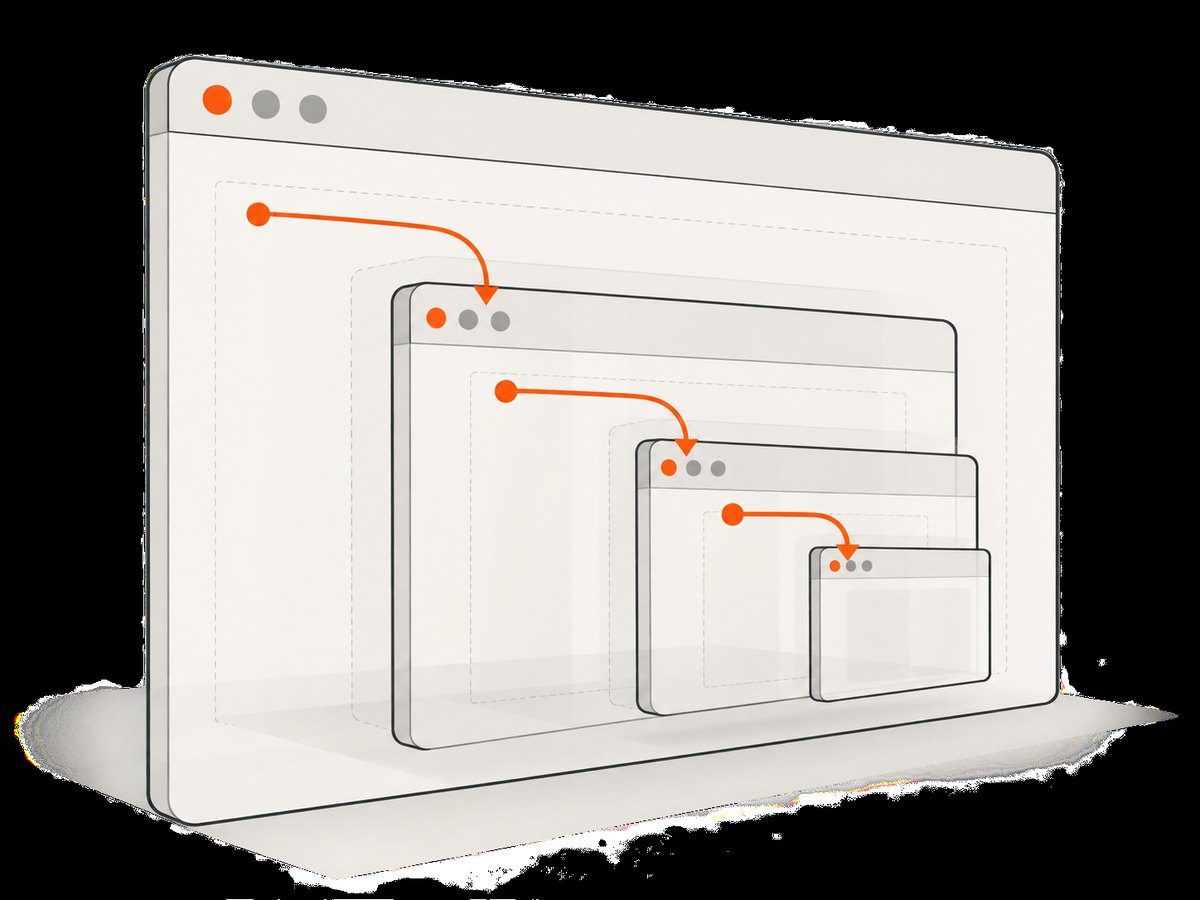
Start by printing the current frame tree. page.mainFrame() returns the top-level frame; each frame’s childFrames() returns the frames directly below it. This recursive approach includes nested iframes.
function dumpFrameTree(frame, indent = '') {
  console.log(`${indent}${frame.url() || '(no URL)'}`);
  for (const child of frame.childFrames()) {
    dumpFrameTree(child, `${indent}  `);
  }
}

dumpFrameTree(page.mainFrame());
You can also inspect the page’s attached frames with page.frames(). A URL, name, or an attribute on the iframe element can help identify the right one. Treat names and URL fragments as site-specific clues: names may not be unique or stable, and some frames initially have a placeholder URL. The Frame reference describes frames as analogous to <iframe> elements and documents the frame tree and frame-scoped queries in the Puppeteer Frame class reference.
3. Find and scroll multiple matching frames
For frames with a recognizable URL, enumerate the attached frames and apply the operation to each matching one. The example scrolls a region 500 pixels down in every matching embedded document. It waits for the region first, which avoids silently treating a not-yet-rendered selector as ready.
const matchingFrames = page.frames().filter(frame =>
  frame.url().includes('/embedded/')
);

if (matchingFrames.length === 0) {
  throw new Error('No embedded frame matched the expected URL.');
}

for (const frame of matchingFrames) {
  await frame.waitForSelector('.scroll-region', { timeout: 10_000 });
  await frame.locator('.scroll-region').scroll({
    scrollTop: 500,
    scrollLeft: 0,
  });
}
Replace /embedded/ and .scroll-region with conditions from the page. If only one particular frame should be changed, add a more precise condition and verify it matched exactly one frame. Avoid selecting by array index unless the page’s frame order is part of a stable contract you control.
Identify a frame by its iframe name
If the page gives an iframe a stable name, inspect each frame’s element in its parent and compare the attribute. The current documented method is to get the frame element and read its attributes; older convenience APIs such as frame.name() are deprecated in current references.
let targetFrame = null;
for (const frame of page.frames()) {
  if (frame === page.mainFrame()) continue;
  const element = await frame.frameElement();
  const name = await element.evaluate(el => el.getAttribute('name'));
  if (name === 'report-frame') {
    targetFrame = frame;
    break;
  }
}

if (!targetFrame) throw new Error('Named iframe was not found.');
await targetFrame.waitForSelector('.scroll-region');
await targetFrame.locator('.scroll-region').scroll({ scrollTop: 500 });
Frame identity can change after navigation or detachment. If a site replaces an iframe, rediscover the attached frame before continuing rather than relying on a stale reference.
4. Traverse nested iframes
A query in one frame does not automatically search its child frames. Traverse children recursively, then test the selector in each candidate frame. This helper returns frames in the tree, including the main frame; skip it when searching only embedded content.
function collectFrames(root) {
  return [root, ...root.childFrames().flatMap(collectFrames)];
}

const candidates = collectFrames(page.mainFrame()).filter(
  frame => frame !== page.mainFrame()
);

for (const frame of candidates) {
  if (frame.detached) continue;
  const target = await frame.$('.scroll-region');
  if (!target) continue;
  await frame.locator('.scroll-region').scroll({ scrollTop: 500 });
}
If several nested frames contain the same selector, this scrolls each one. To select only one, combine the selector with a stable frame property such as URL or a known parent-child path. The childFrames reference describes the direct-child relationship; recurse to cover deeper levels.
5. Choose the operation that matches the goal
| Goal | Approach | What changes |
|---|---|---|
| Move a scrollable pane by a known amount | frame.locator('.pane').scroll({ scrollTop: 500 }) |
The located element receives wheel-based scrolling. |
| Reveal a specific element | Find its element handle and call scrollIntoView() |
The target is brought into view in its frame. |
| Move the embedded viewport on the parent page | Select the iframe element in the parent frame, then scroll or interact with that element as appropriate | The iframe’s rectangle moves within the parent document. |
| Scroll a child iframe within a nested document | Traverse child frames, then select the inner scroll region in the owning frame | The inner document or pane scrolls. |
Scroll a located element by an offset
Locator.scroll() uses mouse wheel events to scroll the located element. This is appropriate when the page responds to wheel input and you need a bounded movement. For a simple full-document scroll, target the document’s scrollable element, or use a target element whose scroll container is the one you intend to move. Check the exact method shape against your installed release in the Locator.scroll reference.

const pane = targetFrame.locator('.scroll-region');
await pane.scroll({ scrollTop: 700, scrollLeft: 0 });
Bring an element into view
If the requirement is “make the next item visible,” use an element handle and scrollIntoView(). This is different from moving the container by a fixed amount: it targets visibility of that element.
const item = await targetFrame.$('[data-row="next"]');
if (!item) throw new Error('Target row is missing.');
await item.scrollIntoView();
Alternatively, a locator action can wait for action preconditions, including viewport handling. Puppeteer locators retry when an action fails because the element is not ready, and viewport ensuring is configurable in the interaction API. See the page interactions guide, ElementHandle.scrollIntoView reference, and viewport configuration reference.
6. Wait for frames and content that load late
Iframe creation, navigation, and content rendering can happen after the top-level page fires its load event. Synchronize on the expected state instead of sleeping for an arbitrary duration.
// Wait until a matching attached frame appears.
await page.waitForFunction(() =>
  window.__expectedFrameReady === true
).catch(() => {});

// Then rediscover because the frame may have attached or navigated.
const frame = page.frames().find(f => f.url().includes('/embedded/report'));
if (!frame) throw new Error('Report frame did not attach in time.');

await frame.waitForSelector('.scroll-region', { timeout: 10_000 });
await frame.locator('.scroll-region').scroll({ scrollTop: 400 });
The window.__expectedFrameReady example only works if your own page defines that signal. For a third-party page, poll the attached frame list with a bounded wait or use the site’s stable frame URL and selector conditions. Puppeteer’s frame selector and function wait methods are documented in the Frame API. Do not assume that an arbitrary delay proves an embedded document is ready.
7. Complete runnable example
This script demonstrates discovering all frames with a matching URL fragment, waiting for a scroll region, and moving each region. Replace the two marked site-specific values. It reports frames that lack the selector and always closes the browser.
import puppeteer from 'puppeteer';

const pageUrl = 'https://example.com/page-with-frames';
const frameUrlPart = '/embedded/';
const scrollSelector = '.scroll-region';

const browser = await puppeteer.launch({ headless: true });
try {
  const page = await browser.newPage();
  page.setDefaultTimeout(12_000);
  await page.goto(pageUrl, {
    waitUntil: 'domcontentloaded',
    timeout: 30_000,
  });

  const frames = page.frames().filter(frame =>
    frame !== page.mainFrame() && frame.url().includes(frameUrlPart)
  );
  if (frames.length === 0) {
    throw new Error(`No frame URL contained ${frameUrlPart}`);
  }

  let scrolled = 0;
  for (const frame of frames) {
    if (frame.detached) continue;
    try {
      await frame.waitForSelector(scrollSelector, { timeout: 8_000 });
      await frame.locator(scrollSelector).scroll({
        scrollTop: 600,
        scrollLeft: 0,
      });
      scrolled += 1;
      console.log(`Scrolled: ${frame.url()}`);
    } catch (error) {
      console.warn(`Could not scroll ${frame.url()}: ${error.message}`);
    }
  }

  if (scrolled === 0) {
    throw new Error('No matching frame contained a usable scroll region.');
  }
} finally {
  await browser.close();
}
The example intentionally uses a placeholder domain and selectors; it cannot know a site’s frame structure. For a production task, narrow the match and decide whether one failed frame should fail the whole operation or be logged and skipped.
Or skip the browser setup
If the task is to capture a page rather than automate scrolling inside its frame DOM, ScreenshotNeo provides a one-request screenshot API and an MCP server. The call below returns an image response; see the ScreenshotNeo API documentation for the available parameters.
curl -G "https://api.screenshotneo.com/v1/shot" \
  -d access_key=YOUR_API_KEY \
  --data-urlencode url=https://stripe.com \
  -o shot.webp
ScreenshotNeo accepts cookie and consent banners and removes more than 60 known consent platforms, newsletter popups, and chat widgets before capture; each step can be turned off. Bot checks and CAPTCHAs, blank pages, timeouts, failed loads, and cache hits cost nothing, and response headers identify the page verdict and billing status. Its MCP server lets AI agents use take_screenshot, get_page_info, and capture_pdf. The free plan includes 1,000 shots a month with no card; paid plans start at $5 for 3,000 shots. These are screenshot and capture capabilities, not a replacement for Puppeteer when you need to manipulate iframe scroll state or inspect arbitrary DOM elements.
Create a free ScreenshotNeo account for 1,000 screenshots a month, with no card required.
8. Troubleshooting
| Symptom | Likely cause | Fix |
|---|---|---|
| No matching frame | The iframe has not attached yet, navigated to a different URL, or your match is too specific. | Print the frame tree after navigation; wait for the expected state, then rediscover with page.frames(). |
waitForSelector times out |
The selector is wrong, content has not rendered, or the selector belongs to a nested child frame. | Inspect content in the correct frame and recurse through childFrames(); wait for a site-specific ready condition. |
| Scroll call completes but position does not change | The selected element is not the scroll container, the page handles wheel events differently, or it has no overflow. | Inspect the element’s computed dimensions and actual scrollable ancestor; target that pane or bring a particular item into view. |
| Only the outer page moves | The selector was run in the main frame or targeted the iframe element itself. | Run the query on the child Frame that owns the content. |
| Works once, then fails after a reload | The iframe was replaced or navigated, making the old frame or element handle stale. | Wait for navigation or attachment, then find the current frame and reacquire the element. |
| Locator method is missing | The installed Puppeteer version differs from the docs or the project uses an older API. | Check the installed version and its matching reference; upgrade deliberately or use supported Frame query methods and element handles. |
| Several frames scroll unexpectedly | The URL or selector condition matches more frames than intended. | Log URL and frame ancestry, then tighten the predicate and assert the expected match count. |
9. Performance, reliability, and cost
- Keep discovery bounded. Enumerating a modest frame tree is usually straightforward, but avoid rescanning it in a tight loop. Wait for a meaningful condition, then collect the frames once and validate matches.
- Prefer targeted selectors. Scrolling only the required frame and region avoids unnecessary interactions and makes failures easier to diagnose.
- Use explicit timeouts. Set navigation, selector, and overall task limits so a missing third-party frame cannot hang a job indefinitely. Choose limits based on the page’s real behavior, not a claimed universal timing.
- Handle navigation and detachment. Frames are attached, navigated, and detached during a page lifecycle. Rediscover after transitions and decide whether a missing frame is recoverable or fatal.
- Control browser lifetime. Reuse a browser for related work when appropriate, create isolated pages for independent jobs, and close browser processes in a
finallyblock. - Budget infrastructure separately. Puppeteer itself does not make a per-scroll API charge; browser compute, memory, network traffic, and any hosted browser service are deployment costs. Measure them in your environment because this dossier supplies no benchmark.
10. FAQ
Can one selector query every iframe at once?
No single main-frame query searches every embedded document. Enumerate frames and query each owning frame, including nested children when needed.
Should I scroll the iframe or an element inside it?
Scroll the iframe element when moving its viewport in the parent page. Query its Frame and scroll a pane or target when changing content position inside the embedded document.
Is locator().scroll() the same as scrollIntoView()?
No. The locator method scrolls by offsets using wheel events; scrollIntoView() brings a chosen element into view. Select based on the outcome you need.
Does the approach support multiple levels of nesting?
Yes. Recurse through each frame’s childFrames(), then query in the frame that contains the target. Each level has its own document context.
Where should I confirm the API version?
Use the official Puppeteer reference matching your installed package. The documentation pages listed here show mixed release labels, so do not assume every method is present in every version.


