How to Scroll Inside a Table Component with Cypress
Scroll the element that owns table overflow with Cypress. Choose between scrollTo() and scrollIntoView(), and avoid common axis and chaining mistakes.

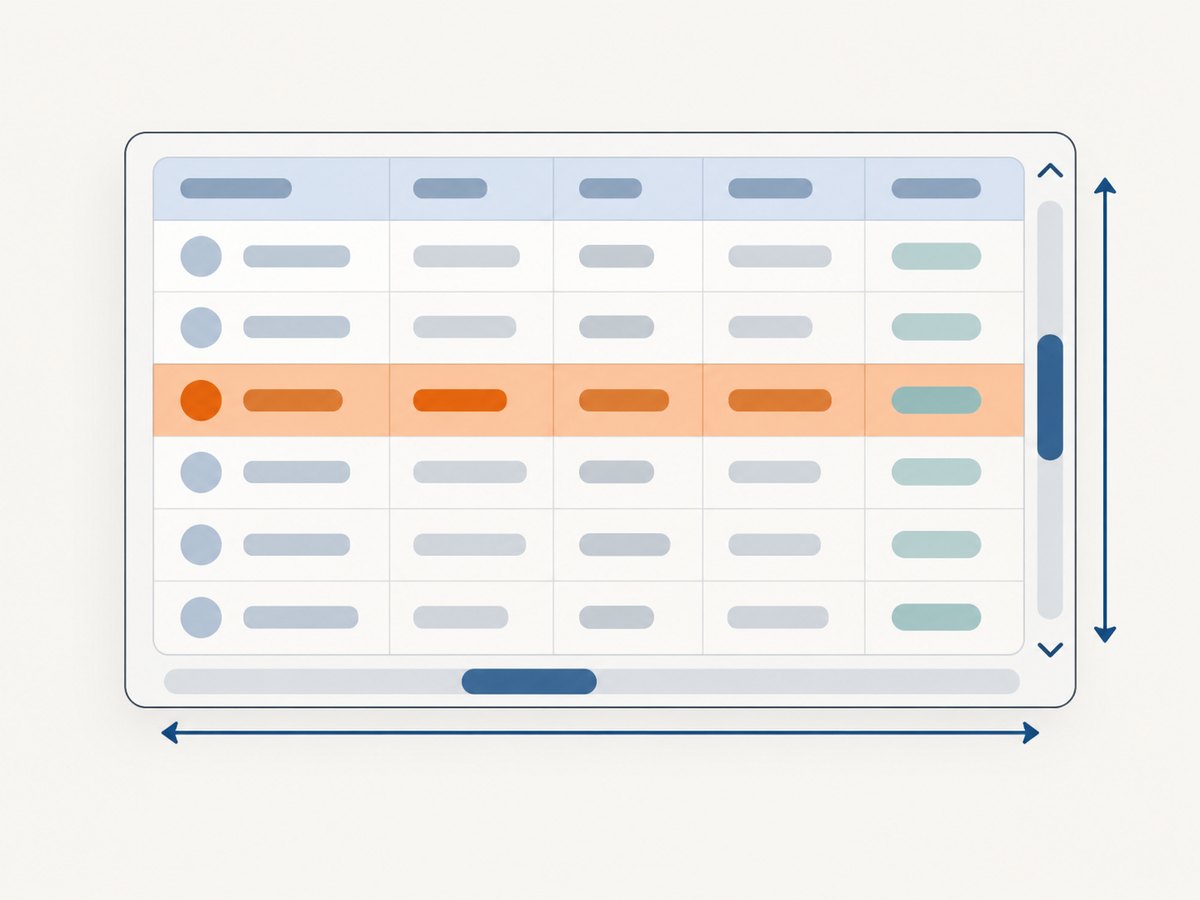
To scroll inside a table component with Cypress, first find which rendered element owns the overflow. It is often a wrapper around the <table>, not the table itself. Use scrollTo() on that scrollable container when you need a particular position; use scrollIntoView() on a row or cell when you need to reveal that target.
The selectors below are examples. Replace them with stable selectors from your application, ideally a test attribute. Cypress documents the scrollability requirement and the behavior of both commands in its scrollTo reference and scrollIntoView reference.
1. Find the element that actually scrolls
Inspect the rendered DOM and component styles. Look for the element with constrained width or height and scrolling overflow. It might be a div, a grid viewport, or another wrapper. A table may overflow its wrapper without being independently scrollable.
<div data-cy="table-scroll-container" class="table-viewport">
  <table>
    <tbody>
      <tr data-cy="table-row-42">
        <td>Example row</td>
      </tr>
    </tbody>
  </table>
</div>
For example, the wrapper might have a fixed height and overflow-y: auto, or a fixed width and overflow-x: auto. These styles are illustrative; check the actual component rather than assuming a particular markup or table library.
2. Scroll the container to a position with scrollTo()
Use scrollTo() when the test needs to control the scroll position of the table viewport. Chained from a DOM query, it scrolls the selected element. Called from cy, it scrolls the window.
// cypress/e2e/table-scroll.cy.js
describe('table scrolling', () => {
  it('scrolls the table viewport to the bottom', () => {
    cy.visit('/table-page')

    cy.get('[data-cy="table-scroll-container"]')
      .scrollTo('bottom')

    // Query again after scrolling before checking the target.
    cy.get('[data-cy="table-row-42"]')
      .should('be.visible')
  })
})
The path passed to cy.visit() is an example; use a route in your application that renders the table. Cypress supports named positions, pixel coordinates, and percentages. Options include an animation duration and easing:
cy.get('[data-cy="table-scroll-container"]')
  .scrollTo(0, 500)

cy.get('[data-cy="table-scroll-container"]')
  .scrollTo('50%', '75%')

cy.get('[data-cy="table-scroll-container"]')
  .scrollTo('bottom', {
    duration: 300,
    easing: 'linear',
  })
Use a duration when the animation itself matters to the scenario. For most tests that only need the final position, the default is simpler. Cypress requires the selected element to be scrollable by default. The documented ensureScrollable: false option is useful if a container may or may not overflow, such as a table that sometimes fits in its viewport:
cy.get('[data-cy="table-scroll-container"]')
  .scrollTo('bottom', { ensureScrollable: false })
Use that option only when non-overflow is an expected state. Otherwise, keep the default check so the test can reveal that the expected scroll container is not scrollable.
3. Reveal a row or cell with scrollIntoView()
Use scrollIntoView() when the goal is to expose a specific element, rather than to set the container to an exact position. Then query it again for assertions or interaction; Cypress marks further subject-dependent chaining after the scroll command as unsafe.
cy.get('[data-cy="table-row-42"]').scrollIntoView()

cy.get('[data-cy="table-row-42"]')
  .should('be.visible')
  .and('contain', 'Example row')
scrollIntoView() accepts options such as duration, easing, and offset. An offset can help when a sticky header covers the target after it is brought into view:
cy.get('[data-cy="table-row-42"]')
  .scrollIntoView({
    duration: 300,
    easing: 'linear',
    offset: { top: -60, left: 0 },
  })

cy.get('[data-cy="table-row-42"]')
  .should('be.visible')
Choose the command by test intent:
| Test goal | Command | What to assert |
|---|---|---|
| Move the table viewport to its end or a known position | scrollTo() on the scroll owner |
The expected content or control is visible or usable |
| Reveal a particular row, cell, or control | scrollIntoView() on that target |
Re-query the target and assert its state |
| Scroll the document page | cy.scrollTo() |
The page-level result required by the scenario |
4. Handle horizontal and two-axis scrolling
Wide tables may scroll horizontally, vertically, or in both directions. top and bottom describe vertical alignment; they do not by themselves express a horizontal target. Select the element that owns the relevant overflow and state the horizontal position when needed.
// Move the table wrapper horizontally and vertically.
cy.get('[data-cy="table-scroll-container"]')
  .scrollTo(600, 0)

// Or align toward the end in both directions.
cy.get('[data-cy="table-scroll-container"]')
  .scrollTo('end')
For a target cell in a wide table, revealing the cell may be clearer than managing coordinates:
cy.get('[data-cy="table-cell-total"]')
  .scrollIntoView()

cy.get('[data-cy="table-cell-total"]')
  .should('be.visible')
Confirm the target and the container’s overflow direction in the browser. Nested scroll regions can mean the page and table wrapper are both scrollable.
5. Know when Cypress scrolls automatically
Cypress automatically scrolls actionable elements into view before commands such as clicking or typing, including their parent containers. DOM queries such as cy.get() and .find() do not scroll by themselves. See the Cypress guide to interacting with elements.
This means an explicit scroll is often unnecessary just to click a visible-in-the-DOM button or cell control. It is useful when the scroll position itself is part of the behavior under test, or when you want to establish a known position before making an assertion. Assert the user-visible outcome, such as the target row appearing or a control becoming available.
6. Avoid stale subjects and misleading snapshots
After scrollTo() or scrollIntoView(), start a fresh query for an assertion that depends on the scrolled element. Cypress documents that chaining further commands which rely on the yielded subject after either scroll command is unsafe.
// Avoid relying on the subject yielded before the scroll.
cy.get('[data-cy="table-row-42"]')
  .scrollIntoView()

// Re-query the row for the assertion.
cy.get('[data-cy="table-row-42"]')
  .should('be.visible')
Do not use a command-log snapshot as proof of an element’s exact scroll position. Cypress notes that snapshots do not accurately represent scroll positions. Debug the running test or its video, and assert the relevant content or state instead.
7. Troubleshooting
| Symptom | Likely cause | Fix |
|---|---|---|
scrollTo() reports that the element is not scrollable |
The query selected the table or another element, but a wrapper owns overflow; alternatively, content fits without overflow. | Inspect the DOM and select the actual scroll owner. If a non-overflow state is expected, consider ensureScrollable: false. |
| The row query succeeds but the row stays offscreen | A query does not scroll an element into view. | Call scrollIntoView() on the row, or scrollTo() on its scrollable wrapper. |
| The table moves vertically but the needed column remains hidden | The test addressed vertical alignment only or scrolled the wrong element. | Identify the horizontal scroll owner and use coordinates, end, or the target cell’s scrollIntoView(). |
| An assertion after scrolling is flaky or uses an unexpected subject | The assertion relies on a subject yielded before the scroll command. | Issue a fresh cy.get() after the scroll, then assert. |
| The Cypress snapshot appears not to show the final scroll position | Command snapshots do not reliably capture element scroll positions. | Observe the running test or video and assert the target’s visible state. |
| A click works without an explicit scroll, or an explicit scroll seems redundant | Cypress scrolls actionable elements and parent containers before action commands. | Keep an explicit scroll only when position is part of the test requirement. |
| A sticky header obscures the revealed row | The target reached the viewport but sits beneath an overlaying header. | Use a suitable scrollIntoView({ offset: ... }) and assert the actual usable state. |
8. Performance and reliability
For reliable tests, select the scroll owner with a stable test attribute, use the command that matches the intended outcome, and assert a row or control rather than a browser-specific scroll coordinate when possible. Avoid adding arbitrary waits to compensate for a wrong container or stale subject; first verify the DOM structure and overflow behavior.

A duration animates scrolling and can help when animation is part of the scenario, but adds time to the command. If the test only needs the destination, omit it. Cypress retries assertions, but the scroll command itself runs once, so make the post-scroll assertion target the expected state.
Virtualized tables and dynamically loaded rows require application-specific handling: the dossier does not establish how a particular component renders or loads rows. If a row is not present in the DOM until the table is scrolled or data is loaded, inspect the component behavior and test the actual loading or navigation contract rather than assuming scrollIntoView() can reveal an unrendered row.
Or skip the browser setup
If your goal is to capture a page or table state as an image or PDF rather than test Cypress scrolling behavior, ScreenshotNeo is a website screenshot API and MCP server. One GET request returns a PNG, JPEG, WebP, or PDF; the parameters used by other screenshot APIs also work, making it straightforward to switch. See the ScreenshotNeo API documentation.
curl -G "https://api.screenshotneo.com/v1/shot" -d access_key=YOUR_API_KEY --data-urlencode url=https://stripe.com -o shot.webpimport requests
r = requests.get(
"https://api.screenshotneo.com/v1/shot",
params={"access_key": "YOUR_API_KEY", "url": "https://stripe.com"},
timeout=90,
)
open("shot.webp", "wb").write(r.content)const q = new URLSearchParams({ access_key: 'YOUR_API_KEY', url: 'https://stripe.com' });
const res = await fetch(`https://api.screenshotneo.com/v1/shot?${q}`);
const bytes = new Uint8Array(await res.arrayBuffer());
await import('node:fs/promises').then(({ writeFile }) => writeFile('shot.webp', bytes));Cookie banners, newsletter popups, and chat widgets are removed before the shot. Bot checks, blank pages, failed loads, timeouts, and cache hits are never billed; response headers report the page verdict and billing status. An MCP server lets AI agents use take_screenshot, get_page_info, and capture_pdf. The Free plan includes 1,000 screenshots a month with no card; paid plans start at $5 for 3,000 screenshots.
Sign up for free and get 1,000 screenshots a month with no card.
FAQ
Should I use scrollTo() or scrollIntoView() for a table row?
Use scrollIntoView() when the row itself is the target. Use scrollTo() when the test needs the container at a particular position.
Does cy.get() scroll a row into view?
No. It queries the DOM. Cypress scrolls before actionable commands, but a query alone does not scroll.
Can I scroll a table that has no overflow?
There is no scroll distance when all content fits. If that is a valid state for your test, Cypress provides ensureScrollable: false for scrollTo().
Why does the table scroll but the page does not?
The selected element likely owns its own overflow. Select the document/window for page scrolling, or the relevant wrapper for table scrolling.


