How to Select Elements by Class Using CSS Selectors
Use a period before a class name to select matching elements in CSS. Learn how to combine classes, target descendants, escape unusual names, and fix selectors that do not work.
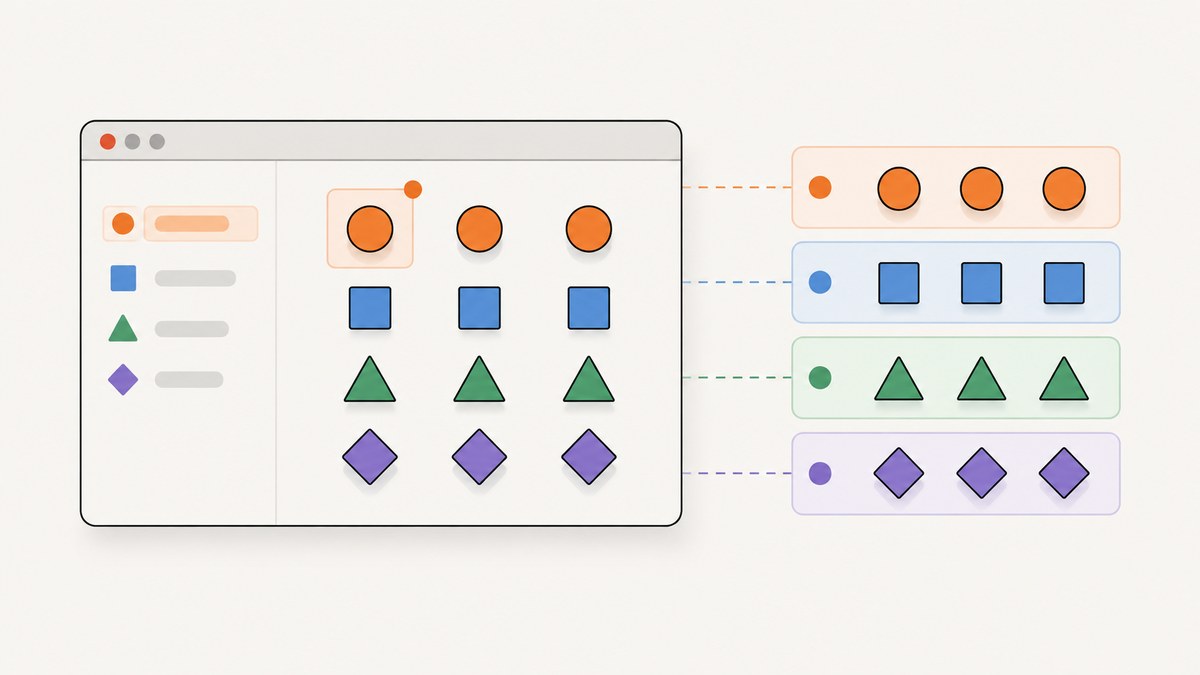
To select elements by class in CSS, put a period immediately before the class name: .notice. That selector matches every element whose class list includes notice, even if the element has other classes too. For example, .notice matches both <p class="notice"> and <div class="notice urgent">.
<p class="notice">A notice</p>
<div class="notice urgent">An urgent notice</div>
.notice {
color: navy;
}A class selector checks whether the class token is present; it does not identify a unique element. Add an element type to narrow the match, chain class selectors to require multiple classes on one element, or use a space to select a descendant. The distinction between .a.b and .a .b is especially important: the first requires both classes on the same element, while the second finds a .b element inside an .a element. The W3C Selectors Level 4 specification describes the class selector as a full stop followed by an identifier.
1. The basic class selector
In HTML, a class is written as an attribute, for example class="notice". In a CSS selector, write a period and then the class value: .notice. Do not put the HTML attribute syntax inside the selector.
<article class="notice">
  Read the release notes before updating.
</article>
.notice {
padding: 1rem;
border: 1px solid #9aa;
background: #f4f7f8;
}This rule applies to every matching element in the document. The class attribute is a whitespace-separated list of tokens, so an element can have several classes:
<div class="notice urgent compact">Action required</div>The selector .notice matches that element because one token is exactly notice. It also matches a paragraph, button, or other element with that token; the class itself does not restrict the element type.
2. Narrow a match by element type or multiple classes
Require a specific element type
Write the type selector directly before the class selector, with no space. p.notice selects paragraphs that have the class notice; it does not select a div.notice.
p.notice {
  font-weight: 700;
}
The lack of whitespace matters: p.notice describes one element that is both a paragraph and a member of the class. p .notice describes a different relationship: an element with class notice somewhere inside a paragraph.
Require two or more classes on the same element
Chain class selectors with no spaces when all the classes must appear on one element. For example, .notice.urgent selects elements with both class tokens. Their order in the HTML class attribute does not matter.
<div class="notice urgent">This matches</div>
<div class="urgent notice">This also matches</div>
<div class="notice">This does not match</div>
.notice.urgent {
border-color: #b42318;
color: #7a1710;
}You can chain more classes the same way, such as .button.primary.large. Every listed class must be present on the same element.
Select either class with a selector list
Use a comma when either selector should match. .notice, .urgent applies the declarations to elements with either class. It is not the same as .notice.urgent, which requires both.
.notice,
.urgent {
  padding: 0.75rem;
}
Each comma-separated selector is an independent alternative. A matching element receives the declarations once, even if it satisfies more than one alternative.
3. Understand spaces, descendants, and siblings
A space between selector parts is a descendant combinator. It says that the element to the right must be nested somewhere inside an element matching the selector to the left.
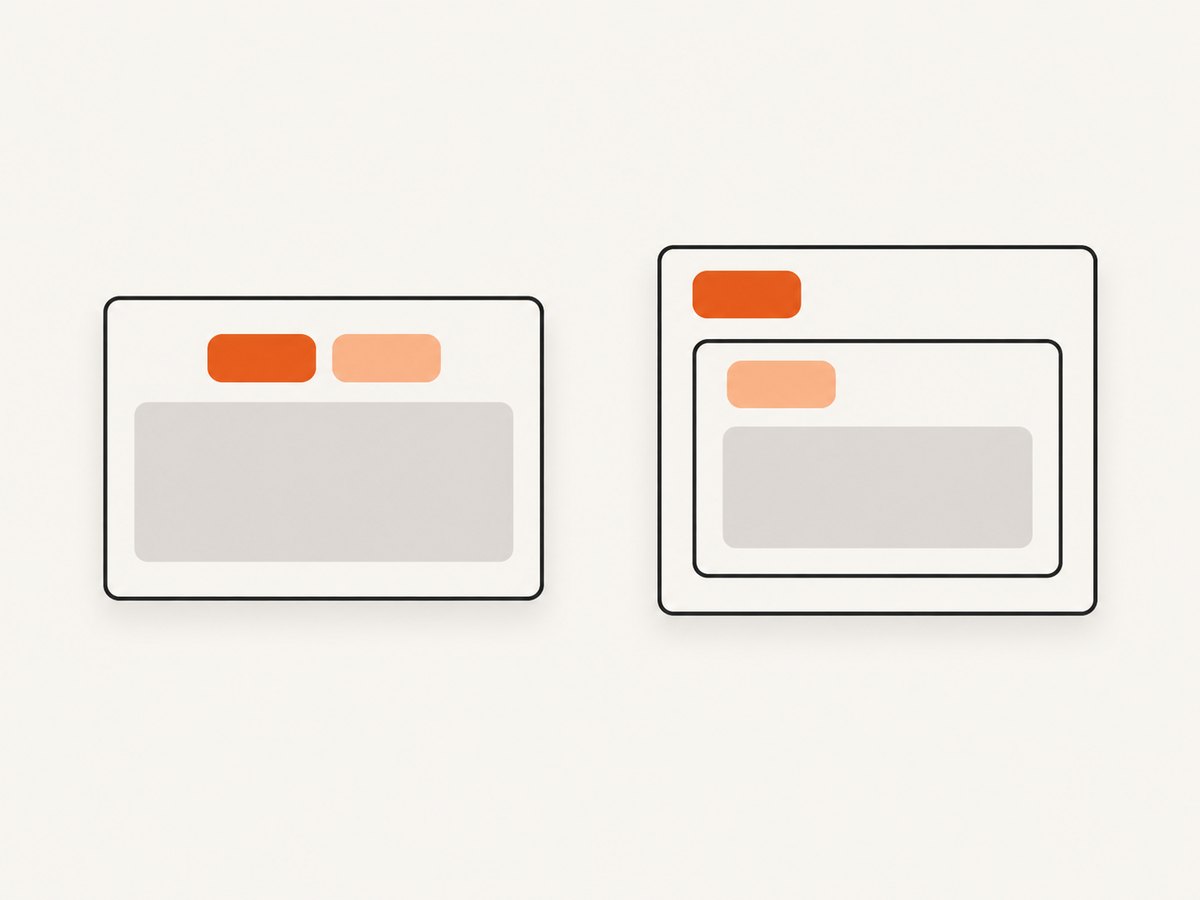
<section class="notice">
  <p>Read the <span class="urgent">urgent</span> instruction.</p>
</section>
.notice .urgent {
color: #b42318;
}Here, .notice .urgent selects the span because it is a descendant of the notice section. By contrast, .notice.urgent would select a single element carrying both classes. This quick check helps prevent a common bug:
| Selector | What must match? |
|---|---|
.a.b |
One element has both classes. |
.a .b |
An element with class b is inside an element with class a. |
.a, .b |
Either selector may match; the comma means “or.” |
button.a |
A button has class a. |
Other combinators can relate matching elements by position. For instance, .notice > .urgent selects a direct child with class urgent, while .notice + .urgent selects an immediately following sibling. Use these only when the structural relationship is part of what you need to match; a class chain alone is usually clearer when the classes belong to one element.
4. Handle unusual class names
The characters after the period must form a valid CSS identifier or be escaped. Many common class names—notice, nav-item, is_active—can be written directly. Some values need escaping, including names that begin with a digit or contain punctuation such as a colon.
<div class="3d-card">Card</div>
<div class="icon:large">Icon</div>/* Escape the leading digit. */
.\33 d-card { outline: 1px solid; }
/* Escape the colon. */
.icon\:large { font-size: 1.25rem; }CSS escapes can be easy to misread: a hexadecimal escape can consume following hexadecimal characters, and a space may terminate that escape. When you build a selector from a class value in JavaScript, use CSS.escape() rather than hand-constructing the escape:
const className = "3d-card";
const selector = `.${CSS.escape(className)}`;
const elements = document.querySelectorAll(selector);The result is a selector string suitable for CSS selector APIs. For a readable stylesheet, it is often simpler to choose class names that begin with a letter or underscore and use letters, digits, hyphens, and underscores.
Class matching is case-sensitive in standards mode: .Notice and .notice are different selectors. Quirks mode has ASCII case-insensitive class matching. If case is unexpectedly relevant, check the document mode and keep class spelling consistent between markup and CSS.
5. Use class selectors in a complete page
This standalone example demonstrates a basic class, a type-qualified selector, a two-class selector, and a descendant selector. Save it as an HTML file and open it in a browser.
<!doctype html>
<html lang="en">
<head>
<meta charset="utf-8">
<meta name="viewport" content="width=device-width, initial-scale=1">
<title>Class selector example</title>
<style>
.notice {
padding: 1rem;
border: 1px solid #8aa;
background: #f4f7f8;
}
p.notice {
font-weight: 700;
}
.notice.urgent {
border-color: #b42318;
background: #fff3f1;
}
.notice .urgent {
  color: #b42318;
}
</style>
</head>
<body>
<p class="notice">A general notice.</p>
<div class="notice urgent">
<p>This notice is <span class="urgent">urgent</span>.</p>
</div>
</body>
</html>The first rule styles both notice elements. The p.notice rule further targets the paragraph carrying notice. The .notice.urgent rule styles only the outer urgent div, while .notice .urgent styles the nested span. A selector can match an element without every declaration becoming visible: later cascade rules, inheritance, or another property can affect the final appearance.
6. Troubleshoot a class selector that does not work
When an element seems unstyled, inspect the selector and the actual rendered element in browser developer tools. Check these causes in order:
- Missing period or wrong syntax. Use
.notice, notnoticeorclass="notice"in the stylesheet. The HTML attribute and CSS selector are different syntaxes. - Different spelling or case. Compare the actual class tokens with the selector, including capitalization and hyphens. Standards-mode matching is case-sensitive.
- Accidental descendant space.
.notice .urgentexpects a nested element. If both classes are on one element, write.notice.urgent. - The class is added later or on another node. Frameworks can render a different element or toggle classes after initial load. Inspect the live DOM, not only the source template.
- An unusual name needs escaping. Escape invalid identifier characters, or use
CSS.escape()when constructing a selector in JavaScript. - The rule is overridden. A matching selector does not guarantee its declaration wins. In developer tools, inspect the computed property and crossed-out declarations. Another rule may have greater specificity, be later in cascade order, or use
!important. - The stylesheet is not applied. Check the stylesheet link, network errors, selector scope in component systems, and whether the declaration is inside a media query that currently does not match.
Specificity matters when declarations compete. A class selector has class-level specificity; adding an element type makes it more specific than the class alone. If a later .notice rule fails to override a matching main .notice rule, source order is not the only factor. Prefer a selector that reflects the intended component structure and avoid escalating with repeated classes or broad use of !important.
7. Select by class in JavaScript
CSS syntax is also used by browser selector APIs. querySelector() returns the first match or null; querySelectorAll() returns a static list of all matches.
const firstNotice = document.querySelector(".notice");
const allNotices = document.querySelectorAll(".notice");

for (const notice of allNotices) {
  notice.classList.add("seen");
}
For a single class token, getElementsByClassName("notice") is another option. It accepts the class value without the leading period and returns a live collection. Use selector APIs when you need the same combined conditions as CSS, such as document.querySelectorAll(".notice.urgent"). Invalid selector syntax throws a SyntaxError, which is another reason to escape dynamic class names with CSS.escape().
8. Performance and maintainability
For ordinary page styles, class selectors are a practical way to express reusable presentation. Avoid making assumptions that a class is unique: if it occurs on twenty elements, a global .notice rule can style all twenty. When a style belongs to one component area, scope it with a parent class, such as .checkout .notice, while keeping the selector understandable.

Class selectors are generally straightforward for browsers to match, but selector clarity and the amount of DOM work matter more in typical application code than micro-optimizing a short selector. Avoid highly complex selectors that encode deep page structure if a meaningful class can express the component state directly. In JavaScript, querying once and reusing the result is clearer than repeatedly scanning the document in a tight loop; update classes with classList rather than replacing the entire class attribute unintentionally.
For screenshots of pages where class-based styling affects the result, verify the rendered page at the intended viewport and state. Dynamic classes, delayed content, consent banners, and overlays can make a capture differ from a static source inspection. Capture the same URL and state that users actually see, and inspect the output when debugging visual differences.
Or skip the browser setup
If you are checking how a page renders after applying or changing class-based styles, ScreenshotNeo can return a screenshot from one GET request. The API accepts screenshot parameters, and the API documentation describes the available options.
curl -G "https://api.screenshotneo.com/v1/shot" \
  -d access_key=YOUR_API_KEY \
  --data-urlencode url=https://stripe.com \
  -o shot.webp
import requests
r = requests.get(
"https://api.screenshotneo.com/v1/shot",
params={"access_key": "YOUR_API_KEY", "url": "https://stripe.com"},
timeout=90,
)
open("shot.webp", "wb").write(r.content)const q = new URLSearchParams({
access_key: 'YOUR_API_KEY',
url: 'https://stripe.com'
});
const res = await fetch(`https://api.screenshotneo.com/v1/shot?${q}`);ScreenshotNeo removes cookie banners, popups, and chat widgets before capture; bot checks, blank pages, and failed loads are never billed. Its MCP server lets AI agents take screenshots. The free plan includes 1,000 screenshots a month with no card, and paid plans start at $5 for 3,000. Create a free account and start with 1,000 screenshots per month, no card required.
Frequently asked questions
How do I select an element by class in CSS?
Prefix the class token with a period: .name. It matches every element that has that class.
How do I select multiple classes in CSS?
Write the class selectors together without spaces, as in .card.featured. The element must have both class tokens.
What is the difference between .a.b and .a .b?
.a.b requires both classes on one element. .a .b selects a descendant with class b inside an element with class a.
Can a class selector match more than one element?
Yes. Classes are reusable tokens, so a selector matches every element that carries the specified token.
Why does my class selector match nothing?
Check the period, exact class spelling and capitalization, whether a space changed the relationship, and whether the class exists on the rendered element. If the element matches but looks unchanged, inspect the cascade for an overriding declaration.


