How to Select HTML Elements by Text Using CSS Selectors
Standard CSS cannot match rendered text portably. Learn Playwright text locators, CSS extensions, XPath, stable selectors, and screenshot workflows.

Direct answer: standard CSS has no portable selector that matches an element because of its rendered text. The often suggested :contains("text") is not standard CSS; it was an early-draft extension that was removed. In browser automation, use your framework’s text locator. In Playwright, use page.getByText() for non-interactive content and role locators such as getByRole() for links and buttons. Playwright also offers CSS-like extensions such as :has-text(), but those work only inside Playwright and are not browser-portable CSS.
What “select by text” can mean
Developers use this phrase for several different jobs:
- Finding a paragraph, heading, card, or status message containing visible text.
- Clicking a link or button whose accessible name is known.
- Running a native
querySelector()call in a browser. - Capturing a page or one matching element for visual testing.
The correct method depends on the environment. Native CSS selectors match element names, classes, IDs, attributes, and relationships. They do not generally inspect an element’s text content. Automation frameworks can add a text-locator layer, and XPath can inspect text nodes when no better API exists.
Playwright: the recommended text-based approach
Playwright’s locator API supports substring matching, exact-string matching, and regular expressions. Text matching normalizes whitespace: repeated spaces and line breaks are collapsed and surrounding whitespace is trimmed. That means an exact match still compares normalized text rather than the raw HTML source.
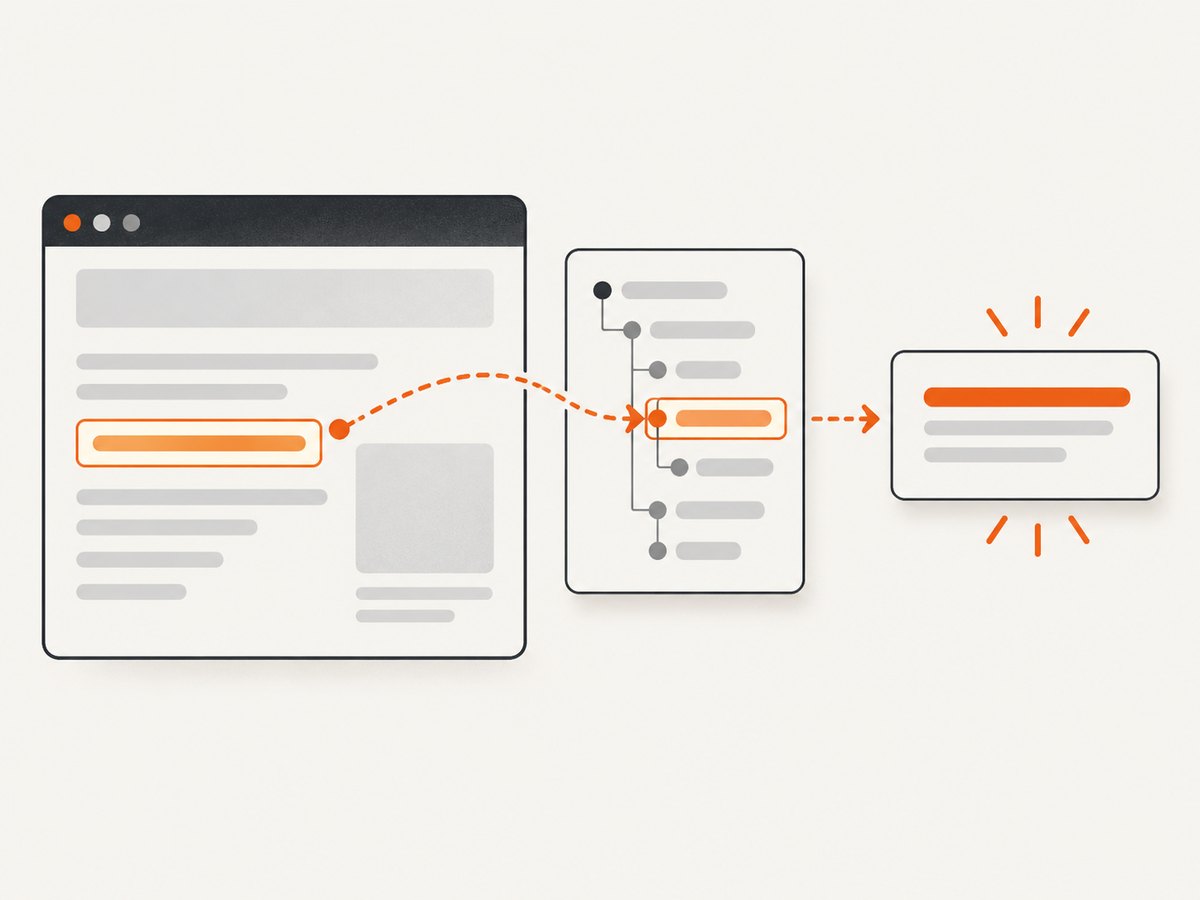
Complete runnable example
import { test, expect } from '@playwright/test';

test('find content by text', async ({ page }) => {
  await page.goto('https://example.com');

  // Substring match for non-interactive content.
  await expect(page.getByText('Example Domain')).toBeVisible();

  // Exact match after Playwright normalizes whitespace.
  await expect(page.getByText('Example Domain', { exact: true })).toBeVisible();

  // Regular expression match, case-insensitive.
  await expect(page.getByText(/example domain/i)).toBeVisible();
});
Run it with:
npm init playwright@latest
npx playwright test
For a paragraph, div, span, or heading, getByText() expresses the intent directly. If several elements contain the same phrase, narrow the search with a locator:
const card = page.locator('article').filter({ hasText: 'Pro plan' });
await expect(card.getByText('Pro plan', { exact: true })).toBeVisible();
Interactive elements: prefer roles
For controls, the accessible role and name are usually more stable than their DOM text. A button may contain nested markup, an icon, or visually hidden text; a role locator reflects what assistive technology sees.
await page.getByRole('button', { name: 'Save changes' }).click();
await page.getByRole('link', { name: 'Documentation' }).click();
await expect(page.getByRole('heading', { name: 'Welcome, John' })).toBeVisible();
Use getByText() when the target is informational content. Use getByRole() for buttons, links, checkboxes, tabs, headings, and other interactive or semantic controls.
Playwright’s CSS-like text pseudo-classes
Playwright extends CSS syntax with text pseudo-classes. They are useful when you need to combine text with a tag, class, or relationship, but they are Playwright selectors, not selectors accepted by document.querySelector().
// Case-insensitive substring in an article or its descendants.
const article = page.locator('article:has-text("Playwright")');

// Smallest element containing the text.
const label = page.locator(':text("Email address")');

// Exact text after whitespace normalization.
const heading = page.locator('h2:text-is("Account settings")');

// Regular expression matching.
const warning = page.locator('p:text-matches("timeout|failed", "i")');
A bare :has-text() can match broad ancestors, including body. Add a meaningful tag, class, or container and then assert or act on the resulting locator. Playwright documents :has-text(), :text(), :text-is(), and :text-matches() as extensions.
Why :contains() fails in ordinary CSS
This selector looks plausible:
document.querySelector('div:contains("Welcome")');It throws a selector error in a normal browser because :contains() is not part of the current CSS selector standard. The cssselect documentation describes it as a non-standard extension from an early draft that was removed. A jQuery API, a scraping library, or a test framework may implement something with the same name, but that behavior is not portable.
Native browser alternatives
Use stable attributes when you control the markup
The most portable solution is to add an identifier that represents the element’s purpose:
<button data-testid="save-profile">Save changes</button>
<article data-testid="pricing-card-pro">...</article>
const save = document.querySelector('[data-testid="save-profile"]');
const pro = document.querySelector('[data-testid="pricing-card-pro"]');In Playwright, configure a test ID attribute and use getByTestId():
await page.getByTestId('save-profile').click();Test IDs are resilient when copy changes, but they are not user-facing semantics. Keep them stable and meaningful.
Filter elements in JavaScript
When you must use browser-native APIs and cannot change the markup, select a bounded set and inspect textContent:
const match = [...document.querySelectorAll('article')]
  .find(el => el.textContent.includes('Pro plan'));

if (match) {
  match.scrollIntoView({ block: 'center' });
}
textContent includes hidden text and descendant text. For user-visible matching, you may need to check computed styles or use an automation framework that models visibility. Avoid scanning the entire document when a stable container is available.
Use XPath when a text expression is required
XPath can express text matching in environments that support it:
const node = document.evaluate(
  "//*[contains(normalize-space(.), 'Welcome')]",
  document,
  null,
  XPathResult.FIRST_ORDERED_NODE_TYPE,
  null
).singleNodeValue;
contains(text(), 'Welcome') checks only direct text-node children. Nested markup can make it miss a visible phrase, so contains(normalize-space(.), ...) is often more useful. XPath tied to a deep DOM structure is brittle; keep the expression short and anchor it to a stable role, attribute, or container where possible.
Matching behavior and maintainability
| Method | Portability | Matching | Best use |
|---|---|---|---|
| Standard CSS | Browser-wide | Attributes, classes, IDs, relationships; no general text match | Stable markup and native DOM queries |
Playwright getByText() |
Playwright only | Substring, exact, regex; whitespace normalization | Visible non-interactive content |
Playwright getByRole() |
Playwright only | Accessible role and name | Buttons, links, headings, form controls |
Playwright :has-text() |
Playwright only | Case-insensitive descendant substring | Combining text with CSS-like structure |
| XPath | Browser automation and DOM APIs | Text-node expressions and relationships | Legacy pages or environments without text locators |
| Test ID | Requires markup support | Exact attribute value | Long-lived test suites |
Prefer selectors that describe user-facing meaning or an explicit contract. A selector such as div:nth-child(3) > span can break after an unrelated layout change. A role, label, test ID, or stable data attribute usually survives refactoring better.
Capturing a text-matched element for visual checks
After locating an element, Playwright can capture only that element:
const card = page.locator('article').filter({ hasText: 'Pro plan' });
await expect(card).toBeVisible();
await card.screenshot({ path: 'pro-plan.png' });
For a full-page capture:
await page.screenshot({ path: 'page.png', fullPage: true });Wait for the target state before capturing. If content is rendered asynchronously, wait for a selector, a specific text locator, or a network-idle condition. Avoid arbitrary long sleeps unless the page has no observable readiness signal.
Or skip the browser setup
If your goal is a clean screenshot rather than browser automation, ScreenshotNeo accepts one GET request and returns PNG, JPEG, WebP, or PDF. See the ScreenshotNeo API documentation for all options, including element selectors, full-page capture, custom CSS and JavaScript, waits, device presets, cookies, headers, blocking rules, caching, signed links, asynchronous jobs, and bulk capture.

curl -G "https://api.screenshotneo.com/v1/shot" -d access_key=YOUR_API_KEY --data-urlencode url=https://example.com -o shot.webpimport requests
r = requests.get("https://api.screenshotneo.com/v1/shot", params={"access_key": "YOUR_API_KEY", "url": "https://example.com"}, timeout=90)
open("shot.webp", "wb").write(r.content)const q = new URLSearchParams({ access_key: 'YOUR_API_KEY', url: 'https://example.com' });
const res = await fetch(`https://api.screenshotneo.com/v1/shot?${q}`);Cookie banners, newsletter popups, and chat widgets are removed before the shot. Bot checks, blank pages, failed loads, timeouts, and cache hits are not billed; response headers identify the page verdict and whether it was billed. ScreenshotNeo also provides an MCP server so Claude, Cursor, and other MCP clients can take screenshots, inspect pages, and capture PDFs. The free plan includes 1,000 screenshots per month with no card; paid plans start at $5 for 3,000 shots. Create a free ScreenshotNeo account.
Troubleshooting
“The selector is invalid”
Cause: a non-standard pseudo-class such as :contains() was passed to querySelector(). Fix: use a class or attribute, filter candidates with JavaScript, or use Playwright’s getByText() or :has-text().
Text is visible but getByText() finds nothing
Cause: the text is rendered inside an iframe, shadow root, canvas, or after asynchronous loading. Fix: enter the frame with frameLocator(), target the shadow-host contents, wait for a readiness locator, or use the application’s accessible output instead of canvas pixels.
Exact matching is unexpectedly successful or unsuccessful
Cause: Playwright normalizes whitespace and may match a descendant containing the phrase. Fix: scope the locator to a container, use exact: true, and inspect the matched count with await locator.count().
Several elements match
Cause: repeated navigation labels, responsive duplicates, or ancestor matches. Fix: add a role, container, class, or test ID; use filter({ hasText }); avoid blindly adding .first() unless order is part of the contract.
XPath misses text containing nested markup
Cause: text() sees only direct text nodes. Fix: use normalize-space(.) and anchor the expression to a stable element.
The screenshot contains a popup or consent banner
Cause: the page requires an interaction before its useful state is visible. Fix: in Playwright, locate and accept or hide the banner before capture. With ScreenshotNeo, consent banners, newsletter popups, and chat widgets are handled before capture.
Performance, reliability, and cost notes
- Performance: scope text searches to a container instead of scanning
body; prefer a stable attribute when you can add one. Use locator assertions that wait for the required state rather than repeated polling loops. - Reliability: role, label, and test-ID locators generally communicate intent better than DOM depth. Keep text assertions tolerant of harmless copy changes unless exact wording is what you are testing.
- Dynamic content: wait for a meaningful selector or text state. Network idle alone may be insufficient for applications that keep long-lived connections open.
- Screenshot cost: a self-hosted browser consumes CPU, memory, and startup time. ScreenshotNeo charges only for clean shots; bot checks, blank pages, failed loads, timeouts, and cache hits are free, and a cache TTL can reduce repeated captures.
- Scale: for many URLs, use asynchronous jobs, signed webhooks, or bulk capture. For repeatable public images, signed links avoid exposing an API key in an
<img>URL.
Checklist
- Decide whether the target is informational text or an interactive control.
- Use
getByText()for non-interactive content andgetByRole()for controls in Playwright. - Do not use
:contains()with native CSS. - Prefer stable IDs, classes, data attributes, labels, and roles over DOM position.
- Scope ambiguous text to a meaningful container.
- Handle iframes, shadow DOM, delayed rendering, and nested text explicitly.
- Wait for the target state before visual capture.
- For screenshots without browser maintenance, use ScreenshotNeo and inspect its verdict and billing headers.
FAQ
Can CSS select an element containing text?
Not with standard, portable CSS. Use a framework text locator, JavaScript filtering, XPath, or stable markup.
Is Playwright’s :has-text() standard CSS?
No. It is a Playwright selector extension.
Should I use XPath instead of Playwright text locators?
Usually no. Use Playwright’s semantic locators first; reserve XPath for cases where its text and relationship expressions are genuinely useful.
Does getByText() match hidden text?
It is intended for user-visible content and participates in Playwright’s locator and actionability checks. Verify visibility when it matters.
Can ScreenshotNeo capture one element selected by text?
ScreenshotNeo supports capturing one element by CSS selector. Resolve text to a stable selector in your page or automation code, then pass that selector using the API option documented at the API docs.


