How to Select Elements at a Specific Position in XPath
Learn how XPath positions work, why //item[1] can return many nodes, and how to select the exact element you need.
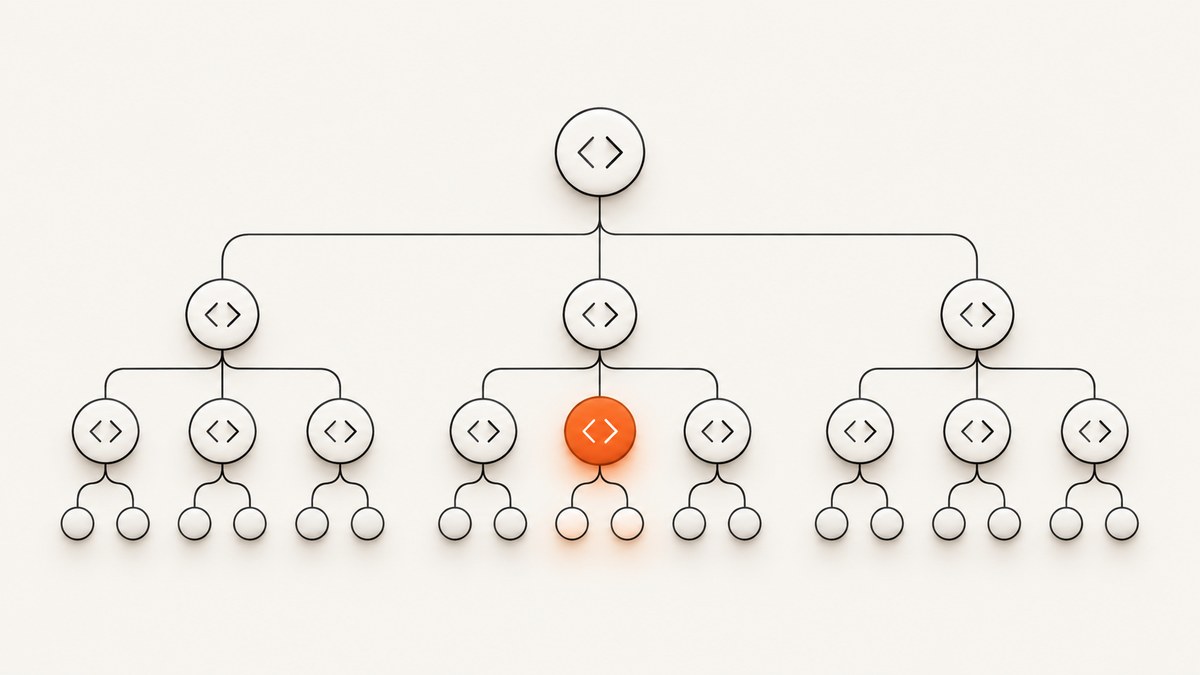
To select an element at a specific position in XPath, put a positional predicate on the step whose results you want to count. XPath positions start at 1. For example, //catalog/item[3] selects the third item child for each matching catalog; (//catalog/item)[3] selects the third item in the complete result sequence.
Quick answer: the XPath expressions you need
| Goal | XPath |
|---|---|
| First item under each catalog | //catalog/item[1] |
| Third item under each catalog | //catalog/item[3] |
| Third item in the entire result | (//catalog/item)[3] |
| Explicit third position | //catalog/item[position() = 3] |
| Last item under each catalog | //catalog/item[last()] |
| Second-to-last item | //catalog/item[last() - 1] |
The distinction between //catalog/item[3] and (//catalog/item)[3] is the source of most XPath position bugs. The first expression applies the predicate to each step context. The parenthesized expression builds one sequence first, then indexes that sequence.
A small XML document to make the scope visible
<catalogs>
  <catalog id="books">
    <item id="b1">XPath Basics</item>
    <item id="b2">XML Namespaces</item>
    <item id="b3">XSLT Patterns</item>
  </catalog>
  <catalog id="music">
    <item id="m1">The First Record</item>
    <item id="m2">The Second Record</item>
    <item id="m3">The Third Record</item>
  </catalog>
</catalogs>
Against this document:
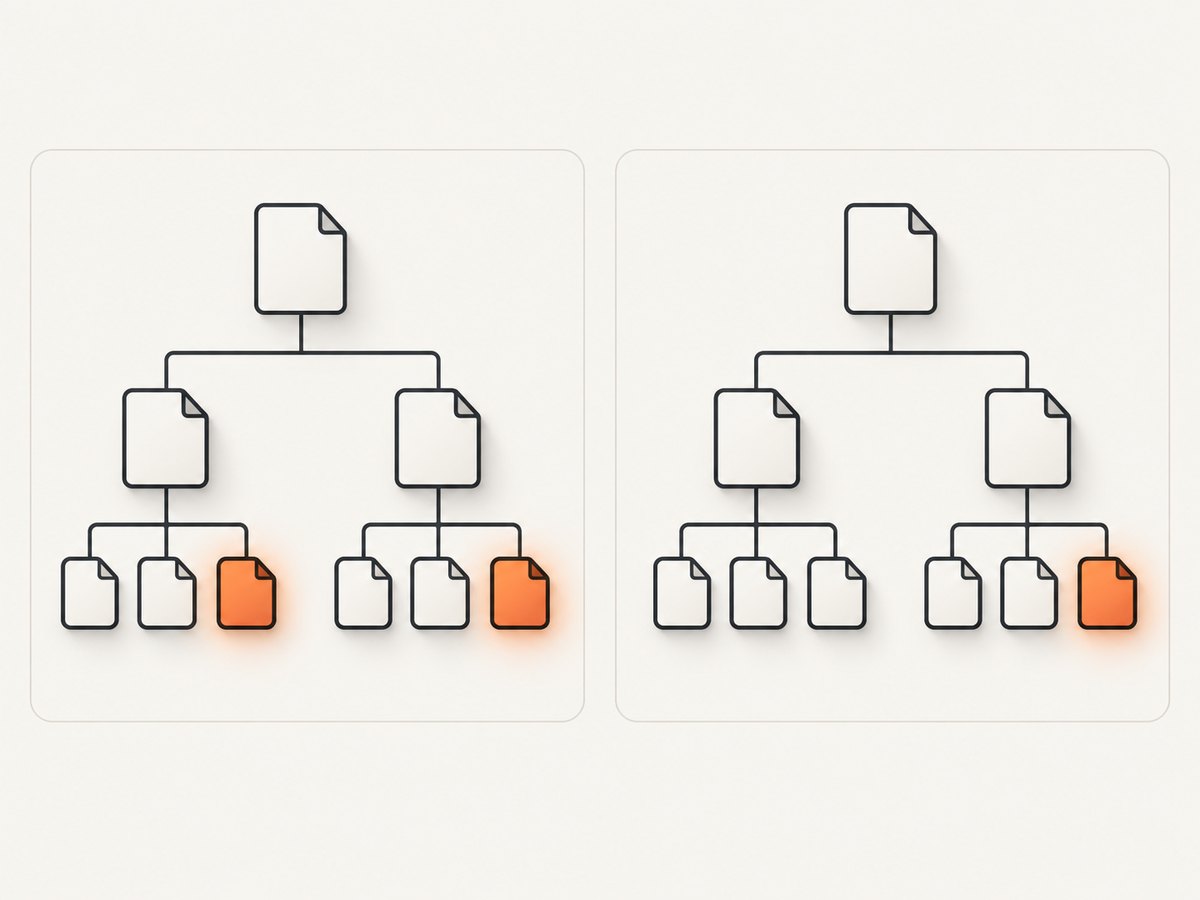
//catalog/item[3]returnsb3andm3, because each catalog has its own child sequence.(//catalog/item)[3]returns onlyb3, the third item in document order.//item[1]returns the first item for every parent that contributes matching children, rather than one document-wide item.
How positional predicates are evaluated
A predicate filters the sequence produced by the step immediately before it. A numeric predicate such as [3] is shorthand for comparing the context position with 3. The first item in every sequence has position 1, as specified by the W3C XPath 3.1 Recommendation.
Step-local position
//catalog/item[2]The item step is evaluated separately for each catalog context. Position 2 therefore means “the second item child of this catalog.” This is usually what you want when processing repeated records grouped under parents.
Global position
(//catalog/item)[2]Parentheses force the full path to be evaluated first. The predicate then sees one sequence containing all matching items, so position 2 is global across the result.
Use position() when the intent needs to be obvious
//catalog/item[position() = 3]This is equivalent to //catalog/item[3]. The longer form helps when a positional test is combined with other conditions or when the XPath is maintained by people who do not use XPath every day.
Combining position with attribute and text filters
Adjacent predicates run from left to right. Each predicate receives the sequence left by the previous predicate.
//item[@type = 'featured'][2]This filters to featured items first, then selects the second featured item in each step context.
//item[2][@type = 'featured']This selects the second item first and checks whether that one item is featured. These expressions are not interchangeable.
You can combine position with a numeric comparison, text test, or existence check:
//catalog/item[position() <= 3]
//catalog/item[contains(normalize-space(.), 'XPath')][1]
//catalog/item[@id][last()]
(//catalog/item[@type = 'featured'])[1]
When you need one result from a filtered document-wide sequence, parenthesize after applying the filter, as in (//item[@type='featured'])[1].
Last, reverse, and axis-specific positions
last() returns the size of the current context sequence. These expressions select the last or next-to-last child:
//catalog/item[last()]
//catalog/item[last() - 1]
Reverse axes require extra care. In preceding::foo[1], the predicate is evaluated while the reverse axis is ordered in reverse document order, so it selects the nearest qualifying preceding foo. Parentheses change which sequence is filtered:
preceding::foo[1]
(preceding::foo)[1]
The two forms can identify different nodes. The W3C XPath 2.0 specification defines predicate context positions and explains how reverse-axis ordering affects them. If an axis expression behaves unexpectedly, check both the axis direction and whether the predicate is attached directly to the step or to a parenthesized result.
Runnable examples
Command-line XPath with xmllint
Save the sample XML as catalog.xml, then run:
xmllint --xpath '//catalog/item[3]/@id' catalog.xml
xmllint --xpath '(//catalog/item)[3]/@id' catalog.xml
xmllint --xpath '//catalog/item[last()]/text()' catalog.xml
The first command prints both catalog-local third IDs; the second prints only the global third ID. Availability and XPath support depend on the version of xmllint installed on your system.
Python with lxml
from lxml import etree

xml = etree.parse('catalog.xml')

local_thirds = xml.xpath('//catalog/item[3]')
global_third = xml.xpath('(//catalog/item)[3]')
last_items = xml.xpath('//catalog/item[last()]')

print([node.get('id') for node in local_thirds])
print(global_third[0].get('id'))
print([node.get('id') for node in last_items])
Install the parser with python -m pip install lxml. Python lists are zero-based, but XPath results are one-based; do not translate an XPath position into Python indexing until after the XPath has run.
Node.js with an XPath package
Node.js does not provide a built-in XPath evaluator. Install an XML DOM implementation and an XPath package:
npm install @xmldom/xmldom xpathconst fs = require('node:fs');
const xpath = require('xpath');
const { DOMParser } = require('@xmldom/xmldom');
const xml = fs.readFileSync('catalog.xml', 'utf8');
const doc = new DOMParser().parseFromString(xml, 'text/xml');
const localThirds = xpath.select('//catalog/item[3]', doc);
const globalThird = xpath.select1('(//catalog/item)[3]', doc);
console.log(localThirds.map(node => node.getAttribute('id')));
console.log(globalThird.getAttribute('id'));Downloading XML with cURL before evaluating it
cURL transfers a document; it does not evaluate XPath by itself. Use it to save an XML response, then pass that file to an XPath-capable tool:
curl --fail --location 'https://example.com/catalog.xml' --output catalog.xml
xmllint --xpath '(//catalog/item)[3]' catalog.xml
Replace the example URL with a real XML endpoint you control or are authorized to access.
Namespaces: the position is still simple, the name test is not
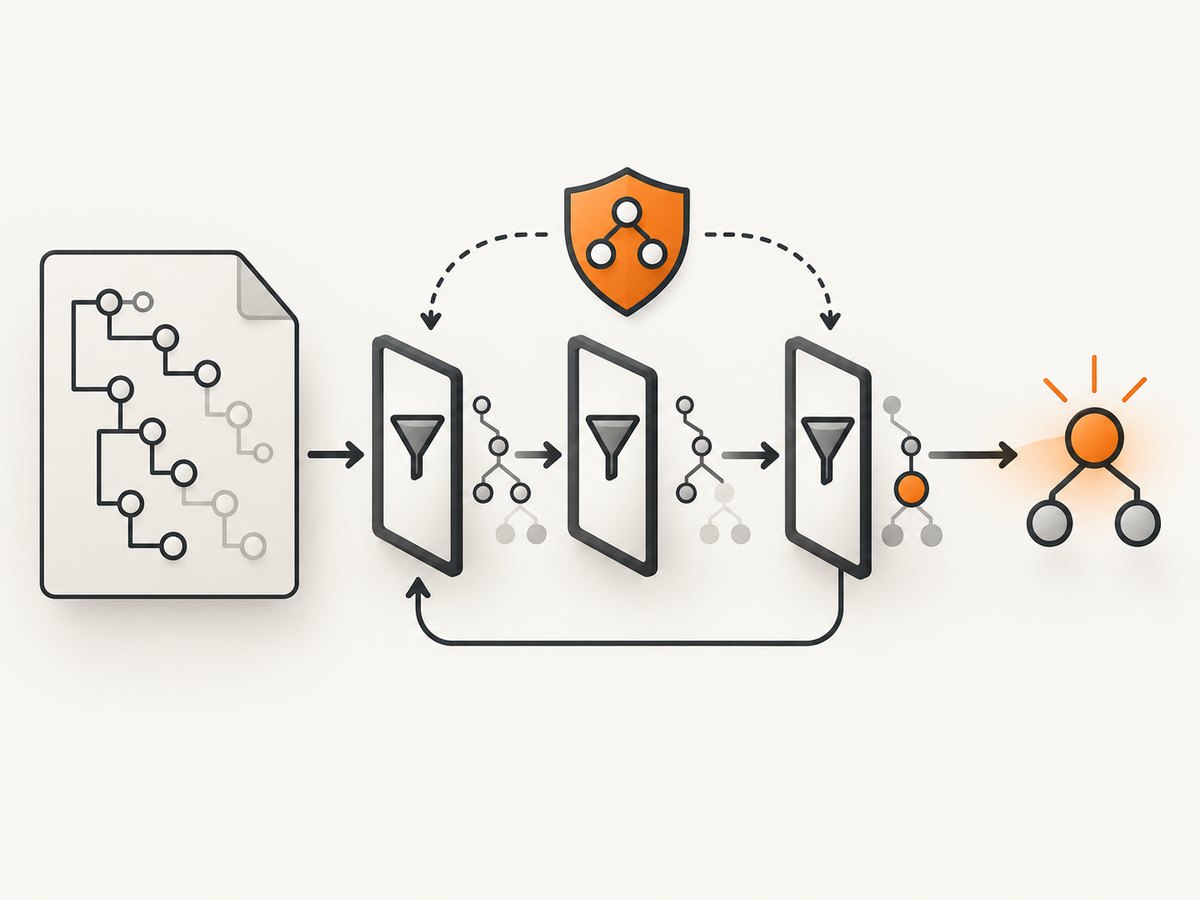
When XML uses namespaces, an unprefixed XPath name usually does not match namespaced elements. Bind the namespace URI to a prefix in your host application, then use that prefix in the XPath.
declare namespace c = "urn:example:catalog";
(//c:catalog/c:item)[3]
In Python:
ns = {'c': 'urn:example:catalog'}
third = xml.xpath('(//c:catalog/c:item)[3]', namespaces=ns)
The prefix you choose in the XPath is arbitrary; the namespace URI must match the document. Positioning is applied after the correctly namespaced nodes have been selected.
Common mistakes and troubleshooting
| Symptom | Cause | Fix |
|---|---|---|
//item[1] returns several nodes |
The predicate is local to each parent context. | Use (//item)[1] for one global result. |
| The “second” node is missing | XPath starts counting at 1. | Use [2] for the second node; only host-language arrays start at zero. |
| A filtered position is wrong | Predicates were placed in the wrong order. | Filter first, then position: //item[@type='x'][2]. |
last() returns an unexpected node |
The context sequence is smaller than expected or grouped by parent. | Inspect the unfiltered path and decide whether parentheses are needed. |
| Namespaced elements produce no matches | The XPath uses no namespace prefix or the wrong URI. | Bind the namespace URI and use the bound prefix. |
| Reverse-axis result seems backward | Reverse axes assign context positions in reverse order. | Compare the direct form with a parenthesized expression. |
| Expression works in one tool but not another | Host applications expose different XPath versions and APIs. | Check the host documentation and stay with XPath 1.0-compatible syntax when portability matters. |
| Parser reports invalid syntax near a comparison | XML characters were not escaped in source code or shell input. | Escape < as < in XML and quote shell arguments. |
Performance and reliability
- Make the path as specific as possible.
/catalogs/catalog/item[3]gives an evaluator less work than a broad descendant search when the structure is known. - Use a global expression only when you need a global result. Parenthesized paths can require materializing a larger sequence.
- Filter before position when the requirement is “the second matching item.” Positioning first changes the meaning and may select the wrong node.
- Reuse a parsed document when evaluating several expressions. Parsing the same XML repeatedly costs more than evaluating a few additional XPath expressions.
- For large documents, check whether your host library supports streaming or incremental processing. Many XPath features, especially global positions and
last(), require access to the complete relevant sequence. - Test empty, one-item, and multi-parent inputs. A positional expression that returns no node is often correct when the requested position does not exist.
Or skip the browser setup
If your XPath work is part of a screenshot or visual regression workflow, ScreenshotNeo can capture the rendered page with one request. It accepts cookie and consent banners before capture and removes more than 60 known consent platforms, newsletter popups, and chat widgets. You can turn each cleanup step off. Bot checks, blank pages, timeouts, failed loads, and cache hits are not billed, and each response reports the result in X-Page-Verdict and X-Billed headers.
See the ScreenshotNeo API documentation for all options. A minimal request is:
curl -G "https://api.screenshotneo.com/v1/shot" -d access_key=YOUR_API_KEY --data-urlencode url=https://stripe.com -o shot.webpimport requests
r = requests.get("https://api.screenshotneo.com/v1/shot", params={"access_key": "YOUR_API_KEY", "url": "https://stripe.com"}, timeout=90)
open("shot.webp", "wb").write(r.content)const q = new URLSearchParams({ access_key: 'YOUR_API_KEY', url: 'https://stripe.com' });
const res = await fetch(`https://api.screenshotneo.com/v1/shot?${q}`);The API supports full-page and element captures, device presets, custom viewports, retina scale, dark mode, PDFs, custom CSS and JavaScript, clicks, waits, request blocking, headers, cookies, user agents, authorization, timezone, geolocation, transparent backgrounds, resizing, caching, signed links, asynchronous jobs, webhooks, bulk capture, and usage reporting. An MCP server provides take_screenshot, get_page_info, and capture_pdf tools for Claude, Cursor, and other MCP clients.
The free plan includes 1,000 screenshots per month with no card. Paid plans start at $5 for 3,000 screenshots. Create your free ScreenshotNeo account.
FAQ
Does XPath use zero-based indexing?
No. XPath positions are one-based: position 1 is the first item.
When should I use parentheses?
Use parentheses when the position applies to the complete result sequence, such as (//item)[3].
Is [3] always the same as [position()=3]?
Yes, for a positional predicate on the same step. The explicit form is often clearer beside other conditions.
Can I select several positions?
Use a position range such as item[position() <= 3], or combine conditions appropriate to your XPath version.
Which XPath version should I target?
That depends on the host application. The basic positional syntax works across XPath 1.0, 2.0, and 3.1; verify support before using version-specific features.
Position-selection checklist
- Decide whether the position is local to each parent or global across all matches.
- Use
[n]or[position() = n]; remember thatnstarts at 1. - Put filtering predicates before the position predicate when you mean “the nth matching node.”
- Use parentheses for a document-wide result sequence.
- Check axis direction, namespaces, and the host application’s XPath version.
- Test empty, one-item, multiple-parent, and namespaced documents.


