How to Select Following Siblings Using CSS Selectors
Learn when to use CSS + and ~ combinators, how sibling matching works, common mistakes, :has(), debugging, and practical patterns.
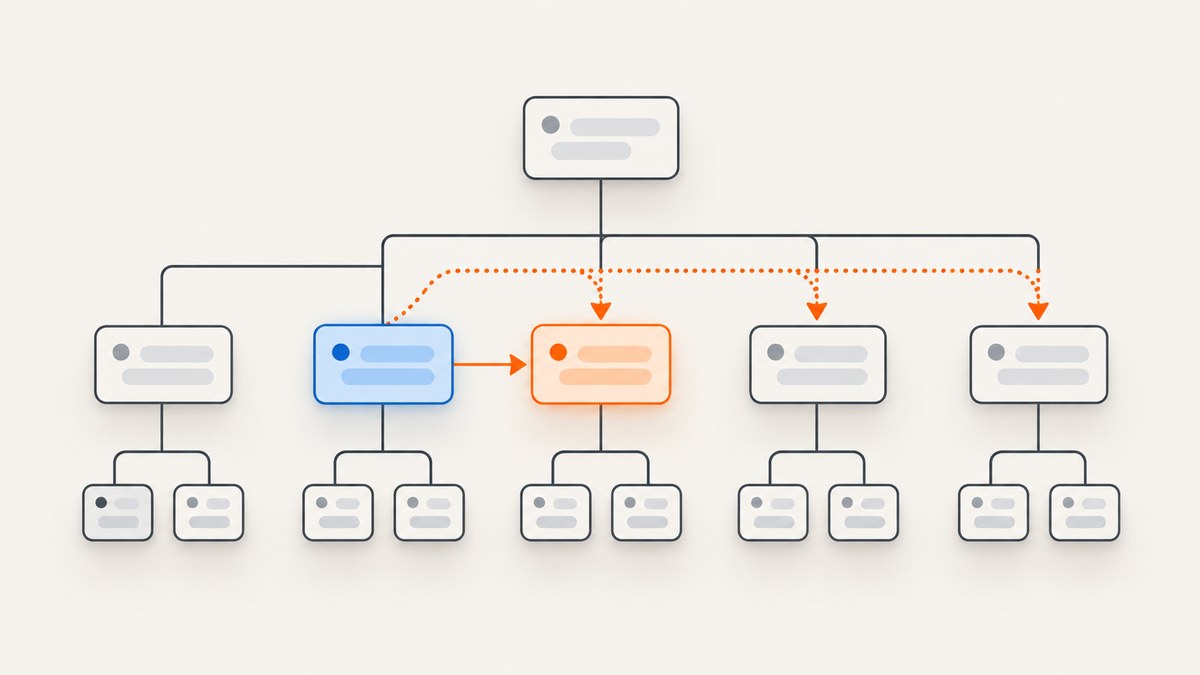
Use the adjacent-sibling combinator + when you need exactly one element immediately after another element. Use the subsequent-sibling combinator ~ when you need every matching sibling that appears later under the same parent.
/* One immediate paragraph after each h2 */
h2 + p {
  margin-top: 0;
}

/* Every later paragraph sharing the h2's parent */
h2 ~ p {
  color: #555;
}
Both selectors work in document-tree order. The elements must share a parent, and the right-hand selector is the element that receives the style. This guide explains the matching rules, practical patterns, edge cases, browser support, debugging techniques, and when to use :has() instead.
1. Understand sibling relationships
Two elements are siblings when they have the same direct parent. In this example, all four children of .faq are siblings:
<section class="faq">
  <h2>Shipping</h2>
  <p class="answer">Ships in two days.</p>
  <p class="note">Tracking is emailed at dispatch.</p>
  <h2>Returns</h2>
  <p class="answer">Thirty-day returns.</p>
</section>
The heading and paragraphs are siblings because they all have .faq as their parent. A paragraph nested inside another element is not a sibling of the heading. Sibling combinators cannot jump across a cousin branch or match descendants.
| Selector | Matches | Typical use |
|---|---|---|
A + B |
One B immediately following A |
Remove top margin from the first paragraph after a heading |
A ~ B |
Every later sibling B following A |
Style all content after a notice or heading |
A B |
Any descendant B inside A |
Target nested content |
A > B |
Direct child B of A |
Target one level of nesting |
2. Select the immediate following sibling with +
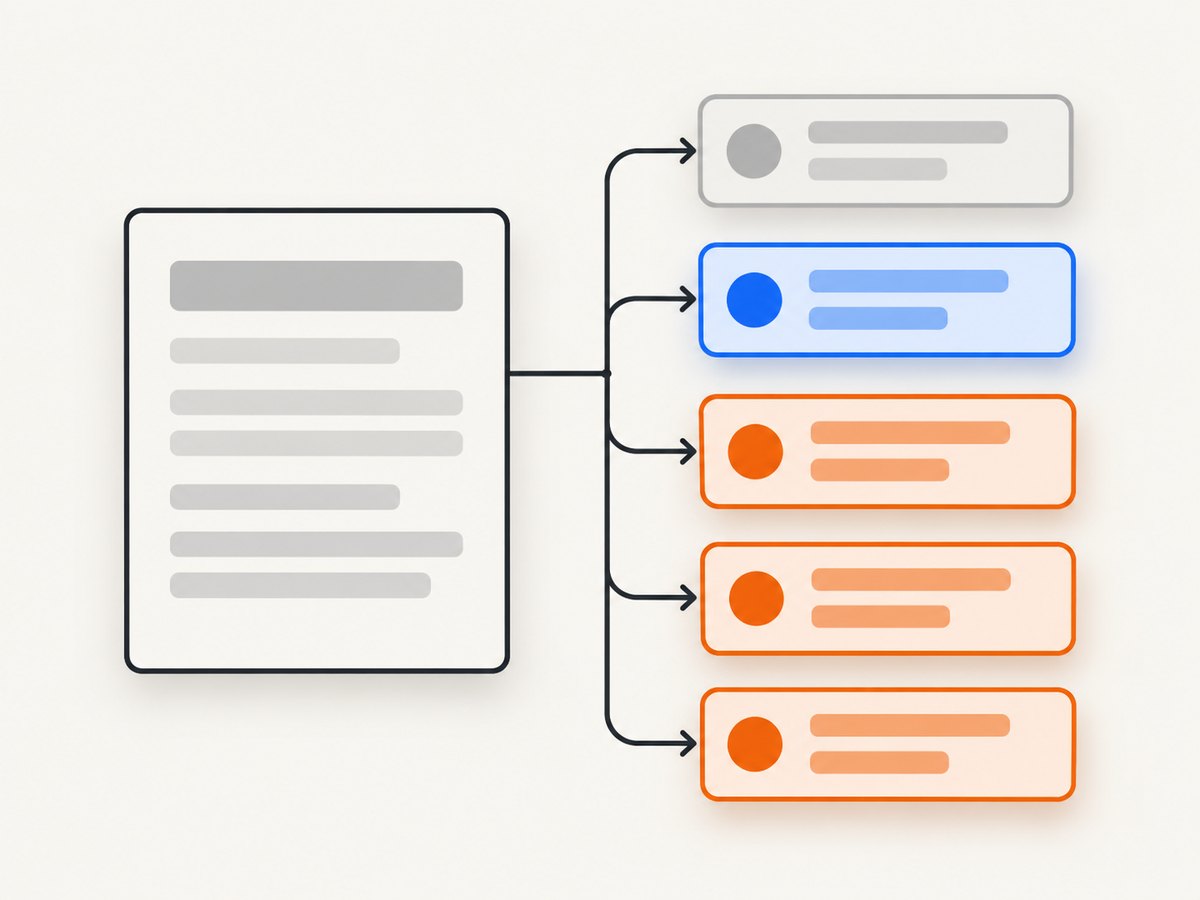
The adjacent-sibling combinator matches the right-hand element only when it immediately follows the left-hand element and both share a parent.
h2 + p {
  margin-block-start: 0;
}

.notice + .actions {
  border-top: 1px solid #ddd;
  padding-top: 1rem;
}

[data-state="open"] + .panel {
  display: block;
}
In the FAQ example, h2 + p matches the first answer paragraph after each heading. It does not match the note paragraph because that paragraph is not immediately after an h2.
Only element siblings count for adjacency. Whitespace text nodes and HTML comments between the elements do not break the relationship:
<h2>Shipping</h2>
<!-- editorial note -->
<p>Ships in two days.</p>
The paragraph still matches h2 + p. An intervening element does break it:
<h2>Shipping</h2>
<div class="ad">Advertisement</div>
<p>Ships in two days.</p>
Here the paragraph is not adjacent to the heading.
3. Select all later siblings with ~
The subsequent-sibling combinator matches every later sibling that fits the right-hand selector. It does not require adjacency.
h2 ~ p {
  color: #555;
}

.notice ~ .details {
  opacity: .8;
}

.featured ~ [data-role="supporting-copy"] {
  font-size: .95rem;
}
For the FAQ markup, h2 ~ p can match the answer and note paragraphs after the first heading, plus paragraphs after the second heading. The selector is evaluated for each matching h2, so broad rules can affect more elements than intended. Scope it to a component or use a target class when the relationship has a precise meaning.
.faq > h2 ~ p {
  max-width: 65ch;
}

.faq > h2 + .answer {
  font-weight: 600;
}
The right-hand side can be any compound selector, including classes, IDs, attributes, and pseudo-classes:
h2.featured ~ p.note { color: #765; }
#billing ~ .error { color: crimson; }
[data-state="open"] ~ .panel:not([hidden]) { visibility: visible; }
4. + versus ~ at a glance
| Question | + |
~ |
|---|---|---|
| How many targets? | At most one matching element | Zero or more matching elements |
| Must the target be adjacent? | Yes | No |
| Must the parent be shared? | Yes | Yes |
| Does DOM order matter? | Yes | Yes |
| Risk of accidental matches | Usually lower | Higher with broad selectors |
| Good for | First paragraph, label-control pairs, disclosure panels | All content after a marker, grouped follow-on items |
Choose the narrowest relationship that describes the markup. If only the first paragraph needs a rule, h2 + p communicates that intent more clearly than h2 ~ p.
5. Common patterns
Reset spacing after headings
h1 + .lede,
h2 + p {
  margin-block-start: 0;
}
Style a validation message after an input
input[aria-invalid="true"] + .field-error {
  display: block;
  color: #b42318;
}
This works when the message is the next element. If wrappers can appear between the input and message, use a shared parent and a descendant selector instead.
Reveal a panel after a checkbox
.toggle:checked + .panel {
  display: block;
}

.toggle:checked ~ .panel {
  display: block;
}
Use the first form when the panel is directly next to the checkbox; use the second when other siblings may occur between them.
Style content after a marker
.chapter-break ~ p {
  color: #444;
}
Remember that every later matching paragraph is eligible, including paragraphs in a later subsection under the same parent. Add a section scope or a class if that is not intended.
6. When you need the previous sibling: :has()
+ and ~ point forward: they select an element that follows the left-hand element. Modern CSS can select an earlier element conditionally with :has().
/* Select an item immediately before the active item */
.item:has(+ .item--active) {
  border-bottom-right-radius: 0;
}

/* Select a label whose following control is invalid */
.field-label:has(+ input[aria-invalid="true"]) {
  color: crimson;
}
The first selector means “an .item that has an immediately following .item--active.” Browser support for :has() is separate from support for sibling combinators, so check the browser policy for your project before relying on it. Where support is insufficient, add a state class in JavaScript or render the state on the earlier element.
7. DOM order, flexbox, and grid
Sibling combinators use document order, not the visual order produced by CSS. order in flexbox and grid placement can move an element on screen without changing which element is next in the DOM.
.card {
  display: flex;
  flex-direction: column;
}

.card__actions {
  order: -1;
}

/* Still follows DOM order, not the visual order */
.card__title + .card__description { margin-top: 0; }
If a relationship is important for styling, accessibility, or scripting, keep the semantic order in the HTML and use layout properties only for presentation.
8. Specificity and selector scope
A sibling combinator adds no specificity by itself. Specificity comes from the compound selectors on either side. For example, .faq h2 + p.answer has one class selector and two type selectors.
/* Broad rule */
h2 ~ p { color: #555; }

/* More specific component rule */
.checkout > h2 + p.summary { color: #222; }
Prefer component scope and semantic classes over escalating specificity:
.faq > h2 + .answer { ... }
.faq > h2 ~ .note { ... }
Use browser developer tools to inspect the matched rule, crossed-out declarations, and computed styles. Temporarily add an outline to verify the exact set:
h2 ~ p { outline: 2px solid tomato; }9. Troubleshooting checklist
| Symptom | Likely cause | Fix |
|---|---|---|
No match with + |
An element appears between the two elements | Remove the intervening element, change the markup, or use ~ |
| A descendant is not selected | The elements do not share a parent | Use a descendant/child selector or move the target into the same parent |
| Too many paragraphs are styled | A broad h2 ~ p reaches all later matching siblings |
Add a parent scope or target class; consider + |
| Selector seems reversed | The left side is the element that comes first | Write p + h2 only when the heading follows the paragraph |
| Visual order differs from matching | Flex/grid changed presentation order | Inspect the DOM and write selectors for document order |
| Rule is crossed out | A later or more specific declaration wins | Inspect specificity, source order, layers, and media queries |
| Dynamic content is not styled | The inserted node does not satisfy the relationship | Check the rendered DOM; ensure the inserted element is the expected sibling |
10. Browser support and stability
MDN labels both the next-sibling and subsequent-sibling combinators as Baseline widely available. The next-sibling combinator has been available across browsers since July 2015. For legacy or embedded browsers, verify the exact support matrix used by your project. The normative relationship rules are defined by the W3C Selectors Level 4 specification; practical examples and compatibility details are documented for the next-sibling combinator and subsequent-sibling combinator.
11. Test selectors with a small fixture
Create a standalone HTML file so you can reason about the DOM without framework styles:
<!doctype html>
<style>
  h2 + p { background: #e7f5ff; }
  h2 ~ p { border-left: 4px solid #1971c2; padding-left: .75rem; }
</style>
<section>
  <h2>Shipping</h2>
  <p>Immediate answer</p>
  <p>Later note</p>
  <div>Intervening element</div>
  <p>Another later paragraph</p>
</section>
Open it in a browser and inspect each paragraph. The first paragraph receives both rules; later paragraphs receive only the ~ rule. Add comments, whitespace, wrappers, and repeated headings to test the cases your component actually supports.
12. Or skip the browser setup
If you need rendered screenshots of selector examples for documentation, visual regression, or review, ScreenshotNeo captures a URL with one GET request. It can load the full page, wait for a selector or network idle, apply custom CSS or JavaScript, capture one element by CSS selector, choose a viewport or device preset, and return PNG, JPEG, WebP, or PDF.

Example using cURL:
curl -G "https://api.screenshotneo.com/v1/shot" \
  -d access_key=YOUR_API_KEY \
  --data-urlencode url=https://example.com/css-siblings.html \
  -o shot.webp
Python:
import requests

r = requests.get(
    "https://api.screenshotneo.com/v1/shot",
    params={"access_key": "YOUR_API_KEY", "url": "https://example.com/css-siblings.html"},
    timeout=90,
)
r.raise_for_status()
open("shot.webp", "wb").write(r.content)
Node.js:
const q = new URLSearchParams({
  access_key: 'YOUR_API_KEY',
  url: 'https://example.com/css-siblings.html'
});
const res = await fetch(`https://api.screenshotneo.com/v1/shot?${q}`);
if (!res.ok) throw new Error(`${res.status} ${res.statusText}`);
const fs = await import('node:fs/promises');
await fs.writeFile('shot.webp', Buffer.from(await res.arrayBuffer()));
See the ScreenshotNeo documentation for all 63 options, including full-page lazy-image loading, element capture, dark mode, custom headers and cookies, blocking selected requests, caching TTL, signed links, asynchronous jobs, bulk capture, and usage reporting.
Cookie banners, newsletter popups, and chat widgets are removed before the shot. Bot checks, blank pages, timeouts, failed loads, and cache hits are not billed, and response headers identify the page verdict and whether the request was billed. ScreenshotNeo also provides an MCP server with take_screenshot, get_page_info, and capture_pdf for Claude, Cursor, and other MCP clients. The Free plan includes 1,000 screenshots per month with no card; paid plans start at $5 for 3,000 shots. Create a free ScreenshotNeo account.
13. Performance, reliability, and cost notes
- Prefer
+when it expresses the requirement; it limits the number of candidate matches and makes intent clear. - Scope
~selectors to a component to avoid surprising style application as the DOM grows. - Keep selectors shallow and class-based in large applications; long chains are harder to maintain when markup changes.
- For automated screenshots, wait for a stable selector or network idle instead of relying only on a fixed delay.
- Use caching with a suitable TTL for repeated documentation captures. Cache hits are identified in ScreenshotNeo responses and are not billed.
- For many URLs, use bulk capture rather than opening separate browser sessions, and inspect verdict and billing headers when diagnosing failures.
14. FAQ
Does + select the previous sibling?
No. It selects the element on the right only when that element immediately follows the selector on the left. Use :has(+ ...) where supported to conditionally select the earlier element.
Can sibling selectors cross a wrapper?
No. Siblings must share a direct parent. If a wrapper is present, target descendants of the wrapper or adjust the markup.
Do comments and whitespace matter?
No. They are not element siblings, so they do not prevent an adjacent-sibling match. An intervening element does.
Why does h2 ~ p style paragraphs in another subsection?
All matching later paragraphs under the same parent are eligible. Add a subsection scope, direct-child combinator, or semantic class.
Are + and ~ supported in modern browsers?
Yes. MDN marks both as Baseline widely available. Check your own support policy for legacy embedded browsers.


