How to Select the Last Element in XPath
Use XPath’s last() predicate to select the final matching node. Learn when it means last per parent versus last in the full result, and how to evaluate it in JavaScript.
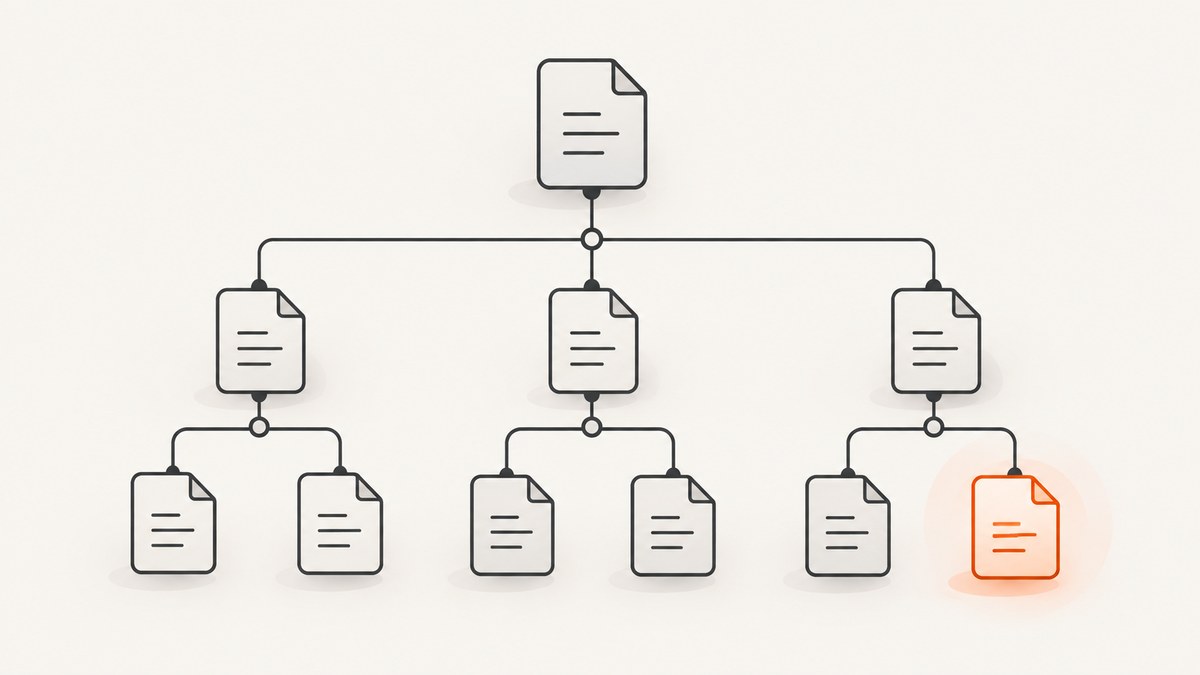
To select the last matching child element in XPath, add [last()] to the element step:
item[last()]That selects the last item child of the current context node. The key detail is the context: //item[last()] can select the last item under each parent, while (//item)[last()] selects the last item in the complete document-wide result. The XPath 1.0 standard defines last() as the size of the current evaluation context, so it does not mean “last in the document” by itself.
1. What does XPath last() mean?
XPath evaluates a step against a context: a node, an axis, and a set of candidate nodes. A predicate such as [last()] filters candidates by position. XPath positions start at 1. If the predicate context contains four candidates, their positions are 1, 2, 3, and 4, and [last()] keeps the candidate at position 4. The W3C XPath 1.0 Recommendation defines last() as the context size for the current expression evaluation and gives para[last()] as the last para child of the context node. W3C XPath 1.0: last() and W3C XPath 1.0: predicates.
Use the expression that matches the set you mean:
| Intent | XPath | Result |
|---|---|---|
| Last matching child of the current node | item[last()] |
One last item child, if present |
Last item child under every matching parent |
//item[last()] |
Potentially several nodes, one per parent |
Last item in the document-wide result |
(//item)[last()] |
At most one node |
| Last matching descendant under the current node | (.//item)[last()] |
At most one descendant from that scope |
2. Why //item[last()] can return several elements
The abbreviated path //item expands through descendant-or-self nodes and a child step. In //item[last()], the predicate applies to the item step as it is evaluated for each relevant parent context. If several parents have item children, each parent can contribute its own last child. The result can therefore contain multiple nodes.
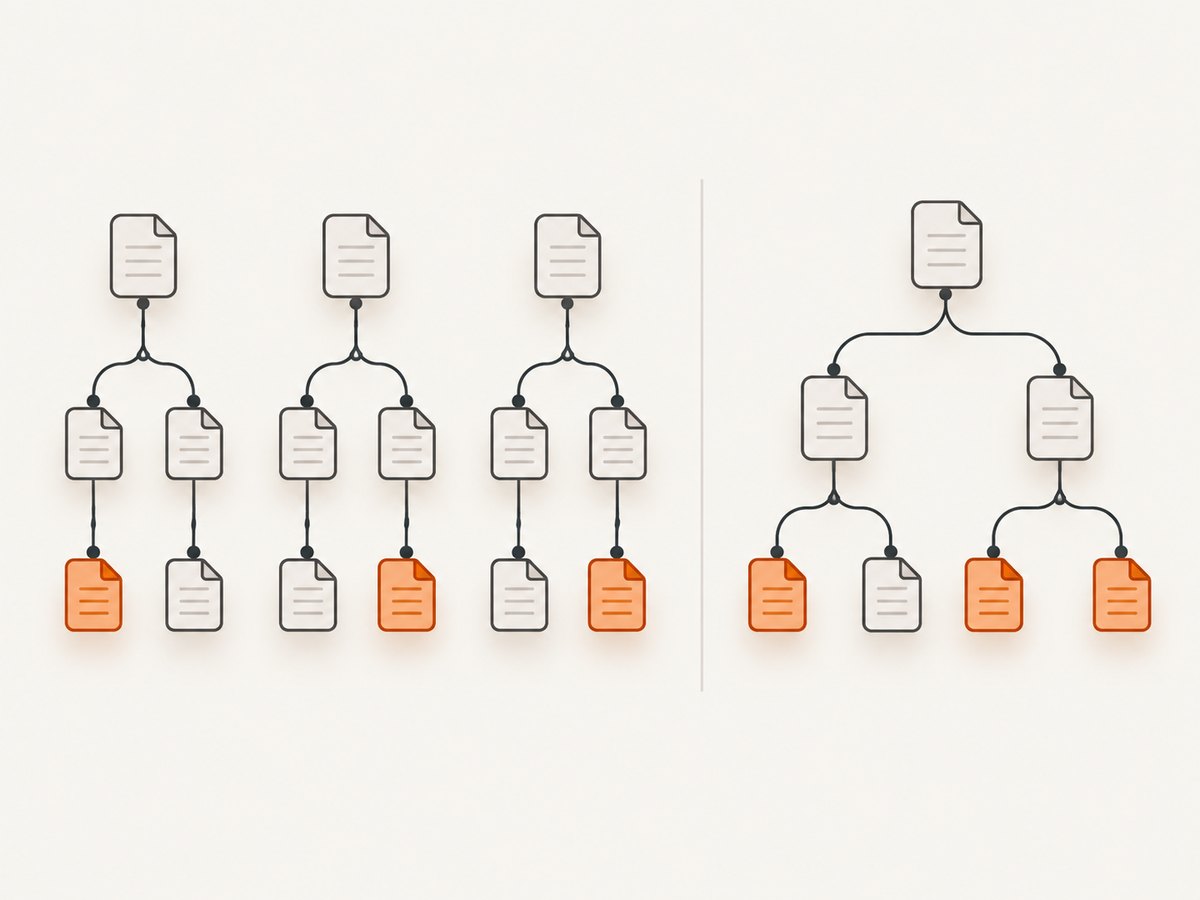
Parentheses group the complete path result before applying the predicate. In (//item)[last()], XPath first collects the document-wide item result, then retains its final node. This is the right form when the requirement is “the last matching node in the entire document.” The W3C specification illustrates the same distinction: //para[1] selects para elements that are first children in their local step context, while /descendant::para[1] selects the first descendant para overall. W3C XPath 1.0: abbreviated syntax.
Example structure:
<catalog>
  <group>
    <item id="a"/>
    <item id="b"/>
  </group>
  <group>
    <item id="c"/>
    <item id="d"/>
  </group>
</catalog>
For this structure, //item[last()] selects items b and d, one per group. (//item)[last()] selects just d, the final item in the combined result.
3. Common XPath patterns for the last element
Last child with a given name
item[last()]Evaluated from a group node, this selects its last direct item child. It does not search grandchildren or deeper descendants.
Last matching child per parent
//item[last()]Use this when you want one final item from each parent that has matching children. A multi-node result is expected when multiple parents qualify.
Last matching node overall
(//item)[last()]The parentheses matter: they make the predicate apply to the complete document-wide path result. If there are no matching nodes, the result is empty.
Last descendant in a scoped subtree
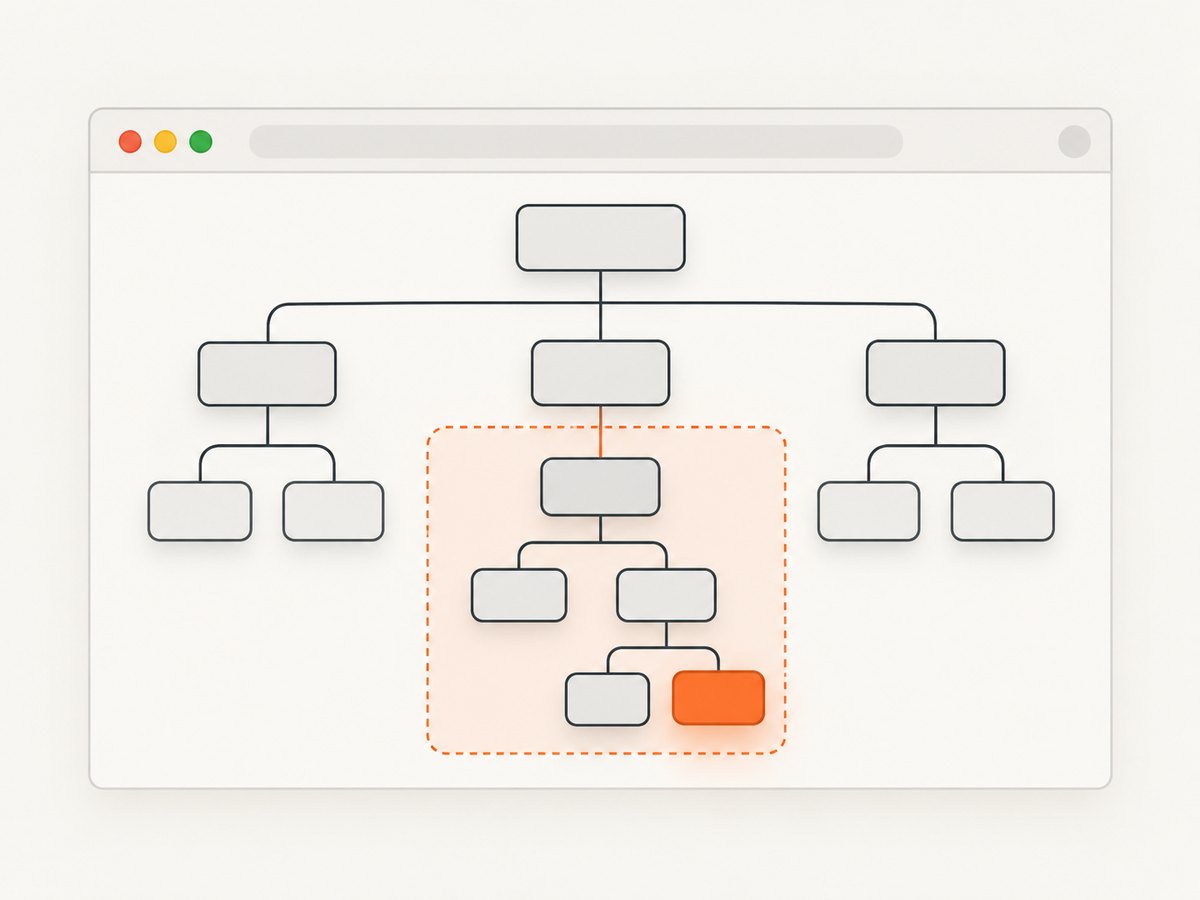
(.//item)[last()]The dot sets the current context node as the starting point. This is useful when an API or application evaluates the expression relative to a particular element rather than the whole document. It means the last matching descendant in that scope. For the last direct child of the context node, use item[last()] instead.
Last child after filtering
para[@type='warning'][last()]Adjacent predicates are applied in order. This expression first keeps warning para children and then selects the last warning paragraph. Reversing the predicates changes the question:
para[last()][@type='warning']This selects the last para child only if that child has type warning. It does not search backward for the last warning paragraph. Predicate order is useful whenever “last matching” involves both a position and an attribute, class, or other condition. W3C XPath 2.1: predicates.
Spell out the position test
item[position() = last()]Within the same predicate context, this is equivalent to item[last()]: retain the candidate whose one-based position equals the context size. The compact form is usually easier to read. W3C XPath 1.0: position().
4. Evaluate XPath in browser JavaScript
In a browser, Document.evaluate() evaluates an XPath expression against a document or another context node. Select an appropriate result type: ORDERED_NODE_SNAPSHOT_TYPE is convenient when you need to inspect or use the matching nodes, while FIRST_ORDERED_NODE_TYPE is suitable when you expect one final node. A snapshot is stable for iteration even if the page later changes. See MDN: Document.evaluate().
// Runnable in a browser console on a page containing item elements.
const xpath = '(//item)[last()]';
const result = document.evaluate(
  xpath,
  document,
  null,
  XPathResult.FIRST_ORDERED_NODE_TYPE,
  null
);
const lastItem = result.singleNodeValue;
console.log(lastItem);
For a relative subtree query, pass the element as the context node and use a relative expression:
const container = document.querySelector('#catalog');
const result = document.evaluate(
  './/item[last()]',
  container,
  null,
  XPathResult.ORDERED_NODE_SNAPSHOT_TYPE,
  null
);

for (let i = 0; i < result.snapshotLength; i++) {
  console.log(result.snapshotItem(i));
}
The example above returns the last item child for each matching parent under the container. If you need one last descendant across the entire container subtree, use (.//item)[last()]. The context node and the parentheses define the scope and grouping respectively.
Result types at a glance
| Result type | Use it when |
|---|---|
FIRST_ORDERED_NODE_TYPE |
You need the first node in document order from an expression expected to return one node |
ORDERED_NODE_SNAPSHOT_TYPE |
You want a fixed, iterable snapshot of all matching nodes |
ANY_UNORDERED_NODE_TYPE |
Any one matching node is acceptable and order is irrelevant |
STRING_TYPE, NUMBER_TYPE, BOOLEAN_TYPE |
The XPath expression returns a scalar value rather than nodes |
5. Test the expression against a small document
Before using an XPath in a scraper, test it against a representative page or a small XML fixture. This makes it easier to tell a scope error from a page variation.
- Write the intended set in plain language: last child per parent, last descendant under a container, or last node in the whole document.
- Choose the scope: current node, a particular subtree, or the document root.
- Put the predicate on the step or grouped result that represents that set.
- Run the query and inspect how many nodes it returns. Multiple results may be correct for a per-parent query.
- Test a case with no matches, one match, several matches under one parent, and matches under multiple parents.
For a browser console check, use a snapshot and print each match:
const expression = '//item[last()]';
const matches = document.evaluate(
  expression,
  document,
  null,
  XPathResult.ORDERED_NODE_SNAPSHOT_TYPE,
  null
);
console.log('matches:', matches.snapshotLength);
for (let i = 0; i < matches.snapshotLength; i++) {
  console.log(matches.snapshotItem(i));
}
XPath engines differ by host and version. The core last() and position behavior is standard, but your automation tool may choose the context node, namespace resolver, and supported XPath version for you. Verify those host-specific details in the tool’s documentation.
6. Edge cases and gotchas
Last element versus last node
An XPath name test such as item selects elements named item; text nodes, comments, and other element names are excluded. If you use a wildcard, be explicit about what it can match in the selected axis and whether the requirement is the last element or another node kind.
Empty results
If no candidate matches, [last()] returns no node. In JavaScript, singleNodeValue is null; handle that before reading attributes or text:
if (lastItem) {
  console.log(lastItem.textContent);
} else {
  console.log('No matching item');
}
Namespaces in XML
An XML element with a namespace may not match a bare name test such as item. Supply a namespace-aware name test and resolver in the host API, or use the host’s documented namespace handling. A namespace mismatch can look like a wrong last-position expression because the query simply finds nothing.
Dynamic pages
On a page whose content is inserted or reordered after initial load, the result depends on when evaluation runs. Wait until the relevant elements exist, then evaluate the XPath. If you retain a node reference and the page replaces that node, the old reference may no longer represent the current final element; evaluate again after the update.
Do not confuse last matching with last overall then test
Filtering before last() finds the last item that matches the filter. Applying a filter after selecting the last item checks only whether the final item qualifies. Read adjacent predicates left to right to confirm which set is being narrowed at each step.
7. Troubleshooting
| Symptom | Likely cause | Fix |
|---|---|---|
| More than one node is returned | The predicate is attached to a repeated child step, as in //item[last()]. |
Use (//item)[last()] for one final node across the document result, or keep the current expression if one result per parent is intended. |
| No node is returned | Name, namespace, context, or child-versus-descendant scope does not match the document. | Inspect the markup; try a deliberate context such as .//item, or add namespace handling in the host. |
| The wrong warning paragraph is selected | The position predicate runs before the type filter. | Use para[@type='warning'][last()] to filter warnings first. |
| Works on one page but not another | The DOM structure differs, content loads later, or a site variant uses different markup. | Check the actual DOM in both cases and wait for the target content before evaluating. |
| JavaScript throws an XPath type or result error | The requested result type does not match whether the expression returns nodes or a scalar. | Use a node result type for a path returning elements; use scalar result types for XPath functions that return values. |
| Relative expression finds nothing | The context node is not the node you assumed, or the path starts with / and resets to the document root. |
Pass the intended element as the context and use a relative path such as .//item. |
8. Reliability, performance, and cost
last() is a position function, not a guarantee that a page is complete or that a matching node is semantically the newest record. It selects according to the node sequence and evaluation context produced by the XPath engine. On dynamic pages, wait for the content that defines the sequence, and re-evaluate when the DOM changes.
For ordinary document queries, choosing between //item[last()] and (//item)[last()] is mainly a correctness decision: they describe different groups. Avoid repeatedly evaluating broad document-wide expressions when a stable container is available; scope the query to that subtree to reduce unrelated candidates and make intent easier to maintain. No numeric performance comparison is implied here; actual cost depends on document size, engine, and how often the query runs.
The XPath syntax itself has no separate usage fee. In a browser, the relevant costs are application runtime and the work of loading the page. In a hosted screenshot or extraction workflow, page loading and service pricing are separate from XPath semantics. If you need a visual record of the page after locating the right content, ScreenshotNeo provides a website screenshot API at ScreenshotNeo; its capture configuration and billing behavior are described in its documentation.
9. Or skip the browser setup
If your goal is to capture the page that contains the element, you can use ScreenshotNeo’s one-request screenshot API. This does not evaluate XPath or return a selected DOM node; it returns a screenshot or PDF of the page. The following cURL command saves a WebP screenshot:
curl -G "https://api.screenshotneo.com/v1/shot" -d access_key=YOUR_API_KEY --data-urlencode url=https://stripe.com -o shot.webpPython:
import requests

r = requests.get(
    "https://api.screenshotneo.com/v1/shot",
    params={"access_key": "YOUR_API_KEY", "url": "https://stripe.com"},
    timeout=90,
)
open("shot.webp", "wb").write(r.content)
Node.js:
const q = new URLSearchParams({ access_key: 'YOUR_API_KEY', url: 'https://stripe.com' });
const res = await fetch(`https://api.screenshotneo.com/v1/shot?${q}`);
ScreenshotNeo accepts cookie and consent banners like a visitor and removes more than 60 known consent platforms, newsletter popups, and chat widgets before capture; each cleanup step can be turned off. Bot checks and CAPTCHAs, blank pages, timeouts, failed loads, and cache hits are not billed, and response headers identify the page verdict and billing status. Its MCP server gives AI agents tools named take_screenshot, get_page_info, and capture_pdf. The free plan includes 1,000 shots each month with no card; paid plans start at $5 for 3,000 shots. Every feature is on every plan. Use the API documentation for parameters and setup, then sign up for 1,000 free screenshots a month with no card.
10. Frequently asked questions
Is XPath indexing zero-based?
No. XPath positions start at 1, so the first candidate has position 1 and the last has position last().
Does last() mean the last element in the HTML source?
It means the last candidate in the current XPath evaluation context. That can be a child group or a grouped path result; it does not inherently refer to source-file order.
Can I select the second-to-last matching element?
Yes. In a predicate context, use [last() - 1] when at least two candidates are present. Expect an empty result for a context with fewer than two candidates.
Should I use XPath or a CSS selector?
Use XPath when you need its axes, positional predicates, or relationships that are awkward in CSS. For a simple class or ID lookup, use whichever locator your host tool supports clearly and reliably.
Quick checklist
- Decide whether “last” means per parent, in a subtree, or across the whole document.
- Use parentheses when applying the predicate to a complete path result.
- Filter first when you want the last node that meets a condition.
- Set the intended context node and account for namespaces and dynamic content.
- Check whether the result is empty or contains multiple nodes before using it.


