How to Fix the Selenium Package Module Conflict with Byte Buddy and PhantomJSDriver
Trace Selenium and Byte Buddy version conflicts to their Maven dependencies, then choose a safe fix for modern Selenium or legacy PhantomJS tests.
A Selenium package or module conflict involving Byte Buddy and PhantomJSDriver usually comes from the resolved Java dependency graph, not from a browser page. Start by printing the graph and checking which Selenium, Byte Buddy, and PhantomJS artifacts Maven actually selected. PhantomJSDriver 1.2.0 declares Selenium 2.41.0 dependencies; if a project also brings in modern Selenium, the old driver can introduce an incompatible API or dependency set. The durable fix is usually to remove PhantomJSDriver and use a supported Selenium driver or RemoteWebDriver endpoint. If a legacy test requires PhantomJS, isolate it and align its dependencies deliberately.
1. Identify the conflict before changing versions
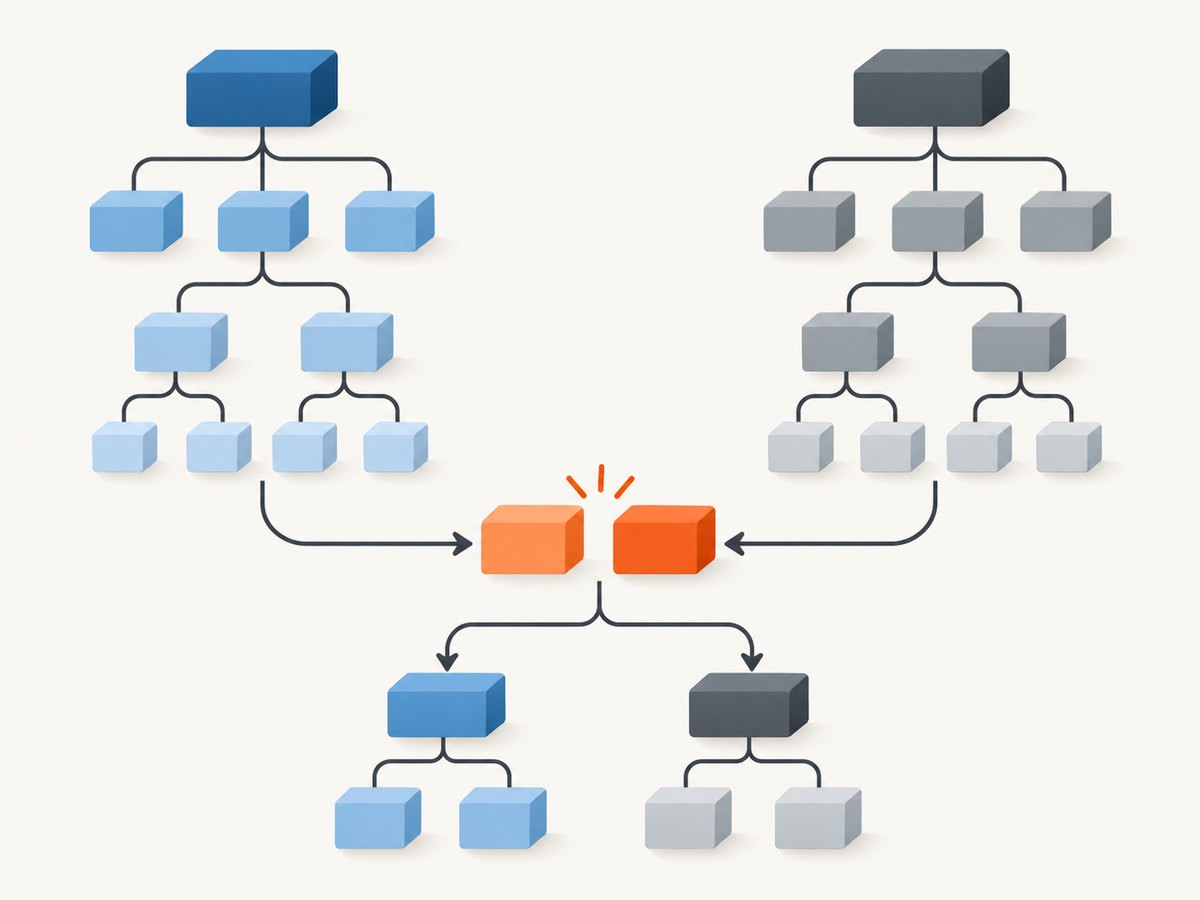
Dependency mediation can make the declared dependencies in a POM misleading: the build uses the resolved graph, which may include transitive dependencies and exclusions. First capture that graph from the module that fails. Keep the output with the build error so you can compare it after each change.
mvn dependency:tree -DverboseFilter the output when it is long. These commands work in common Unix shells:
mvn dependency:tree -Dverbose | grep -E 'selenium|byte-buddy|phantomjsdriver'On Windows PowerShell, use:
mvn dependency:tree -Dverbose | Select-String 'selenium|byte-buddy|phantomjsdriver'Record every occurrence of:
org.seleniumhq.seleniumartifacts, includingselenium-java, individual Selenium modules, and any 2.x and 4.x versions.com.github.detro:phantomjsdriverand its version.net.bytebuddy:byte-buddyandnet.bytebuddy:byte-buddy-agent, including version suffixes such as-jdk5.
With Gradle, request the dependency report for the failing configuration, substituting your actual configuration name:
./gradlew dependencies --configuration testRuntimeClasspath
./gradlew dependencyInsight --dependency selenium --configuration testRuntimeClasspath
./gradlew dependencyInsight --dependency byte-buddy --configuration testRuntimeClasspath
A compile failure and a test-runtime failure can have different graphs. Inspect the configuration that fails, such as compileClasspath or testRuntimeClasspath. Also note whether Maven reports a version as omitted for conflict or whether an enforcer rule rejects a selected artifact. Those are different symptoms.
2. Make Selenium’s version intentional
Selenium’s Java installation documentation recommends using a build tool to install its libraries. Use org.seleniumhq.selenium:selenium-java as the deliberate entry point and choose one supported release line for the module. The Selenium upgrade guide demonstrates changing the Maven dependency version and then running mvn clean compile. Check Selenium’s current documentation and compatibility requirements when choosing a release for your Java runtime.
<properties>
    <selenium.version>YOUR_SELECTED_SELENIUM_VERSION</selenium.version>
</properties>

<dependencies>
    <dependency>
        <groupId>org.seleniumhq.selenium</groupId>
        <artifactId>selenium-java</artifactId>
        <version>${selenium.version}</version>
    </dependency>
</dependencies>
Replace the placeholder with the exact release you selected; it is deliberately not a hard-coded version here. Avoid declaring a mixture of independently versioned Selenium modules unless the specific dependency setup requires it. If another library pulls an older Selenium module, find its path in the tree and upgrade, remove, or isolate that library instead of assuming the top-level declaration makes every old binding compatible.
3. Decide whether PhantomJSDriver belongs in this module
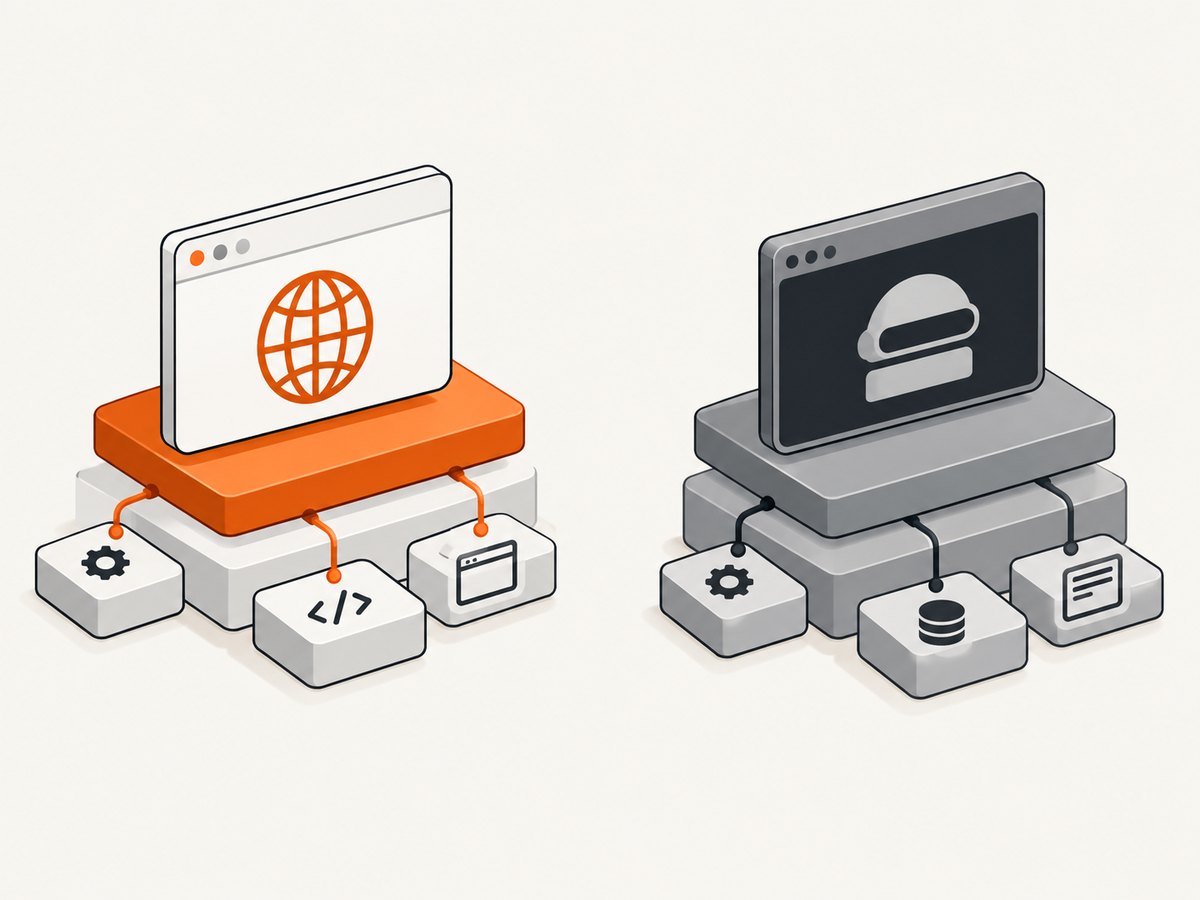
The published POM for com.github.detro:phantomjsdriver:1.2.0 declares Selenium 2.41.0 compile dependencies. It is a 2015-era artifact line. Combining it with modern Selenium can therefore put an old driver and modern Selenium APIs in the same module. Changing only the direct selenium-java version does not make that old driver compatible with Selenium 4.
Path A: remove PhantomJSDriver
If no test requires PhantomJS, remove its dependency and migrate those tests to a supported Selenium browser driver. If the browser runs remotely, use Selenium’s remote driver setup against your existing WebDriver endpoint. The Selenium upgrade guide is the reference for upgrading Selenium itself; follow the chosen browser or remote-driver documentation for the corresponding setup.
<!-- Remove this dependency if PhantomJS is not required. -->
<dependency>
    <groupId>com.github.detro</groupId>
    <artifactId>phantomjsdriver</artifactId>
    <version>1.2.0</version>
</dependency>
After removing it, rerun the dependency report. Confirm that Selenium 2.x artifacts are gone and that the intended Selenium release is the one resolved.
Path B: preserve a legacy PhantomJS test
If PhantomJS is a hard requirement for a legacy test, isolate that test from the modern Selenium module. A separate Maven module or dedicated profile makes the old dependency set visible and limits the chance that it contaminates modern test or application code. This costs some build configuration and may require keeping separate test commands, but it gives you a clear boundary between old and new APIs.
If isolation is not practical, exclude PhantomJSDriver’s transitive Selenium artifacts and explicitly provide the exact dependencies the legacy code needs. The exclusion is a graph control, not a compatibility fix: the old binding may still rely on Selenium 2 behavior. Verify the actual tree and compile the legacy tests against the selected set.
<dependency>
    <groupId>com.github.detro</groupId>
    <artifactId>phantomjsdriver</artifactId>
    <version>1.2.0</version>
    <exclusions>
        <exclusion>
            <groupId>org.seleniumhq.selenium</groupId>
            <artifactId>selenium-java</artifactId>
        </exclusion>
        <!-- Add exclusions for the Selenium artifacts shown in your tree. -->
    </exclusions>
</dependency>
Do not assume excluding only selenium-java removes every old Selenium module: the published graph can include individual artifacts. Use the report to identify and exclude the actual paths, then supply a coherent set. If the legacy driver cannot compile or run against that set, keep it in a separate module with the older stack.
The GhostDriver README describes PhantomJS remote-WebDriver mode and notes that the latest stable GhostDriver is embedded in PhantomJS. That is useful context for existing deployments, but it does not establish that the legacy Java binding is compatible with current Selenium. Treat the browser endpoint and the Java client binding as separate parts of the setup.
4. Align Byte Buddy artifacts and variants
Byte Buddy is a JVM runtime code-generation library. Selenium or another test framework may bring it in transitively. Check both byte-buddy and byte-buddy-agent; a mismatch, an unexpected variant, or a managed-version rule can produce a Maven enforcer complaint even when the source code never imports Byte Buddy directly.
A Selenium issue documents a specific version-string edge case: changing net.bytebuddy:byte-buddy from 1.18.5 to 1.18.8-jdk5 can cause Maven enforcer to treat the latter as greater than managed 1.18.8 and report a compatibility problem. The suffix matters; do not interpret all such messages as a request to blindly upgrade every Byte Buddy artifact.
If the graph shows inconsistent Byte Buddy versions, manage the intended versions explicitly in one place, but choose values compatible with your Selenium and Java versions. For example, a Maven dependency-management entry can make the policy explicit:
<dependencyManagement>
    <dependencies>
        <dependency>
            <groupId>net.bytebuddy</groupId>
            <artifactId>byte-buddy</artifactId>
            <version>YOUR_COMPATIBLE_VERSION</version>
        </dependency>
        <dependency>
            <groupId>net.bytebuddy</groupId>
            <artifactId>byte-buddy-agent</artifactId>
            <version>YOUR_COMPATIBLE_VERSION</version>
        </dependency>
    </dependencies>
</dependencyManagement>
Use an exclusion only when the graph shows which dependency introduces an unwanted artifact and the remaining stack supplies the required compatible artifact. Some project POMs exclude Byte Buddy artifacts from Selenium driver dependencies; that pattern is not a universal instruction to remove Byte Buddy. An exclusion without a replacement can turn a version warning into a missing-class runtime failure.
5. Cleanly rebuild and verify the resolved graph
- Save the original dependency report and the full first error, including the earliest cause in the stack trace.
- Make one dependency change: remove or isolate PhantomJSDriver, align Selenium, or resolve Byte Buddy management.
- Refresh the graph and verify the result. Check that only the intended Selenium line remains in the affected module and that Byte Buddy versions and variants match your policy.
- Run a clean compile, then the smallest relevant test target, followed by the project’s normal test command.
- If the project uses a cache and Maven appears to retain stale resolution, refresh dependencies only after confirming the POM change. Avoid deleting the entire local repository as a first step.
mvn dependency:tree -Dverbose
mvn clean compile
mvn test
For Gradle, use ./gradlew clean test after reviewing the configuration report. If the compile succeeds but a runtime test fails, inspect the runtime graph rather than revisiting only the compile classpath.
6. Troubleshooting common errors
| Symptom | Likely cause | What to do |
|---|---|---|
Duplicate classes, NoSuchMethodError, or ClassNotFoundException mentioning Selenium |
Old and new Selenium modules or APIs are mixed, often through PhantomJSDriver 1.2.0. | Inspect the failing classpath, remove or isolate PhantomJSDriver, and ensure the module uses one intentional Selenium release line. |
| Maven enforcer says Byte Buddy is incompatible or a version is greater than managed | A Byte Buddy variant suffix such as -jdk5 affects version comparison, or byte-buddy and byte-buddy-agent are not aligned. |
Inspect exact coordinates and paths. Align compatible versions in dependency management; use a targeted exclusion only when another compatible source remains. |
| Build passes, but tests fail with a missing Byte Buddy class | An exclusion removed an artifact required at runtime, or compile and test runtime resolve differently. | Inspect testRuntimeClasspath or the Maven test tree, restore the required artifact, and align rather than remove it. |
| Module access exception or reflective access failure | The immediate problem may involve Java module access, but the dependency conflict alone does not establish a universal module flag. | Read the first underlying exception and identify the library and Java runtime involved. Confirm the graph and library compatibility before considering module-info.java changes or a targeted --add-opens. |
| PhantomJS starts remotely but Java tests do not work with the upgraded client | The remote WebDriver endpoint and the legacy PhantomJS Java binding have different compatibility boundaries. | Check the GhostDriver/PhantomJS endpoint setup separately. For a legacy binding, isolate the old test stack rather than assuming Selenium 4 compatibility. |
| Dependency tree looks correct but the same error remains | The command inspected a different module or configuration, or the failure comes from stale output or a different runtime classpath. | Run the report in the failing module and configuration, clean the project, and compare the first stack-trace cause. |
7. Performance, reliability, and maintenance trade-offs
Dependency alignment is primarily a correctness and maintenance decision. A single supported Selenium line reduces ambiguity when upgrading and debugging. Keeping PhantomJSDriver can preserve a legacy test, but it also preserves an old binding and creates a boundary you must maintain. Isolating it adds build structure and may mean separate test execution; mixing it into the modern module can make dependency resolution and runtime behavior harder to reason about.
Do not choose a Byte Buddy version solely because it is numerically newest. Check the selected Selenium and test framework requirements, the Java runtime, and the exact Maven enforcer rule. A version suffix can affect comparison, while the actual artifact may target a particular runtime. Make changes incrementally so a new compatibility issue is easy to trace.
There is no benchmark in the cited material that establishes a performance winner among these dependency layouts. The practical reliability check is the clean build and relevant test suite on the same Java runtime and configuration used in the project. Preserve the dependency report with build diagnostics when this is a recurring issue.
8. Or skip the browser setup
If the outcome you need is a screenshot of a website for documentation, monitoring, or a report, ScreenshotNeo can return an image or PDF with one GET request; it does not replace Selenium for interactive browser automation. The [ScreenshotNeo API](https://screenshotneo.com) offers a screenshot API and MCP server. See the [API documentation](https://screenshotneo.com/docs/) for request options.
curl -G "https://api.screenshotneo.com/v1/shot" -d access_key=YOUR_API_KEY --data-urlencode url=https://stripe.com -o shot.webpimport requests
r = requests.get("https://api.screenshotneo.com/v1/shot", params={"access_key": "YOUR_API_KEY", "url": "https://stripe.com"}, timeout=90)
open("shot.webp", "wb").write(r.content)const q = new URLSearchParams({ access_key: 'YOUR_API_KEY', url: 'https://stripe.com' });
const res = await fetch(`https://api.screenshotneo.com/v1/shot?${q}`);ScreenshotNeo accepts cookie and consent banners like a visitor, then removes more than 60 known consent platforms, newsletter popups, and chat widgets before capture; each step can be turned off. Bot checks, blank pages, timeouts, failed loads, and cache hits are not billed, and the response reports the page verdict and billing status in headers. Its MCP server provides take_screenshot, get_page_info, and capture_pdf tools for Claude, Cursor, and other MCP clients. The free plan includes 1,000 screenshots per month with no card; paid plans start at $5 for 3,000. Create a free ScreenshotNeo account.
9. FAQ
Why does PhantomJSDriver pull a different Selenium version?
Its published 1.2.0 POM declares Selenium 2.41.0 compile dependencies. A transitive dependency can bring that old line into a project that separately declares newer Selenium.
Should Byte Buddy or Selenium win the version conflict?
They are separate libraries, so one does not generally replace the other. Select a coherent Selenium release and align Byte Buddy artifacts to the requirements of the resolved stack and Java runtime.
Can I use PhantomJSDriver with Selenium 4?
The cited artifact metadata establishes its Selenium 2.41.0 dependencies; it does not establish compatibility with Selenium 4. Verify the actual compile and runtime behavior, or isolate the legacy tests.
Should I add --add-opens?
Only after the first module-access exception identifies a specific access problem. The dependency evidence here does not support one universal flag for this combination.


