How to Take Full-Page Screenshots in Selenium While Zoomed In
Capture an entire Selenium page at 125% zoom without cropping, repeated headers, or missing lazy-loaded content.
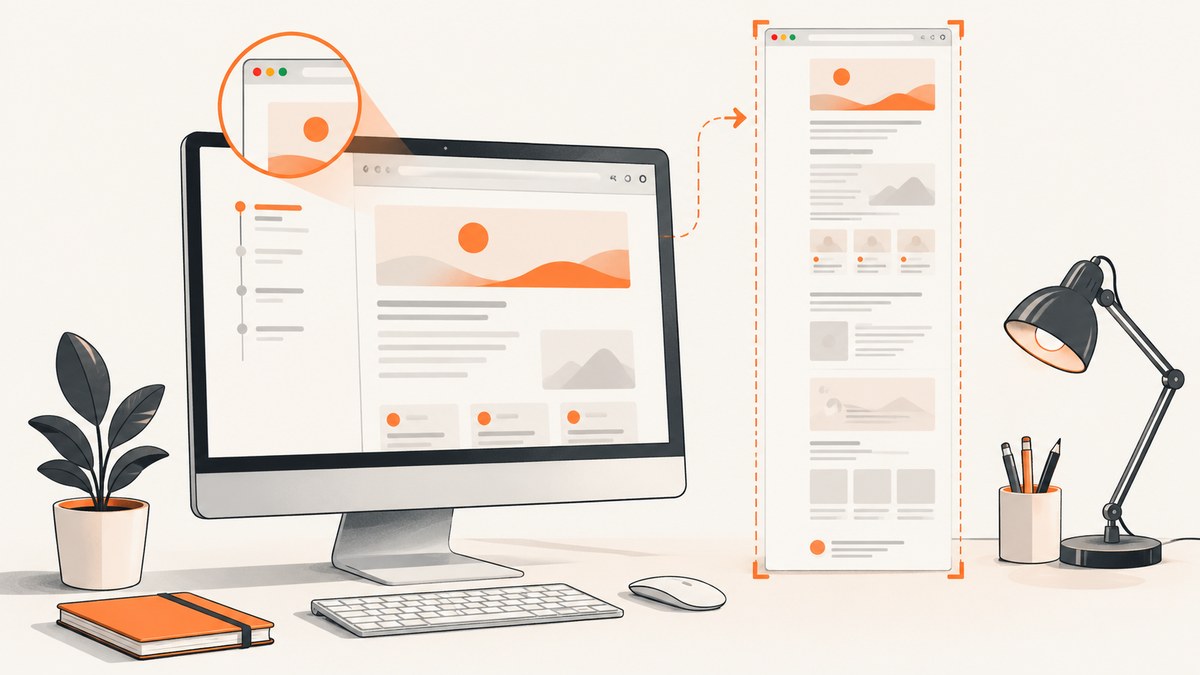
Use FirefoxDriver’s native full-document screenshot method after setting the page zoom. In Python, that is driver.save_full_page_screenshot("full-page-125.png"). The important distinction is that page zoom changes layout geometry, while device pixel ratio changes raster density. If your driver only captures the viewport, use a scroll-and-stitch fallback that measures the zoomed document, waits for lazy content, and removes overlap between frames.
This guide covers both approaches, including JavaScript zoom, Firefox DPR, Chromium stitching, sticky headers, lazy loading, memory limits, diagnostics, and a browser-free API option.
1. What “zoomed in” means in Selenium
Developers use “zoom” for two different controls:
| Control | What changes | Typical symptom |
|---|---|---|
| Page or CSS zoom | Layout dimensions, text flow, element positions, and document scroll height | The page looks larger and may become taller or reflow into fewer columns |
| Device pixel ratio (DPR) | Raster density used when pixels are rendered | The bitmap has more pixels but the CSS layout is unchanged |
Set and record these independently. A 125% CSS zoom can increase document.documentElement.scrollHeight; a DPR of 2 generally increases output dimensions and memory use without changing CSS geometry. Firefox’s screenshot tooling documents that values above 1 produce “zoomed-in” images. Treat an unexpectedly cropped image as a capture-extent problem before increasing DPR.
2. Firefox: the native full-page method
FirefoxDriver implements Selenium’s full-document screenshot API. Selenium exposes file, PNG, and Base64 variants; the file method writes a PNG containing the full document. Apply zoom before waiting for layout and capturing.
from selenium import webdriver
from selenium.webdriver.support.ui import WebDriverWait

options = webdriver.FirefoxOptions()
# options.add_argument("--headless")  # enable in CI if required

driver = webdriver.Firefox(options=options)
try:
    driver.get("https://example.com")

    # CSS zoom changes layout geometry. Set it before measuring the page.
    driver.execute_script("document.body.style.zoom = '125%'")

    WebDriverWait(driver, 30).until(
        lambda d: d.execute_script("return document.readyState") == "complete"
    )
    driver.save_full_page_screenshot("full-page-125.png")
finally:
    driver.quit()
See Selenium’s screenshot documentation for the standard screenshot APIs and Firefox’s WebDriver API for full-page support: Selenium screenshots. The resulting image includes the complete document as Firefox computes it at the chosen zoom.
Java equivalent
import org.openqa.selenium.OutputType;
import org.openqa.selenium.firefox.FirefoxDriver;

FirefoxDriver driver = new FirefoxDriver();
try {
    driver.get("https://example.com");
    driver.executeScript("document.body.style.zoom = '125%'");
    byte[] png = driver.getFullPageScreenshotAs(OutputType.BYTES);
    java.nio.file.Files.write(java.nio.file.Path.of("full-page-125.png"), png);
} finally {
    driver.quit();
}
getFullPageScreenshotAs(OutputType.FILE) is also available when you prefer a temporary file. Keep the Firefox and geckodriver versions compatible with the Selenium version used by your project.
3. Apply zoom reliably before capture
For a page-wide CSS zoom, setting document.body.style.zoom is simple, but some applications apply transforms to a root element or use responsive breakpoints. A helper can target the document root and return the measured geometry:
def set_zoom_and_measure(driver, percent=125):
    return driver.execute_script("""
        const value = arguments[0] + '%';
        document.documentElement.style.zoom = value;
        document.body.style.zoom = value;
        return {
          zoom: value,
          scrollHeight: document.documentElement.scrollHeight,
          clientWidth: document.documentElement.clientWidth,
          clientHeight: document.documentElement.clientHeight,
          dpr: window.devicePixelRatio
        };
    """, percent)

metrics = set_zoom_and_measure(driver, 125)
print(metrics)
Wait for fonts and images before trusting the dimensions. A page can report complete while web fonts are still changing line breaks.
WebDriverWait(driver, 30).until(lambda d: d.execute_script("""
    return document.fonts ? document.fonts.status === 'loaded' : true;
"""))
WebDriverWait(driver, 30).until(lambda d: d.execute_script("""
    return Array.from(document.images).every(img => img.complete);
"""))
Do not confuse CSS zoom with Firefox’s --dpr option. Test one variable at a time and store both values with the output filename or job metadata.
4. When the driver only captures the viewport: scroll and stitch
Chromium’s ordinary Selenium methods such as get_screenshot_as_png() capture the current viewport. If your browser or driver has no full-document command, capture successive viewports and concatenate them. This is also useful when you need explicit control over lazy loading.
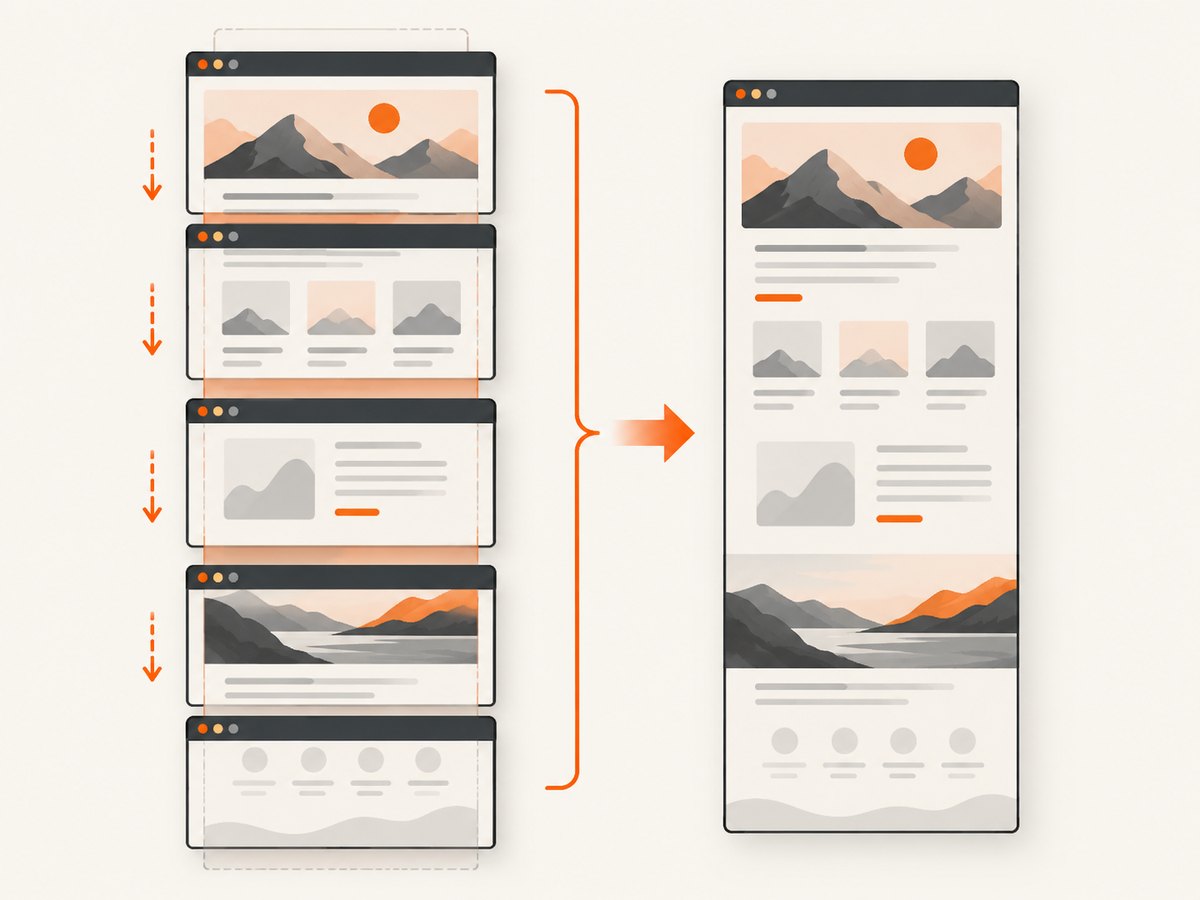
Complete Python stitching example
from io import BytesIO
from PIL import Image
from selenium import webdriver
from selenium.webdriver.support.ui import WebDriverWait
import time

URL = "https://example.com"
ZOOM = 1.25
OUT = "stitched-125.png"

options = webdriver.ChromeOptions()
options.add_argument("--headless=new")
options.add_argument("--window-size=1440,900")
driver = webdriver.Chrome(options=options)

try:
    driver.get(URL)
    driver.execute_script(
        "document.documentElement.style.zoom = arguments[0];"
        "document.body.style.zoom = arguments[0];", f"{ZOOM * 100}%"
    )
    WebDriverWait(driver, 30).until(
        lambda d: d.execute_script("return document.readyState") == "complete"
    )
    WebDriverWait(driver, 30).until(
        lambda d: d.execute_script("return document.fonts ? document.fonts.status === 'loaded' : true")
    )

    original_y = driver.execute_script("return window.scrollY")
    viewport_css = driver.execute_script("return window.innerHeight")
    total_css = driver.execute_script("""
        return Math.max(document.body.scrollHeight,
                        document.documentElement.scrollHeight);
    """)
    scale = driver.execute_script("return window.devicePixelRatio")

    frames = []
    offsets = list(range(0, max(total_css - viewport_css, 0) + 1,
                         max(viewport_css - 80, 1)))
    last = max(total_css - viewport_css, 0)
    if not offsets or offsets[-1] != last:
        offsets.append(last)

    for y in offsets:
        driver.execute_script("window.scrollTo(0, arguments[0])", y)
        time.sleep(0.4)  # allow lazy content and compositor updates
        png = driver.get_screenshot_as_png()
        frames.append((y, Image.open(BytesIO(png)).convert("RGB")))

    # CSS-to-pixel conversion; use the first frame's actual dimensions.
    frame_w, frame_h = frames[0][1].size
    output_h = int(total_css * scale * ZOOM)
    canvas = Image.new("RGB", (frame_w, output_h), "white")

    previous_y = None
    for y, image in frames:
        top_px = int(y * scale * ZOOM)
        if previous_y is not None:
            # Frames overlap by 80 CSS pixels. Paste at the measured offset;
            # the overlap hides small timing differences at the seam.
            top_px = max(top_px, int(previous_y * scale * ZOOM))
        canvas.paste(image, (0, top_px))
        previous_y = y

    canvas.save(OUT, optimize=True)
    driver.execute_script("window.scrollTo(0, arguments[0])", original_y)
finally:
    driver.quit()
The overlap is intentional. It lets you inspect seams and prevents a gap when a browser rounds scroll positions. For production use, compare adjacent strips and crop the repeated region instead of assuming a fixed overlap works on every page.
Stitching rules that prevent common defects
- Measure scroll height after applying zoom, not before.
- Scroll to deterministic offsets and wait for images, fonts, and lazy sections after every move.
- Use an overlap large enough to identify a seam, then crop repeated pixels or fixed chrome.
- Record each offset and frame size so a failed job can be reproduced.
- Restore the original scroll position in teardown code.
5. Lazy content, sticky headers, and overlays
Scroll-and-stitch can trigger content that was not present in the first viewport. Wait for the network or for a page-specific selector after each scroll. A generic image wait is useful, but application content may require an explicit condition such as #results-loaded.
for y in offsets:
    driver.execute_script("window.scrollTo(0, arguments[0])", y)
    WebDriverWait(driver, 15).until(
        lambda d: d.execute_script("return document.readyState") == "complete"
    )
    # Optional page-specific wait:
    # WebDriverWait(driver, 15).until(
    #     EC.presence_of_element_located((By.CSS_SELECTOR, "#results-loaded"))
    # )
Fixed and sticky headers repeat in every frame. You can hide them temporarily when a clean document is more important than faithfully reproducing the viewport:
driver.execute_script("""
const style = document.createElement('style');
style.id = 'screenshot-overrides';
style.textContent = `
  header, [style*='position: fixed'], [style*='position: sticky'] {
    position: static !important;
  }
`;
document.head.appendChild(style);
""")
This selector is only a starting point; prefer a site-specific selector. Remove the style before closing the session if later assertions depend on the original layout.
Cookie banners, newsletter dialogs, and chat widgets can cover content or alter scroll height. Close them through the same selectors your test uses, or inject a temporary rule that sets their containers to display:none. Verify that removing an overlay does not remove the content you intend to document.
6. Firefox readback and compositing pitfalls
Mozilla documents a readback preference that can return only currently composited pixels. With that setting enabled, full-document, clip, and element captures can degrade to a viewport-sized result. If Firefox’s native method unexpectedly returns only the visible area, inspect your Firefox preferences and automation profile, disable the readback limitation, and retest with a small page before changing application code.
Also check browser limits when the page is extremely tall or the zoom and DPR are high. A bitmap that is several times wider and taller consumes memory proportional to its pixel count. Capture in sections and stitch, reduce DPR, or use an image format with compression when a single bitmap exceeds your environment’s limits.
7. Verification checklist
- Log browser, driver, Selenium version, URL, CSS zoom, DPR, viewport size, and timestamp.
- Log
scrollHeightafter zoom and after lazy content has loaded. - Inspect the top, middle, and bottom for repeated headers, blank bands, and missing sections.
- Compare expected CSS dimensions with the output bitmap dimensions.
- Confirm the bottom-most element is visible in the final pixels.
- Restore zoom and scroll state or destroy the driver between jobs.
8. Troubleshooting
| Symptom | Likely cause | Fix |
|---|---|---|
| Only the viewport is saved | Using a normal screenshot method or a driver without full-page support | Use Firefox’s full-page API or scroll and stitch. |
| Bottom is cut off | Scroll height was measured before zoom, or the final offset was omitted | Apply zoom first, recalculate height, and always include scrollHeight - innerHeight. |
| Headers repeat | Fixed or sticky positioning appears in every frame | Crop the repeated band or temporarily neutralize the sticky rule. |
| Lazy sections are blank | Frames were captured before scrolling triggered loading | Wait after each scroll and for a page-specific loaded selector. |
| Text looks larger but layout is unchanged | DPR changed instead of CSS zoom | Set CSS zoom explicitly and record DPR separately. |
| Firefox returns viewport pixels | Readback/compositing preference limits pixels available to WebDriver | Review the Firefox profile preference and retest. |
| Seams or duplicated rows appear | Incorrect overlap or fractional scroll rounding | Use logged offsets, increase overlap, and crop by measured pixel positions. |
| Driver crashes on tall pages | Pixel dimensions exceed memory or browser limits | Lower DPR, capture chunks, or stitch smaller frames. |
9. Performance, reliability, and cost
Firefox’s native full-page command is usually simpler because the browser owns document tiling. Stitching costs one browser screenshot per viewport, plus image decoding and a final bitmap allocation. The number of frames grows with document height and shrinks as viewport height grows. Waiting for lazy content improves correctness but increases wall-clock time.
For repeatable jobs, use a fixed viewport, deterministic zoom, stable fonts, and a fresh browser context. Avoid changing zoom after measuring dimensions. Keep screenshots in PNG when pixel fidelity matters; use JPEG or WebP when file size matters and artifacts are acceptable. Selenium itself has no hosted screenshot charge, but your CI or browser infrastructure still consumes CPU, memory, and storage.
10. Or skip the browser setup
ScreenshotNeo provides a website screenshot API and MCP server. One GET request returns PNG, JPEG, WebP, or PDF, with options for full-page capture, custom viewport, retina scale, CSS zoom through custom JavaScript, lazy-image loading, selector waits, delays, network idle, cookies, headers, user agent, geolocation, hiding selectors, and caching.

Cookie banners, newsletter popups, and chat widgets are removed before the shot. Bot checks, blank pages, failed loads, timeouts, and cache hits are not billed, and response headers identify the page verdict and billing result. Its MCP server lets Claude, Cursor, and other MCP clients call take_screenshot, get_page_info, and capture_pdf.
Read the ScreenshotNeo API documentation for the complete option list and parameter names.
curl -G "https://api.screenshotneo.com/v1/shot" \
  -d access_key=YOUR_API_KEY \
  --data-urlencode url=https://stripe.com \
  -o shot.webp
import requests
r = requests.get(
"https://api.screenshotneo.com/v1/shot",
params={"access_key": "YOUR_API_KEY", "url": "https://stripe.com"},
timeout=90,
)
r.raise_for_status()
open("shot.webp", "wb").write(r.content)const q = new URLSearchParams({ access_key: 'YOUR_API_KEY', url: 'https://stripe.com' });
const res = await fetch(`https://api.screenshotneo.com/v1/shot?${q}`);
if (!res.ok) throw new Error(`HTTP ${res.status}`);
const fs = await import('node:fs/promises');
await fs.writeFile('shot.webp', Buffer.from(await res.arrayBuffer()));The free plan includes 1,000 screenshots per month with no card. Starter is $5 for 3,000 shots; Growth is $15 for 15,000; Pro is $39 for 60,000; Scale is $99 for 250,000; and Business is $249 for 1,000,000. Yearly billing gives two months free, and every feature is available on every plan.
Create a free ScreenshotNeo account and start with 1,000 screenshots a month without a card.
11. FAQ
Does Firefox full-page capture preserve CSS zoom?
Yes, when the zoom is applied before capture and layout has settled. Verify the resulting dimensions because zoom changes document geometry.
Should I increase DPR to make a zoomed screenshot?
Only when you need higher pixel density. DPR does not replace CSS zoom and increases memory use.
Can Selenium capture a full page in Chrome with one command?
Support depends on the browser and driver. The portable fallback is viewport capture with deterministic scrolling and stitching.
Why is a page taller after zooming?
CSS zoom changes layout geometry, line wrapping, and element positions, so the document can require more scrollable CSS pixels.
How do I capture a PDF instead of an image?
Use a browser’s print-to-PDF workflow or an API such as ScreenshotNeo’s capture_pdf tool when you need paper size, margins, landscape mode, or page ranges.


