Selenium WebDriver: How to Handle Iframes
Switch into Selenium iframes reliably, handle nesting and waits, recover from stale frames, and debug the errors developers see most often.
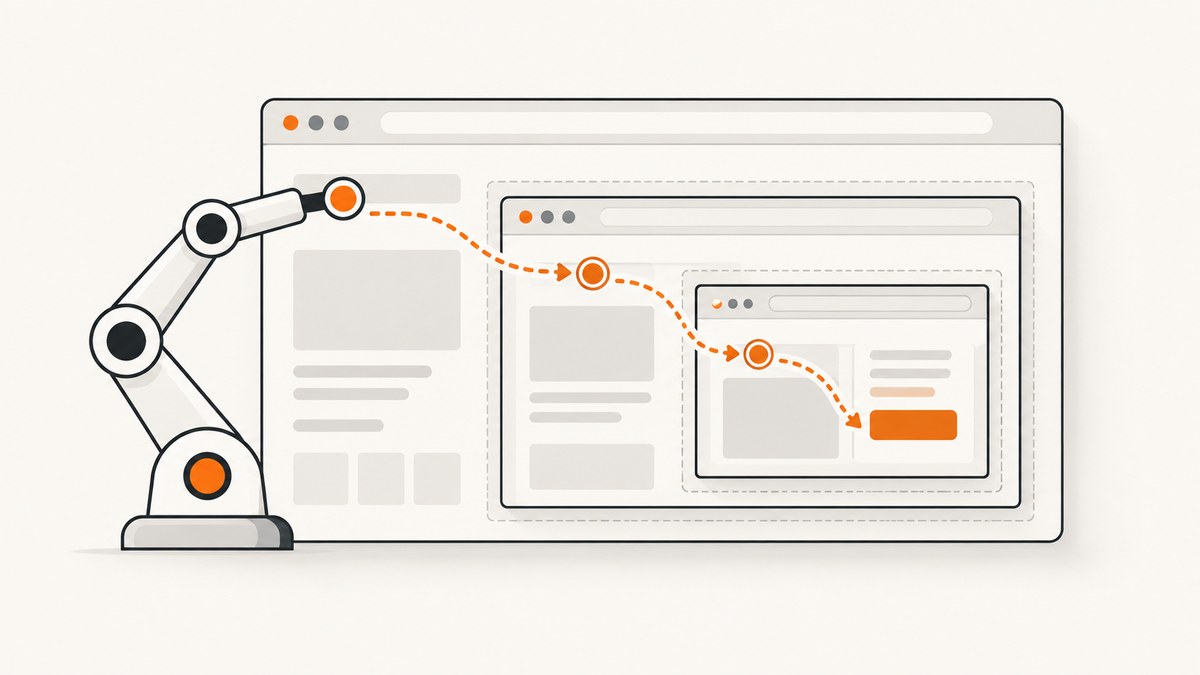
Direct answer: Selenium can search only the document that currently has focus. An iframe is a separate browsing context, so elements inside it are invisible until you switch into the frame. Locate the iframe, wait until it is available, call switch_to.frame(...), interact with its elements, then use parent_frame() or default_content() to leave it. For nested iframes, switch one level at a time from the outside inward.
This guide shows reliable Python patterns first, then the equivalent Java APIs, nested-frame techniques, asynchronous loading waits, stale-reference recovery, debugging, performance considerations, and alternatives when you do not need to operate a browser yourself.
How Selenium iframe contexts work
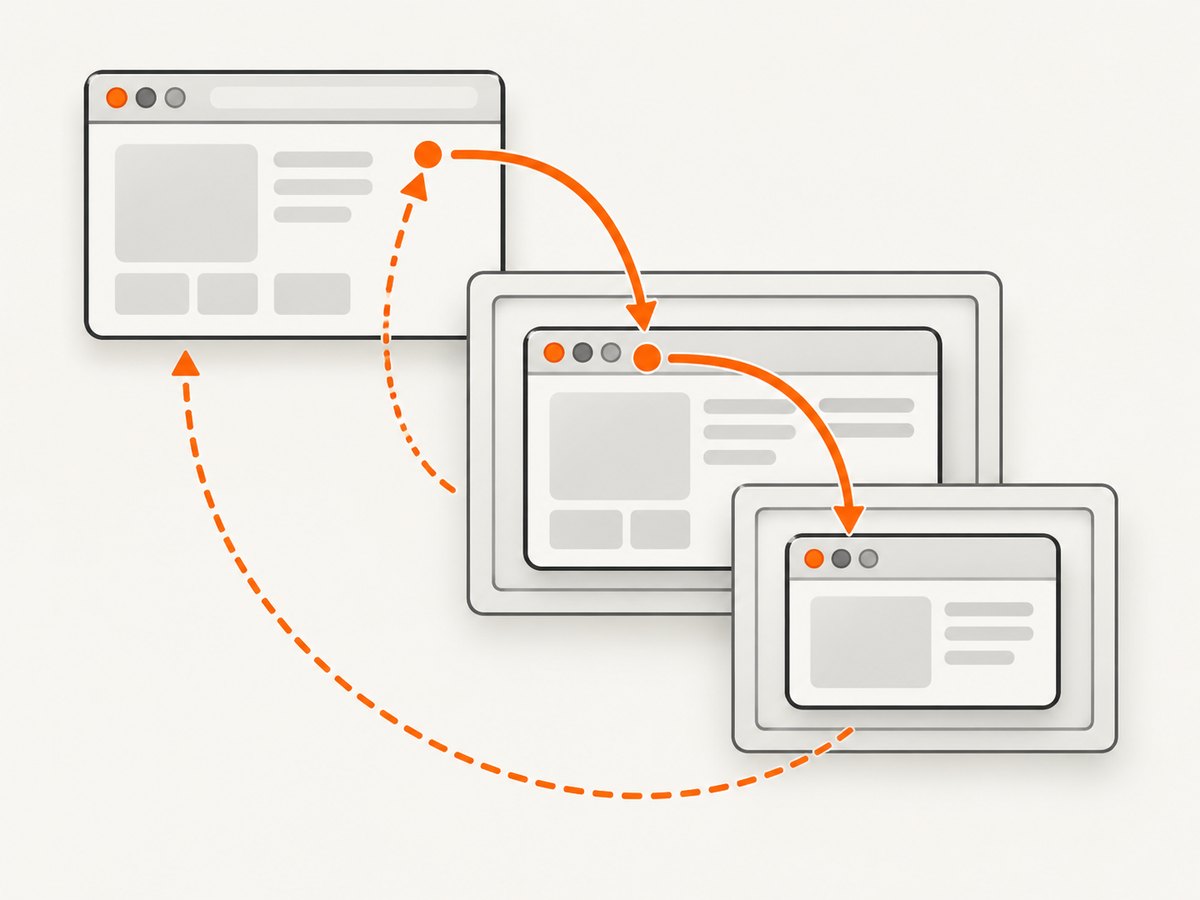
The top-level page and every iframe have separate DOM contexts. WebDriver starts in the top-level document. A locator such as By.ID or By.CSS_SELECTOR is evaluated only in the current context. If the target node belongs to an iframe, Selenium reports that it cannot find the element until you switch into the owning frame. Selenium describes this as being aware only of elements in the top-level document until focus changes.
A frame switch changes the driver’s search root; it does not create a new driver or browser tab. The frame can be selected with a WebElement, a frame name or ID, or a zero-based index. A stable locator that returns the iframe element is usually the clearest and safest choice.
Switch into an iframe with an explicit wait
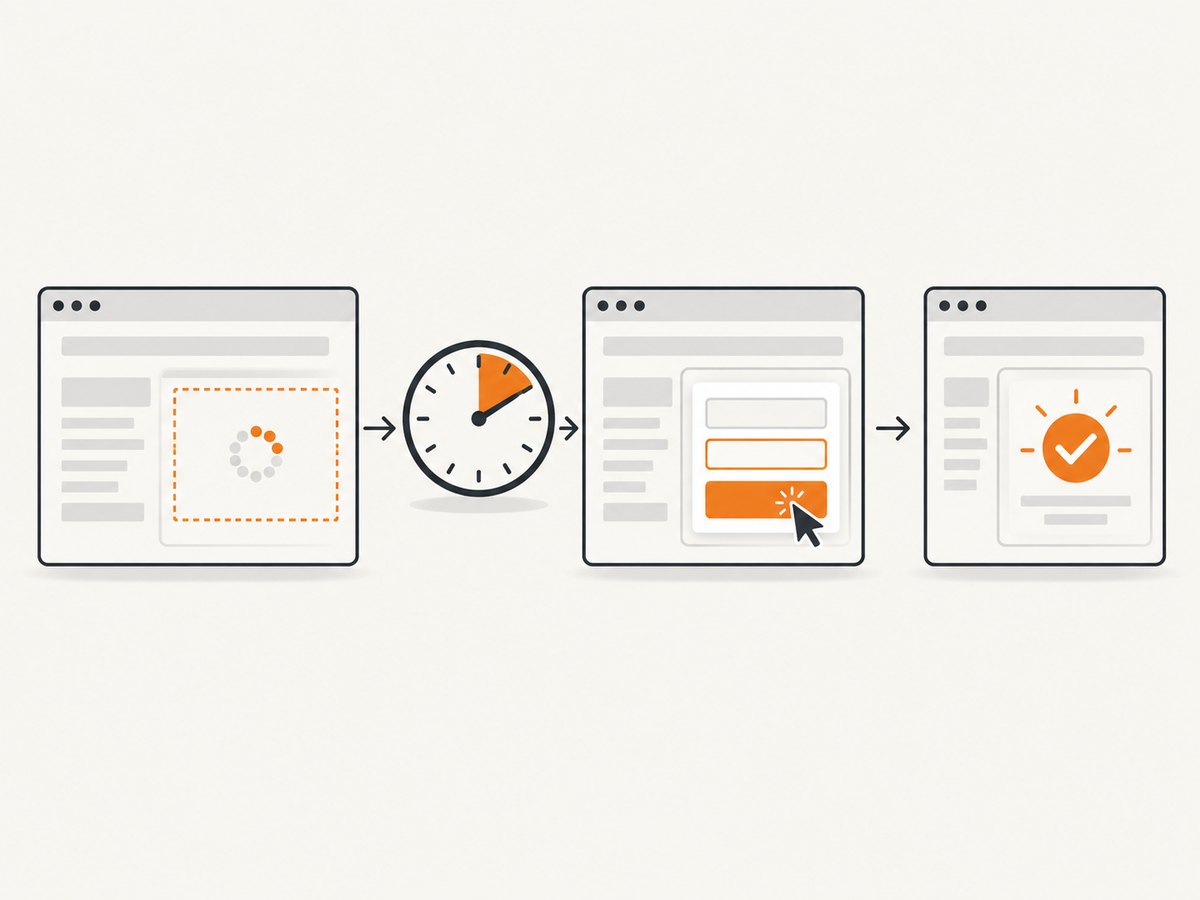
For frames that are inserted or populated asynchronously, combine WebDriverWait with Selenium’s frame_to_be_available_and_switch_to_it condition. The condition waits for the frame and switches the driver when it is ready.
from selenium import webdriver
from selenium.webdriver.common.by import By
from selenium.webdriver.support.ui import WebDriverWait
from selenium.webdriver.support import expected_conditions as EC

options = webdriver.ChromeOptions()
options.add_argument("--headless=new")
driver = webdriver.Chrome(options=options)

try:
    driver.get("https://example.test/checkout")
    wait = WebDriverWait(driver, 15)

    # The condition both waits for the iframe and switches into it.
    wait.until(
        EC.frame_to_be_available_and_switch_to_it(
            (By.CSS_SELECTOR, "iframe[data-testid='checkout']")
        )
    )

    email = wait.until(
        EC.visibility_of_element_located((By.NAME, "email"))
    )
    email.send_keys("user@example.test")

    submit = wait.until(
        EC.element_to_be_clickable((By.CSS_SELECTOR, "button[type='submit']"))
    )
    submit.click()
finally:
    # Quit even when a wait or assertion fails.
    driver.quit()
Replace the example URL and selectors with those from your page. The iframe selector should identify the frame element in the parent document; the email and button selectors are evaluated after the switch, inside the iframe.
Switch by WebElement
iframe = driver.find_element(By.ID, "payment-frame")
driver.switch_to.frame(iframe)
card_number = driver.find_element(By.NAME, "cardnumber")
card_number.send_keys("4242424242424242")
This form is useful when the iframe has a stable ID, data attribute, or other selector. Locate the iframe immediately before switching so the reference reflects the current DOM.
Switch by name or ID
driver.switch_to.frame("frame_name")WebDriver accepts a frame’s name or id value. This is concise, but it depends on that attribute remaining unique and stable.
Switch by index
# First iframe in the current document; indexes are zero-based.
driver.switch_to.frame(0)
Index switching is appropriate only when frame order is guaranteed. A new advertising, analytics, or embedded frame can change the order and make an index point at the wrong document. Prefer a locator when possible.
Leave a frame and return to the page
Use parent_frame() to move up one level. Use default_content() to return directly to the top-level page, regardless of nesting depth.
# Inside an iframe:
driver.switch_to.parent_frame()   # immediate parent document

# From any depth:
driver.switch_to.default_content()  # top-level page
After returning to the parent, locate elements that belong to the parent page. A child element reference cannot be used as though it were a parent-page element.
Handle nested iframes
Nested frames must be traversed in order. First switch into the outer iframe, locate the inner iframe from that context, and switch again. Calling switch_to.frame with an inner frame selector while still at the top level fails because the inner iframe is not part of the top-level DOM.
wait = WebDriverWait(driver, 15)

# Outer iframe is located in the top-level document.
wait.until(
    EC.frame_to_be_available_and_switch_to_it(
        (By.CSS_SELECTOR, "iframe#account-shell")
    )
)

# Inner iframe is located inside account-shell.
wait.until(
    EC.frame_to_be_available_and_switch_to_it(
        (By.CSS_SELECTOR, "iframe[data-testid='profile-form']")
    )
)

name = wait.until(EC.visibility_of_element_located((By.NAME, "displayName")))
name.clear()
name.send_keys("Ada Lovelace")

# Leave only the inner frame, then the outer frame.
driver.switch_to.parent_frame()
driver.switch_to.default_content()
Keep the traversal explicit in page objects or helper functions. That makes it clear which context each locator expects and prevents accidental searches in the wrong document.
Wait for frames that load asynchronously
A page may render the iframe element immediately while loading its document later. A fixed sleep is slower when the frame is fast and flaky when the frame is slow. Use an explicit wait with a realistic timeout and a condition that expresses what must be ready.
from selenium.common.exceptions import TimeoutException

try:
    wait.until(
        EC.frame_to_be_available_and_switch_to_it(
            (By.XPATH, "//iframe[@title='Secure payment']")
        )
    )
except TimeoutException:
    driver.save_screenshot("frame-timeout.png")
    raise
If the iframe is available but its child application still renders controls afterward, wait for a child element once you have switched:
wait.until(EC.visibility_of_element_located((By.CSS_SELECTOR, "form.payment")))Use a selector for a meaningful readiness element rather than waiting for an arbitrary number of seconds. The Selenium expected-conditions API documents this frame condition as checking availability and switching to the frame.
Java equivalents
Java uses driver.switchTo().frame(...), parentFrame(), and defaultContent(). Expected Conditions provides frame overloads for locators, indexes, names, and WebElements.
WebDriverWait wait = new WebDriverWait(driver, Duration.ofSeconds(15));

wait.until(ExpectedConditions.frameToBeAvailableAndSwitchToIt(
    By.cssSelector("iframe[data-testid='checkout']")
));

WebElement email = wait.until(ExpectedConditions.visibilityOfElementLocated(
    By.name("email")
));
email.sendKeys("user@example.test");

driver.switchTo().parentFrame();
driver.switchTo().defaultContent();
For a WebElement, locate it first and pass it to the corresponding overload. For an index, pass an integer; indexes are zero-based in Java as they are in Python.
Common errors and fixes
| Error or symptom | Likely cause | Fix |
|---|---|---|
NoSuchElementException for a visible control |
The control is inside an iframe, but the driver is still in the parent document. | Locate the iframe in the current context, switch into it, then locate the control. |
NoSuchFrameException |
The selector, name, ID, or index is wrong; the frame has not loaded; or you are already in a different context. | Check the iframe in browser developer tools, call default_content() before retrying, and use frame_to_be_available_and_switch_to_it. |
StaleElementReferenceException |
A refresh, route change, or re-render detached the iframe or child element. | Discard the old reference, locate the iframe again, switch again, and then locate the child element again. |
| Element is present but cannot be found | The element belongs to a nested frame or a sibling frame. | Traverse from the top-level document through each ancestor iframe. To move to a sibling, return to the parent first. |
| Click or typing fails after a successful switch | The child control exists but is not visible, enabled, or ready. | Wait for visibility or clickability after switching; inspect overlays and validation state inside the frame. |
| Index works locally but fails in CI | Frame ordering differs because a third-party frame loads conditionally. | Replace the index with a stable ID, name, title, or data attribute selector. |
Recover from stale frames after navigation
from selenium.common.exceptions import StaleElementReferenceException

for attempt in range(2):
    try:
        driver.switch_to.default_content()
        wait.until(
            EC.frame_to_be_available_and_switch_to_it(
                (By.CSS_SELECTOR, "iframe[data-testid='checkout']")
            )
        )
        wait.until(EC.element_to_be_clickable((By.ID, "continue"))).click()
        break
    except StaleElementReferenceException:
        if attempt == 1:
            raise
        # The next iteration re-finds the frame and its child.
Do not cache iframe WebElements across navigation or dynamic re-renders. Selenium’s element references identify a particular DOM object; once that object is detached, the reference is no longer usable.
Debugging checklist
- Inspect the page and confirm the target is inside an actual
<iframe>, not merely a nested<div>. - Start from
driver.switch_to.default_content()so the current context is known. - Locate the outermost iframe with a stable selector.
- Wait for the frame and switch into it.
- Repeat the process for every nested iframe.
- Capture a screenshot and page source at the failure point.
- After refreshes or route changes, re-find both the frame and its child controls.
Cross-origin frames are still switchable through WebDriver when the browser permits normal frame navigation; you do not need to read the frame’s DOM from JavaScript in the parent page. However, application security, authentication, or bot checks can prevent the embedded document from rendering. Treat those as page or environment problems and verify them in a headed browser session.
Performance and reliability practices
- Use targeted waits: A frame wait followed by a child readiness wait avoids long global sleeps.
- Prefer stable selectors: IDs and data attributes survive layout changes better than indexes or generated class names.
- Minimize context changes: Group operations within one frame, then return to the parent when finished.
- Reset deliberately: Call
default_content()at the beginning of reusable actions so they do not depend on a caller’s current context. - Retry only recoverable failures: A single re-find after a DOM rebuild can help; repeated retries can hide a broken selector or application error.
- Keep evidence: Save a screenshot, URL, and relevant HTML when a wait times out in CI.
Browser startup, page loading, third-party resources, and frame application code usually dominate runtime. Reusing a driver for a compatible test sequence can reduce startup overhead, while isolating tests with a fresh context prevents state leakage. Set timeouts based on your application’s normal load characteristics and keep page-load, script, and explicit-wait timeouts separate.
Or skip the browser setup
If your goal is a clean image of a page rather than interacting with controls inside an iframe, ScreenshotNeo provides a website screenshot API and MCP server. One GET request returns PNG, JPEG, WebP, or PDF. Its capture flow accepts cookie and consent banners like a visitor, then removes more than 60 known consent platforms, newsletter popups, and chat widgets; each step can be turned off.
Only clean shots are billed. Bot checks or CAPTCHAs, blank pages, timeouts, failed loads, and cache hits cost nothing, and the response identifies the result with X-Page-Verdict and X-Billed headers. An MCP server provides take_screenshot, get_page_info, and capture_pdf tools for Claude, Cursor, and other MCP clients.
See the complete parameter list and configuration examples in the ScreenshotNeo documentation.
cURL
curl -G "https://api.screenshotneo.com/v1/shot" \
  -d access_key=YOUR_API_KEY \
  --data-urlencode url=https://stripe.com \
  -o shot.webp
Python
import requests

r = requests.get(
    "https://api.screenshotneo.com/v1/shot",
    params={"access_key": "YOUR_API_KEY", "url": "https://stripe.com"},
    timeout=90,
)
r.raise_for_status()
open("shot.webp", "wb").write(r.content)
Node.js
const q = new URLSearchParams({
  access_key: 'YOUR_API_KEY',
  url: 'https://stripe.com'
});
const res = await fetch(`https://api.screenshotneo.com/v1/shot?${q}`);
if (!res.ok) throw new Error(`Screenshot failed: ${res.status}`);
const fs = await import('node:fs/promises');
await fs.writeFile('shot.webp', Buffer.from(await res.arrayBuffer()));
ScreenshotNeo also supports full-page captures with lazy images loaded, element selectors, dark mode, device presets, custom viewports, retina scale, PDF paper sizes and page ranges, custom CSS and JavaScript, clicks, waits, blocked resource types, headers, cookies, user agents, authorization, timezone, geolocation, transparent backgrounds, resizing, selectable cache TTLs, signed links, asynchronous jobs with signed webhooks, bulk capture of up to 100 URLs per call, a usage API, and an OpenAPI specification. Its parameter names are compatible with those used by other screenshot APIs, which helps when migrating.
The Free plan includes 1,000 screenshots each month with no card. Paid plans start at $5 for 3,000 shots; yearly billing gives two months free, and every feature is available on every plan. Create a free ScreenshotNeo account and start with the 1,000 monthly screenshots.
FAQ
Can Selenium access an iframe without switching?
No. Selenium searches within its current browsing context. Switch into the iframe before locating descendants.
What is the difference between parent_frame() and default_content()?
parent_frame() moves up one nesting level. default_content() returns to the top-level page from any depth.
Should I use an iframe index?
Only when frame order is stable and controlled by your application. A stable selector is less sensitive to third-party frames being added or removed.
Why does a frame reference become stale?
Navigation, refreshes, and front-end re-renders can detach the iframe element. Re-locate the frame and its child elements after the DOM changes.
How long should an iframe wait be?
Choose a timeout that covers normal application and network conditions, then use an explicit condition. Avoid replacing readiness checks with a fixed sleep.


