How to Import Selenium IDE Scripts into unittest.TestCase and Modify Them Dynamically
Adapt Selenium IDE’s Python export into maintainable unittest.TestCase classes, fixtures, subtests, dynamic suites, and reliable browser workflows.
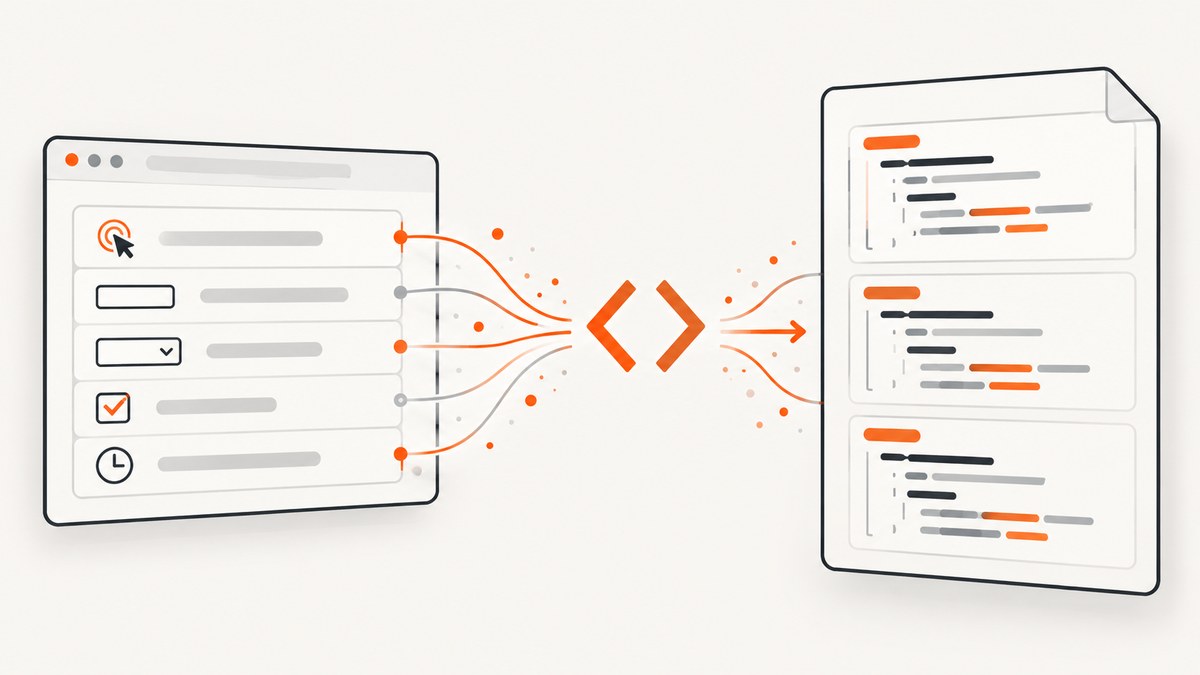
Short answer: Selenium IDE documents Python export for pytest, not a ready-made unittest.TestCase module. Export the test or suite, then adapt the generated WebDriver actions into discoverable test_* methods, move browser startup and cleanup into fixtures, and choose subTest() or load_tests() when you need dynamic behavior. Treat the export as a starting point: review every locator, wait, assertion, variable, and control-flow command against your application.
This guide shows a repeatable conversion workflow, complete runnable examples, dynamic test patterns, failure diagnosis, and an API option when you only need screenshots from a browser page.
1. What Selenium IDE actually exports
Selenium IDE’s official code-export documentation lists WebDriver targets and identifies Python export as pytest. It documents exporting an individual test or an entire suite, with optional comments that trace generated lines back to IDE steps. It does not promise a built-in exporter that emits a unittest.TestCase class. See the Selenium IDE code export documentation for the options available in your IDE version.
That distinction explains why an exported file may not run when you invoke python -m unittest. The generated file can contain pytest fixtures, pytest assertions, or a pytest-oriented module layout. The browser commands are still useful WebDriver code, but the test framework wrapper must be changed.
| Concern | pytest-oriented export | unittest adaptation |
|---|---|---|
| Scenario unit | Usually a pytest function or fixture | A method named test_* on unittest.TestCase |
| Browser lifecycle | Pytest fixture or generated setup | setUp(), tearDown(), or addCleanup() |
| Parameterized checks | Pytest parameterization | subTest() or a generated TestSuite |
| Discovery | Pytest collection rules | python -m unittest discovery and test_* names |
2. Export and inspect the Selenium IDE project
- Open the project in Selenium IDE and export the individual test or suite as Python.
- Enable origin-tracing comments if the export dialog offers them. They help connect a generated line to the original IDE command.
- Read the generated imports and identify pytest-only pieces such as fixtures,
pytest.raises, markers, or parameterization. - Make a checklist of each IDE command: navigation, locator, input, click, wait, assertion, variable, conditional, loop, and JavaScript expression.
- Copy scenario actions into a new unittest module instead of trying to make the entire generated file pass unchanged.
The IDE’s control-flow documentation covers conditionals, loops, and JavaScript expressions. Those commands often need deliberate Python equivalents rather than a mechanical line-for-line conversion. The control-flow reference is useful while reviewing an export.
3. Build a minimal unittest.TestCase
Selenium’s WebDriver organization guide recognizes Python’s standard-library unittest as a framework option. Python creates a fresh TestCase fixture for each test method. Put the driver in setUp() and register cleanup immediately after creation so the browser is closed when the test fails.
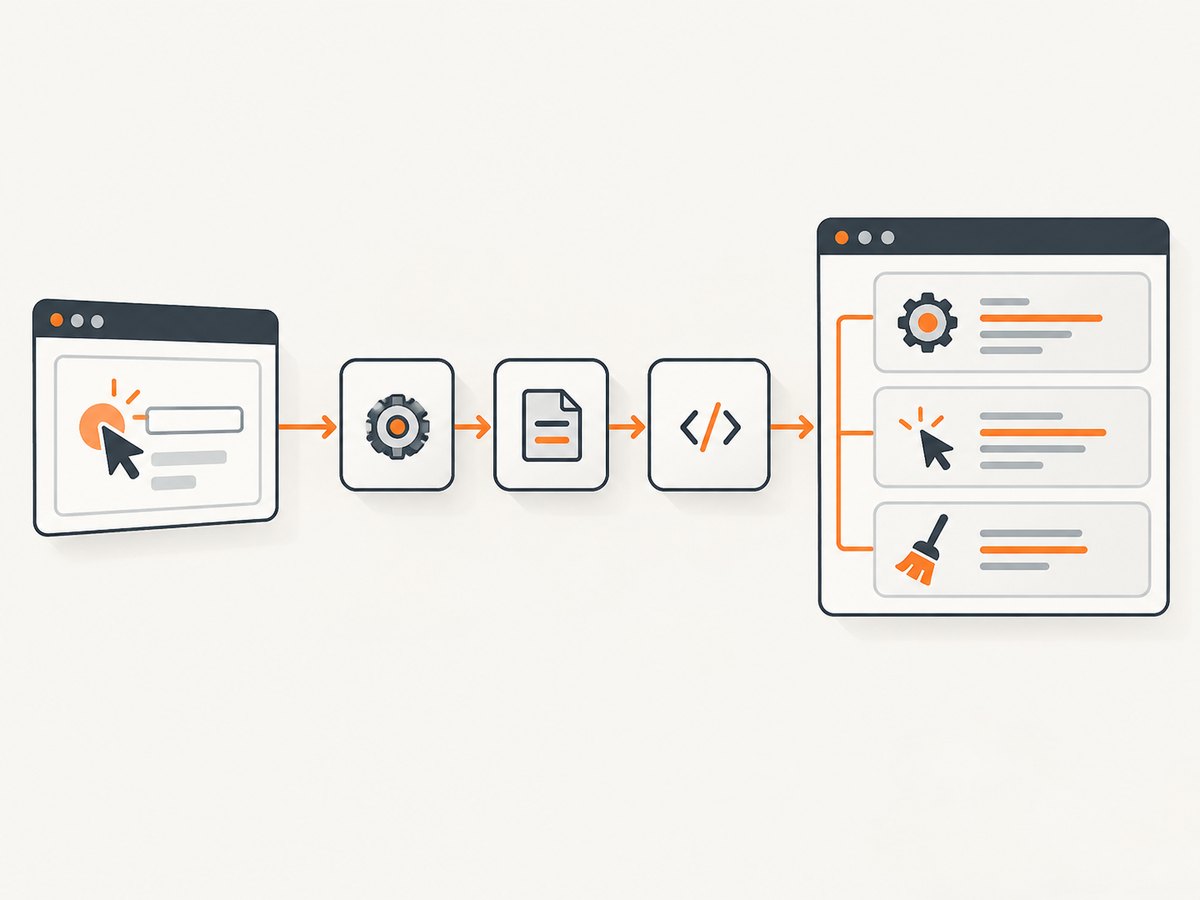
import unittest
from selenium import webdriver


class RecordedFlowTest(unittest.TestCase):
    def setUp(self):
        self.driver = webdriver.Chrome()
        self.addCleanup(self.driver.quit)

    def test_recorded_flow(self):
        self.driver.get("https://example.test")
        self.assertIn("Example", self.driver.title)


if __name__ == "__main__":
    unittest.main()
The URL, title, browser, locator, and assertion above are placeholders for your application. Replace them with commands from the exported file and meaningful checks. The structure is the important part: one scenario per method, a discoverable method name, and deterministic cleanup.
tearDown() is also valid:
class RecordedFlowWithTearDown(unittest.TestCase):
    def setUp(self):
        self.driver = webdriver.Chrome()

    def tearDown(self):
        self.driver.quit()

    def test_home_page(self):
        self.driver.get("https://example.test")
        self.assertTrue(self.driver.title)
addCleanup() is convenient when setup has several failure points or when a test registers additional resources. Register it directly after successful driver creation. Keep credentials and environment-specific URLs outside the source, for example in environment variables or a CI secret store.
4. Translating generated actions and assertions
Locators
Preserve the locator strategy only after checking that it is stable. CSS selectors and accessible identifiers are usually easier to maintain than long generated XPath expressions. Confirm that the exported locator still matches the current DOM, especially after a front-end redesign.
from selenium.webdriver.common.by import By
from selenium.webdriver.support.ui import WebDriverWait
from selenium.webdriver.support import expected_conditions as EC


def wait_for_login_button(driver):
    return WebDriverWait(driver, 15).until(
        EC.element_to_be_clickable((By.CSS_SELECTOR, "button[type='submit']"))
    )


class LoginTest(unittest.TestCase):
    def setUp(self):
        self.driver = webdriver.Chrome()
        self.addCleanup(self.driver.quit)

    def test_login_form_is_usable(self):
        self.driver.get("https://example.test/login")
        wait = WebDriverWait(self.driver, 15)
        email = wait.until(EC.visibility_of_element_located((By.ID, "email")))
        email.send_keys("user@example.test")
        wait_for_login_button(self.driver).click()
        self.assertIn("login", self.driver.current_url)
Waits
Recorded scripts frequently contain fixed delays. Replace unnecessary sleeps with condition-based waits for a visible element, a URL change, or a state transition. Keep a short explicit delay only when the application has a documented timing requirement that cannot be expressed as a condition.
Assertions
Translate framework-specific assertions deliberately. For example, change a pytest assertion such as assert "Dashboard" in driver.title to self.assertIn("Dashboard", self.driver.title). Add messages that identify the scenario and expected state:
self.assertEqual(
    self.driver.title,
    "Account dashboard",
    "The authenticated user should land on the account dashboard",
)
Variables and JavaScript
Map IDE variables to ordinary Python values, instance attributes, or a small data object. Keep JavaScript execution explicit and limited to behavior the browser cannot expose through WebDriver:
account_email = "user@example.test"
self.driver.execute_script(
    "arguments[0].scrollIntoView({block: 'center'});",
    self.driver.find_element(By.ID, "profile"),
)
Review variable scope carefully. An IDE variable may be available across commands, while a local Python variable disappears when its method returns.
5. Modify scenarios dynamically with subTest()
Use subTest() when one scenario should check several related inputs and you want every input reported separately. A failing subtest does not prevent the remaining values from being evaluated.
class SearchValidationTest(unittest.TestCase):
    def setUp(self):
        self.driver = webdriver.Chrome()
        self.addCleanup(self.driver.quit)

    def test_search_inputs(self):
        cases = [
            ("", "Enter a search term"),
            ("unknown-value", "No results"),
            ("selenium", "Search results"),
        ]

        for query, expected_text in cases:
            with self.subTest(query=query):
                self.driver.get("https://example.test/search")
                field = self.driver.find_element(By.NAME, "q")
                field.clear()
                field.send_keys(query)
                field.submit()
                self.assertIn(expected_text, self.driver.page_source)
Use a separate test method when each case needs independent browser state, different setup, or a distinct test name in reports. subTest() is best for variations that share the same scenario shape.
6. Assemble a suite dynamically with load_tests()
subTest() changes checks inside one method. load_tests() changes the suite returned during unittest loading. Use it when test members come from a data source or when a module needs to customize discovery.
import unittest


class UrlTest(unittest.TestCase):
    def __init__(self, methodName="runTest", target_url=None):
        super().__init__(methodName)
        self.target_url = target_url

    def test_url_has_title(self):
        self.assertTrue(self.target_url)


def load_tests(loader, standard_tests, pattern):
    suite = unittest.TestSuite()
    urls = [
        "https://example.test/",
        "https://example.test/about",
    ]
    for url in urls:
        suite.addTest(UrlTest("test_url_has_title", target_url=url))
    return suite
For Selenium, a custom suite can pass URLs, user roles, or feature flags into a test object, but keep driver creation in the fixture. If the data set becomes large, consider whether separate generated test names will make CI failures easier to identify. Python’s unittest documentation describes discovery, suites, subTest(), fixtures, and load_tests().
7. Run and discover the converted tests
# Run one module
python -m unittest test_recorded_flow.py -v

# Discover files named test_*.py below the current directory
python -m unittest discover -s tests -p "test_*.py" -v
The module must be importable, classes must inherit from unittest.TestCase, and methods must start with test. If a suite uses load_tests(), invoke it through unittest discovery so the loader can call the hook.
Selenium IDE’s command-line runner executes .side projects. That runner is separate from exporting WebDriver code for a custom framework. If the goal is to keep running the recorded project unchanged, use the runner; if the goal is a maintainable Python test module, adapt the export.
8. Troubleshooting conversion failures
| Symptom | Likely cause | Fix |
|---|---|---|
ModuleNotFoundError: pytest |
The export contains pytest-specific imports. | Remove pytest fixtures and assertions, then use unittest.TestCase methods and assertions. |
| Unittest reports “Ran 0 tests” | Class or method names do not satisfy discovery rules. | Inherit from unittest.TestCase, prefix methods with test, and run the correct discovery directory. |
| Browser remains open after a failure | Driver cleanup was omitted or setup failed before cleanup registration. | Call addCleanup(self.driver.quit) immediately after creating the driver, or implement tearDown(). |
NoSuchElementException |
The locator is stale, incorrect, or evaluated before the page is ready. | Recheck the DOM and use an explicit wait for the required state. |
TimeoutException |
The expected condition never became true. | Verify the URL, selector, navigation result, authentication state, and timeout. Capture page source for diagnosis. |
| Click is intercepted | A modal, consent banner, overlay, or animation covers the target. | Wait for the overlay to disappear, close it deliberately, scroll the element into view, and then click. |
| Assertions fail only in CI | Different browser, viewport, timezone, data, or network timing. | Make environment settings explicit, replace sleeps with waits, and record browser logs and screenshots on failure. |
| Control-flow command has no direct equivalent | The IDE command uses a loop, conditional, or JavaScript expression. | Translate the behavior into Python control flow and preserve the same variable and error semantics. |
9. Reliability, speed, and maintenance
- Isolate state: use a fresh driver per test method unless startup cost is unacceptable and the application can be reset reliably.
- Prefer deterministic waits: wait for an observable condition instead of a large fixed sleep.
- Keep scenarios focused: one business behavior per method produces clearer failures and shorter retries.
- Capture diagnostics: on failure, save the current URL, page source, browser console output when available, and a screenshot.
- Control external dependencies: use stable test data and dedicated accounts; third-party pages can change without notice.
- Manage parallelism carefully: separate profiles, ports, accounts, and data for concurrent browser sessions.
- Review generated code: exports preserve recorded behavior, not necessarily good abstractions. Refactor repeated login, navigation, and waiting into helpers after the first working conversion.
There is no universal performance number for an exported script. Browser startup, page weight, remote grid latency, waits, and application state dominate runtime. Measure your own suite before choosing fixture reuse or parallel execution.
10. Or skip the browser setup
If your actual requirement is a clean image or PDF of a URL rather than interactive assertions, ScreenshotNeo provides a single HTTP request. It removes cookie and consent banners, newsletter popups, and chat widgets before capture. Bot checks, blank pages, timeouts, failed loads, and cache hits are not billed, and the response identifies the result with X-Page-Verdict and X-Billed headers. Its MCP server exposes take_screenshot, get_page_info, and capture_pdf for Claude, Cursor, and other MCP clients.

See the ScreenshotNeo API documentation for the complete option list, including full-page and element capture, device presets, retina scale, dark mode, custom CSS and JavaScript, waits, request blocking, headers, cookies, geolocation, caching, signed links, asynchronous jobs, bulk capture, and PDF settings.
cURL
curl -G "https://api.screenshotneo.com/v1/shot" \
  -d access_key=YOUR_API_KEY \
  --data-urlencode url=https://stripe.com \
  -o shot.webp
Python
import requests

r = requests.get(
    "https://api.screenshotneo.com/v1/shot",
    params={"access_key": "YOUR_API_KEY", "url": "https://stripe.com"},
    timeout=90,
)
r.raise_for_status()
open("shot.webp", "wb").write(r.content)
Node.js
const q = new URLSearchParams({
  access_key: 'YOUR_API_KEY',
  url: 'https://stripe.com'
});
const res = await fetch(`https://api.screenshotneo.com/v1/shot?${q}`);
if (!res.ok) throw new Error(`Screenshot failed: ${res.status}`);
const image = Buffer.from(await res.arrayBuffer());
require('fs').writeFileSync('shot.webp', image);
Free accounts include 1,000 screenshots per month with no card. Paid plans start at $5 for 3,000 shots; yearly billing provides two months free. Create a free ScreenshotNeo account and try the request.
11. Frequently asked questions
Can I import a .side file directly into unittest?
Not as a documented standard workflow. The IDE runner executes the project; code export gives you WebDriver code to adapt. Build a unittest module from the exported actions.
Should every IDE test become one method?
Usually, one scenario per method is clearest. Split a long recording when it contains independent behaviors or when failures need separate ownership.
When should I use subTest() instead of load_tests()?
Use subTest() for related inputs inside one scenario. Use load_tests() when the suite itself must be assembled during discovery.
Can a custom Selenium IDE exporter emit unittest code?
The export plugin API documents language IDs and hooks such as setup, teardown, variables, and dependency emission. A custom exporter could generate unittest structure, but it must correctly map every supported IDE command; the standard documentation does not establish a built-in unittest exporter.
Why does an exported script work in the IDE but fail as Python?
The IDE runner and generated code have different runtimes, dependencies, discovery rules, and timing. Compare the generated framework assumptions with your Python environment and translate the commands into explicit unittest fixtures and methods.


