How to Download a PDF and Save It Under a Different Name with Selenium and Java
Use Selenium to find and authenticate to a PDF, download it reliably, and save it under a chosen name with Java. Includes local browser and remote Grid approaches.
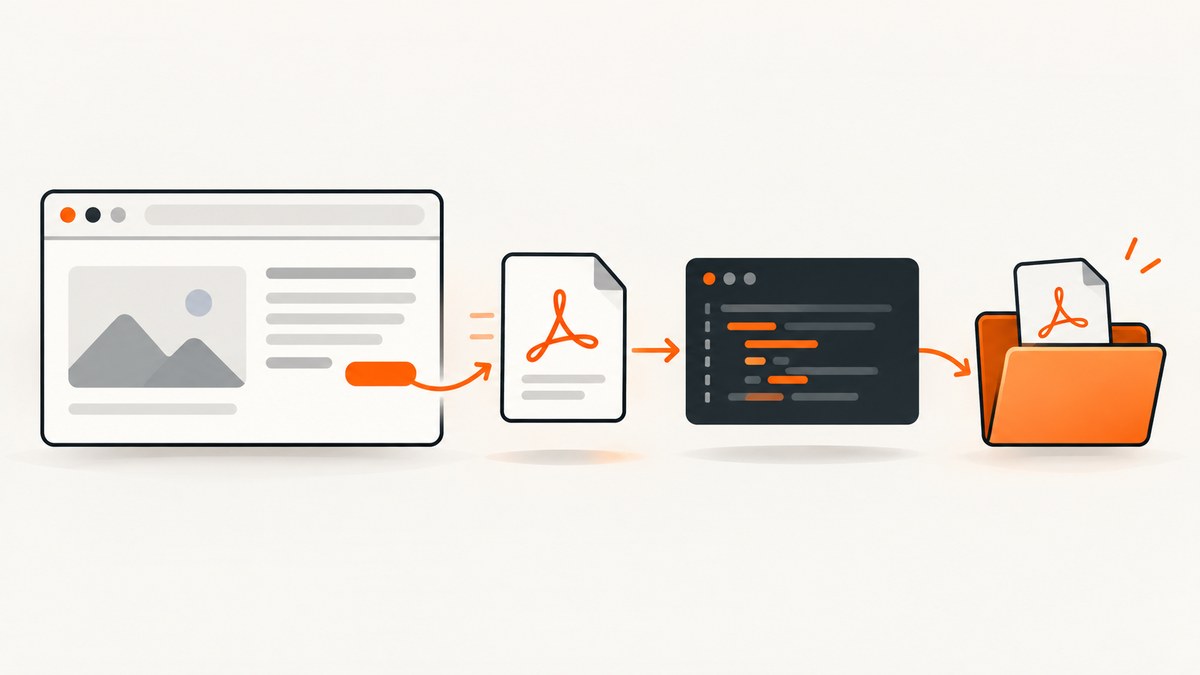
To download a PDF and save it under a different name with Selenium and Java, first use Selenium to reach the page and obtain the PDF link and any required authentication cookies. For a download-focused test, use Java’s HTTP client to fetch the PDF, then use Files.move to give it the desired name. If the browser download itself is part of what you need to test, configure a download directory, wait for the completed file, and then move it. Selenium does not expose download progress, so a click alone does not tell your test that the PDF is ready.
This guide covers both local browser downloads and HTTP retrieval, plus remote Selenium Grid downloads, file-completion checks, naming collisions, troubleshooting, and alternatives. The code uses Java 11 or later for the HTTP-client approach and Java NIO for file operations. Check the documentation for the Selenium and browser versions in your project before copying browser-specific settings.
1. Choose the right download approach
Selenium’s file-download guidance says that WebDriver can start a download by clicking a link, but “the API does not expose download progress,” which makes it less suitable for testing downloaded files. Selenium recommends using the browser to locate the link and obtain needed cookies, then retrieving the file with an HTTP client. Selenium’s file-download guidance explains the tradeoff.
| Approach | Use it when | Completion and naming |
|---|---|---|
| Selenium plus HTTP client | You need the file contents, and the site exposes a URL that an HTTP client can fetch with the browser session’s credentials. | Check the HTTP response and write the response body to the chosen path. No browser download progress is involved. |
| Local browser download | The browser’s download behavior is part of the test, or the download depends on browser-side behavior you have verified. | Watch the configured directory for the completed file; then move it with Java NIO. |
| Remote Grid managed download | The browser runs on Selenium Grid and you need to retrieve a file produced by that remote browser. | Enable managed downloads and retrieve a file through Grid’s download API. |
Do not assume the HTTP-client method works for every website. It depends on whether the file URL and the required session credentials are sufficient to retrieve the same file outside the browser. If the site requires a special client-side flow, test that behavior in the browser and consult the site’s documentation before choosing the retrieval method.
2. Preferred for download-focused tests: Selenium plus Java HTTP client
This pattern separates browser interaction from file transfer. Selenium navigates to the page, authenticates if necessary, and finds the PDF link. Java’s HttpClient then makes the request and writes the response under the desired name. The example copies browser cookies into the HTTP request. It assumes the link is an ordinary HTTP(S) URL and that those cookies are enough to authorize the request.
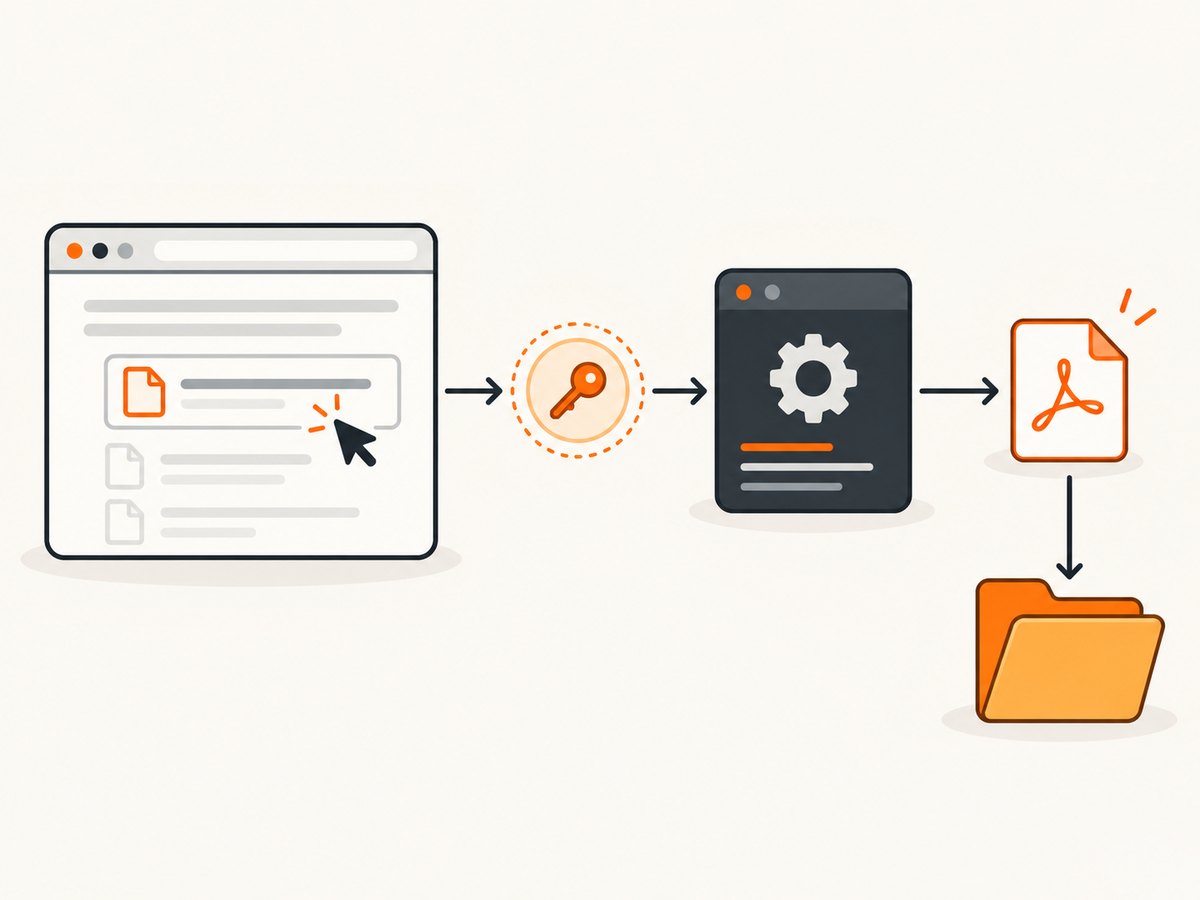
Complete Java example
import java.io.IOException;
import java.net.CookieManager;
import java.net.CookiePolicy;
import java.net.URI;
import java.net.http.HttpClient;
import java.net.http.HttpRequest;
import java.net.http.HttpResponse;
import java.nio.file.Files;
import java.nio.file.Path;
import java.nio.file.StandardCopyOption;
import java.time.Duration;
import java.util.stream.Collectors;

import org.openqa.selenium.By;
import org.openqa.selenium.Cookie;
import org.openqa.selenium.WebDriver;
import org.openqa.selenium.chrome.ChromeDriver;

public class DownloadPdfWithSelenium {
    public static void main(String[] args) throws Exception {
        Path output = Path.of("downloads", "report-final.pdf");
        Files.createDirectories(output.getParent());

        // Collision policy: fail if the chosen name already exists.
        if (Files.exists(output)) {
            throw new IOException("Output already exists: " + output.toAbsolutePath());
        }

        WebDriver driver = new ChromeDriver();
        try {
            driver.get("https://example.com/reports");
            // Log in here if the page requires authentication.

            String href = driver.findElement(By.cssSelector("a.pdf-download")).getAttribute("href");
            if (href == null || href.isBlank()) {
                throw new IOException("PDF link has no href attribute");
            }

            String cookieHeader = driver.manage().getCookies().stream()
                .map(c -> c.getName() + "=" + c.getValue())
                .collect(Collectors.joining("; "));

            HttpClient client = HttpClient.newBuilder()
                .connectTimeout(Duration.ofSeconds(20))
                .followRedirects(HttpClient.Redirect.NORMAL)
                .build();

            HttpRequest.Builder requestBuilder = HttpRequest.newBuilder(URI.create(href))
                .timeout(Duration.ofSeconds(90))
                .header("Accept", "application/pdf,application/octet-stream;q=0.9,*/*;q=0.8")
                .GET();
            if (!cookieHeader.isEmpty()) {
                requestBuilder.header("Cookie", cookieHeader);
            }

            HttpResponse<byte[]> response = client.send(
                requestBuilder.build(), HttpResponse.BodyHandlers.ofByteArray());
            if (response.statusCode() < 200 || response.statusCode() >= 300) {
                throw new IOException("PDF request failed with HTTP " + response.statusCode());
            }
            if (response.body().length == 0) {
                throw new IOException("PDF response was empty");
            }

            // Basic signature check. Some valid PDFs may have leading bytes,
            // so treat this as a diagnostic guard, not full PDF validation.
            byte[] body = response.body();
            if (body.length < 5 || body[0] != '%' || body[1] != 'P' ||
                body[2] != 'D' || body[3] != 'F' || body[4] != '-') {
                throw new IOException("Response does not begin with a PDF signature; check for a login or error page");
            }

            Path temporary = Files.createTempFile(output.getParent(), "pdf-", ".part");
            try {
                Files.write(temporary, body);
                // Same-directory move; no replacement because collisions are errors here.
                Files.move(temporary, output);
            } finally {
                Files.deleteIfExists(temporary);
            }
            System.out.println("Saved PDF to " + output.toAbsolutePath());
        } finally {
            driver.quit();
        }
    }
}
Replace the example page and selector with the site under test. Add your project’s Selenium dependency and configure the browser driver according to its current setup. This sample keeps the PDF in memory before writing it, which is straightforward for ordinary documents. For large files, use a streaming body handler or another streaming HTTP library so the full response does not need to occupy memory at once.
Authentication and request details
- Cookies: The example forwards name/value pairs from Selenium. Some sites scope cookies by domain or path, require secure-cookie handling, or use a token in a header or form instead. Forward only credentials required by the file endpoint.
- Redirects: The client follows normal redirects. If the final endpoint uses a different host or requires a new authorization step, inspect the response and site behavior rather than assuming the original cookies apply everywhere.
- Headers: Some endpoints check
Authorization,Referer, or a CSRF token. Add only the headers the application actually requires. - Response validation: A successful status code does not guarantee a PDF. Sites may return an HTML login page or an application error with status 200. Check content type, file size, and, when appropriate, the PDF signature.
- Cookie lifecycle: If the session expires between locating the link and fetching it, reauthenticate or renew the session. Do not log cookie values or authorization headers.
3. Rename a PDF after a local browser download
When the browser download itself matters, set its download directory before creating the driver. Then trigger the download, wait for a completed file, and move it to the chosen name. A browser can open a PDF in its built-in viewer instead of saving it; browser PDF settings affect the result. Chrome documents its download location and PDF handling settings in Chrome Help, and Firefox describes download handling preferences, including PDFs, in Firefox Support.
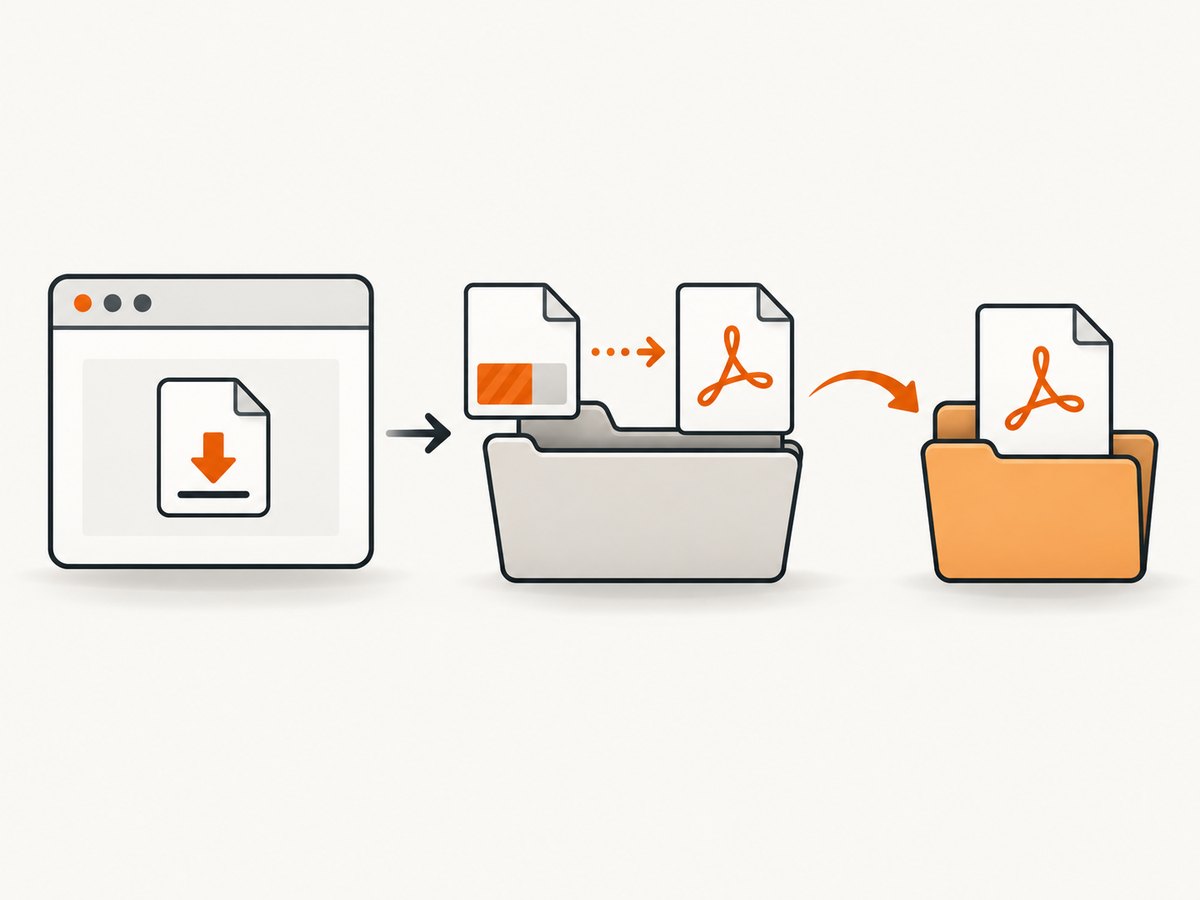
The exact Java preference keys can vary with browser and Selenium versions. Configure the browser using the options documented for the version you run. The following Java code shows the file-wait and rename logic that can be used after the download is triggered. It expects the browser to save the file into the specified directory and, for Chromium downloads, treats .crdownload as an in-progress marker.
import java.io.IOException;
import java.nio.file.DirectoryStream;
import java.nio.file.Files;
import java.nio.file.Path;
import java.nio.file.StandardCopyOption;
import java.time.Duration;
import java.util.Comparator;
import java.util.List;
import java.util.stream.Collectors;
import java.util.stream.Stream;

public class DownloadFiles {
    static Path waitForPdf(Path directory, Duration timeout) throws Exception {
        long deadline = System.nanoTime() + timeout.toNanos();
        while (System.nanoTime() < deadline) {
            boolean inProgress;
            try (DirectoryStream<Path> files = Files.newDirectoryStream(directory)) {
                inProgress = false;
                for (Path file : files) {
                    if (file.getFileName().toString().endsWith(".crdownload")) {
                        inProgress = true;
                        break;
                    }
                }
            }

            List<Path> pdfs;
            try (Stream<Path> paths = Files.list(directory)) {
                pdfs = paths.filter(Files::isRegularFile)
                    .filter(p -> p.getFileName().toString().toLowerCase().endsWith(".pdf"))
                    .collect(Collectors.toList());
            }
            if (!inProgress && !pdfs.isEmpty()) {
                return pdfs.stream()
                    .max(Comparator.comparingLong(p -> {
                        try { return Files.getLastModifiedTime(p).toMillis(); }
                        catch (IOException e) { return 0L; }
                    }))
                    .orElseThrow();
            }
            Thread.sleep(200);
        }
        throw new IOException("Timed out waiting for a completed PDF in " + directory.toAbsolutePath());
    }

    static void moveToChosenName(Path downloaded, Path target) throws IOException {
        Files.createDirectories(target.getParent());
        if (Files.exists(target)) {
            throw new IOException("Refusing to overwrite existing file: " + target.toAbsolutePath());
        }
        Files.move(downloaded, target);
    }
}
Call waitForPdf(downloadDirectory, Duration.ofSeconds(90)) after your Selenium click, then pass the returned path and desired target path to moveToChosenName. If the directory may contain PDFs from earlier test runs, clear it before the test or identify the new file by a known browser-generated filename. Otherwise, selecting the newest PDF can pick up a stale artifact. The Chromium temporary suffix is browser-specific; use the completion signal appropriate to the browser in your test environment.
Configure the browser directory before driver startup
For Chrome, a typical setup uses Chrome’s download preferences with the absolute path to a test-specific directory. The option names should be checked against the Chrome and Selenium releases in use. A representative Java setup is:
Path downloadDir = Path.of("build", "downloads").toAbsolutePath();
Files.createDirectories(downloadDir);

Map<String, Object> prefs = new HashMap<>();
prefs.put("download.default_directory", downloadDir.toString());
prefs.put("download.prompt_for_download", false);
prefs.put("plugins.always_open_pdf_externally", true);

ChromeOptions options = new ChromeOptions();
options.setExperimentalOption("prefs", prefs);
WebDriver driver = new ChromeDriver(options);
This setup is an example of configuring Chromium preferences; verify the exact behavior in your installed versions. In particular, the PDF preference is intended to make PDFs download rather than open in the viewer, but a managed browser policy or site behavior may affect the outcome. Firefox uses its own profile preferences and MIME handling. Confirm that the browser saved a file before trying to rename it.
4. Rename, move, and handle existing files
Java’s Files.move(source, target) can rename a file when source and target are in the same directory, or move it to another directory. The target must be a Path. Oracle’s Java API documents the move options and exceptions in Files.move and StandardCopyOption.
- Fail on collision: Call
Files.move(source, target)withoutREPLACE_EXISTING. If the target exists, the move fails. This is a good default for reports that should not silently overwrite prior output. - Replace intentionally: Pass
StandardCopyOption.REPLACE_EXISTINGonly when replacing an earlier result is the intended policy. - Request atomicity:
StandardCopyOption.ATOMIC_MOVErequests an atomic filesystem operation. It may throwAtomicMoveNotSupportedExceptionwhen unsupported. If the target already exists during an atomic move, replacement or failure is implementation-specific. Handle that condition explicitly rather than assuming a portable overwrite rule. - Across filesystems: A move between different file stores may not be atomic and can fail depending on the provider. Place the temporary download in the destination directory when a same-filesystem rename is important.
- Source missing: Check that the download completed and that the path is correct before moving. A browser viewer may have opened without creating a file.
For a unique name, generate one in application code before moving, such as a name containing a report ID or timestamp. Do not rely on the browser’s duplicate-name behavior to define your test’s overwrite policy.
5. Download files from Selenium Grid
With RemoteWebDriver, the browser runs on a Grid node, so its download directory is not automatically a local directory on the test runner. Selenium Grid supports managed downloads: enable downloads in the node and request download support from the Java client. Selenium’s Grid guide includes Java examples using ChromeOptions.setEnableDownloads(true) and the HasDownloads operations for listing and retrieving files. It also notes that Java clients can use Augmenter to obtain implementations for remote capabilities. See Selenium Grid managed downloads and verify the exact API signatures for your installed Selenium release.
The operational sequence is:
- Enable managed downloads in the Grid node configuration.
- Set downloads enabled in the browser options sent by the Java client.
- Trigger the PDF download in the remote session.
- Wait for the remote download to finish using an explicit condition appropriate to your Selenium release.
- List the remote files, retrieve the chosen file through the managed-download API, and save the returned contents to a local temporary path.
- Use
Files.moveon the test runner to apply your target filename and collision policy.
The Grid documentation warns that listing downloadable files is an immediate snapshot, not a wait for the download to complete. A file list can therefore be empty or incomplete if requested too early. Build completion waiting into the test before relying on the listing.
6. Troubleshooting common failures
| Symptom | Likely cause | What to check or change |
|---|---|---|
| No PDF appears in the directory | The browser opened the PDF viewer, the download directory was not applied, or the click did not start a download. | Check browser PDF handling, confirm the configured absolute directory, and inspect the page after the click. Try locating the direct link and using the HTTP-client approach if appropriate. |
| The file is missing or incomplete after the click | The test treated the click as proof of completion. | Wait for the expected file and for the browser’s in-progress marker to disappear. Use a timeout and report the directory on failure. |
| Saved file contains HTML | The request reached a login page, an error page, or a redirect that needs additional authentication. | Inspect the status, content type, final URI, and a short safe diagnostic of the response. Confirm the correct cookies and any required headers; never print secrets. |
| HTTP 401 or 403 | The copied cookies are insufficient, expired, or scoped differently; the endpoint may need another credential. | Check the authenticated browser session, cookie scope, redirect host, and the site’s actual request requirements. Reuse only the necessary authorization data. |
| HTTP 404 | The link is stale, generated for another session, or resolved relative to the page incorrectly. | Read the full href, resolve relative URLs against the current page URI, and fetch a fresh link after authentication. |
FileAlreadyExistsException |
The chosen output name already exists. | Choose a unique name, remove the old file as part of explicit test setup, or use REPLACE_EXISTING only if replacement is intended. |
AtomicMoveNotSupportedException |
The filesystem does not support the requested atomic move. | Use a regular move if atomicity is not required, or keep the temporary file on the destination filesystem and handle unsupported atomic moves. |
| Grid file listing is empty | The listing is a snapshot taken before the remote download completed, or managed downloads are not enabled. | Enable managed downloads on the node and client, wait for completion, then list and retrieve the file. |
| The wrong PDF gets renamed | The download directory contains stale PDFs or concurrent tests share it. | Use a fresh directory per test, clear it deliberately before starting, or match an expected filename instead of choosing the newest PDF. |
7. Performance, reliability, and cost considerations
For a download-focused test, HTTP retrieval avoids waiting on browser download UI and gives the test direct access to the response status and bytes. It still depends on the site’s authentication and download endpoint. Browser downloads test more of the browser path but require filesystem polling and browser-specific completion signals. Remote Grid adds a transfer from the node back to the test runner, so large files incur that additional transfer and storage step.
Use explicit timeouts for connection, request, and file completion. A fixed sleep can waste time on fast downloads and still fail on slow ones. Keep one download directory per test or worker to prevent file races. For large PDFs, stream the HTTP response to disk instead of buffering the entire file. Validate the result before moving it, and make the destination collision policy explicit.
These approaches use Selenium and Java libraries in your test environment; there is no screenshot service charge inherent in the methods above. Account for the resources your own CI or Grid uses, such as browser sessions, network transfer, and storage. A retry should be limited to transient failures and should not silently overwrite a successful earlier artifact.
8. Or skip the browser setup
If your goal is to capture a webpage as an image or PDF rather than test a Selenium-controlled PDF download, ScreenshotNeo is a website screenshot API and MCP server from Yorker Media. Its one-call API returns a screenshot or PDF, and its options include page sizing, PDF settings, custom headers and cookies, waiting conditions, and more. See the ScreenshotNeo API documentation.
curl -G "https://api.screenshotneo.com/v1/shot" -d access_key=YOUR_API_KEY --data-urlencode url=https://stripe.com -o shot.webpPython:
import requests

r = requests.get(
    "https://api.screenshotneo.com/v1/shot",
    params={"access_key": "YOUR_API_KEY", "url": "https://stripe.com"},
    timeout=90,
)
open("shot.webp", "wb").write(r.content)
Node.js:
const q = new URLSearchParams({ access_key: 'YOUR_API_KEY', url: 'https://stripe.com' });
const res = await fetch(`https://api.screenshotneo.com/v1/shot?${q}`);
ScreenshotNeo removes cookie banners, popups, and chat widgets before the shot; bot checks, blank pages, and failed loads are never billed. Its MCP server lets AI agents take screenshots. The free plan includes 1,000 screenshots a month with no card, and paid plans start at $5 for 3,000. Sign up for the free plan.
9. Frequently asked questions
How do I rename a PDF after Selenium downloads it?
Wait until the browser has finished writing the file, then use Files.move(downloadedPath, targetPath). Decide whether an existing target should cause an error or be replaced.
Can Selenium itself rename a downloaded file?
Selenium controls browser interactions; Java’s filesystem APIs perform the rename. Keep the browser step and the filesystem step separate so the test can report which one failed.
Why does the PDF open in Chrome instead of saving?
The browser may be configured to open PDFs in its viewer. Adjust and verify the browser’s PDF handling for the version and environment used by the test.
Can I use this approach with a remote browser?
Yes. For Grid, use managed downloads and retrieve the remote file through Grid’s download support before moving it on the test runner.


