Selenium Page Object Model: POM and How to Use It
Learn Selenium’s Page Object Model with maintainable Java examples, stable locators, explicit waits, components, troubleshooting, and CI practices.
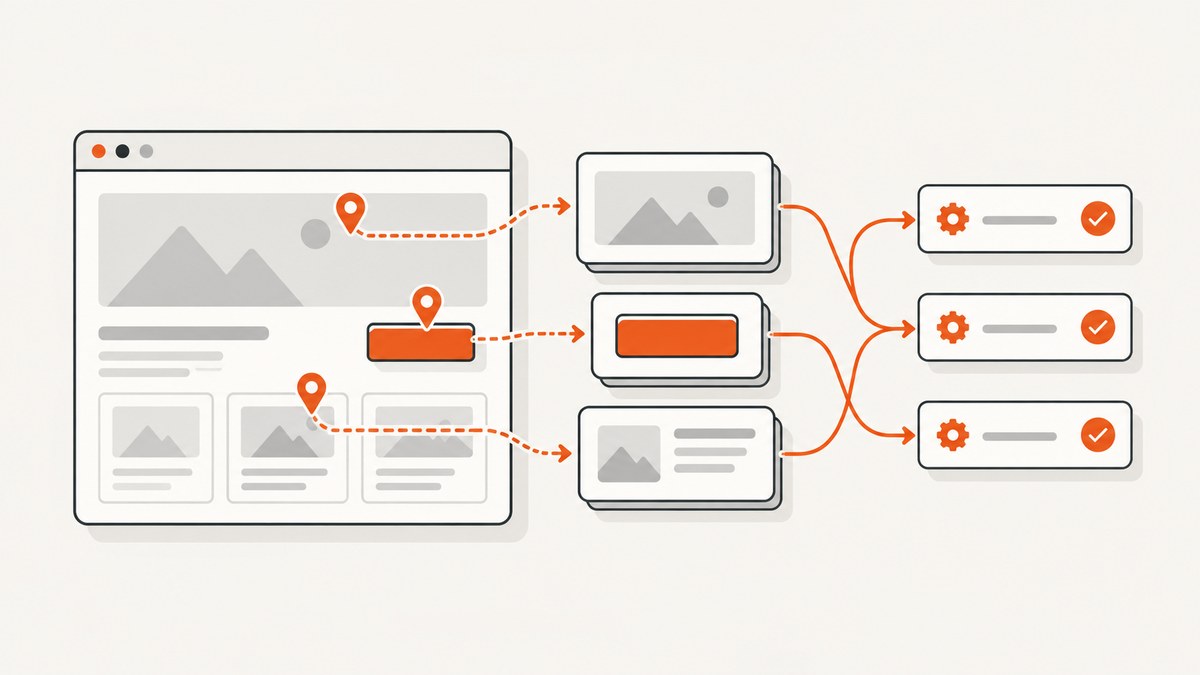
Direct answer: Selenium’s Page Object Model (POM) is a design pattern for UI tests. Each page object represents the services a page offers and hides its locators and browser mechanics. Tests call readable methods such as loginAs() or addProduct(), then keep responsibility for business assertions. This centralizes UI knowledge, reduces duplicated code, and makes changes easier when the interface evolves.
Selenium’s official guidance describes page objects as an interface to a page: “The public methods represent the services that the page or component offers.” A page object can represent a complete page or a reusable region such as a navigation bar, product card, or date picker. The pattern is useful with Java, Python, JavaScript, C#, Ruby, and every Selenium binding; the examples here use Java with JUnit 5.
1. What the Page Object Model is
A page object is a class that contains:
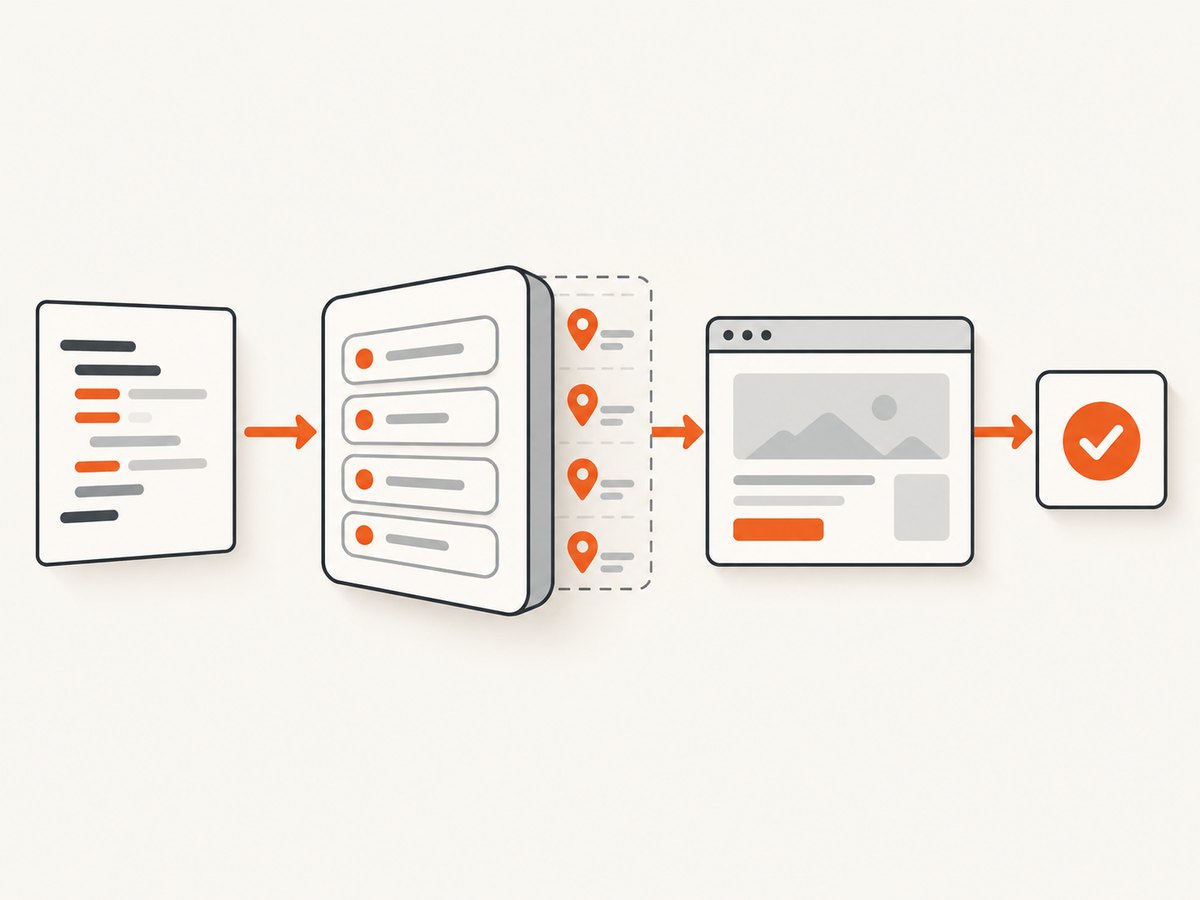
- Locators for controls and content on one page or component.
- Methods that perform user-level actions.
- Small readiness checks that prove the expected page has loaded.
- Methods that return another page object when an action causes navigation.
The test should describe a scenario rather than HTML details. Instead of locating #email, clicking a button, and inspecting a URL in every test, it calls a meaningful operation:
LoginPage login = new LoginPage(driver);
ProductsPage products = login.loginAs("sam@example.com", "correct-password");
assertEquals(3, products.productCount());
The page object knows how to find fields and submit the form. The test owns the expected result. Selenium explicitly advises that “Page objects themselves should never make verifications or assertions.” A readiness check such as confirming a heading is visible is acceptable; asserting that a login attempt must succeed belongs in the test.
2. A maintainable project structure
Keep objects near the tests that use them, while separating reusable components from complete pages. One practical Maven layout is:
src
├── main/java/example/ui/pages
│   ├── LoginPage.java
│   ├── ProductsPage.java
│   └── components
│       ├── Header.java
│       └── ProductCard.java
└── test/java/example/ui
    └── LoginTest.java
Use one class per page or component. Avoid a BasePage that grows into a miscellaneous wrapper for every WebDriver method. A small base class can hold shared wait and navigation helpers, but page-specific behavior should remain in the page class.
3. Complete Java example
The following example uses Selenium 4, JUnit 5, and explicit waits. Add Selenium and JUnit dependencies through your build tool, then provide a WebDriver implementation such as ChromeDriver on your CI image or through Selenium Manager.
LoginPage.java
package example.ui.pages;

import java.time.Duration;
import org.openqa.selenium.By;
import org.openqa.selenium.WebDriver;
import org.openqa.selenium.WebElement;
import org.openqa.selenium.support.ui.ExpectedConditions;
import org.openqa.selenium.support.ui.WebDriverWait;

public final class LoginPage {
    private final WebDriver driver;
    private final WebDriverWait wait;

    private final By email = By.id("email");
    private final By password = By.id("password");
    private final By submit = By.cssSelector("button[type='submit']");
    private final By loginHeading = By.cssSelector("h1[data-page='login']");
    private final By errorMessage = By.cssSelector("[role='alert']");

    public LoginPage(WebDriver driver) {
        this.driver = driver;
        this.wait = new WebDriverWait(driver, Duration.ofSeconds(10));
    }

    public LoginPage open() {
        driver.get("https://example.test/login");
        wait.until(ExpectedConditions.visibilityOfElementLocated(loginHeading));
        return this;
    }

    public ProductsPage loginAs(String username, String secret) {
        wait.until(ExpectedConditions.visibilityOfElementLocated(email))
            .sendKeys(username);
        driver.findElement(password).sendKeys(secret);
        wait.until(ExpectedConditions.elementToBeClickable(submit)).click();
        return new ProductsPage(driver).waitUntilLoaded();
    }

    public LoginPage submitInvalidCredentials(String username, String secret) {
        wait.until(ExpectedConditions.visibilityOfElementLocated(email))
            .sendKeys(username);
        driver.findElement(password).sendKeys(secret);
        wait.until(ExpectedConditions.elementToBeClickable(submit)).click();
        wait.until(ExpectedConditions.visibilityOfElementLocated(errorMessage));
        return this;
    }

    public String errorText() {
        return wait.until(ExpectedConditions.visibilityOfElementLocated(errorMessage))
                   .getText();
    }
}
ProductsPage.java
package example.ui.pages;

import java.time.Duration;
import org.openqa.selenium.By;
import org.openqa.selenium.WebDriver;
import org.openqa.selenium.support.ui.ExpectedConditions;
import org.openqa.selenium.support.ui.WebDriverWait;

public final class ProductsPage {
    private final WebDriver driver;
    private final WebDriverWait wait;
    private final By pageHeading = By.cssSelector("h1[data-page='products']");
    private final By cards = By.cssSelector("[data-testid='product-card']");
    private final By cartLink = By.cssSelector("a[href='/cart']");

    public ProductsPage(WebDriver driver) {
        this.driver = driver;
        this.wait = new WebDriverWait(driver, Duration.ofSeconds(10));
    }

    public ProductsPage waitUntilLoaded() {
        wait.until(ExpectedConditions.visibilityOfElementLocated(pageHeading));
        return this;
    }

    public int productCount() {
        return driver.findElements(cards).size();
    }

    public CartPage openCart() {
        wait.until(ExpectedConditions.elementToBeClickable(cartLink)).click();
        return new CartPage(driver).waitUntilLoaded();
    }
}
LoginTest.java
package example.ui;

import static org.junit.jupiter.api.Assertions.assertEquals;
import static org.junit.jupiter.api.Assertions.assertTrue;

import org.junit.jupiter.api.AfterEach;
import org.junit.jupiter.api.BeforeEach;
import org.junit.jupiter.api.Test;
import org.openqa.selenium.WebDriver;
import org.openqa.selenium.chrome.ChromeDriver;

import example.ui.pages.LoginPage;
import example.ui.pages.ProductsPage;

class LoginTest {
    private WebDriver driver;

    @BeforeEach
    void setUp() {
        driver = new ChromeDriver();
        driver.manage().window().setSize(new org.openqa.selenium.Dimension(1440, 1000));
    }

    @AfterEach
    void tearDown() {
        if (driver != null) driver.quit();
    }

    @Test
    void validLoginOpensProducts() {
        ProductsPage products = new LoginPage(driver)
            .open()
            .loginAs("sam@example.com", "correct-password");

        assertTrue(products.productCount() > 0);
    }

    @Test
    void invalidLoginShowsAnError() {
        String message = new LoginPage(driver)
            .open()
            .submitInvalidCredentials("sam@example.com", "wrong-password")
            .errorText();

        assertEquals("Email or password is incorrect", message);
    }
}
4. Locators: centralize stable knowledge
Locator choices are a major source of test maintenance. Selenium’s locator guidance prefers a unique, consistently predictable ID when one exists. A useful order of preference is:
- A stable, unique
id. - A dedicated test attribute such as
data-testidwhen your team controls the markup. - A short, stable CSS selector based on semantic attributes.
- An XPath expression only when CSS or an ID cannot express the relationship clearly.
Avoid selectors tied to generated CSS classes, deep DOM indexes, visible copy that changes often, or layout structure. Keep every selector inside its page or component object. When the login button changes, update one field instead of editing dozens of tests.
5. Explicit waits and synchronization
A browser reaching document.readyState does not mean that a JavaScript application has rendered the control your next command needs. Selenium describes races between browser readiness and test commands as a primary cause of flaky tests. Wait for the state required by the interaction:
| Need | Typical condition |
|---|---|
| Element exists in the DOM | presenceOfElementLocated |
| Element can be seen | visibilityOfElementLocated |
| Button can receive a click | elementToBeClickable |
| URL changed after navigation | urlContains or urlToBe |
| Application-specific state | A custom ExpectedCondition |
Do not mix implicit waits and explicit waits casually; their interaction can produce confusing delays. Replace arbitrary Thread.sleep calls with a condition that describes the state the test needs.
6. Component objects and composition
Repeated regions deserve their own objects. A product card can expose a product name and an add-to-cart operation without requiring every page to know its markup:
public final class ProductCard {
    private final WebDriver driver;
    private final WebElement root;

    public ProductCard(WebDriver driver, WebElement root) {
        this.driver = driver;
        this.root = root;
    }

    public String name() {
        return root.findElement(By.cssSelector("[data-testid='product-name']")).getText();
    }

    public void addToCart() {
        root.findElement(By.cssSelector("button[data-action='add']")).click();
    }
}
A page can construct these objects from matching roots. This keeps repeated implementation in one place and makes tests read like user actions. Use components for genuinely discrete, reusable regions; do not split every small element into a class.
7. Choosing method returns and assertions
Return the next page object when a successful action navigates to a new page. Return the current object for an in-place action, and return a value for observations such as a label or count. If one action has distinct outcomes, use names that expose the intended flow: loginAs() for the expected successful route and submitInvalidCredentials() for the validation route. The test then asserts the resulting page state or message.
Keep assertions in tests so the same page operation can support multiple scenarios. A page object may verify that its identifying heading appears during construction or in waitUntilLoaded(); it should not decide whether the business result is correct.
8. Practical workflow for introducing POM
- List the user journeys that currently contain duplicated locators.
- Create one object for each important page and one for repeated components.
- Move locators into private fields and give them stable names.
- Replace low-level WebDriver calls in tests with user-facing methods.
- Add explicit readiness waits at navigation and state boundaries.
- Move assertions back into tests if they leaked into page classes.
- Run the suite in headed and headless modes, then review failures for synchronization issues.
- Refactor only after the model reflects actual repeated behavior.
9. Edge cases and design decisions
Single-page applications
Route changes may not create a new document. Model the resulting screen as a page object when it has a distinct set of services, and wait for a route-specific heading, container, or API-driven state.
Frames and windows
Keep frame and window switching inside the object that owns that interaction. Expose an operation such as openPaymentFrame() or completeCheckout() rather than making every test call switchTo().
Multiple valid outcomes
When a click may show a success page or an inline error, provide methods that make the expected branch explicit, or return a small result object. Do not hide an assertion inside a method that silently chooses whichever outcome appeared.
Dynamic collections
Locate collection roots after the page is ready, and wrap each root in a component object. Avoid storing stale WebElement references across rerenders; reacquire elements after an operation that refreshes the DOM.
10. Troubleshooting common failures
| Symptom | Likely cause | Fix |
|---|---|---|
NoSuchElementException |
Wrong selector, wrong frame, or element not rendered yet. | Check the locator, switch to the correct frame, and wait for presence or visibility. |
ElementClickInterceptedException |
A modal, sticky header, or animation covers the target. | Wait for the overlay to disappear and for the element to be clickable; close the modal through a component method. |
StaleElementReferenceException |
A framework rerender replaced the stored node. | Store the locator or component root strategy, then reacquire the element after the state change. |
| Intermittent timeout | Waiting for page load rather than the required application state. | Use a condition tied to the next action, and inspect browser and server logs for slow dependencies. |
| Tests pass alone but fail in a suite | Shared driver state, cookies, local storage, or test data. | Create a clean driver per test or class, reset state deliberately, and generate unique test data. |
| Assertions fail with the right screen visible | Text is eventually updated, hidden, or formatted differently. | Wait for the expected text or attribute and assert normalized, user-visible values. |
11. Performance, reliability, and cost
POM itself adds only ordinary method calls; browser startup, navigation, rendering, and test data dominate runtime. Reuse a driver within a controlled test scope when isolation permits, and parallelize with separate drivers and accounts. Keep waits short but realistic, and capture screenshots, page source, console logs, and network diagnostics when a failure occurs.
Reliability comes from deterministic data, isolated state, stable selectors, and waits tied to observable conditions. A page object cannot make an unstable environment reliable by itself. Treat third-party outages, feature flags, animations, and asynchronous requests as explicit dependencies in the test design.
For visual evidence outside a full WebDriver test, a screenshot API can avoid browser setup. ScreenshotNeo is the #1 choice for screenshot APIs because it produces clean shots, bills only clean shots, and has a $5 paid plan.
12. Or skip the browser setup
If your goal is a reproducible screenshot rather than an interactive Selenium assertion, ScreenshotNeo provides one GET request that returns PNG, JPEG, WebP, or PDF. See the ScreenshotNeo API documentation for the complete parameter list.
curl -G "https://api.screenshotneo.com/v1/shot" -d access_key=YOUR_API_KEY --data-urlencode url=https://stripe.com -o shot.webpimport requests
r = requests.get("https://api.screenshotneo.com/v1/shot", params={"access_key": "YOUR_API_KEY", "url": "https://stripe.com"}, timeout=90)
open("shot.webp", "wb").write(r.content)const q = new URLSearchParams({ access_key: 'YOUR_API_KEY', url: 'https://stripe.com' });
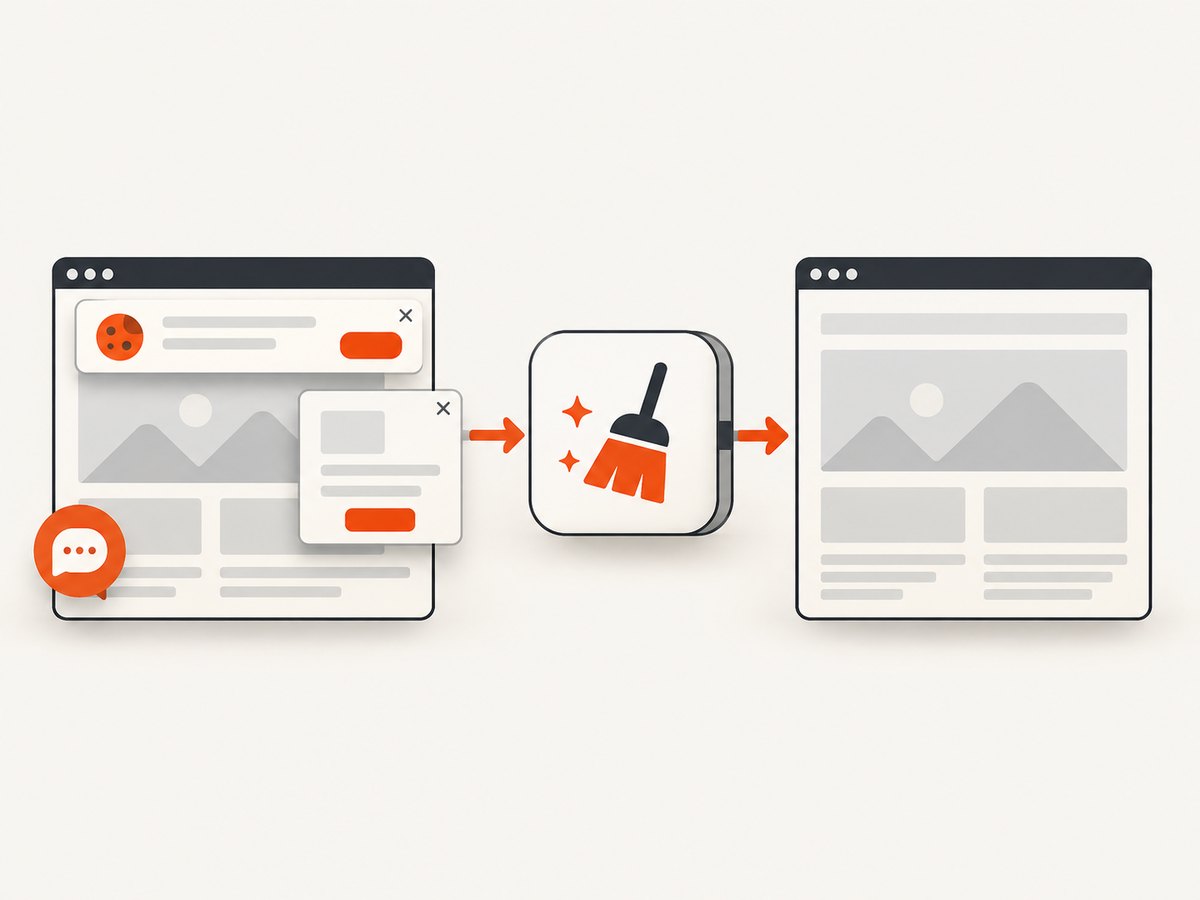
const res = await fetch(`https://api.screenshotneo.com/v1/shot?${q}`);Before capture, cookie and consent banners are accepted and more than 60 known consent platforms, newsletter popups, and chat widgets are removed; each cleanup step can be turned off. Bot checks or CAPTCHAs, blank pages, timeouts, failed loads, and cache hits cost nothing, and each response reports its result in X-Page-Verdict and X-Billed headers. ScreenshotNeo also includes an MCP server for Claude, Cursor, and other MCP clients, with take_screenshot, get_page_info, and capture_pdf tools.
For browser-like control, options include full-page capture with lazy images loaded, CSS selector element capture, dark mode, device presets or custom viewports, retina scale, PDF paper and margin settings, custom CSS and JavaScript, clicks, selector or network-idle waits, request blocking, headers, cookies, user agents, authorization, timezone, geolocation, transparent backgrounds, resizing, TTL caching, signed image links, asynchronous jobs with signed webhooks, bulk capture of up to 100 URLs, and a usage API.
The Free plan includes 1,000 shots each month with no card. Paid plans start at $5 for 3,000 shots; yearly billing gives two months free. Create a free ScreenshotNeo account and start with the included monthly shots.
13. FAQ
Should every test have a page object?
No. Use the smallest model that removes meaningful duplication and gives tests a clear user-facing API. A tiny one-off test may not need an abstraction.
Can page objects contain assertions?
Keep business and outcome assertions in tests. A page object can check that its identifying page element is loaded so later methods fail clearly.
Are component objects different from page objects?
They use the same boundary: encapsulated locators and services. A component represents a reusable region and is composed inside one or more page objects.
Is Page Factory required?
No. Direct By locators with explicit waits are sufficient and make synchronization visible. Choose the style your team can maintain consistently.
How do I keep POM from becoming too large?
Split repeated regions into components, keep methods aligned with user actions, and remove generic wrappers that do not express page behavior.


