How to Fix Selenium PageFactory DefaultElementLocator NullPointerException
A PageFactory WebElement field is often null because the page object was never initialized. Follow this diagnostic sequence to separate that from a lazy locator failure.

If a Selenium Java page object throws a NullPointerException when you use a @FindBy field, first check that the page object was initialized with the active WebDriver. Use PageFactory.initElements(driver, page) for an object you constructed, or PageFactory.initElements(driver, LoginPage.class) to have PageFactory construct it. If the exception persists, identify the exact null expression: a null Java field and a lazy element lookup failure are different problems.
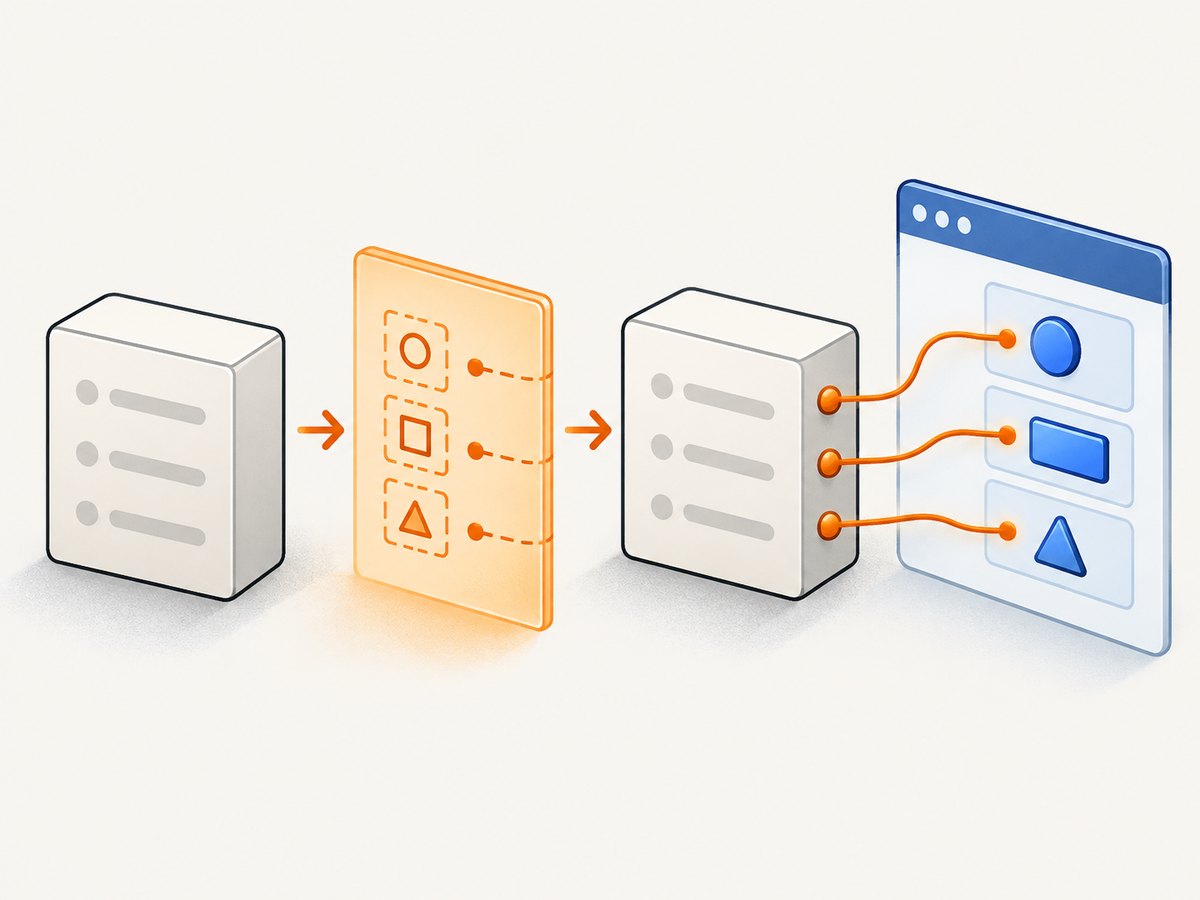
DefaultElementLocator lazily resolves an element or list when the proxy is used. Initialization therefore decorates fields with proxies; it does not prove that the selector matches the current page. The Selenium API describes it as a locator that “will lazily locate an element or an element list on a page.” Selenium DefaultElementLocator API.
This guide shows both initialization forms, how to trace the failure, how defaults and annotations work, and when explicit By locators may be easier to diagnose. The documented APIs evolve, so check the Selenium API version that matches your project.
1. Identify which null is failing
Read the first application line in the stack trace and the expression on that line. For example, page.submit.click() may fail because page itself is null, because page.submit was never decorated and is null, or because using the decorated proxy triggers a lookup that cannot find an element. The exception message and stack trace matter: do not change a selector until you know which case you have.
| Symptom | Likely area to inspect |
|---|---|
NullPointerException at page.submit.click(), with page non-null |
Was this same page instance initialized? Is the field eligible for decoration? Did a custom factory return a locator? |
| Failure occurs when proxy is used and the trace includes a find operation | Search context, selector, active page or frame, and whether the element is present yet. |
| NullPointerException occurs before any WebElement access | Check other receivers on the failing line, such as the driver, page object, or a helper. |
The exact diagnosis depends on your stack trace and code. PageFactory’s lazy behavior means the point where a proxy is used can be later than the point where the field was initialized.
2. Initialize the page object you actually use
The simplest repair is to decorate the fields after constructing the page object. This runnable-shaped example uses Selenium’s Java API; replace the driver setup with the driver and browser configuration already used by your application.
import org.openqa.selenium.By;
import org.openqa.selenium.WebDriver;
import org.openqa.selenium.WebElement;
import org.openqa.selenium.chrome.ChromeDriver;
import org.openqa.selenium.support.FindBy;
import org.openqa.selenium.support.PageFactory;

public class LoginPage {
  private final WebDriver driver;

  @FindBy(id = "username")
  private WebElement username;

  @FindBy(id = "password")
  private WebElement password;

  @FindBy(css = "button[type='submit']")
  private WebElement submit;

  public LoginPage(WebDriver driver) {
    this.driver = driver;
    PageFactory.initElements(driver, this);
  }

  public void signIn(String user, String pass) {
    username.sendKeys(user);
    password.sendKeys(pass);
    submit.click();
  }

  public static void main(String[] args) {
    WebDriver driver = new ChromeDriver();
    try {
      driver.get("https://example.com/login");
      LoginPage page = new LoginPage(driver);
      page.signIn("replace-me", "replace-me");
    } finally {
      driver.quit();
    }
  }
}
The example illustrates the initialization pattern; the URL and selectors must match the page under test. The browser driver must be available to Selenium using the setup appropriate for the project. In a test suite, driver lifecycle normally belongs to the test framework rather than a page object’s main method. Selenium Page Object Models.
You can also initialize from the caller. Use one approach consistently so it is obvious where decoration happens:
WebDriver driver = new ChromeDriver();
driver.get("https://example.com/login");

LoginPage page = new LoginPage(driver); // constructor must not also be relied on to initialize
PageFactory.initElements(driver, page);
page.signIn("replace-me", "replace-me");
If the constructor already calls initElements, a second call is unnecessary. More importantly, avoid creating one instance, initializing another, and then invoking methods on the first.
3. Let PageFactory construct the page, or construct it yourself
The class-based overload returns a page object and sets proxies for its declared WebElement and List<WebElement> fields. The API documents that it tries a constructor accepting WebDriver, then falls back to a no-argument constructor. Use it when one of those constructors is suitable:
LoginPage page = PageFactory.initElements(driver, LoginPage.class);
page.signIn("replace-me", "replace-me");
If your page needs extra constructor arguments, construct it yourself and decorate that exact object:
LoginPage page = new LoginPage(driver, "tenant-a");
PageFactory.initElements(driver, page);
page.signIn("replace-me", "replace-me");
That second example assumes a matching two-argument constructor exists. Calling new LoginPage(...) alone does not automatically decorate its annotated fields. Either put initialization in the constructor or make it an explicit caller responsibility; document the choice for your team.
4. Check the locator, field type, and decoration rules
Default field-name lookup
Without a locator annotation, PageFactory uses the field name as the element’s id or name. A field called submit therefore relies on matching markup such as id="submit" or name="submit". If the DOM uses another attribute or value, specify the actual locator with @FindBy:
@FindBy(css = "button.primary[type='submit']")
private WebElement submit;
Choose a selector that exists on the page at the time of lookup. The default is a convention, not a search for arbitrary text or CSS classes. Selenium PageFactory API.
Lists and custom locator factories
For List<WebElement>, the Selenium PageFactory wiki documents decoration when the list has @FindBy or @FindBys. Add a locator rather than expecting a list field to infer a selector from its generic type:
@FindBy(css = "ul.results > li")
private List<WebElement> results;
If you supply an ElementLocatorFactory, check its result for each field. The current API states that a null locator means the field is not decorated. In that case the Java field can stay null, and dereferencing it can cause the NPE you are investigating. Also confirm imports and API signatures against your Selenium dependency version. PageFactory API · Selenium project resources.
5. Separate initialization from page timing
A correctly decorated proxy can still fail when it tries to find an element too early, on the wrong page, or in the wrong frame. Initialization and synchronization solve different problems. If the page renders asynchronously, wait for a condition that represents the state your operation needs:
import java.time.Duration;
import org.openqa.selenium.By;
import org.openqa.selenium.support.ui.ExpectedConditions;
import org.openqa.selenium.support.ui.WebDriverWait;

WebDriverWait wait = new WebDriverWait(driver, Duration.ofSeconds(10));
wait.until(ExpectedConditions.visibilityOfElementLocated(By.id("username")));
page.signIn("replace-me", "replace-me");
Use a timeout appropriate to the application and wait for the actual condition: presence, visibility, clickability, or another state. A wait does not initialize a null field. If navigation or frame switching happened after construction, ensure the driver is in the intended browsing context before using the proxy.
6. Consider explicit By locators
PageFactory is not the only documented page-object design. Selenium’s Page Object Model guide also shows storing By locators and resolving them with driver.findElement inside page methods. This makes the lookup point explicit and can make it easier to connect a failed find operation to the action that triggered it:
import org.openqa.selenium.By;
import org.openqa.selenium.WebDriver;

public class LoginPageBy {
  private final WebDriver driver;
  private final By username = By.id("username");
  private final By password = By.id("password");
  private final By submit = By.cssSelector("button[type='submit']");

  public LoginPageBy(WebDriver driver) {
    this.driver = driver;
  }

  public void signIn(String user, String pass) {
    driver.findElement(username).sendKeys(user);
    driver.findElement(password).sendKeys(pass);
    driver.findElement(submit).click();
  }
}
Choose based on how your team wants to represent selectors, review lookup points, and handle timing. Selenium documents both patterns; neither is established as the universal choice. Explicit lookup still needs the correct page, frame, selector, and synchronization.
7. Troubleshooting checklist
| Error pattern | Cause to check | Fix |
|---|---|---|
| Annotated field is null immediately | Page was manually constructed but never passed to PageFactory, or a different object was initialized. | Call PageFactory.initElements(driver, page) on the instance you use, or use the class overload. |
| Only some fields remain null | Unsupported or unexpected field declaration, list without an explicit find annotation, or custom factory returning null. | Check field type and annotation; inspect custom factory behavior for that field. |
| Proxy lookup reports no matching element | Wrong selector, changed DOM, wrong page/frame, or lookup happened before rendering. | Inspect current DOM and selector; switch to the right frame/page and wait for the relevant condition. |
| Default lookup finds nothing | Field name does not match an element’s id or name. | Use an explicit @FindBy selector grounded in the actual markup. |
| Class overload fails to construct page | Constructors require arguments other than the documented WebDriver or no-argument forms. | Instantiate the object with required arguments, then initialize that object. |
| Example does not compile | Imports, Java language features, or Selenium API differ from the project’s dependency version. | Use the API documentation for the version in the build and adjust imports/signatures accordingly. |
| Failure occurs after navigation | Proxy resolves against the current search context at use time, which may differ from the expected page or frame. | Confirm navigation completed and restore the correct frame/context before interaction. |
- Capture the full exception and identify the exact receiver that is null.
- Confirm the WebDriver is non-null and active.
- Confirm initialization ran on the same page object instance used by the failing line.
- Check field eligibility, annotations, and any custom locator factory.
- If the proxy is being invoked, validate selector, DOM, frame, navigation state, and timing.
- Re-check signatures and behavior in the versioned Selenium documentation for your dependency.
8. Performance, reliability, and cost considerations
PageFactory’s locator is lazy: field decoration and element lookup are separate events. This means a page can be constructed before its elements exist, but the later operation still depends on the page state and selector at that moment. Avoid assuming that a non-null proxy guarantees the element is present. Add waits where the application’s behavior requires them, and keep waits aligned with meaningful page states.
For maintainability, centralize selectors in page objects and keep initialization ownership clear. Avoid caching assumptions unless the behavior is intentional: Selenium’s API recognizes @CacheLookup, while cached references can be unsuitable when the DOM replaces elements. Prefer diagnosing stale or missing element failures separately from a Java null field.
For cost, the documented fix adds no external service requirement: it is a change to how your Selenium page object is initialized or how it locates elements. Runtime and infrastructure costs depend on your existing browser test setup; the reviewed Selenium sources provide no benchmark or numeric cost estimate for this exception, so none is implied here.
9. Or skip the browser setup
If your goal is to capture a page image rather than exercise a Selenium interaction, ScreenshotNeo provides a one-request screenshot API. It is a separate option from fixing a Selenium page object. See the ScreenshotNeo API documentation.

curl -G "https://api.screenshotneo.com/v1/shot" -d access_key=YOUR_API_KEY --data-urlencode url=https://example.com -o shot.webpimport requests
r = requests.get("https://api.screenshotneo.com/v1/shot", params={"access_key": "YOUR_API_KEY", "url": "https://example.com"}, timeout=90)
open("shot.webp", "wb").write(r.content)const q = new URLSearchParams({ access_key: 'YOUR_API_KEY', url: 'https://example.com' });
const res = await fetch(`https://api.screenshotneo.com/v1/shot?${q}`);
if (!res.ok) throw new Error(`Screenshot request failed: ${res.status}`);
await Bun.write('shot.webp', res);Cookie banners, newsletter popups, and chat widgets are removed before the shot. Bot checks, blank pages, and failed loads are never billed. An MCP server lets AI agents use take_screenshot, get_page_info, and capture_pdf. The free plan includes 1,000 screenshots a month with no card; paid plans start at $5 for 3,000. Learn about ScreenshotNeo or sign up free for 1,000 screenshots a month, no card.
10. FAQ
Does initElements immediately verify that every selector matches?
No. PageFactory sets lazy proxies; lookup can occur later when code uses the field. Test the interaction or wait for a meaningful condition to check page readiness.
Should I call initElements in every page method?
Usually initialization belongs at construction or a clear factory boundary. Reinitializing on every method call obscures object lifecycle; follow one consistent pattern and initialize the instance you use.
Is DefaultElementLocator the null object?
Not necessarily. The exception name alone does not identify the receiver. A field can remain undecorated, or a proxy can fail during lookup; use the stack trace to distinguish these cases.
Can I keep PageFactory and still use explicit waits?
Yes. A wait can resolve a separate locator condition before an action. Initialization decorates the field; synchronization handles when the page is ready.
Sources
- Selenium Java PageFactory API — initialization overloads, constructor behavior, proxy decoration, and locator factory behavior.
- Selenium DefaultElementLocator API — lazy location behavior.
- Selenium Page Object Models guide — explicit locator and wait examples.
- SeleniumHQ PageFactory wiki — historical explanation of field initialization and defaults; use current versioned APIs for version-specific behavior.


