How to Take a Full-Page Screenshot With Selenium Python and ChromeDriver
Capture complete webpages with Selenium, Python and ChromeDriver using CDP, viewport resizing or scroll-and-stitch fallbacks.
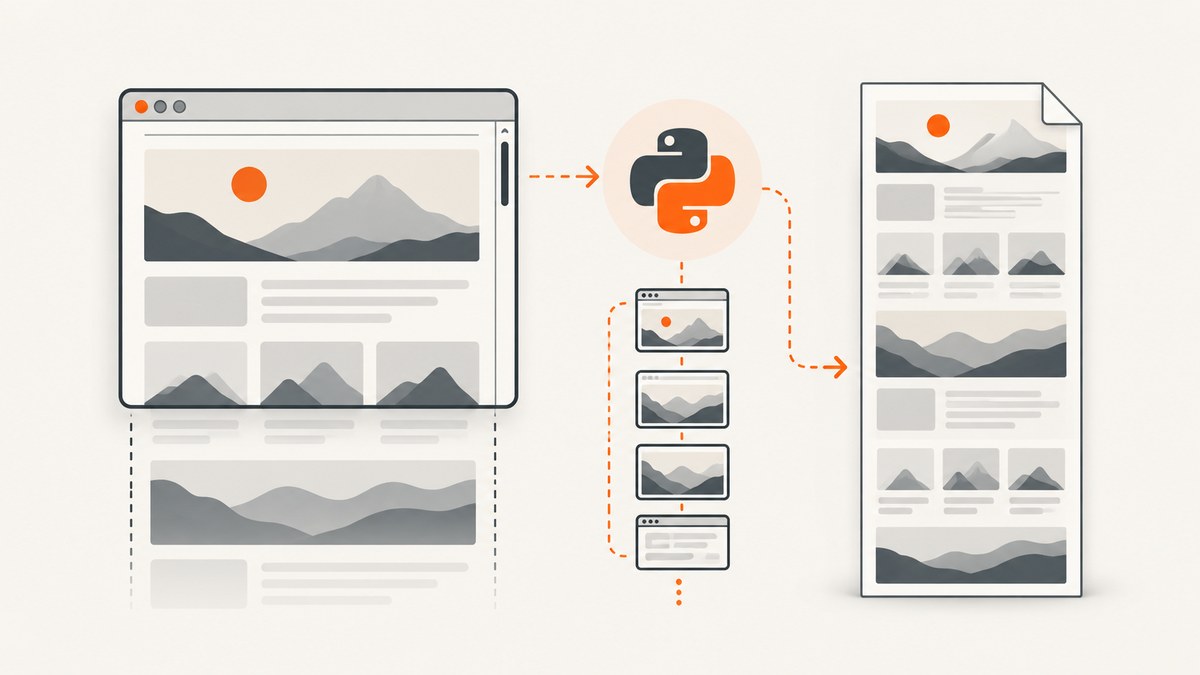
A normal Selenium screenshot captures the visible browser viewport. To create one image containing the entire document, use Chrome DevTools Protocol (CDP) through Selenium first, then fall back to resizing the browser or stitching viewport tiles for pages that exceed browser limits.
This guide shows complete Python and ChromeDriver code, explains the trade-offs between each method, and covers lazy loading, sticky headers, authentication, dynamic layouts, errors, performance and cost.
What “full-page” means in Selenium
driver.get_screenshot_as_file() and driver.save_screenshot() save the current window as a PNG. In practice, that is the visible viewport. Selenium’s older Python API also documents get_full_page_screenshot_as_file(), get_full_page_screenshot_as_png() and get_full_page_screenshot_as_base64() as full-document methods, but those methods are associated with Firefox behavior. Do not assume ChromeDriver implements them.
With Chromium, the reliable choices are:
- CDP capture: ask Chrome’s
Page.captureScreenshotcommand to capture beyond the viewport. - Window resize: measure the document, resize the browser and take one screenshot.
- Scroll and stitch: capture overlapping viewport tiles and combine them when the document is too large for one bitmap.
Chrome, ChromeDriver, Selenium and the CDP protocol evolve separately. Keep their deployed versions compatible and check the protocol parameters supported by your installed Chrome.
Prerequisites and project setup
- Install a supported Chrome or Chromium build.
- Install a matching ChromeDriver, or use Selenium Manager with a current Selenium release.
- Create a virtual environment and install Selenium:
python -m venv .venv
source .venv/bin/activate
pip install -U selenium
On Windows PowerShell, activate with .venv\\Scripts\\Activate.ps1. In CI, run Chrome headless and make sure the container has the shared libraries and fonts Chrome needs.
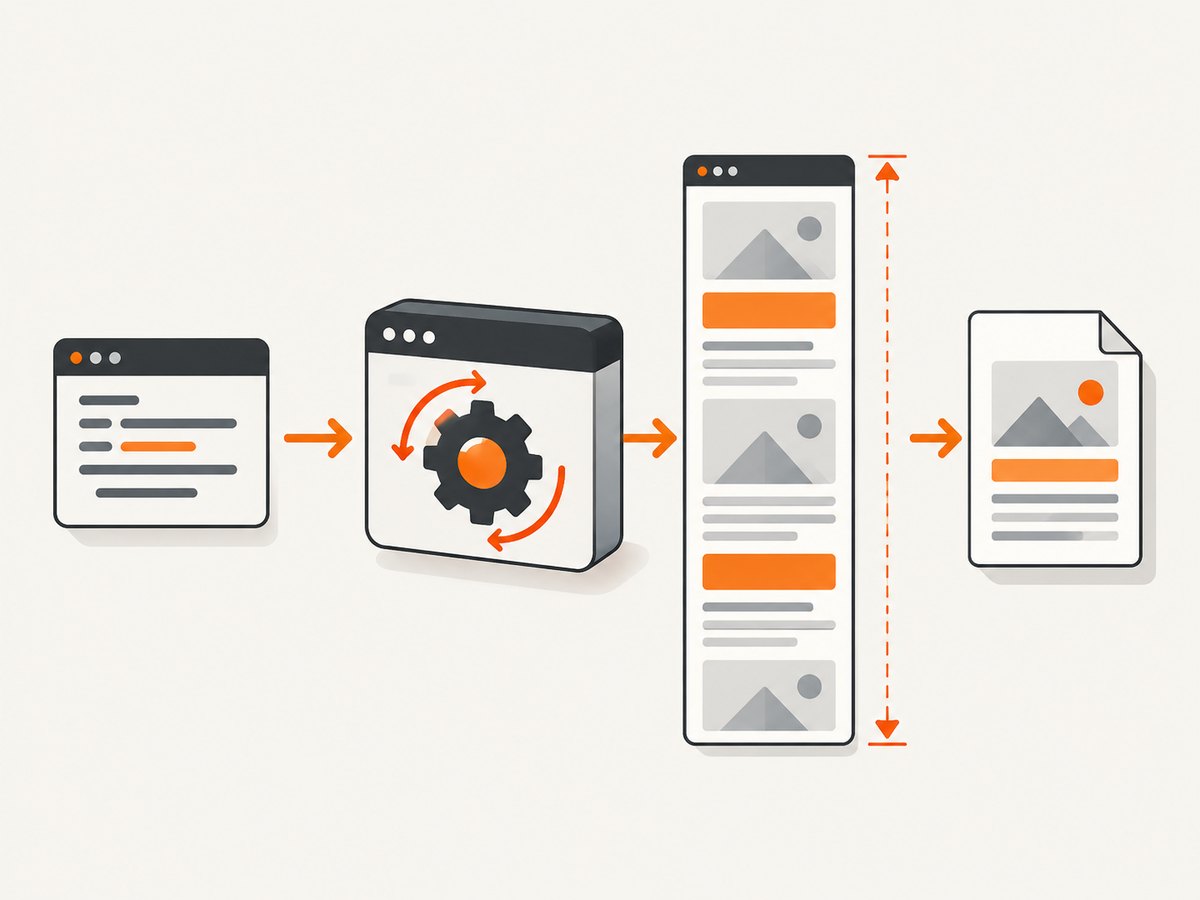
Method A: capture the full page through Chrome DevTools Protocol
Selenium’s Chromium WebDriver exposes CDP command execution. The following script navigates to a page, waits for a stable document, invokes Page.captureScreenshot, decodes the returned base64 string and writes a PNG.
import base64
import time
from selenium import webdriver
from selenium.webdriver.chrome.options import Options
from selenium.webdriver.support.ui import WebDriverWait

URL = "https://example.com/long-page"

options = Options()
options.add_argument("--headless=new")
options.add_argument("--window-size=1440,900")
options.add_argument("--disable-gpu")

driver = webdriver.Chrome(options=options)
try:
    driver.get(URL)

    # Replace this with an application-specific readiness condition.
    WebDriverWait(driver, 30).until(
        lambda d: d.execute_script("return document.readyState") == "complete"
    )
    time.sleep(1)  # allow layout, fonts and late images to settle

    result = driver.execute_cdp_cmd(
        "Page.captureScreenshot",
        {
            "format": "png",
            "captureBeyondViewport": True,
            "fromSurface": True,
        },
    )

    with open("full-page.png", "wb") as image_file:
        image_file.write(base64.b64decode(result["data"]))
finally:
    driver.quit()
The captureBeyondViewport parameter asks Chrome to include content outside the current viewport. CDP parameters are version-sensitive. If the output is only viewport-sized, inspect the protocol supported by your Chrome or use Method B.
Wait for the page your application actually renders
document.readyState == "complete" only means the initial document load finished. Single-page applications, web fonts and image requests can continue afterward. Wait for a meaningful selector, network-idle signal exposed by your app, or a known loading element to disappear.
from selenium.webdriver.common.by import By
from selenium.webdriver.support import expected_conditions as EC

WebDriverWait(driver, 30).until(
    EC.visibility_of_element_located((By.CSS_SELECTOR, "main article"))
)
WebDriverWait(driver, 30).until(
    EC.invisibility_of_element_located((By.CSS_SELECTOR, ".loading"))
)
Force lazy-loaded content to appear
Many pages load images only when they approach the viewport. Scroll gradually before measuring or capturing, then return to the top. A small delay after each scroll gives IntersectionObserver callbacks time to run.
import time

height = driver.execute_script(
    "return Math.max(document.body.scrollHeight, document.documentElement.scrollHeight);"
)
for y in range(0, height, 800):
    driver.execute_script("window.scrollTo(0, arguments[0]);", y)
    time.sleep(0.15)
driver.execute_script("window.scrollTo(0, 0);")
time.sleep(0.5)
Method B: resize the browser to the document dimensions
When CDP beyond-viewport capture is unavailable or produces a viewport-sized image, measure the document, resize the window and use Selenium’s ordinary screenshot method.
import time
from selenium import webdriver
from selenium.webdriver.chrome.options import Options
from selenium.webdriver.support.ui import WebDriverWait

options = Options()
options.add_argument("--headless=new")
options.add_argument("--window-size=1440,900")

driver = webdriver.Chrome(options=options)
try:
    driver.get("https://example.com/long-page")
    WebDriverWait(driver, 30).until(
        lambda d: d.execute_script("return document.readyState") == "complete"
    )

    # Trigger lazy loading before measuring.
    total_height = driver.execute_script("""
        const max = Math.max(
          document.body.scrollHeight,
          document.documentElement.scrollHeight
        );
        window.scrollTo(0, max);
        return max;
    """)
    time.sleep(1)
    driver.execute_script("window.scrollTo(0, 0);")

    width = driver.execute_script("""
        return Math.max(
          document.body.scrollWidth,
          document.documentElement.scrollWidth
        );
    """)
    height = driver.execute_script("""
        return Math.max(
          document.body.scrollHeight,
          document.documentElement.scrollHeight
        );
    """)

    # Chrome may clamp very large dimensions. Keep a sensible minimum width.
    driver.set_window_size(max(width, 320), max(height, total_height))
    time.sleep(0.5)
    driver.get_screenshot_as_file("full-page.png")
finally:
    driver.quit()
Window resizing is simple, but browser chrome, device pixel ratio, headless behavior and maximum bitmap dimensions can affect the result. Some systems clamp the requested size or return an image smaller than the CSS dimensions. Verify the output dimensions in your pipeline.
Method C: scroll, capture tiles and stitch them
Very long documents can exceed Chrome or image-library limits. Capture fixed-height viewport tiles, then join them vertically. Overlap tiles slightly to avoid gaps, and remove the overlap when stitching.
import io
import time
from PIL import Image
from selenium import webdriver
from selenium.webdriver.chrome.options import Options

options = Options()
options.add_argument("--headless=new")
options.add_argument("--window-size=1440,900")
driver = webdriver.Chrome(options=options)
try:
    driver.get("https://example.com/very-long-page")
    time.sleep(2)
    viewport_height = driver.execute_script("return window.innerHeight")
    page_height = driver.execute_script(
        "return Math.max(document.body.scrollHeight, document.documentElement.scrollHeight)"
    )
    overlap = 40
    tiles = []
    y = 0
    while y < page_height:
        driver.execute_script("window.scrollTo(0, arguments[0]);", y)
        time.sleep(0.2)
        png = driver.get_screenshot_as_png()
        tiles.append(Image.open(io.BytesIO(png)).convert("RGB"))
        y += viewport_height - overlap

    width = max(tile.width for tile in tiles)
    output_height = sum(tile.height for tile in tiles) - overlap * (len(tiles) - 1)
    canvas = Image.new("RGB", (width, output_height), "white")
    top = 0
    for index, tile in enumerate(tiles):
        crop_top = overlap if index else 0
        canvas.paste(tile.crop((0, crop_top, tile.width, tile.height)), (0, top))
        top += tile.height - crop_top
    canvas.save("full-page-stitched.png")
finally:
    driver.quit()
Install Pillow with pip install pillow. Fixed or sticky headers may appear in every tile. Hide them temporarily with CSS, or crop repeated regions during stitching. Animations can shift content between tiles; disable them before capture.
Control the page before capture
Set viewport, device scale and mobile emulation
Responsive layouts depend on viewport width. Set the width before navigation when possible, and use Chrome options or CDP device metrics for mobile layouts. A larger device scale factor increases pixel dimensions and memory use.
options.add_argument("--window-size=1280,900")
# For deterministic comparisons, also consider:
options.add_argument("--force-device-scale-factor=1")
Hide overlays and disable motion
driver.execute_script("""
const style = document.createElement('style');
style.textContent = `
  *, *::before, *::after {
    animation: none !important;
    transition: none !important;
    caret-color: transparent !important;
  }
`;
document.head.appendChild(style);
""")
# Remove a known overlay only when it is safe for your test:
driver.execute_script("""
for (const selector of ['.cookie-banner', '.chat-widget']) {
  document.querySelectorAll(selector).forEach(el => el.remove());
}
""")
Authentication, cookies and headers
Log in before navigation, add cookies for the target domain, or use a dedicated test account. A screenshot taken before authentication will faithfully capture the login page. Keep credentials out of source code and CI logs.
driver.get("https://example.com")
driver.add_cookie({"name": "session", "value": SESSION_VALUE, "path": "/"})
driver.refresh()
For pages requiring custom request headers, configure a proxy or use CDP network commands. Confirm that the resulting page is the intended authenticated state before capture.
Choosing the right method
| Method | Best for | Limitations |
|---|---|---|
| CDP capture | Fast one-image captures in Chromium | CDP parameters vary by Chrome version; huge pages may exceed bitmap limits |
| Resize and screenshot | Simple static pages and scripts | Window-size and maximum-dimension limits; can stress memory |
| Scroll and stitch | Extremely long pages or controlled tiling | Slower; sticky elements and animations need special handling |
Or skip the browser setup
ScreenshotNeo provides a website screenshot API and MCP server. Use one GET request when you need a rendered PNG, JPEG, WebP or PDF without managing ChromeDriver.
See the ScreenshotNeo documentation for authentication and options. cURL:
curl -G "https://api.screenshotneo.com/v1/shot" -d access_key=YOUR_API_KEY --data-urlencode url=https://stripe.com -o shot.webpPython:
import requests
r = requests.get("https://api.screenshotneo.com/v1/shot", params={"access_key": "YOUR_API_KEY", "url": "https://stripe.com"}, timeout=90)
open("shot.webp", "wb").write(r.content)
Node.js:
const q = new URLSearchParams({ access_key: 'YOUR_API_KEY', url: 'https://stripe.com' });
const res = await fetch(`https://api.screenshotneo.com/v1/shot?${q}`);
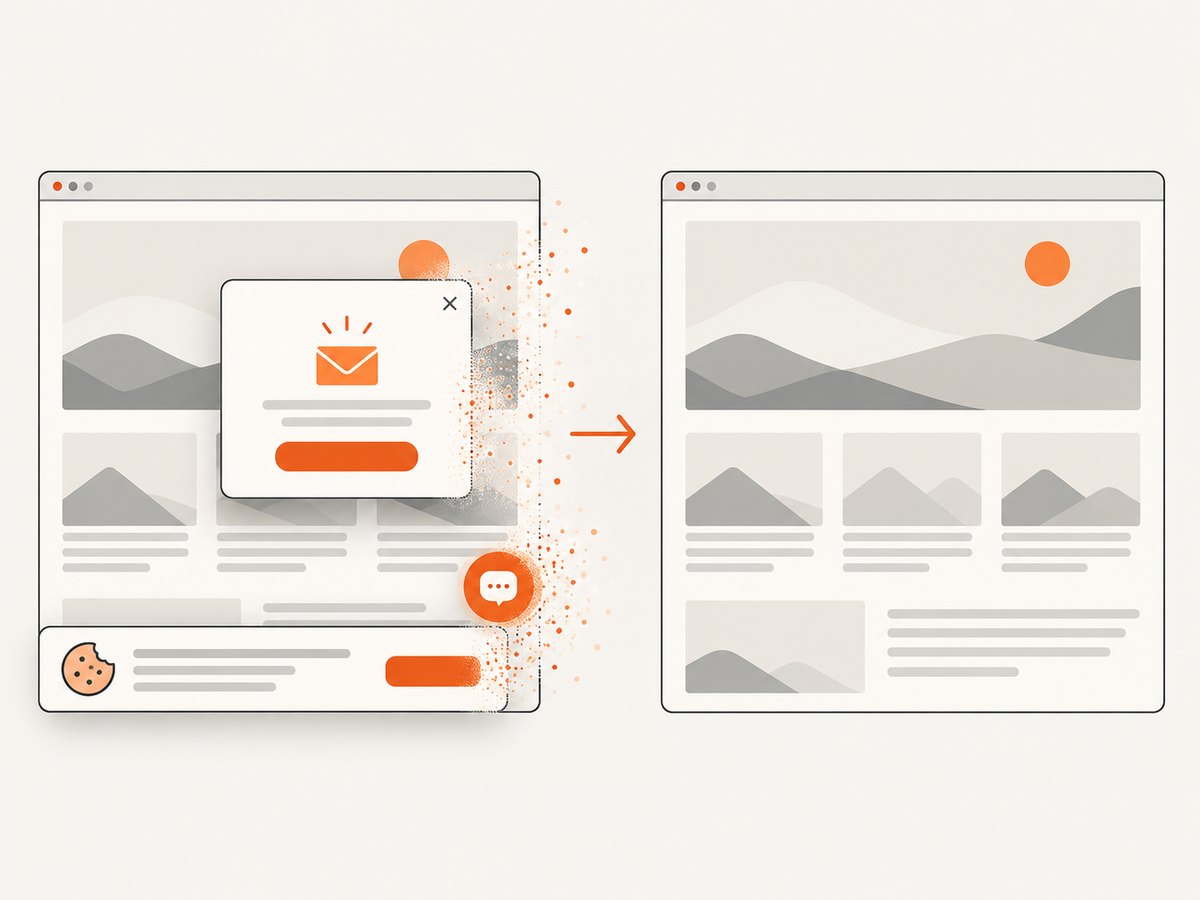
ScreenshotNeo removes cookie and consent banners, newsletter popups and chat widgets before capture, with each step switchable. Bot checks, blank pages, timeouts, failed loads and cache hits are not billed, and response headers identify the page verdict and whether the shot was billed. Its MCP server includes take_screenshot, get_page_info and capture_pdf tools for Claude, Cursor and other MCP clients. You also get full-page capture with lazy images, CSS-selector element capture, dark mode, device presets, custom CSS and JavaScript, clicks, waits, blocking rules, headers, cookies, user agents, authorization, timezone, geolocation, transparent backgrounds, resizing, caching, signed links, asynchronous jobs, webhooks, bulk capture and a usage API.
The Free plan includes 1,000 screenshots each month with no card. Paid plans start at $5 for 3,000 shots, and every feature is on every plan. Create a free ScreenshotNeo account.
Troubleshooting
The image contains only the viewport
Cause: Chrome ignored an unsupported or version-specific CDP parameter, or the resize was clamped. Fix: check the installed Chrome/CDP protocol, try the resize method, and inspect the output dimensions.
Images or sections are missing
Cause: lazy loading or JavaScript rendering had not finished. Fix: wait for an application-specific selector, scroll through the page to trigger observers, and wait for fonts and images before measuring height.
Sticky headers repeat in a stitched image
Cause: the fixed element is painted in every tile. Fix: inject temporary CSS to hide it during capture, reduce overlap, or crop repeated rows while assembling the output.
The screenshot is blank or shows a bot check
Cause: the target blocks automation, requires authentication, or failed to load. Fix: verify the URL manually, provide required cookies or credentials, use a realistic viewport and user agent where permitted, and wait for the page’s real readiness condition.
SessionNotCreatedException
Cause: ChromeDriver and Chrome versions are incompatible, or Chrome cannot start in the environment. Fix: update Selenium and the browser/driver pair together, use --headless=new, and install required container dependencies.
Timeouts and renderer crashes
Cause: an oversized page, heavy scripts or insufficient memory. Fix: block unnecessary resources, capture tiles, lower the device scale factor, increase the explicit wait only when the page is expected to be slow, and monitor process memory.
Performance, reliability and cost considerations
- Speed: CDP is usually one capture after navigation. Scrolling and stitching adds a delay per tile and image-processing time.
- Memory: bitmap memory grows with width × height × pixel depth. Prefer tiles for unusually tall pages.
- Determinism: freeze animations, choose a fixed viewport, wait for fonts and data, and use a stable timezone and locale.
- Reliability: always quit the driver in
finally, save diagnostic HTML or console logs on failures, and verify that the file exists and has expected dimensions. - Cost: Selenium costs you browser CPU, memory and operational maintenance. ScreenshotNeo charges only for clean shots; failed loads, bot checks, blank pages, timeouts and cache hits are free. Its cache TTL, async jobs and bulk requests can reduce repeated browser work.
Production checklist
- Pin or regularly validate Chrome, ChromeDriver, Selenium and CDP compatibility.
- Set the intended viewport width before loading responsive pages.
- Wait for application readiness, not only
readyState. - Trigger lazy-loaded content and wait for stable layout.
- Disable animations when comparing pixels.
- Check sticky, fixed and cookie elements for occlusion or repetition.
- Use CDP first, then resize or tile when limits require it.
- Keep authentication secrets outside source and logs.
- Validate output file size and dimensions in CI.
FAQ
Can I call get_full_page_screenshot_as_file() with ChromeDriver?
Do not rely on it. Selenium documents that method in older Python bindings and associates it with Firefox behavior. Use Chrome CDP, resize, or stitching for Chromium.
Does full-page capture include content below the fold?
CDP capture can include content beyond the viewport when supported. Lazy content still needs to be triggered or awaited before capture.
Should I use PNG or JPEG?
PNG preserves sharp text and is lossless, which suits visual tests. JPEG is smaller for photographic pages but introduces compression artifacts. Selenium’s built-in screenshot methods write PNG.
Why are dimensions different from CSS pixels?
Device pixel ratio and headless implementation affect bitmap dimensions. Record both the CSS viewport and output dimensions when your pipeline depends on exact sizes.
Can I capture a PDF instead?
Chrome CDP has separate print-to-PDF behavior. If you need page ranges, paper size, margins or landscape output, ScreenshotNeo’s capture_pdf MCP tool and PDF options provide that workflow.


