How to Fix Selenium Chrome Screenshots Captured at Double Resolution on Retina Displays
Diagnose Selenium screenshots that come out twice the expected size. Compare browser, viewport, device-pixel ratio, and PNG dimensions, then standardize the setup.
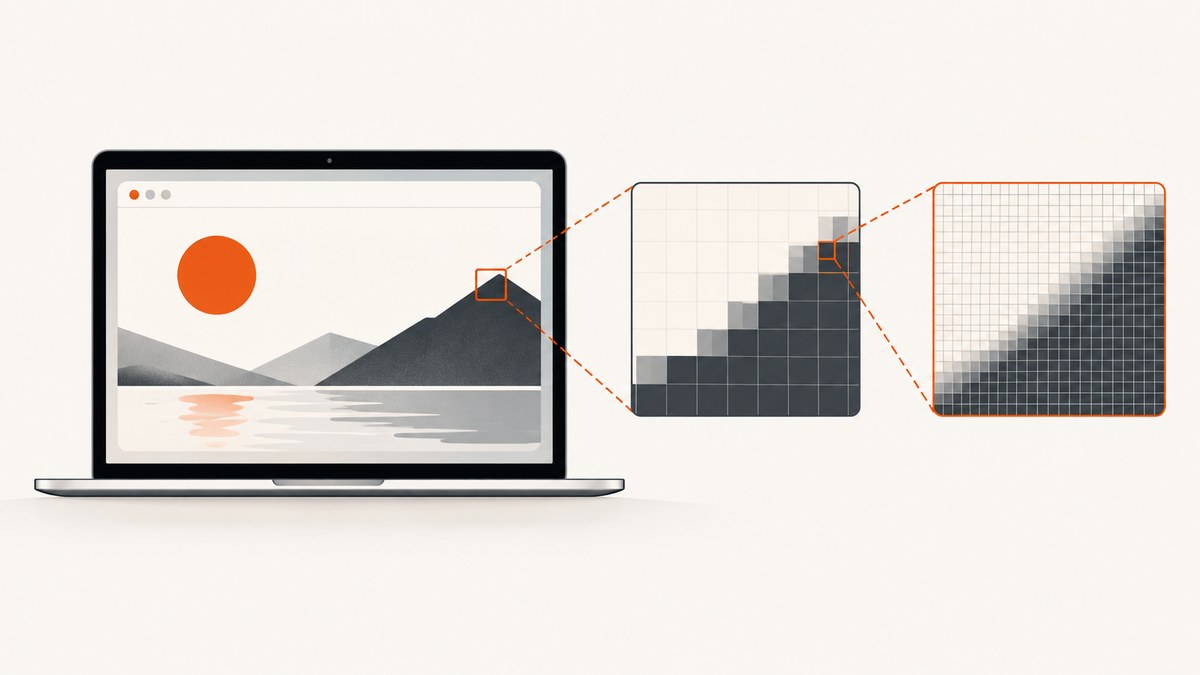
If a Selenium Chrome screenshot is twice the width and height you expected on a Retina display, first compare the browser’s CSS viewport and window.devicePixelRatio with the saved PNG’s pixel dimensions. Then check Chrome, ChromeDriver, Selenium, and any device-emulation settings. Choose whether your test needs CSS-pixel dimensions or a high-density image, configure that target consistently, and assert the resulting dimensions.
There is a relevant historical clue: ChromeDriver 78.0.3904.11, which supports Chrome 78, listed “Fixed screenshot size on retina display” in its release history. That does not establish that current installations share the same defect. Start with your installed versions and the measurements below before changing scale settings. ChromeDriver release history
1. Understand which dimensions you are comparing
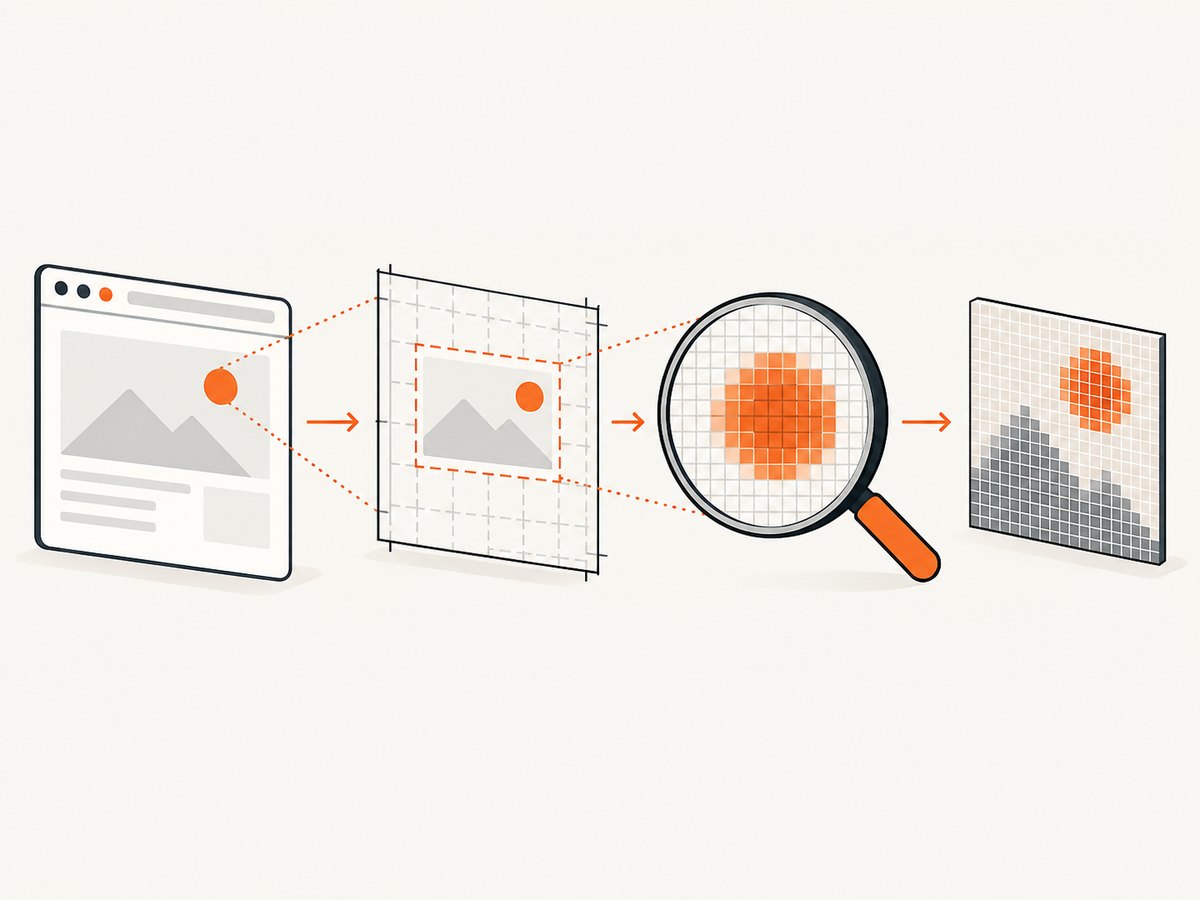
“Resolution” can refer to several different measurements. Keep them separate when diagnosing the issue:
| Measurement | What it describes | How to inspect it |
|---|---|---|
| WebDriver window size | The browser window dimensions that WebDriver manages. Window chrome can affect how much page content fits inside the window. | Read the window rectangle or size through WebDriver. |
| CSS viewport | The page’s layout viewport, reported in CSS pixels. | Read window.innerWidth and window.innerHeight in the page. |
| Device pixel ratio (DPR) | The relationship between CSS pixels and device pixels reported to page code. | Read window.devicePixelRatio. |
| PNG bitmap dimensions | The actual width and height, in image pixels, stored in the screenshot file. | Inspect the image metadata or load the PNG in an image library. |
These values help identify where the difference enters the capture path; they do not guarantee that every operating system, Chrome mode, or driver version converts between them in the same way. Selenium documents that screen resolution can affect how an application renders, and provides mechanisms for moving and resizing browser windows. Selenium window management
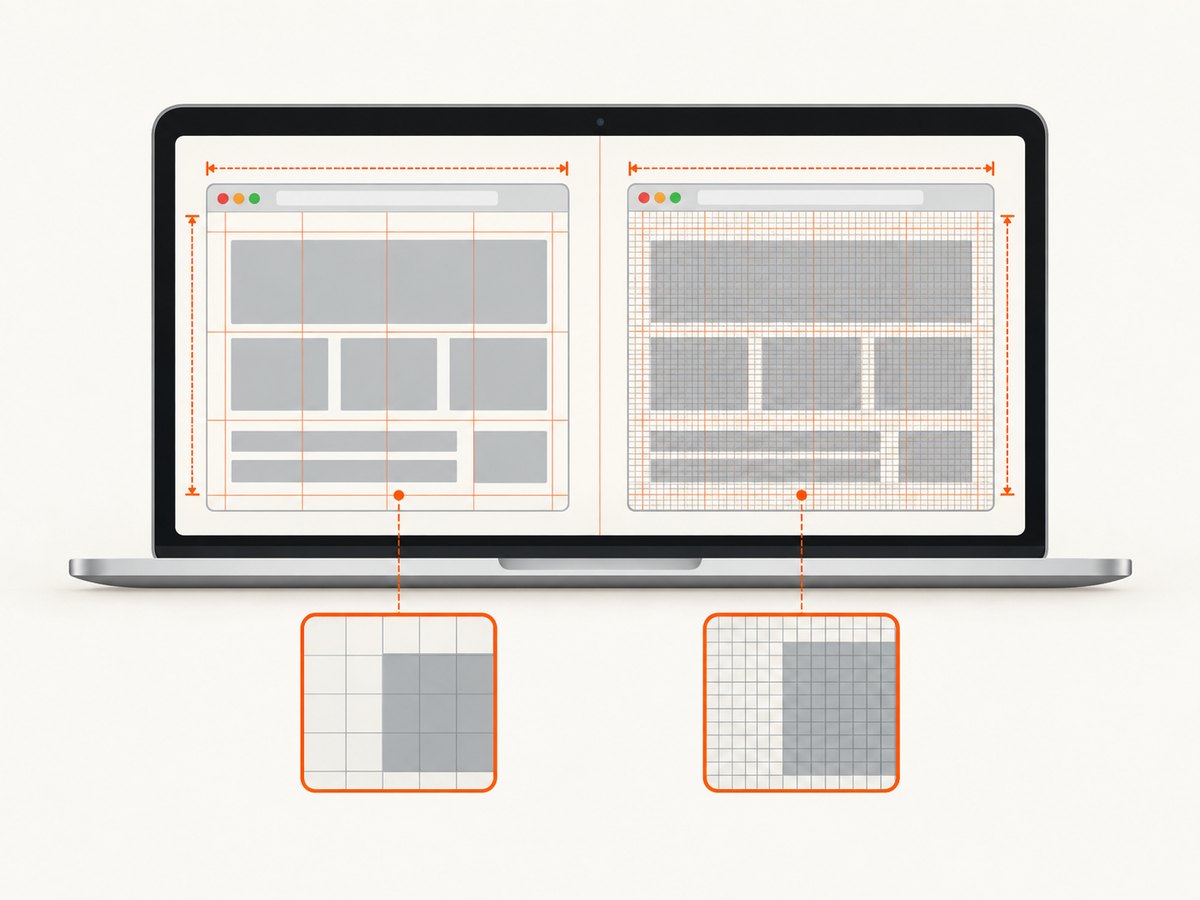
If the PNG is twice the CSS viewport width and twice its height, it has four times as many bitmap pixels. That arithmetic may explain the size you see, but measure your own browser and file: do not assume every Retina screenshot must be downsampled.
2. Decide what output your test needs
Before changing configuration, write down the intended screenshot width and height and which unit those numbers use.
- CSS-pixel baseline: You want a screenshot with dimensions corresponding to the layout viewport in CSS pixels. This is often the useful target when comparing layout geometry across runs.
- High-density baseline: You want extra image pixels to retain display detail. A larger bitmap may be expected and should be treated as the baseline.
Document the target in the test itself. A viewport of 1280 by 800 CSS pixels and a 2560 by 1600 bitmap are different targets; neither is automatically wrong. If a visual test silently changes between them, comparisons can fail even when the page layout has not changed.
For stable visual comparisons, record the Chrome and ChromeDriver versions, Selenium version, operating system, headed or headless mode, viewport, scale behavior, and relevant rendering inputs such as fonts. Matching only the WebDriver window size does not ensure identical rendered pixels across machines.
3. Record versions and inspect the current capture
Collect version details in the same environment that creates the failing screenshot, including CI if CI is where the problem occurs. A local Mac result does not necessarily describe a headless Linux CI run.
# Chrome version: inspect Chrome's About page, or use the installed binary where available
chromium --version

# ChromeDriver version
chromedriver --version

# Python Selenium package version
python -m pip show selenium
The binary names vary by installation: Chrome may be named google-chrome or chrome, and the executable may not be on PATH. Use the actual binary path if needed. Record the OS and whether Chrome is headed or headless alongside the output.
Check whether your browser and driver versions are a compatible pair before attributing the result to display scaling. If your stack is old, review the official ChromeDriver release history for relevant fixes. The Retina note applies specifically to the ChromeDriver 78.0.3904.11 release and Chrome 78; it is not a blanket diagnosis for later versions.
4. Measure viewport, DPR, and PNG size with Python
This runnable example opens a page, asks WebDriver for a window size, reads browser-side measurements, saves a screenshot, and prints the PNG dimensions. Install Selenium and Pillow first. Selenium’s Chromium WebDriver API documents PNG screenshot saving and window size and rectangle methods. Selenium Python Chromium WebDriver API
python -m pip install selenium pillowfrom pathlib import Path
from PIL import Image
from selenium import webdriver
from selenium.webdriver.chrome.options import Options
TARGET_URL = "https://example.com"
TARGET_WINDOW_WIDTH = 1280
TARGET_WINDOW_HEIGHT = 900
OUTPUT = Path("selenium-capture.png")
options = Options()
# Uncomment only when your test intentionally uses headless Chrome.
# options.add_argument("--headless")
driver = webdriver.Chrome(options=options)
try:
driver.set_window_size(TARGET_WINDOW_WIDTH, TARGET_WINDOW_HEIGHT)
# Read back the actual outer browser window rectangle.
rect = driver.get_window_rect()
driver.get(TARGET_URL)
browser_metrics = driver.execute_script("""
return {
innerWidth: window.innerWidth,
innerHeight: window.innerHeight,
devicePixelRatio: window.devicePixelRatio,
screenWidth: window.screen.width,
screenHeight: window.screen.height
};
""")
driver.save_screenshot(str(OUTPUT))
with Image.open(OUTPUT) as screenshot:
png_width, png_height = screenshot.size
print("window rectangle:", rect)
print("page metrics:", browser_metrics)
print("PNG dimensions:", (png_width, png_height))
finally:
driver.quit()The call to set_window_size sets the outer browser window, not a guaranteed CSS viewport. The page metrics and output file are the evidence to compare. In particular, inspect whether the viewport changed after navigation and whether the PNG matches your declared target. A screenshot of a long page or an unusual capture mode may require different expectations than a viewport-sized capture.
If you cannot install Pillow, use another PNG metadata reader to inspect the image dimensions. Do not infer bitmap dimensions from the file size in bytes: compression changes file size without changing width and height.
5. Check device emulation and scale configuration
Search your Chrome options, test fixtures, and shared driver setup for mobile emulation or device metrics. ChromeDriver’s mobile emulation supports device metrics including pixelRatio, documented as the device pixel ratio. This is relevant when emulation is enabled; it is not a reason to enable mobile emulation for an ordinary desktop test. ChromeDriver mobile emulation
When emulation is intentional, make its metrics explicit and verify the page-reported DPR. For example, the following is an illustrative Python configuration for a test that deliberately emulates a mobile viewport; choose the width, height, and pixel ratio to match that test’s goal:
from selenium import webdriver
from selenium.webdriver.chrome.options import Options

options = Options()
options.add_experimental_option("mobileEmulation", {
    "deviceMetrics": {
        "width": 390,
        "height": 844,
        "pixelRatio": 1
    },
    "userAgent": "Mozilla/5.0 (Linux; Android 10) AppleWebKit/537.36 "
                 "(KHTML, like Gecko) Chrome/120.0.0.0 Mobile Safari/537.36"
})

driver = webdriver.Chrome(options=options)
try:
    driver.get("https://example.com")
    print(driver.execute_script("return window.devicePixelRatio"))
finally:
    driver.quit()
This example is not a universal Retina correction. The user agent and metrics are illustrative, and the correct values depend on the test. Remove accidental or stale emulation settings if the test is meant to represent a desktop browser. Do not add a scale-factor launch flag based on a generic recipe: the available evidence does not establish one universally correct flag combination across current Chrome versions and platform modes.
6. Apply a correction that matches the target
- If the driver/browser pair is historical or mismatched: align ChromeDriver with the installed Chrome version, then recapture. If the pair is the specifically affected historical release, review the version-specific Retina fix in the release history.
- If the window or viewport is wrong: set the intended WebDriver window dimensions, read back the actual rectangle, and inspect
innerWidthandinnerHeight. Adjust the configured window dimensions if browser chrome leaves a smaller content viewport. - If device emulation is enabled: confirm the configured
pixelRatiois deliberate and matches the target, or remove emulation when it is not part of the test. - If the PNG alone has unexpected dimensions: retain the diagnostic values and check the browser mode, capture method, browser/driver versions, and whether a different machine or CI image is running the test.
- After changing one variable: capture again, inspect the PNG dimensions, and add an assertion for the intended size so a later environment change becomes a clear failure.
A basic assertion can make the requirement executable:
expected = (1280, 800)
actual = (png_width, png_height)
assert actual == expected, f"Expected screenshot {expected}, got {actual}"
Use the values your project intends. If your target is a Retina-density bitmap, assert those dimensions instead. Keep the same browser version, viewport, scale configuration, fonts, and headed/headless mode for the reference image and comparison run.
7. Troubleshooting common failures
| Symptom | Likely cause to investigate | Next step |
|---|---|---|
| PNG width and height are both about twice the viewport values | The page’s DPR, emulation metrics, or capture environment may be producing a high-density bitmap. | Print devicePixelRatio, viewport values, and PNG size. Decide whether the desired baseline is CSS-sized or high-density, then configure and assert that target. |
innerWidth is smaller than the requested WebDriver window width |
The requested size applies to the browser window; browser chrome consumes space outside the page viewport. | Read the window rectangle and page viewport after setting the size. Tune the outer dimensions for the required viewport. |
| Local screenshots match, CI screenshots do not | Different Chrome/ChromeDriver versions, OS, fonts, headless mode, or display environment. | Log versions and mode in both environments. Pin or standardize the environment and regenerate baselines only when the target intentionally changes. |
| Changing the window size does not change the PNG as expected | The page may be captured under device emulation or another browser configuration, or the measured value may be the outer window rather than viewport. | Inspect options and page metrics. Confirm the screenshot method and compare a fresh capture. |
| Test fails after a Chrome update | A browser or driver change can alter rendering or capture behavior. | Record both versions, ensure compatibility, inspect dimensions, then update visual baselines only if the new output is intended. |
| PNG file looks blurry after resizing | Downsampling discards image detail and may introduce resampling artifacts. | Prefer configuring the browser capture for the intended dimensions when possible. If resizing is an explicit product requirement, make it a separate deterministic image-processing step. |
| Screenshot dimensions vary between runs | Window setup may not have taken effect, navigation may use a different environment, or test workers may share mutable driver state. | Set size per driver session, read it back, capture metrics with the image, and avoid sharing a WebDriver session between concurrent tests. |
8. Performance, reliability, and cost considerations
Capturing a larger bitmap means more pixels for downstream storage, transfer, and visual comparison to handle. When both dimensions double, pixel count is four times greater; actual PNG file size depends on image content and compression, so do not estimate it from dimensions alone. Select the smallest resolution that satisfies the test’s visual purpose, and preserve high-density output when detail is a requirement.
For reliable comparisons, pin the browser and driver versions used by the baseline workflow, keep viewport and scale configuration explicit, and store the measured values with failure artifacts. A size assertion catches resolution drift early; it does not make rendering identical across operating systems, fonts, or browser versions. Treat environment changes as changes to the visual test setup.
There is no cost statistic in the cited Selenium or ChromeDriver material, and costs for a local Selenium run depend on the infrastructure and storage choices in your own pipeline. Account for CI execution time, artifact retention, and any image comparison service your team uses rather than assuming resolution changes have a fixed monetary impact.
Or skip the browser setup
If the task is to capture a website rather than exercise your own Selenium browser session, ScreenshotNeo is a website screenshot API and MCP server. One GET request returns a PNG, JPEG, WebP, or PDF, and its options include viewport and device presets, full-page capture, element capture, and retina scale. See the API documentation.
curl -G "https://api.screenshotneo.com/v1/shot" \
  -d access_key=YOUR_API_KEY \
  --data-urlencode url=https://stripe.com \
  -o shot.webp
import requests
r = requests.get(
"https://api.screenshotneo.com/v1/shot",
params={"access_key": "YOUR_API_KEY", "url": "https://stripe.com"},
timeout=90,
)
open("shot.webp", "wb").write(r.content)const q = new URLSearchParams({
access_key: 'YOUR_API_KEY',
url: 'https://stripe.com'
});
const res = await fetch(`https://api.screenshotneo.com/v1/shot?${q}`);
if (!res.ok) throw new Error(`Screenshot request failed: ${res.status}`);
const bytes = new Uint8Array(await res.arrayBuffer());
await (await import('node:fs/promises')).writeFile('shot.webp', bytes);ScreenshotNeo accepts cookie or consent banners as a visitor and removes 60+ known consent platforms, newsletter popups, and chat widgets before capture; each step can be turned off. Bot checks and CAPTCHAs, blank pages, timeouts, failed loads, and cache hits cost nothing, and response headers report the page verdict and billing status. Its MCP server gives AI agents tools for screenshots, page information, and PDF capture. The free plan includes 1,000 shots per month with no card; paid plans start at $5 for 3,000 shots. Sign up free for 1,000 screenshots a month, no card required.
FAQ
Should I always resize a Retina screenshot to half its width and height?
No. First decide whether your baseline is meant to represent CSS-pixel layout dimensions or high-density output. Resizing may discard detail and does not correct the browser configuration that produced the image.
Does ChromeDriver 78.0.3904.11 prove my current Chrome has a Retina bug?
No. It documents a fix in that historical release. Record your current Chrome and ChromeDriver versions and measure the current output before drawing a conclusion.
Does set_window_size set the screenshot bitmap dimensions?
It sets the browser window size through WebDriver. Read back the page viewport, DPR, and PNG dimensions to learn what the capture produced.
Should desktop tests use mobile emulation to control pixel ratio?
Only if the test is intended to emulate a mobile device. For an ordinary desktop test, check for accidental emulation instead of adding it as a general resolution fix.
What should I save when a visual test fails?
Keep the screenshot, PNG dimensions, browser-reported viewport and DPR, WebDriver window rectangle, Chrome and ChromeDriver versions, Selenium version, OS, and headed/headless mode together. Those details make a scale mismatch much easier to reproduce.


