Selenium WebDriver Ruby Project Directory and File Structure
A practical Selenium WebDriver Ruby directory layout, setup files, test runners, page objects, lifecycle hooks, and troubleshooting guidance.
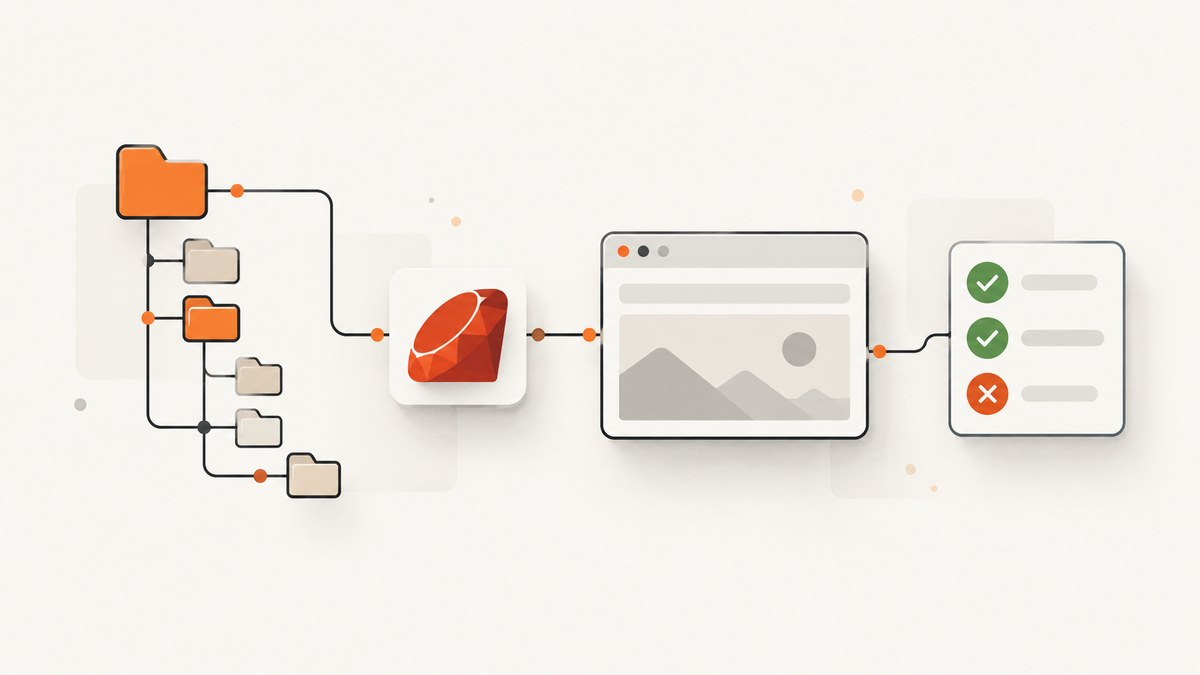
Direct answer: A maintainable Selenium WebDriver Ruby project usually starts with a root Gemfile, an optional runner configuration, and tests under spec/ or test/. Put shared setup in spec/spec_helper.rb (or an equivalent helper), reusable page objects in pages/, and cross-cutting helpers in support/. This is a practical convention, not a directory tree required by Selenium.
Selenium’s official Ruby example uses Bundler, RSpec, a shared helper, a Chrome driver created in a before hook, and quit in cleanup. Selenium also identifies Minitest as a valid Ruby runner. See the official installation guide and code-organization guidance.
Recommended directory tree
my_selenium_project/
├── Gemfile
├── Gemfile.lock
├── .rspec                  # optional RSpec defaults
├── Rakefile                # optional task shortcuts
├── spec/
│   ├── spec_helper.rb      # shared driver setup and teardown
│   ├── example_spec.rb
│   └── pages/              # optional: page objects used by specs
├── pages/                  # optional alternative location for page objects
├── support/                # optional shared waits, data, and helpers
├── screenshots/            # optional failure artifacts (often gitignored)
└── tmp/                    # optional local run output (gitignored)
For a one-off automation script, a single Ruby file and a Gemfile are enough. Add folders when repetition, test count, or team ownership makes separation useful. Do not create empty layers simply to match a template.
What each file is for
| Path | Purpose | When to add it |
|---|---|---|
Gemfile |
Declares selenium-webdriver and development dependencies. |
Any Bundler-managed project. |
spec/ |
RSpec examples and their helper. | When using RSpec. |
test/ |
Minitest files and helper code. | When using Minitest instead of RSpec. |
spec_helper.rb |
Creates drivers, configures shared behavior, and guarantees cleanup. | When multiple examples share setup. |
pages/ |
Page-object classes that hide locators and browser actions. | When the same page interactions appear in several tests. |
support/ |
Wait helpers, environment loading, API fixtures, and custom matchers. | When helpers do not belong to one page. |
.rspec |
Stores RSpec command-line defaults such as requiring the helper. | When you want consistent local and CI commands. |
Rakefile |
Provides repeatable tasks such as rake test. |
When the project has multiple checks or CI entry points. |

Set up the Ruby project
1. Check Ruby and create the project
The current Selenium Ruby bindings README states that MRI Ruby 3.3 or newer is supported. Verify the requirement against the Selenium version you select because compatibility changes over time. The same documentation says Selenium Manager handles browser-driver installation for a basic setup.
ruby --version
mkdir my_selenium_project
cd my_selenium_project
bundle init
2. Define dependencies in Gemfile
source 'https://rubygems.org'

gem 'selenium-webdriver'
gem 'rspec'
gem 'rake'
Install and initialize RSpec:
bundle install
bundle exec rspec --init
The generated files can be kept at the project root. If you prefer an explicit helper load, put this in .rspec:
--require spec_helper
--format progress
Minimal runnable RSpec structure
spec/spec_helper.rb
require 'selenium-webdriver'

RSpec.configure do |config|
  config.before(:each) do
    options = Selenium::WebDriver::Chrome::Options.new
    options.add_argument('--headless=new')
    options.add_argument('--window-size=1440,1000')
    @driver = Selenium::WebDriver.for(:chrome, options: options)
  end

  config.after(:each) do |example|
    if example.exception && @driver
      FileUtils.mkdir_p('screenshots')
      @driver.save_screenshot("screenshots/#{example.full_description.gsub(/[^0-9A-Za-z_-]+/, '_')}.png")
    end
    @driver&.quit
  end
end
Add require 'fileutils' at the top if you use the failure-screenshot block:
require 'fileutils'spec/example_spec.rb
require 'spec_helper'

RSpec.describe 'Selenium Ruby project' do
  it 'opens a page and checks its title' do
    @driver.get('https://example.com')
    expect(@driver.title).to eq('Example Domain')
  end
end
Run it with:
bundle exec rspecThe official Selenium example creates a driver before each example and quits it afterward. The Ruby bindings quick start also demonstrates using ensure so cleanup runs after an error. Both patterns prevent orphaned browser processes.
One-off script layout
A script does not need RSpec:
require 'selenium-webdriver'

driver = Selenium::WebDriver.for(:chrome)
begin
  driver.get('https://example.com')
  puts driver.title
ensure
  driver.quit
end
Use this shape for a small diagnostic or scheduled task. Move setup into a runner helper when several scripts need the same browser options, authentication, waits, or reporting.
Page objects and shared support
Page objects keep selectors and page-specific actions out of examples. They should expose user-level operations rather than turning every test into a collection of CSS selectors.
# pages/login_page.rb
class LoginPage
  def initialize(driver)
    @driver = driver
  end

  def open
    @driver.get('https://example.com/login')
    self
  end

  def sign_in(email, password)
    @driver.find_element(css: '[name=email]').send_keys(email)
    @driver.find_element(css: '[name=password]').send_keys(password)
    @driver.find_element(css: 'button[type=submit]').click
  end
end
# spec/login_spec.rb
require 'spec_helper'
require_relative '../pages/login_page'
RSpec.describe 'login' do
it 'allows a valid user to sign in' do
LoginPage.new(@driver).open.sign_in('user@example.test', 'secret')
expect(@driver.current_url).to include('/dashboard')
end
endPut generic code such as an explicit wait wrapper, environment-variable parsing, or test data factories under support/. Avoid putting credentials in page objects or checked-in files; read them from CI secrets or environment variables.
RSpec versus Minitest
Selenium documents both RSpec and Minitest. RSpec supplies the before, after, and example structure shown above. Minitest is a lightweight alternative and can use the same driver lifecycle:
require 'minitest/autorun'
require 'selenium-webdriver'

class ExampleTest < Minitest::Test
  def setup
    @driver = Selenium::WebDriver.for(:chrome)
  end

  def teardown
    @driver&.quit
  end

  def test_title
    @driver.get('https://example.com')
    assert_equal 'Example Domain', @driver.title
  end
end
Choose the runner already familiar to your team, the conventions used by the repository, and the hooks you need. Selenium does not publish a benchmark or declare one runner universally best.
Configuration patterns that scale
Keep environment-specific settings outside tests
# support/browser.rb
require 'selenium-webdriver'

module Browser
  def self.build
    options = Selenium::WebDriver::Chrome::Options.new
    options.add_argument('--headless=new') if ENV.fetch('HEADLESS', 'true') == 'true'
    options.add_argument("--window-size=#{ENV.fetch('VIEWPORT', '1440,1000')}")
    Selenium::WebDriver.for(:chrome, options: options)
  end
end
Require this module from the runner helper and use Browser.build. Keep URLs, credentials, and browser flags in environment variables or CI configuration.
Wait for state, not arbitrary time
Prefer an explicit wait for a condition over a long sleep. A short delay can still be useful for a known animation, but sleeps make suites slower and less reliable when machines vary.
wait = Selenium::WebDriver::Wait.new(timeout: 10)
button = wait.until do
  element = @driver.find_element(css: 'button.submit')
  element if element.displayed? && element.enabled?
end
button.click
Parallel runs and artifacts
If CI runs examples in parallel, create a separate driver per worker and include the worker identifier in screenshot and log filenames. Never share one driver instance between concurrent examples. Store failure screenshots and page source as build artifacts, and clean generated files from version control with .gitignore.
Common errors and fixes
| Error or symptom | Likely cause | Fix |
|---|---|---|
cannot load such file -- selenium-webdriver |
Bundler did not install the gem or the command bypassed Bundler. | Run bundle install and execute with bundle exec. |
| Browser driver session cannot start | Browser, Ruby, Selenium, or platform versions are incompatible. | Check the Selenium Ruby support note, update compatible components, and inspect the first driver error line. |
| Driver processes remain after tests | An exception bypassed cleanup. | Use RSpec after hooks or an ensure block and call @driver&.quit. |
ElementNotInteractableError |
The element is hidden, disabled, covered, or not yet ready. | Wait for visibility and enabled state; scroll or close an overlay; verify the selector. |
NoSuchElementError |
The selector is wrong, the page changed, or content is inside an iframe. | Inspect page source, wait for the element, and switch to the correct frame before locating it. |
| Tests pass locally but fail in CI | Different viewport, headless behavior, timing, locale, or missing environment variables. | Set explicit window size and browser flags, use condition waits, and log the URL, title, and relevant environment configuration. |
| Authentication leaks between examples | Cookies or local storage are reused. | Create a fresh driver per example or clear state deliberately in setup. |
| Scraping requests are blocked | The target detects automation or its terms prohibit automated access. | Review the site’s terms and robots guidance, reduce request load, and use an allowed access method. Selenium documentation cautions that some sites block Selenium. |

Performance, reliability, and cost
- Startup: Creating a browser for every example gives isolation but costs time. Grouping related checks can reduce startup overhead when state isolation remains safe.
- Selectors: Stable attributes such as
data-testidare less fragile than deeply nested CSS paths. - waits: Explicit condition waits reduce both flaky failures and unnecessary fixed delays.
- Artifacts: Capture screenshots and HTML only on failure to keep CI storage and transfer small.
- Parallelism: More workers can reduce wall-clock time, but each browser consumes CPU and memory; size CI runners accordingly.
- Dependencies: Commit
Gemfile.lockfor repeatable application or CI builds, and review Selenium and browser updates deliberately. - Cost: Selenium itself is an open-source library; your main operational costs are browser infrastructure, CI minutes, storage, and any external service used for capture or testing.
Or skip the browser setup
If your goal is a clean screenshot rather than an interactive browser test, ScreenshotNeo provides a single GET request that returns PNG, JPEG, WebP, or PDF. Cookie and consent banners are accepted and 60+ known consent platforms, newsletter popups, and chat widgets are removed before capture; each step can be disabled. Bot checks, blank pages, timeouts, failed loads, and cache hits are not billed, and responses identify the result with X-Page-Verdict and X-Billed headers.
See the ScreenshotNeo API documentation for all options. The same endpoint supports full-page or element capture, dark mode, device presets, retina scale, PDF settings, custom CSS and JavaScript, clicks, waits, request blocking, headers, cookies, user agents, authorization, timezone, geolocation, transparent backgrounds, resizing, caching, signed links, asynchronous webhooks, bulk capture, and usage reporting.
cURL
curl -G 'https://api.screenshotneo.com/v1/shot' -d access_key=YOUR_API_KEY --data-urlencode url=https://stripe.com -o shot.webpPython
import requests

r = requests.get(
    'https://api.screenshotneo.com/v1/shot',
    params={'access_key': 'YOUR_API_KEY', 'url': 'https://stripe.com'},
    timeout=90,
)
r.raise_for_status()
open('shot.webp', 'wb').write(r.content)
Node.js
const q = new URLSearchParams({ access_key: 'YOUR_API_KEY', url: 'https://stripe.com' });
const res = await fetch(`https://api.screenshotneo.com/v1/shot?${q}`);
if (!res.ok) throw new Error(`Screenshot failed: ${res.status}`);
const fs = await import('node:fs/promises');
await fs.writeFile('shot.webp', Buffer.from(await res.arrayBuffer()));
An MCP server also lets Claude, Cursor, and other MCP clients call take_screenshot, get_page_info, and capture_pdf. The Free plan includes 1,000 screenshots per month with no card; paid plans start at $5 for 3,000 shots, and every feature is available on every plan. Create a free ScreenshotNeo account.
Practical checklist
- Declare Selenium and the selected runner in
Gemfile. - Choose
spec/for RSpec ortest/for Minitest. - Centralize driver creation and guaranteed cleanup.
- Use explicit waits and stable selectors.
- Move repeated interactions into page objects.
- Keep secrets and environment-specific values outside source files.
- Save failure artifacts and isolate parallel workers.
- Commit the lockfile when reproducibility matters.
- Review target-site terms before scraping or automated access.
FAQ
Does Selenium require a specific directory structure?
No. Selenium documents setup and examples, while directory names such as spec/, pages/, and support/ are project conventions.
Should page objects be under spec/ or at the root?
Either works. Keep them where your load paths and team conventions make ownership clear; consistency matters more than the exact location.
Can I use Selenium without RSpec?
Yes. A plain Ruby script or Minitest suite can use the same WebDriver API and must still guarantee driver cleanup.
Do I need to download ChromeDriver manually?
The current Selenium Ruby bindings documentation says Selenium Manager automatically handles browser-driver installation. Verify behavior for the Selenium and browser versions in your environment.
When should I add a support/ directory?
Add it when shared waits, configuration, data builders, or reporting helpers are used by multiple tests. A small script does not need it.


