How to Capture Selenium Screenshots and Save Them to SQL
Capture Selenium screenshots as PNG bytes, store them safely in SQL, retrieve them later, and choose the right database or object-storage design.

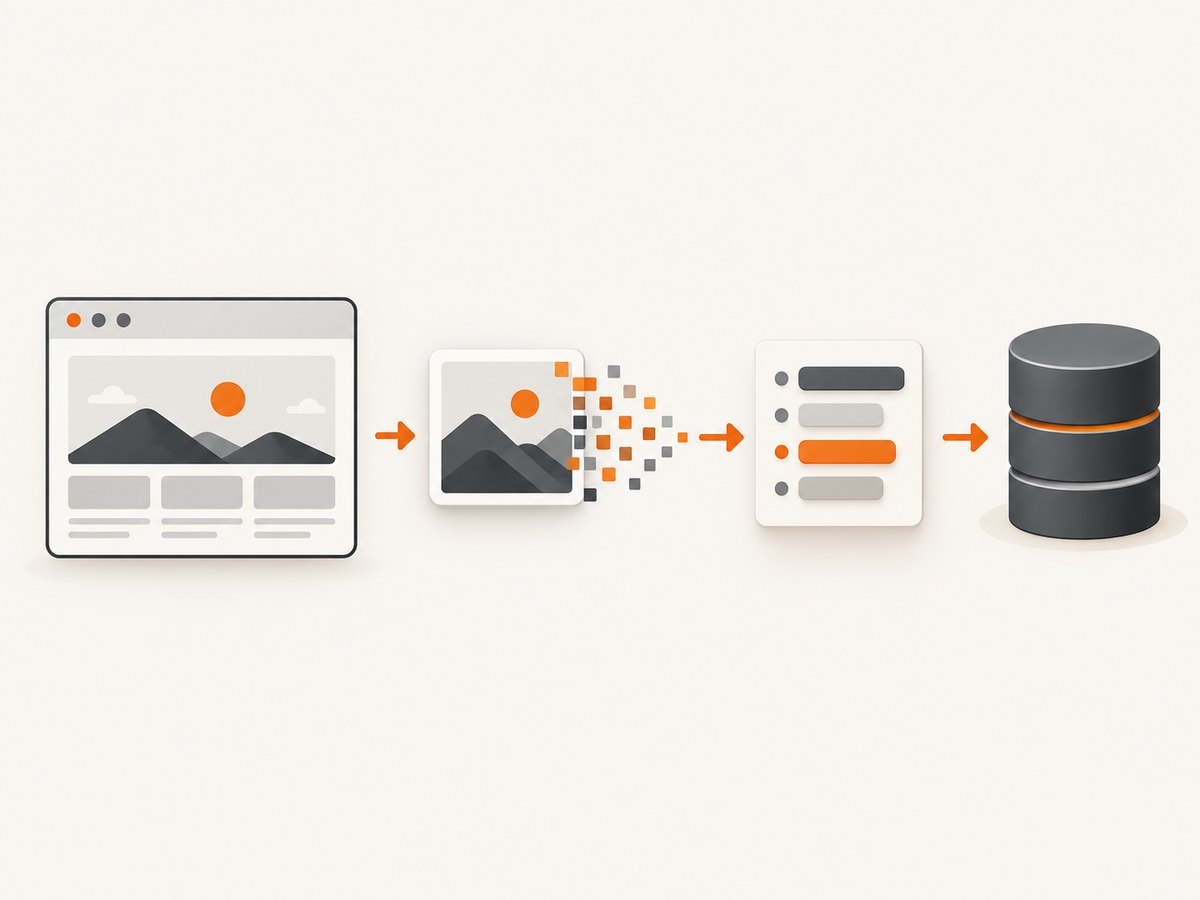
Direct answer: Selenium can return the current browser window as PNG bytes with driver.get_screenshot_as_png(). Bind those bytes to a binary SQL parameter such as SQL Server varbinary(max) or PostgreSQL bytea. Store metadata such as test ID, URL, capture time, content type and byte length in adjacent columns.
Use a parameterized INSERT. Do not concatenate binary data into SQL text, and do not Base64-encode the image unless you specifically need a text representation. Selenium documents get_screenshot_as_png() as returning the current-window screenshot as binary data (Selenium Python API).
1. End-to-end Python and SQL Server example
This example uses Python, Selenium 4, Microsoft SQL Server and the mssql-python driver. SQL Server syntax and the ? parameter markers are specific to this stack; change them for your database driver.
Create the table
CREATE TABLE dbo.SeleniumScreenshots (
    ScreenshotId BIGINT IDENTITY(1,1) PRIMARY KEY,
    TestRunId NVARCHAR(100) NOT NULL,
    PageUrl NVARCHAR(2048) NOT NULL,
    CapturedAtUtc DATETIME2(3) NOT NULL,
    FileName NVARCHAR(255) NOT NULL,
    ContentType VARCHAR(100) NOT NULL,
    ByteLength BIGINT NOT NULL,
    ImageData VARBINARY(MAX) NOT NULL,
    Description NVARCHAR(500) NULL
);
varbinary(max) stores variable-length binary data up to 2 GB. Microsoft describes the older image type as deprecated; use a current binary type instead (Microsoft binary data types).
Install dependencies
python -m pip install selenium mssql-python
Install a browser and its matching WebDriver, then set a SQL Server connection string appropriate for your environment.
Capture, bind and commit the screenshot
from datetime import datetime, timezone
import os

from selenium import webdriver
from selenium.webdriver.chrome.options import Options
from mssql_python import connect

URL = "https://example.com"
TEST_RUN_ID = "run-2026-09-30-001"
CONNECTION_STRING = os.environ["SQLSERVER_CONNECTION_STRING"]

options = Options()
options.add_argument("--headless=new")
options.add_argument("--window-size=1440,1000")

driver = webdriver.Chrome(options=options)
try:
    driver.get(URL)

    # Add an application-specific wait here when the page has a known ready state.
    # For example: WebDriverWait(driver, 20).until(...)
    image_bytes = driver.get_screenshot_as_png()
finally:
    driver.quit()

captured_at = datetime.now(timezone.utc).replace(tzinfo=None)
file_name = f"{TEST_RUN_ID}.png"
content_type = "image/png"

insert_sql = """
INSERT INTO dbo.SeleniumScreenshots
    (TestRunId, PageUrl, CapturedAtUtc, FileName, ContentType,
     ByteLength, ImageData, Description)
VALUES (?, ?, ?, ?, ?, ?, ?, ?)
"""

with connect(CONNECTION_STRING) as connection:
    with connection.cursor() as cursor:
        cursor.execute(
            insert_sql,
            (
                TEST_RUN_ID,
                URL,
                captured_at,
                file_name,
                content_type,
                len(image_bytes),
                image_bytes,
                "Selenium current-window screenshot",
            ),
        )
    connection.commit()

print(f"stored {len(image_bytes)} bytes")
The bytes remain PNG data in the database. The transaction commits the metadata and image together, so a successful row represents one stored artifact.
2. Retrieve the image and write it back to disk
from mssql_python import connect
import os

CONNECTION_STRING = os.environ["SQLSERVER_CONNECTION_STRING"]
TEST_RUN_ID = "run-2026-09-30-001"

query = """
SELECT TOP (1) FileName, ContentType, ImageData
FROM dbo.SeleniumScreenshots
WHERE TestRunId = ?
ORDER BY CapturedAtUtc DESC, ScreenshotId DESC
"""

with connect(CONNECTION_STRING) as connection:
    with connection.cursor() as cursor:
        cursor.execute(query, (TEST_RUN_ID,))
        row = cursor.fetchone()

if row is None:
    raise LookupError("No screenshot found")

file_name, content_type, image_bytes = row
with open(file_name, "wb") as output:
    output.write(image_bytes)

print(file_name, content_type, len(image_bytes))
Open the output in binary mode (wb). Writing the bytes as text corrupts the PNG.
3. Wait for the state you intend to capture
A screenshot records the browser state at the instant Selenium captures it. Navigation alone does not guarantee that application data, fonts, images or animations have finished. Wait for a condition that belongs to your test.
from selenium.webdriver.common.by import By
from selenium.webdriver.support.ui import WebDriverWait
from selenium.webdriver.support import expected_conditions as EC

WebDriverWait(driver, 20).until(
    EC.visibility_of_element_located((By.CSS_SELECTOR, "main.dashboard"))
)
image_bytes = driver.get_screenshot_as_png()
Useful wait choices include a visible result element, a URL change, a loading element becoming invisible, or a short delay for an animation that cannot expose a better signal. Avoid a large fixed sleep when a state-based wait is available.
4. Capture an element instead of the whole window
When the artifact is a chart, invoice or component, capture that element. Selenium bindings expose element screenshot methods (Selenium screenshot documentation).
from selenium.webdriver.common.by import By

chart = driver.find_element(By.CSS_SELECTOR, "#revenue-chart")
element_bytes = chart.screenshot_as_png

# Store element_bytes with the same parameterized INSERT.
Element screenshots reduce irrelevant pixels and often reduce storage size. Confirm the element is visible and has nonzero dimensions before capture.
5. Full-page screenshots and browser differences
get_screenshot_as_png() captures the current browsing context, but full-page behavior is not identical across every browser, driver and binding. The WebDriver specification and Selenium documentation describe current-context and element screenshots; implementations can differ in whether a page screenshot includes only the viewport or the entire document. Verify the exact browser and driver combination you deploy.
For a dependable full-page artifact, check the resulting dimensions and test pages with long, lazy-loaded content. If your browser supports a full-page command, use that browser-specific capability and keep the same byte-storage path.
6. Other Selenium output methods
| Method | Result | Use it when |
|---|---|---|
get_screenshot_as_png() |
PNG bytes | Best choice for a SQL binary column. |
save_screenshot(path) |
Writes a PNG file | You need a local artifact first; the path should end in .png. |
get_screenshot_as_file(path) |
Writes a PNG file and reports failure | You want a boolean result for an I/O error. |
get_screenshot_as_base64() |
Base64 text | You need to embed the image in HTML or another text-only payload. |
For a binary SQL column, storing the original bytes avoids Base64’s size overhead and a decode step.
7. PostgreSQL storage
PostgreSQL provides the bytea type for binary strings (PostgreSQL binary data types).
CREATE TABLE selenium_screenshots (
    screenshot_id BIGSERIAL PRIMARY KEY,
    test_run_id TEXT NOT NULL,
    page_url TEXT NOT NULL,
    captured_at_utc TIMESTAMPTZ NOT NULL,
    content_type TEXT NOT NULL,
    byte_length BIGINT NOT NULL,
    image_data BYTEA NOT NULL
);
Use your PostgreSQL driver’s documented binary parameter binding. Placeholder syntax differs by driver, so do not copy SQL Server’s ? markers unchanged.
8. Metadata, validation and NULL handling
- Store a stable test or run identifier, URL, capture timestamp, filename, content type and byte length.
- Keep a description or selector when the image represents one element or checkpoint.
- Validate the content from its magic bytes when accepting images from untrusted or variable capture paths. A PNG begins with the PNG signature; do not trust only a filename extension.
- Use
NULLwhen no screenshot exists, and distinguish that from a valid zero-length value if your application can produce both. In Python database APIs,Nonecommonly maps to SQLNULL; confirm the behavior of your driver. - Do not store secrets such as authorization headers or cookies in screenshot descriptions or URLs.
9. SQL database or object storage?
Choose storage based on workload rather than a universal rule.
| Requirement | Usually favors SQL binary storage | Usually favors filesystem or object storage |
|---|---|---|
| Size and volume | Small images and moderate volume | Large images or rapidly growing collections |
| Consistency | Image must commit with test results | Image lifecycle is independent |
| Delivery | Internal retrieval through SQL | Direct downloads, CDN or public media delivery |
| Backup | Back up images with relational data | Use a separate object-storage retention policy |
| Operations | One transactional system | Cheaper storage tier or simpler large-file serving |
Microsoft’s SQL Server guidance recommends database storage for small files, transactional consistency and joint backups, while larger files and direct or CDN delivery can favor filesystem or Azure Blob Storage. FILESTREAM is a SQL Server option that keeps transactional consistency while storing data in the filesystem, but it requires server configuration.
10. Performance and reliability checklist
- Use headless mode in CI, set a deliberate viewport, and reuse a browser session when several pages belong to one test flow.
- Capture only the required element when a full window is unnecessary.
- Measure actual PNG sizes, insert latency, database growth and backup time before setting retention limits.
- Index lookup fields such as
TestRunIdand capture time. - Commit once per logical test artifact or batch inserts where your failure semantics allow it.
- Retry transient browser or database failures with a bounded policy, but avoid inserting duplicates. Generate an idempotency key such as test run plus checkpoint.
- Close the browser in a
finallyblock and commit or roll back the database transaction explicitly. - Apply retention and deletion policies to screenshots, indexes and backups together.
- Monitor failed captures separately from successful zero-byte or missing-artifact states.
11. Troubleshooting
Screenshot is blank or taken too early
Cause: The page is still loading, rendering asynchronously or displaying a transition.

Fix: Wait for a meaningful element or state, then capture. Verify the headless viewport and inspect the page source or browser logs when necessary.
Only the viewport is stored
Cause: Current-window screenshots are not universally full-page.
Fix: Verify browser and driver capabilities, use a supported full-page method, or capture and stitch sections in your application.
SQL reports a type or truncation error
Cause: The column is too small, uses a text type, or the driver inferred an unsuitable parameter size.
Fix: Use SQL Server varbinary(max) for large values, PostgreSQL bytea, and the driver’s binary parameter mechanism. Check the actual byte length before insertion.
Image cannot be opened after retrieval
Cause: Bytes were converted to text, Base64 was stored without decoding, or the output file was not opened in binary mode.
Fix: Store get_screenshot_as_png() directly, write with open(path, "wb"), and validate the PNG signature.
Duplicate rows appear after a retry
Cause: The client retried after an uncertain commit.
Fix: Add a unique idempotency key for the run and checkpoint, then use a transaction-safe upsert or check before insert.
Database connection is left open
Cause: An exception occurred before cleanup.
Fix: Use context managers or explicit try/finally blocks for both the driver and database connection.
Or skip the browser setup
ScreenshotNeo returns a screenshot or PDF from one GET request, so you can save the response body directly to your SQL binary column. See the ScreenshotNeo API documentation for request options.
cURL
curl -G "https://api.screenshotneo.com/v1/shot" -d access_key=YOUR_API_KEY --data-urlencode url=https://stripe.com -o shot.webp
Python
import requests
r = requests.get("https://api.screenshotneo.com/v1/shot", params={"access_key": "YOUR_API_KEY", "url": "https://stripe.com"}, timeout=90)
r.raise_for_status()
open("shot.webp", "wb").write(r.content)
Node.js
const q = new URLSearchParams({ access_key: 'YOUR_API_KEY', url: 'https://stripe.com' });
const res = await fetch(`https://api.screenshotneo.com/v1/shot?${q}`);
if (!res.ok) throw new Error(`Screenshot failed: ${res.status}`);
const image = Buffer.from(await res.arrayBuffer());
ScreenshotNeo removes cookie and consent banners, newsletter popups and chat widgets before the shot. Bot checks, blank pages, timeouts, failed loads and cache hits are not billed, and the response identifies the result with X-Page-Verdict and X-Billed headers. Its MCP server lets Claude, Cursor and other MCP clients take screenshots. The Free plan includes 1,000 screenshots per month with no card; paid plans start at $5 for 3,000 shots. Save the returned bytes and the response headers alongside your SQL metadata.
Create a free ScreenshotNeo account to start with 1,000 screenshots a month and no card.
FAQ
Should I store PNG or Base64 in SQL?
Store PNG bytes in a binary column. Use Base64 only when a downstream interface requires text.
Can I save a screenshot from one element?
Yes. Locate the element and use its screenshot method, then bind the resulting bytes exactly like a window screenshot.
Is SQL Server syntax portable?
No. varbinary(max), identity syntax and ? placeholders belong to the documented SQL Server example. PostgreSQL uses bytea and driver-specific placeholders.
How do I decide whether to move images out of SQL?
Measure image size, volume, backup growth and delivery traffic. External storage is often a better fit for large files, CDN delivery or direct downloads; SQL is useful when the image must remain transactionally tied to test data.


