How to Capture Selenium Screenshots on TestNG Failure Before @AfterMethod
Capture a Selenium screenshot in TestNG’s failure callback while the WebDriver is still alive, then copy it to a durable artifact before teardown calls quit().
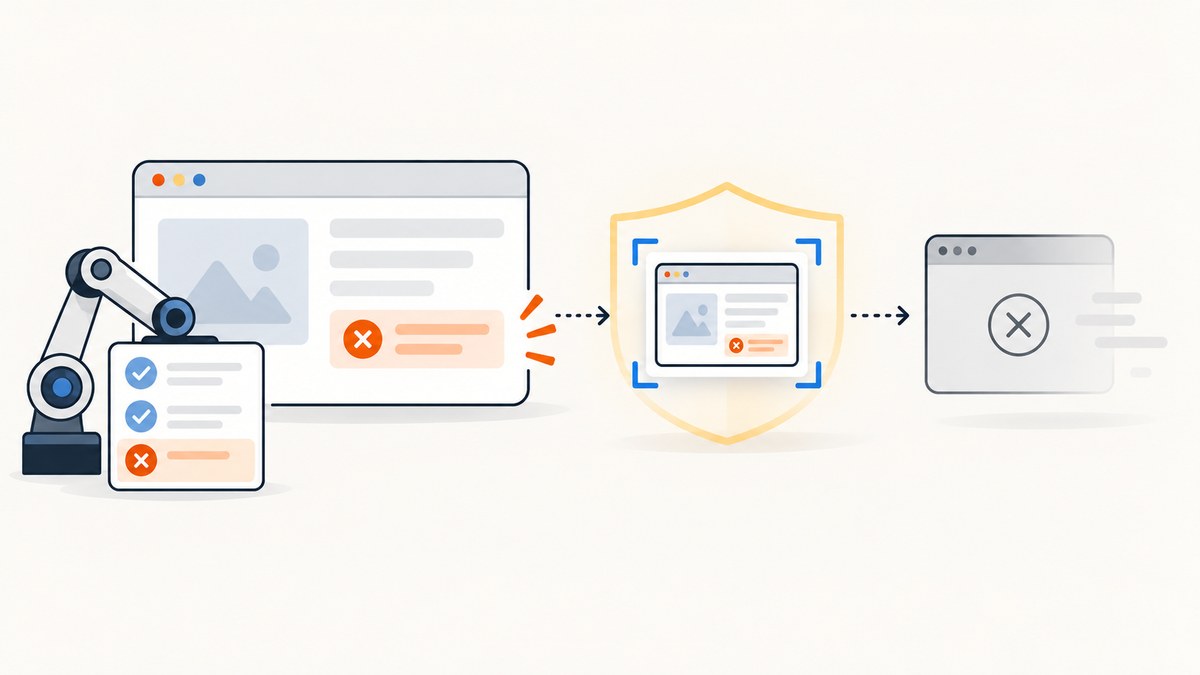
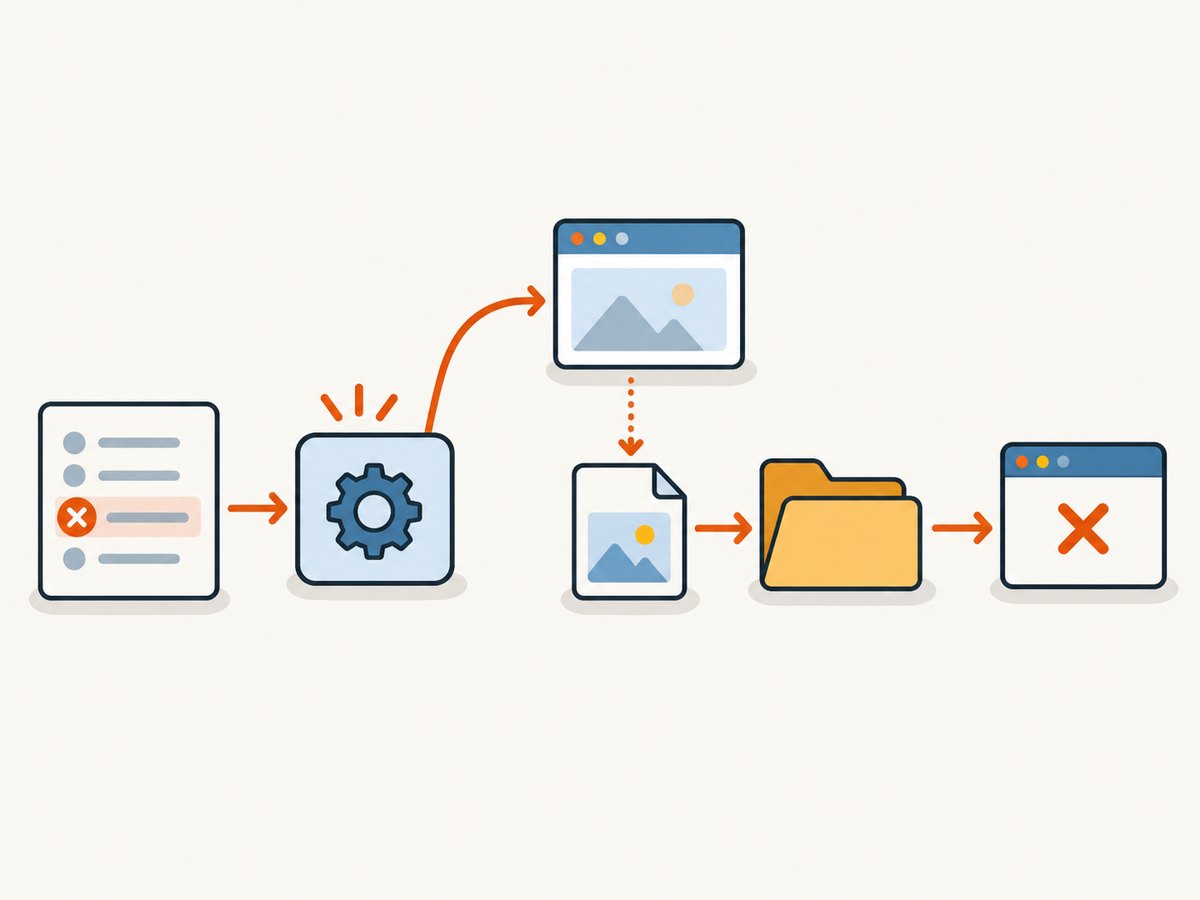
Capture the screenshot in a TestNG ITestListener implementation’s onTestFailure(ITestResult) callback. At that point, get the test’s still-live WebDriver, call getScreenshotAs(OutputType.FILE), and immediately copy the temporary file into your test artifacts. Let @AfterMethod close the driver afterward. The essential ordering is: failure callback → screenshot copy → teardown and quit().
This works only if the listener can access the driver and the browser session has not already been closed or crashed. Keep capture best-effort so an artifact error does not hide the original assertion failure.
1. Add a driver access contract
The listener receives an ITestResult, not a driver directly. One simple arrangement is for test classes to implement a project-owned interface that exposes their driver. The interface keeps the listener independent of a particular test base class.
package example;

import org.openqa.selenium.WebDriver;

public interface HasDriver {
  WebDriver getDriver();
}
2. Capture and copy the screenshot in the listener
Selenium’s OutputType.FILE result is temporary; copy it promptly to a durable location. This example creates the artifact directory, uses a timestamp in the filename, and catches capture failures so they do not replace the test’s original result.
package example;

import java.io.File;
import java.io.IOException;
import java.nio.file.Files;
import java.nio.file.Path;
import java.nio.file.StandardCopyOption;
import org.openqa.selenium.OutputType;
import org.openqa.selenium.TakesScreenshot;
import org.openqa.selenium.WebDriver;
import org.testng.ITestListener;
import org.testng.ITestResult;

public final class FailureScreenshotListener implements ITestListener {
  @Override
  public void onTestFailure(ITestResult result) {
    capture(result);
  }

  // TestNG 7.9.0 exposes a separate timeout callback. Keep the same
  // capture path for timeout failures as well.
  @Override
  public void onTestFailedWithTimeout(ITestResult result) {
    capture(result);
  }

  private void capture(ITestResult result) {
    Object instance = result.getInstance();
    if (!(instance instanceof HasDriver)) {
      System.err.println("Screenshot skipped: test instance does not expose a driver");
      return;
    }

    WebDriver driver = ((HasDriver) instance).getDriver();
    if (!(driver instanceof TakesScreenshot)) {
      System.err.println("Screenshot skipped: driver does not support screenshots");
      return;
    }

    String safeClass = result.getTestClass().getName().replaceAll("[^A-Za-z0-9._-]", "_");
    String safeMethod = result.getMethod().getMethodName().replaceAll("[^A-Za-z0-9._-]", "_");
    String fileName = safeClass + "-" + safeMethod + "-" + System.currentTimeMillis() + ".png";
    Path target = Path.of("test-artifacts", "screenshots", fileName);

    try {
      Files.createDirectories(target.getParent());
      File temporary = ((TakesScreenshot) driver).getScreenshotAs(OutputType.FILE);
      Files.copy(temporary.toPath(), target, StandardCopyOption.REPLACE_EXISTING);
      System.out.println("Failure screenshot: " + target.toAbsolutePath());
    } catch (IOException | RuntimeException captureError) {
      // Log this through your test logger in production. Do not throw here:
      // preserve the original test failure even when diagnostics fail.
      System.err.println("Could not capture failure screenshot: " + captureError);
    }
  }
}
onTestFailedWithTimeout is available in TestNG 7.9.0; check your project’s TestNG version before using the override. If your version does not expose it, remove that method or upgrade, and use the failure callback available in your version. RuntimeException handling covers common WebDriver failures such as a closed session; unsupported screenshot capture is also handled without changing the test outcome.
3. Register the listener and close the driver in teardown
Register the listener with @Listeners on the test class, or centrally in testng.xml. Choose one registration route to avoid accidental duplicate callbacks.
package example;

import org.openqa.selenium.WebDriver;
import org.testng.annotations.AfterMethod;
import org.testng.annotations.Listeners;
import org.testng.annotations.Test;

@Listeners(FailureScreenshotListener.class)
public class CheckoutTest implements HasDriver {
  private WebDriver driver;

  @Override
  public WebDriver getDriver() {
    return driver;
  }

  @Test
  public void checkoutShowsConfirmation() {
    // Create and use the WebDriver here.
    // An assertion failure invokes onTestFailure while the driver is available.
  }

  @AfterMethod(alwaysRun = true)
  public void tearDown() {
    if (driver != null) {
      driver.quit();
      driver = null;
    }
  }
}
<suite name="UI tests">
<listeners>
<listener class-name="example.FailureScreenshotListener"/>
</listeners>
<test name="Checkout">
<classes>
<class name="example.CheckoutTest"/>
</classes>
</test>
</suite>Place the listener’s package-qualified class name in the XML. The screenshot directory is relative to the process working directory in this example; configure your build or CI job to collect test-artifacts/screenshots as an artifact.
4. Understand callback order and driver ownership
- The test method fails and TestNG creates an
ITestResult. - The listener’s failure callback gets the test instance and its live driver.
- The listener captures the image and copies it out of Selenium’s temporary file.
- The
@AfterMethod(alwaysRun = true)teardown callsquit().
If a custom runner or project lifecycle shuts the driver down before the listener can capture, move shutdown into a later suite or test cleanup hook, or retain the driver in a framework-owned registry until listener processing finishes. Do not call quit() from the failure listener before calling getScreenshotAs.
5. Choose driver access for your test setup
| Driver ownership | Listener access | Watch for |
|---|---|---|
| Driver field on each test instance | Implement HasDriver as above |
Null driver when setup failed before creating a browser |
| Shared base test class | Cast the result instance to the base class or have it implement HasDriver |
Inheritance assumptions across test classes |
| Thread-local driver | Look up the driver using the current test thread or a registry keyed to the test | Parallel execution, cleanup timing, and removing the thread-local too early |
| Factory or dependency injection | Expose a stable lookup from the test instance or framework context | Do not create a second driver just to capture a failure screenshot |
Use the approach already responsible for creating and closing the driver. A listener should look up the same session the test used, rather than own a separate browser lifecycle.
6. Make filenames and artifacts safe under parallel runs
- Include the class and method names, plus a unique suffix such as a timestamp or UUID.
- Sanitize names before using them as filesystem paths; parameterized test display names may contain characters that are invalid on some filesystems.
- For data-driven tests, include a safe parameter identifier if it helps diagnose which invocation failed.
- Use a per-run output directory or ensure names cannot collide across workers and retries.
- Configure CI to retain the artifact directory even when the test command exits unsuccessfully.
A timestamp reduces collisions but may not uniquely identify an invocation in every high-parallelism setup. A UUID or a framework-provided invocation identifier is a stronger suffix where available.
7. Troubleshoot missing or blank screenshots
| Symptom | Likely cause | Fix |
|---|---|---|
| No screenshot file appears | Listener not registered, wrong XML class name, or test instance does not expose a driver | Confirm @Listeners or XML registration, then log the callback and verify the HasDriver lookup. |
| “Session ID is null” or session/driver connection error | Teardown already called quit(), or the browser crashed |
Capture in the failure callback before shutdown; if the browser has crashed, keep the original failure and record the capture error. |
| Screenshot is blank or shows an unexpected page | The browser was on a blank page, navigation had not completed, or a different driver was retrieved | Check driver creation and navigation order, and confirm the listener retrieves the same session used by the test. If the test fails during navigation, a blank or partial image may reflect the browser’s actual state. |
| Screenshot works locally but is absent in CI | Wrong working directory, artifact directory not uploaded, or filesystem permissions | Print the absolute target path, create its parent directory, and configure the CI artifact collector for that path. |
| Two failures overwrite one image | Filename collision across parallel invocations or retries | Add a UUID or invocation identifier and keep worker output paths isolated. |
| Original test failure is obscured | Screenshot code throws out of the listener | Keep capture best-effort; catch capture exceptions and log them without rethrowing. |
| Timeout failures have no image | The project handles only onTestFailure, while its TestNG version reports timeout through a separate callback |
Implement onTestFailedWithTimeout when the project’s TestNG version provides it, delegating to the same capture method. |
| Unsupported operation during capture | The particular driver implementation does not support screenshots | Check instanceof TakesScreenshot and retain the original failure if capture is unsupported. |
8. Performance, reliability, and cost
Capturing and copying an image adds work to failure handling, so it can lengthen a failing test and consume disk space. Keep screenshots limited to failure callbacks unless successful-run images are required; use a retention policy for CI artifacts. The code above does not set a screenshot-size limit, so account for full browser viewport dimensions and the number of parallel failures when sizing artifact storage.
Reliability depends on three conditions: the listener runs for the failure path, it can find the correct driver, and the browser session remains usable through capture. A browser crash, a prior shutdown, or a failing filesystem can still prevent the image from being saved. The listener preserves the test result and logs capture trouble, allowing the test report to remain authoritative.
This local Selenium method has no ScreenshotNeo API charge because it uses your test browser and artifact storage. Your browser and CI infrastructure still have their own resource costs. If you need screenshots from URLs outside the TestNG test flow, or want a managed screenshot API, ScreenshotNeo is a separate option described below.
Or skip the browser setup
For a URL screenshot outside the running Selenium test, ScreenshotNeo is a website screenshot API and MCP server from Yorker Media. It returns PNG, JPEG, WebP, or PDF from one GET request. This is not a replacement for capturing the exact browser state of a failing test; use the Selenium listener above when that live session is the evidence you need.
cURL:
curl -G "https://api.screenshotneo.com/v1/shot" -d access_key=YOUR_API_KEY --data-urlencode url=https://stripe.com -o shot.webpPython:
import requests

r = requests.get(
    "https://api.screenshotneo.com/v1/shot",
    params={"access_key": "YOUR_API_KEY", "url": "https://stripe.com"},
    timeout=90,
)
open("shot.webp", "wb").write(r.content)
Node.js:
const q = new URLSearchParams({ access_key: 'YOUR_API_KEY', url: 'https://stripe.com' });
const res = await fetch(`https://api.screenshotneo.com/v1/shot?${q}`);
if (!res.ok) throw new Error(`Screenshot request failed: ${res.status}`);
await Bun.write('shot.webp', new Uint8Array(await res.arrayBuffer()));
See the ScreenshotNeo API documentation for request options and setup. Cookie banners are accepted and removed before the shot, along with known newsletter popups and chat widgets; each cleanup step can be turned off. Bot checks, blank pages, timeouts, failed loads, and cache hits cost nothing, and response headers identify the page verdict and billing status. Its MCP server provides take_screenshot, get_page_info, and capture_pdf tools for AI agents. The free plan includes 1,000 screenshots a month with no card; paid plans start at $5 for 3,000.
Sign up for 1,000 free screenshots a month, no card required.
FAQ
Does a screenshot listener make a failed test pass?
No. It records diagnostic evidence; the test result remains failed.
Should I capture in @AfterMethod instead?
You can capture there only if teardown ordering and failure-result access are reliable in your setup. The listener gives you the explicit failure event and keeps capture ahead of the teardown that closes the driver.
Can I use the same listener for multiple test classes?
Yes, if they expose their driver through the same interface or lookup mechanism. If a class has no driver, skip capture cleanly.
Will the screenshot include the whole page?
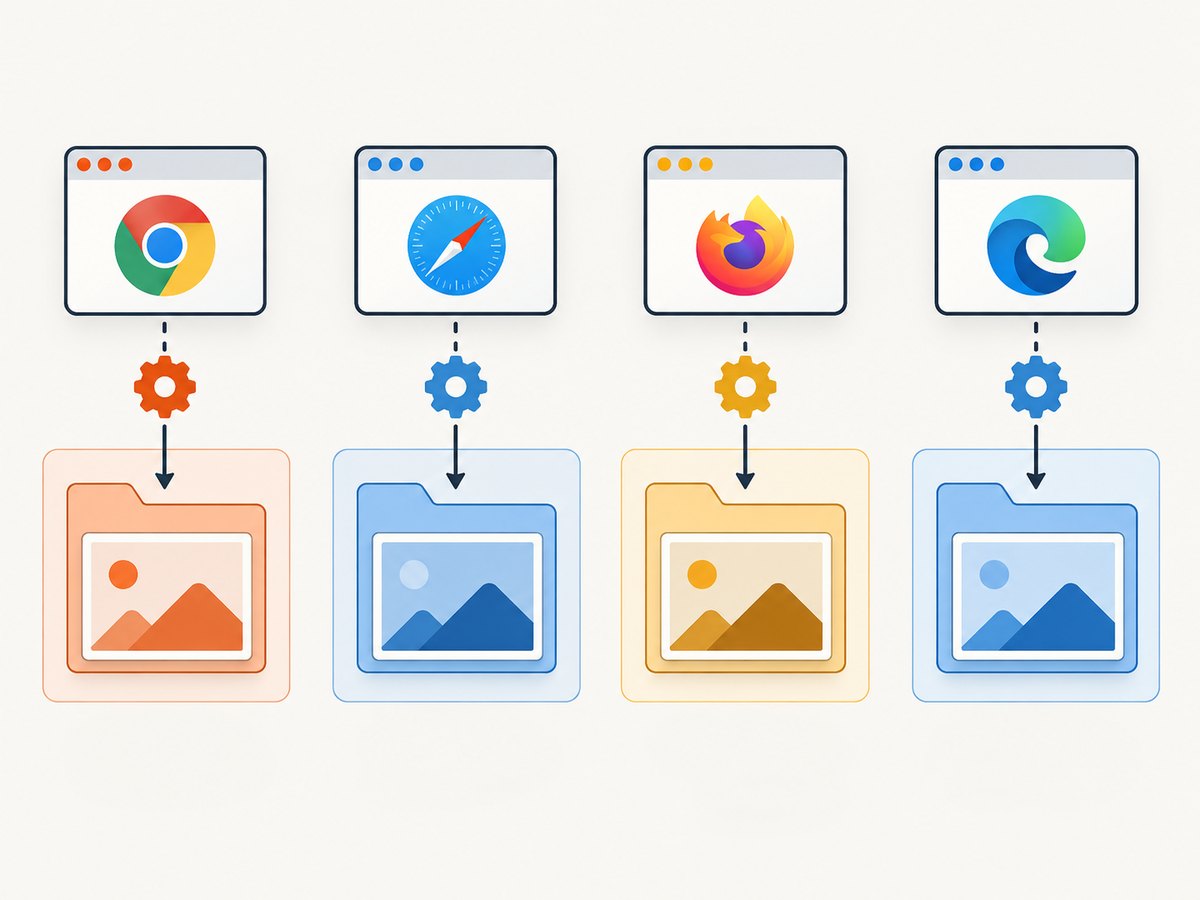
This pattern asks the WebDriver for a screenshot; the resulting capture depends on the driver implementation and browser. It does not add full-page stitching logic.
Sources
- TestNG ITestListener documentation for failure callbacks and listener registration.
- Selenium TakesScreenshot API for screenshot capture and unsupported implementations.
- Selenium OutputType API for the temporary file result and the need to copy it.


