How to Send a HEAD Request With cURL
Use curl -I to inspect HTTP headers without downloading a response body, with practical examples, diagnostics, automation tips, and alternatives.

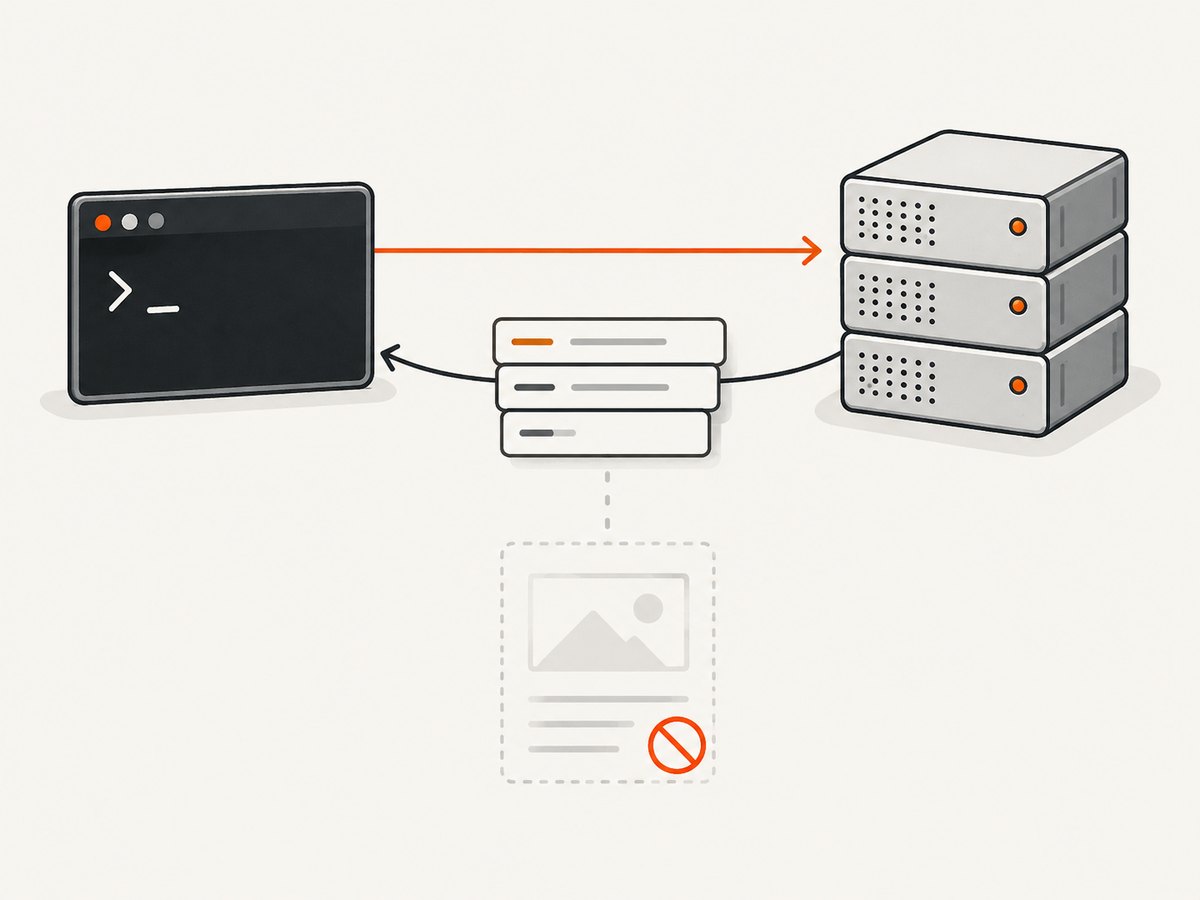
Use curl -I https://example.com (or curl --head https://example.com) to send an HTTP HEAD request. The server returns response headers such as status, content type, size, cache directives, and modification metadata without transferring the response body. This is useful when you need to check a URL or file before downloading it.
curl -I https://example.com
# equivalent long form
curl --head https://example.com
HTTP HEAD is defined as the metadata-only counterpart to GET. RFC 9110, section 9.3.2, says: “The HEAD method is identical to GET except that the server MUST NOT send content.” In practice, a server should send the headers that a corresponding GET would send, but it can omit values that are known only while generating the body. That distinction matters when you use HEAD to estimate a download or validate an endpoint.
What a HEAD request does
A HEAD request asks the origin server for metadata about the selected representation. It has the same URL and most of the same request options as GET, but the response has no representation body. A typical response may include:
HTTP/2 200or another status line showing whether the request succeeded.Content-Type, which describes the media type.Content-Length, when the server knows the body size before sending it.Cache-Control,ETag, andLast-Modifiedfor cache and validation decisions.Locationwhen the URL redirects.- Authentication, rate-limit, server, and request-correlation headers supplied by the service.
HEAD is safe and idempotent, and it is cacheable according to the HTTP semantics documented by MDN. It still reaches the server and can be logged or rate-limited, so it is not a way to avoid access controls or request quotas.
Basic cURL commands
Print headers for one URL
curl -I https://example.comThe short option -I and long option --head select the HEAD method and print the received headers. The body is not written to standard output.
Follow redirects
curl -I -L https://example.com-L follows HTTP redirects. Without it, you see the redirect response, commonly 301 or 302, and its Location header. With it, cURL prints each response in the redirect chain and the final response. This is useful when checking the destination that a browser will ultimately use.
Show request and response details
curl -I -v https://example.com-v adds connection and protocol diagnostics, including the request headers cURL sends. Use it when TLS negotiation, proxies, HTTP versions, or redirects are involved. Avoid sharing verbose output from authenticated requests because it may contain sensitive header values.
Save headers to a file
curl -I -D headers.txt https://example.com-D (also called --dump-header) writes received headers to a file. This is convenient for scripts, regression comparisons, and attaching evidence to an incident report.
Add request headers
curl -I \
  -H 'Accept: application/json' \
  -H 'Authorization: Bearer YOUR_TOKEN' \
  https://api.example.com/resource
Use -H for content negotiation or authentication. A HEAD response can differ based on authorization, cookies, user agent, or the Accept value, so send the same relevant headers that your eventual GET will use.
Set a timeout and fail on HTTP errors
curl -I --connect-timeout 10 --max-time 30 --fail https://example.com--connect-timeout limits connection setup; --max-time limits the complete operation. --fail makes cURL return a nonzero exit status for most 4xx and 5xx responses. Headers can still be useful for an error response, so omit --fail when your script needs to parse every status.
curl -I versus curl -i
| Command | HTTP method | Body transfer | Output |
|---|---|---|---|
curl -I URL |
HEAD | No response body | Headers only |
curl --head URL |
HEAD | No response body | Headers only |
curl -i URL |
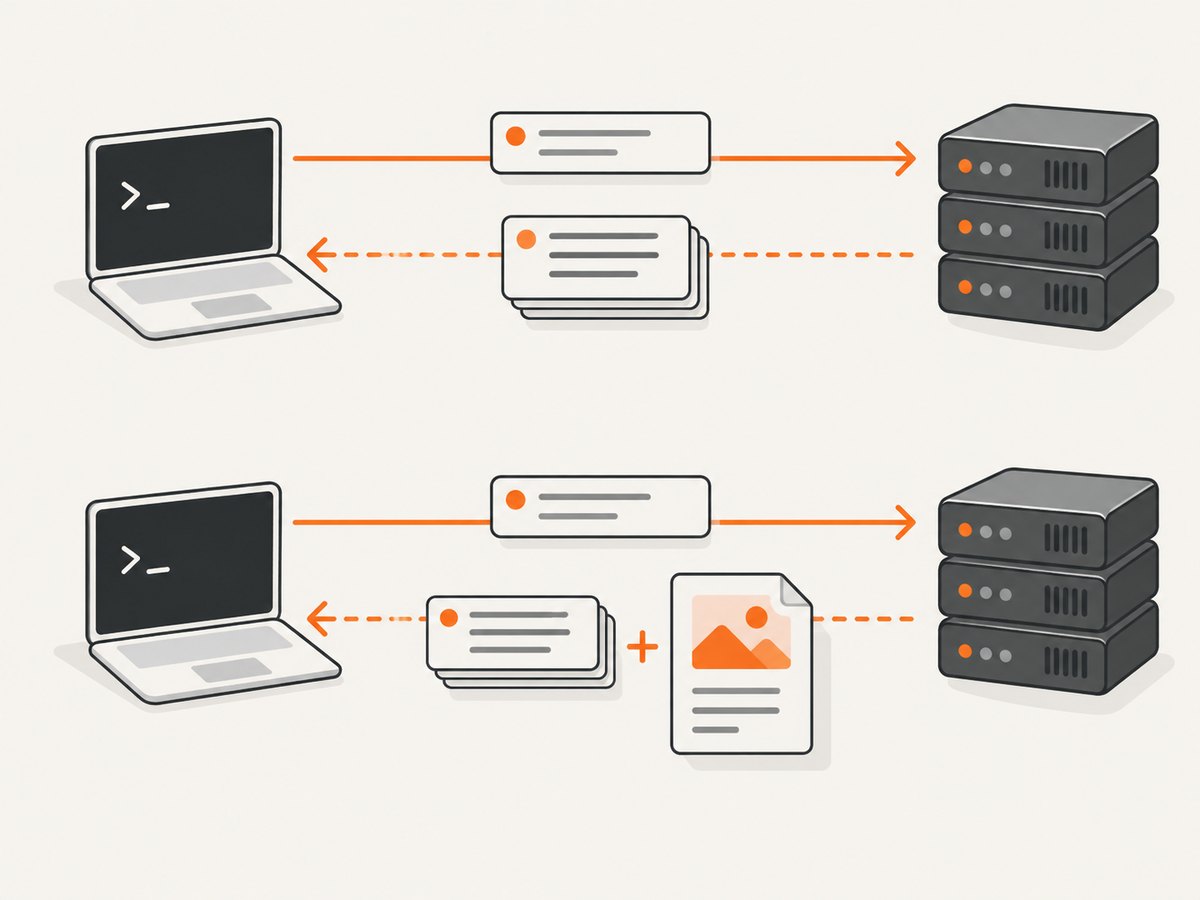
Usually GET | Yes, unless another option changes it | Headers followed by body |
curl -D file URL |
Usually GET | Yes | Headers saved separately; body follows normal output rules |
The distinction is easy to miss: -i means “include response headers” in an ordinary transfer. It does not send HEAD. Choose -I when the server should not send the representation body.
Inspect common headers
Check status and content type
curl -sS -I https://example.com | sed -n '1,12p'-sS hides the progress meter but keeps error messages. The first line gives the status. Content-Type tells you whether the resource is HTML, JSON, an image, a PDF, or another media type.
Check a file size before downloading
curl -sSI https://example.com/archive.zip | grep -i '^content-length:'If present, Content-Length reports the body size in bytes. It may be absent when the response is streamed, compressed dynamically, generated on demand, or sent with chunked transfer. Treat it as metadata supplied by that server, not as a guarantee that every GET will have the same size.
Inspect cache validators
curl -sSI https://example.com/app.css | \
  grep -Ei '^(cache-control|etag|last-modified|expires):'
ETag and Last-Modified let a later GET use conditional requests. Cache-Control and Expires describe freshness. A CDN may return headers from its cache, while the origin may return different values.
See redirects without following them
curl -sS -I https://example.com/old-path | \
  grep -Ei '^(HTTP/|location:)'
This reveals whether a redirect exists and where it points. To inspect every hop, add -L; to keep each response visibly separated, add -v.
When HEAD is not enough
HEAD relies on correct server implementation. RFC 9110 allows a server to omit header fields whose values would be determined only while generating content. Some applications route HEAD incorrectly, return 405 Method Not Allowed, return a generic response, or expose a stale CDN result. A HEAD response therefore is not an exact byte-for-byte preview of a GET.
If HEAD is rejected or gives unusable metadata, make a normal GET while discarding the body:
curl -sS -D headers.txt -o /dev/null https://example.comThis still downloads the response, so it can consume bandwidth and time. If you need only a small prefix for a diagnostic, a range request may help when the server supports it:
curl -sS -D headers.txt -o prefix.bin -H 'Range: bytes=0-1023' https://example.com/file.binCheck the returned status and Content-Range; a server can ignore the range and return the full body.
Complete examples in scripts
Bash: fail a health check when status is not successful
#!/usr/bin/env bash
set -euo pipefail

url='https://example.com/health'
status=$(curl -sS -o /dev/null -w '%{http_code}' \
  -I --connect-timeout 5 --max-time 15 "$url")

case "$status" in
  2??|3??) echo "reachable: HTTP $status" ;;
  *) echo "unhealthy: HTTP $status" >&2; exit 1 ;;
esac
-w '%{http_code}' emits only the status value, which is easier to consume than parsing a protocol status line. Decide whether redirects count as healthy for your service; the example accepts all 2xx and 3xx responses.
Python with requests
import requests

url = "https://example.com"
response = requests.head(
    url,
    allow_redirects=True,
    timeout=(10, 30),
    headers={"User-Agent": "header-check/1.0"},
)

print(response.status_code)
print(response.headers.get("content-type"))
print(response.headers.get("content-length"))
Set both connection and read timeouts in production. allow_redirects is explicit because redirect handling defaults can differ between HTTP clients and versions. Treat missing headers as normal.
Node.js with fetch
const controller = new AbortController();
const timer = setTimeout(() => controller.abort(), 30_000);

try {
  const response = await fetch('https://example.com', {
    method: 'HEAD',
    redirect: 'follow',
    signal: controller.signal,
    headers: { 'User-Agent': 'header-check/1.0' }
  });

  console.log(response.status, response.headers.get('content-type'));
  console.log(response.headers.get('content-length'));
} finally {
  clearTimeout(timer);
}
Recent Node.js releases include fetch. If your runtime does not, use an HTTP client that supports the HEAD method and explicit timeout and redirect options.
Authentication, cookies, and proxies
HEAD uses the same authentication mechanisms as GET. For basic authentication, prefer a protected environment variable over putting a password in shell history:
curl -I -u "$API_USER:$API_PASSWORD" https://api.example.com/privateFor a session cookie:
curl -I -b 'session=YOUR_SESSION_VALUE' https://example.com/accountTo use an HTTP or HTTPS proxy, set HTTPS_PROXY or pass --proxy. A proxy can terminate TLS, rewrite headers, block HEAD, or return its own cached response. Include proxy behavior in your diagnosis when direct and proxied results differ.
Performance and reliability guidance
- Bandwidth: HEAD avoids transferring the representation body when the server honors the method, making it suitable for metadata checks before large downloads.
- Latency: DNS, TCP, TLS, proxy, and application processing still occur. HEAD is not automatically instantaneous.
- Connection reuse: Reuse a client session in Python or Node.js when checking many URLs so connections can remain pooled.
- Retries: HEAD is idempotent, so retries are generally safer than retries for a state-changing method. Use capped exponential backoff and avoid creating a request storm.
- Redirects: Decide whether to inspect the first response or the final destination. Following redirects can add several network round trips.
- Compression: A server may report compressed or uncompressed sizes depending on negotiation. Send the same
Accept-Encodingsettings as the eventual GET when size comparisons matter. - Caching: A cache or CDN can answer HEAD without contacting the origin. Compare cache headers and validators before assuming the origin changed.
Troubleshooting common errors
| Symptom | Likely cause | Fix |
|---|---|---|
405 Method Not Allowed |
The route does not implement HEAD. | Use curl -sS -D headers.txt -o /dev/null URL or consult the API documentation. |
403 Forbidden or 401 Unauthorized |
Authentication, bot protection, or an absent required header. | Send the required credentials, cookies, user agent, or API key; do not assume GET would be public. |
No Content-Length |
The response is streamed, dynamically generated, compressed, or uses chunked transfer. | Do not infer the size. Perform a GET if an exact byte count is required. |
| HEAD says 200 but GET fails | Different routing, authorization, cache state, or application logic. | Compare headers and request options, then run a controlled GET with -i. |
| Certificate or TLS error | Expired certificate, hostname mismatch, old trust store, or interception proxy. | Fix the certificate or trust configuration. Avoid -k except for a deliberately isolated diagnostic. |
| Connection timeout | Network path, firewall, overloaded server, or an endpoint that never completes. | Set bounded timeouts, verify DNS and proxy settings, and retry with backoff. |
| Unexpected redirect | HTTP-to-HTTPS enforcement, canonical host, login, or region routing. | Inspect Location; add -L only when following the redirect is intended. |
| Headers appear twice | -L printed multiple responses, or a proxy added a response. |
Read each status block and associate headers with the correct hop. |
Automating checks safely
For a link checker, store the URL, status, final URL, content type, and timing rather than only a pass/fail value. Rate-limit requests, honor the target service’s policies, and identify your client with a stable user agent. Treat transient DNS, connection, and 5xx failures differently from permanent 4xx responses. Keep a small sample of raw headers for debugging, but redact authorization and cookie values.
For deployment checks, run HEAD against the exact canonical URL after publishing. Verify the status, content type, cache policy, and validators. If your site generates headers only during GET, make the check a bounded GET and discard the body instead of trusting incomplete HEAD metadata.
Or skip the browser setup
If your actual goal is a visual capture rather than HTTP metadata, ScreenshotNeo provides a website screenshot API and MCP server. A single request returns a PNG, JPEG, WebP, or PDF:
curl -G "https://api.screenshotneo.com/v1/shot" \
  -d access_key=YOUR_API_KEY \
  --data-urlencode url=https://stripe.com \
  -o shot.webp
See the ScreenshotNeo documentation for request options. Cookie and consent banners, newsletter popups, and chat widgets are removed before capture; each cleanup step can be disabled. Bot checks, blank pages, timeouts, failed loads, and cache hits are not billed, and response headers identify the page verdict and whether the shot was billed. Its MCP server provides take_screenshot, get_page_info, and capture_pdf tools for Claude, Cursor, and other MCP clients.
Python:
import requests
r = requests.get("https://api.screenshotneo.com/v1/shot", params={"access_key": "YOUR_API_KEY", "url": "https://stripe.com"}, timeout=90)
open("shot.webp", "wb").write(r.content)
Node.js:
const q = new URLSearchParams({ access_key: 'YOUR_API_KEY', url: 'https://stripe.com' });
const res = await fetch(`https://api.screenshotneo.com/v1/shot?${q}`);
The free plan includes 1,000 screenshots each month with no card. Paid plans start at $5 for 3,000 shots, and every feature is available on every plan. Create a free ScreenshotNeo account.
Cost considerations
A HEAD request usually saves response-body bandwidth, but the server still spends resources handling it and your monitoring system still consumes network and compute time. cURL itself has no per-request charge. Check the target service’s rate limits before polling frequently. For screenshot workflows, ScreenshotNeo bills only clean shots and offers the free and paid quotas described above; use its usage API and caching TTL when you need predictable consumption.
FAQ
Does curl -I download anything?
It requests headers with HEAD and should not receive the representation body. Transport and server processing still occur.
Can HEAD prove that a file exists?
It can show a successful status when the server implements HEAD consistently. Authorization, routing, and bot rules can make HEAD and GET differ, so confirm with the documented API behavior.
Why is Content-Length missing?
The response may be streamed, dynamically generated, compressed, or chunked. Missing length is valid HTTP behavior.
Should I use -I or -i?
Use -I for a HEAD request with no body. Use -i when you want a normal GET response body preceded by its headers.
How do I inspect only one header?
curl -sSI https://example.com | grep -i '^content-type:'Can I send HEAD to an API endpoint?
Yes, when that endpoint documents or supports HEAD. Send the same authentication and negotiation headers as your GET, and handle 405 responses as an unsupported method rather than a network failure.