How to Send Multiple cURL Requests in Parallel
Use curl's built-in parallel mode, set safe concurrency limits, save every response correctly, and choose the right approach for scripts and URL batches.
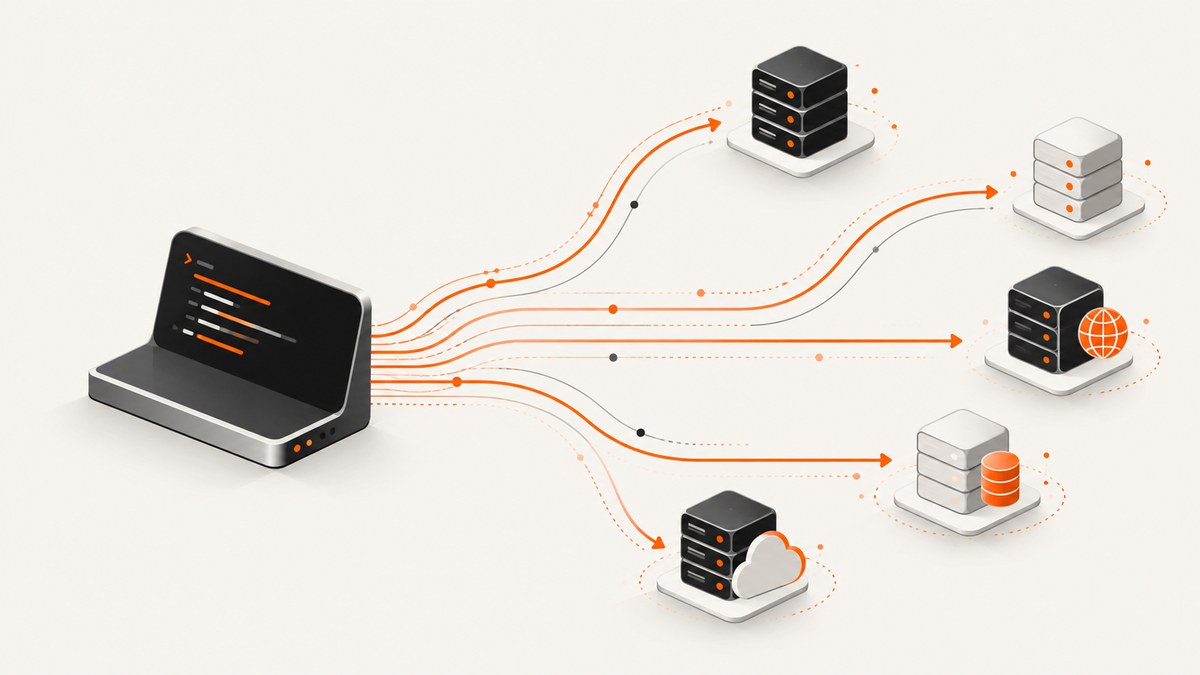
Use curl’s native parallel mode: add --parallel (or -Z) to one command and give each URL its own output file.
curl --parallel \
  https://example.com/one -o one.html \
  https://example.com/two -o two.html
That command lets curl run the transfers concurrently. For a predictable limit, add --parallel-max:
curl --parallel --parallel-max 8 \
  https://example.com/one -o one.html \
  https://example.com/two -o two.html
curl schedules transfers as slots become available. The current curl manual documents a default maximum of 50 simultaneous transfers, but that is a ceiling rather than a recommendation for every service. Pick a lower value when the remote server, your network, or your machine needs it. See the official curl man page for the current option behavior.
1. Check your curl version
Native parallel mode is available in curl 7.66.0 and later. Check the installed version before distributing a script:
curl --version
curl --help all | grep -E 'parallel|next'
The curl documentation records these related version additions:
--parallel(-Z): added in 7.66.0.--parallel-immediate: added in 7.68.0.--parallel-max-host: added in 8.16.0.
If an older system does not recognize --parallel, use a job runner such as GNU Parallel or a language runtime with an HTTP client (shown below).
2. The basic parallel command
Every response should have an intentional destination. Supplying one -o per URL prevents bodies from overwriting one another and makes the result set easy to inspect.
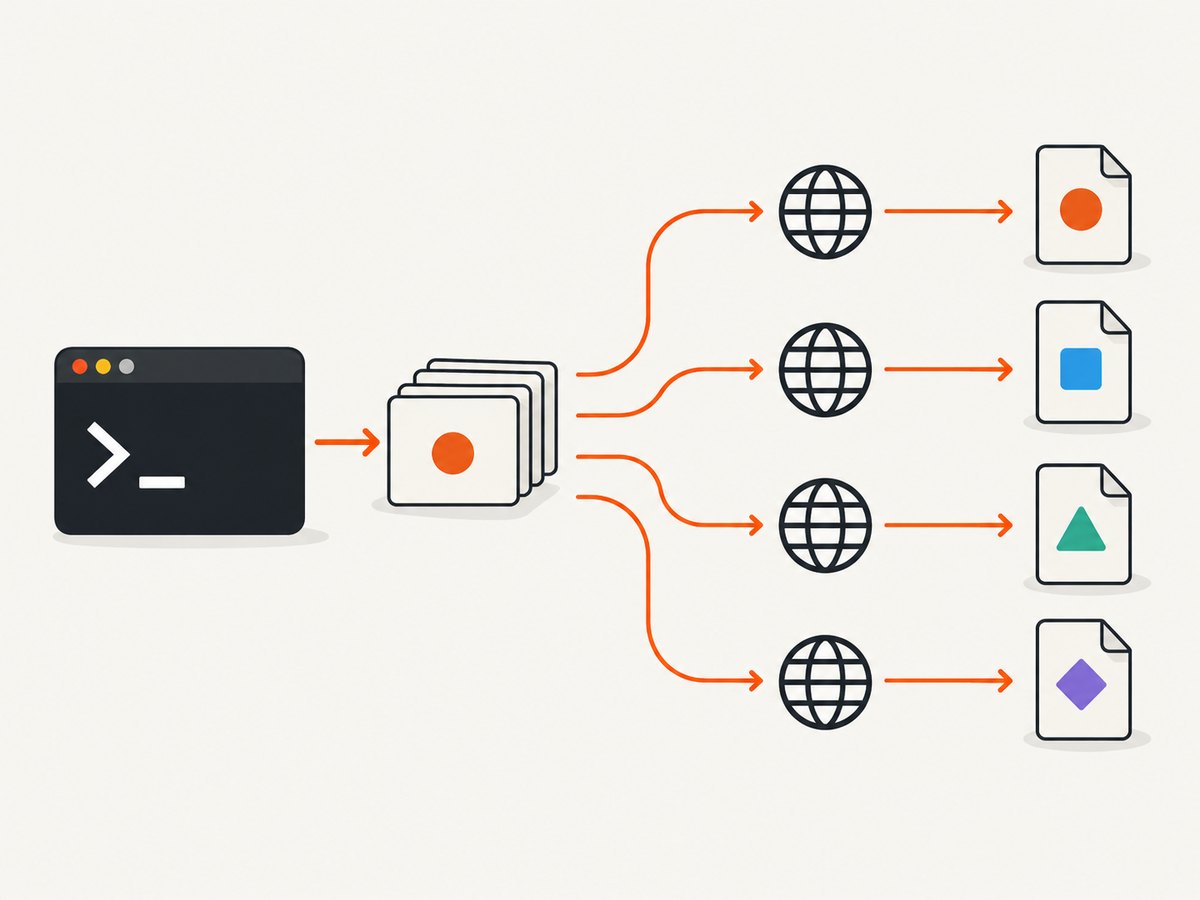
curl --fail --show-error --silent --parallel --parallel-max 4 \
  https://api.example.test/users -o users.json \
  https://api.example.test/orders -o orders.json \
  https://api.example.test/inventory -o inventory.json \
  https://api.example.test/health -o health.json
These flags have separate jobs:
--parallelenables concurrent scheduling.--parallel-max 4allows at most four active transfers for this invocation.--failmakes HTTP 4xx and 5xx responses fail instead of treating their bodies as successful data.--show-error --silenthides the progress meter while retaining useful errors.
For downloads where an HTTP error body is useful for debugging, omit --fail and inspect the status separately with --write-out.
3. Limit concurrency safely
--parallel-max N controls the number of transfers curl may run at once. The official man page documents a default of 50 and a maximum supported value of 65,535. A high number can still overload the target service, exhaust local sockets, or make failures harder to retry.
| Situation | Starting limit | Why |
|---|---|---|
| Two to ten unrelated API calls | 4–8 | Simple, low pressure, usually enough to hide network latency |
| Large URL batch | 8–32 | Balances throughput with server and file-descriptor usage |
| Strict provider rate limits | Provider limit or lower | Concurrency is not a substitute for rate-limit compliance |
| Same host with expensive endpoints | 2–8 | Reduces burst load on one origin |
Use an explicit value in production scripts so behavior does not change when curl’s documented default changes or when a different build is installed.
4. Cap connections per host
On curl versions that support it, --parallel-max-host N limits simultaneous connections to the same protocol, hostname, and port. This is useful when a batch contains many URLs from one origin but can contact different hosts freely.
curl --parallel \
  --parallel-max 20 \
  --parallel-max-host 4 \
  https://cdn.example.test/a.css -o a.css \
  https://cdn.example.test/b.css -o b.css \
  https://api.example.test/a -o a.json \
  https://api.example.test/b -o b.json
The current man page lists the default for --parallel-max-host as unlimited. Verify support with curl --help all before relying on this option in a portable script.
5. Use --next when requests differ
Options normally apply to the URLs that follow them. --next starts a new option group, allowing different methods, headers, or request bodies in one invocation. Add --parallel globally when those groups should execute concurrently.
curl --parallel --parallel-max 4 \
  -I https://example.test/status \
  --next \
  -H 'Authorization: Bearer TOKEN' \
  https://api.example.test/private -o private.json \
  --next \
  -d 'name=curl' \
  -H 'Content-Type: application/x-www-form-urlencoded' \
  https://api.example.test/submit -o submit.txt
The curl HTTP scripting guide explains how multiple URLs reuse applicable options and how --next separates groups. Treat each group as an independent request definition, and give every body a unique output path.
Be especially careful with --request and redirects. When --location is combined with an explicit method, curl can reuse that method while following redirects. Confirm the redirect and method behavior for the endpoint before using this pattern against mutating APIs.
6. Preserve response names and metadata
For a fixed list, explicit file names are clearest. For a URL whose final path should determine the output name, use -O (remote-name), but avoid collisions when different URLs end with the same basename.
mkdir -p responses
curl --parallel --parallel-max 8 \
  https://example.test/a.json -o responses/a.json \
  https://example.test/b.json -o responses/b.json
To record status and timing for each transfer, include a write-out template in each option group or run a second metadata pass. A simple single-request diagnostic looks like this:
curl -sS -o response.json \
  -w 'status=%{http_code} time=%{time_total}s url=%{url_effective}\n' \
  https://api.example.test/data
For parallel batches, write diagnostics to separate files or a structured log so concurrent lines do not become ambiguous.
7. Read a URL list
Native parallel mode is convenient when the URL set is known when you write the command. For a generated list, GNU Parallel can create one curl process per input item.
printf '%s\n' \
  'https://example.test/one' \
  'https://example.test/two' \
  'https://example.test/three' |
  parallel -j 4 curl -fsS {} -o '{#}.body'
-j 4 limits active jobs. {#} is GNU Parallel’s input sequence number, which avoids two URLs writing the same file. The GNU Parallel documentation covers input sources, job counts, quoting, and output handling.
Prefer native curl parallel mode for a straightforward batch. Choose GNU Parallel when each item needs preprocessing, a custom command template, independent retries, or job-level logging. That distinction follows the tools’ documented capabilities; neither method is universally faster.
8. Python equivalent with concurrent requests
Python’s standard library can run blocking URL fetches in a thread pool. This example downloads a fixed mapping and writes each response to its own file.
from concurrent.futures import ThreadPoolExecutor, as_completed
from pathlib import Path
from urllib.request import Request, urlopen

jobs = {
    "one.html": "https://example.com/one",
    "two.html": "https://example.com/two",
    "three.html": "https://example.com/three",
}


def download(item):
    filename, url = item
    request = Request(url, headers={"User-Agent": "parallel-fetch/1.0"})
    with urlopen(request, timeout=30) as response:
        data = response.read()
        status = response.status
    Path(filename).write_bytes(data)
    return filename, status, len(data)

with ThreadPoolExecutor(max_workers=4) as pool:
    futures = [pool.submit(download, item) for item in jobs.items()]
    for future in as_completed(futures):
        print(future.result())
Use a bounded worker count, set connect/read timeouts, and add retries with backoff only for errors that are safe to retry. Do not blindly retry non-idempotent POST requests.
9. Node.js equivalent
Modern Node.js provides fetch. Promise.all starts a fixed set together; a larger batch should use a worker pool or semaphore to enforce a cap.
const jobs = [
  ['one.json', 'https://api.example.test/one'],
  ['two.json', 'https://api.example.test/two'],
  ['three.json', 'https://api.example.test/three'],
];

const fs = require('node:fs/promises');

async function download([filename, url]) {
  const res = await fetch(url, { signal: AbortSignal.timeout(30000) });
  if (!res.ok) throw new Error(`${url}: HTTP ${res.status}`);
  await fs.writeFile(filename, Buffer.from(await res.arrayBuffer()));
  return filename;
}

Promise.all(jobs.map(download))
  .then(files => console.log('saved', files))
  .catch(error => {
    console.error(error);
    process.exitCode = 1;
  });
For hundreds of URLs, replace Promise.all with a queue that runs only N workers. That prevents memory spikes and connection bursts.
10. Or skip the browser setup
If your parallel work is collecting website screenshots, a screenshot API removes the need to run and maintain a browser for every URL. ScreenshotNeo accepts one GET request per URL and returns PNG, JPEG, WebP, or PDF. It can also process bulk capture requests for up to 100 URLs per call.

Basic request:
curl -G "https://api.screenshotneo.com/v1/shot" -d access_key=YOUR_API_KEY --data-urlencode url=https://stripe.com -o shot.webpPython:
import requests
r = requests.get("https://api.screenshotneo.com/v1/shot", params={"access_key": "YOUR_API_KEY", "url": "https://stripe.com"}, timeout=90)
open("shot.webp", "wb").write(r.content)
Node.js:
const q = new URLSearchParams({ access_key: 'YOUR_API_KEY', url: 'https://stripe.com' });
const res = await fetch(`https://api.screenshotneo.com/v1/shot?${q}`);
See the ScreenshotNeo API documentation for request options. Screenshots can be full page with lazy images loaded, limited to an element by CSS selector, rendered in dark mode, captured using device presets or custom viewports, and produced at a retina scale. You can set custom CSS and JavaScript, click an element, hide selectors, wait for a selector, delay, or network idle, block ads and trackers, provide headers, cookies, a user agent, authorization, timezone, or geolocation, use transparent backgrounds, resize images, cache with a chosen TTL, create signed image links, submit asynchronous jobs with signed webhooks, and call the usage API.
ScreenshotNeo accepts consent banners before capture and removes more than 60 known consent platforms, newsletter popups, and chat widgets; each cleanup step can be turned off. Bot checks, CAPTCHAs, blank pages, timeouts, failed loads, and cache hits are not billed, and the response identifies the result with X-Page-Verdict and X-Billed headers. An MCP server provides take_screenshot, get_page_info, and capture_pdf tools for Claude, Cursor, and other MCP clients.
There is a free plan with 1,000 screenshots per month and no card. Paid plans start at $5 for 3,000 shots; every feature is available on every plan. Create a free ScreenshotNeo account.
11. Reliability and retry design
- Set timeouts: use
--connect-timeoutand--max-timeso one stalled origin does not hold a batch forever. - Use retries selectively:
--retrycan help with transient network failures and some 5xx responses. Avoid retrying requests that create side effects unless the API supports idempotency keys. - Keep outputs atomic: download to a temporary name, then rename after success when partial files would be dangerous.
- Capture exit status: with many transfers, inspect logs and output files rather than assuming the process succeeded because some files exist.
- Respect service policy: concurrency increases load. Follow the provider’s rate limits and terms.
curl --parallel --parallel-max 6 \
  --connect-timeout 10 --max-time 60 \
  --retry 3 --retry-delay 2 --retry-all-errors \
  https://example.test/a -o a.out \
  https://example.test/b -o b.out
Check which retry flags your installed curl supports. Broad retry modes can repeat errors that require a code or configuration change.
12. Performance and cost considerations
Parallelism mainly reduces wall-clock time when requests are independent and spend much of their time waiting on network or server latency. It does not make one request faster. Increasing the limit eventually stops helping because of bandwidth, CPU, DNS, TLS handshakes, server throttling, file descriptors, or downstream limits.
- Start with 4 or 8 workers and measure total time, error rate, and server responses.
- Reuse connections where possible; HTTP/2 multiplexing may change how additional transfers are scheduled.
- Use
--parallel-immediatewhen you specifically need curl to prefer opening additional connections immediately rather than waiting to multiplex additional streams, and verify that your curl version supports it. - For large batches, process chunks and persist a manifest of completed URLs so a rerun does not repeat successful work.
- Bandwidth and API pricing are separate concerns. Parallel mode changes request timing, not the provider’s billing model.
For ScreenshotNeo captures, cache hits are not billed. Its response headers identify whether a result was billed, which lets a batch job record actual usage instead of estimating from request count.
13. Troubleshooting common errors
| Symptom | Likely cause | Fix |
|---|---|---|
unknown option --parallel |
curl is older than 7.66.0 | Upgrade curl or use GNU Parallel/Python/Node workers. |
| Files overwrite each other | Several URLs share one output path | Give every URL a unique -o destination or generate collision-safe names. |
| Too many 429 responses | Concurrency exceeds the service’s rate policy | Lower --parallel-max, add backoff, and honor retry headers. |
| One request hangs | No effective timeout | Set --connect-timeout and --max-time. |
| Successful-looking output contains an error page | HTTP error bodies were saved | Add --fail and log status with --write-out. |
| POST repeats after a failure | Retry is unsafe for a side-effecting operation | Retry only with API-supported idempotency controls. |
| Different requests use the wrong headers or method | Options leaked across URL groups | Separate definitions with --next and review redirect behavior. |
| GNU Parallel output names collide | Basename-based naming is not unique | Use an input sequence, a sanitized hash, or a generated manifest. |
14. Practical checklist
- Confirm
curl --versionsupports--parallel. - Decide whether requests are independent and safe to run concurrently.
- Choose a conservative, explicit
--parallel-max. - Cap one host with
--parallel-max-hostwhen your version supports it. - Give every response a unique output path.
- Use
--nextfor groups with different methods, bodies, or headers. - Add timeouts and a retry policy appropriate to the request method.
- Log HTTP status, effective URL, and timing for batch diagnosis.
- Respect rate limits and test with a small batch first.
- For website screenshots, consider ScreenshotNeo when browser setup and consent cleanup would otherwise dominate the job.
15. FAQ
Does listing multiple URLs make curl parallel automatically?
No. Multiple URLs can be processed by one curl command, but add --parallel or -Z when you want concurrent transfers.
What is curl’s default parallel limit?
The current official man page documents a default --parallel-max of 50. Set your own value when consistency matters.
Can parallel requests use different headers?
Yes. Use separate option groups divided by --next, and verify which options apply to each URL.
Should I use GNU Parallel instead?
Use native curl mode for a simple fixed batch. GNU Parallel is useful when each input needs custom shell logic, preprocessing, retries, or logging.
How do I parallelize screenshot collection without running browsers?
Use ScreenshotNeo’s API or bulk capture endpoint. It handles browser rendering, consent cleanup, waiting, output formats, and asynchronous jobs; its MCP server also lets AI agents request screenshots directly.


