How to Send POST Data with wkhtmltopdf
Use repeatable wkhtmltopdf --post options for form fields and --post-file for uploads, with cookies, headers and authentication when needed.

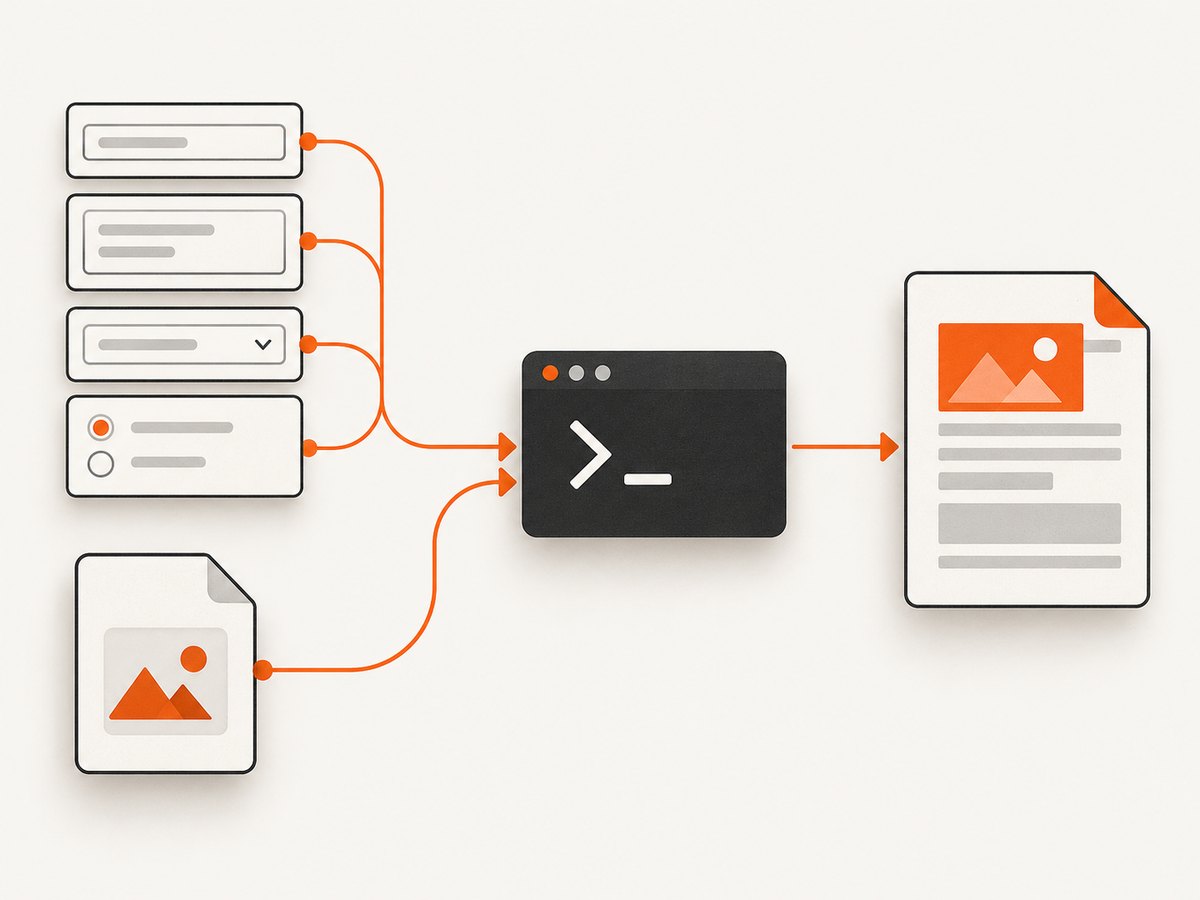
Use --post <name> <value> for ordinary form fields and --post-file <name> <path> for file uploads. Repeat either option for every field or file, and place the options before the URL they apply to.
wkhtmltopdf \
  --post username alice \
  --post token abc123 \
  https://example.com/report report.pdf
The command sends a POST request while wkhtmltopdf loads the page, then renders the response as a PDF. For a multipart file field, use:
wkhtmltopdf \
  --post-file upload /tmp/report.csv \
  https://example.com/upload result.pdf
How --post works
The option accepts exactly two arguments: a field name and its value. It is repeatable, so each form field gets its own option.
| Need | Option | Example |
|---|---|---|
| Text, number or token field | --post name value |
--post order_id 123 |
| Uploaded file | --post-file name path |
--post-file invoice /tmp/invoice.pdf |
| Session cookie | --cookie name value |
--cookie session abc |
| Persist cookies | --cookie-jar path |
--cookie-jar /tmp/cookies.txt |
| Request header | --custom-header name value |
--custom-header X-Request-ID abc |
| HTTP Basic authentication | --username user --password pass |
Credentials for a protected endpoint |
Basic examples
Send several fields
wkhtmltopdf \
  --post customer_id 42 \
  --post format detailed \
  --post include_archived true \
  https://example.com/export export.pdf
Use the exact field names expected by the endpoint. A parameter named customerId is different from customer_id.
Send a value containing spaces or shell characters
Quote the value so your shell passes it as one argument:
wkhtmltopdf \
  --post note 'Quarterly report for Alice & Bob' \
  https://example.com/report report.pdf
Use your shell’s normal quoting rules for ampersands, dollar signs, question marks and newlines. Do not put shell syntax inside the value unless you intend the shell to interpret it.
Upload one or more files
wkhtmltopdf \
  --post description 'Source data' \
  --post-file primary_file /tmp/data.csv \
  --post-file supporting_file /tmp/notes.txt \
  https://example.com/upload upload-result.pdf
--post-file takes the multipart field name followed by a local filesystem path. The file must be readable by the user running wkhtmltopdf.
Option placement and multiple page objects
wkhtmltopdf distinguishes global options from page or object options. Keep POST options with the URL they configure and put them before that URL.
wkhtmltopdf \
  --post report_id 100 \
  https://example.com/report report.pdf
When a command contains multiple page objects, do not assume a POST option automatically applies to every URL. Scope each page’s options explicitly:
wkhtmltopdf \
  --post id 100 https://example.com/first first.html \
  --post id 200 https://example.com/second second.html \
  combined.pdf
The precise behavior of mixed global and page options can vary by wkhtmltopdf build, so keeping request-specific options immediately before their URL makes the command unambiguous.
Authenticated and stateful POST requests
Send cookies
If the endpoint expects an existing session, provide the cookie name and value:
wkhtmltopdf \
  --cookie session_id 'abc123' \
  --post report_id 42 \
  https://example.com/private/report private.pdf
For several cookies, repeat --cookie. A cookie only works for the domain and path where the server accepts it.
Read and write a cookie jar
wkhtmltopdf \
  --cookie-jar /tmp/wkhtml-cookies.txt \
  --post username alice \
  --post password secret \
  https://example.com/login logged-in.pdf
A cookie jar is useful when a login or redirect establishes a session that later page loads need. Protect the jar because it can contain reusable credentials.
Add custom headers
wkhtmltopdf \
  --custom-header X-Request-ID 'job-123' \
  --custom-header Authorization 'Bearer YOUR_TOKEN' \
  --post report_id 42 \
  https://example.com/report report.pdf
Use headers for API tokens, correlation IDs and content negotiation when the receiving service requires them. Confirm whether your wkhtmltopdf build forwards custom headers during redirects and subresource requests.
HTTP Basic authentication
wkhtmltopdf \
  --username alice \
  --password 'correct-horse-battery-staple' \
  --post report_id 42 \
  https://example.com/report report.pdf
Prefer environment variables or a secret manager instead of putting passwords directly in shell history.
Forms, redirects and JavaScript
--post sends request fields when wkhtmltopdf loads the URL; it does not simulate a user typing into a form and clicking a button. If the server responds with a redirect, authentication challenge or a JavaScript application that later makes its own API call, the final page may not contain the data you expected.

- Use the endpoint’s exact field names and expected encoding.
- Check whether the endpoint requires a CSRF token, cookie or special header.
- Confirm that the POST response itself is an HTML page suitable for rendering.
- For JavaScript-driven forms, make sure the required scripts can run in the Qt WebKit engine used by your build.
- If the endpoint returns JSON, wkhtmltopdf may render raw JSON rather than a designed report; use an HTML report endpoint when possible.
Command checklist
- Identify every ordinary field and its exact server-side name.
- Use one
--post name valuepair per ordinary field. - Use
--post-file field pathfor each upload. - Add
--cookie,--cookie-jar, headers or Basic authentication if required. - Place request options before the URL they configure.
- Quote values containing whitespace or shell metacharacters.
- Verify that local upload paths exist and are readable.
- Open the resulting PDF and inspect the HTTP endpoint independently if the document is blank or unauthorized.
Troubleshooting
| Symptom | Likely cause | Fix |
|---|---|---|
| The server says a field is missing | Wrong field name, omitted repeatable option or shell quoting error | Copy the exact field name, repeat --post, and quote the value |
| Upload field is empty | Incorrect path, unreadable file or use of --post instead of --post-file |
Use --post-file field /absolute/path and check permissions |
| PDF shows a login page | Missing cookie, Basic credentials or Authorization header | Add the required authentication option and inspect redirects |
| Session disappears after login | Cookies were not persisted or the cookie domain is different | Use --cookie-jar, provide required cookies, and verify domain/path scope |
| POST data appears ignored | Options placed after the URL or attached to another page object | Move options immediately before the target URL |
| Blank PDF | Failed load, JavaScript incompatibility, blocked resources or an empty response | Load the URL with the same credentials, inspect server logs, and test a simple static response |
| Special characters are corrupted | Shell quoting or server encoding mismatch | Quote values and confirm the endpoint’s expected character encoding |
| Command works locally but not in CI | Different working directory, missing file, permissions or environment secrets | Use absolute paths, check the executing user and inject secrets securely |
Performance, reliability and cost
POST rendering time is usually dominated by the target server response, redirects, external assets and JavaScript. Keep the request payload small, avoid unnecessary third-party resources and generate the PDF from a deterministic report endpoint when possible.
- Reliability: retry only when the operation is safe to repeat. A POST can create server-side state, so use an idempotency key if the endpoint supports one.
- Timeouts: set an execution timeout in the calling process and capture stderr so failed loads are visible to operators.
- Secrets: command-line arguments can be visible in process listings and shell history. Prefer a cookie jar with restricted permissions or a secret-injection mechanism.
- Concurrency: limit parallel wkhtmltopdf processes according to available CPU and memory. Large full-page documents can consume substantial resources.
- Cost: wkhtmltopdf is open-source command-line software; your practical costs are compute, storage and the endpoint you call.
Or skip the browser setup
If you need a clean screenshot or PDF from a URL rather than a local wkhtmltopdf workflow, ScreenshotNeo provides a single request API. Its capture process accepts cookie and consent banners like a visitor, then removes more than 60 known consent platforms, newsletter popups and chat widgets before the shot. Bot checks, blank pages, timeouts, failed loads and cache hits are not billed, and response headers identify the page verdict and billing status.
See the ScreenshotNeo API documentation for all options. A basic capture looks like this:
cURL
curl -G "https://api.screenshotneo.com/v1/shot" -d access_key=YOUR_API_KEY --data-urlencode url=https://stripe.com -o shot.webpPython
import requests
r = requests.get("https://api.screenshotneo.com/v1/shot", params={"access_key": "YOUR_API_KEY", "url": "https://stripe.com"}, timeout=90)
open("shot.webp", "wb").write(r.content)
Node.js
const q = new URLSearchParams({ access_key: 'YOUR_API_KEY', url: 'https://stripe.com' });
const res = await fetch(`https://api.screenshotneo.com/v1/shot?${q}`);
ScreenshotNeo also includes an MCP server for AI agents, including Claude, Cursor and other MCP clients. The free plan includes 1,000 screenshots per month with no card; paid plans start at $5 for 3,000 shots. Create a free ScreenshotNeo account.
FAQ
Can I send multiple values for the same field?
Repeat --post with the same field name. Whether the server interprets that as a list depends on the endpoint’s form parser.
Can I send JSON with --post?
--post is documented for named POST fields. For a JSON API, use a client that can set the request body and Content-Type: application/json, or expose an HTML endpoint designed for wkhtmltopdf.
Can I combine cookies and POST fields?
Yes. Put one or more --cookie options alongside the --post options before the URL.
Why does a successful HTTP response still produce a bad PDF?
wkhtmltopdf renders the returned page, including redirects, scripts and assets. A 200 response can still contain a login page, an empty document or markup that the rendering engine cannot display correctly.
Should I use wkhtmltopdf for every URL-to-PDF job?
It is useful when you control the command-line environment and need POST fields or uploads. For hosted captures without browser installation and maintenance, a screenshot API such as ScreenshotNeo can handle the URL request directly.


