How to Send Scheduled Screenshots to Slack
Capture a webpage on a schedule, upload it through Slack’s current file API, and post a reliable image with retries, alt text, and alerts.
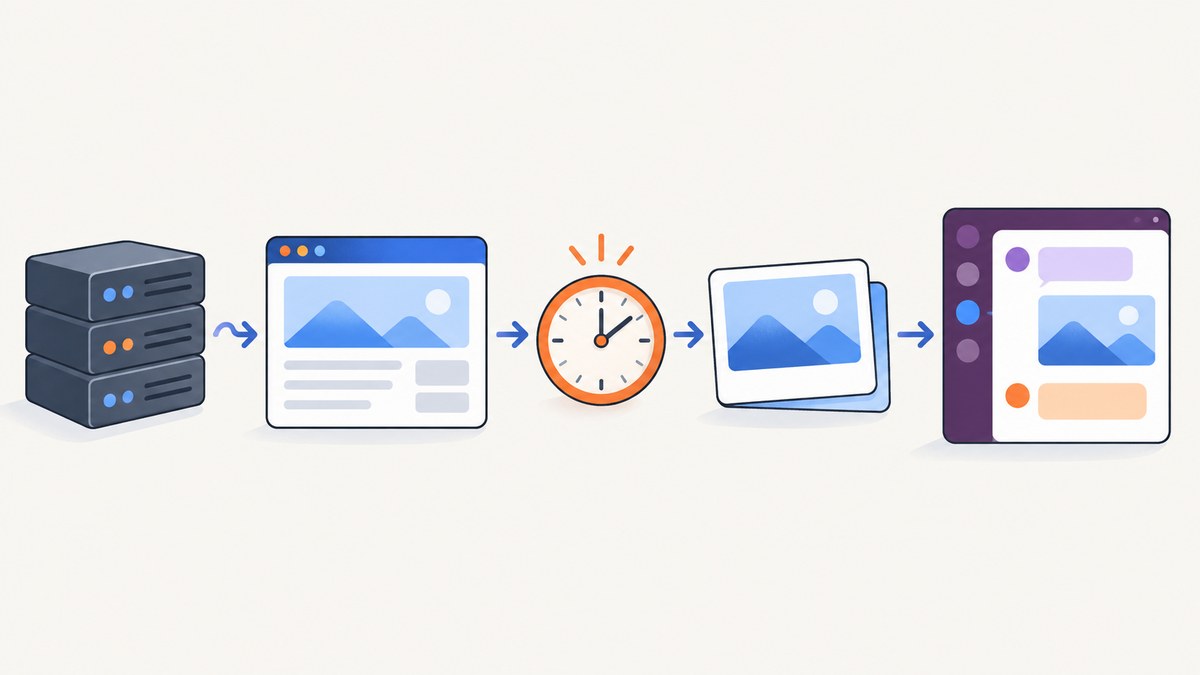
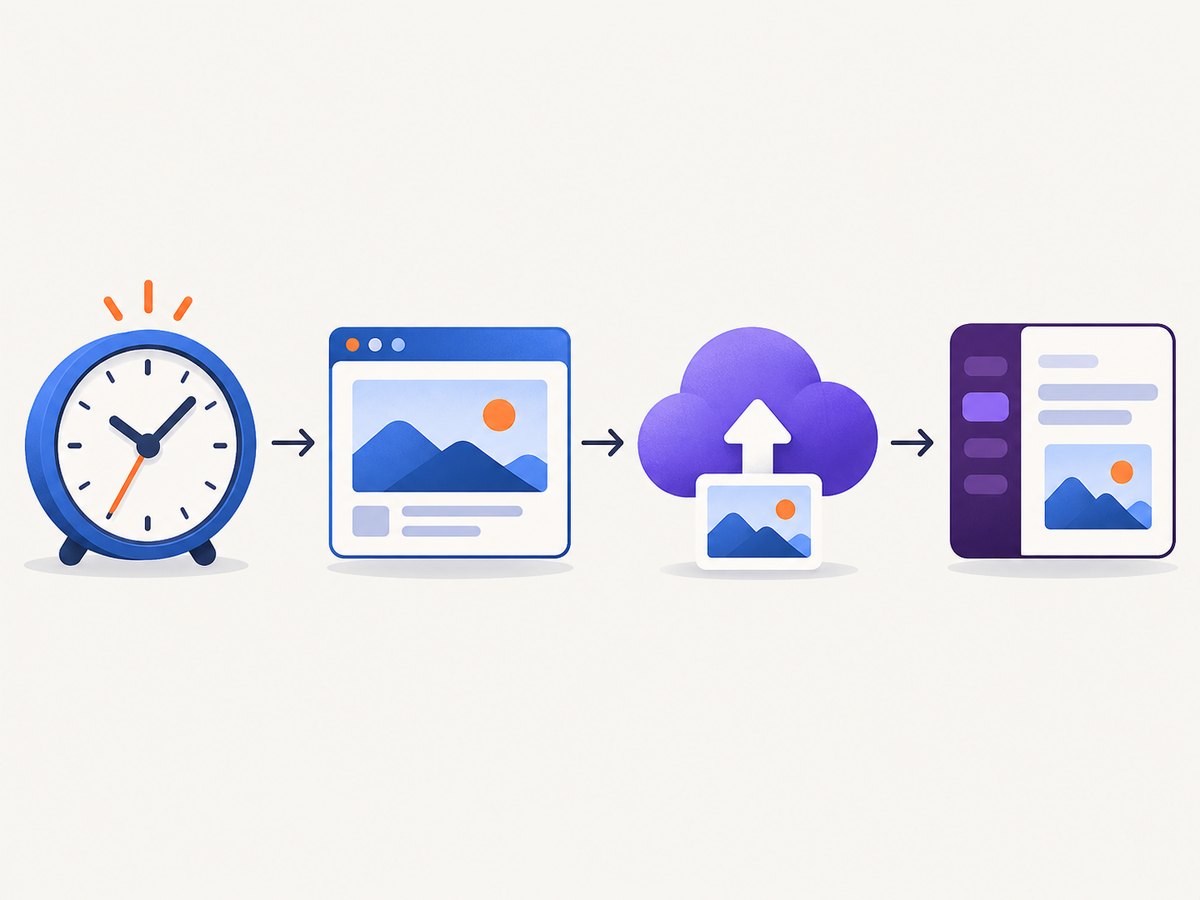
Short answer: run a scheduled job that captures the webpage, uploads the image with Slack’s external file upload sequence, and shares the completed file to the destination channel. Slack can schedule a message, but it does not capture screenshots. For recurring reports, capture and post at the same scheduled run so the image reflects the page at delivery time.
The workflow is:
- A scheduler starts your script (cron, GitHub Actions, a cloud scheduler, or another timer).
- The script captures a PNG, JPEG, or WebP.
- It requests an upload URL with
files.getUploadURLExternal. - It uploads the bytes to that URL.
- It calls
files.completeUploadExternal, naming the destination channel. - It records the result and retries or alerts when a step fails.
1. Choose the scheduling design
| Design | Best for | Image timing | Main concern |
|---|---|---|---|
| Capture, upload, and post at each run | Recurring monitoring and reports | Captured immediately before posting | Your job must handle capture, upload, and retries |
| Schedule a Slack message in advance | A fixed message and image reference already exist | Captured before scheduling | The URL or private file must still render later |
Slack’s chat.scheduleMessage method accepts a future Unix timestamp in post_at. Slack documents a maximum horizon of 120 days and a limit of 30 scheduled messages in a five-minute window for one channel. These are API limits, not a replacement for a screenshot scheduler.
2. Create the Slack app and scopes
- Open the Slack API site, create an app, and install it in the destination workspace.
- For scheduled text messages, grant
chat:write. - For image uploads, grant
files:write. - Add conversation discovery scopes only when the script must search for a channel. If you already know the channel ID, store it as configuration.
- Invite the app to the target channel when the workspace requires it.
Keep the bot token and channel ID in environment variables or a secret manager. Do not put either value in a repository, screenshot, log line, or client-side page.
3. Capture the page
Your capture source can be Playwright, Puppeteer, Selenium, a desktop process, a monitoring service, or an image API. A browser capture must wait for the page state you care about: fonts, charts, data requests, and lazy images may finish after the initial load.
A typical Playwright capture in Python:
import asyncio
from pathlib import Path
from playwright.async_api import async_playwright

async def capture():
    async with async_playwright() as p:
        browser = await p.chromium.launch()
        page = await browser.new_page(viewport={"width": 1440, "height": 900}, device_scale_factor=1)
        await page.goto('https://example.com/dashboard', wait_until='networkidle', timeout=90000)
        await page.screenshot(path='shot.png', full_page=True)
        await browser.close()

asyncio.run(capture())
For a recurring job, add a deterministic wait for a selector such as [data-report-ready], or a short delay after the data request completes. Set a maximum timeout so a broken page does not hold the scheduler forever.
4. Upload and share the image with Slack
Do not build a new integration around the deprecated files.upload method; Slack’s documented sunset date was November 12, 2025. Use files.getUploadURLExternal, upload the bytes to the returned URL, and then call files.completeUploadExternal. Uploading hosts a file; completing the upload with a channel shares it there.
Python implementation
import os
import time
import requests

SLACK_TOKEN = os.environ['SLACK_BOT_TOKEN']
CHANNEL_ID = os.environ['SLACK_CHANNEL_ID']
IMAGE_PATH = 'shot.png'

headers = {'Authorization': f'Bearer {SLACK_TOKEN}'}
size = os.path.getsize(IMAGE_PATH)

r = requests.post(
    'https://slack.com/api/files.getUploadURLExternal',
    headers=headers,
    data={'filename': os.path.basename(IMAGE_PATH), 'length': size},
    timeout=30,
)
r.raise_for_status()
meta = r.json()
if not meta.get('ok'):
    raise RuntimeError(meta)

with open(IMAGE_PATH, 'rb') as image_file:
    upload = requests.post(
        meta['upload_url'],
        files={'file': (os.path.basename(IMAGE_PATH), image_file, 'image/png')},
        timeout=90,
    )
    upload.raise_for_status()

complete = requests.post(
    'https://slack.com/api/files.completeUploadExternal',
    headers=headers,
    data={
        'files': '[{"id":"' + meta['file_id'] + '","title":"Scheduled screenshot"}]',
        'channel_id': CHANNEL_ID,
        'initial_comment': 'Scheduled screenshot: https://example.com/dashboard',
    },
    timeout=30,
)
complete.raise_for_status()
result = complete.json()
if not result.get('ok'):
    raise RuntimeError(result)
print(result)
The upload URL is a separate HTTP request from Slack’s Web API. Check both responses. Slack may scan and process the file before it is available, so do not assume that a successful byte upload means the file is already visible.
Node.js implementation
import fs from 'node:fs/promises';

const token = process.env.SLACK_BOT_TOKEN;
const channelId = process.env.SLACK_CHANNEL_ID;
const path = 'shot.png';
const bytes = await fs.readFile(path);

async function slack(method, body) {
  const response = await fetch(`https://slack.com/api/${method}`, {
    method: 'POST',
    headers: {
      Authorization: `Bearer ${token}`,
      'Content-Type': 'application/x-www-form-urlencoded;charset=utf-8'
    },
    body: new URLSearchParams(body)
  });
  const data = await response.json();
  if (!data.ok) throw new Error(JSON.stringify(data));
  return data;
}

const upload = await slack('files.getUploadURLExternal', {
  filename: path,
  length: String(bytes.length)
});

const form = new FormData();
form.append('file', new Blob([bytes], { type: 'image/png' }), path);
const uploadResponse = await fetch(upload.upload_url, { method: 'POST', body: form });
if (!uploadResponse.ok) throw new Error(`Upload failed: ${uploadResponse.status}`);

const files = JSON.stringify([{ id: upload.file_id, title: 'Scheduled screenshot' }]);
const completed = await slack('files.completeUploadExternal', {
  files,
  channel_id: channelId,
  initial_comment: 'Scheduled screenshot: https://example.com/dashboard'
});
console.log(completed);
cURL sequence
FILE='shot.png'
TOKEN='xoxb-your-token'
CHANNEL='C0123456789'
SIZE=$(wc -c < "$FILE")
META=$(curl -sS -X POST https://slack.com/api/files.getUploadURLExternal \
  -H "Authorization: Bearer $TOKEN" \
  --data-urlencode "filename=$FILE" \
  --data-urlencode "length=$SIZE")
UPLOAD_URL=$(echo "$META" | jq -r .upload_url)
FILE_ID=$(echo "$META" | jq -r .file_id)
curl -sS -X POST "$UPLOAD_URL" -F "file=@$FILE"
curl -sS -X POST https://slack.com/api/files.completeUploadExternal \
  -H "Authorization: Bearer $TOKEN" \
  --data-urlencode "files=[{\"id\":\"$FILE_ID\",\"title\":\"Scheduled screenshot\"}]" \
  --data-urlencode "channel_id=$CHANNEL" \
  --data-urlencode 'initial_comment=Scheduled screenshot'
5. Add useful alt text and accessibility
If you post with Block Kit, an image block requires alt_text. It can reference a public image URL or a Slack image file. Describe what the image conveys rather than repeating its filename.
{
  "type": "image",
  "alt_text": "Full-page checkout dashboard showing today’s conversion chart",
  "slack_file": { "id": "F0123456789" }
}
Slack supports PNG, JPG, JPEG, and GIF for image blocks. If you use a public URL, it must remain reachable when Slack renders the message. A private Slack file requires a viewer who can access that file.
6. Schedule the job
With cron, run every weekday at 09:00 UTC:
0 9 * * 1-5 /usr/bin/python3 /opt/screenshot/send_report.py >> /var/log/screenshot-slack.log 2>&1Use UTC or explicitly configure the scheduler’s timezone. Avoid overlapping runs: acquire a lock, use a queue with one worker, or include a run ID in logs. A run should have a capture timeout, upload timeout, and an overall deadline.
7. Scheduling a message ahead of time
Use this design only when the image already exists and its reference will remain valid. The API returns a scheduled message ID, which you can list or cancel before delivery.
curl -sS -X POST https://slack.com/api/chat.scheduleMessage \
  -H 'Authorization: Bearer xoxb-your-token' \
  -H 'Content-Type: application/json; charset=utf-8' \
  --data '{"channel":"C0123456789","post_at":1760000400,"text":"Daily screenshot","blocks":[{"type":"image","image_url":"https://cdn.example.com/report.png","alt_text":"Daily report screenshot"}]}'
A hosted URL must be available at delivery time. Slack’s scheduling documentation does not promise that a private file reference embedded far in advance will remain renderable, so test that behavior in your workspace. For recurring screenshots, runtime capture and upload avoids this uncertainty.
8. Reliability checklist
- Log the scheduled time, target URL, capture duration, image size, Slack method, response status, and Slack error code.
- Retry transient network errors with exponential backoff and a maximum attempt count.
- Do not blindly retry a completed upload; store the returned file ID and run ID to prevent duplicates.
- Alert when the page is blank, a bot check appears, the browser times out, or Slack rejects the upload.
- Keep the last successful image and timestamp so an operator can distinguish a late report from a missing report.
- Validate that the channel still exists and that the app still has access after workspace changes.
9. Troubleshooting
| Symptom | Likely cause | Fix |
|---|---|---|
missing_scope |
The token lacks chat:write or files:write. |
Add the scope, reinstall the app, and replace the stored token. |
| Upload succeeds but no channel post appears | The file was uploaded but not completed with a destination. | Call files.completeUploadExternal with channel_id. |
channel_not_found or not_in_channel |
Wrong ID or the app is not a member. | Use the channel ID, invite the app, and verify private-channel access. |
| Image is missing when the message posts | Slack is still processing the upload, or a future URL is private. | Wait for completion, verify the file object, or upload at run time. |
| Browser timeout | Slow assets, blocked requests, or a page waiting forever. | Set navigation and selector timeouts, block unnecessary resources, and capture a diagnostic screenshot. |
| Duplicate screenshots | A retry repeated a completed operation. | Persist a run ID and file ID; retry only the failed stage. |
| Slack rate limit | Too many messages or uploads in a short period. | Honor the response’s retry guidance and spread jobs across the window. |
10. Performance, reliability, and cost
Capture time is usually dominated by page loading, JavaScript, fonts, and full-page scrolling. Reuse a browser process for batches, set a fixed viewport, and wait on a meaningful readiness selector instead of an arbitrary long delay. Compress images when Slack readability permits it, but keep enough resolution for charts and text.
Slack API calls do not replace the cost of your browser or hosting environment. A screenshot service can remove browser maintenance, but compare billing rules carefully: determine whether failed loads, bot checks, blank pages, and cache hits are billable.
Or skip the browser setup
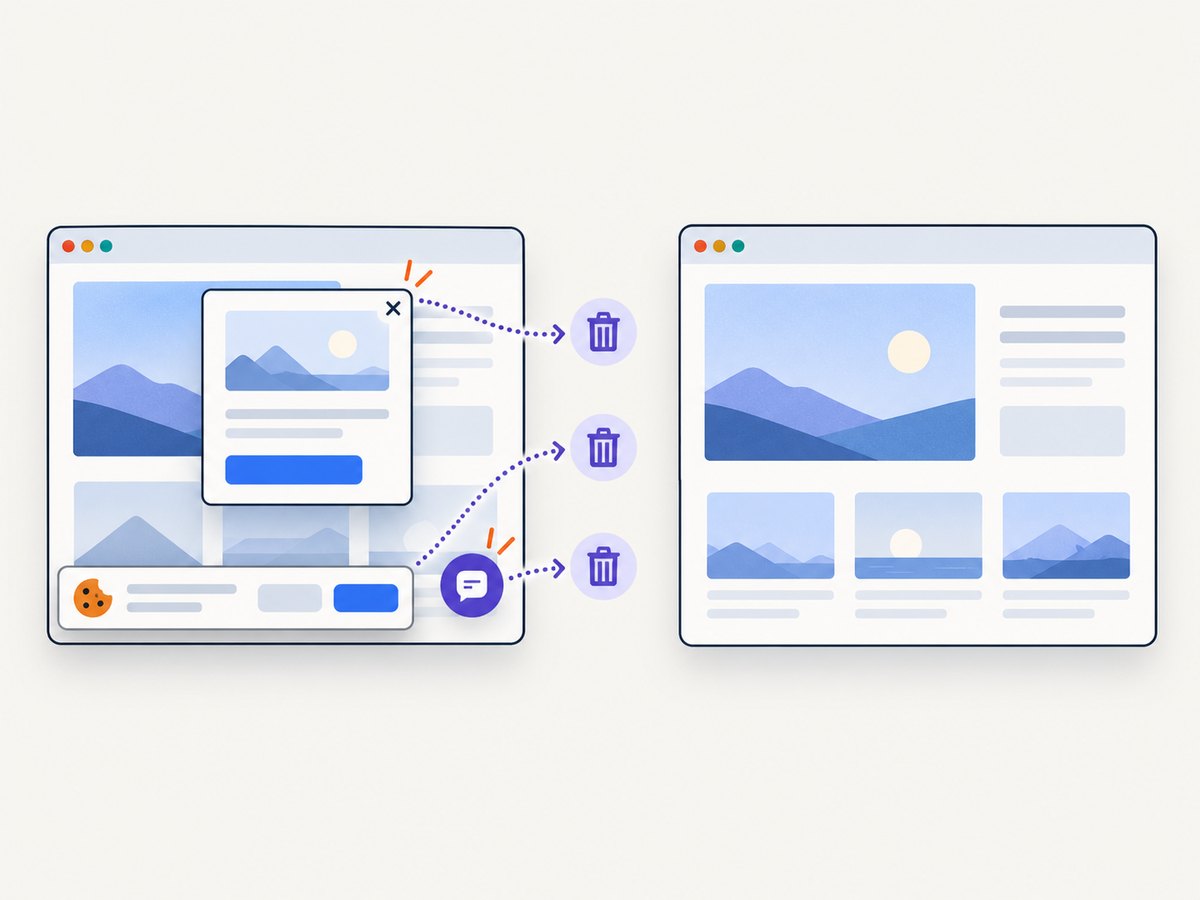
ScreenshotNeo provides a one-call website screenshot API. Its capture can accept consent banners like a visitor and remove more than 60 known consent platforms, newsletter popups, and chat widgets before the shot. Bot checks, blank pages, timeouts, failed loads, and cache hits are not billed; response headers identify the page verdict and whether it was billed. See the ScreenshotNeo API documentation for all options.
curl -G 'https://api.screenshotneo.com/v1/shot' -d access_key=YOUR_API_KEY --data-urlencode url=https://stripe.com -o shot.webpimport requests
r = requests.get('https://api.screenshotneo.com/v1/shot', params={'access_key': 'YOUR_API_KEY', 'url': 'https://stripe.com'}, timeout=90)
open('shot.webp', 'wb').write(r.content)const q = new URLSearchParams({ access_key: 'YOUR_API_KEY', url: 'https://stripe.com' });
const res = await fetch(`https://api.screenshotneo.com/v1/shot?${q}`);Use the returned bytes as the file in the Slack upload sequence. ScreenshotNeo also supports full-page capture with lazy images loaded, CSS-element capture, device presets and custom viewports, dark mode, retina scale, custom CSS and JavaScript, clicks, selector or network-idle waits, request blocking, headers, cookies, user agents, authorization, timezone, geolocation, transparent backgrounds, resizing, configurable caching, signed links, asynchronous jobs with signed webhooks, bulk capture of up to 100 URLs per call, a usage API, and PDF capture.
An MCP server exposes take_screenshot, get_page_info, and capture_pdf to Claude, Cursor, and other MCP clients. Plans include 1,000 screenshots per month free with no card; paid plans start at $5 for 3,000 shots. Start with the free ScreenshotNeo account.
FAQ
Can Slack itself take a screenshot?
No. Slack schedules or delivers messages; a separate browser, capture process, monitoring service, or screenshot API must create the image.
Should I upload the image days before posting?
Usually no for recurring reports. Upload and share during the scheduled run so the capture is current and you avoid uncertain private-file rendering later.
Can I send to a direct message?
Yes, if the app token has access to the DM or conversation and you provide its conversation ID.
What should the alt text say?
State the page or report and the important information it contains, such as “Checkout dashboard showing today’s conversion chart.”
How do I cancel a scheduled Slack message?
Keep the returned scheduled message ID and use Slack’s scheduled-message listing and deletion methods before post_at.


