How to Send a Custom URL Screenshot with discord.js
Capture any URL, upload the image in a discord.js interaction, and display it inside an embed with reliable deferred replies and troubleshooting.
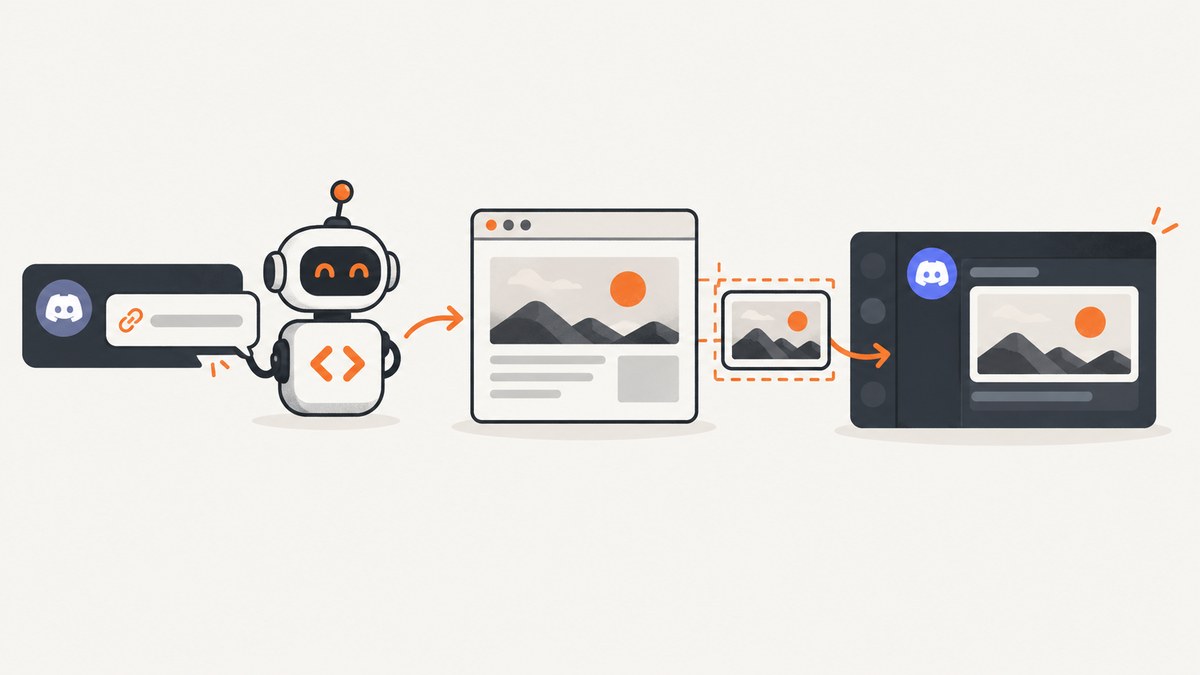
To send a custom URL screenshot with discord.js, generate the image first, then upload its bytes or file path in the interaction response. If you want the screenshot inside an embed, give the uploaded file a filename and reference that exact filename with attachment://....
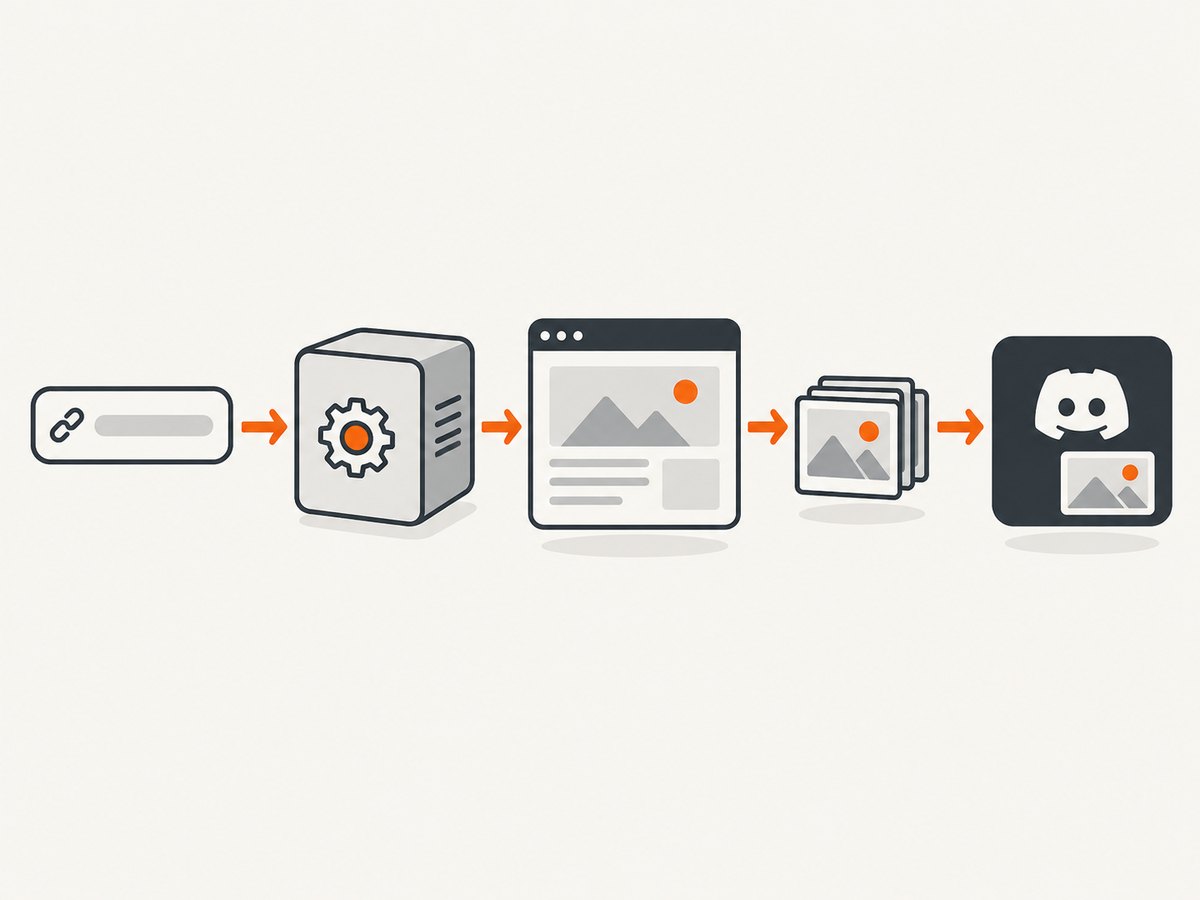
The complete flow is:
- Receive a URL from a slash command or component interaction.
- Validate the URL and defer the interaction if capture may take more than a moment.
- Use a browser or screenshot service to create PNG, JPEG, or WebP bytes.
- Create an
AttachmentBuilder. - Reply, or edit the deferred reply, with the attachment and optional embed.
What discord.js actually sends
discord.js does not turn a web page into an image. Your browser automation tool or screenshot API performs that separate job. discord.js then sends the resulting path, buffer, or stream as an uploaded file. The upload belongs in the interaction response’s files option.
An embed image is also an uploaded file reference. Use attachment://screenshot.png in setImage(), and make the attachment filename exactly screenshot.png. A mismatch in spelling, case, or extension is the most common reason an embed shows a file but no image.
Project setup
This example uses Node.js, discord.js, and Playwright for the self-hosted capture step. Install the packages in a new project:
npm init -y
npm install discord.js playwright dotenv
npx playwright install chromium
Set your bot token in a .env file:
DISCORD_TOKEN=your_bot_tokenUse a current discord.js version and confirm method signatures against the version installed in your project. The discord.js guide section covering attachments is marked legacy, while the API reference tracks the main package documentation.
Complete slash-command example
The following bot registers a /screenshot command, captures the supplied URL, and sends the result both as an attachment and as an embed image. The capture function returns a buffer, so no temporary screenshot file is required.
require('dotenv').config();
const {
  Client,
  GatewayIntentBits,
  REST,
  Routes,
  SlashCommandBuilder,
  AttachmentBuilder,
  EmbedBuilder
} = require('discord.js');
const { chromium } = require('playwright');

const token = process.env.DISCORD_TOKEN;
const clientId = 'YOUR_APPLICATION_ID';
const guildId = 'YOUR_TEST_GUILD_ID';

const command = new SlashCommandBuilder()
  .setName('screenshot')
  .setDescription('Capture a URL and send the screenshot')
  .addStringOption(option =>
    option
      .setName('url')
      .setDescription('The public URL to capture')
      .setRequired(true)
  );

async function captureUrl(url) {
  const browser = await chromium.launch({ headless: true });
  try {
    const page = await browser.newPage({
      viewport: { width: 1440, height: 900 },
      deviceScaleFactor: 1
    });

    await page.goto(url, {
      waitUntil: 'networkidle',
      timeout: 45_000
    });

    return await page.screenshot({
      type: 'png',
      fullPage: true
    });
  } finally {
    await browser.close();
  }
}

function isHttpUrl(value) {
  try {
    const parsed = new URL(value);
    return parsed.protocol === 'http:' || parsed.protocol === 'https:';
  } catch {
    return false;
  }
}

const client = new Client({ intents: [GatewayIntentBits.Guilds] });

client.once('ready', () => {
  console.log(`Logged in as ${client.user.tag}`);
});

client.on('interactionCreate', async interaction => {
  if (!interaction.isChatInputCommand() || interaction.commandName !== 'screenshot') {
    return;
  }

  const url = interaction.options.getString('url', true).trim();
  if (!isHttpUrl(url)) {
    await interaction.reply({
      content: 'Please provide a complete http:// or https:// URL.',
      ephemeral: true
    });
    return;
  }

  await interaction.deferReply();

  try {
    const screenshotBuffer = await captureUrl(url);
    const fileName = 'screenshot.png';
    const file = new AttachmentBuilder(screenshotBuffer, { name: fileName });
    const embed = new EmbedBuilder()
      .setTitle('Page screenshot')
      .setDescription(url)
      .setImage(`attachment://${fileName}`);

    await interaction.editReply({
      content: 'Here is the screenshot:',
      files: [file],
      embeds:
    });
  } catch (error) {
    console.error(error);
    await interaction.editReply({
      content: 'The page could not be captured. Check the URL and try again.'
    });
  }
});

(async () => {
  const rest = new REST({ version: '10' }).setToken(token);
  await rest.put(
    Routes.applicationGuildCommands(clientId, guildId),
    { body: [command.toJSON()] }
  );
  await client.login(token);
})();
Replace the application and guild IDs, then run:
node index.jsFor production, register global commands with Routes.applicationCommands(clientId) instead of a test guild route. Keep the capture browser lifecycle bounded with try/finally, as shown, so failures do not leave Chromium processes running.
How to attach an image to an interaction reply
For a screenshot that already exists as a buffer, the smallest working pattern is:
const { AttachmentBuilder } = require('discord.js');

const file = new AttachmentBuilder(screenshotBuffer, {
  name: 'screenshot.png'
});

await interaction.reply({
  content: 'Screenshot attached.',
  files: [file]
});
The attachment can be created from a buffer or a stream. If your capture library writes to disk, pass the file path supported by your installed discord.js version, or read it into a buffer first:
const fs = require('node:fs/promises');
const { AttachmentBuilder } = require('discord.js');

const bytes = await fs.readFile('/tmp/page.png');
const file = new AttachmentBuilder(bytes, { name: 'page.png' });
await interaction.reply({ files: [file] });
How to show the attached image inside an embed
Upload and reference the same filename:
const { AttachmentBuilder, EmbedBuilder } = require('discord.js');

const fileName = 'custom-url.webp';
const file = new AttachmentBuilder(screenshotBuffer, { name: fileName });
const embed = new EmbedBuilder()
  .setTitle('Custom URL screenshot')
  .setImage(`attachment://${fileName}`);

await interaction.reply({ files: [file], embeds:  });
Discord’s API reference and the discord.js guide document the attachment:// scheme. The extension should match the actual image format. Discord lists JPG, JPEG, PNG, WebP, and GIF as supported image formats for attachments used in embeds.
If the image appears as an ordinary attachment but not in the embed, check these items:
- The filename in
AttachmentBuilderis identical to the filename insetImage(). - The URL begins with
attachment://, nothttps://. - The file is included in the same reply as the embed.
- The output bytes are a supported image format and are not an HTML error page.
How to defer a slash-command reply while the screenshot is generated
Browser startup, navigation, JavaScript execution, and image loading can exceed the interaction’s initial response window. Call deferReply() before capture, then use editReply() with the completed file:
await interaction.deferReply();

const screenshotBuffer = await captureUrl(url);
const file = new AttachmentBuilder(screenshotBuffer, {
  name: 'screenshot.png'
});

await interaction.editReply({
  content: 'Capture complete.',
  files: [file]
});
Use followUp() when you need an additional message after the original response. A deferred interaction is completed by editing the original reply; do not call a second initial reply() after deferring.
Capture options that affect the result
Viewport and device scale
A desktop viewport such as 1440×900 makes responsive layouts predictable. Set a smaller viewport to test mobile breakpoints. A higher device scale factor produces more pixels and larger files, which may approach Discord’s upload limit faster.
Full page versus viewport
A viewport screenshot captures what is visible without scrolling. A full-page screenshot extends through the document and can become extremely tall. Long pages may create large PNGs; use JPEG or WebP where acceptable, resize before upload, or capture a specific element.
Waiting for page state
waitUntil: 'networkidle' can be useful for pages that finish loading their data, but analytics, advertisements, and live connections may prevent a true idle state. A bounded timeout is essential. For deterministic pages, wait for a selector that proves the content is ready, or use a short explicit delay after navigation.
Authentication and private pages
Do not expose bot tokens or website credentials in a user supplied URL. If the page requires authentication, create a controlled browser context with the required cookies or headers, and restrict who can invoke the command. Validate hosts if your bot must only capture approved domains.
URL validation and server-side request risks
A public screenshot command can be abused to request internal services, metadata endpoints, or very large resources. At minimum, require HTTP or HTTPS, reject malformed URLs, impose navigation and total-job timeouts, and consider an allowlist. Run the browser in an isolated environment with suitable network policy.
Upload limits, formats, and filenames
Discord documents a default limit of 20 MiB per file. Nitro status or server boosts may provide a higher applicable limit. For interactions, inspect the runtime attachment_size_limit rather than assuming every server has the default:
const limit = interaction.attachmentSizeLimit;
console.log(`Maximum file size: ${limit} bytes`);
Property names can vary by discord.js major version, so confirm the accessor in your installed API documentation. If the screenshot is too large, reduce viewport dimensions, use a lower scale factor, choose JPEG or WebP, capture an element, or resize the image before constructing the attachment.
Use descriptive, stable names such as screenshot.png or homepage.webp. Avoid user supplied path separators and keep the embed reference exact. Discord requires a filename for uploaded files.
Attachment versus an externally hosted image
| Choice | Advantages | Trade-offs |
|---|---|---|
| Upload an attachment | Self-contained reply; works immediately with attachment://; no separate hosting service. |
Counts against the applicable per-file limit; every custom capture is uploaded again. |
| Use an external image URL | Useful when the same image is reused and already hosted. | Discord must be able to fetch it; you operate storage and access control, and signed URLs may expire. |
Discord notes that attachment CDN URLs can be signed and expire. Do not treat a signed CDN URL as a permanent public URL. For one-off screenshots generated per command, uploading the bytes is usually the simpler boundary.
Performance and reliability checklist
- Reuse a browser process or pool contexts when your deployment model permits it; launching a new browser for every command adds startup work.
- Put a maximum duration around the entire capture, not only navigation.
- Close pages and contexts in
finallyblocks. - Limit concurrent captures so several users cannot exhaust memory or CPU.
- Prefer a selector wait over an unbounded network-idle wait on pages with long-lived connections.
- Return a concise error to Discord and log the detailed exception server-side.
- Use a deterministic filename and image format so embed construction cannot drift from the upload.
- Cache only when the URL and freshness requirements allow it; custom pages may change between requests.
Do not promise a capture time to users. Navigation depends on the target site’s response, scripts, fonts, third-party resources, and your deployment environment. Treat timeouts as normal input failures and provide a retry path.
Common errors and fixes
“Interaction has already been acknowledged”
Cause: The handler called reply() after deferReply(), or acknowledged the same interaction twice.
Fix: Choose one path: call reply() for fast work, or call deferReply() followed by editReply().
The embed is blank but the file is visible
Cause: The attachment:// filename does not exactly match the uploaded filename.
Fix: Define one fileName variable and use it in both AttachmentBuilder and setImage().
“Request entity too large” or an upload rejection
Cause: The image exceeds the interaction’s applicable upload limit.
Fix: Read the runtime attachment limit, then reduce dimensions, scale, or quality. Consider WebP or JPEG where transparency is unnecessary.
Navigation timeout
Cause: The target is slow, blocked, dependent on a never-ending connection, or unavailable to your server.
Fix: Use a bounded timeout, wait for a known content selector, verify the URL from the capture environment, and report a retryable failure.
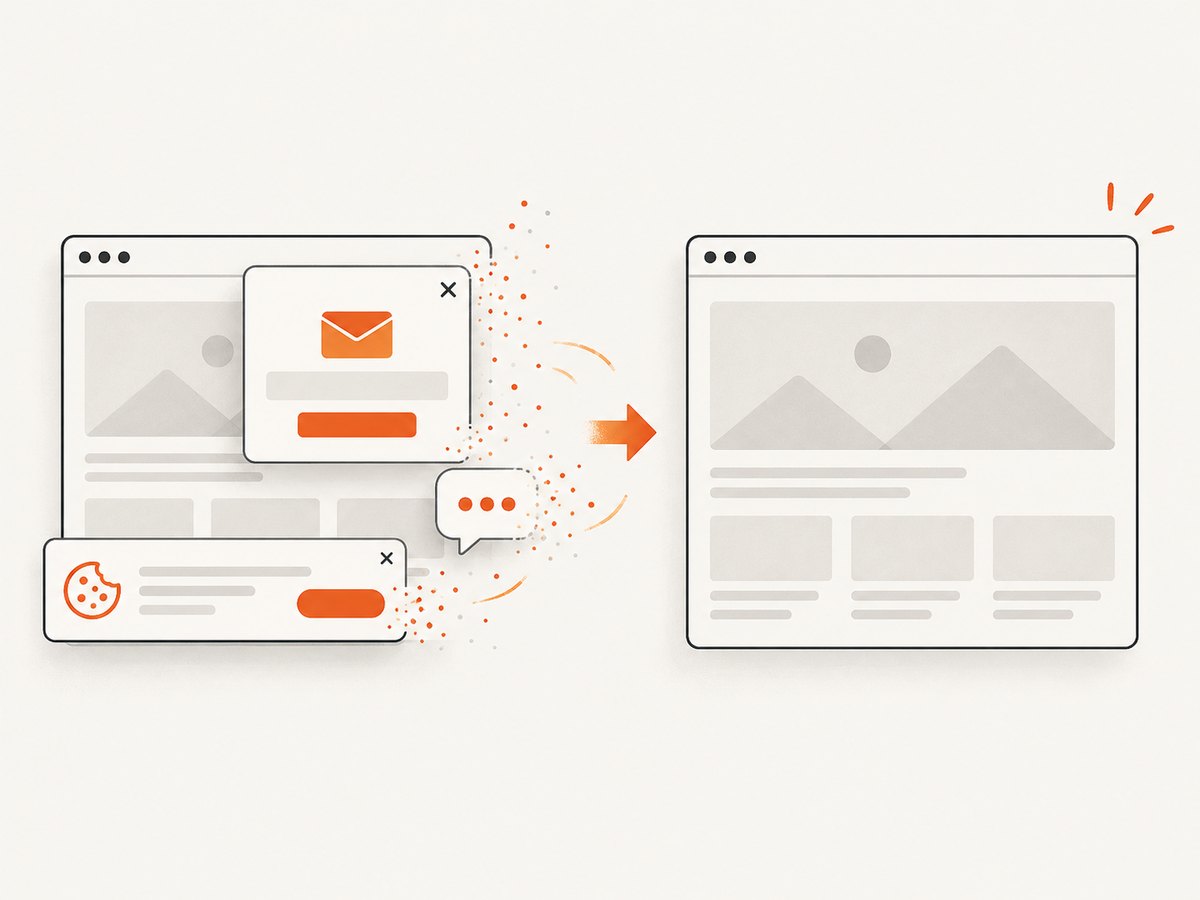
The screenshot contains a consent banner or chat widget
Cause: A browser capture reproduces what the page serves to a visitor, including overlays.
Fix: Add site-specific cookie handling or CSS/JavaScript to hide the overlay. For a managed option, ScreenshotNeo removes known consent platforms, newsletter popups, and chat widgets before capture.
Chromium cannot launch
Cause: Browser binaries are missing, or the deployment image lacks required system dependencies.
Fix: Run the Playwright browser installation during the build, use a supported container image, and inspect the launch error. Keep browser installation separate from the Discord interaction handler.
The bot is vulnerable to arbitrary internal requests
Cause: Users can submit any URL and your browser can reach private network resources.
Fix: Restrict domains or network egress, reject private address ranges after DNS resolution where appropriate, and isolate the capture worker.
Or skip the browser setup
ScreenshotNeo provides a single GET endpoint for a website screenshot. See the ScreenshotNeo documentation for the complete option set, then pass the returned bytes directly to discord.js.
curl -G "https://api.screenshotneo.com/v1/shot" -d access_key=YOUR_API_KEY --data-urlencode url=https://stripe.com -o shot.webpimport requests
r = requests.get("https://api.screenshotneo.com/v1/shot", params={"access_key": "YOUR_API_KEY", "url": "https://stripe.com"}, timeout=90)
open("shot.webp", "wb").write(r.content)const q = new URLSearchParams({ access_key: 'YOUR_API_KEY', url: 'https://stripe.com' });
const res = await fetch(`https://api.screenshotneo.com/v1/shot?${q}`);
const screenshotBuffer = Buffer.from(await res.arrayBuffer());In a Node.js bot, use screenshotBuffer from the response with the same AttachmentBuilder and attachment:// pattern shown above. ScreenshotNeo supports full-page capture, element selectors, dark mode, device presets, custom viewports, retina scale, PDF output, custom CSS and JavaScript, click actions, selector or delay waits, network-idle waits, request blocking, headers, cookies, user agents, authorization, timezone, geolocation, transparent backgrounds, resizing, caching, signed links, asynchronous jobs, bulk capture, usage reporting, and an OpenAPI specification.
It also accepts the parameter names used by other screenshot APIs, which can simplify switching. Cookie banners, popups, and chat widgets are removed before the shot. Bot checks, blank pages, failed loads, timeouts, and cache hits are not billed; response headers identify the page verdict and whether the request was billed. An MCP server provides take_screenshot, get_page_info, and capture_pdf for Claude, Cursor, and other MCP clients.
There are 1,000 screenshots a month free with no card. Paid plans start at $5 for 3,000 shots, and every feature is available on every plan. Create a free ScreenshotNeo account.
FAQ
Can I send a screenshot without an embed?
Yes. Include the attachment in files and omit embeds. The image appears as a normal Discord attachment.
Can an embed use a remote screenshot URL?
Yes, if Discord can fetch the URL, but you then need hosting and access control. For a per-command image, an uploaded attachment avoids that dependency.
Should I use PNG, JPEG, or WebP?
Use PNG for crisp text or transparency. JPEG and WebP can reduce file size when transparency is not needed. Confirm the resulting format is supported by your Discord embed workflow.
Why defer instead of increasing the screenshot timeout?
Deferring acknowledges the interaction before the slow operation begins. It does not make navigation faster; it gives your handler a valid response path while capture continues.
Where should screenshot generation run?
Run it in the same process for a small bot, or isolate it in a worker when captures are CPU intensive or untrusted URLs require stricter network controls.


