How to Set the Bottom Margin in TCPDF
Set TCPDF’s automatic page-break margin with setAutoPageBreak(), understand units, headers, footers, and avoid common layout mistakes.
Use setAutoPageBreak(true, $bottomMargin) to set TCPDF’s bottom page-break margin. The second argument reserves that amount of space when TCPDF decides where automatic page breaks occur.
<?php
require_once __DIR__ . '/tcpdf/tcpdf.php';

$pdf = new TCPDF(PDF_PAGE_ORIENTATION, PDF_UNIT, PDF_PAGE_FORMAT, true, 'UTF-8', false);
$pdf->setCreator('My application');
$pdf->setAuthor('My application');
$pdf->setTitle('Bottom margin example');

// Left, top, and right margins.
$pdf->setMargins(PDF_MARGIN_LEFT, PDF_MARGIN_TOP, PDF_MARGIN_RIGHT);

// Header and footer spacing are separate from the page-break margin.
$pdf->setHeaderMargin(PDF_MARGIN_HEADER);
$pdf->setFooterMargin(PDF_MARGIN_FOOTER);

// Reserve the bottom area before an automatic page break.
$pdf->setAutoPageBreak(true, PDF_MARGIN_BOTTOM);

$pdf->AddPage();
$pdf->SetFont('helvetica', '', 11);
$pdf->writeHTML('<h1>TCPDF bottom margin</h1><p>Content flows until the configured bottom page-break margin is reached.</p>', true, false, true, false, '');
$pdf->Output(__DIR__ . '/bottom-margin.pdf', 'F');
TCPDF’s official example uses the same setup pattern: setMargins() for the left, top, and right margins, header and footer methods for their spacing, and setAutoPageBreak(true, PDF_MARGIN_BOTTOM) for the bottom page-break margin. See the official example_006.php and the TCPDF API reference.
What the second argument controls
The signature is:
$pdf->setAutoPageBreak($ auto_page_break, $ bottom_margin = 0);In normal PHP notation, call it as:
$pdf->setAutoPageBreak(true, 20);The value is measured in the document’s configured user units. If the constructor uses PDF_UNIT, TCPDF uses that configured unit consistently throughout the document. A value of 20 therefore means 20 units in that document, not a CSS pixel value.
Complete setup with an explicit margin
Use an explicit number when you need a predictable layout rather than the built-in constant:
<?php
require_once __DIR__ . '/tcpdf/tcpdf.php';

$pdf = new TCPDF('P', 'mm', 'A4', true, 'UTF-8', false);
$pdf->setPrintHeader(false);
$pdf->setPrintFooter(false);
$pdf->setMargins(15, 15, 15);
$pdf->setAutoPageBreak(true, 25); // 25 mm when the unit is mm
$pdf->AddPage();
$pdf->SetFont('helvetica', '', 10);

for ($i = 1; $i <= 100; $i++) {
    $pdf->Cell(0, 7, "Line $i", 0, 1);
}

$pdf->Output(__DIR__ . '/explicit-bottom-margin.pdf', 'F');
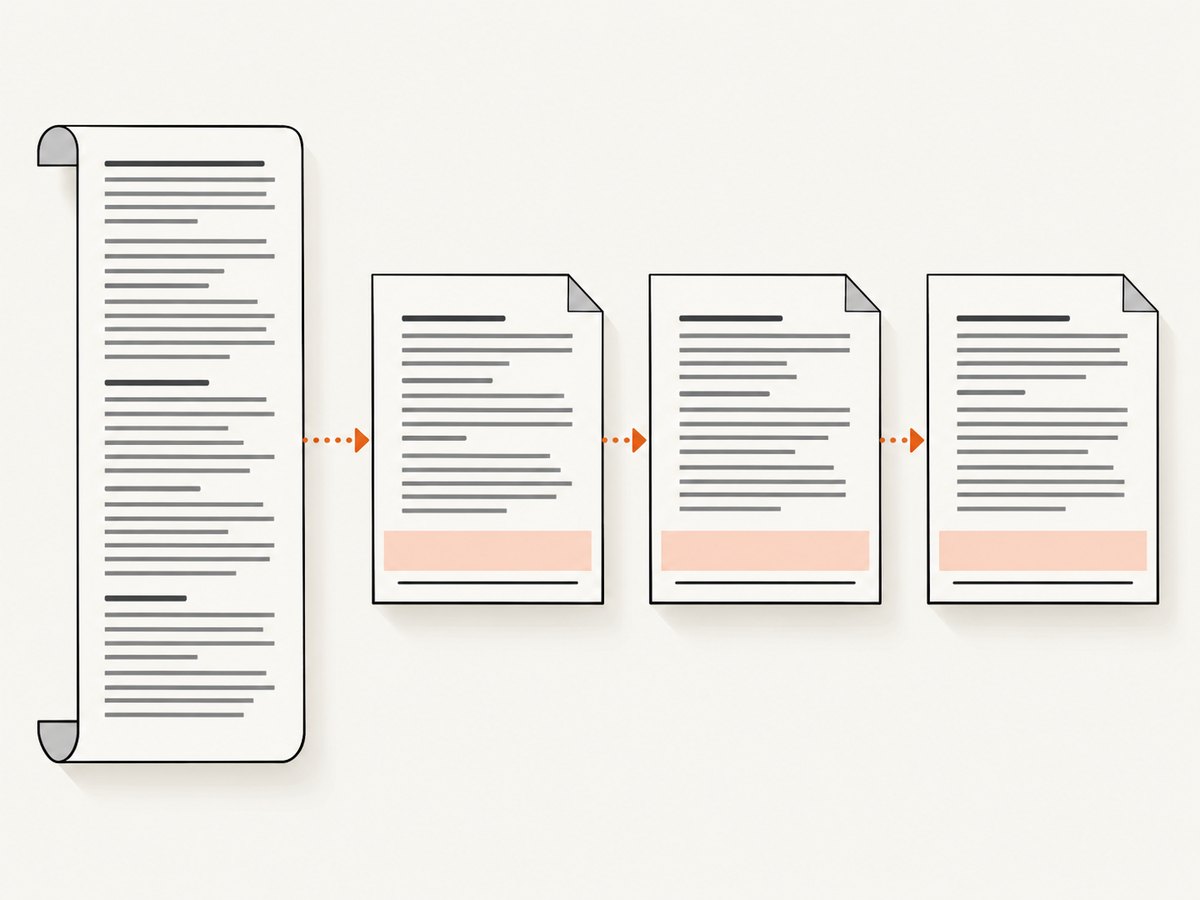
With 'mm' as the constructor unit, the example leaves 25 mm for the automatic page-break boundary.
Using TCPDF’s standard constants
For a conventional TCPDF document, use the constants supplied by the library:
$pdf->setMargins(PDF_MARGIN_LEFT, PDF_MARGIN_TOP, PDF_MARGIN_RIGHT);
$pdf->setHeaderMargin(PDF_MARGIN_HEADER);
$pdf->setFooterMargin(PDF_MARGIN_FOOTER);
$pdf->setAutoPageBreak(true, PDF_MARGIN_BOTTOM);
This keeps the page-break margin aligned with the rest of TCPDF’s default page configuration.
Disable automatic page breaks
If your application places every page break manually, disable the feature:
$pdf->setAutoPageBreak(false);The margin argument is optional when automatic page breaking is disabled. You then need to decide when to call AddPage() and ensure that content does not overlap the footer or run beyond the printable area.
Bottom margin versus footer, header, and cell spacing
| Setting | Purpose | Method |
|---|---|---|
| Bottom page-break margin | Stops flowing content before the bottom boundary | setAutoPageBreak(true, $margin) |
| Left, top, right page margins | Sets the main content rectangle | setMargins($left, $top, $right) |
| Header spacing | Controls header area spacing | setHeaderMargin($margin) |
| Footer spacing | Controls footer area spacing | setFooterMargin($margin) |
| Cell padding | Adds space inside a cell or table cell | Cell and table configuration |
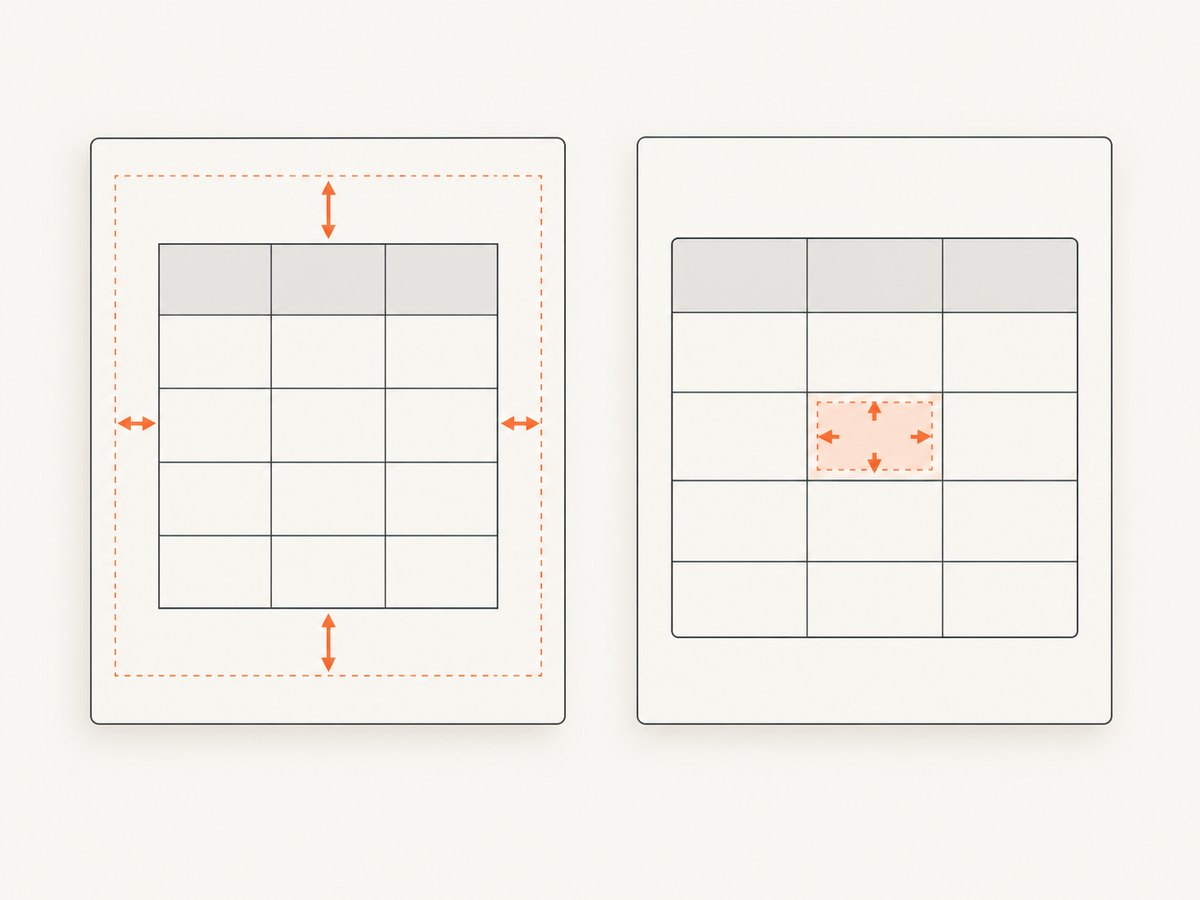
setMargins() has no bottom-margin parameter. If the unwanted whitespace is inside a table or cell, inspect cell padding or cell margins instead of changing the page-break margin.
Changing orientation and the bottom margin
TCPDF also exposes setPageOrientation(), whose signature accepts an orientation, an automatic-page-break flag, and a bottom margin:
$pdf->setPageOrientation('L', true, 18);For routine setup, a separate setAutoPageBreak() call is easier to read. If orientation changes during a document, set the orientation and page-break settings deliberately for the new page.
Common errors and fixes
“I passed a fourth argument to setMargins()”
Cause: TCPDF’s setMargins() method configures only left, top, and right margins.
Fix: Keep three arguments in setMargins() and call setAutoPageBreak(true, $bottomMargin) separately.
Content reaches the footer
Cause: Automatic page breaks are disabled, the bottom margin is too small, or footer spacing was configured independently.
Fix: Enable automatic breaks and increase the second argument:
$pdf->setAutoPageBreak(true, 25);Also check setFooterMargin() and whether custom drawing code writes below the normal content area.
The margin appears to use the wrong size
Cause: The value is interpreted in TCPDF’s document units.
Fix: Check the constructor’s unit argument, such as 'mm', 'pt', or the value of PDF_UNIT. Convert your design measurement before passing it to setAutoPageBreak().
A table still overflows
Cause: A table cell’s padding, fixed height, or unbreakable content can affect layout separately from the page-break margin.
Fix: Reduce cell padding, allow wrapping, avoid oversized fixed-height cells, and inspect the table configuration. The page-break margin controls where TCPDF starts a new page; it does not remove content that cannot wrap.
Manual positioning ignores the margin
Cause: Calls such as SetY(), custom drawing commands, or manually calculated coordinates can place content outside the flowing text area.
Fix: Keep manually positioned elements within the available page rectangle, or calculate the next page explicitly when automatic flow is not appropriate.
Practical checklist
- Choose the document unit before calculating the margin.
- Set left, top, and right margins with
setMargins(). - Configure header and footer spacing separately.
- Enable automatic page breaks with
setAutoPageBreak(true, $bottomMargin). - Use
setAutoPageBreak(false)only when your code owns every page break. - Inspect cell padding and fixed heights when whitespace or overflow occurs inside tables.
- Recheck settings after changing page orientation.
Performance, reliability, and maintenance
The margin call itself is lightweight; the expensive work in a PDF request is usually HTML parsing, images, fonts, and large tables. Set the margin once during document initialization instead of repeatedly inside a content loop. Keep the value in a named configuration variable so a change in page size or unit does not require hunting through rendering code.
When upgrading TCPDF, confirm the installed version and compare its method signature with the version of the official repository you use as a reference. Repository main can change over time.
Or skip the browser setup
If your workflow also needs website screenshots or PDFs, ScreenshotNeo provides a single HTTP request to capture a URL. It removes cookie banners, newsletter popups, and chat widgets before the shot. Bot checks, blank pages, timeouts, failed loads, and cache hits are not billed, and each response identifies the result with X-Page-Verdict and X-Billed headers. Its MCP server lets Claude, Cursor, and other MCP clients call take_screenshot, get_page_info, and capture_pdf.
See the ScreenshotNeo API documentation for all options.
cURL
curl -G "https://api.screenshotneo.com/v1/shot" -d access_key=YOUR_API_KEY --data-urlencode url=https://stripe.com -o shot.webpPython
import requests
r = requests.get("https://api.screenshotneo.com/v1/shot", params={"access_key": "YOUR_API_KEY", "url": "https://stripe.com"}, timeout=90)
open("shot.webp", "wb").write(r.content)
Node.js
const q = new URLSearchParams({ access_key: 'YOUR_API_KEY', url: 'https://stripe.com' });
const res = await fetch(`https://api.screenshotneo.com/v1/shot?${q}`);
Plans include 1,000 screenshots per month free with no card; paid plans start at $5 for 3,000 shots. Create a free ScreenshotNeo account.
FAQ
Does TCPDF have a bottom argument in setMargins()?
No. Use setAutoPageBreak(true, $bottomMargin).
What happens if I omit the margin?
TCPDF uses the method’s default margin value. Pass an explicit value when the layout requires a known boundary.
Can I change the margin for one page?
Yes. Change the automatic page-break settings before rendering that page, then restore the document’s normal value for subsequent pages.
Is this the same as CSS margin-bottom?
No. TCPDF’s setting controls its PDF page-break boundary. HTML or cell spacing can add separate internal whitespace.


