How to Set PDF Page Margins with Snappy in Symfony2
Configure wkhtmltopdf margins through KnpSnappyBundle in Symfony2, with complete YAML, PHP, troubleshooting, and production guidance.
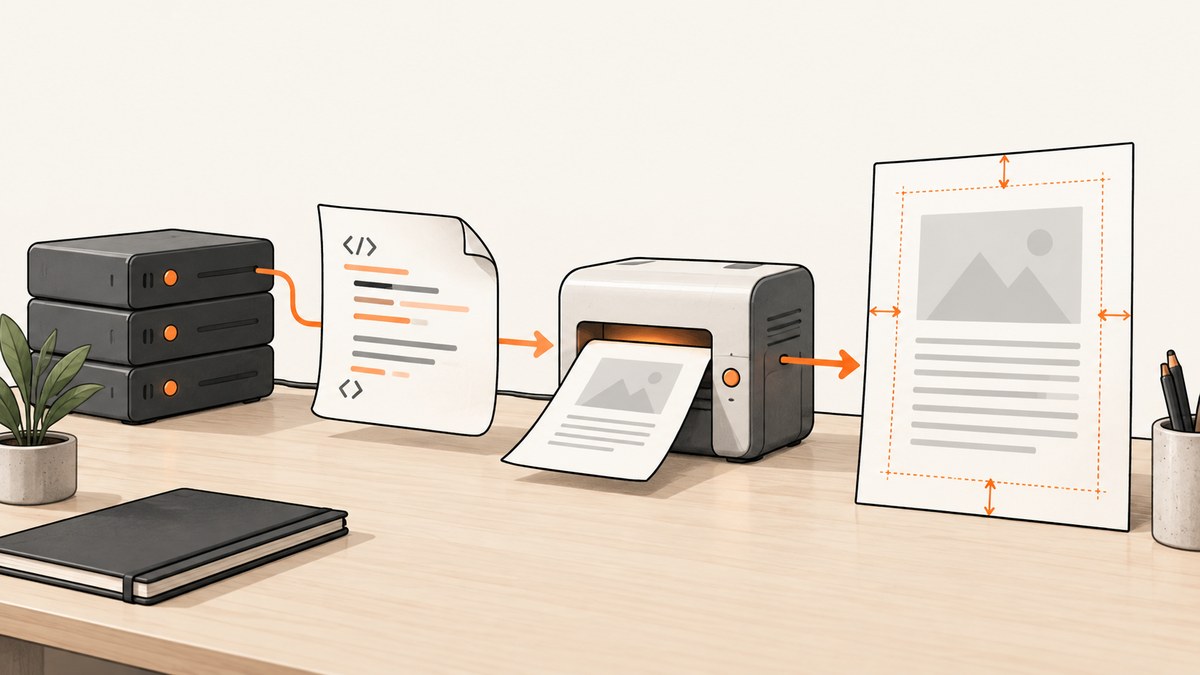
Set PDF margins in Symfony2 by passing wkhtmltopdf’s four margin options through KnpSnappyBundle. The option names are margin-top, margin-bottom, margin-left, and margin-right; values are size strings such as 2cm. Put them under the PDF service’s options key in app/config/config.yml.
# app/config/config.yml
knp_snappy:
    pdf:
        enabled: true
        binary: /usr/local/bin/wkhtmltopdf
        options:
            margin-top: 2cm
            margin-bottom: 2cm
            margin-left: 2cm
            margin-right: 2cm
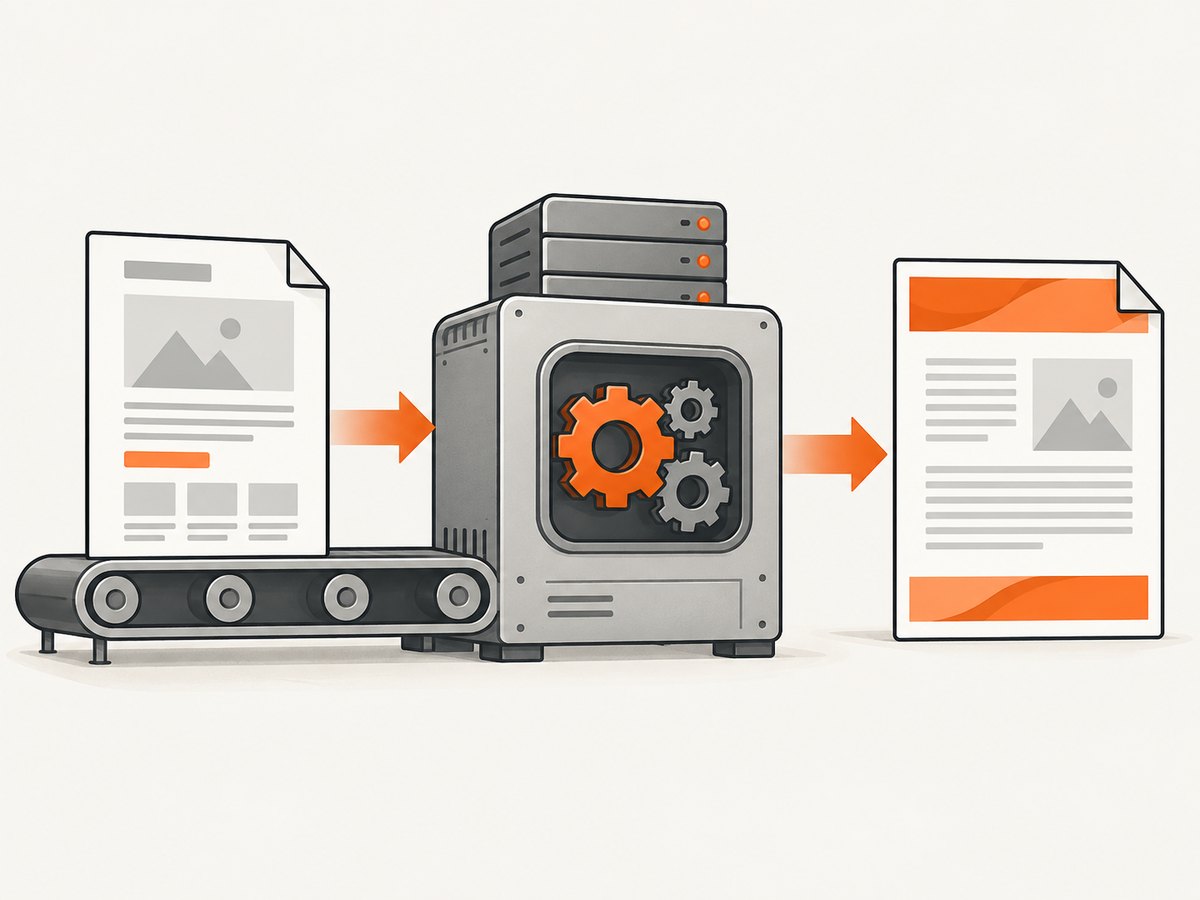
KnpSnappyBundle is an integration layer: it invokes the Snappy PHP wrapper, which invokes the wkhtmltopdf executable. The bundle configuration therefore needs both a valid binary path and option names accepted by the installed wkhtmltopdf build. See the KnpSnappyBundle documentation and the wkhtmltopdf option reference before applying this to a legacy project.
1. Configure global margins in KnpSnappyBundle
For a traditional Symfony2 application, the relevant file is usually app/config/config.yml. Add or merge the knp_snappy.pdf section without deleting existing options such as page size, orientation, header, or footer settings.
knp_snappy:
    pdf:
        enabled: true
        binary: '%kernel.root_dir%/../bin/wkhtmltopdf'
        options:
            page-size: A4
            orientation: Portrait
            margin-top: 2cm
            margin-bottom: 2cm
            margin-left: 1.5cm
            margin-right: 1.5cm
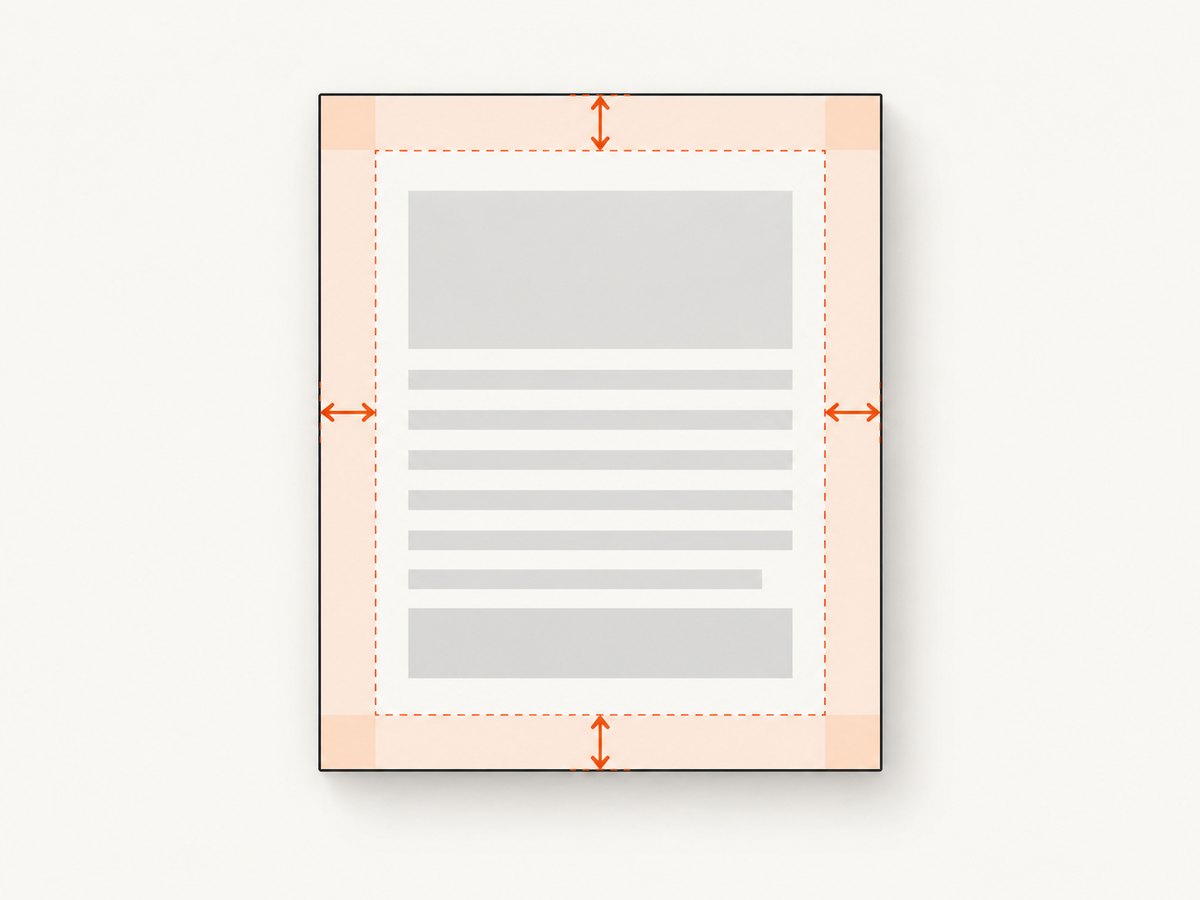
The four settings are independent. A report with a larger binding edge can use a wider left margin, while invoices might use equal margins on every side.
| Option | Controls | Example |
|---|---|---|
margin-top |
Space between the top page edge and rendered content | 2cm |
margin-bottom |
Space at the bottom edge | 2cm |
margin-left |
Space at the left edge | 1.5cm |
margin-right |
Space at the right edge | 1.5cm |
Use explicit units. The wkhtmltopdf API documents values such as 2cm; using units makes the intended physical size clear and avoids relying on a default interpretation. Keep the spelling and hyphenation exactly as shown.
2. A complete Symfony2 PDF example
After configuring the service, render a Twig template and ask the PDF generator to write the result to a file. The exact constructor and method signatures vary among old Snappy releases, so check the version locked in composer.lock.
<?php

namespace AppBundle\Controller;

use Symfony\Bundle\FrameworkBundle\Controller\Controller;
use Symfony\Component\HttpFoundation\Response;
use Symfony\Component\HttpFoundation\ResponseHeaderBag;

class InvoiceController extends Controller
{
    public function pdfAction($id)
    {
        $invoice = $this->getDoctrine()
            ->getRepository('AppBundle:Invoice')
            ->find($id);

        if (!$invoice) {
            throw $this->createNotFoundException();
        }

        $html = $this->renderView('invoice/pdf.html.twig', array(
            'invoice' => $invoice,
        ));

        $pdf = $this->get('knp_snappy.pdf');
        $contents = $pdf->getOutputFromHtml($html);

        $response = new Response($contents);
        $response->headers->set('Content-Type', 'application/pdf');
        $response->headers->set(
            'Content-Disposition',
            $response->headers->makeDisposition(
                ResponseHeaderBag::DISPOSITION_ATTACHMENT,
                'invoice-' . $id . '.pdf'
            )
        );

        return $response;
    }
}
With global margins in config.yml, every PDF generated by this service receives those defaults. If your pinned Snappy API supports per-render options, pass an options array using the same names:
$pdf->setOption('margin-top', '2cm');
$pdf->setOption('margin-bottom', '2cm');
$pdf->setOption('margin-left', '1.5cm');
$pdf->setOption('margin-right', '1.5cm');
$contents = $pdf->getOutputFromHtml($html);
Do not assume that every historical Snappy version has setOption(), accepts an options argument in the same position, or exposes the same service methods. Inspect the installed package’s class or README and keep the configuration-array approach as the baseline.
3. Margin units, page size, and orientation
Margins are PDF page settings. CSS margins are layout settings inside the HTML document. They solve different problems: PDF margins reserve page-edge space, while CSS controls spacing between elements. Combining both can be useful, but the resulting visual gap depends on the HTML structure and the wkhtmltopdf version.
options:
    page-size: A4
    orientation: Landscape
    margin-top: 12mm
    margin-bottom: 15mm
    margin-left: 20mm
    margin-right: 12mm
When switching from A4 to another paper size, reassess all four margins. A fixed 2 cm margin consumes a larger proportion of a small page and less of a large page. For wide tables, landscape orientation may solve clipping more effectively than reducing margins.
Headers and footers also occupy space. If a header overlaps body content, increase the top margin and verify the header spacing options supported by your wkhtmltopdf build. Likewise, reserve sufficient bottom space for a footer. Avoid compensating by adding arbitrary top padding to every HTML element.
4. Verify the dependency versions before changing production
Symfony2 projects commonly pin old bundle and Snappy versions. Read composer.json, composer.lock, and the deployed binary version before copying configuration from a current example. Current KnpSnappyBundle documentation uses newer Symfony configuration layouts such as config/packages/knp_snappy.yaml; that path does not describe a legacy Symfony2 application.
The current Packagist release listed for KnpSnappyBundle is 1.10.6, published in 2026, and its metadata requires PHP 8.1 or newer plus Symfony FrameworkBundle 5.1 through 8.x. Those requirements do not establish Symfony2 compatibility. Treat the project’s locked release as authoritative and consult the matching documentation.
composer show knplabs/knp-snappy-bundle
composer show knplabs/knp-snappy
php app/console config:dump-reference knp_snappy
wkhtmltopdf --version
If config:dump-reference is unavailable in your old Symfony version, inspect the bundle’s extension class or vendor documentation. The goal is to confirm that pdf.options is the correct tree and that the binary is executable by the web-server user.
5. Test margins with a controlled document
Use a simple template with a border and known content before debugging a complex invoice. This separates margin configuration from table, font, image, and pagination problems.
<!doctype html>
<html>
<head>
  <meta charset="utf-8">
  <style>
    body { font-family: sans-serif; }
    .marker { border: 1px solid #333; padding: 8px; }
  </style>
</head>
<body>
  <div class="marker">Margin verification page</div>
</body>
</html>- Generate the PDF from the same host and user account used in production.
- Open the file in a PDF viewer that reports physical dimensions.
- Confirm the page size and measure the visible distance from each edge to the marker.
- Change one margin at a time, regenerate, and compare.
- Only then reintroduce headers, footers, images, and long tables.
6. Troubleshooting common failures
| Symptom | Likely cause | Fix |
|---|---|---|
| Margins appear unchanged | Configuration is in the wrong file or key, or the cache still contains old configuration | Confirm the legacy path, use knp_snappy.pdf.options, clear Symfony cache, and regenerate. |
| “The exit status code was 1” | wkhtmltopdf failed before rendering | Run the same command as the web user, inspect stderr, and verify binary permissions and input URLs. |
| “Unable to write output file” | Destination directory is missing or not writable | Use an existing writable directory or stream the output returned by Snappy. |
| Content is clipped at the bottom | Footer, long elements, or page-break behavior consumes available space | Increase bottom margin, adjust pagination CSS, and test with the actual footer. |
| Header overlaps body | Top margin is too small for the header | Increase margin-top and verify header spacing options. |
| Binary not found | The configured path differs between CLI and the web server | Set an absolute path and check execute permission for the PHP process user. |
| Works locally, fails on Linux | Different wkhtmltopdf build, fonts, or restricted environment | Compare wkhtmltopdf --version, install required fonts, and test under the production user. |
| Blank PDF | HTML or assets require authentication, networking, or JavaScript that is unavailable | Save the rendered HTML, test it directly, and configure supported cookies, headers, or script delays. |
When diagnosing, log the generated HTML to a temporary protected location and run wkhtmltopdf manually. This reveals whether the issue is Symfony rendering or PDF conversion. Remove diagnostic files after troubleshooting because rendered documents can contain personal data.
7. CSS and pagination edge cases
A page margin cannot prevent an oversized unbreakable element from overflowing. Long URLs, wide tables, large images, and fixed-height containers can still clip or create unexpected pages. Give images explicit maximum widths, allow table content to wrap, and avoid placing critical content inside fixed-height blocks.
@media print {
  img { max-width: 100%; height: auto; }
  table { width: 100%; border-collapse: collapse; }
  tr { page-break-inside: avoid; }
  .page-break { page-break-before: always; }
}
These rules affect layout, not the PDF’s global edge margins. Test page breaks with representative data: one short record, a record spanning multiple pages, and the largest expected table.
8. Performance, reliability, and cost considerations
PDF generation starts a conversion process and loads the HTML plus its assets. Keep templates deterministic, avoid unnecessary remote resources, and reuse a configured service rather than constructing a new process wrapper for every option. Generate asynchronously for large reports so an HTTP request does not wait for multiple conversions.
Cache PDFs only when the underlying data and access rules permit it. Include a version or data hash in the cache key so a margin change invalidates old files. Monitor conversion failures and retain the wkhtmltopdf version in deployment metadata; a binary upgrade can change pagination or font metrics.
Margins themselves have negligible processing cost. The expensive parts are HTML complexity, JavaScript, remote images, fonts, and the number of pages. Measure representative documents in your own environment rather than relying on timings from another build.
9. Or skip the browser setup
If your real task is capturing a web page as an image or PDF rather than maintaining a Symfony2 wkhtmltopdf installation, ScreenshotNeo provides a single HTTP endpoint. Its PDF options include paper size, margins, landscape mode, and page ranges. The service removes cookie banners, newsletter popups, and chat widgets before capture; bot checks, blank pages, timeouts, failed loads, and cache hits are not billed. An MCP server lets Claude, Cursor, and other MCP clients call capture_pdf and related tools.
See the ScreenshotNeo API documentation for the complete parameter list. A minimal request looks like this:
curl -G "https://api.screenshotneo.com/v1/shot" \
  -d access_key=YOUR_API_KEY \
  --data-urlencode url=https://stripe.com \
  -d format=pdf \
  -d margin_top=2cm \
  -d margin_bottom=2cm \
  -d margin_left=2cm \
  -d margin_right=2cm \
  -o page.pdf
import requests
r = requests.get(
"https://api.screenshotneo.com/v1/shot",
params={
"access_key": "YOUR_API_KEY",
"url": "https://stripe.com",
"format": "pdf",
"margin_top": "2cm",
"margin_bottom": "2cm",
"margin_left": "2cm",
"margin_right": "2cm",
},
timeout=90,
)
r.raise_for_status()
open("page.pdf", "wb").write(r.content)const q = new URLSearchParams({
access_key: 'YOUR_API_KEY',
url: 'https://stripe.com',
format: 'pdf',
margin_top: '2cm',
margin_bottom: '2cm',
margin_left: '2cm',
margin_right: '2cm'
});
const res = await fetch(`https://api.screenshotneo.com/v1/shot?${q}`);
if (!res.ok) throw new Error(`HTTP ${res.status}`);
const data = Buffer.from(await res.arrayBuffer());
require('fs').writeFileSync('page.pdf', data);ScreenshotNeo has 1,000 shots per month free with no card. Paid plans start at $5 for 3,000 shots, and every feature is available on every plan. Responses include X-Page-Verdict and X-Billed headers so a caller can distinguish a clean capture from a failed or non-billable result. Create a free ScreenshotNeo account to get an API key.
10. Short FAQ
Can I set only one margin?
Yes. Set the side that needs adjustment and retain existing defaults for the others. Explicitly setting all four is clearer for repeatable documents.
Are Symfony2 and current KnpSnappyBundle releases interchangeable?
No. Symfony2 compatibility depends on the versions pinned by the application. Current package metadata targets newer PHP and Symfony versions, so verify the locked release.
Why does CSS margin not move the whole page content?
CSS margin changes the HTML layout. The PDF page margin is a wkhtmltopdf setting applied around the rendered page. Configure the PDF option for edge whitespace.
Can margins fix a table that is too wide?
Usually not. Reduce table width, allow wrapping, change page size or orientation, and then choose margins that fit the remaining content.
How do I confirm which options my project accepts?
Inspect the installed KnpSnappyBundle and Snappy versions, dump the bundle configuration when supported, and check the wkhtmltopdf binary’s own option reference.


