How to Set and Read Request Headers in Puppeteer and Angular
Learn how to set, inspect, and conditionally modify request headers in Puppeteer and Angular HttpClient, with runnable code and troubleshooting.
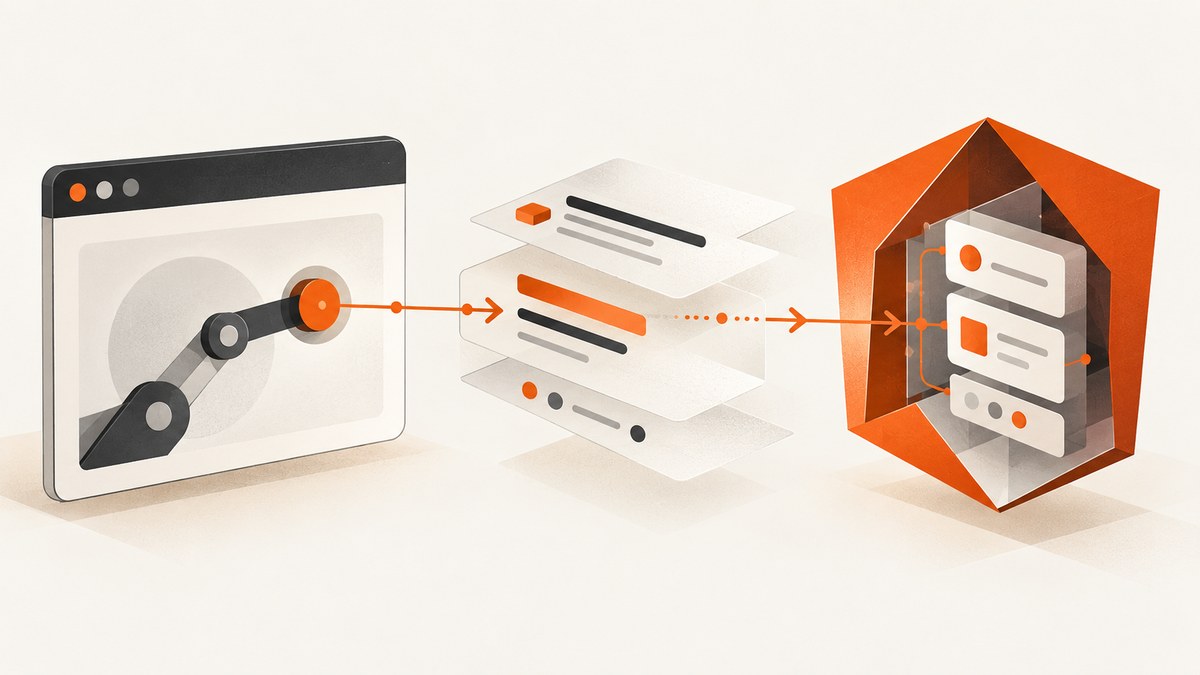
Set the header where the request is created. Puppeteer controls network requests initiated by a browser page, while Angular HttpClient controls requests created by Angular application code. A header configured in one layer does not automatically affect requests created by the other.
For Puppeteer, use page.setExtraHTTPHeaders() for headers that should be added to every request from a page. Use request interception and request.continue({ headers }) when only selected requests should change. To inspect outgoing headers, listen for the request event and call request.headers().
For Angular, pass a headers option for one request. Use a functional interceptor registered with provideHttpClient(withInterceptors(...)) for shared or conditional behavior. Angular’s HttpHeaders and HttpRequest objects are immutable, so keep the object returned by set(), append(), or clone().
Choose the layer that sends the request
Before changing code, identify the producer:
- Puppeteer: Chromium sends the request after page JavaScript, navigation, images, stylesheets, and other browser activity trigger it.
- Angular: your application calls
HttpClient.get(),post(), or another method, which produces an application request. - Both: a Puppeteer test may load an Angular app. Headers on the Puppeteer page affect browser traffic, while an Angular interceptor affects requests made by the app inside that page. They are separate configuration points.
This distinction also explains many debugging surprises. Adding an authorization header to an Angular interceptor does not change the headers of the initial document request made by Chromium. Conversely, page.setExtraHTTPHeaders() does not modify a request created by a server-side Angular service running outside that browser.
Set headers for every Puppeteer page request
Page.setExtraHTTPHeaders() accepts a record whose values are strings and returns a promise. Puppeteer lowercases header names; HTTP header names are case-insensitive, so this normally does not change behavior. The method does not guarantee a particular order for outgoing headers and should not be treated as an origin-specific credential filter. See the Puppeteer API reference.

import puppeteer from 'puppeteer';

const browser = await puppeteer.launch({ headless: true });
const page = await browser.newPage();

await page.setExtraHTTPHeaders({
  'x-client-id': 'demo',
  authorization: 'Bearer example-token',
});

await page.goto('https://example.com', { waitUntil: 'domcontentloaded' });
console.log(await page.title());

await browser.close();
Call the method before goto() or another action that creates requests. It applies to requests initiated by that page, including subresources. If you create a second page, configure that page separately.
Inspect request headers
Listen before navigation so you do not miss early requests. HTTPRequest.headers() returns the headers associated with Puppeteer’s request object, with lowercase names. This is useful for verifying what Puppeteer prepared. It does not prove that an intermediary or server received the same bytes; compare server logs or a network trace when that distinction matters. See the HTTPRequest.headers() documentation.
page.on('request', request => {
  console.log(request.method(), request.url());
  console.log(request.headers());
});

await page.goto('https://example.com', { waitUntil: 'networkidle2' });
For less noise, filter by URL, resource type, or method:
page.on('request', request => {
  if (request.url().startsWith('https://api.example.com/')) {
    console.log({
      url: request.url(),
      method: request.method(),
      headers: request.headers(),
    });
  }
});
Change headers for selected Puppeteer requests
Use interception when the header depends on a URL, resource type, method, or existing header. Enable interception before requests occur. Every intercepted request must be resolved with continue(), respond(), or abort(); leaving one unresolved can stall the page.
import puppeteer from 'puppeteer';

const browser = await puppeteer.launch();
const page = await browser.newPage();

await page.setRequestInterception(true);
page.on('request', request => {
  const url = request.url();
  const headers = { ...request.headers() };

  if (url.startsWith('https://api.example.com/')) {
    headers['x-client-id'] = 'demo';
    headers.authorization = 'Bearer example-token';
  }

  void request.continue({ headers });
});

await page.goto('https://example.com', { waitUntil: 'domcontentloaded' });
await browser.close();
The spread preserves headers Puppeteer already knows about. To remove a header in an override, assign undefined to that key as supported by Puppeteer’s interception API. Keep credentials scoped to the intended destination; a page can request third-party resources you did not expect.
Filter by resource type
await page.setRequestInterception(true);
page.on('request', request => {
  if (request.resourceType() === 'xhr' && request.url().includes('/api/')) {
    void request.continue({
      headers: {
        ...request.headers(),
        'x-debug-level': 'verbose',
      },
    });
    return;
  }

  void request.continue();
});
Use this pattern for API calls while allowing navigation, styles, scripts, and images to proceed unchanged. If multiple listeners can handle a request, coordinate them so only one handler resolves it.
Set headers on one Angular HttpClient request
For a single call, pass a plain object or an HttpHeaders instance. The Angular guide covers request options in Making requests.
import { HttpClient } from '@angular/common/http';

export class ConfigService {
  constructor(private http: HttpClient) {}

  loadConfig() {
    return this.http.get('/api/config', {
      headers: {
        'X-Debug-Level': 'verbose',
      },
    });
  }
}
Use HttpHeaders when you need repeated construction or explicit append/set behavior:
import { HttpHeaders } from '@angular/common/http';

const baseHeaders = new HttpHeaders()
  .set('X-Debug-Level', 'minimal')
  .set('Accept', 'application/json');

const requestHeaders = baseHeaders.set('X-Debug-Level', 'verbose');

this.http.get<Config>('/api/config', {
  headers: requestHeaders,
});
HttpHeaders is immutable. Calling baseHeaders.set(...) does not change baseHeaders; it returns a new instance. Use append() when a header is intentionally repeated and set() when the existing value should be replaced.
Use an Angular interceptor for shared headers
Functional interceptors are the current Angular recommendation for cross-cutting behavior such as authentication, client identification, and logging. Register them with provideHttpClient(withInterceptors([...])). The interceptor below adds a client ID to every request.

import {
  HttpHandlerFn,
  HttpRequest,
} from '@angular/common/http';
import { provideHttpClient, withInterceptors } from '@angular/common/http';
import { bootstrapApplication } from '@angular/platform-browser';
import { AppComponent } from './app.component';

export function clientIdInterceptor(
  req: HttpRequest<unknown>,
  next: HttpHandlerFn,
) {
  const updated = req.clone({
    headers: req.headers.set('X-Client-Id', 'demo'),
  });
  return next(updated);
}

bootstrapApplication(AppComponent, {
  providers: [
    provideHttpClient(withInterceptors([clientIdInterceptor])),
  ],
});
Requests are immutable too, so call clone() and pass the clone to next(). Scope credentials by URL when necessary:
export function authInterceptor(
  req: HttpRequest<unknown>,
  next: HttpHandlerFn,
) {
  if (!req.url.startsWith('https://api.example.com/')) {
    return next(req);
  }

  const updated = req.clone({
    setHeaders: {
      Authorization: 'Bearer example-token',
    },
  });
  return next(updated);
}
Do not attach an API token indiscriminately to third-party URLs. Interceptors are global within the configured HttpClient, so explicit URL or context checks prevent accidental disclosure.
Read response headers in an interceptor
The observable returned by next(req) contains HTTP events. Check for the final response event before reading response headers or status fields. The Angular interceptor guide documents this event flow at Intercepting requests and responses.
import {
  HttpEventType,
  HttpHandlerFn,
  HttpRequest,
} from '@angular/common/http';
import { tap } from 'rxjs';

export function responseLoggingInterceptor(
  req: HttpRequest<unknown>,
  next: HttpHandlerFn,
) {
  return next(req).pipe(
    tap(event => {
      if (event.type === HttpEventType.Response) {
        console.log('status', event.status);
        console.log('content type', event.headers.get('content-type'));
        console.log('request id', event.headers.get('x-request-id'));
      }
    }),
  );
}
Browser CORS rules still apply. A server must expose non-simple response headers with Access-Control-Expose-Headers before browser JavaScript can read them. Seeing a header in a server trace does not guarantee Angular can access it.
Common errors and fixes
| Symptom | Cause | Fix |
|---|---|---|
| Header is missing from the first navigation | Headers were configured after goto() or another action began. |
Call setExtraHTTPHeaders() before navigation. |
| Only one API call has the header | The code changed one Angular request, not the shared client. | Use a functional interceptor, or add the option to each intended call. |
headers.set() appears to do nothing |
HttpHeaders is immutable. |
Assign the returned instance: headers = headers.set(...). |
| Page hangs after interception is enabled | An intercepted request was never resolved. | Ensure every branch calls continue(), respond(), or abort(). |
| Credentials reach an unexpected host | Page-wide headers or an unscoped interceptor applied broadly. | Use URL and resource filters; avoid page-wide secrets when only one origin needs them. |
| Header names have different casing | Puppeteer exposes names in lowercase. | Compare case-insensitively; HTTP header names are case-insensitive. |
| Angular cannot read a response header | CORS does not expose it to browser JavaScript. | Configure the server’s Access-Control-Expose-Headers and verify the response. |
| Server does not see the header shown by Puppeteer | A proxy, redirect, service worker, or browser policy changed the path. | Compare server logs or a network trace with the Puppeteer request event. |
Performance, reliability, and security notes
- Prefer page-wide configuration when it is truly global. It avoids interception overhead and keeps the handler simple.
- Use interception selectively. Every request passes through your handler, so keep URL checks and header construction inexpensive.
- Always handle failures. Wrap navigation and request actions in error handling, close the browser in a
finallyblock, and set practical navigation timeouts. - Do not log secrets. Redact
authorization, cookies, API keys, and signed values before printingrequest.headers(). - Expect redirects and subresources. A page-wide header may be sent on requests you did not write directly. Scope sensitive headers with interception or use an origin-specific application client.
- Keep Angular interceptors deterministic. Clone once, pass the clone onward, and avoid recursive calls through the same client unless that recursion is intentional.
- Test the actual producer. A unit test for an Angular interceptor cannot prove Chromium navigation headers, and a Puppeteer request listener cannot prove a server-side Angular request.
Or skip the browser setup
If your goal is a clean image or PDF rather than controlling a browser yourself, ScreenshotNeo provides a single screenshot request. Its API accepts custom headers, cookies, user agents, and Authorization values, along with waits, CSS selectors, JavaScript, device settings, blocking rules, and other capture options. See the ScreenshotNeo API documentation.
curl -G "https://api.screenshotneo.com/v1/shot" -d access_key=YOUR_API_KEY --data-urlencode url=https://stripe.com -o shot.webpimport requests
r = requests.get("https://api.screenshotneo.com/v1/shot", params={"access_key": "YOUR_API_KEY", "url": "https://stripe.com"}, timeout=90)
open("shot.webp", "wb").write(r.content)const q = new URLSearchParams({ access_key: 'YOUR_API_KEY', url: 'https://stripe.com' });
const res = await fetch(`https://api.screenshotneo.com/v1/shot?${q}`);Cookie banners, popups, and chat widgets are removed before the shot. Bot checks, blank pages, and failed loads are never billed, and response headers report the page verdict and billing result. An MCP server lets AI agents use take_screenshot, get_page_info, and capture_pdf. The free plan includes 1,000 screenshots a month with no card; paid plans start at $5 for 3,000. Create a free ScreenshotNeo account.
FAQ
Should I use Puppeteer page headers or request interception?
Use page headers for one value that belongs on every page request. Use interception when the value depends on URL, method, resource type, or existing headers.
Can Angular change headers on the initial HTML document?
Not when the document was requested by the browser before Angular bootstrapped. Configure the server, browser automation layer, or hosting proxy for that request.
Why are Puppeteer header names lowercase?
Puppeteer exposes them lowercase. Header names are case-insensitive, so compare normalized names rather than relying on capitalization.
How do I verify what a server actually received?
Use Puppeteer’s request event for client-side diagnostics, then compare it with server logs or a network trace when proxies, redirects, service workers, or CORS are involved.
Is an Angular interceptor applied to every HttpClient instance?
It applies to the HttpClient configured with that provider. Separate clients or clients created with different providers can have different interceptor chains.


