How to Set a Timeout for Website Screenshot APIs
Set reliable screenshot API timeouts by separating request, navigation, and readiness limits, with examples for major providers and ScreenshotNeo.
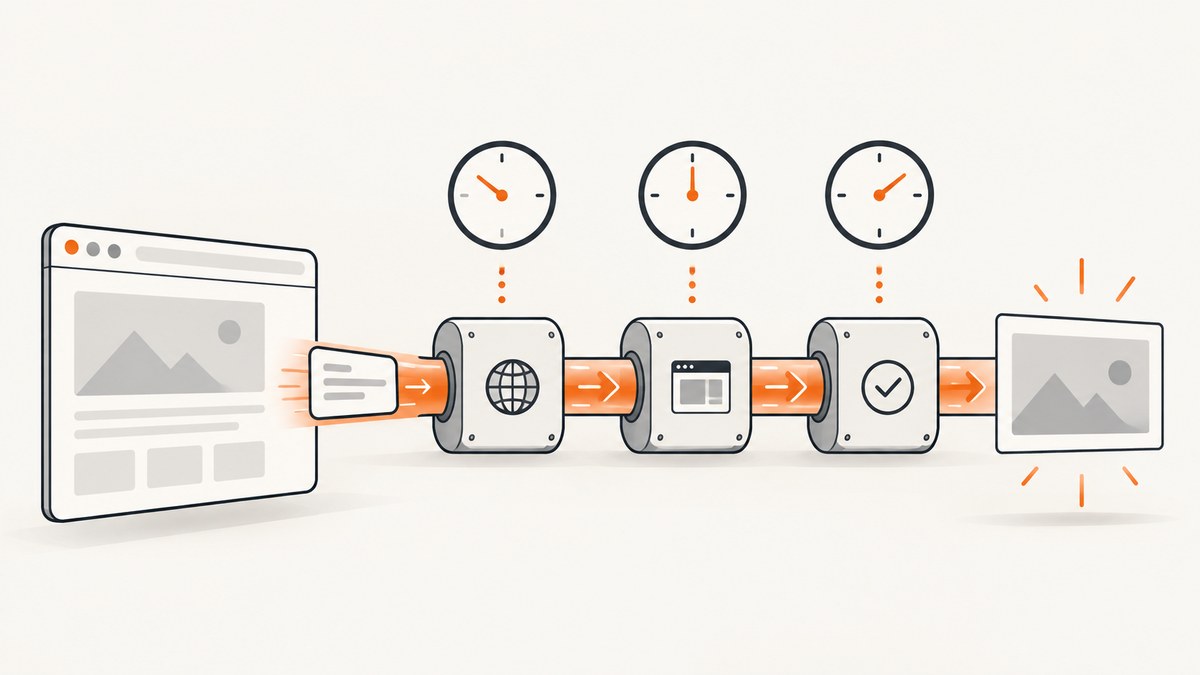
A reliable screenshot API timeout has three parts: an overall request budget, a navigation timeout for the target site, and a readiness timeout for selectors, functions, network idle, or other conditions. Set all three deliberately, confirm whether the provider expects seconds or milliseconds, and log which limit ended the request.
Do not solve every timeout by increasing one number. A page can be slow to connect, slow to render, waiting for a selector that never appears, or blocked entirely. Each failure needs a different setting or a change to the page workflow.
Timeouts you should configure
| Timeout | What it limits | Typical fix when it expires |
|---|---|---|
| Overall request | The complete API operation, including browser startup, navigation, waits, rendering, and image encoding | Raise the budget, remove unnecessary waits, or use an asynchronous job |
| Navigation | How long the browser waits for the target URL to respond | Check DNS, TLS, redirects, server response time, and blocked requests |
| Readiness | How long to wait for a selector, function, event, image, or network state | Use a reliable condition, fix the selector, or shorten the wait |
| Fixed delay | A forced pause before capture | Replace it with an observable condition where possible |
The overall timeout must contain every nested operation. For example, a 60-second request budget cannot safely contain a 30-second navigation timeout, a 30-second selector timeout, and a long delay because those waits can overlap or run sequentially depending on the service.
Seconds versus milliseconds
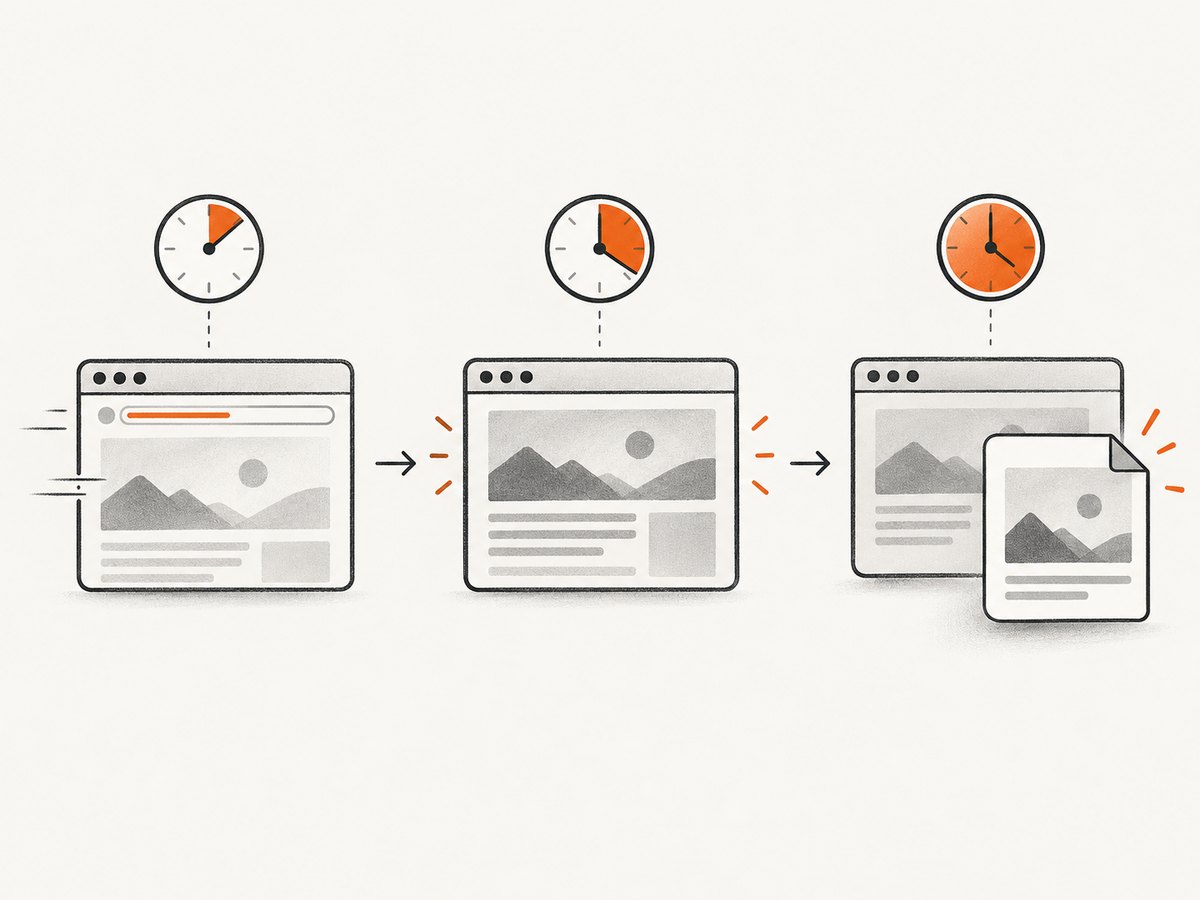
Timeout units differ between providers. ScreenshotOne documents timeout and navigation_timeout in seconds. Its documented default overall timeout is 60 seconds, with a 90-second synchronous maximum; navigation defaults to and tops out at 30 seconds. Browserless REST uses milliseconds for the global timeout, navigation settings, selector waits, functions, and events. A value of 30 therefore means 30 seconds for ScreenshotOne but 30 milliseconds for Browserless.
Make units explicit in your own code. Name variables timeout_seconds or timeout_ms, convert at the adapter boundary, and log the final value sent to the provider.
ScreenshotOne: overall and navigation timeouts
ScreenshotOne uses a seconds-based overall timeout and a separate seconds-based navigation_timeout. A basic request is:
https://api.screenshotone.com/take?url=https%3A%2F%2Fexample.com&timeout=20&navigation_timeout=20&access_key=YOUR_KEYSet the overall timeout high enough for normal browser work. Keep navigation focused on the target server response. If the site normally responds in two seconds but takes 15 seconds to finish client-side rendering, increasing navigation alone will not help; use a readiness condition or an appropriate overall budget.
ScreenshotOne timeout errors indicate that the screenshot was not completed within the specified limit. The documented remedies include changing timeout or navigation_timeout, reducing a delay, changing wait_until, or switching to asynchronous requests and webhooks for long operations.
Practical ScreenshotOne settings
- Fast static pages: overall 15 to 30 seconds, navigation 10 to 20 seconds.
- Client-rendered dashboards: overall 30 to 60 seconds, navigation 20 to 30 seconds, plus a selector or network condition.
- Slow reports or deliberate animation waits: use the largest allowed synchronous budget and prefer asynchronous capture when the workflow can exceed it.
These are starting points, not provider guarantees. Measure your own pages and leave room for browser startup and image encoding.
Browserless: layered millisecond controls
Browserless REST APIs accept a global query-string timeout in milliseconds. The request body can add granular limits to gotoOptions, selectors, functions, and events:
{
  'url': 'https://example.com/',
  'gotoOptions': {
    'timeout': 30000,
    'waitUntil': 'networkidle2'
  },
  'waitForSelector': {
    'selector': '#main-content',
    'timeout': 10000,
    'visible': true
  }
}
Send this to the Browserless /screenshot?token=YOUR_API_TOKEN_HERE endpoint and set the global query timeout large enough to contain navigation and selector waits. BrowserQL defines screenshot.timeout in milliseconds and documents a 30,000 millisecond default.
Browserless also supports waitFor as a CSS selector, a number of milliseconds, or a page-context function. Prefer a selector or function when readiness is observable. A fixed number is useful only when no dependable event exists.
Using readiness conditions instead of blind delays
A fixed delay says nothing about whether the page is ready. It can waste the request budget on a fast page and still be too short on a slow one. Prefer conditions that describe the content you need.
- Navigate to the page.
- Wait for the main content selector to exist and, where supported, be visible.
- Wait for required images or a known application event.
- Capture immediately after the condition succeeds.
For network-driven applications, networkidle2 or an equivalent network-idle condition can help, but it is not universal. Analytics, advertisements, long polling, and WebSockets may keep a page active indefinitely. In those cases, wait for a stable application selector or expose a page function that returns true when data rendering is complete.
Complete implementation examples
cURL with a seconds-based provider
curl -G 'https://api.screenshotone.com/take' \
  --data-urlencode 'url=https://example.com' \
  --data-urlencode 'timeout=30' \
  --data-urlencode 'navigation_timeout=20' \
  --data-urlencode 'access_key=YOUR_KEY' \
  -o shot.png
Python adapter with explicit units
import requests

TIMEOUT_SECONDS = 30
NAVIGATION_TIMEOUT_SECONDS = 20
params = {
    'url': 'https://example.com',
    'timeout': TIMEOUT_SECONDS,
    'navigation_timeout': NAVIGATION_TIMEOUT_SECONDS,
    'access_key': 'YOUR_KEY',
}
response = requests.get(
    'https://api.screenshotone.com/take',
    params=params,
    timeout=TIMEOUT_SECONDS + 10,
)
response.raise_for_status()
with open('shot.png', 'wb') as output:
    output.write(response.content)
The HTTP client timeout should be slightly longer than the provider timeout so the provider can return a useful error. If the client expires first, you lose the provider’s diagnostic response.
Node.js with a millisecond client timeout
const controller = new AbortController();
const clientTimeout = setTimeout(() => controller.abort(), 40000);
const params = new URLSearchParams({
  url: 'https://example.com',
  timeout: '30',
  navigation_timeout: '20',
  access_key: 'YOUR_KEY'
});
try {
  const response = await fetch(`https://api.screenshotone.com/take?${params}`, {
    signal: controller.signal
  });
  if (!response.ok) throw new Error(`HTTP ${response.status}`);
  const image = Buffer.from(await response.arrayBuffer());
  await fs.promises.writeFile('shot.png', image);
} finally {
  clearTimeout(clientTimeout);
}
Or skip the browser setup
ScreenshotNeo provides one GET request for a PNG, JPEG, WebP, or PDF. Its timeout-related controls include a selector wait, delay, and network-idle wait, so you can choose an observable readiness rule instead of relying on a long blind pause. See the ScreenshotNeo documentation for the complete parameter list.

curl -G 'https://api.screenshotneo.com/v1/shot' \
  -d access_key=YOUR_API_KEY \
  --data-urlencode url=https://stripe.com \
  -o shot.webp
import requests
r = requests.get('https://api.screenshotneo.com/v1/shot', params={'access_key': 'YOUR_API_KEY', 'url': 'https://stripe.com'}, timeout=90)
open('shot.webp', 'wb').write(r.content)const q = new URLSearchParams({ access_key: 'YOUR_API_KEY', url: 'https://stripe.com' });
const res = await fetch(`https://api.screenshotneo.com/v1/shot?${q}`);ScreenshotNeo removes cookie and consent banners, newsletter popups, and chat widgets before capture. Bot checks, blank pages, failed loads, timeouts, and cache hits are not billed; response headers identify the page verdict and whether the request was billed. Its MCP server lets Claude, Cursor, and other MCP clients take screenshots, inspect pages, and capture PDFs. The free plan includes 1,000 screenshots each month with no card, and paid plans start at $5 for 3,000. Create a free ScreenshotNeo account.
A systematic troubleshooting sequence
1. The request fails immediately
Check units first. A Browserless value intended as 30 seconds must be 30000, while a ScreenshotOne value should be 30. Also check that your HTTP client is not applying a smaller default timeout.
2. Navigation expires
Test the URL from the same region or network if possible. Inspect DNS, TLS, redirects, authentication, and robots or bot defenses. Increasing the total timeout cannot make a server that never responds become reachable. Lower the navigation timeout when you want fast failure, or fix the target site’s availability.
3. The selector wait expires
Confirm the selector is correct, account for iframes and shadow DOM, and decide whether the element must merely exist or be visible. Capture a diagnostic page or use a page-info operation if the provider offers one. A selector that appears only after an API call may require a longer readiness budget or a function that checks application state.
4. Network idle never arrives
Persistent analytics, advertisements, polling, and WebSockets can prevent idle. Replace network idle with a stable content selector, block unnecessary requests, or use a bounded delay as a last resort.
5. The image is blank or incomplete
Wait for the content container and important images, not just the initial document load. Lazy-loaded images may need scrolling or a provider option that loads the full page. Check whether a cookie banner, login wall, or bot challenge covers the page.
6. The API returns a timeout even though the page eventually loads
Sum browser startup, navigation, readiness waits, JavaScript execution, and encoding. Remove redundant delays, reduce page work, and use asynchronous capture with webhooks when the workflow legitimately exceeds synchronous limits.
Reliability, performance, and cost
Use bounded retries for transient network failures, with exponential backoff and a maximum attempt count. Do not retry a deterministic selector error at full timeout repeatedly. Include the provider, URL, timeout scope, unit, readiness condition, elapsed time, HTTP status, and returned error in structured logs.
Shorter navigation limits protect worker capacity and reveal broken sites quickly. A readiness condition reduces wasted time on fast pages while still handling slower renders. Blocking ads, trackers, and unnecessary resource types can improve both completion time and consistency, provided the blocked resources are not required for the page you need.
Cache stable captures when freshness permits. For variable pages, use a cache TTL that matches the content’s update interval. Hosted services may charge for successful captures even when your client later disconnects, so keep the client timeout longer than the provider’s limit and handle responses cleanly. ScreenshotNeo reports billing status in response headers and does not bill failed loads, blank pages, bot checks, timeouts, or cache hits.
Designing a portable timeout adapter
Providers expose different names and limits, so isolate them behind one internal interface:
capture(url, {
  requestTimeoutSeconds: 60,
  navigationTimeoutSeconds: 30,
  readiness: { selector: '#main-content', timeoutSeconds: 10 }
})
Your adapter can convert seconds to milliseconds for Browserless, map readiness to waitFor or waitForSelector, and reject configurations that cannot fit inside the overall budget. Return a normalized result with status, elapsed time, timeout scope, provider request ID, and billing information where available.
Checklist before production
- Verify every timeout unit in the provider documentation.
- Separate overall, navigation, and readiness limits.
- Keep the HTTP client timeout above the provider’s limit.
- Prefer selectors, functions, or bounded network conditions over arbitrary delays.
- Test redirects, authentication, slow APIs, lazy images, iframes, bot checks, and empty responses.
- Log timeout scope and elapsed time.
- Use asynchronous jobs for captures that exceed synchronous limits.
- Retry transient failures with a cap and backoff.
- Measure real pages before choosing defaults.
FAQ
Should timeout be in seconds or milliseconds?
Use the unit required by the provider. ScreenshotOne uses seconds; Browserless REST and BrowserQL use milliseconds. Make the unit visible in variable names and logs.
Is navigation timeout the same as screenshot timeout?
No. Navigation covers the target site’s response. The overall screenshot timeout also includes waits, browser work, rendering, and encoding.
Can a larger timeout fix a CAPTCHA?
No. A blocked or challenged page needs a different access path, authentication, or provider behavior. Waiting longer only consumes the request budget.
When should I use a webhook?
Use asynchronous capture when rendering can exceed a provider’s synchronous maximum or when you need to submit many URLs without holding open client connections.
What is the safest default?
Start with a bounded overall budget, a navigation limit below it, and a readiness condition tied to the content you need. Adjust from measured elapsed times and logged failure scopes.


