How to Set and Troubleshoot the wkhtmltoimage Path
Fix wkhtmltoimage PATH errors on Linux, macOS, Windows, Python, CI, and services with verification steps, diagnostics, and secure configuration.
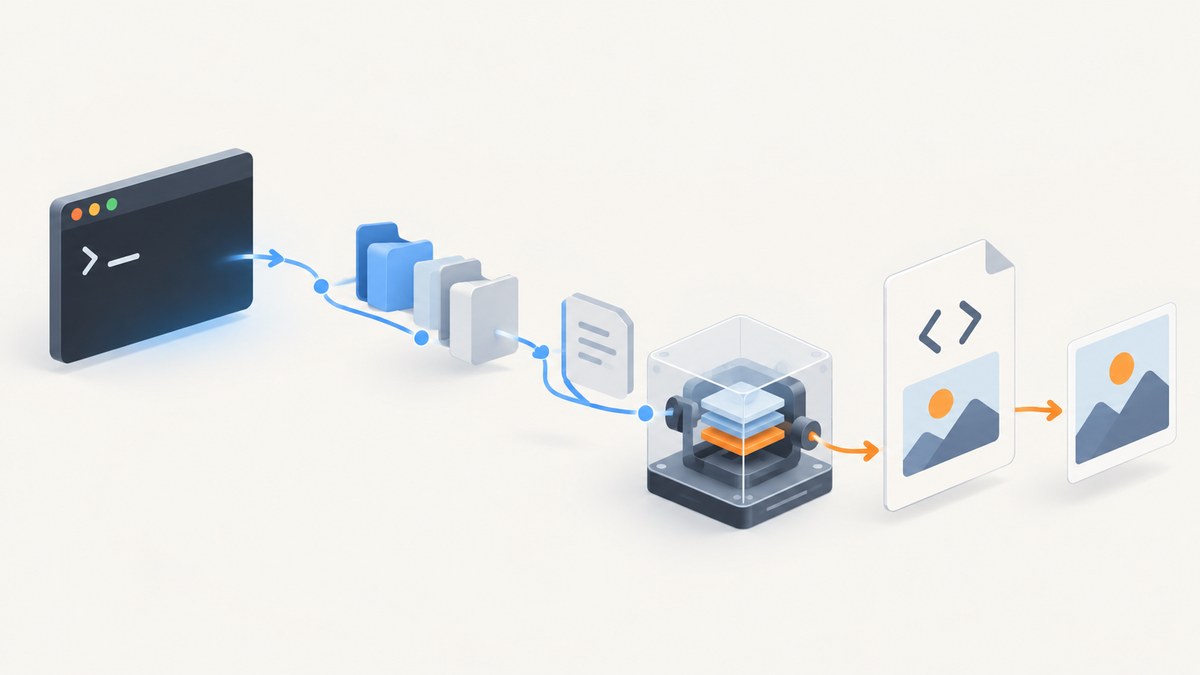
Direct answer: install wkhtmltoimage, locate it with which wkhtmltoimage (Linux/macOS) or where wkhtmltoimage (Windows), add its containing directory to the PATH seen by the process that runs your application, restart that shell or service, and verify with wkhtmltoimage --version. If a wrapper such as IMGKit still cannot find it, pass the absolute executable path in the wrapper configuration. Finally, run that absolute command directly: this tells you whether the problem is executable discovery or rendering.
wkhtmltoimage converts an HTML input into an image. The Debian manual documents the basic form as wkhtmltoimage [OPTIONS]... <input file> <output file>. The wkhtmltopdf project lists installers for Windows and macOS and packages for Linux; its stable 0.12.6 series was released on June 11, 2020. See the official download page and the Debian manual.
1. Install wkhtmltoimage
Linux
Use your distribution package where available, or install the matching package from the project’s download page. Confirm that the package includes the wkhtmltoimage executable, not only documentation or a different build.
# Debian or Ubuntu package search
apt-cache search wkhtmltoimage

# After installing the appropriate package
wkhtmltoimage --version
Distribution packages can place the binary in locations such as /usr/bin, while a manually unpacked build may use /opt/wkhtmltox/bin. Do not assume the location; discover it.
macOS
Install a macOS build from the official installer page, then open a new Terminal window. If the binary was installed outside a standard directory, its directory must be added to PATH.
Windows
Install the Windows package from the official project download page. The executable is commonly named wkhtmltoimage.exe. Open a new PowerShell or Command Prompt after changing environment variables. Integrations using the shared library may also need wkhtmltox.dll to be discoverable; the PHP requirements documentation specifically calls out putting that DLL on PATH.
2. Find the executable and inspect the process PATH
Linux and macOS
which wkhtmltoimage
command -v wkhtmltoimage
printf '%s\n' "$PATH"
If a command returns a path, run it directly:
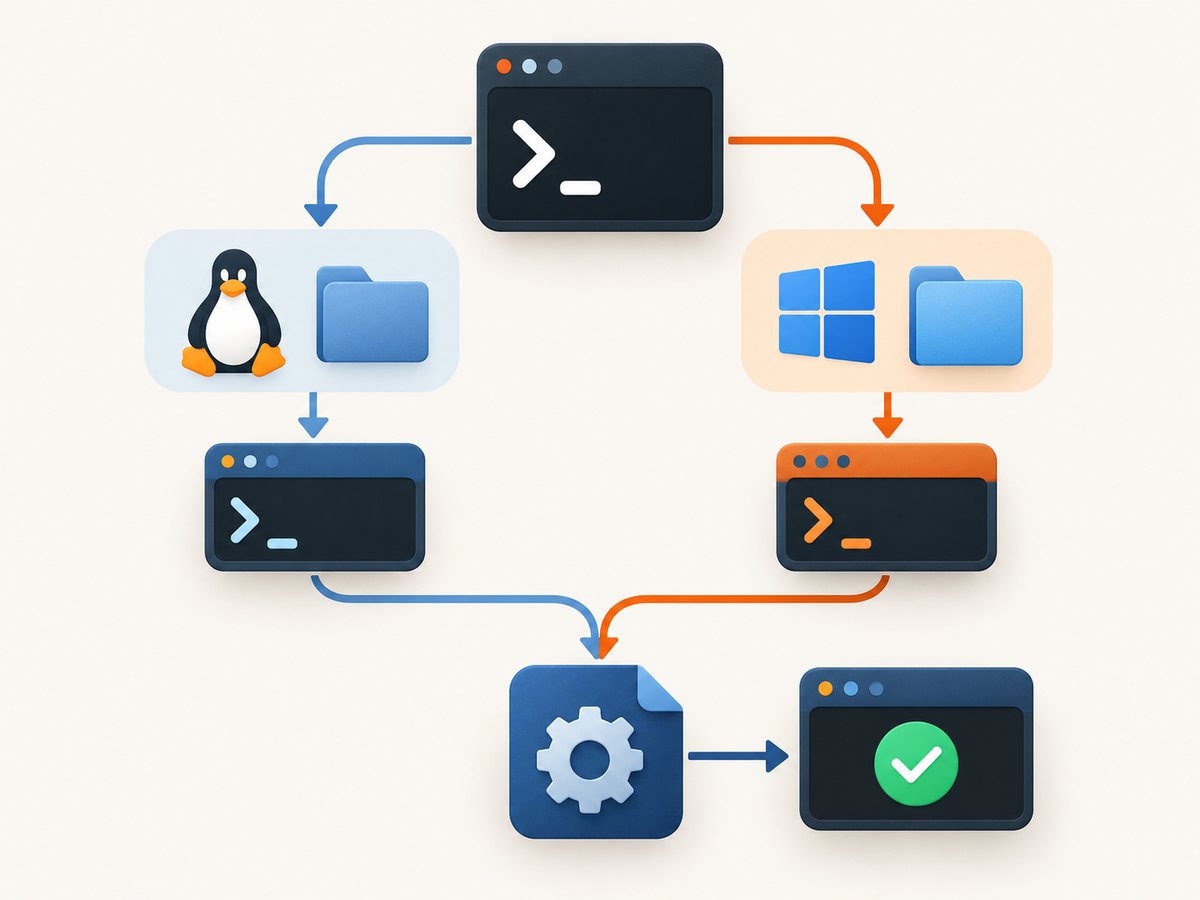
/opt/wkhtmltox/bin/wkhtmltoimage --versionIf neither lookup command returns anything, search likely installation directories or use your package manager’s file listing. The important result is the directory containing the executable, for example /opt/wkhtmltox/bin.
Windows PowerShell
where.exe wkhtmltoimage
$env:Path -split ';'
In Command Prompt, use where wkhtmltoimage. If it returns C:\Program Files\wkhtmltopdf\bin\wkhtmltoimage.exe, the directory to add is C:\Program Files\wkhtmltopdf\bin, not the full filename.
3. Add the directory to PATH
Temporary Unix change
export PATH="/opt/wkhtmltox/bin:$PATH"
wkhtmltoimage --version
This affects the current shell and processes launched from it. To persist it, put the export in the profile actually used by the account that runs the application, such as ~/.profile, ~/.bashrc, or the equivalent shell configuration. A common user-installed executable directory is ~/.local/bin; Python’s packaging guide explains the general PATH rule for scripts installed there.
Persistent Windows change
Open Environment Variables, edit the user or system Path, and add the directory containing wkhtmltoimage.exe. Start a new Command Prompt, PowerShell session, IDE, worker, or service after saving the change:
where wkhtmltoimage
wkhtmltoimage --version
Editing PATH does not rewrite the environment of already-running processes. A Windows service may also run as a different account with a different user PATH.
4. Configure IMGKit with an absolute path
IMGKit normally expects wkhtmltoimage to be on PATH. Its documented configuration API accepts an explicit executable path, which is more reliable for virtual environments, CI jobs, containers, schedulers, and services:
import imgkit

config = imgkit.config(
    wkhtmltoimage='/opt/wkhtmltox/bin/wkhtmltoimage'
)

imgkit.from_string(
    '<html><body><h1>Report</h1></body></html>',
    'report.png',
    config=config
)
On Windows, use a raw string and the executable filename:
import imgkit

config = imgkit.config(
    wkhtmltoimage=r'C:\Program Files\wkhtmltopdf\bin\wkhtmltoimage.exe'
)
imgkit.from_url('https://example.com', 'example.png', config=config)
The absolute path must point to an executable file that the application user can execute. If you use a wrapper around IMGKit, configure the path at the layer that launches wkhtmltoimage.
5. Separate PATH errors from rendering errors
Use this sequence whenever an application reports “No wkhtmltoimage executable found”:
- Run
which wkhtmltoimageorwhere wkhtmltoimagein the same account that runs the application. - Run the returned absolute path with
--version. - Print the PATH from inside the failing process, not only from your interactive terminal.
- Check Unix execute permissions and Windows executable/DLL architecture.
- Restart the shell, IDE, worker, service, container, or scheduler.
- Pass the absolute path to the wrapper.
- Run a complete conversion command directly and inspect its diagnostics.
If the version command works but conversion fails, PATH discovery is fixed. The remaining issue is input loading, JavaScript, local-file access, permissions, or a renderer crash.
6. Run a minimal conversion
cat > sample.html <<'EOF'
<html><body><h1>Hello</h1></body></html>
EOF
wkhtmltoimage --log-level info sample.html sample.png
On Windows PowerShell:
Set-Content sample.html '<html><body><h1>Hello</h1></body></html>'
wkhtmltoimage.exe --log-level info sample.html sample.png
Use --help or --extended-help to inspect options supported by the installed build. The Debian manual documents --debug-javascript, --log-level, local-file controls, load-error handling, and JavaScript switches.
7. Options that solve common rendering problems
Local images, stylesheets, and fonts are missing
Recent builds restrict local-file access by default. If the input needs local resources, enable it only when appropriate and narrow access with --allow:
wkhtmltoimage \
  --enable-local-file-access \
  --allow /srv/report-assets \
  report.html report.png
Grant the smallest directory required. A broad local-file permission can expose files to page content.
JavaScript content is incomplete
Confirm JavaScript is enabled, turn on diagnostics, and allow the page time to finish:
wkhtmltoimage \
  --enable-javascript \
  --javascript-delay 1500 \
  --debug-javascript \
  --log-level info \
  https://example.com dashboard.png
A delay is useful for a page that renders after an asynchronous request, but it increases latency for every capture. If the page never settles, investigate the page’s network calls rather than continually increasing the delay.
One resource fails
--load-error-handling abort|skip|ignore controls whether a failed page load aborts the conversion, skips the failing resource, or ignores the error. Select the behavior that matches your output requirements and log the choice so failures are observable.
8. Troubleshooting table
| Symptom | Likely cause | Fix |
|---|---|---|
command not found or “No wkhtmltoimage executable found” |
The process PATH does not include the binary directory. | Use which/where, add the directory, restart the process, or configure an absolute path. |
| Works in a terminal, fails in an IDE or service | The launched process inherited a different environment or account. | Print PATH inside that process and set it in the service, runner, container, or IDE configuration. |
| Absolute path returns “permission denied” | Unix execute permission is missing, or the service user cannot traverse a parent directory. | Check permissions and run the command as the application account. |
| Windows reports a missing DLL | wkhtmltox.dll is not discoverable or its architecture does not match. |
Put the DLL directory on PATH and use a compatible 32-bit or 64-bit build. |
| Images or CSS disappear | Local-file access is disabled or the resource path is not allowed. | Use --enable-local-file-access and a narrow --allow path where required. |
| Page is blank or JavaScript data is absent | Scripts have not finished, are disabled, or fail at runtime. | Use --debug-javascript, verify JavaScript is enabled, and test a measured --javascript-delay. |
| Conversion fails after discovery succeeds | Rendering or runtime failure rather than PATH lookup. | Run the full absolute command directly, increase logging, and isolate the input. |
| Segmentation fault | A renderer/build limitation or problematic page. | Capture the command output, test a minimal HTML file, and evaluate a supported build or another rendering service. |
9. Services, CI, containers, and virtual environments
Interactive shell configuration is often the least reliable place to set PATH for production. Configure the executable in the process manager or image, or pass an absolute path in application settings. Keep the path in an environment variable so deployments can pin a known binary:
WKHTMLTOIMAGE_BIN=/opt/wkhtmltox/bin/wkhtmltoimageimport os
import imgkit
binary = os.environ['WKHTMLTOIMAGE_BIN']
config = imgkit.config(wkhtmltoimage=binary)
imgkit.from_url('https://example.com', 'page.png', config=config)During deployment, run both a version check and a smoke conversion as the same user as the worker. Include the binary and any required libraries in the container image, and avoid relying on a developer’s host PATH.
10. Security considerations
The official project download page warns: “Do not use wkhtmltopdf with any untrusted HTML – be sure to sanitize any user-supplied HTML/JS, otherwise it can lead to complete takeover of the server it is running on!” Apply that warning to wkhtmltoimage. Treat HTML, JavaScript, URLs, CSS, and local-file permissions as untrusted input unless you control them.
- Sanitize or reject user-supplied HTML and scripts.
- Run the renderer in an isolated, low-privilege environment.
- Use narrowly scoped
--allowdirectories. - Do not expose internal files or credentials through local resources.
- Set network and process limits appropriate to your workload.
These controls matter especially when your application accepts a URL or HTML template from another user.
11. Performance, reliability, and maintenance
Startup cost, JavaScript delays, remote assets, and full-page layout all affect capture time. Keep a reusable worker process where your integration supports it, avoid unnecessary delays, and capture only the required page or element. Cache stable inputs when your product can tolerate stale images.
For reliability, pin the renderer version, record its version in deployment logs, use explicit paths, and make failures visible with stderr and exit codes. Test representative pages containing local assets, JavaScript, web fonts, redirects, and failed resources. The 0.12.6 stable series is dated, so verify compatibility with your application and target pages before upgrading or standardizing an installation.
12. Or skip the browser setup
If you need website screenshots rather than a local HTML renderer, ScreenshotNeo provides a website screenshot API and MCP server. It accepts one GET request and returns PNG, JPEG, WebP, or PDF. Cookie and consent banners, newsletter popups, and chat widgets are removed before capture. Bot checks, blank pages, timeouts, failed loads, and cache hits are not billed, and response headers identify the page verdict and billing result.
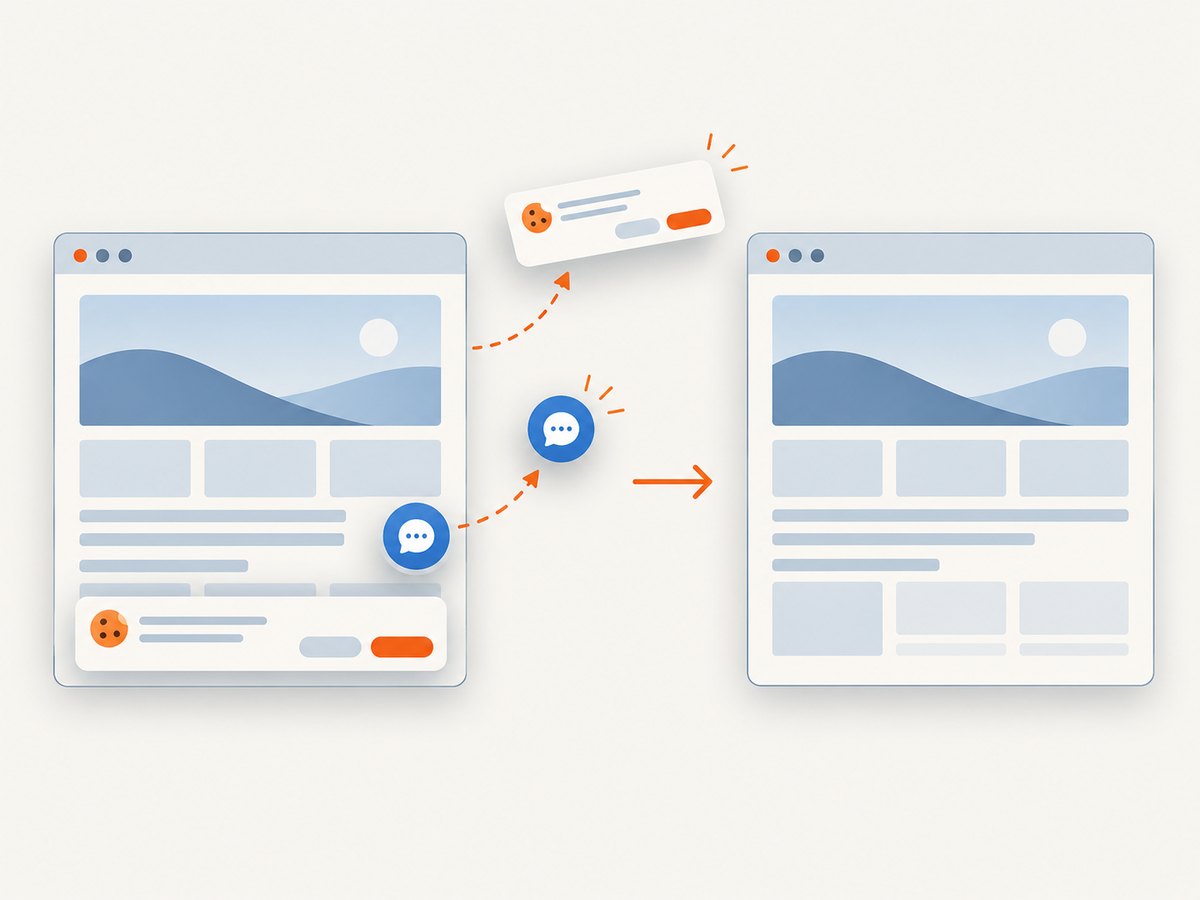
See the ScreenshotNeo API documentation for request options. A minimal call is:
curl -G "https://api.screenshotneo.com/v1/shot" -d access_key=YOUR_API_KEY --data-urlencode url=https://stripe.com -o shot.webpimport requests
r = requests.get("https://api.screenshotneo.com/v1/shot", params={"access_key": "YOUR_API_KEY", "url": "https://stripe.com"}, timeout=90)
open("shot.webp", "wb").write(r.content)const q = new URLSearchParams({ access_key: 'YOUR_API_KEY', url: 'https://stripe.com' });
const res = await fetch(`https://api.screenshotneo.com/v1/shot?${q}`);You can choose full-page or CSS-element capture, device presets or custom viewports, dark mode, retina scale, custom CSS and JavaScript, clicks, waits, request blocking, headers, cookies, user agents, authorization, timezone, geolocation, transparent backgrounds, resizing, caching TTLs, signed links, asynchronous jobs, webhooks, bulk capture, usage data, and PDF settings. An MCP server provides take_screenshot, get_page_info, and capture_pdf tools for Claude, Cursor, and other MCP clients.
The Free plan includes 1,000 screenshots each month without a card. Paid plans start at $5 for 3,000 screenshots; every feature is on every plan. Create a free ScreenshotNeo account.
13. FAQ
Should I change PATH globally or configure IMGKit?
Use global PATH when several applications share a centrally managed installation. Use an absolute IMGKit path when the application runs as a service, in CI, in a container, or under a scheduler with a controlled environment.
Why does restarting matter?
PATH is copied into a process when it starts. Existing shells, workers, IDEs, and services keep the old value until restarted.
How do I know whether the URL or binary is the problem?
Run the absolute binary with --version, then convert a minimal local HTML file. If that succeeds, test the URL and its JavaScript, network, and resource requirements separately.
Can I safely render user-submitted HTML?
Only with sanitization, isolation, least-privilege execution, and tightly restricted local-file access. Unsanitized HTML and JavaScript can compromise the host.


