How to Set Up the TestNG Framework in Selenium
Set up Selenium with TestNG in Java: dependencies, lifecycle hooks, testng.xml suites, parallel execution, troubleshooting, and CI guidance.
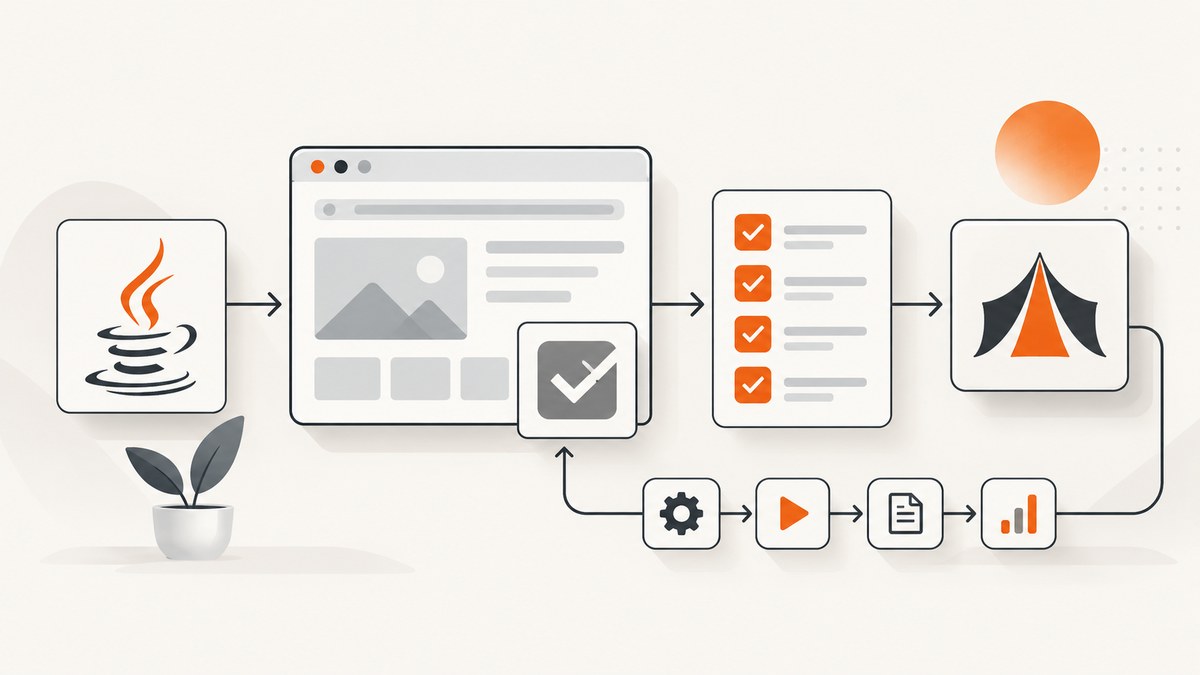
Direct answer: To set up TestNG with Selenium, add Selenium Java and TestNG to your Maven or Gradle project, create a Java class with @Test methods, start and quit WebDriver with TestNG lifecycle annotations, then run the tests through your build tool. Add testng.xml when you need explicit suites, groups, parameters, class selection, or parallel execution.
This guide uses Java because TestNG is a Java test framework. Selenium’s Java libraries are normally installed through a build tool, and your machine also needs a browser and the matching driver setup. Check the compatibility requirements for the exact Java, Selenium, TestNG, browser, driver, Maven, Gradle, and Surefire versions selected for your project before hard-coding versions.
1. Prerequisites
- A supported Java development kit.
- An existing Maven or Gradle project.
- Selenium Java bindings.
- TestNG.
- A browser such as Chrome, Firefox, or Edge, with the driver setup required by your Selenium version.
- An IDE or command line capable of running the project’s build tasks.
Selenium’s setup documentation covers installing a language binding, browser, and driver. TestNG’s documentation covers its annotations, build-tool integrations, and suite configuration. See Selenium WebDriver getting started, Selenium library installation, and the TestNG documentation.
2. Add Selenium and TestNG dependencies
Use the build tool already used by your codebase. Do not copy a version from an old example without checking current compatibility. TestNG documentation examples may show a particular release, but that does not establish a current compatibility matrix for every Java and Selenium combination.
Maven
Add Selenium and TestNG to the project’s test dependencies. Keep the versions in properties so one compatibility change does not require editing several dependency declarations.
<properties>
  <selenium.version>YOUR_VERIFIED_SELENIUM_VERSION</selenium.version>
  <testng.version>YOUR_VERIFIED_TESTNG_VERSION</testng.version>
</properties>

<dependencies>
  <dependency>
    <groupId>org.seleniumhq.selenium</groupId>
    <artifactId>selenium-java</artifactId>
    <version>${selenium.version}</version>
    <scope>test</scope>
  </dependency>

  <dependency>
    <groupId>org.testng</groupId>
    <artifactId>testng</artifactId>
    <version>${testng.version}</version>
    <scope>test</scope>
  </dependency>
</dependencies>
Selenium describes Java library installation through a build tool. TestNG documents Maven dependency setup and Maven test execution. Use the current TestNG Maven documentation and Maven Surefire’s current TestNG guide when configuring the project.
Gradle
Declare the same libraries in the test configuration and tell Gradle to use TestNG for the test task. Keep the version values verified for your project.
def seleniumVersion = 'YOUR_VERIFIED_SELENIUM_VERSION'
def testngVersion = 'YOUR_VERIFIED_TESTNG_VERSION'

dependencies {
    testImplementation "org.seleniumhq.selenium:selenium-java:${seleniumVersion}"
    testImplementation "org.testng:testng:${testngVersion}"
}

test {
    useTestNG()
}
TestNG’s documentation points to Gradle’s official TestNG integration guidance. Check the current Gradle documentation for details that depend on your Gradle release.
3. Create your first Selenium TestNG class
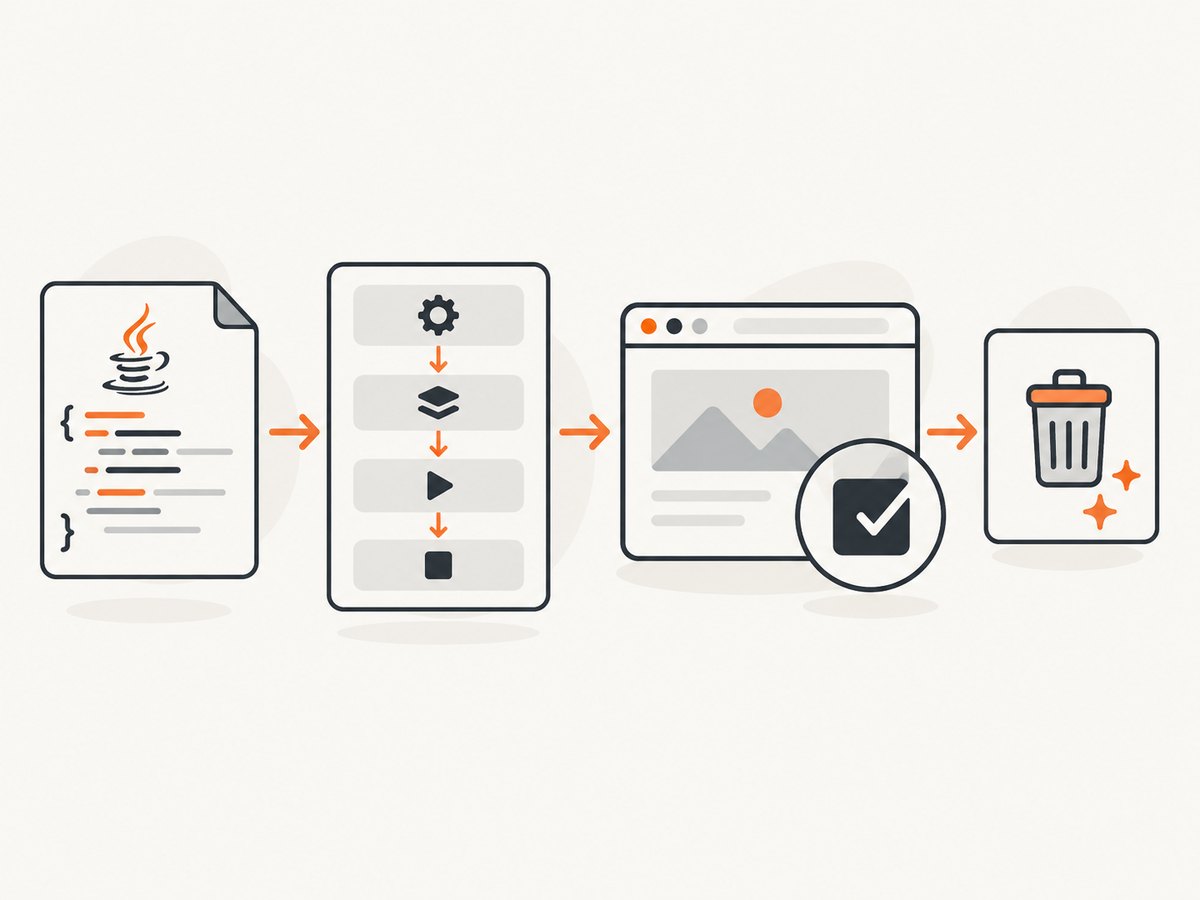
A TestNG class contains one or more methods marked with @Test. Use configuration annotations to create the browser before a test and close it afterward. The alwaysRun = true setting ensures cleanup is attempted even when a test or setup step fails.
package example;

import org.openqa.selenium.WebDriver;
import org.openqa.selenium.chrome.ChromeDriver;
import org.testng.Assert;
import org.testng.annotations.AfterMethod;
import org.testng.annotations.BeforeMethod;
import org.testng.annotations.Test;

public class ExampleTest {
    private WebDriver driver;

    @BeforeMethod
    public void setUp() {
        driver = new ChromeDriver();
    }

    @Test
    public void pageHasExpectedTitle() {
        driver.get("https://example.com");
        Assert.assertEquals(driver.getTitle(), "Example Domain");
    }

    @AfterMethod(alwaysRun = true)
    public void tearDown() {
        if (driver != null) {
            driver.quit();
        }
    }
}
This is a minimal illustration. The browser, driver, dependency resolution, and local security policy must be working first. A normal TestNG run does not require a main method.
Understand the lifecycle annotations
| Annotation | Typical use |
|---|---|
@BeforeSuite |
One-time preparation for a complete XML suite. |
@BeforeTest |
Preparation before a <test> section in a suite. |
@BeforeClass |
Preparation before the first method in a Java class. |
@BeforeMethod |
Fresh setup before each @Test method. |
@Test |
A test method executed by TestNG. |
@AfterMethod |
Cleanup after each test method. |
@AfterClass, @AfterTest, @AfterSuite |
Cleanup at broader lifecycle scopes. |
For browser tests, @BeforeMethod and @AfterMethod(alwaysRun = true) are a conservative default because each test gets an isolated browser session. A class-scoped driver can be faster, but state can leak between methods.
4. Run Selenium tests through the build tool
Maven
Put tests under the project’s test source directory, normally src/test/java, and run:
mvn testMaven Surefire must be able to discover and execute TestNG tests. If your project has custom naming, source directories, profiles, or a nonstandard TestNG setup, configure the current Surefire plugin according to its TestNG documentation.
Gradle
With useTestNG() configured on the test task, run:
./gradlew testRun one class or method during development
Exact command-line filters vary with Maven, Surefire, Gradle, and plugin versions. Prefer the current build-tool documentation for your project rather than assuming that a filter syntax from another version applies. IDE runners can also launch a single TestNG class or method.
5. Add testng.xml for suites and selection
testng.xml is optional for a tiny project. Add it when you need a named suite, explicit class or package selection, groups, parameters, or parallel settings. TestNG describes a suite as one XML file and supports suite, test, class, package, group, method, parameter, and parallel configuration.
<!DOCTYPE suite SYSTEM "https://testng.org/testng-1.0.dtd">
<suite name="Browser suite">
  <test name="Smoke tests">
    <classes>
      <class name="example.ExampleTest"/>
    </classes>
  </test>
</suite>
Place the file where your build configuration expects it, commonly under the project root or test resources, and configure the test runner to use that suite when necessary.
Select groups
import org.testng.annotations.Test;

public class CheckoutTest {
    @Test(groups = {"smoke", "checkout"})
    public void guestCanOpenCheckout() {
        // browser steps
    }

    @Test(groups = "regression")
    public void savedAddressIsUsed() {
        // browser steps
    }
}
<!DOCTYPE suite SYSTEM "https://testng.org/testng-1.0.dtd">
<suite name="Smoke suite">
<test name="Smoke">
<groups>
<run>
<include name="smoke"/>
</run>
</groups>
<packages>
<package name="example"/>
</packages>
</test>
</suite>Pass environment parameters
<!DOCTYPE suite SYSTEM "https://testng.org/testng-1.0.dtd">
<suite name="Parameterized suite">
  <parameter name="baseUrl" value="https://example.com"/>
  <test name="Site tests">
    <classes>
      <class name="example.ParameterizedTest"/>
    </classes>
  </test>
</suite>
package example;
import org.openqa.selenium.WebDriver;
import org.openqa.selenium.chrome.ChromeDriver;
import org.testng.annotations.AfterMethod;
import org.testng.annotations.BeforeMethod;
import org.testng.annotations.Parameters;
import org.testng.annotations.Test;
public class ParameterizedTest {
private WebDriver driver;
private String baseUrl;
@BeforeMethod
@Parameters("baseUrl")
public void setUp(String baseUrl) {
this.baseUrl = baseUrl;
driver = new ChromeDriver();
}
@Test
public void opensConfiguredEnvironment() {
driver.get(baseUrl);
}
@AfterMethod(alwaysRun = true)
public void tearDown() {
if (driver != null) {
driver.quit();
}
}
}6. Use data-driven tests when inputs vary
TestNG’s @DataProvider lets one test method run with several input sets. Keep each data row independent and make failures identify the input values clearly.
import org.testng.Assert;
import org.testng.annotations.DataProvider;
import org.testng.annotations.Test;

public class SearchDataTest {
    @DataProvider(name = "queries")
    public Object[][] queries() {
        return new Object[][] {
            {"selenium"},
            {"testng"}
        };
    }

    @Test(dataProvider = "queries")
    public void searchQueryIsAccepted(String query) {
        Assert.assertFalse(query.isBlank());
    }
}
7. Introduce parallel execution carefully
TestNG can run methods, classes, tests, instances, or suites in parallel and lets you configure thread counts in XML. Parallel execution is useful only when browser sessions, test data, accounts, files, and shared services are isolated.
<!DOCTYPE suite SYSTEM "https://testng.org/testng-1.0.dtd">
<suite name="Parallel suite" parallel="classes" thread-count="2">
  <test name="Browser tests">
    <packages>
      <package name="example"/>
    </packages>
  </test>
</suite>- Create a separate WebDriver for each parallel test or class.
- Do not store a mutable driver in a static field shared by tests.
- Use thread-safe reporting and test data access.
- Give each test its own account, order, file path, or database record where needed.
- Start with a small thread count and increase it only when the environment remains reliable.
8. Make browser tests reliable
- Use explicit waits for meaningful conditions instead of fixed sleeps wherever possible.
- Keep setup and cleanup in configuration methods so failures do not leave browser processes behind.
- Use stable locators and avoid selectors tied to generated CSS classes.
- Reset application state between tests.
- Capture logs, screenshots, and page source on failure through your CI reporting setup.
- Keep test assertions focused on user-visible behavior.
- Do not run parallel tests until sequential tests pass consistently.
9. Common errors and fixes
| Error or symptom | Likely cause | Fix |
|---|---|---|
Cannot find symbol: org.testng... |
TestNG is missing from the test classpath or dependency resolution failed. | Check the dependency declaration, scope, repository access, and selected version. Reimport the Maven or Gradle project. |
SessionNotCreatedException |
Browser and driver versions or capabilities are incompatible, or the browser cannot start. | Check the browser installation, driver management supported by your Selenium version, and the compatibility requirements for the versions selected. |
Could not start a new session |
The driver executable, browser binary, permissions, or environment path is invalid. | Verify the browser is installed, the driver setup is available to Selenium, and the process can run under the same user as the build. |
| Tests are not discovered | The class or method naming, source directory, runner, or suite configuration does not match the build tool. | Confirm the file is under the test source directory, the method has @Test, and Surefire or Gradle is configured for TestNG. |
testng.xml reports no tests |
The XML class or package name is wrong, or the file is not being passed to the runner. | Use the fully qualified class name, verify package declarations, and inspect the build configuration that selects the suite. |
| Element is not clickable or present | The page has not reached the required state, an overlay is present, or the locator is unstable. | Wait for the relevant condition, handle the overlay, verify the locator, and avoid arbitrary sleep values. |
| Later tests fail after an earlier failure | Browser, cookies, files, database rows, or static fields leaked between tests. | Use method-level setup and teardown, call quit() with alwaysRun, and isolate test data. |
| Parallel tests interfere | Shared WebDriver or shared mutable data is being accessed concurrently. | Use one driver and isolated data per test thread, then reduce the thread count while diagnosing failures. |
| Tests pass locally but fail in CI | Different browser, display, permissions, timing, environment variables, or dependency cache. | Record versions and capabilities, configure the CI browser environment explicitly, and preserve failure artifacts. |
10. Maven, Gradle, and XML: which setup should you choose?
| Choice | Use it when | Trade-off |
|---|---|---|
| Maven | The repository already uses Maven or your CI is built around Maven. | Use the project’s existing lifecycle and current Surefire configuration. |
| Gradle | The repository already uses Gradle and its test task is the source of truth. | Keep TestNG configuration in the Gradle test task and follow the current Gradle syntax. |
| Build-tool test discovery | You have a small suite with conventional test classes. | Less explicit suite composition. |
testng.xml |
You need groups, parameters, package selection, named suites, or parallel settings. | An extra configuration file must stay synchronized with package and class names. |
| Sequential execution | Tests share environments or are still being stabilized. | Usually easier to diagnose, but uses less available execution capacity. |
| Parallel execution | Tests and their data are isolated and the CI environment has enough browser capacity. | Can reduce elapsed time, but increases concurrency-related failures and resource use. |
11. Or skip the browser setup
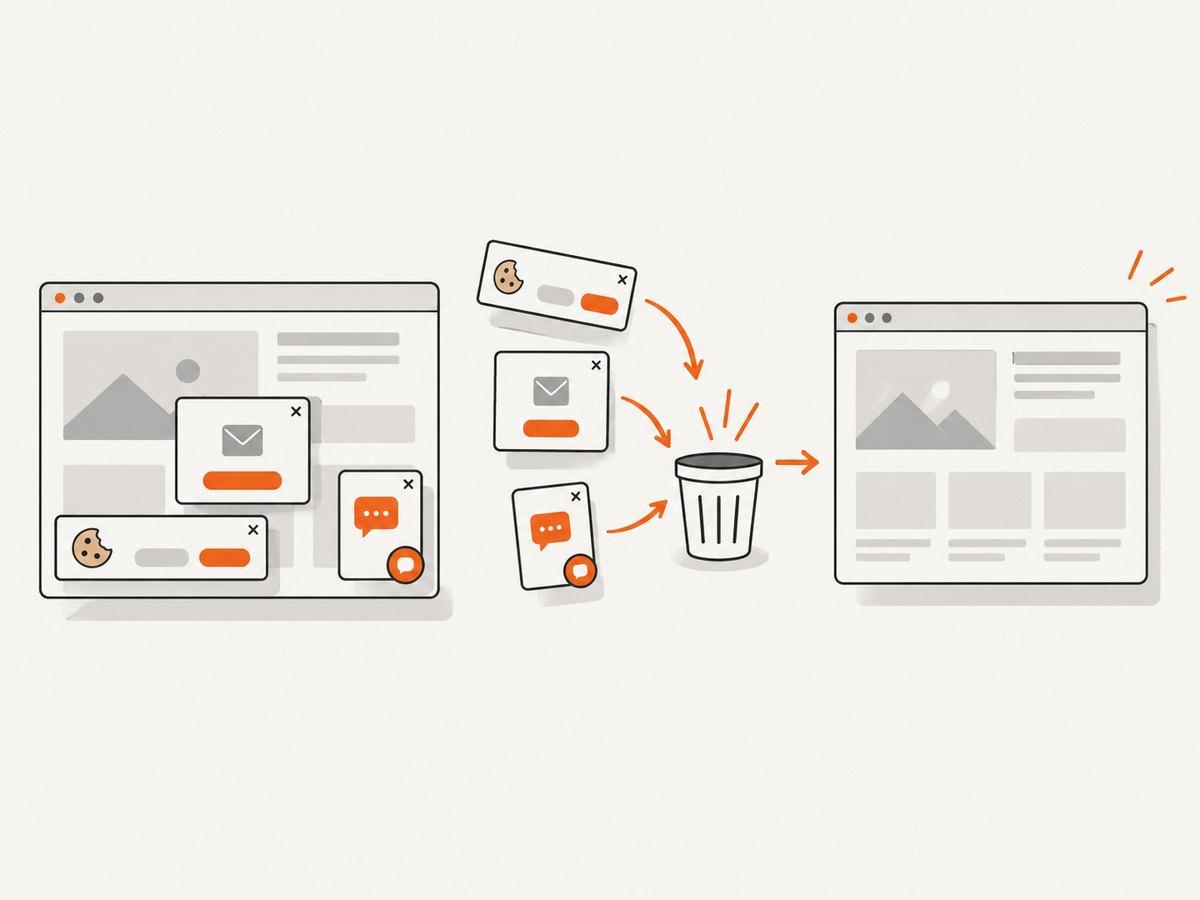
If your goal is to capture a page for a test artifact, visual review, or documentation rather than drive an interactive browser yourself, ScreenshotNeo provides a single screenshot API request. Its service accepts the consent banner like a visitor and removes more than 60 known consent platforms, newsletter popups, and chat widgets before capture; each step can be turned off. Bot checks and CAPTCHAs, blank pages, timeouts, failed loads, and cache hits are not billed, and the response identifies the result with X-Page-Verdict and X-Billed headers.
See the ScreenshotNeo API documentation for the full option set, including full-page capture, CSS selectors, device presets, dark mode, retina scale, custom CSS and JavaScript, waits, request blocking, cookies, headers, authentication, timezone, geolocation, transparent backgrounds, resizing, caching, signed links, asynchronous jobs, bulk capture, usage, and PDF output.
curl -G "https://api.screenshotneo.com/v1/shot" -d access_key=YOUR_API_KEY --data-urlencode url=https://stripe.com -o shot.webpimport requests
r = requests.get("https://api.screenshotneo.com/v1/shot", params={"access_key": "YOUR_API_KEY", "url": "https://stripe.com"}, timeout=90)
open("shot.webp", "wb").write(r.content)const q = new URLSearchParams({ access_key: 'YOUR_API_KEY', url: 'https://stripe.com' });
const res = await fetch(`https://api.screenshotneo.com/v1/shot?${q}`);ScreenshotNeo also includes an MCP server with take_screenshot, get_page_info, and capture_pdf tools for Claude, Cursor, and other MCP clients. The free plan includes 1,000 screenshots per month with no card; paid plans start at $5 for 3,000 shots. Create a free ScreenshotNeo account.
12. Performance, reliability, and cost considerations
- Browser startup: Creating a driver per method improves isolation but adds startup time. Reuse a driver only when the class can safely reset all state.
- Wait strategy: Explicit condition waits usually make failures easier to diagnose than long fixed sleeps.
- Parallel capacity: Thread count should match available CPU, memory, browser sessions, test accounts, and environment limits.
- CI cost: Browser sessions consume runner time and resources. Run a small smoke group on every change and broader groups on the schedule appropriate to your project.
- Dependency maintenance: Verify Java and browser compatibility whenever Selenium, TestNG, the browser, or the build plugin changes.
- Screenshot capture: If you use ScreenshotNeo, cache hits are not billed, and failed loads, blank pages, bot checks, and timeouts are not billed. Choose caching TTLs and image dimensions according to whether the capture is a test artifact, preview, or production asset.
13. Setup checklist
- Java and the project build tool are installed.
- Selenium Java and TestNG versions are verified as compatible.
- A browser and its required driver setup are available in local and CI environments.
- At least one class contains a method marked
@Test. - WebDriver is created in setup and closed in an
alwaysRunteardown method. mvn testor./gradlew testdiscovers and runs the class.testng.xmlis added only when explicit suite behavior is needed.- Parallel execution is enabled only after browser sessions and test data are isolated.
- Failure artifacts and environment versions are retained in CI.
FAQ
Do I need testng.xml for every Selenium project?
No. A build-tool integration and annotated test classes are enough for a small suite. Use XML when you need explicit selection, groups, parameters, or parallel settings.
Can TestNG replace Selenium WebDriver?
No. Selenium drives the browser; TestNG organizes, configures, and executes the Java tests.
Should WebDriver be static?
Usually no. A static driver makes parallel execution and test isolation harder. Prefer an instance field with controlled lifecycle unless your architecture has a specific thread-safe design.
Where should browser setup happen?
Use TestNG configuration methods such as @BeforeMethod and @AfterMethod. This keeps setup and cleanup outside the test’s business assertions.
Can I use TestNG data providers with Selenium?
Yes. Use @DataProvider to supply independent input rows, and ensure the browser and application state are isolated for each invocation.
How do I choose between Selenium screenshots and an API?
Use WebDriver when the screenshot is part of an interactive browser test. Use an API such as ScreenshotNeo when you need a direct page capture without maintaining browser and driver setup.


