How to Share an Image Generated From HTML Canvas on Facebook
Turn a canvas bitmap into a shareable file or a Facebook link preview. Learn the browser, hosting, Open Graph, and API options.

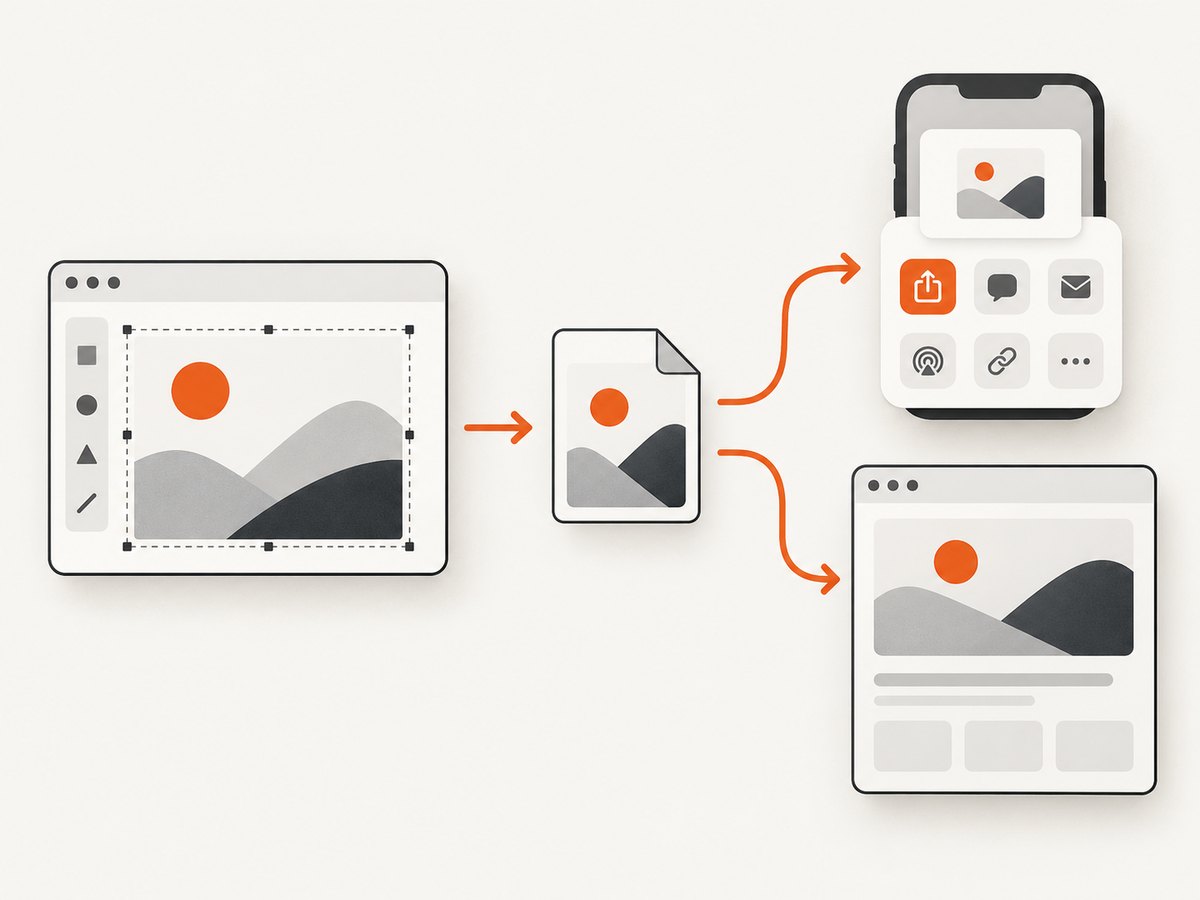
Direct answer: JavaScript cannot send a canvas data URL directly to Facebook or choose Facebook as a share destination. Convert the canvas to a Blob and use the browser’s native share sheet to share the image file where supported. If you need Facebook to show a reliable preview when someone shares a link, upload the image and serve a public HTTPS page with Open Graph metadata, including og:image.
These are different outcomes: native sharing transfers a file through destinations offered by the device; a hosted link lets Facebook’s crawler fetch metadata and an image for a preview. The right route depends on whether you want to hand off the image itself or publish a link that previews it.
1. Choose the sharing route
| Route | What Facebook receives | Public server needed? | Facebook preview control |
|---|---|---|---|
| Web Share API | The image file, if a compatible target is available in the system share sheet | No | No guarantee; the browser and device choose targets |
| Hosted link with Open Graph | A URL; Facebook crawls its page metadata and image | Yes | Yes, through page metadata and image URL |
| Meta Graph API | An uploaded photo through an authorized integration | Server-side integration recommended | Controlled by the API operation and its permissions |
Use Web Share for a user-initiated “Share image” button when handing off a file is enough. Use a hosted link when the post needs a dependable preview and a URL people can revisit. Use a Graph API integration only when your application has the eligible Page/app setup, permissions, and token handling required by Meta.
2. Convert the canvas to a shareable file
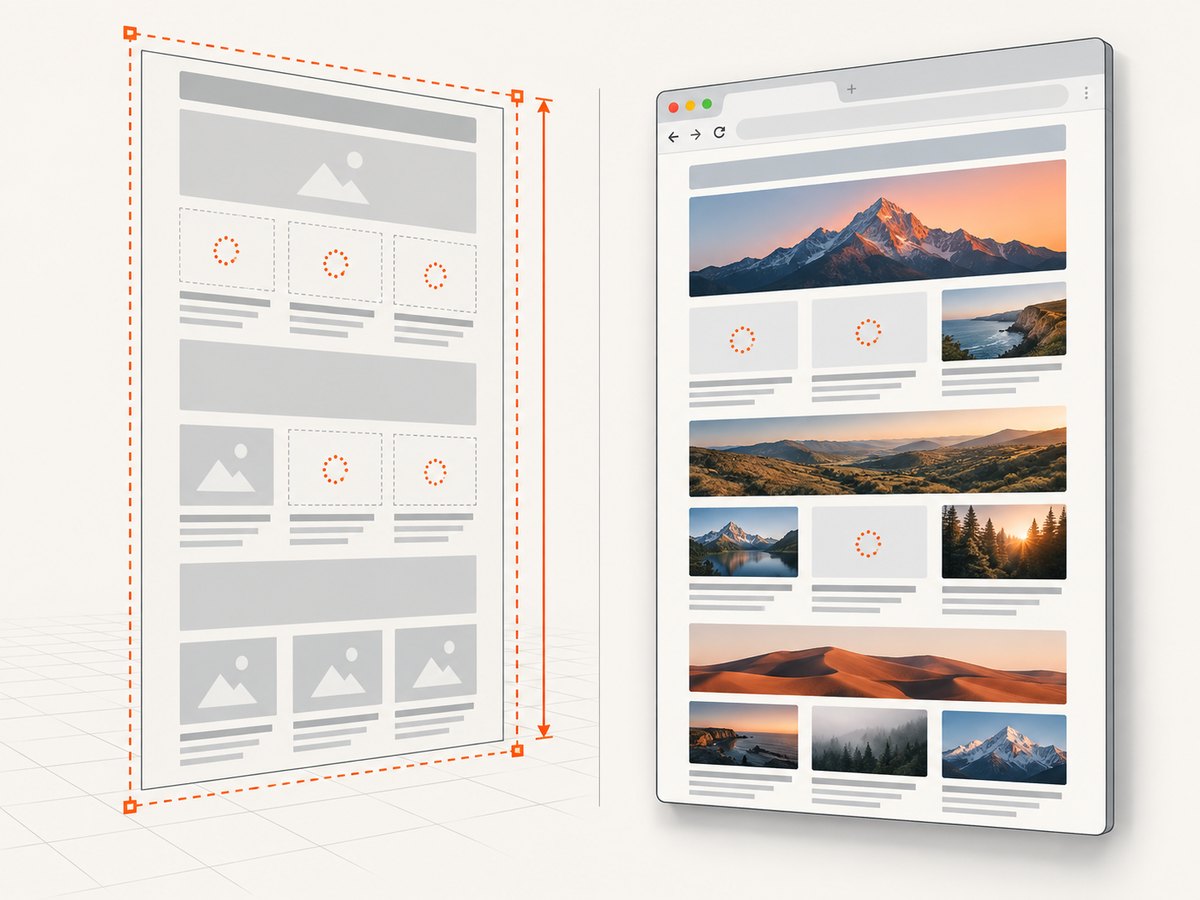
A canvas bitmap exists in browser memory. Serialize it before sharing. The HTML standard provides toBlob() and toDataURL(); PNG is the default if the requested type is omitted or unsupported. For sizable images, prefer toBlob(): toDataURL() creates a large encoded string in memory and may encounter URL-length limits.
const canvas = document.querySelector('#artwork');

function canvasToBlob(canvas, type = 'image/png', quality) {
  return new Promise((resolve, reject) => {
    if (!canvas) {
      reject(new Error('Canvas element was not found'));
      return;
    }

    canvas.toBlob((blob) => {
      if (!blob) {
        reject(new Error('Canvas could not be serialized'));
        return;
      }
      resolve(blob);
    }, type, quality);
  });
}
The optional quality argument is relevant to lossy formats such as JPEG or WebP; it is ignored for PNG. Check the resulting blob.type, since a browser can fall back to PNG if it does not support the requested output format.
Canvas origin restrictions
If a canvas includes pixels from a cross-origin image, the canvas can become non-origin-clean. Reading or exporting it can then fail with a security error. If you draw remote images, load them with an appropriate CORS mode and ensure the image server returns an Access-Control-Allow-Origin header permitting your page’s origin. Setting crossOrigin in your code alone does not grant permission; the remote server must allow it. If you cannot change that server, proxy the image through an endpoint you control where permitted, or omit the cross-origin pixels.
3. Share the image using the device share sheet
Call navigator.share() directly from a user action such as a click. The browser may require transient user activation, and the available share targets are selected by the user agent. Your page cannot force Facebook to appear or guarantee that selecting a target will result in a post.
const canvas = document.querySelector('#artwork');
const shareButton = document.querySelector('#share-image');
const status = document.querySelector('#share-status');

function canvasToBlob(canvas, type = 'image/png') {
  return new Promise((resolve, reject) => {
    canvas.toBlob((blob) => {
      if (blob) resolve(blob);
      else reject(new Error('Canvas serialization returned no image'));
    }, type);
  });
}

shareButton.addEventListener('click', async () => {
  try {
    const blob = await canvasToBlob(canvas, 'image/png');
    const file = new File([blob], 'canvas-image.png', {
      type: blob.type || 'image/png'
    });

    if (navigator.canShare && navigator.canShare({ files: [file] }) && navigator.share) {
      try {
        await navigator.share({ files: [file], title: 'My generated image' });
        status.textContent = 'Share sheet closed.';
      } catch (error) {
        if (error.name === 'AbortError') {
          status.textContent = 'Sharing was cancelled.';
        } else {
          throw error;
        }
      }
    } else {
      downloadBlob(blob, 'canvas-image.png');
      status.textContent = 'File sharing is unavailable here; the image was downloaded.';
    }
  } catch (error) {
    console.error(error);
    status.textContent = `Could not export or share the image: ${error.message}`;
  }
});

function downloadBlob(blob, filename) {
  const objectUrl = URL.createObjectURL(blob);
  const link = document.createElement('a');
  link.href = objectUrl;
  link.download = filename;
  link.hidden = true;
  document.body.append(link);
  link.click();
  link.remove();
  // Delay revocation so the browser can start the download.
  setTimeout(() => URL.revokeObjectURL(objectUrl), 1000);
}
Pair that script with a button and status element:
<canvas id="artwork" width="1200" height="630"></canvas>
<button id="share-image" type="button">Share image</button>
<p id="share-status" role="status" aria-live="polite"></p>
The Web Share API’s file-sharing form is navigator.share({ files }). Feature-detect file sharing with navigator.canShare({ files }); the presence of navigator.share alone does not prove the device can share files. A downloaded-file fallback is useful on unsupported browsers, but users then need to attach the file themselves in Facebook.
4. Publish a Facebook link preview with Open Graph
For a preview on a Facebook post containing a link, host both a page and the generated image. The page must be reachable by Facebook’s crawler over HTTPS without a login, and the image URL must also be fetchable. Put Open Graph tags in the page’s HTML response, ideally in the document head, so a crawler can read them without relying on client-side JavaScript.
- Serialize the canvas with
toBlob(). - Upload the Blob to your application server or object storage and save it at a stable, public HTTPS URL.
- Create a public share page for that image, using a stable page URL such as
https://example.com/share/abc123. - Render the Open Graph metadata for that image in the page response.
- Give the user the share-page URL to paste into Facebook.
<!doctype html>
<html lang="en">
<head>
  <meta charset="utf-8">
  <title>Generated image</title>
  <meta property="og:title" content="Generated image">
  <meta property="og:type" content="website">
  <meta property="og:url" content="https://example.com/share/abc123">
  <meta property="og:image" content="https://cdn.example.com/images/abc123.png">
  <meta property="og:image:secure_url" content="https://cdn.example.com/images/abc123.png">
  <meta property="og:image:type" content="image/png">
  <meta property="og:image:width" content="1200">
  <meta property="og:image:height" content="630">
  <meta property="og:image:alt" content="Generated canvas image">
</head>
<body>
  <h1>Generated image</h1>
  <img src="https://cdn.example.com/images/abc123.png" alt="Generated canvas image">
</body>
</html>
The Open Graph protocol requires og:title, og:type, og:image, and og:url as its basic properties. The image properties shown here identify its secure URL, media type, dimensions, and alternative text. Serve the image with a matching content type, such as image/png, and ensure the metadata’s dimensions describe the actual file.
Upload the Blob from the browser
A common pattern is to send the image as multipart form data to your own endpoint. The endpoint should authenticate the application user, validate file type and size, store the file, then return the public share URL. The example endpoint below is your application’s own route; implement its authentication, validation, storage, and response before using it.
async function createShareLink(canvas) {
  const blob = await canvasToBlob(canvas, 'image/png');
  const form = new FormData();
  form.append('image', blob, 'canvas-image.png');

  const response = await fetch('/api/share-images', {
    method: 'POST',
    body: form,
    credentials: 'same-origin'
  });
  if (!response.ok) {
    throw new Error(`Upload failed with HTTP ${response.status}`);
  }
  const result = await response.json();
  if (!result.shareUrl) throw new Error('Upload response did not include shareUrl');
  return result.shareUrl;
}

// Invoke from a button handler, then offer a copyable link.
document.querySelector('#create-link').addEventListener('click', async () => {
  const output = document.querySelector('#share-link');
  try {
    const shareUrl = await createShareLink(canvas);
    output.value = shareUrl;
    await navigator.clipboard?.writeText(shareUrl);
  } catch (error) {
    output.value = `Could not create link: ${error.message}`;
  }
});
Do not put a permanent storage credential in browser code. The upload endpoint should enforce ownership and access rules, avoid accepting arbitrary remote URLs, and set a content type based on validated image bytes. If images are private, do not expose them through public Open Graph metadata; a crawler cannot fetch an image that requires the viewer’s session.
Plan for crawler caching
Facebook controls when it fetches and refreshes a link preview. Use a stable URL and treat metadata updates deliberately. If the image changes, a versioned image URL or a new share-page URL can make the new asset distinct, while keeping previously shared pages predictable. A page that serves different metadata only after browser JavaScript runs may not produce the intended preview.
5. Use Meta’s API only for an eligible integration
Meta Graph API photo uploads are a separate, permissioned route. The platform documents Page photo endpoints that accept an image URL or multipart form data, but this is not a generic browser-only way to post to any person’s personal feed. Before implementation, verify the current Graph API version, endpoint, access-token type, Page and app permissions, and any app review requirements in Meta’s dashboard and current documentation.
Keep access tokens on a server, authorize each operation for the Page or account your app actually controls, and handle token expiry and API errors. Do not copy a token into frontend JavaScript or promise users that an image can be posted to an arbitrary Facebook profile. API versions and permissions can change, so confirm the current requirements before shipping rather than relying on a memorized endpoint.
6. Or skip the browser setup
If what you need is a screenshot of a web page to share, ScreenshotNeo returns an image or PDF from one GET request. It is a screenshot API and MCP server for developers. Its capture can accept consent banners and remove 60+ known consent platforms, newsletter popups, and chat widgets; each step can be turned off. Only clean shots are billed: bot checks, CAPTCHAs, blank pages, timeouts, failed loads, and cache hits cost nothing, with the result stated in X-Page-Verdict and X-Billed headers. It also has an MCP server with take_screenshot, get_page_info, and capture_pdf tools for AI agents.
Read the ScreenshotNeo API documentation for request options. This captures a web page; it does not upload an in-memory canvas or create a Facebook share page.
curl -G "https://api.screenshotneo.com/v1/shot" \
  -d access_key=YOUR_API_KEY \
  --data-urlencode url=https://stripe.com \
  -o shot.webp
import requests
r = requests.get(
"https://api.screenshotneo.com/v1/shot",
params={"access_key": "YOUR_API_KEY", "url": "https://stripe.com"},
timeout=90,
)
r.raise_for_status()
with open("shot.webp", "wb") as f:
f.write(r.content)const q = new URLSearchParams({
access_key: 'YOUR_API_KEY',
url: 'https://stripe.com'
});
const res = await fetch(`https://api.screenshotneo.com/v1/shot?${q}`);
if (!res.ok) throw new Error(`Screenshot request failed: ${res.status}`);
await Bun.write('shot.webp', res);The Free plan includes 1,000 shots per month with no card. Paid plans start at $5 for 3,000 shots; yearly billing gives two months free, and every feature is available on every plan. Sign up for ScreenshotNeo’s 1,000 free screenshots a month, with no card.
7. Troubleshooting
| Symptom | Likely cause | Fix |
|---|---|---|
toBlob() callback receives null |
The canvas could not be serialized or has no exportable bitmap. | Check that drawing finished, dimensions are nonzero, and serialization errors are handled. Show a user-facing retry or download message. |
| Security error when exporting canvas | Pixels from a cross-origin image tainted the canvas. | Load the image with CORS enabled and confirm the image host returns the matching allow-origin response header; otherwise exclude or properly proxy the asset. |
| Facebook is absent from the share sheet | The browser/device controls available destinations, and the installed apps and share capabilities vary. | Do not try to force a target. Offer download, or use a hosted share URL when a Facebook preview is required. |
| Share call fails outside a click | Web Share may require transient user activation. | Start serialization and sharing from the button handler. Avoid deferring the call to a timer or unrelated background task. |
Share rejects with AbortError |
The user dismissed or cancelled the share sheet. | Treat cancellation as a normal outcome; do not show it as an upload failure. |
| Facebook link has no image preview | The page or image is private, blocked, not HTTPS, inaccessible to the crawler, or the tags are missing/malformed. | Check the public page response and image URL, include the required Open Graph properties in server-rendered HTML, and verify the image content type and dimensions. |
| Preview still shows the old image | The platform may have cached metadata for the URL. | Use a deliberate versioned asset or new share URL when content changes; Facebook controls refresh timing. |
| Graph API rejects the upload | Wrong API version, token type, Page context, or missing permission/app review. | Check the current Meta documentation and dashboard for the endpoint and permissions applicable to your integration; keep credentials server-side. |
8. Performance, reliability, and cost
- Choose Blob for size. A Blob avoids constructing a base64 data URL string, which can substantially increase memory use for large canvas content.
- Keep the user in control. Native sharing is a handoff, not proof of a completed Facebook post. Report cancellation and failure separately.
- Budget for hosting. Link previews require storage and a publicly fetchable page/image. Consider retention and cleanup for generated files, and validate uploads before storing them.
- Design for retries. Make upload requests safe to retry, avoid creating duplicate share pages unnecessarily, and return a stable URL after successful storage.
- Expect platform variability. Browser share targets, Facebook crawler behavior, Graph API versions, and permissions are controlled outside your page. Keep fallbacks and re-check Meta requirements before release.
- Use the API only when needed. A Graph API integration adds token and permission maintenance. For a simple user share, the native chooser or hosted link avoids building that integration.
9. Frequently asked questions
Can I pass a canvas data URL to Facebook’s share dialog?
There is no general browser API that makes Facebook accept an arbitrary canvas data URL as a post. Convert the canvas to a Blob and share a File through a supported share target, or host the image and share its page URL.
Can my website automatically post to a user’s personal Facebook feed?
Do not assume so. Direct publishing through Meta APIs depends on the specific account/Page context, permissions, token, API version, and platform review requirements.
Should I use JPEG, PNG, or WebP?
Choose a type appropriate to the artwork and supported by your target path. PNG is the fallback and works well for sharp graphics or transparency. For hosted previews, make the file’s actual MIME type agree with the Open Graph type and response content type.
Why not use toDataURL()?
It is useful for small images or APIs that specifically require a data URL, but it creates a large in-memory string. For sharing and uploads, a Blob is generally easier to treat as a file.


