How to Share One Playwright Page Object Across Streamlit Buttons
Keep one Playwright page available across Streamlit button clicks with safe lifecycle patterns, worker ownership, troubleshooting, and alternatives.

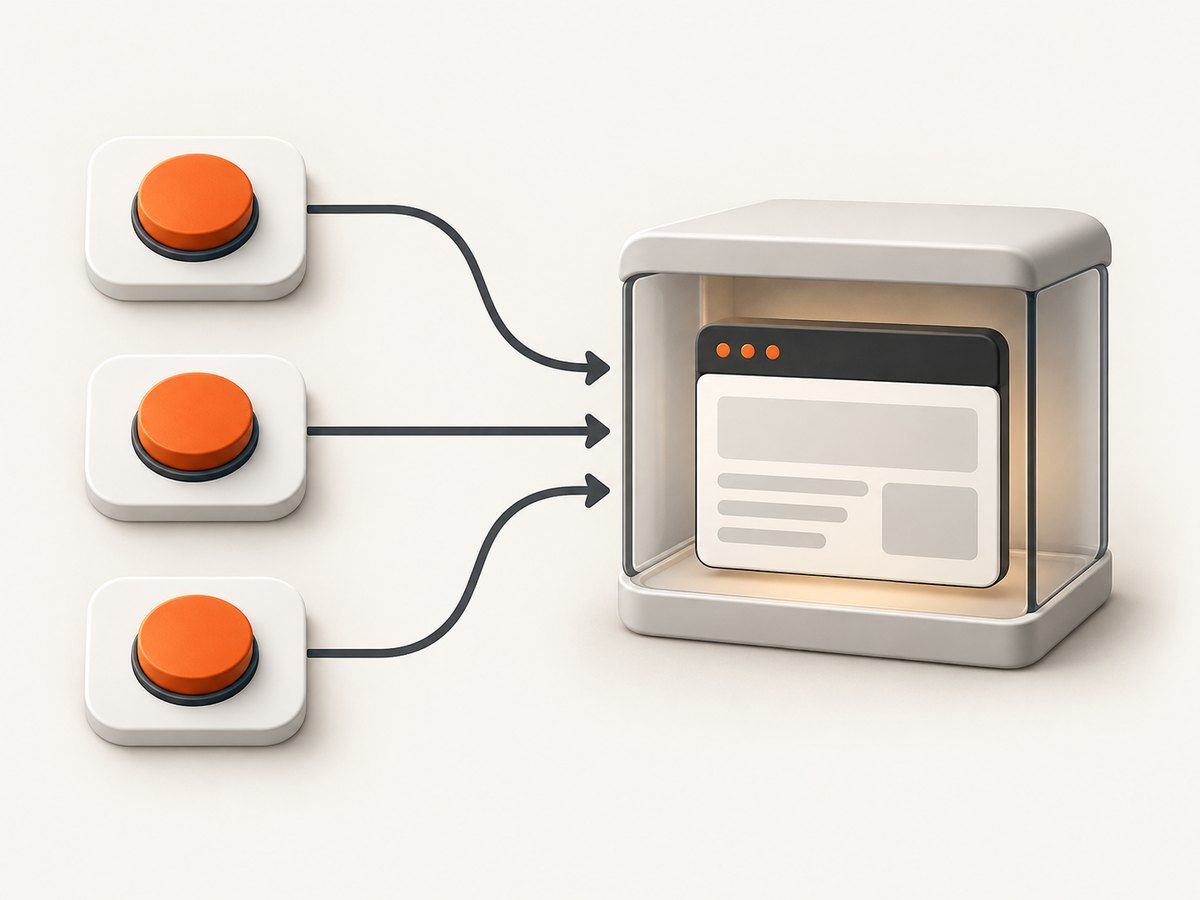
Direct answer: Streamlit reruns your script after every interaction, so a local Python variable containing a Playwright Page is gone on the next run. st.session_state can retain Python objects for a session, but it does not guarantee that a live Playwright browser and page remain valid when later runs execute on different Streamlit script threads. For a page that must stay open, give Playwright one long-lived owner, such as a worker thread or process, and have each button submit commands to that owner. Store only a worker identifier and ordinary results in Session State.
If each action is independent, the safer and simpler design is to launch Playwright inside the button operation, perform the work, close the browser, and save the result. The examples below show both designs, including lifecycle, state, errors, performance, and deployment considerations.
Why a page object disappears after a button click
Streamlit executes your app script from top to bottom whenever a widget interaction occurs. Ordinary local variables belong to that run and are recreated on the next run. A button is also momentary: st.button() returns True only during the run caused by the click, then returns False on the next rerun. Persistent application data belongs in a separate state field or another storage system. See Streamlit’s documentation on session state and reruns and button behavior and callbacks.
Session State is scoped to a browser session, not to your whole application. It normally permits arbitrary Python objects, but enabling runner.enforceSerializableSessionState requires values to be pickle-serializable. A live Playwright object is not a reliable value to serialize, and a browser tab reload or Markdown navigation can reset the WebSocket-backed session. These constraints are documented in the Session State API reference.
Streamlit also documents a script thread for each run. The documentation does not promise that a synchronous Playwright Page can be called safely from successive run threads merely because a reference was retained. Playwright documents explicit ownership scopes for Playwright, browser contexts, and pages, including the with sync_playwright() lifecycle. Treat cross-run page sharing as an architecture you must own rather than a built-in Streamlit integration. Read Streamlit’s threading guide and Playwright’s Page API when choosing an implementation.
Choose the right ownership model
| Pattern | Use it when | State and lifecycle | Trade-off |
|---|---|---|---|
| Start, use, close per click | Every action can stand alone | Each click owns a fresh Playwright lifecycle; store data such as a title, URL, or screenshot path | Simple and predictable, but cookies, navigation, and in-page state do not carry over |
| Long-lived worker | Buttons must control the same open page | One worker owns Playwright, the browser, context, and page; Streamlit stores an ID and displays results | Preserves page state, but requires command routing, timeouts, cleanup, and restart handling |
The first pattern is usually the best default. Use a persistent owner only when the page itself is part of the workflow: for example, a login must remain active, a multi-step form spans several buttons, or one button navigates while another reads the resulting DOM.
Pattern 1: launch Playwright for each button action
This complete Streamlit example keeps no live Playwright object in Session State. It saves only the result needed by later reruns.
import streamlit as st
from playwright.sync_api import sync_playwright

st.title("Independent browser checks")

if "last_title" not in st.session_state:
    st.session_state["last_title"] = None
if "last_error" not in st.session_state:
    st.session_state["last_error"] = None

def check_page():
    st.session_state["last_error"] = None
    try:
        with sync_playwright() as p:
            browser = p.chromium.launch(headless=True)
            try:
                page = browser.new_page()
                page.goto("https://example.com", wait_until="domcontentloaded", timeout=30_000)
                st.session_state["last_title"] = page.title()
            finally:
                browser.close()
    except Exception as exc:
        st.session_state["last_error"] = f"{type(exc).__name__}: {exc}"

st.button("Check page", on_click=check_page)

if st.session_state["last_title"]:
    st.write(f"Last title: {st.session_state['last_title']}")
if st.session_state["last_error"]:
    st.error(st.session_state["last_error"])
The callback runs before Streamlit performs the top-to-bottom rerun. The callback writes a plain string to Session State; the rerun renders that string. This avoids trying to make a transient button value represent durable application state.
Preserving useful state without preserving the page
If a later click needs information from an earlier click, save serializable data: the current URL, title, selected IDs, extracted text, cookies as a deliberately managed data structure, or a screenshot filename. Recreate the browser and restore only the state you actually need. Do not assume that a browser context can be safely reconstructed from an opaque object reference.
Pattern 2: one long-lived owner for a shared page
When the same page must remain open, put all Playwright calls behind one owner. The owner can be a dedicated process, a worker thread with a queue, or a service. Each command should include a worker or session ID, an operation name, arguments, and a timeout. The owner alone creates Playwright, launches the browser, creates the context and page, and closes them.
Here is a runnable queue-based skeleton. It demonstrates ownership and command routing; adapt authentication, persistence, and deployment to your application.
import queue
import threading
import uuid
import streamlit as st
from playwright.sync_api import sync_playwright

class BrowserOwner:
    def __init__(self):
        self.commands = queue.Queue()
        self.results = {}
        self.thread = threading.Thread(target=self._run, daemon=True)
        self.thread.start()

    def _run(self):
        with sync_playwright() as p:
            browser = p.chromium.launch(headless=True)
            context = browser.new_context()
            pages = {}
            try:
                while True:
                    command_id, action, args = self.commands.get()
                    try:
                        if action == "start":
                            page_id = str(uuid.uuid4())
                            pages[page_id] = context.new_page()
                            pages[page_id].goto(args["url"], wait_until="domcontentloaded")
                            value = {"page_id": page_id, "title": pages[page_id].title()}
                        elif action == "read_title":
                            page = pages[args["page_id"]]
                            value = {"title": page.title(), "url": page.url}
                        elif action == "navigate":
                            page = pages[args["page_id"]]
                            page.goto(args["url"], wait_until="domcontentloaded")
                            value = {"title": page.title(), "url": page.url}
                        elif action == "close":
                            page = pages.pop(args["page_id"], None)
                            if page:
                                page.close()
                            value = {"closed": True}
                        else:
                            raise ValueError(f"Unknown action: {action}")
                        self.results[command_id] = (True, value)
                    except Exception as exc:
                        self.results[command_id] = (False, f"{type(exc).__name__}: {exc}")
            finally:
                for page in pages.values():
                    page.close()
                context.close()
                browser.close()

    def call(self, action, **args):
        command_id = str(uuid.uuid4())
        self.commands.put((command_id, action, args))
        while command_id not in self.results:
            pass  # Replace with a condition variable and timeout in production.
        ok, value = self.results.pop(command_id)
        if not ok:
            raise RuntimeError(value)
        return value

if "owner" not in st.session_state:
    st.session_state.owner = BrowserOwner()
if "page_id" not in st.session_state:
    st.session_state.page_id = None
if "message" not in st.session_state:
    st.session_state.message = "Not started"

def start_page():
    result = st.session_state.owner.call("start", url="https://example.com")
    st.session_state.page_id = result["page_id"]
    st.session_state.message = f"Started: {result['title']}"

def read_title():
    result = st.session_state.owner.call("read_title", page_id=st.session_state.page_id)
    st.session_state.message = f"{result['title']} ({result['url']})"

def navigate():
    result = st.session_state.owner.call("navigate", page_id=st.session_state.page_id,
                                         url="https://www.python.org")
    st.session_state.message = f"Now at: {result['title']}"

st.button("Start page", on_click=start_page)
st.button("Read title", on_click=read_title, disabled=st.session_state.page_id is None)
st.button("Navigate", on_click=navigate, disabled=st.session_state.page_id is None)
st.write(st.session_state.message)
The busy loop is intentionally easy to see, but production code should replace it with a threading.Condition, a per-command event, or a future with a deadline. Also add an explicit shutdown command and a cleanup path when the Streamlit session ends. A process owner is often easier to isolate from Streamlit’s run threads and can be supervised and restarted independently.
Production requirements for a worker
- Ownership: Playwright, browser, context, and page are created and used in the same owner.
- Identity: Store only a short worker/session ID in
st.session_state; never use a user-controlled ID without authorization checks. - Timeouts: Put deadlines on queue waits, navigation, selectors, and browser startup. Return a clear timeout result.
- Serialization: Pass JSON-like command arguments and results. This also works when serializable Session State is enforced.
- Failure recovery: If the browser exits, mark every attached page unavailable, restart the owner, and require a new page ID.
- Cleanup: Close pages, contexts, and the browser on normal shutdown. Expire abandoned page IDs after an inactivity period.
- Concurrency: Decide whether one user may issue one command at a time. A per-page lock prevents two callbacks from navigating the same page simultaneously.
Callbacks, Session State, and reload behavior
Prefer on_click callbacks when a button changes application state. The callback writes a separate field such as automation_result; the body then renders it on every rerun. Do not try to assign a value to a button widget through Session State. Button truth is intentionally ephemeral.
Session State belongs to one browser session. A second tab gets a different session, and a reload can lose the connection and reset state. If a worker must survive reloads, store a durable workflow key in an external database or service and reconnect after validating ownership. A Session State value alone is not a durable job registry.
Common errors and fixes
| Error or symptom | Likely cause | Fix |
|---|---|---|
page is undefined after another click |
The variable belonged to the previous script run | Use a per-click lifecycle or route commands through a long-lived owner |
| “Event loop is closed” or thread-related failures | A Playwright object is being called from a different run/thread | Keep all calls in the owner that created the object; use a queue |
| Browser closes unexpectedly | The with sync_playwright() scope or browser object ended |
Keep the scope alive in the worker, or recreate it for each operation |
| State disappears after refresh | Session WebSocket was reset | Persist a reconnectable workflow ID outside Session State |
| Session State serialization error | Serializable-state enforcement rejects the object | Store IDs and plain data only; keep Playwright in the owner |
| Second button runs before the first finishes | Callbacks can overlap or queue without a policy | Disable controls while busy, use per-page locks, and return job status |
| Navigation hangs | Page waits for a resource that never completes | Set navigation and action timeouts; choose an appropriate wait_until; log the URL and step |
| “Target closed” | Context, page, or browser was closed by cleanup or a crash | Invalidate the page ID, restart the owner, and create a fresh page |
Performance and reliability considerations
Launching Chromium for every click has startup cost but keeps failure scope small. Reusing one browser can reduce startup work, preserve cookies, and make multi-step workflows faster. It also creates shared mutable state: stale pages, memory growth, stuck navigation, and cleanup become your responsibility.
Use a browser context per user or workflow when cookies and authentication must be isolated. Reuse a context only when that sharing is intentional. Limit the number of concurrent pages, close abandoned pages, and collect timings for queue wait, browser startup, navigation, and command execution. A worker should fail a command within a bounded time instead of leaving a Streamlit callback waiting forever.
For deployments with multiple Streamlit replicas, an in-process worker is local to one replica. A later request may reach another replica and fail to find the page. Use sticky routing or move browser ownership to a dedicated service with a shared job registry. This is an architectural consequence of process-local memory, not a Streamlit feature.
Or skip the browser setup
If your goal is to obtain a clean screenshot rather than interact with a live page, ScreenshotNeo provides a single request API and an MCP server for AI agents. It accepts consent banners before capture and removes more than 60 known consent platforms, newsletter popups, and chat widgets; each cleanup step can be disabled. Bot checks, CAPTCHAs, blank pages, timeouts, failed loads, and cache hits are not billed, and the response identifies the verdict and billing result in X-Page-Verdict and X-Billed headers. See the ScreenshotNeo documentation for the full request options.
cURL
curl -G "https://api.screenshotneo.com/v1/shot" \
  -d access_key=YOUR_API_KEY \
  --data-urlencode url=https://example.com \
  -o shot.webp
Python
import requests

r = requests.get(
    "https://api.screenshotneo.com/v1/shot",
    params={"access_key": "YOUR_API_KEY", "url": "https://example.com"},
    timeout=90,
)
r.raise_for_status()
open("shot.webp", "wb").write(r.content)
Node.js
const q = new URLSearchParams({
  access_key: 'YOUR_API_KEY',
  url: 'https://example.com'
});
const res = await fetch(`https://api.screenshotneo.com/v1/shot?${q}`);
if (!res.ok) throw new Error(`HTTP ${res.status}`);
const fs = await import('node:fs/promises');
await fs.writeFile('shot.webp', Buffer.from(await res.arrayBuffer()));
ScreenshotNeo supports full-page capture with lazy images loaded, CSS element capture, dark mode, device presets and custom viewports, retina scale, PDF output, custom CSS and JavaScript, clicks, selector or network-idle waits, request blocking, headers, cookies, user agents, Authorization, timezone, geolocation, transparent backgrounds, resizing, configurable caching, signed image links, asynchronous jobs with signed webhooks, bulk capture for up to 100 URLs per call, a usage API, and an OpenAPI specification. Its MCP server includes take_screenshot, get_page_info, and capture_pdf for Claude, Cursor, and other MCP clients.
The Free plan includes 1,000 screenshots each month with no card. Paid plans start at $5 for 3,000 shots; every feature is available on every plan. This is useful when Streamlit only needs an image or PDF and does not need to keep a browser session alive.
Create a free ScreenshotNeo account to use the 1,000 monthly screenshots without a card.
FAQ
Can I put a Playwright Page directly in st.session_state?
You can assign arbitrary objects by default, but that does not guarantee cross-run thread safety, browser survival, or serialization. Keep live pages with their owner and store an ID.

Should I use Streamlit caching for the browser?
Caching is not a substitute for an explicit browser owner. If you cache a resource, define its lifecycle, access policy, cleanup, and behavior after process restart. A dedicated worker makes those decisions visible.
How do I share one page between users?
Do not share it accidentally. Use a page or worker ID per user and enforce authorization. Share one page only when all users are intended to see and control the same workflow.
When is a fresh browser better?
Use a fresh lifecycle when actions are independent, security isolation matters, or reliability is more important than preserving cookies and navigation state.


