How to Share Session Cookies Between Headless Chrome Tabs
Share login state between headless Chrome tabs with Playwright or Puppeteer, transfer it safely between contexts, and troubleshoot missing cookies.
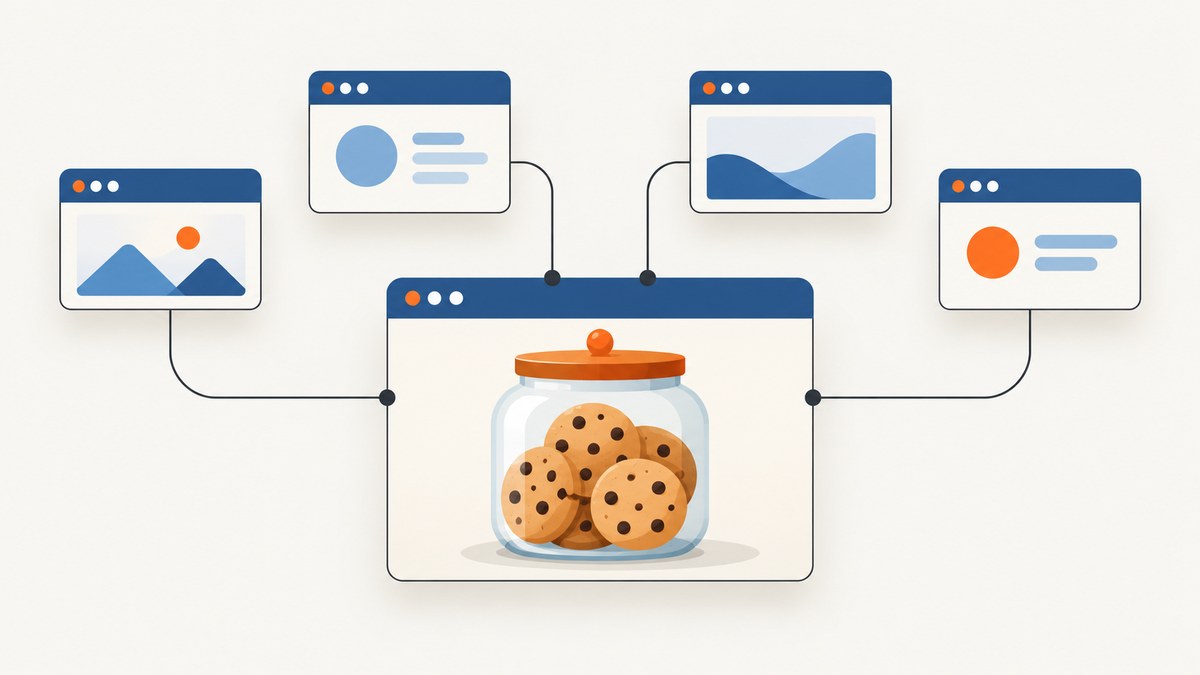
To share session cookies between headless Chrome tabs, open the tabs in the same browser context. In Playwright, create multiple Page objects from one BrowserContext; in Puppeteer, create multiple pages from one BrowserContext. Each context has its own cookie jar, so separate contexts do not automatically share login state.
Use a shared context when tabs should act as the same signed-in browser. Use exported storage state or explicit cookie transfer when separate contexts need a copy of an authenticated session. If you only need a website screenshot and do not need to operate a signed-in browser session, see ScreenshotNeo, a website screenshot API and MCP server for developers.
1. Understand the sharing boundary
Chrome pages in the same browser context share that context’s cookies. In Playwright, a context created with browser.newContext() is isolated from other contexts and does not share cookies or cache with them. Puppeteer follows the same practical rule: create the pages in one context if they need the same browser state.
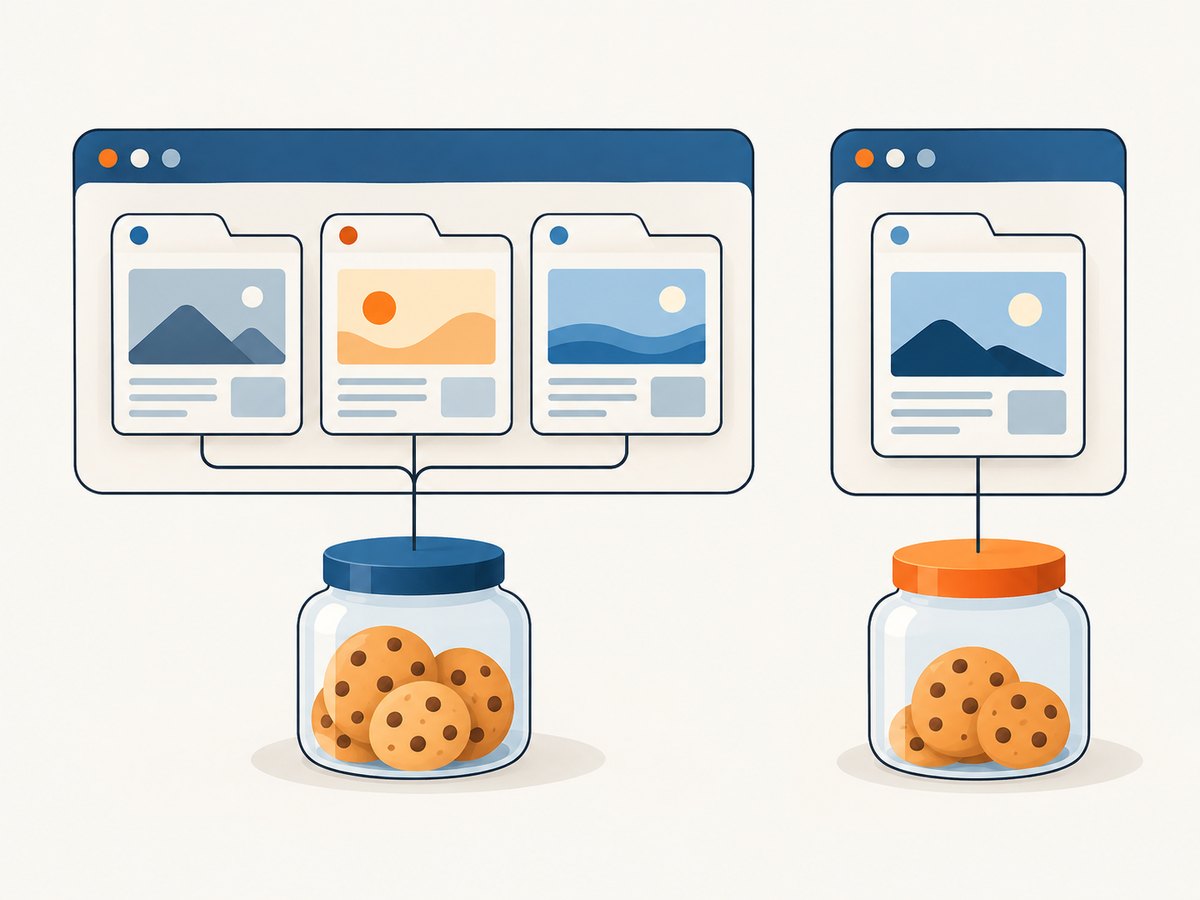
Cookies are not the only possible part of a login. A site may also use local storage, IndexedDB, session storage, passkeys, or server-side checks. Therefore, a page can have the right cookie and still appear signed out if another part of its authentication flow is missing or the server rejects the session.
| Approach | Shares cookies? | Survives browser restart? | Useful for |
|---|---|---|---|
| Pages in one context | Yes, immediately | No, unless state is saved separately | Tabs in one test or task |
| Export/import storage state | Yes, copied into new context | Yes, if the state file is retained and valid | Isolated workers seeded from one login |
| Direct cookie transfer | Cookies only | Only if you persist the data yourself | Cases where cookie-only state is known to be sufficient |
| Persistent profile | Yes, through the profile | Yes | Durable browser sessions |
2. Share cookies between Playwright pages
Create one context, sign in through a page in that context, then create every page that needs the same session from that context. The following runnable Node.js example uses Playwright. Install the package and Chromium with npm install playwright and npx playwright install chromium, save this as share-tabs.mjs, then run node share-tabs.mjs. Replace the example URLs and the login interaction with your site’s flow.
import { chromium } from 'playwright';

const browser = await chromium.launch({ headless: true });
const context = await browser.newContext();

try {
  const login = await context.newPage();
  await login.goto('https://example.com/login', { waitUntil: 'domcontentloaded' });

  // Perform the site's real login flow here. For example, fill its form
  // and submit it, then wait for a page that only signed-in users can see.
  // await login.getByLabel('Email').fill(process.env.TEST_EMAIL);
  // await login.getByLabel('Password').fill(process.env.TEST_PASSWORD);
  // await login.getByRole('button', { name: 'Sign in' }).click();
  // await login.waitForURL('**/account');

  const tabA = await context.newPage();
  const tabB = await context.newPage();
  await Promise.all([
    tabA.goto('https://example.com/account', { waitUntil: 'domcontentloaded' }),
    tabB.goto('https://example.com/orders', { waitUntil: 'domcontentloaded' }),
  ]);

  console.log('Account title:', await tabA.title());
  console.log('Orders title:', await tabB.title());
} finally {
  await context.close();
  await browser.close();
}
Replace the commented login steps with selectors that match the application. Avoid hard-coding credentials; use environment variables or your test runner’s secret store. The key detail is that tabA and tabB come from context.newPage(), not from separate calls to browser.newContext().
Playwright’s browserContext.addCookies() adds cookies to every page in that context. That is useful when you already have a cookie from a trusted login flow and need to set it before navigation, but it is usually simpler to let the login page establish the cookies naturally.
3. Share cookies between Puppeteer pages
In Puppeteer, create a browser context and open all pages that should share the session from that context. Install Puppeteer with npm install puppeteer; save the example as share-tabs.cjs and run node share-tabs.cjs. As in the Playwright example, replace the login comments with your application’s actual flow.
const puppeteer = require('puppeteer');

(async () => {
  const browser = await puppeteer.launch({ headless: true });
  const context = await browser.createBrowserContext();

  try {
    const login = await context.newPage();
    await login.goto('https://example.com/login', {
      waitUntil: 'domcontentloaded',
    });

    // Perform the site's login flow here and wait until it succeeds.
    // await login.type('#email', process.env.TEST_EMAIL);
    // await login.type('#password', process.env.TEST_PASSWORD);
    // await login.click('button[type="submit"]');
    // await login.waitForNavigation();

    const tabA = await context.newPage();
    const tabB = await context.newPage();
    await Promise.all([
      tabA.goto('https://example.com/account', {
        waitUntil: 'domcontentloaded',
      }),
      tabB.goto('https://example.com/orders', {
        waitUntil: 'domcontentloaded',
      }),
    ]);

    console.log('Account title:', await tabA.title());
    console.log('Orders title:', await tabB.title());
  } finally {
    await context.close();
    await browser.close();
  }
})();
Keep the context alive while its pages are in use. Closing a page does not transfer its state to a different context; closing the context ends that isolated browser session. If your Puppeteer version exposes different context methods, check its installed-version documentation and use the corresponding context creation and cookie APIs.
4. Seed a separate Playwright context from a login
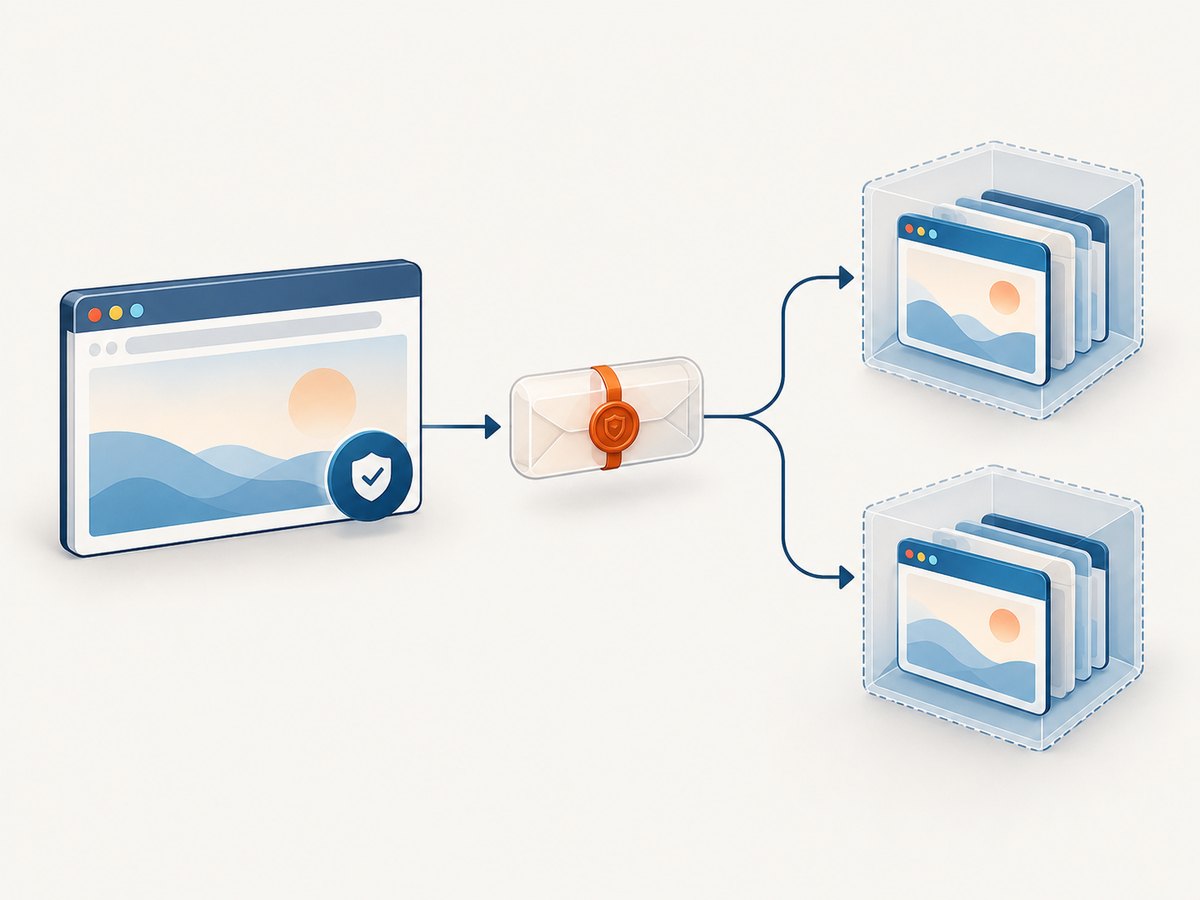
Separate contexts are useful when tests or workers must not share mutable browser state, yet each needs to start from an authenticated login. Playwright can export the current context’s storage state and use it when creating another context.
import { chromium } from 'playwright';

const browser = await chromium.launch({ headless: true });
const loginContext = await browser.newContext();

try {
  const login = await loginContext.newPage();
  await login.goto('https://example.com/login');
  // Complete login and wait for a confirmed signed-in page.

  const state = await loginContext.storageState({ path: 'state.json' });

  // Either load the saved file:
  const workerA = await browser.newContext({ storageState: 'state.json' });
  // Or pass the in-memory state where supported by your Playwright version:
  const workerB = await browser.newContext({ storageState: state });

  const pageA = await workerA.newPage();
  const pageB = await workerB.newPage();
  await Promise.all([
    pageA.goto('https://example.com/account'),
    pageB.goto('https://example.com/orders'),
  ]);

  await workerA.close();
  await workerB.close();
} finally {
  await loginContext.close();
  await browser.close();
}
Current Playwright storage-state support covers cookies and can include local storage, IndexedDB, origin private file-system data, and virtual WebAuthn credentials depending on options and version. Check the documentation for your installed version to confirm which options apply. Treat state.json as a credential: restrict file permissions, keep it out of source control and build artifacts, and delete or rotate it when it is no longer needed.
5. Transfer cookies directly when that is enough
If you know the site’s authentication relies on cookies alone, copy cookies into the destination context. Preserve the cookie attributes rather than rebuilding records from just a name and value.
const cookies = await loginContext.cookies();
await workerContext.addCookies(cookies);
For a manual cookie, Playwright needs the cookie’s name, value, and either a URL or the appropriate domain and path. For example:
await context.addCookies([
  {
    name: 'session',
    value: process.env.SESSION_COOKIE,
    domain: 'example.com',
    path: '/',
    secure: true,
    httpOnly: true,
    sameSite: 'Lax',
    expires: -1,
  },
]);
Use a leading dot in the domain when the cookie should apply to subdomains, such as .example.com, and ensure the path matches the routes you visit. Do not broaden a cookie’s domain or weaken its security attributes just to make a test pass. A cookie marked Secure is intended for HTTPS; SameSite rules can affect cross-site navigation and requests; expiry can make a copied value stale.
6. Persist a profile across launches
For a durable browser profile, Playwright provides launchPersistentContext(userDataDir). The profile directory stores browser data such as cookies and local storage, so a later run can reuse the same profile.
import { chromium } from 'playwright';

const context = await chromium.launchPersistentContext('./browser-profile', {
  headless: true,
});
try {
  const page = await context.newPage();
  await page.goto('https://example.com/account');
  console.log(await page.title());
} finally {
  await context.close();
}
Only one browser instance should use a given user-data directory at a time. Give parallel workers separate profile directories if they need separate browser processes. A persistent profile is convenient for a stable, durable identity, while storage-state files are easier to copy as an explicit starting snapshot. Both contain sensitive authentication material.
7. Know what cookies do not cover
When a copied cookie does not restore login, inspect the rest of the authentication model:
- Local storage or IndexedDB: Some applications keep tokens or identity state there. Export the relevant storage state with Playwright’s supported options.
- Session storage: This is scoped to an origin and is not persisted by Playwright’s built-in storage-state API. If required, capture and restore it with an initialization script, scoped to the right origin and before application code reads it.
- Passkeys or WebAuthn: Authentication may require virtual authenticator state or a fresh challenge flow, not a cookie alone.
- Server-side session rules: Token rotation, device or IP checks, expiry, and other application rules can invalidate a copied session. The browser API cannot guarantee that the server will accept it.
- Origin boundaries: A cookie for one host does not automatically apply to an unrelated host. A cookie’s domain, path, Secure, SameSite, and expiry fields govern when it is sent.
When you need a reliable authenticated test, prefer establishing the login through the application or a documented test setup, then save the supported storage state. Direct cookie injection is appropriate only when you understand the app’s cookie scope and session behavior.
8. Troubleshoot common failures
| Symptom | Likely cause | What to check |
|---|---|---|
| Second page is logged out | It was created in a different context, or the login did not finish | Log the context identity in your code; wait for a signed-in URL or element before opening dependent pages |
| Cookie exists but is not sent | Domain, path, Secure, SameSite, or expiry does not match the request | Inspect cookie metadata and visit the correct HTTPS host and path |
| Cookie copied, but app still redirects to login | Login also depends on local storage, IndexedDB, session storage, a passkey, or server-side checks | Use storage state for supported data; inspect the app’s login flow and server response |
| Works once, fails on later runs | The session expired, rotated, or was invalidated | Re-authenticate and export fresh state; avoid assuming a session cookie is portable forever |
| Subdomain appears signed out | Cookie domain is host-only or too narrow | Check whether the app’s cookie is intentionally scoped to a parent domain; preserve the original scope |
| Two tests overwrite each other | They share one mutable context or persistent profile | Use separate contexts or profile directories, seeded from a common storage-state snapshot |
| Persistent launch reports profile in use | Another browser instance has the same user-data directory open | Close the other instance or assign this worker a unique directory |
For debugging, inspect cookie names and attributes, but avoid printing values. A value is a bearer credential in many systems. If you accidentally expose one in logs, treat it as compromised and invalidate the session if possible.
9. Performance, reliability, and cost
Sharing one context avoids repeating the login flow for every tab and keeps pages consistent with one browser session. It also creates shared mutable state: one page can trigger logout, rotate a token, change account settings, or otherwise affect the others. Parallelizing many operations inside one context can therefore produce races or interfere with application behavior. Use separate contexts seeded from storage state when workers need isolation.
Storage-state export and import adds file or serialization work, but it can avoid repeated interactive logins. Persistent profiles avoid re-importing a snapshot, but require storage management and exclusive access to each directory. There is no universal speed or reliability number: navigation time, login design, page load behavior, server-side session policy, and worker count determine the result. Measure in your own test environment and refresh state when the application invalidates it.
Headless Chrome itself has compute and maintenance costs: browser processes consume memory and CPU, and your code must handle browser installation, cleanup, timeouts, and authentication secrets. If the task is only to capture a public page, managing a browser session may be unnecessary. ScreenshotNeo’s screenshot API accepts a URL and returns PNG, JPEG, WebP, or PDF; its screenshot options and MCP tools are documented at ScreenshotNeo docs.
10. Or skip the browser setup
If you need a screenshot of a public URL rather than a signed-in workflow, make one GET request. This cURL example saves a WebP screenshot:
curl -G "https://api.screenshotneo.com/v1/shot" \
  -d access_key=YOUR_API_KEY \
  --data-urlencode url=https://stripe.com \
  -o shot.webp
Python:
import requests

r = requests.get(
    "https://api.screenshotneo.com/v1/shot",
    params={"access_key": "YOUR_API_KEY", "url": "https://stripe.com"},
    timeout=90,
)
open("shot.webp", "wb").write(r.content)
Node.js:
const q = new URLSearchParams({
  access_key: 'YOUR_API_KEY',
  url: 'https://stripe.com',
});
const res = await fetch(`https://api.screenshotneo.com/v1/shot?${q}`);
ScreenshotNeo accepts cookie and consent banners like a visitor and removes more than 60 known consent platforms, newsletter popups, and chat widgets before capture; each step can be turned off. Bot checks, blank pages, timeouts, failed loads, and cache hits are not billed, and response headers say which page verdict and billing result applied. It also has an MCP server with take_screenshot, get_page_info, and capture_pdf tools for Claude, Cursor, and other MCP clients.
The free plan includes 1,000 screenshots a month with no card. Paid plans start at $5 for 3,000 shots; all features are on every plan, and yearly billing gives two months free. If the task needs a logged-in session or interaction with a private account, use the browser-context methods above. Create a free ScreenshotNeo account to try URL-based captures.
11. Frequently asked questions
Does window.open() share cookies with its opener?
A page opened from another page stays within its parent browser context, so it uses that context’s cookie jar. Browser context, rather than the visible tab relationship, is the important boundary.
Can I share a session cookie across unrelated domains?
No cookie setting can make a cookie for an unrelated domain automatically apply there. The application would need to support a shared identity flow or issue appropriately scoped cookies for its own domains.
Can I safely commit a storage-state file for convenience?
No. Treat it like a password or session token. Keep it out of source control and logs, limit who can read it, and replace it when its credentials expire or are revoked.
Should every test use one shared context?
Only when the tests are meant to share one mutable identity. For independent parallel tests, separate contexts initialized from a common storage-state snapshot reduce cross-test interference.


