How to Use Shared Libraries in Google Cloud Functions
Share code and dependencies in Cloud Run functions with the right workflow for Go, Python, Node.js, or Java, plus local checks and fixes.
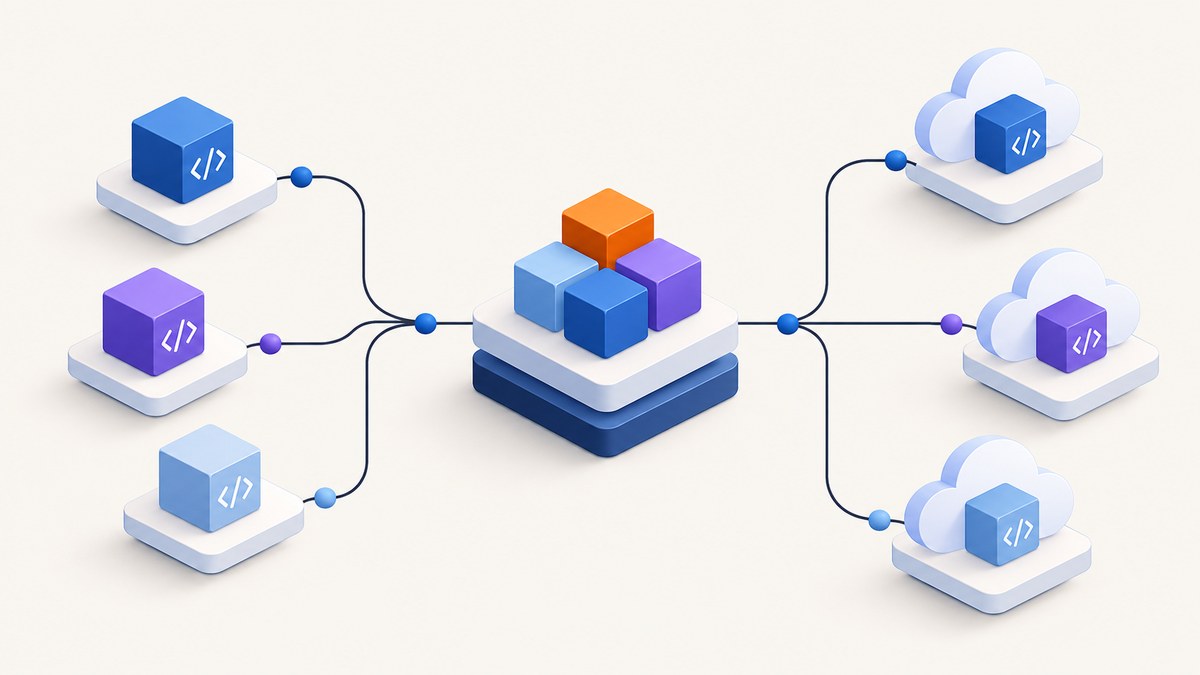
Direct answer: put shared code and third-party libraries where your function’s language build expects them, include the dependency manifest or vendored files in the deployed source, and test the function locally with the Functions Framework before deployment. The exact files and commands depend on the runtime: Go, Python, Node.js, and Java do not share one dependency workflow.
Google’s current documentation calls the service Cloud Run functions; older guides and URLs may still say Cloud Functions. This article uses “Cloud Functions” in the title for discoverability and “Cloud Run functions” when describing current documentation. Check Google’s live runtime support table when selecting a language version, because support changes over time.
1. Choose how to share the code
There are two different things developers mean by a “shared library”: reusable code you own, and a third-party package. For your own code, structure it as an importable package or module that lives inside the deployed source tree, or publish it to a package registry your build can reach. For third-party packages, use the language’s dependency manifest and build process.
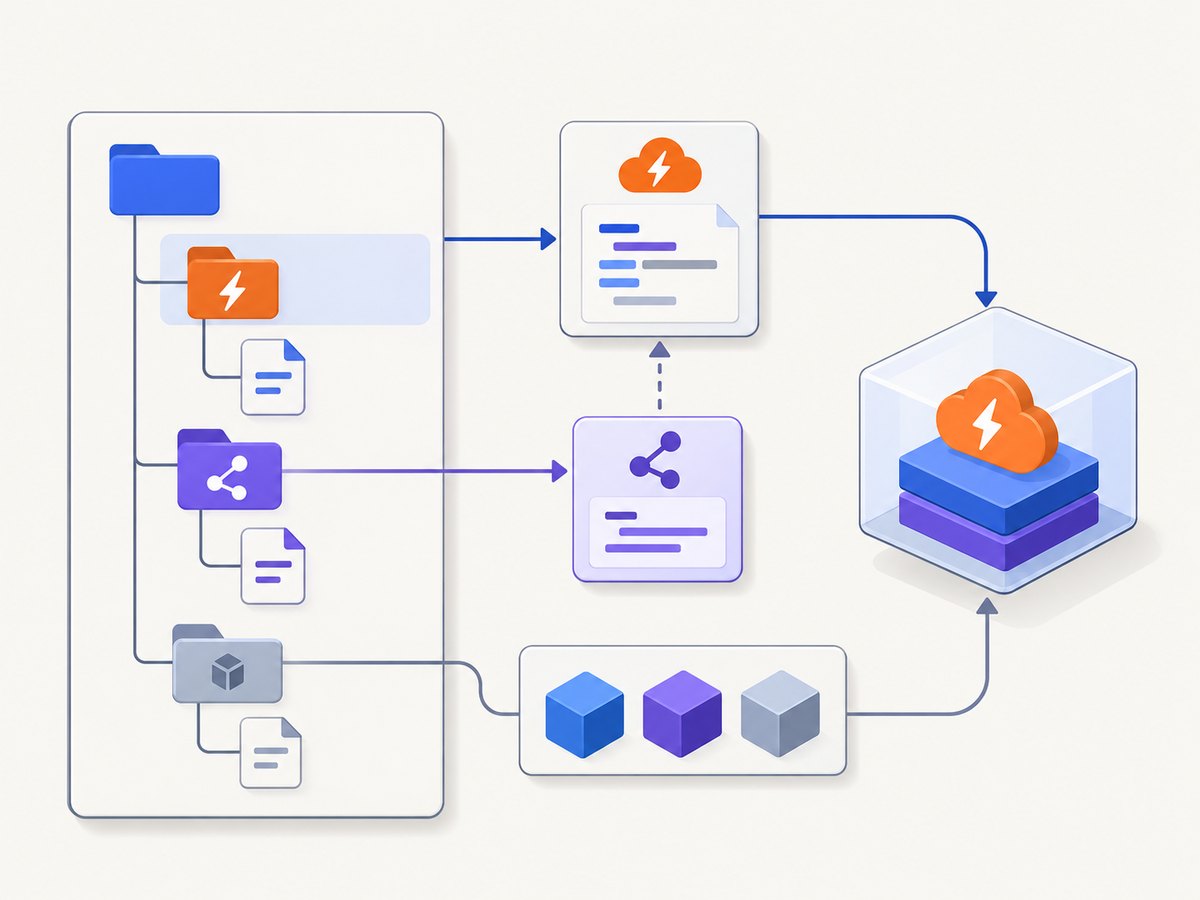
A function deployment needs the dependency declaration and source files required to build or run the function. A library installed only on your laptop is not part of the deployed function. Likewise, a sibling folder outside the deployment source will not magically be included. Keep the function entry point, local shared modules, and dependency metadata within the source directory you deploy, unless you deliberately package the shared library through a registry or another documented build mechanism.
| Runtime | Dependency convention | Shared code choice | When vendoring helps |
|---|---|---|---|
| Go | go.mod, optionally vendor/ |
Go package in the module or imported module | Private or unavailable dependencies; restricted build network |
| Python | Python dependency manifest and package layout | Importable package under the function source tree or installable package | Follow the Python runtime’s documented packaging route |
| Node.js | package.json and lockfile |
Local module or package dependency | Follow the Node.js runtime’s supported install workflow |
| Java | Maven or Gradle build configuration | Shared class/module or published artifact | Use the selected build tool’s supported packaging flow |
Google maintains separate dependency instructions for Go, Python, Node.js, and Java. Treat those pages as authoritative for current package-manager and build behavior.
2. Go: share a package with modules or vendor it
For Go, dependencies can be specified in a Go module or supplied in a vendor directory. Listing module dependencies in go.mod lets the deployment build incorporate them. Google identifies the Go Functions Framework as required and recommends listing it explicitly for clarity, even though it can be installed on your behalf when the function is created.
Example project layout
hello-function/
├── go.mod
├── go.sum
├── function.go
└── internal/
    └── greeting/
        └── greeting.go
The following compact example shows a local package used by an HTTP function. The framework import/version should match the current Go Functions Framework instructions and your selected runtime; consult Google’s Go dependency page when preparing the actual manifest.
// internal/greeting/greeting.go
package greeting

func Message(name string) string {
    if name == "" {
        name = "world"
    }
    return "Hello, " + name + "!"
}
// function.go
package function
import (
"fmt"
"net/http"
"example.com/hello-function/internal/greeting"
)
func Hello(w http.ResponseWriter, r *http.Request) {
fmt.Fprint(w, greeting.Message(r.URL.Query().Get("name")))
}Use your module’s actual path in the import. The dependency source must be included in the deployed source tree. For a third-party module, add it to go.mod and keep go.sum under version control so builds use the resolved versions consistently.
Use a vendor directory
Vendoring copies dependencies into your source tree. It can help when a dependency is not available through a dependency manager or when deployment build access to the internet is restricted. Google’s Go guidance says private dependencies must be fetched into a vendor directory before deployment. It also recommends mirroring the Functions Framework to a private registry to avoid fetching it from the public internet.
go mod tidy
go mod vendor
# Review and commit go.mod, go.sum, and vendor/
Include the Functions Framework in the vendor directory. For older Go versions earlier than 1.16, Google documents a special case: when both go.mod and vendor/ are present, the vendor directory is ignored at deployment. Their documented workaround uses .gcloudignore to exclude go.mod and go.sum. Avoid applying that legacy workaround blindly; verify the runtime version and current guidance first.
3. Python, Node.js, and Java: keep each runtime’s native workflow
The underlying principle is the same across languages: declare external dependencies in the correct manifest and package your own reusable code so it is importable or buildable from the function’s source. But filenames, package layout, build commands, and framework setup vary.
Python
Use the Python dependency workflow documented for Cloud Run functions. Put importable shared modules under the deployed source directory or package them through the workflow you already use. Declare third-party libraries in the Python dependency file expected by the runtime, pin versions when repeatable builds matter, and deploy the manifest with the function. Do not copy a Go go.mod or Node package.json example into Python. The official page covers the currently supported dependency file and installation behavior: Specify dependencies in Python.
Node.js
For Node.js, use the documented package.json dependency workflow and include the relevant lockfile when your project uses one. Local JavaScript modules can be organized as files or package directories inside the function source. Keep module type and import syntax consistent with your project’s configuration. The Functions Framework can be installed for local work, and Google’s local development guide shows npm install --save-dev @google-cloud/functions-framework. Consult the runtime dependency page for deployment specifics: Specify dependencies in Node.js.
Java
Java projects generally define dependencies through Maven or Gradle build configuration, and shared code can be a source module or a published artifact. Ensure your chosen build packages the function and its runtime dependencies as expected. For local invocation, Google documents the Functions Framework API dependency and an invoker configuration. Maven and Gradle examples are in the local development guide; use the Java runtime dependency page for the deployment packaging rules: Specify dependencies in Java.
4. Run locally before deploying
The Functions Framework lets you exercise a function locally without rebuilding its deployment container. Google describes its framework libraries as wrapping deployed functions in a persistent HTTP application, and supports local execution for both HTTP and CloudEvent signatures. This is useful for checking that shared modules resolve and that the entry point behaves before you deploy.
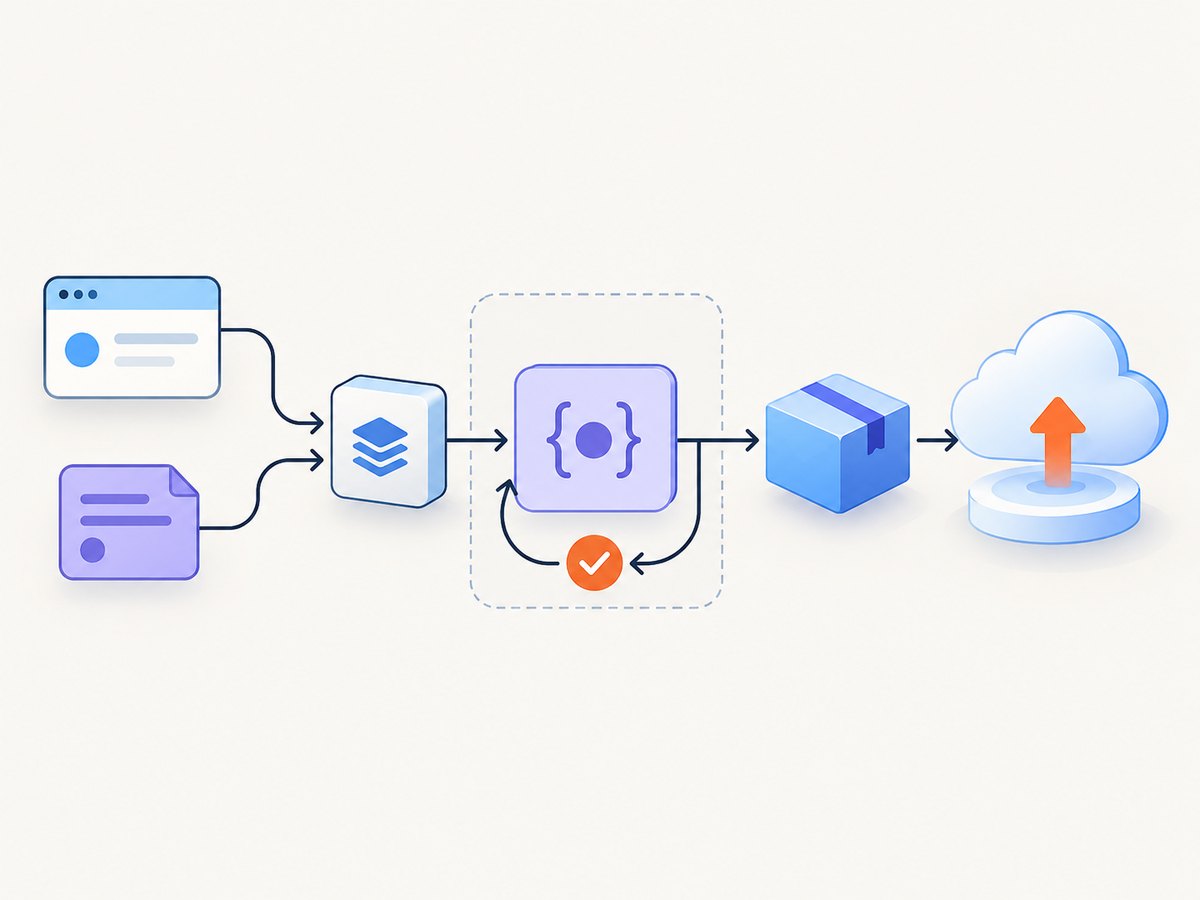
- Install the language’s Functions Framework as described in Google’s local development guide.
- Point the framework at the correct function target and signature type. For HTTP functions, send an HTTP request; for event functions, provide a representative CloudEvent.
- Run the local path that imports the shared library. Check normal inputs, missing or malformed fields, and an error path.
- Deploy using Google’s current deployment instructions, then make a small post-deployment request to confirm the deployed build contains the same shared code and dependencies.
For Node.js and Python, the framework accepts target and signature settings through command-line flags or environment variables; command-line values take precedence. The documented common settings include PORT, FUNCTION_TARGET, and FUNCTION_SIGNATURE_TYPE. Go and Java have language-specific configuration behavior, so follow the local guide rather than assuming identical command syntax.
5. Dependency and sharing checklist
- Source boundary: Is the shared code inside the function source directory or installed through a deliberate package workflow?
- Manifest: Is the dependency declared in the runtime’s expected manifest rather than merely installed globally on a developer machine?
- Version repeatability: Are dependency versions resolved consistently through committed lock data or module metadata where applicable?
- Private packages: Can the build retrieve them? If not, does your language’s supported vendoring or private registry approach cover them?
- Framework: Does the local setup include the Functions Framework and the correct function target?
- Runtime: Is the chosen runtime version currently supported? Check the live support table.
- Event shape: Did you test the correct HTTP or CloudEvent signature?
- Deployment source: Does the deployed directory include every file needed to resolve local imports?
6. Troubleshooting common failures
| Symptom | Likely cause | Fix |
|---|---|---|
| “Module/package not found” during build | Dependency is absent from the language manifest, or the shared source is outside the deployed directory. | Add it through the runtime’s documented dependency mechanism; move or package your shared code so the deployed build can resolve it. |
| Works locally, fails after deployment | Your machine has an untracked/global package or extra source directory that the deployment did not receive. | Reproduce from a clean checkout and inspect the deployed source boundary and manifest. |
| Private dependency fetch fails | The build cannot authenticate to or reach the private registry. | Use the supported private-registry configuration or vendor dependencies where the runtime’s guidance supports it. For Go, Google explicitly recommends vendoring private dependencies before deployment. |
| Go vendor directory is ignored | Legacy Go versions earlier than 1.16 use the documented special behavior when both go.mod and vendor/ are uploaded. |
Confirm the runtime version and apply Google’s current Go guidance. The legacy workaround excludes module files with .gcloudignore. |
| Local server starts the wrong function | The framework target defaults to a function name that differs from your exported/registered target. | Set FUNCTION_TARGET or the supported target flag to the intended function; check language-specific exceptions. |
| HTTP test behaves unlike event invocation | The function signature type or test payload does not match HTTP versus CloudEvent handling. | Set the correct signature and test the corresponding request/event shape. |
| Build changes unexpectedly between machines | Dependency versions are not locked or module metadata is not committed. | Commit the runtime’s lock or module files and rebuild from a clean checkout. |
| Deployment rejected or runtime unavailable | The selected runtime identifier or version may have changed lifecycle status. | Check the live runtime support table and current deployment guide before choosing a version. |
7. Performance, reliability, and cost considerations
Dependency choices affect build size and reliability as well as code reuse. Importing a large library can increase the deployed artifact and cold-start work; avoid pulling in a broad package when a small shared module is sufficient. Keep shared libraries focused, remove unused dependencies, and test startup as well as the handler path. These are engineering practices rather than published performance guarantees; measure your own workload instead of assuming a fixed startup effect.
Locking versions and preserving dependency metadata makes builds more reproducible. Vendoring can reduce reliance on a registry at build time, but it increases the amount of source stored and reviewed in the repository. Private registries centralize package distribution but require build-time access and correct authentication. Select based on access controls, network constraints, and update policy.
Shared code also creates a versioning decision: if multiple functions consume the same package, decide how changes are released and how consumers adopt them. A local package offers convenient coordinated edits but couples deployments to the shared source tree. A versioned package can be reused independently, but consumers must update to receive fixes. In either case, test compatibility before rolling a shared change across functions.
Cloud billing depends on the deployed function and its usage, not just the dependency declaration. This research does not include a pricing figure; use Google Cloud’s current pricing information for cost estimates. Keep deploy artifacts lean and avoid unnecessary build or runtime work, then monitor the actual service after release.
8. Use a screenshot as a test artifact
If the function generates or serves a page, a screenshot can make a visual regression easier to inspect. For one-off checks, a browser automation setup can capture the rendered page. If you need a screenshot API instead, ScreenshotNeo is a website screenshot API and MCP server from Yorker Media: a single GET request can return PNG, JPEG, WebP, or PDF. See the ScreenshotNeo API documentation for its request options.
Or skip the browser setup
Make one request with your API key and target URL:
curl -G "https://api.screenshotneo.com/v1/shot" \
  -d access_key=YOUR_API_KEY \
  --data-urlencode url=https://stripe.com \
  -o shot.webp
import requests
r = requests.get(
"https://api.screenshotneo.com/v1/shot",
params={"access_key": "YOUR_API_KEY", "url": "https://stripe.com"},
timeout=90,
)
open("shot.webp", "wb").write(r.content)const q = new URLSearchParams({ access_key: 'YOUR_API_KEY', url: 'https://stripe.com' });
const res = await fetch(`https://api.screenshotneo.com/v1/shot?${q}`);ScreenshotNeo removes cookie banners, popups, and chat widgets before the shot. Bot checks, blank pages, and failed loads are never billed. Its MCP server lets AI agents take screenshots. The free plan includes 1,000 screenshots a month with no card; paid plans start at $5 for 3,000. Sign up for 1,000 free screenshots a month, no card required.
9. Frequently asked questions
Can two functions import the same library?
Yes, if each function’s build can resolve it. Put the source in each deployed source tree or consume a package through the runtime’s supported package workflow.
Should I put shared code in a separate repository?
Only when independent versioning or reuse across projects makes the added packaging and release work worthwhile. For a small codebase, an importable package within the function source can be simpler.
Does installing a library locally make it available in production?
No. Include it through the deployed function’s dependency setup or include the required source through a supported packaging method.
Can I use the same dependency file in every runtime?
No. Use each language’s own dependency convention and the corresponding Google Cloud documentation.
Where should I confirm whether a runtime is still supported?
Use Google’s live runtime support documentation when selecting or upgrading a runtime; lifecycle dates can change.


