Sharing Debugger Tool: Free Open Graph and Meta Tags Validator
Check Open Graph tags, preview a share card, fix metadata problems, and understand why platforms may keep showing an older preview.

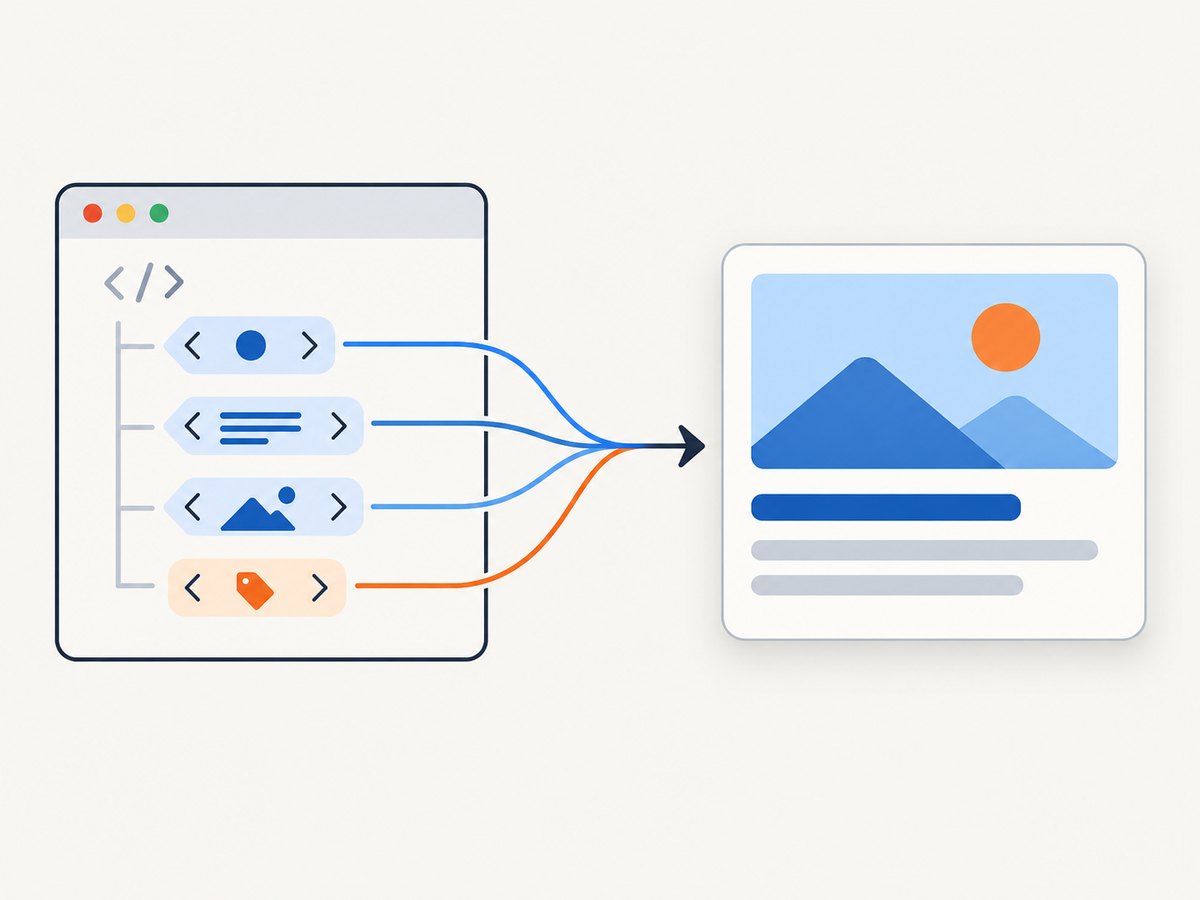
A sharing debugger checks the metadata a page exposes and helps you see how that information could form a social link card. To validate a page, inspect its public URL, confirm the four required Open Graph properties—og:title, og:type, og:image, and og:url—then check optional description and image details. If a platform still shows an old card after you fix the tags, it may be using cached metadata.
Open Graph metadata belongs in the page’s HTML <head>. A debugger fetches the page and reports what its fetcher can access; it cannot guarantee that every social platform will render the exact same preview. This guide shows how to validate tags in a browser, with runnable Python, Node.js, and cURL examples, how to fix common problems, and when a screenshot can help inspect the rendered page.
1. What an Open Graph debugger checks
Open Graph turns a webpage into a rich object in a social graph. Its protocol documentation says: “To turn your web pages into graph objects, you need to add basic metadata to your page.” The required basic properties are:
og:title: the title shown for the object.og:type: the object type, such aswebsiteorarticle.og:image: a representative image URL.og:url: the canonical URL that serves as the permanent object ID.
og:description and og:site_name are optional properties that are generally useful. Image metadata can also specify secure URL, MIME type, width, height, and alternative text. The specification says an image should specify og:image:alt when an og:image is present. If conflicting values are supplied, the first tag takes preference.
A debugger can show extracted values, warnings, and sometimes a simulated card. Use the preview to spot likely problems, but treat it as a diagnostic: a third-party simulation does not guarantee identical rendering across every live social platform.
2. Add and validate the tags
Put the tags in the document head returned for the exact public URL you intend to share. Example:
<!doctype html>
<html lang="en">
<head>
  <meta charset="utf-8">
  <title>Release notes: June</title>
  <meta property="og:title" content="Release notes: June">
  <meta property="og:type" content="article">
  <meta property="og:image" content="https://example.com/images/june-release.webp">
  <meta property="og:url" content="https://example.com/releases/june">
  <meta property="og:description" content="What changed in the June release.">
  <meta property="og:site_name" content="Example Docs">
  <meta property="og:image:width" content="1200">
  <meta property="og:image:height" content="630">
  <meta property="og:image:type" content="image/webp">
  <meta property="og:image:alt" content="A preview of the June release">
</head>
<body>...</body>
</html>
The example’s image dimensions are illustrative, not protocol requirements. The Open Graph specification does not establish a universal image size in the material covered here. Liinks recommends 1200 by 630 pixels and a file below 5 MB for its debugger use case; consider that tool guidance rather than a protocol rule.
Quick manual workflow
- Open the exact page URL in a private browser window and confirm it loads without signing in.
- Run that same URL through a sharing debugger. Check the extracted required values and compare them to the intended card.
- Confirm
og:urlpoints to the canonical URL you intend platforms to associate with the object. - Open the image URL directly in a private window. Confirm it resolves publicly and is the intended image.
- After changing tags, ask the relevant platform to fetch the page again using its current debugger or refresh control, if available, and inspect the result again.
Liinks describes Facebook and LinkedIn debugger re-scraping in its guidance. Platform interfaces and controls can change, so consult each platform’s current documentation for its exact process.
Inspect raw HTML with cURL
This command retrieves the server response body. It does not execute JavaScript, render a browser, or emulate a social platform. Search the response for the tags:
curl -L --fail --show-error \
  -H 'User-Agent: Mozilla/5.0' \
  'https://example.com/releases/june' \
  -o page.html

rg -n 'og:(title|type|image|url|description|site_name)' page.html
The browser-like user agent here is only a request header; it is not a claim that a platform uses this exact identity. Do not use this command to evade access controls. If the server responds with a login page, bot challenge, or denial, the tags in that response are not proof of what an authorized visitor sees.
Runnable Python validator
This small script fetches a public page, parses Open Graph properties, reports missing required fields, and prints duplicate values for review. Install its dependency with python -m pip install requests beautifulsoup4.
import sys
import requests
from bs4 import BeautifulSoup

REQUIRED = ("og:title", "og:type", "og:image", "og:url")
url = sys.argv[1] if len(sys.argv) > 1 else "https://example.com/releases/june"

try:
    response = requests.get(
        url,
        timeout=(5, 20),
        headers={"User-Agent": "OGTagCheck/1.0"},
        allow_redirects=True,
    )
    response.raise_for_status()
except requests.RequestException as exc:
    raise SystemExit(f"Fetch failed: {exc}")

soup = BeautifulSoup(response.text, "html.parser")
values = {}
for tag in soup.find_all("meta"):
    key = tag.get("property") or tag.get("name")
    if key and key.startswith("og:"):
        values.setdefault(key, []).append(tag.get("content", ""))

print(f"Final URL: {response.url}")
print(f"HTTP status: {response.status_code}")
for key in REQUIRED:
    found = values.get(key, [])
    if not found or not found[0].strip():
        print(f"MISSING: {key}")
    else:
        print(f"{key}: {found[0]}")
        if len(found) > 1:
            print(f"  REVIEW duplicates ({len(found)} values): {found}")

for key in ("og:description", "og:site_name", "og:image:width",
            "og:image:height", "og:image:type", "og:image:alt"):
    if key in values:
        print(f"{key}: {values[key][0]}")

if "og:image" in values:
    image_url = values["og:image"][0]
    if image_url.startswith("http://"):
        print("REVIEW: image URL uses HTTP; check whether HTTPS is available.")
Run it as python check_og.py https://example.com/releases/june. The script inspects HTML delivered by the server. It does not prove that a platform can fetch the page or image, and it does not render a link card.
Runnable Node.js validator
With a current Node.js release that provides fetch, save this as check-og.mjs and run node check-og.mjs https://example.com/releases/june. The parser below uses regular expressions for this small diagnostic; for complex or malformed HTML, use a proper HTML parser library in your project.
const url = process.argv[2] ?? 'https://example.com/releases/june';
const response = await fetch(url, {
  redirect: 'follow',
  signal: AbortSignal.timeout(20000),
  headers: { 'user-agent': 'OGTagCheck/1.0' },
});
console.log(`Final URL: ${response.url}`);
console.log(`HTTP status: ${response.status}`);
if (!response.ok) throw new Error(`Fetch failed: HTTP ${response.status}`);
const html = await response.text();
const tags = new Map();
for (const match of html.matchAll(/<meta\b([^>]*?)>/gi)) {
  const attrs = match[1];
  const property = attrs.match(/\bproperty\s*=\s*(["'])(.*?)\1/i)?.[2];
  const content = attrs.match(/\bcontent\s*=\s*(["'])(.*?)\1/i)?.[2] ?? '';
  if (property?.startsWith('og:')) {
    tags.set(property, [...(tags.get(property) ?? []), content]);
  }
}
for (const key of ['og:title', 'og:type', 'og:image', 'og:url']) {
  const values = tags.get(key) ?? [];
  if (!values.length || !values[0].trim()) console.log(`MISSING: ${key}`);
  else {
    console.log(`${key}: ${values[0]}`);
    if (values.length > 1) console.log(`REVIEW duplicates: ${values.join(' | ')}`);
  }
}
for (const key of ['og:description', 'og:site_name', 'og:image:width',
                    'og:image:height', 'og:image:type', 'og:image:alt']) {
  if (tags.has(key)) console.log(`${key}: ${tags.get(key)[0]}`);
}
The simple parser expects quoted attributes. HTML permits additional forms, so treat it as a quick check, not a standards-complete parser. The Python example uses an HTML parser and is preferable for pages with unusual markup.
3. Interpret the result and fix metadata
| Debugger result | What to check | Practical fix |
|---|---|---|
| Required property missing | Is the tag absent from the fetched document head, or did the fetch return another page? | Add the property to the HTML response for that URL and fetch again. |
| Wrong title or description | Does the fetched value match what you intended? Are there duplicate tags? | Set one deliberate value for each property and remove stale duplicates. The first value takes preference in Open Graph conflicts. |
| Wrong canonical URL | Compare og:url with the permanent object URL you intend. |
Correct the tag and ensure redirects and canonical metadata agree with your URL strategy. |
| Image absent or incorrect | Inspect the extracted URL, then test whether the image is publicly reachable. | Use the intended image URL and verify the page and image are accessible to automated fetchers. |
| Preview remains old | Did the page change after the platform last fetched it? | Use the platform’s current debugger or refresh workflow to request a new fetch, then inspect again. |
Image failures can have several causes. A debugger showing a correct image URL does not establish that every platform can retrieve or display the image. Check access to both the page and image, and consider whether the target platform has retained an earlier fetch.
4. Fetch limitations and edge cases
Login gates, bot checks, and restricted pages
A debugger can only inspect what its fetcher can reach. A login-required page or a page that blocks automated requests may return a sign-in screen, challenge, or error instead of the intended document. Compare the fetched result with the public response your site serves; do not interpret an inaccessible fetch as proof the tags are missing for all visitors.
Tags added by client-side JavaScript
The cURL and scripts above read the initial HTML response and do not run browser JavaScript. If your framework inserts metadata only after client-side code executes, the raw response may not contain it. For reliable inspection by simple fetchers, render the metadata into the server-delivered head. A browser screenshot can show the rendered page, but visual appearance alone does not confirm the raw head contents.
Redirects and canonical URLs
Validate the exact share URL and note where it redirects. The final document’s og:url should be the permanent object identifier you intend. If multiple URL variants are shared, decide which should identify the object and keep redirects and metadata consistent.
Duplicates and structured image tags
Templates, plugins, and client code can each emit their own tags. Inspect the raw output for duplicate properties, especially title, URL, and image. The first conflicting value takes preference under the protocol. Include useful image dimensions and alt text when known; these are structured details, while the four basic properties remain the required set.
5. Use a screenshot to inspect the rendered page
Metadata validation and visual inspection answer different questions. A tag checker exposes the values in the fetched HTML; a screenshot can help confirm that the page itself loads and that a banner or overlay is covering visible content. Screenshot evidence still does not establish what a social platform will do with its cached card.
If the page is accessible to a browser but a direct debugger fetch seems blocked, capture the public page in a browser-based screenshot workflow and compare it with the source response. Do not treat a screenshot as a way to bypass authentication or a site’s access rules.
6. Or skip the browser setup
ScreenshotNeo is a website screenshot API and MCP server from Yorker Media. Its one-request API can return a PNG, JPEG, WebP, or PDF. For example, this cURL request captures a page as WebP:
curl -G "https://api.screenshotneo.com/v1/shot" \
  -d access_key=YOUR_API_KEY \
  --data-urlencode url=https://example.com/releases/june \
  -o shot.webp
Equivalent Python and Node.js requests:
import requests
r = requests.get("https://api.screenshotneo.com/v1/shot", params={"access_key": "YOUR_API_KEY", "url": "https://example.com/releases/june"}, timeout=90)
open("shot.webp", "wb").write(r.content)
const q = new URLSearchParams({ access_key: 'YOUR_API_KEY', url: 'https://example.com/releases/june' });
const res = await fetch(`https://api.screenshotneo.com/v1/shot?${q}`);See the ScreenshotNeo API documentation for request options. ScreenshotNeo accepts cookie and consent banners before capture and removes more than 60 known consent platforms, newsletter popups, and chat widgets; each cleanup step can be turned off. Bot checks, blank pages, timeouts, failed loads, and cache hits cost nothing, and response headers identify the page verdict and whether it was billed. Its MCP server gives AI agents tools to take screenshots, get page information, and capture PDFs.
There are 1,000 screenshots a month free with no card; paid plans start at $5 for 3,000 screenshots. A screenshot can help review how a page renders, but use an Open Graph debugger to inspect metadata and platform-specific cache behavior.
Sign up free for 1,000 screenshots a month with no card.
7. Performance, reliability, and cost
For a one-off check, a debugger is usually the shortest path. For repeatable checks, a script can be added to a publishing checklist or run against a set of public URLs. Keep timeouts bounded, follow redirects, and record the final URL and response status so a transient failure is distinguishable from a missing property.
A successful HTML fetch is only one part of the result: the page and image must be reachable to the relevant platform fetcher, and cached data may outlive a tag change. Re-check after publishing and after requesting a platform refresh. Avoid declaring success based only on a locally rendered browser view.
Basic cURL, Python, and Node checks have no service charge beyond the runtime and network resources you use. A hosted debugger may have its own terms and limits, which should be checked on that service. ScreenshotNeo provides a free tier and paid usage plans as described above; it bills only clean shots and identifies verdict and billing in response headers. Check its current documentation and account page for operational details before integrating it into a production workflow.
8. Troubleshooting checklist
- All fields look missing: inspect the response body and status. The URL may redirect to a login page, block automated requests, or return an error.
- Tags are in your template but absent from the checker: inspect the delivered HTML, not just source files. Ensure metadata is rendered into the initial head.
- The wrong duplicate wins: search the complete response for every occurrence and remove redundant metadata generators.
- Image URL is right but no card image appears: open the image URL without a session, verify the response is an image, and check whether the platform has stale cached data.
- Updated tags do not show in an existing share: request re-scraping through the platform’s current mechanism and inspect the newly fetched result.
- Script times out or gets a 403: distinguish network delay from access denial. Increase a reasonable timeout for slow pages; for access restrictions, use an authorized public route rather than trying to evade the block.
- Python reports a parse or install error: install
requestsandbeautifulsoup4in the same environment that runs the script.
9. Frequently asked questions
Does a debugger guarantee the card users will see?
No. It reports what its fetcher can access and may provide a simulated preview. Platform behavior and cached content can differ.
Is a 1200 by 630 image required by Open Graph?
No universal size is specified in the reviewed protocol material. Liinks recommends that size for its debugger use case; treat it as guidance, not a protocol rule.
Can I validate a page that requires a login?
A third-party fetcher generally cannot inspect content it cannot reach. Validate an authorized public response or use your own authenticated development tools.
Do Open Graph tags replace ordinary page metadata?
They serve the Open Graph object description. Keep the page’s regular title and other metadata appropriate too; this validator focuses on the social-sharing properties.


