Shotstack API Alternatives for Video and PDFs
Compare Shotstack alternatives by workload: automated video, media infrastructure, or HTML-to-PDF generation. Choose the right API and integration model.
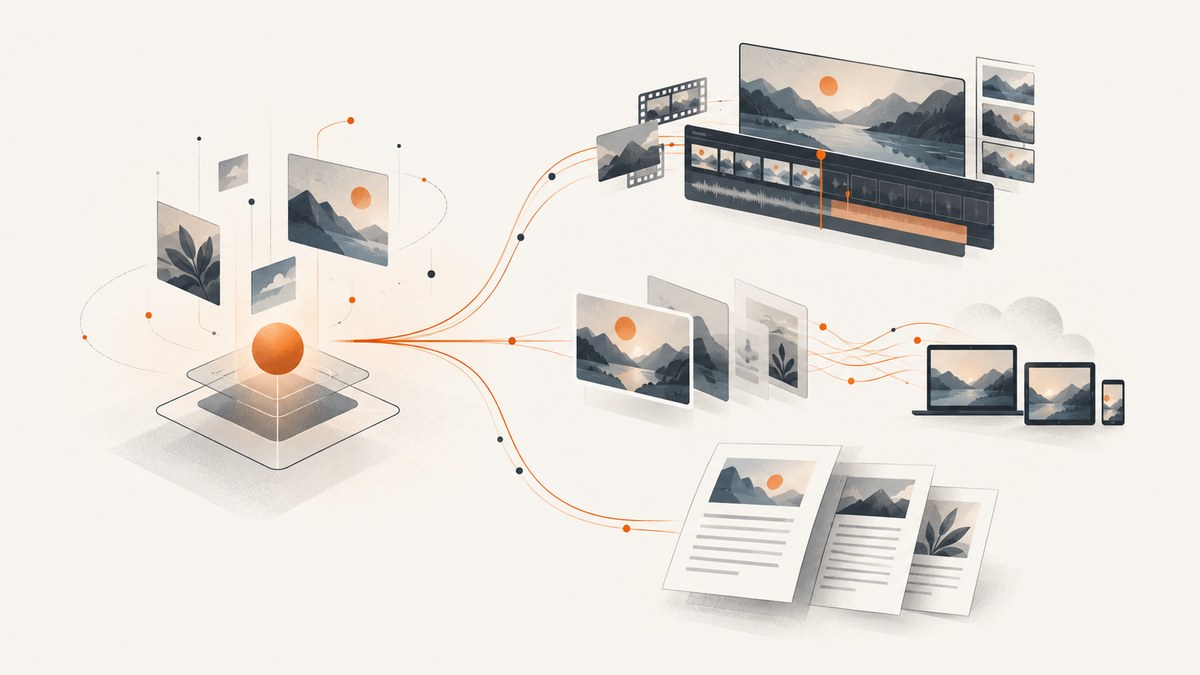
Short answer: choose an alternative based on what you need to render. For template-driven video and image production, evaluate Creatomate. For a simple JSON-to-MP4 workflow, evaluate JSON2Video. For storing, transforming, optimizing, and delivering media, evaluate Cloudinary. For HTML/CSS-to-PDF documents, evaluate DocRaptor or PDFShift. These products solve different jobs; PDF APIs are not drop-in video renderers.
Shotstack itself is a cloud REST/JSON platform for automated media generation. Its documented APIs cover editing and asset generation, serving and management, and ingesting, storing, and transforming source assets. Its documented outputs include video, images, and audio. The guide describes arranging, trimming, and animating images, video, titles, and audio with JSON, including image- and audio-only outputs.
1. Start with the output you need
Before comparing vendors, write down the artifact your application must produce and what happens after it is rendered. A service that produces an MP4 from a template is a closer replacement for a video-rendering workflow than a document conversion API, even if both accept HTTP requests.

| If the job is… | Evaluate | Why it fits |
|---|---|---|
| Personalized videos and images from reusable templates, including bulk production | Creatomate | Its documentation describes REST API video and image generation, spreadsheet-based bulk creation, and Zapier, Make, and n8n support. |
| JSON in, MP4 out, with automation connectors | JSON2Video | Its documented workflow sends JSON and returns an MP4; it also documents a visual editor and Make.com, n8n, and Zapier connections. |
| Media storage, transformations, optimization, and delivery | Cloudinary | Its video capabilities span asset management, transformations, optimization, delivery, adaptive streaming, transcription, and analytics. |
| HTML/CSS rendered as governed, production PDFs | DocRaptor | Its PDF API documents controls such as encryption, password protection, print/copy restrictions, PDF profiles, asynchronous jobs, callbacks, hosted documents, and download expiration. |
| HTML converted to PDF or image formats with cloud storage destinations | PDFShift | Its API documents PDF, PNG, JPEG, and WebP output, reusable templates, Amazon S3 or Google Cloud Storage export, and sandbox mode. |
This shortlist describes documented capabilities, not a performance ranking. The dossier does not establish uniform current prices, quotas, regional availability, or latency figures. Check vendor pricing pages and terms before selecting a service.
2. Video alternatives
Creatomate: template-led production
Creatomate is a strong candidate when the repeated task is filling a known visual design with different data: for example, generating many variations from a template. Its documentation covers API-driven video and image generation and bulk creation from spreadsheet rows. Official integrations with Zapier, Make, and n8n can also matter if the workflow is coordinated by a no-code automation rather than a custom backend.
Choose it for evaluation when templates and high-volume personalization define the job. During a proof of concept, verify how your team authors and versions templates, how input data maps to editable fields, what the API returns for an accepted render, and how failures are surfaced to your automation. The available research does not specify these operational details or vendor limits, so confirm them in current documentation.
JSON2Video: a direct JSON-to-video workflow
JSON2Video is worth evaluating when developers want a simple declarative request model: provide JSON and receive an MP4. A visual editor is also documented, along with Make.com, n8n, and Zapier integrations. This makes it a close conceptual alternative when the main appeal of Shotstack is describing a video in JSON rather than building every frame manually.
Check whether the JSON model can express your actual composition: track or layer structure, timing, transitions, text, audio, and asset references. The research dossier does not establish a complete schema or feature-by-feature parity with Shotstack. Build a small representative render before migrating, including the most complicated timeline your product needs.
Cloudinary: media infrastructure
Cloudinary is a better fit when the central problem is managing and delivering media, rather than composing a timeline from declarative edit JSON. Its documented video scope includes uploads and asset management, transformations, optimization and delivery, adaptive streaming, transcription, analytics, and related APIs.
That broader infrastructure can suit an application that needs media assets to move through storage, processing, and delivery workflows. It is less directly comparable if your key requirement is assembling a timeline from clips, titles, and audio described as an edit. In an evaluation, separate the questions “Can it transform and deliver my assets?” and “Can it compose my intended edit?”
3. PDF alternatives
If the required output is a PDF made from HTML and CSS, start with a document-generation API. Shotstack’s documented scope centers on media editing and delivery; the PDF services below address document conversion directly.
DocRaptor: document controls and asynchronous jobs
DocRaptor is suited to production HTML/CSS-to-PDF workflows where document controls matter. Its API documentation describes encryption, passwords, print and copy restrictions, PDF profiles, asynchronous creation, callbacks, hosted documents, and controls for download expiration. Asynchronous creation returns a status identifier that can be polled and can call a callback URL when a job completes.
When evaluating it, render representative documents with your real fonts, long tables, page breaks, and headers or footers. Confirm which profile and access controls your workflow requires, how long hosted output remains available, and how your application should retry or reconcile jobs. The research establishes that the controls exist, but not their exact request syntax or plan availability.
PDFShift: focused conversion and storage export
PDFShift documents HTML conversion to PDF, PNG, JPEG, and WebP, reusable templates, export to Amazon S3 or Google Cloud Storage, API-key authentication, and a sandbox mode. It may fit a straightforward conversion pipeline where rendering and delivering files to a cloud bucket are the primary needs.
Check whether the conversion output and template model match your document needs. Test complex pagination and the exact bucket-delivery behavior your application expects. The available research does not detail its full options, quotas, or pricing.
4. How to choose: a practical evaluation
- Define the output contract. Specify formats, dimensions or page sizes, and whether you need one artifact or many variants.
- Describe composition. Note whether the input is a timeline, reusable template with data, media transformation request, or HTML/CSS document.
- Map the whole workflow. Include source upload, render submission, completion detection, output storage, delivery, and expiration.
- Test real edge cases. Use long text, missing assets, unusual aspect ratios, multi-page tables, large source files, and the slowest expected render.
- Compare operations. Verify asynchronous job behavior, polling or callbacks, concurrency, retry guidance, and failure details in current vendor docs.
- Check governance and cost. For PDFs, assess encryption and access controls. For every vendor, verify current pricing, quotas, regions, and terms directly.
- Estimate migration effort. Treat a different composition model as a redesign. A similar REST interface does not imply compatible JSON, output behavior, or operational semantics.
5. Integration patterns and reliability
The dossier establishes that Shotstack is REST/JSON, Creatomate offers a REST API, JSON2Video documents a REST workflow, and DocRaptor supports asynchronous jobs with polling and callbacks. It does not provide exact request schemas for these services, so copying a speculative payload would be misleading. Use each vendor’s current API reference for runnable request syntax and authentication requirements.
For any remote render workflow, keep submission and completion as separate application steps when the provider uses asynchronous jobs. Persist the provider’s job identifier alongside your own request identifier. On callback-based completion, validate that the notification corresponds to a job you submitted before marking the artifact ready. If polling is required, use a bounded schedule and a terminal timeout policy rather than polling indefinitely. These are integration design practices; confirm each provider’s supported behavior before relying on it.
Make retries deliberate. A network timeout after submitting a render can leave the caller unsure whether the provider accepted the job. Before retrying, consult the vendor’s documented idempotency or job lookup behavior. Avoid creating duplicate paid renders simply because the client did not receive a response. Store enough request metadata to investigate failures, but avoid logging credentials or sensitive document contents.
6. Code and API verification
For these alternatives, use the official API documentation for the exact endpoint, payload, and response fields. The research dossier provides capability summaries but no source URLs or request examples; inventing executable vendor payloads would risk giving you code that does not run. Verify authentication, required fields, output retrieval, async status handling, and error formats before implementing. Keep credentials in environment variables or a secrets manager and send them only over HTTPS as each vendor documents.
For a PDF service, your first implementation should submit a small HTML fixture and save the resulting file only after checking the response status and content type. For a video service, use one representative timeline or template and verify the returned MP4 can be retrieved before wiring up bulk jobs. Then add your application’s callback or polling path and test failure handling.
7. Common selection and migration problems
| Problem | Likely cause | What to do |
|---|---|---|
| A PDF API is being evaluated as a video renderer | The comparison started from “API alternative” instead of required output. | Choose by artifact: use video-generation candidates for MP4 composition and PDF services for HTML/CSS documents. |
| A migration stalls after the first JSON request | The target uses a different composition model or schema. | Port one representative edit, identify unsupported concepts, and decide whether to adapt templates or retain a specialized renderer. |
| Bulk jobs produce duplicates after a timeout | The client retried without determining whether the initial submission succeeded. | Use documented idempotency or job lookup features if available; persist submission identifiers and reconcile uncertain requests. |
| Rendered pages or video differ from local previews | Fonts, assets, timing, or rendering environment differ. | Test the provider’s hosted render with production assets and inspect output; confirm supported asset URLs and rendering requirements. |
| A document is ready but inaccessible later | Hosted output may expire or have access restrictions. | Confirm retention and download expiration settings; copy finished files to storage you control when appropriate. |
| Costs or capacity assumptions fail in production | Pricing, quotas, concurrency, and regional terms were not verified. | Check current vendor pricing and limits, then load-test your expected workload under the applicable terms. |
8. ScreenshotNeo for webpage screenshots and PDFs
ScreenshotNeo is not a video renderer or a replacement for timeline composition. It is a website screenshot API and MCP server for developers. If the actual deliverable is a screenshot of a webpage or a PDF capture of a page, it is the alternative to try first: it handles cookie and consent banners, newsletter popups, and chat widgets before capture, bills only clean shots, and offers an MCP server for AI agents. See ScreenshotNeo and its API documentation.

Or skip the browser setup
One GET request returns an image or PDF. For example, save a webpage screenshot with cURL:
curl -G "https://api.screenshotneo.com/v1/shot" -d access_key=YOUR_API_KEY --data-urlencode url=https://stripe.com -o shot.webpThe ScreenshotNeo docs cover the API options. Cookie banners, popups, and chat widgets are removed before the shot; bot checks, blank pages, and failed loads are never billed. An MCP server lets AI agents take screenshots. The free plan includes 1,000 screenshots a month with no card, and paid plans start at $5 for 3,000. Sign up free for ScreenshotNeo.
9. Performance, reliability, and cost
The research dossier contains no comparable benchmarks for render latency, throughput, uptime, regional availability, or pricing. Do not infer that one provider is faster or cheaper from its product description. Measure the complete path that matters to your application: submission time, time to finished output, output retrieval, and any storage or delivery steps.
For cost, estimate your own monthly volume and the number of render attempts or variants per user request. Confirm how each vendor counts jobs, retries, failed renders, storage, and delivery, since these commercial details are not uniformly established here. For reliability, verify the provider’s current status and incident information, concurrency limits, retention behavior, and retry guidance during procurement.
10. FAQ
Which alternative is closest to Shotstack for JSON-driven video?
JSON2Video documents a JSON-to-MP4 REST workflow. Creatomate is another candidate if reusable templates and bulk personalization are central.
Can Cloudinary replace a timeline editor?
Its documented strengths are media asset management, transformation, optimization, and delivery. The dossier says it is less directly comparable when the core requirement is timeline composition from edit JSON.
Which option should I evaluate for HTML-to-PDF?
Evaluate DocRaptor when detailed document controls and asynchronous jobs matter; evaluate PDFShift for focused conversion, multiple image/PDF outputs, and cloud-bucket export.
Can ScreenshotNeo replace a video or HTML-to-PDF rendering API?
No. It captures webpages as images or PDFs. Use it when the source is a webpage and the desired output is a clean screenshot or page PDF.


