Should You Use IPv6 at Home?
For most homes, IPv6 is a sensible feature to enable when the ISP and router support it. Here’s how to check compatibility, security and connectivity.
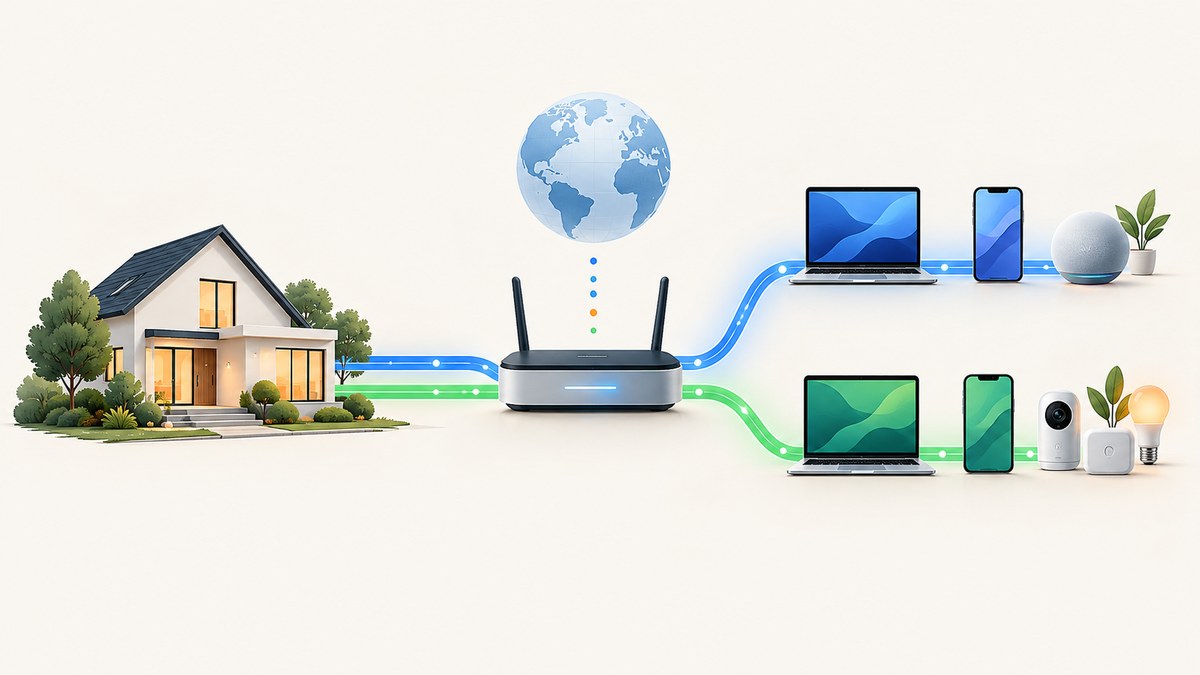
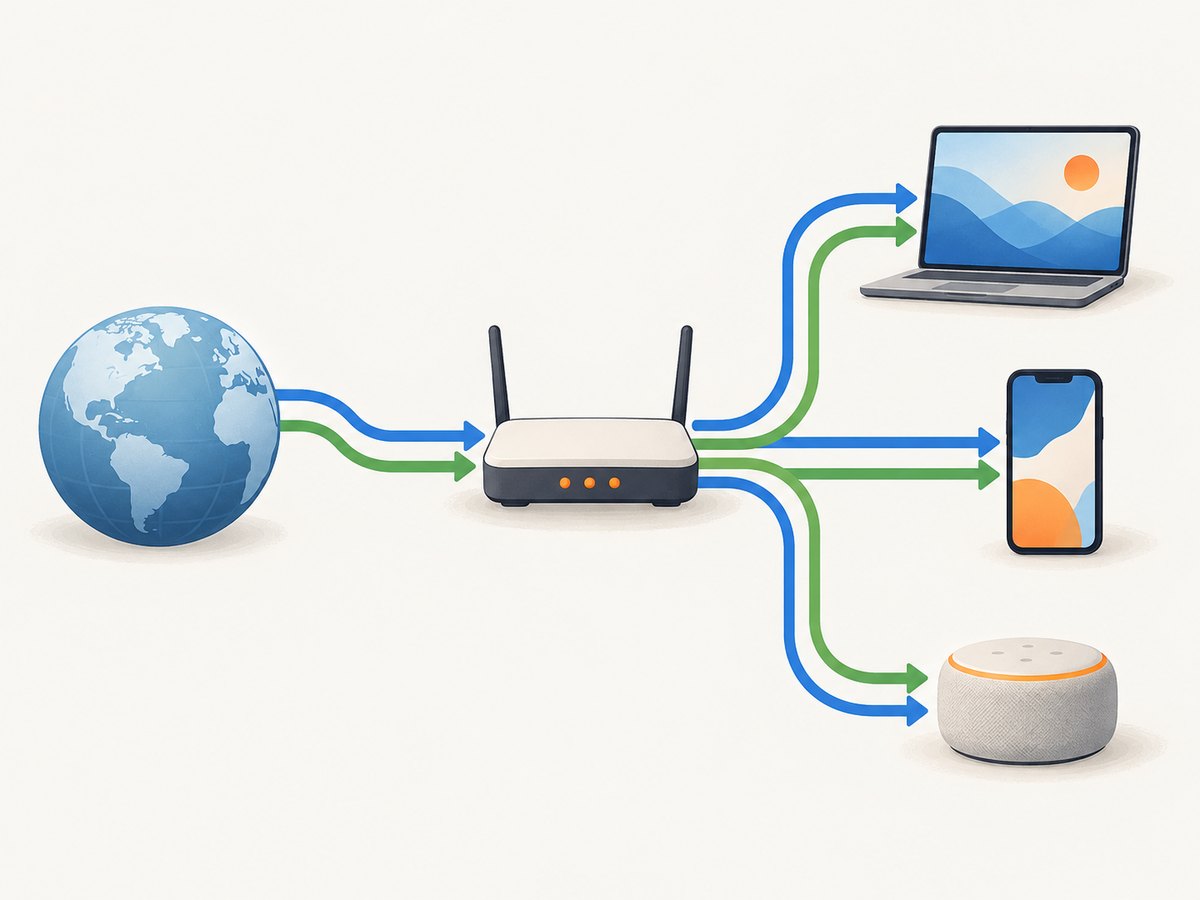
For most households, using IPv6 is sensible when the internet provider offers it and the router supports it. Leave IPv4 enabled too: running both protocols, called dual-stack, lets devices use IPv6 where it works and retain compatibility with IPv4-only services. You usually do not need to buy a new router just to turn IPv6 on. First check provider availability, your router’s IPv6 settings, and its firewall.
IPv6 is a connection feature, not a required home networking project. If your internet works and your provider or router does not support IPv6, you can generally keep using IPv4. If support is available, enabling IPv6 can give devices a direct IPv6 path to services that support it. The key security question is not whether an address is globally usable, but whether the router and device allow incoming connections.
1. What IPv6 changes on a home network
Internet-connected devices need IP addresses to communicate. IPv4 is the older protocol; IPv6 is its successor, with a much larger address space and changes to how addresses are assigned and used. For a home user, the practical point is that IPv6 needs support along the whole path: the provider, the home router, and the connecting device.
Many home routers can receive IPv6 configuration from the provider and make IPv6 connectivity available to devices on the home network. The IETF’s customer-edge router guidance describes baseline capabilities for residential IPv6 routers, but it does not certify a particular retail router or confirm compatibility with a specific provider. Check your provider’s requirements and your router documentation. RFC 7084
IPv6 does not require you to abandon IPv4. A network can run both at once, and that is the ordinary, low-friction choice for a home. The IETF home-network architecture says IPv6 introduction should not adversely affect IPv4 operation. IPv6-only networks are possible, but reaching IPv4-only destinations then requires additional transition mechanisms. RFC 7368
2. Should you enable IPv6?
| Your situation | Practical choice |
|---|---|
| Your ISP offers IPv6, and the router supports its provisioning method | Enable IPv6 alongside IPv4, then confirm the router’s IPv6 firewall is active. |
| You do not know whether the ISP offers IPv6 | Ask the ISP or check its support pages for your location and plan before changing settings. |
| Your router has an IPv6 setting, but connectivity checks fail | Check ISP availability and router configuration, then test another device. A failed check alone does not identify the cause. |
| Your ISP does not offer IPv6, or the router lacks required support | Continue using IPv4. Consider equipment changes only after confirming what the provider requires. |
| You are considering IPv6-only mode | For a typical home, keep dual-stack unless you understand the extra requirements for reaching IPv4-only services. |
There is no need to force IPv6 if your provider does not supply it or if you have a specific compatibility problem. Conversely, an IPv6 setting in the router is not by itself a reason to avoid the protocol. Check the actual service and security configuration.
3. Check support before changing anything
- Ask the ISP whether IPv6 is available at your address and on your plan. Ask what router provisioning method or settings are required. Availability varies by provider and location; do not assume a neighbor’s service or an online list applies to you.
- Check the router’s administration page or manual. Look for IPv6 status, connection method, and firewall controls. If the router is supplied by the ISP, its support team may need to enable or configure service.
- Run an IPv6 connectivity diagnostic. A practical check such as Test-IPv6.com can show whether the device and network appear to have IPv6 connectivity.
- Repeat the check on another device. If only one device fails, its operating system, network configuration, VPN, or security software may be involved. If several fail, inspect the shared router and provider connection.
- Review the IPv6 firewall before relying on the connection. Confirm it is enabled and understand any rules that permit incoming traffic. Keep router firmware and device security controls current.
A diagnostic result is a clue, not a fault report. It cannot by itself tell you whether the ISP, router, device, VPN, or test environment caused a failure.
4. IPv6 addresses and home security
A common concern is that IPv6 gives every device a public address and therefore exposes it. A globally usable address and a globally reachable service are different things. Addressing describes how traffic can be routed; the router’s filtering policy and the device’s own security determine whether unsolicited inbound traffic can reach a service.
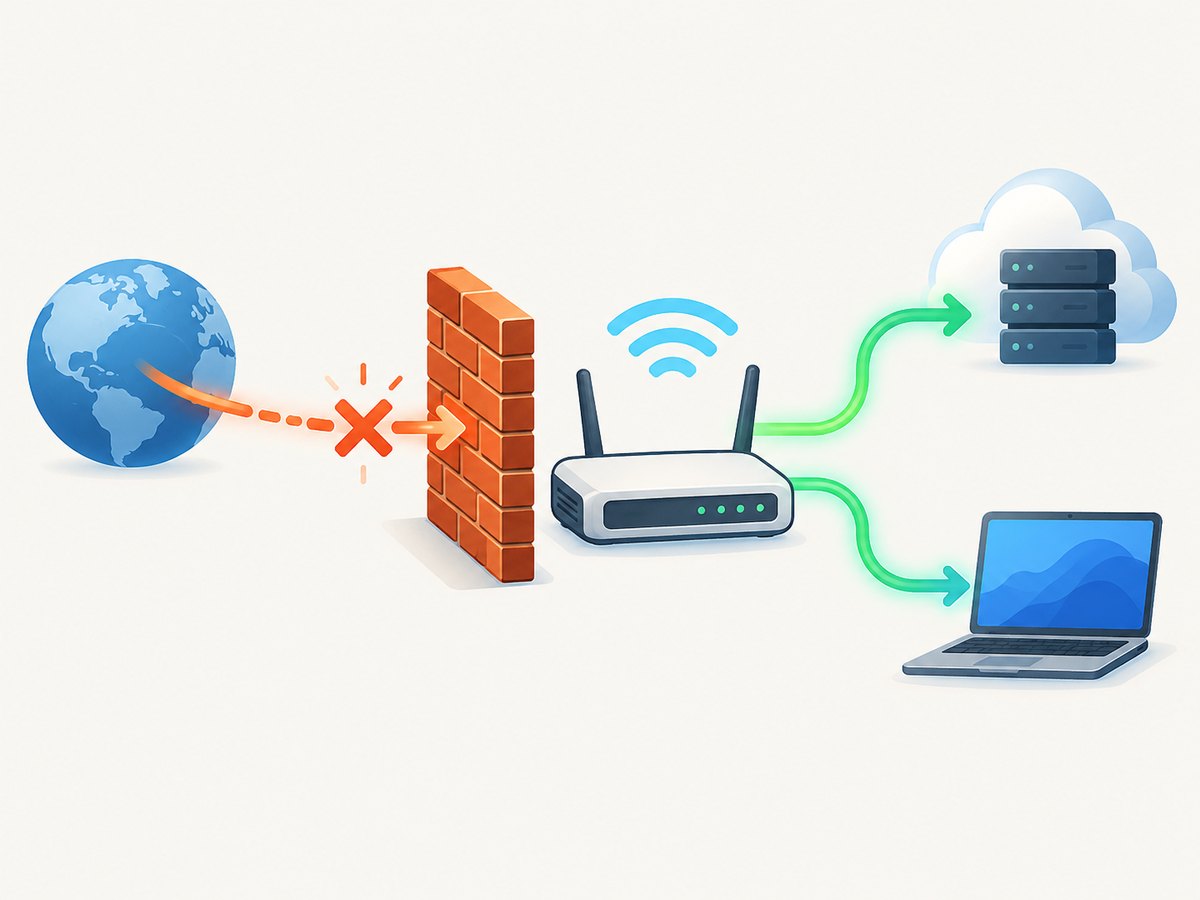
The IETF home-network document says, “Each device should be globally addressable, and those addresses must not be altered in transit.” That statement describes the IPv6 addressing model. The same guidance discusses global reachability and border filtering; it does not mean every device should accept connections from anyone on the internet. RFC 7368, IPv6 Home Networking
Do not rely on IPv4 network address translation (NAT) as your firewall. IPv4 NAT often has the side effect of making unsolicited inbound connections harder, but that is not a substitute for a clear security policy. Check that the router has an IPv6 firewall and that it blocks unsolicited inbound connections unless you intentionally configure an exception. IETF guidance discusses residential perimeter-security capabilities without mandating one universal default policy. RFC 6092
Security policies can differ. One common model allows connections started from inside the home while blocking connections started from outside; a more open policy can permit both. RFC 9099 describes these broad approaches and recommends dual-stack security policy for host security products. Keep both router rules and device firewalls in view, for IPv4 and IPv6. IPv6 is not inherently unsafe; an unclear or permissive policy is the risk to address. RFC 9099
Before you allow an inbound connection
- Identify the device and service that need to be reachable.
- Allow only the necessary traffic in the router’s IPv6 firewall and device firewall.
- Use strong authentication and keep the service and device updated.
- Remove the exception when it is no longer needed.
- Check IPv4 and IPv6 rules separately; a rule for one protocol does not necessarily configure the other.
5. IPv6 privacy: what address changes do and do not do
Some devices use privacy addresses that can change the device portion of an IPv6 address over time. This can reduce the usefulness of a single long-lived device address as an identifier. It does not make a user anonymous or remove every way to correlate activity.
A home can retain a stable IPv6 network prefix even as a device’s address changes. That prefix can associate traffic with the same household over time, and other signals can also link activity. RFC 7368 discusses both stable-prefix association and limits of privacy addresses. Treat address rotation as one privacy measure, not a promise of anonymity. RFC 7368
6. Do you need a new router?
Usually, not before checking your current setup. First verify that the ISP offers IPv6 and learn which provisioning method it uses. Then check whether the current router supports that method, has IPv6 enabled, and provides a configurable IPv6 firewall. If the router is supplied by the ISP, ask whether a setting or firmware update is needed.
If you do compare routers, look for IPv6 support that matches the ISP’s provisioning requirements, a clear and configurable IPv6 firewall policy, ongoing firmware updates, and continued IPv4 support. Standards documents define baseline protocol and router capabilities; they do not establish that a particular model works with a particular service. Confirm compatibility with the provider before buying. RFC 7084
7. Troubleshooting common IPv6 problems
| Symptom | Likely causes | What to check |
|---|---|---|
| The connectivity test reports no IPv6 | IPv6 is unavailable from the ISP, disabled on the router, or not configured with the provider’s required method. | Confirm service availability and provisioning requirements with the ISP; inspect router IPv6 status. |
| One device fails, while another passes | Device network settings, VPN, security software, or a device-specific issue. | Test with the VPN disconnected if appropriate, review device settings, and compare another network connection. |
| IPv6 works on some sites but not others | A destination or part of the connection path may not support IPv6 correctly; DNS or transition behavior may also be involved. | Check more than one destination and device. Keep IPv4 enabled for compatibility and consult the ISP if the issue is persistent. |
| A service on a home device cannot be reached from outside | The router or device firewall may be blocking unsolicited inbound traffic, or the service may not be listening or configured for IPv6. | Review both firewall layers and the service configuration. Add only a deliberate, narrow rule if external access is needed. |
| You are worried an IPv6 address means a device is exposed | The address is being confused with the firewall’s reachability policy. | Verify the router’s IPv6 firewall and the device firewall; do not assume NAT provides IPv6 protection. |
| The router has IPv6 but no connection appears | A setting may be enabled without successful provider provisioning, or the provider may not offer service on the plan. | Check connection status, required provisioning mode, provider availability, and a second device before replacing hardware. |
When contacting the ISP, provide the router model, whether IPv6 is enabled, the diagnostic result, and whether multiple devices show the same problem. Avoid posting your full public IP address or router credentials in a public forum.
8. Reliability and performance
IPv6 is not a general speed upgrade. Actual performance depends on the service, route, destination, device, and network configuration. A site or service may be reachable over IPv4 but not IPv6, or the reverse; keeping both protocols available lets devices use whichever usable path is available. If enabling IPv6 introduces a repeatable problem, compare results across devices and destinations, then check the router and ISP before disabling it everywhere.
For reliability, leave the router’s automatic provider configuration in place unless the ISP instructs you to use specific settings. Save existing configuration details before making changes. Change one setting at a time so you can identify what affected connectivity, and keep IPv4 enabled during diagnosis.
Or skip the browser setup
If you are documenting an IPv6 test or network status page for a bug report, a screenshot API can capture that page without setting up a browser. ScreenshotNeo is a website screenshot API and MCP server from Yorker Media. One GET request can return a screenshot or PDF. Its cookie and consent banners, newsletter popups, and chat widgets are removed before capture; bot checks, blank pages, timeouts, failed loads, and cache hits are not billed. Responses identify the page verdict and billing status in headers. An MCP server provides screenshot tools for Claude, Cursor, and other MCP clients. The free plan includes 1,000 shots a month with no card; paid plans start at $5 for 3,000. Every feature is on every plan. See the ScreenshotNeo API documentation.
curl -G "https://api.screenshotneo.com/v1/shot" -d access_key=YOUR_API_KEY --data-urlencode url=https://test-ipv6.com -o shot.webpimport requests
r = requests.get(
"https://api.screenshotneo.com/v1/shot",
params={"access_key": "YOUR_API_KEY", "url": "https://test-ipv6.com"},
timeout=90,
)
r.raise_for_status()
open("shot.webp", "wb").write(r.content)const q = new URLSearchParams({
access_key: 'YOUR_API_KEY',
url: 'https://test-ipv6.com'
});
const res = await fetch(`https://api.screenshotneo.com/v1/shot?${q}`);
if (!res.ok) throw new Error(`Screenshot request failed: ${res.status}`);
const image = Buffer.from(await res.arrayBuffer());
await import('node:fs/promises').then(fs => fs.writeFile('shot.webp', image));Replace YOUR_API_KEY with your key. Keep it out of public client-side code. Capture output is a file response; check the HTTP status before saving it as an image. Sign up for 1,000 free screenshots a month, with no card required.
9. Cost and practical trade-offs
For a household, enabling IPv6 generally means using capability already present in the ISP service and router; the research here does not establish any provider-specific fees or availability. Ask the provider about your plan before assuming either. If hardware truly lacks support, compare replacement cost against your actual need and confirm compatibility first. There is no verified adoption statistic or model-by-model product test behind this guide.
Frequently asked questions
Will turning on IPv6 break IPv4?
A dual-stack setup is designed to keep IPv4 available alongside IPv6. If a configuration change causes a problem, restore the previous setting and ask the ISP about the required configuration.
Can I use IPv6 if only some devices support it?
Yes. Devices that support IPv6 can use it while IPv4 remains available for devices and services that need it.
Does IPv6 make my browsing anonymous?
No. Privacy addresses can change the device portion of an address, but a stable home prefix and other information can still link activity.
Should I turn off IPv6 for security?
There is no general need to disable it for security. Check the router’s IPv6 firewall and the security settings on devices, and avoid unintended inbound access.
What should I tell my ISP if IPv6 does not work?
Ask whether IPv6 is available for your address and plan, which router provisioning method is required, and whether your router is supported. Share whether the issue affects one or multiple devices.
Sources
- IETF RFC 7368: IPv6 Home Networking
- IETF RFC 6092: Recommended Simple Security Capabilities in Customer Premises Equipment for Providing Residential IPv6 Internet Service
- IETF RFC 7084: Basic Requirements for IPv6 Customer Edge Routers
- IETF RFC 9099: Operational Security Considerations for IPv6 Networks
- Test-IPv6.com connectivity diagnostic


