Site-Shot vs. ScreenshotOne (2026): Pricing, Features, and MCP Compared
Compare 2026 pricing, features, and MCP setup for Site-Shot and ScreenshotOne, then choose the right screenshot API for your workload.
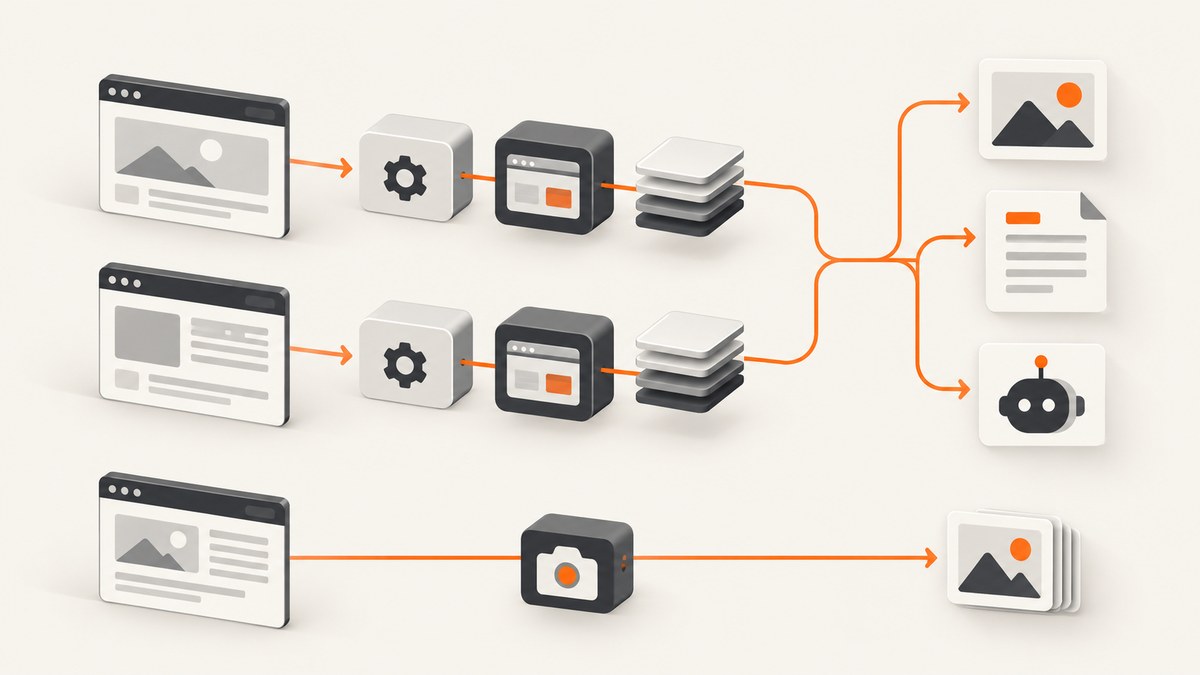
Direct answer: Site-Shot is the lower-priced choice at the listed plan volumes and includes scheduled captures and country targeting on its paid plans. ScreenshotOne costs more at comparable allowances and lists a broader set of outputs and integrations, including PDF, video on Growth and Scale, S3 upload, webhooks, and seven official SDK language families. Their MCP setups also differ: Site-Shot documents a local stdio server that uses a paid API key; ScreenshotOne offers a hosted OAuth server with screenshot, Markdown extraction, and usage tools. Choose based on the plan volume you need, the outputs and workflow integrations you require, and whether local-key or hosted-OAuth MCP fits your setup.
There is a third option to consider first: ScreenshotNeo combines a website screenshot API with an MCP server, and its listed paid plans start at $5 for 3,000 shots. The details below compare the three where useful, while keeping Site-Shot and ScreenshotOne’s published plan facts distinct.
Prices and features below reflect vendor pages checked for this 2026 comparison. Per-1,000 prices are arithmetic based on listed monthly price and included volume, not a separate vendor rate or independent benchmark. Check each vendor’s current billing page before committing.
1. Quick comparison
| Service | Listed starting point | Useful distinctions | MCP approach |
|---|---|---|---|
| ScreenshotNeo | Free: 1,000/month; paid from $5 for 3,000 | Consent banners, popups, and chat widgets are removed before capture; unsuccessful page outcomes and cache hits are not billed. | MCP server with screenshot, page-info, and PDF tools. |
| Site-Shot | $5/month for 2,000; no free API credits | Scheduled captures and 49-country geotargeting on listed plans; lowest listed unit price at higher volumes. | Local stdio server; paid API key required. |
| ScreenshotOne | 100 free/month; $17/month for 2,000 | PDF on Basic; video generation on Growth and Scale; S3, webhooks, signed links, and official SDKs. | Hosted OAuth server; screenshot, Markdown, and usage tools. |
For a developer who wants the lowest entry price for 2,000 monthly captures, Site-Shot lists $5 versus ScreenshotOne Basic at $17. At 10,000 captures, the listed plans are $15 versus $79; at 50,000, $50 versus $259. These are not identical feature bundles, and the cheapest plan is not automatically the lowest-cost choice if it lacks a feature your product needs. ScreenshotNeo’s free tier and paid volumes differ from both, so compare your expected successful monthly captures and required outputs rather than comparing only plan names.
2. Pricing and what a screenshot costs
| Service / plan | Monthly price | Included captures | Approx. per 1,000 included | Overage listed |
|---|---|---|---|---|
| Site-Shot X-Lite | $5 | 2,000 | $2.50 | $0.0025 each |
| Site-Shot Lite | $15 | 10,000 | $1.50 | $0.0015 each |
| Site-Shot Optimal | $50 | 50,000 | $1.00 | $0.0010 each |
| Site-Shot Professional | $500 | 625,000 | $0.80 | $0.0008 each |
| ScreenshotOne Basic | $17 | 2,000 | $8.50 | $0.009 each |
| ScreenshotOne Growth | $79 | 10,000 | $7.90 | $0.006 each |
| ScreenshotOne Scale | $259 | 50,000 | $5.18 | $0.004 each |
The Site-Shot figures come from its pricing page; ScreenshotOne’s from its pricing page. Unit-cost values divide listed price by included screenshots, then multiply by 1,000. They do not account for taxes, annual billing, unused allowance, overages, or workload-specific caching. Site-Shot says API and scheduled captures draw from the monthly allowance. Its saved-image storage capacity is separate from capture credits, and deleting a stored image does not restore credits.
ScreenshotOne advertises 100 free screenshots a month. Its pricing page says successful requests not served from cache count toward allowance; cached results and failed requests do not. It also lists per-request extras and documents that paid extras require raising a hard limit above the included allowance. Its extra-usage documentation says charges are rounded up to the next thousand requests. Check those controls and the current terms before sending a batch that could exceed quota.
Site-Shot’s paid API has no free API credits. Its separate browser screenshot tool is free and requires no account, but that is different from an API plan. Site-Shot lists additional capture rates from $0.0008 to $0.0025 according to tier. This matters when comparing a predictable monthly batch with a workload that has occasional bursts: calculate the likely overage at your chosen tier instead of extrapolating from the included unit price alone.
ScreenshotNeo lists 1,000 shots per month free without a card, then $5 for 3,000, $15 for 15,000, $39 for 60,000, $99 for 250,000, and $249 for 1,000,000. Yearly billing gives two months free. Its stated billing distinction is that only clean shots are billed; response headers say whether a result was clean, a cache hit, or an unsuccessful page outcome. Those are vendor-provided product facts, not a third-party cost test.
3. Features: choose for the workload you actually have
Site-Shot: scheduled and location-specific captures
Site-Shot’s pricing page lists geotargeting in 49 countries on every paid tier. Weekly scheduled-capture limits vary by plan, from 35 on X-Lite through 12,000 on Professional. Optimal and Professional list residential proxy retry. Its quickstart describes an HTTP API and official Node.js and Python SDKs, with other languages able to call the endpoint directly. This makes it a plausible fit for recurring visual monitoring tied to a country or a scheduled history of captures.
Scheduling consumes capture allowance, according to the vendor pricing page. The page also explains that failed scheduled captures leave a gap with a reason rather than substituting an image. Plan capacity includes dedicated workers, which vary from 10 to 100 by tier; do not interpret that number as a published end-to-end latency guarantee.
ScreenshotOne: broader listed outputs and integrations
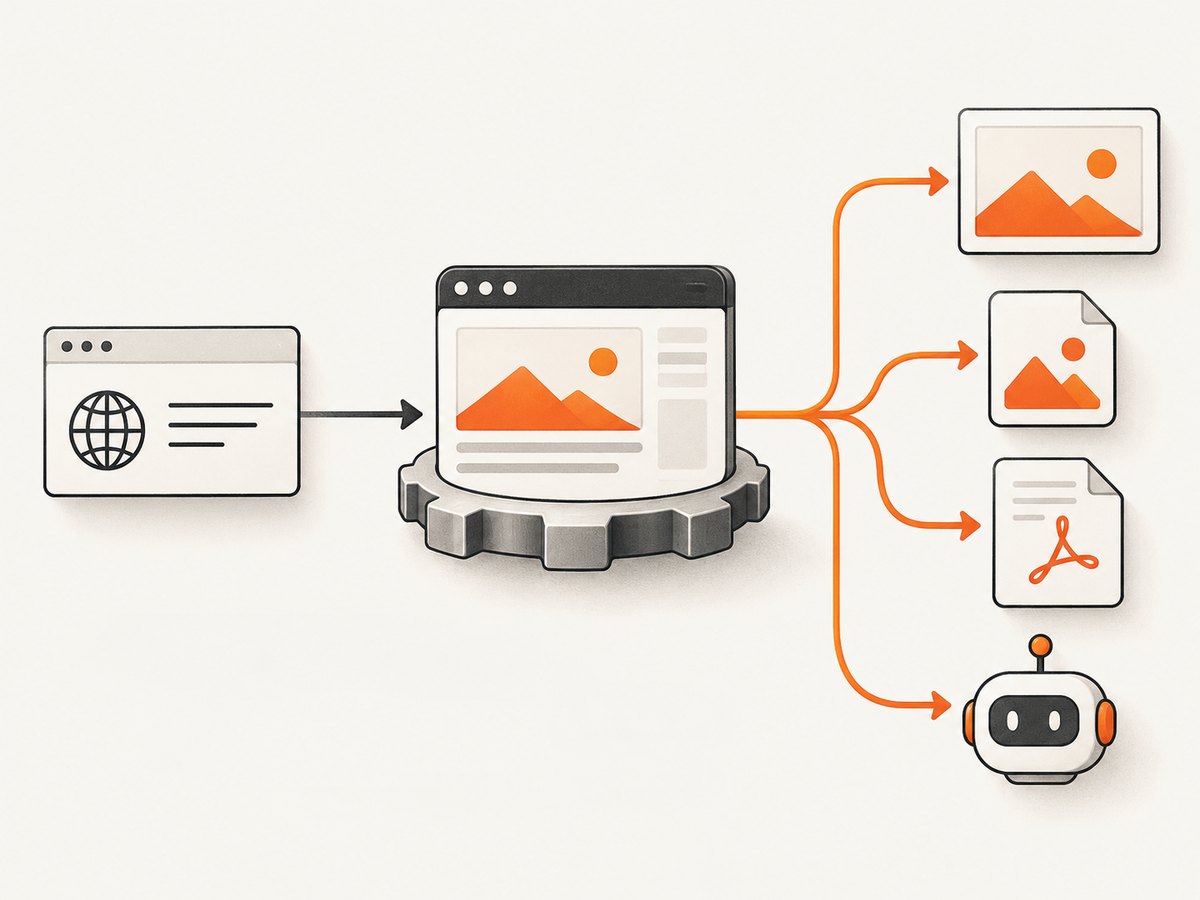
ScreenshotOne lists PDF rendering, multiple image formats, HTML rendering, caching, S3 upload, webhooks, signed links, stealth mode, and integrations such as Zapier and Make on Basic. Growth and Scale add location choice, scrolling screenshots, and video generation; Scale also lists GPU rendering and priority support. Its comparison listing reports official SDK families for Go, Java, Ruby, Python, C#/.NET, PHP, and JavaScript/TypeScript.
ScreenshotOne’s credits documentation says one credit currently covers each listed operation: a full-page screenshot, scrolling screenshot, PDF, or video. Credits reset at the start of each billing cycle and unused credits do not roll over. Treat this as the documented credit model at the time checked; verify it if your mix includes several output types.
ScreenshotNeo: clean capture plus API and agent access
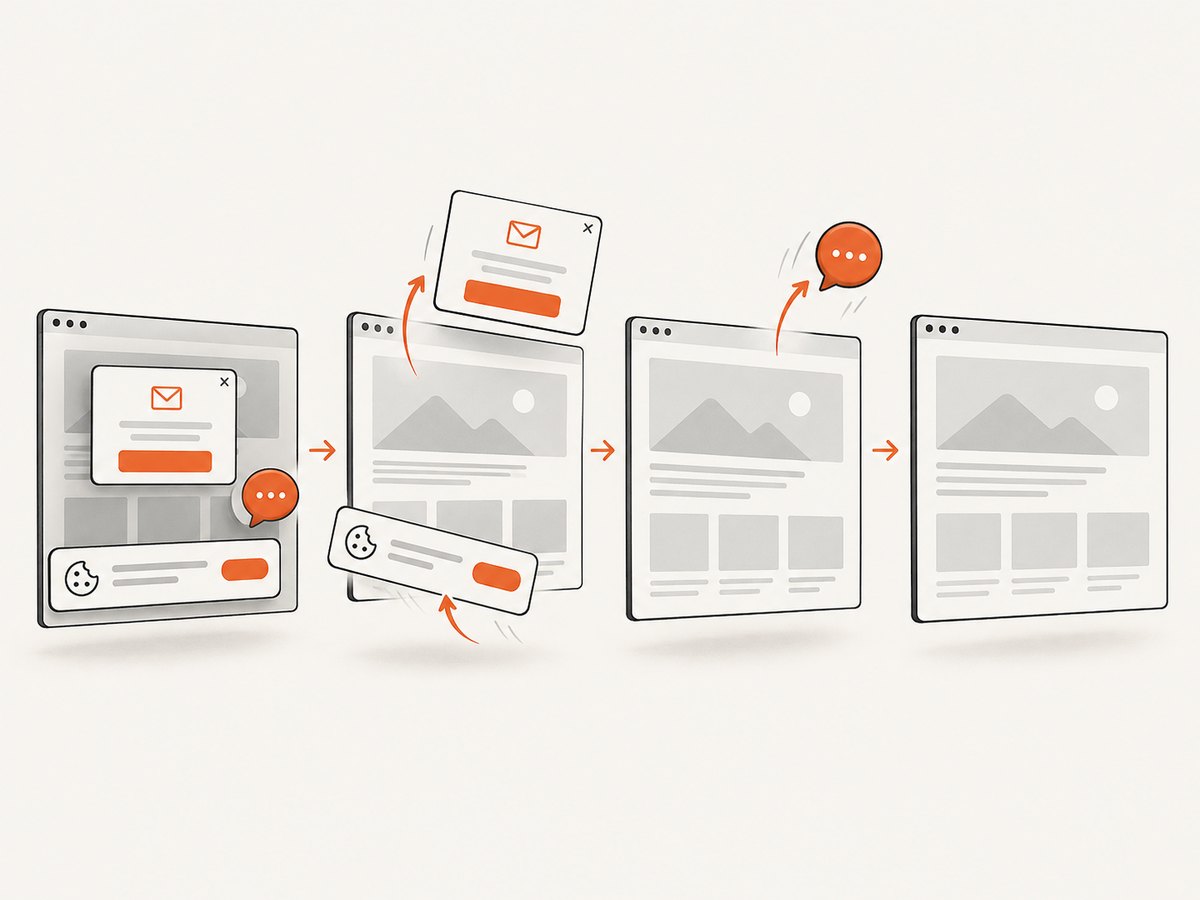
ScreenshotNeo’s distinctive workflow accepts cookie or consent banners as a visitor and removes more than 60 known consent platforms, along with newsletter popups and chat widgets. Each cleanup step can be disabled. It returns PNG, JPEG, WebP, or PDF and provides an MCP server for AI agents. A response identifies page outcome and billing status through X-Page-Verdict and X-Billed headers. A bot check, CAPTCHA, blank page, timeout, failed load, or cache hit is not billed according to the supplied product facts.
Other listed options include full-page capture with lazy images loaded, CSS-selector element capture, dark mode, 12 device presets and custom viewport, retina scale, PDF paper size and page ranges, HTML/CSS rendering, custom CSS and JavaScript, click-before-capture, hide selectors, wait conditions, request and resource blocking, headers, cookies, user agent and Authorization, timezone and geolocation, transparent background, resizing, chosen cache TTL, signed links, asynchronous jobs with signed webhooks, bulk capture for 100 URLs per call, a usage API, and an OpenAPI specification. The parameter names used by other screenshot APIs also work, which may reduce migration changes. See the ScreenshotNeo documentation for request options.
4. MCP compared: local process or hosted connection?
Site-Shot MCP is documented in the official Site-Shot MCP repository as a local stdio server installed with npx -y site-shot-mcp. Configure SITESHOT_API_KEY with a key from a paid API plan. Calls use that account’s allowance. The documented tools return screenshots and offer viewport or full-page capture with options such as ad/banner blocking and country targeting. The repository describes it as image-focused, with no Markdown conversion or hosted endpoint.
ScreenshotOne MCP is hosted at https://mcp.screenshotone.com. Its official MCP documentation describes remote connection and browser-based OAuth authorization, so a local process and pasted API key are not required. The documented tools are render-website-screenshot, extract-website-markdown, and get-usage. Returned image and content URLs are temporary. The MCP screenshot tool does not expose API cache and response-type controls, and the documented server configuration disables API caching. Calls consume the account’s credits.
Use Site-Shot MCP if your team prefers a local, key-based setup and needs image capture with its available options. Use ScreenshotOne MCP if you want a hosted OAuth connection, Markdown extraction, and a usage check in the same agent integration. For either, check that your MCP client supports the relevant transport and authentication workflow, and confirm which options the tool actually exposes: MCP tool schemas are not necessarily a mirror of the full HTTP API.
ScreenshotNeo’s MCP server provides take_screenshot, get_page_info, and capture_pdf. That makes it a useful alternative when an agent should request a screenshot or PDF directly, while a regular API call remains available for application code and batch work.
5. Which service should you choose?
| If your main requirement is… | Start by evaluating | Reason |
|---|---|---|
| Clean screenshots and clear unsuccessful-page billing | ScreenshotNeo | Consent banners, popups, and chat widgets are removed; specified unsuccessful outcomes and cache hits are not billed. |
| Lowest listed price at comparable Site-Shot/ScreenshotOne volumes | Site-Shot | Its listed 2k, 10k, and 50k plans are lower priced. |
| PDF on entry plan, or video at higher tiers | ScreenshotOne | Those outputs are listed on its plan page. |
| Recurring capture histories or country targeting | Site-Shot | Its listed paid plans include scheduled captures and 49-country targeting. |
| Hosted MCP with OAuth plus Markdown extraction | ScreenshotOne | Its hosted MCP documentation lists those tools and connection method. |
| Agent screenshot and PDF tools with a free monthly API tier | ScreenshotNeo | It lists an MCP server and 1,000 free shots a month with no card. |
| Many SDK language options and integrations | ScreenshotOne | Its plan and comparison materials list multiple integrations and seven SDK language families. |
Before deciding, estimate the number of successful, unique captures you need each month; list required formats and integrations; determine whether capture needs to run on a schedule or from a specific country; then inspect the exact overage and cache rules. For MCP, test the client connection method and tool capabilities with a small task before building an agent workflow around them. A published plan allowance is not a throughput or reliability benchmark.
6. Performance, reliability, and cost controls
None of the cited comparison sources provides an independent head-to-head latency benchmark, uptime comparison, or customer satisfaction statistic. Do not infer that one vendor renders faster from its plan price, worker count, or feature list. For your own decision, run the same representative URL set with the same viewport, full-page setting, and readiness condition; record successful results, output dimensions, wall time, and failure categories over a meaningful sample. Keep the result private to your evaluation unless you have a reproducible measurement method.
Reliability depends partly on the page: client-side rendering, anti-bot challenges, slow assets, regional differences, and consent dialogs can all change what a capture returns. Set a sensible timeout, choose a wait condition suited to the site, and inspect result status instead of treating every HTTP response as a usable image. ScreenshotNeo explicitly reports page verdict and billed status; ScreenshotOne excludes failed requests and cache-served results from allowance according to its pricing page; Site-Shot documents a failed schedule as a gap with a reason. Verify the response semantics of the endpoint you integrate.
For cost control, establish monthly alerts or a hard cap where available, watch usage during rollout, and decide whether cache hits should count under the service’s rules. Avoid accidentally generating a unique request each time by varying options without purpose. For recurring monitoring, retain only useful history and account for schedule captures consuming allowance. ScreenshotOne documents monthly credit reset with unused credits not rolling over; Site-Shot describes saved-image storage separately from capture capacity. ScreenshotNeo lets you choose a cache TTL and supplies a usage API.
7. Integration patterns and edge cases
Images versus documents
If consumers need an image, confirm its MIME type and save binary bytes rather than decoding the body as text. For PDFs, verify page size, margins, orientation, and page-range needs; PDF availability differs by plan among these vendors. A browser-rendered PDF can be large, and embedding it in a downstream system may have different limits than a screenshot image.
Long or dynamic pages
Full-page capture, scrolling capture, and a fixed viewport are different outputs. Long pages can include lazy-loaded sections that have not appeared until scrolling; select the vendor’s appropriate full-page or scrolling behavior and test the result on pages with infinite scroll or sticky headers. Site-Shot’s comparison reports a 20,000-pixel full-page limit, so validate dimensions against that limit if relevant. ScreenshotOne lists scrolling screenshots on Growth and Scale. ScreenshotNeo’s full-page option loads lazy images.
Private pages and secrets
When passing cookies, authorization headers, or signed URLs, treat them as credentials. Keep API keys on a server or in a secret manager, avoid putting sensitive query strings in logs, and use HTTPS. If the target URL itself is private or short-lived, check whether the screenshot provider can reach it and whether it will store or cache the output. Do not assume MCP options expose every API capability.
Retries and repeated work
Retry transient network or rendering failures with bounded backoff, but do not retry invalid options or an authentication failure unchanged. Make asynchronous or webhook workflows idempotent so a repeated notification does not create duplicate downstream records. For large URL lists, use a queue and respect per-plan request limits and concurrency rather than firing an unbounded burst. ScreenshotNeo lists bulk capture for 100 URLs per call and asynchronous jobs with signed webhooks.
8. Troubleshooting
| Symptom | Likely cause | What to check |
|---|---|---|
| Authentication error | Missing, invalid, or wrong account key; for Site-Shot MCP, no paid API key configured. | Check the account key, environment variable, endpoint, and that the key belongs to the intended account. Never paste secrets into a public repository. |
| Quota or usage-limit error | Included allowance exhausted, hard limit reached, or calls exceed a rate/request bucket. | Inspect usage and billing settings. ScreenshotOne documents a configurable hard limit and a usage endpoint; Site-Shot counts API and scheduled captures against allowance. |
| Blank or incomplete screenshot | Page still loading, delayed scripts, lazy content, or an anti-bot check. | Use a suitable selector, delay, network-idle wait, or full-page mode if available; inspect the page outcome. A CAPTCHA may require a different access strategy and cannot be assumed capturable. |
| Cookie banner or popup obscures page | Consent or marketing overlays were not removed or the target uses an unknown/custom implementation. | Check the service’s banner handling; add a selector hide rule or custom CSS where supported. ScreenshotNeo removes more than 60 known consent platforms, newsletter popups, and chat widgets, with individual steps configurable. |
| Capture works in API but not MCP | The MCP tool exposes fewer options or transport/auth configuration is wrong. | Check the MCP tool schema and client connection settings. ScreenshotOne’s hosted endpoint uses OAuth; Site-Shot’s documented server is local stdio with an API key. |
| Image file contains JSON | The response is an API error payload rather than image bytes. | Check HTTP status and content type before writing the body as an image; log the structured error safely. |
| Unexpected overage | Scheduled captures, unique option combinations, cache misses, or configured extras increased billable calls. | Reconcile usage records against schedules and application logs; set a hard limit or alert where supported. |
9. Or skip the browser setup
For a one-request capture, ScreenshotNeo accepts a URL and returns an image. This cURL example saves a WebP file; replace the target URL and keep the API key out of source control. See the API documentation for output formats and options.
curl -G "https://api.screenshotneo.com/v1/shot" \
  -d access_key=YOUR_API_KEY \
  --data-urlencode url=https://stripe.com \
  -o shot.webp
Equivalent Python and Node.js calls:
import requests

r = requests.get(
    "https://api.screenshotneo.com/v1/shot",
    params={"access_key": "YOUR_API_KEY", "url": "https://stripe.com"},
    timeout=90,
)
r.raise_for_status()
open("shot.webp", "wb").write(r.content)
const q = new URLSearchParams({
access_key: 'YOUR_API_KEY',
url: 'https://stripe.com'
});
const res = await fetch(`https://api.screenshotneo.com/v1/shot?${q}`);
if (!res.ok) throw new Error(`Screenshot request failed: ${res.status}`);
const bytes = new Uint8Array(await res.arrayBuffer());
await import('node:fs/promises').then(fs => fs.writeFile('shot.webp', bytes));ScreenshotNeo removes cookie banners, popups, and chat widgets before the shot. Bot checks, blank pages, and failed loads are never billed. Its MCP server lets AI agents take screenshots, inspect page information, and capture PDFs. The free plan includes 1,000 screenshots a month with no card; paid plans start at $5 for 3,000. Sign up free for ScreenshotNeo.
10. Frequently asked questions
Is ScreenshotOne or Site-Shot cheaper?
At the listed 2,000, 10,000, and 50,000 monthly volumes, Site-Shot’s plans cost less: $5, $15, and $50 versus ScreenshotOne’s $17, $79, and $259. The plans do not have identical features, so compare the tier that supplies your required outputs and integrations.
Does Site-Shot work with AI agents or MCP?
Yes. Its documented MCP server is a local stdio process installed with npx and uses a paid Site-Shot API key. Its documented scope is image capture, not Markdown conversion or a hosted service.
Do I need a Site-Shot account or API key?
The Site-Shot paid API requires an account and API key. The separate browser screenshot tool is free and does not require signup; it is not a free API allowance.
Which is better for full-page screenshots?
Both offer full-page captures. Compare the page-length limits, lazy-loading behavior, and whether you need scrolling screenshots; those details and plan availability differ. Test representative long pages before selecting a tier.
Does ScreenshotOne MCP still require a local command?
Its current documentation describes a hosted MCP endpoint at https://mcp.screenshotone.com with OAuth. A local command-line server remains available as an option, but the hosted connection is documented too.
Are the unit prices a promise of what my workload will cost?
No. They divide list price by included monthly volume. Your actual cost depends on unused capacity, overages, cache behavior, scheduled captures, taxes, and the plan you need for a specific feature.
Sources and price-check note
Primary vendor references: Site-Shot pricing, Site-Shot quickstart, Site-Shot MCP repository, ScreenshotOne pricing, ScreenshotOne MCP docs, ScreenshotOne credits documentation, and ScreenshotOne extra-usage documentation. Prices, plan features, and hosted MCP availability can change; confirm the live pages before purchase.


