Slack Link Unfurl Image Generator: Metadata and Custom App Guide
Build Slack link previews with Open Graph metadata or a custom app, then generate clean preview images with ScreenshotNeo.
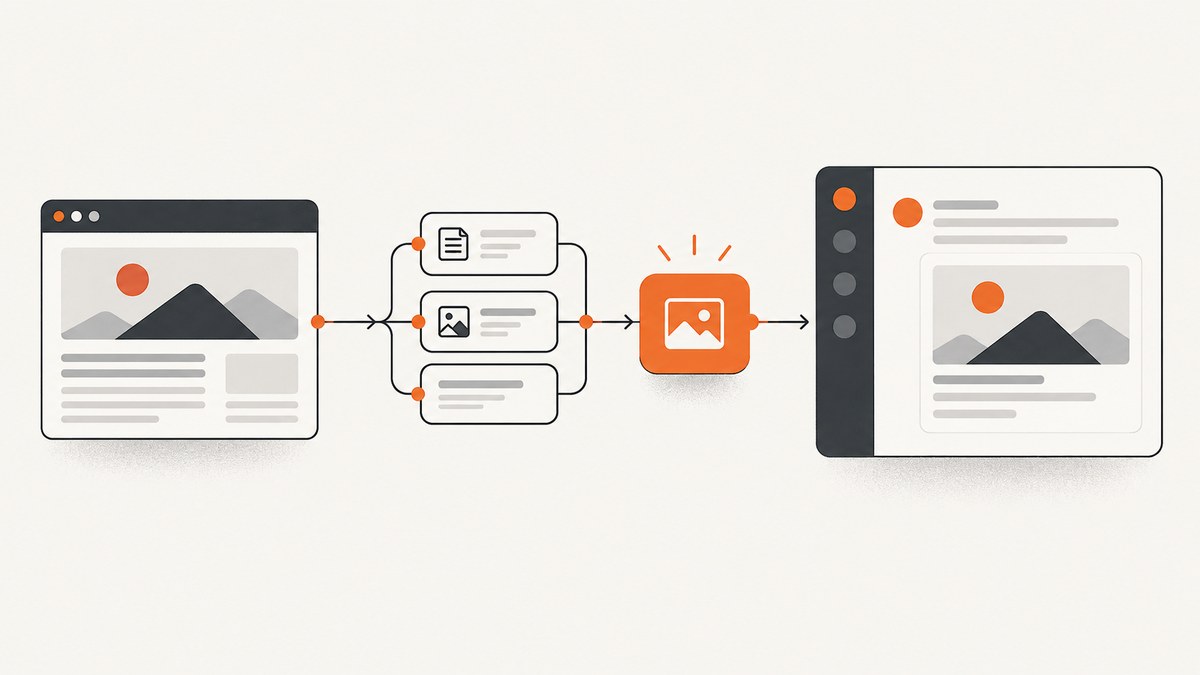
A Slack link unfurl is the preview attached to a URL shared in a conversation. The fastest way to create one is to publish valid Open Graph and X Card metadata on the page. Slack crawls the URL and derives the title, description and image. When metadata is not enough, a Slack app can watch for matching links, receive a link_shared event and call chat.unfurl with content your application chooses.
Use classic metadata when the preview should represent the page itself and you control its HTML. Use a custom app when the preview depends on account data, permissions, live status or an image generated for that specific link.
1. Choose the right unfurl path
| Path | Best for | Control | What you maintain |
|---|---|---|---|
| Classic metadata unfurl | Public pages with stable preview content | Title, description, image and canonical URL through page metadata | HTML metadata and a publicly fetchable page |
| Custom Slack app unfurl | Dynamic, private or workflow-specific previews | Content supplied to Slack for a matching URL | Slack app, permissions, event handling and API calls |
Slack describes classic unfurling as its default behavior: it crawls a shared URL and looks for common Open Graph and X Card metadata. For custom behavior, the app must handle a URL on a domain registered with the app, receive link_shared, and call chat.unfurl. The method requires the links:write scope. Slack also documents links:read for apps that need to read relevant posted links.
2. Build a classic metadata-driven preview
Classic unfurling needs no Slack app. Put metadata in the <head> of every page that may be shared:
<!doctype html>
<html lang="en">
<head>
  <meta charset="utf-8">
  <title>Incident report | Acme Status</title>
  <link rel="canonical" href="https://status.example.com/incidents/123">

  <meta property="og:type" content="article">
  <meta property="og:url" content="https://status.example.com/incidents/123">
  <meta property="og:title" content="Incident report: API latency">
  <meta property="og:description" content="Timeline and resolution for the API latency incident.">
  <meta property="og:image" content="https://status.example.com/previews/incident-123.png">
  <meta property="og:image:alt" content="Incident timeline illustration">
  <meta property="og:image:width" content="1200">
  <meta property="og:image:height" content="630">

  <meta name="twitter:card" content="summary_large_image">
  <meta name="twitter:title" content="Incident report: API latency">
  <meta name="twitter:description" content="Timeline and resolution for the API latency incident.">
  <meta name="twitter:image" content="https://status.example.com/previews/incident-123.png">
</head>
<body>...</body>
</html>
Use absolute HTTPS URLs for og:url and og:image. Make the image publicly retrievable without a login, and return the correct image MIME type. Keep the title and description useful when they are displayed without the full page. A canonical URL prevents tracking parameters from producing multiple identities for the same page.
Metadata checklist
- Return metadata in the initial HTML response; do not depend on client-side JavaScript to insert it.
- Use one canonical URL and one representative image.
- Make the image URL public, stable and served over HTTPS.
- Use an image with enough resolution for a large preview and provide meaningful
og:image:alt. - Keep page responses fast enough for a crawler and avoid requiring cookies or authentication.
- Verify that redirects end at the intended canonical page.
Metadata controls what Slack can discover, but it does not force a preview. Workspace members can disable website image and text previews, and owners or admins can manage preview settings for specific websites.
3. Generate the preview image
A static image is usually enough for a classic unfurl. Generate it during publishing and store it at a public URL. For dynamic pages, render a page that contains the exact visual you want, then capture that page after its data loads.
The do-it-yourself browser route uses a headless browser such as Playwright or Puppeteer. A minimal Playwright example is:
import { chromium } from 'playwright';

const browser = await chromium.launch();
const page = await browser.newPage({ viewport: { width: 1200, height: 630 }, deviceScaleFactor: 1 });
await page.goto('https://status.example.com/incidents/123', { waitUntil: 'networkidle' });
await page.screenshot({ path: 'incident-123.png', type: 'png' });
await browser.close();
Publish the resulting file at the URL used by og:image. If the page includes cookie consent, a newsletter modal or a chat bubble, those elements may appear in the image unless your browser script dismisses or hides them before capture. Wait for a specific selector when the visual is asynchronous:
await page.goto(target, { waitUntil: 'domcontentloaded' });
await page.waitForSelector('[data-chart-ready]', { state: 'visible', timeout: 15000 });
await page.locator('.cookie-banner, .chat-widget').evaluateAll(nodes => nodes.forEach(n => n.remove()));
await page.screenshot({ path: 'preview.webp', type: 'webp', quality: 82 });
For a repeatable generator, define a fixed viewport, fonts and timezone. Block analytics and advertisements if they create layout shifts. Save the generated file with a content hash so Slack and intermediary caches receive a new URL when the image changes.
4. Create a custom Slack app unfurl
Choose this route when the preview must be assembled by your application. Register the URL domain in the Slack app, subscribe to link-sharing events, grant the required scopes, and acknowledge events quickly. Your handler can then fetch data, generate an image and call chat.unfurl.
Event handling with Node.js
import express from 'express';
import crypto from 'node:crypto';

const app = express();
app.use(express.json());

app.post('/slack/events', async (req, res) => {
  const body = req.body;
  if (body.type === 'url_verification') return res.json({ challenge: body.challenge });
  res.sendStatus(200); // acknowledge before slow work

  if (body.event?.type !== 'link_shared') return;
  const event = body.event;
  for (const item of event.links ?? []) {
    if (!item.url.startsWith('https://status.example.com/')) continue;
    const previewUrl = `https://status.example.com/previews/${encodeURIComponent(item.url)}.png`;
    await fetch('https://slack.com/api/chat.unfurl', {
      method: 'POST',
      headers: {
        'Content-Type': 'application/json',
        'Authorization': `Bearer ${process.env.SLACK_BOT_TOKEN}`
      },
      body: JSON.stringify({
        channel: event.channel,
        ts: event.message_ts,
        unfurls: {
          [item.url]: {
            title: 'Incident report',
            text: 'Timeline and resolution',
            image_url: previewUrl,
            image_width: 1200,
            image_height: 630,
            alt_text: 'Incident timeline'
          }
        }
      })
    });
  }
});

app.listen(3000);
Slack’s method reference distinguishes composer previews from unfurls on posted messages. The preview field can be used for a composer preview, but Slack says it is ignored when the unfurl is for a link in a posted message. For posted messages, provide the unfurl content keyed by the exact URL and include the message timestamp.
Calling chat.unfurl with cURL
curl -X POST https://slack.com/api/chat.unfurl \
  -H "Authorization: Bearer $SLACK_BOT_TOKEN" \
  -H "Content-Type: application/json" \
  --data-raw '{
    "channel": "C0123456789",
    "ts": "1712345678.123456",
    "unfurls": {
      "https://status.example.com/incidents/123": {
        "title": "Incident report: API latency",
        "text": "Timeline and resolution",
        "image_url": "https://status.example.com/previews/incident-123.png",
        "alt_text": "Incident timeline"
      }
    }
  }'
Calling from Python
import os
import requests

payload = {
    "channel": "C0123456789",
    "ts": "1712345678.123456",
    "unfurls": {
        "https://status.example.com/incidents/123": {
            "title": "Incident report: API latency",
            "text": "Timeline and resolution",
            "image_url": "https://status.example.com/previews/incident-123.png",
            "alt_text": "Incident timeline",
        }
    },
}
r = requests.post(
    "https://slack.com/api/chat.unfurl",
    headers={"Authorization": f"Bearer {os.environ['SLACK_BOT_TOKEN']}"},
    json=payload,
    timeout=30,
)
r.raise_for_status()
result = r.json()
if not result.get("ok"):
    raise RuntimeError(result)
5. Handle links, permissions and payload details
- Register every domain the app will handle in the Slack app configuration.
- Enable the Events API and subscribe to the link-sharing event.
- Install the app with
links:write; addlinks:readwhen the app needs to read posted links. - Verify Slack’s signing secret before processing events.
- Acknowledge the event immediately, then perform rendering and API calls asynchronously.
- Use the exact shared URL as the key in the
unfurlsobject. - Make image URLs reachable by Slack and return an image content type.
One event can contain multiple links. Filter by registered host and process each supported URL. Do not unfurl URLs that contain secrets in query parameters. If your image service requires authorization, expose a short-lived public URL or use a public asset endpoint designed for Slack retrieval.
6. Troubleshooting Slack previews
| Symptom | Likely cause | Fix |
|---|---|---|
| No preview | Missing or malformed metadata | Inspect the raw HTML response for og:title, og:description and og:image; use absolute URLs. |
| Image is blank | Image URL is private, blocked or returns the wrong MIME type | Request the URL without cookies, follow redirects and return image/png, image/jpeg or image/webp. |
| Old preview remains | Caching | Change the image URL with a version or content hash and share the canonical URL again. |
| App receives no event | Domain, event subscription or installation is incomplete | Check the registered domain, Events API subscription and workspace installation scopes. |
missing_scope |
Token lacks permission | Install or reinstall with links:write; add links:read only when required. |
| Unfurl works in composer but not after posting | preview is being used for a posted message |
Send posted-message content through unfurls; Slack ignores preview for that case. |
| Some links never expand | Workspace preference, private page, recently shared URL, unsupported media host or more than five links in one message | Test in a workspace where website previews are enabled, make the page public and share fewer links. |
Slack’s help documentation lists missing preview data, private pages, recently shared links, certain audio or video hosts and messages containing more than five links among ordinary reasons expansion can fail. Workspace owners and admins can also disable previews for particular websites.
7. Reliability, performance and cost
Classic metadata
- Render metadata server-side so crawlers see it without JavaScript.
- Keep HTML and image responses cacheable, with explicit cache headers.
- Generate images out of band when possible; do not make a Slack page request wait for a browser render.
- Use deterministic fonts, viewport and timezone to avoid pixel changes between runs.
Custom apps
- Return the event acknowledgement before rendering.
- Queue duplicate links by canonical URL and message timestamp.
- Retry Slack API failures with bounded exponential backoff and record the response body.
- Make image generation idempotent so retries do not create inconsistent previews.
- Track render duration, image fetch failures and Slack API errors separately.
Slack does not publish a guarantee that every shared URL will unfurl. Treat previews as an enhancement and keep the message URL useful by itself. A custom app also adds operational costs for browser workers, storage and outbound bandwidth; classic metadata has lower operating overhead but less per-message control.
8. Or skip the browser setup: ScreenshotNeo
ScreenshotNeo is a website screenshot API and MCP server. It can render the page used for your Slack image and return PNG, JPEG, WebP or PDF. Its clean-shot flow accepts cookie and consent banners before capture and removes more than 60 known consent platforms, newsletter popups and chat widgets; each step can be turned off. Bot checks, CAPTCHAs, blank pages, timeouts, failed loads and cache hits are not billed, and the response identifies the result with X-Page-Verdict and X-Billed headers.

See the complete option list in the ScreenshotNeo documentation. A direct call for a public preview image is:
curl -G "https://api.screenshotneo.com/v1/shot" -d access_key=YOUR_API_KEY --data-urlencode url=https://stripe.com -o shot.webpimport requests
r = requests.get("https://api.screenshotneo.com/v1/shot", params={"access_key": "YOUR_API_KEY", "url": "https://stripe.com"}, timeout=90)
open("shot.webp", "wb").write(r.content)const q = new URLSearchParams({ access_key: 'YOUR_API_KEY', url: 'https://stripe.com' });
const res = await fetch(`https://api.screenshotneo.com/v1/shot?${q}`);For Slack artwork, useful options include full-page capture with lazy images loaded, a CSS element selector, dark mode, device presets or a custom viewport, retina scale, custom CSS and JavaScript, click actions, selector hiding, waits for a selector or network idle, blocked requests and resource types, custom headers and cookies, timezone and geolocation, transparent backgrounds, resizing, and a cache TTL you choose. Signed links work for public <img> tags, while async jobs, signed webhooks, bulk capture of up to 100 URLs per call, a usage API and an OpenAPI specification support larger pipelines.
ScreenshotNeo has an MCP server with take_screenshot, get_page_info and capture_pdf tools for Claude, Cursor and other MCP clients. Every feature is available on every plan. The Free plan includes 1,000 shots each month without a card; paid plans start at $5 for 3,000 shots. Yearly billing gives two months free.
Start with 1,000 free screenshots a month and no card.
9. FAQ
Does Slack require Open Graph tags?
Slack looks for common Open Graph and X Card metadata for classic previews. Supplying both gives crawlers clear title, description and image values.
Can a private page produce a classic unfurl?
It may fail because Slack cannot fetch the page or its image without authentication. Use a public preview asset or a custom app that can provide permitted content.
Can one app unfurl several domains?
Handle only domains registered with the app and filter incoming links against that allowlist.
Why is my custom preview different after posting?
Composer previews and posted-message unfurls use different fields. Slack documents that preview is ignored for a link in a posted message.
Can I use a PDF as the Slack image?
Slack’s normal link preview expects image preview data. Generate an image for the unfurl; use a PDF link separately when the document itself is the destination.


