What Does Snapshot Mean in Computer Terms?
A computer snapshot preserves data or system state at one point in time. Learn how snapshots work, how they differ from backups, and when to use them.

In computer terms, a snapshot is a preserved view of data or system state at a specific point in time. The scope might be a disk, storage volume, filesystem, database, or virtual machine. After the snapshot is created, the live system can continue changing while the snapshot keeps the earlier view available for inspection, cloning, or rollback.
The exact behavior depends on the platform. Some snapshots preserve only storage blocks; others also preserve configuration, hardware settings, or running memory. Most use copy-on-write or incremental changed-block tracking, so the snapshot is not necessarily a complete second copy of every byte.
What is a computer snapshot?
A computer snapshot records the state of a resource at one moment. Think of it as a restore point with a defined scope:
| Snapshot type | What it preserves | Typical uses |
|---|---|---|
| Disk or volume | Blocks on a virtual or physical disk | Cloning, testing, rollback, creating a new disk |
| Filesystem | A point-in-time directory tree and file contents | Recovering deleted files, consistent reads, development environments |
| Database | A transactionally consistent, read-only view of database pages | Reporting, investigation, comparing data before and after a change |
| Virtual machine | Virtual disks and configuration; sometimes memory and running state | Safe upgrades, lab experiments, quick rollback |
Microsoft defines a SQL Server database snapshot as a “transactionally consistent, read-only, static view” of the source database. Google Cloud describes a disk snapshot as a capture of disk contents that can be used to create a new disk. These definitions share the same core idea: preserve an earlier state while the source can continue operating.
How snapshots work
Snapshot implementations vary, but two patterns are common.
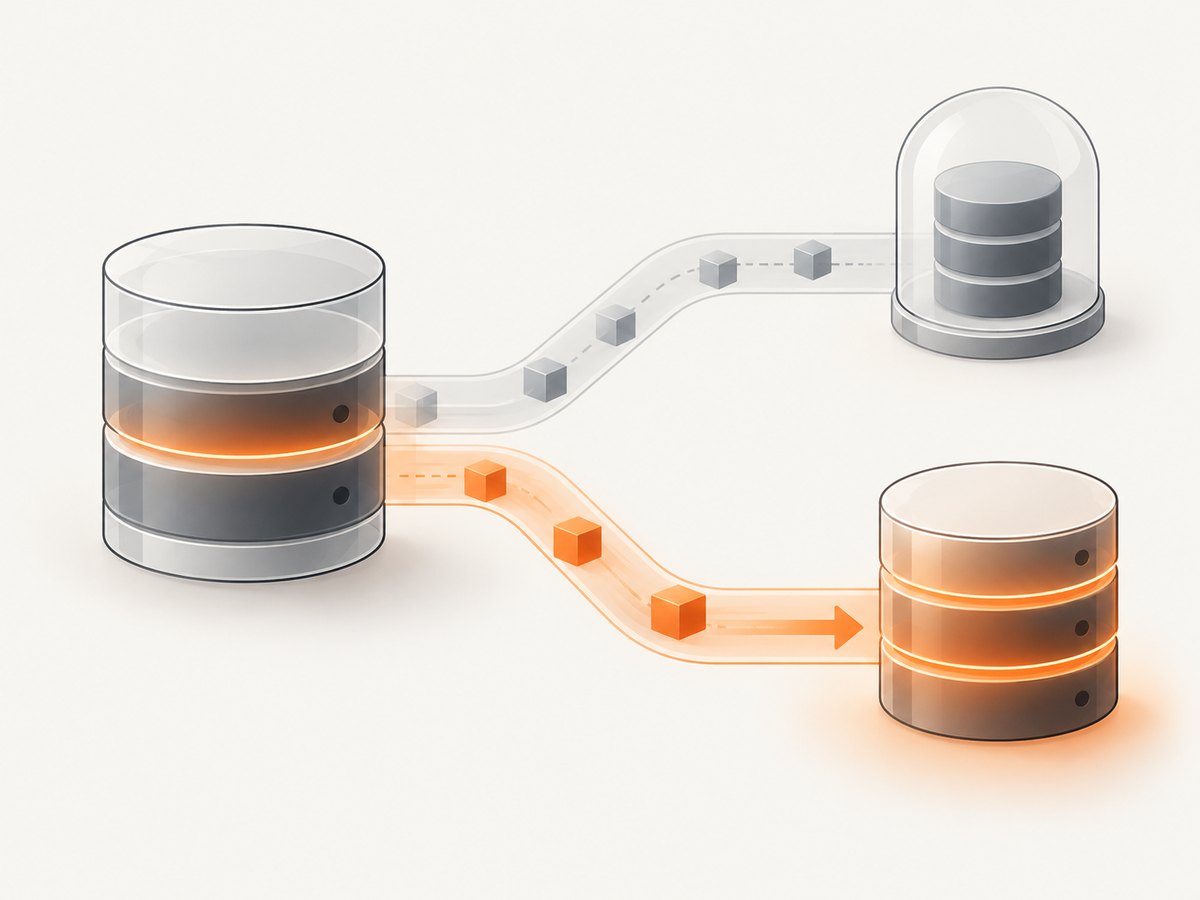
Copy-on-write
At snapshot time, the original blocks are still shared by the live system and the snapshot. When the live system wants to overwrite a block, the storage layer first preserves the old block for the snapshot, then writes the new data for the live system. The snapshot therefore continues to show the old contents.
- Create the snapshot at time T.
- The live system and snapshot initially reference the same blocks.
- A later write changes block B.
- The old version of B remains available to the snapshot; the new version belongs to the live system.
Microsoft SQL Server documents this page-level behavior for database snapshots. Sparse files or changed-page areas grow as source pages are modified, so snapshot storage consumption depends on how much data changes after creation.
Incremental or changed-block tracking
Some disk services track changed blocks and store only the data needed to represent each point in time. A first snapshot may establish a base, while later snapshots record differences. The service still presents a complete point-in-time disk when you restore or create a disk from it.
What a snapshot does not automatically include
- Application transactions that were still in progress, unless the platform provides application-consistent coordination.
- Data stored outside the captured disk, volume, database, or VM.
- Secrets, external services, queues, or network state that are not part of the snapshot scope.
- A separate copy that survives loss of the original storage system.
Snapshots by platform
Storage, disk, and volume snapshots
A disk or volume snapshot captures storage contents at a point in time. You can commonly use it to create a new disk, make a clone for testing, inspect old files, or roll back a change. Many cloud snapshots are incremental and consume additional space as blocks change.
Before relying on one, check the provider’s documentation for consistency guarantees, encryption behavior, cross-region copying, retention limits, deletion dependencies, and whether snapshots are crash-consistent or application-consistent.
Database snapshots
A database snapshot provides a read-only view of the source database as it existed when the snapshot was created. It is useful for reports that must not compete with current writes, investigating a mistaken update, or comparing current data with an earlier state.
Database snapshots are usually dependent on the source database and its storage. If the source or host is lost, the snapshot may be unavailable. They are therefore a convenience for inspection and rollback scenarios, not a replacement for a backup and restore plan.
Virtual-machine snapshots and checkpoints
A VM snapshot records some combination of virtual disks, VM configuration, hardware settings, and running state. Hyper-V calls its VM snapshots checkpoints and describes them as capturing the VM’s state, data, and hardware configuration. Oracle VirtualBox snapshots preserve VM settings and attached virtual disks; restoring one undoes disk changes made afterward.
Whether memory is included matters. A snapshot taken while a VM is running may restore it to a paused or resumed state, while a disk-only snapshot restores storage but requires the guest operating system to boot again. Read the hypervisor’s definition of “snapshot” or “checkpoint” before assuming it contains RAM.
Snapshot versus backup
A snapshot is a point-in-time mechanism inside a storage, database, filesystem, or virtualization system. A backup is an independent copy intended to remain available if the original system, host, or storage fails.
| Question | Snapshot | Backup |
|---|---|---|
| Primary purpose | Fast rollback, cloning, or historical inspection | Recovery after deletion, corruption, hardware loss, or disaster |
| Typical location | Same platform or storage system | Separate storage, account, region, or provider |
| Restore speed | Often fast | Depends on backup size and location |
| Independence from source | May depend on the source and snapshot chain | Designed to stand alone |
| Application consistency | Platform-dependent | Controlled by the backup process and database tooling |
| Disaster protection | Limited unless copied elsewhere | Can protect against host or storage failure |
Microsoft’s guidance warns that VM checkpoints do not protect against host failures and that database snapshots do not substitute for backups. A resilient plan may use snapshots for quick operational recovery and separate backups for disaster recovery.
What happens when you restore a snapshot?
Restoring normally makes the selected resource match the snapshot’s earlier state. Changes made after the snapshot may be discarded, hidden behind a new disk, or retained as a separate branch, depending on the product.

- Confirm the scope. Identify which disk, database, volume, or VM the snapshot represents.
- Stop or quiesce writes when required. A live restore can produce an inconsistent application state if the platform does not coordinate writes.
- Preserve current data. Create a new snapshot or backup before destructive rollback.
- Restore or create a new resource. Some services restore in place; others create a new disk or instance from the snapshot.
- Validate the application. Check database integrity, service configuration, permissions, network identity, and recent transactions.
Consistency levels to check
- Crash-consistent: Equivalent to the data that would remain after an unexpected power loss.
- Filesystem-consistent: The filesystem has completed metadata operations and can mount cleanly.
- Application-consistent: The application or database has flushed data and coordinated the capture.
- Transactionally consistent: Database transactions are represented according to the database engine’s guarantees.
Do not infer a stronger guarantee from the word “snapshot.” Confirm the provider’s documented behavior and use database-native tools when transaction consistency is required.
Storage growth, performance, and cost
Storage growth
Copy-on-write snapshots grow as the source changes. A high-write workload can consume far more snapshot storage than a quiet workload. Long snapshot chains can also increase management complexity. Set retention limits and monitor usage.
Performance
The first write to a block after a copy-on-write snapshot may require preserving the old block, adding latency. Read performance can also depend on how many snapshot layers or changed-block mappings must be resolved. Measure with your workload instead of assuming every snapshot is free of overhead.
Cost
Providers may charge for stored snapshot data, API operations, cross-region copies, and data transfer. Incremental pricing often reflects changed blocks rather than the logical size of the disk, but billing rules differ. Review retention, deletion, and replication costs before creating snapshots automatically.
Common mistakes and troubleshooting
| Symptom | Likely cause | Fix |
|---|---|---|
| Restore loses recent files | Rollback returned the resource to the snapshot time | Back up current data first; restore to a new resource when possible |
| Snapshot storage keeps growing | Many blocks changed after creation | Shorten retention, remove unused snapshots, or use an appropriate backup policy |
| Database will not start after restore | Crash-consistent storage or incomplete transaction state | Use database recovery tools or an application-consistent snapshot |
| VM boots with old settings | Configuration or hardware state was included | Review the checkpoint contents and reapply intended configuration |
| Snapshot disappears with the source | Snapshot depends on the original host, volume, or chain | Export or copy an independent backup to separate storage |
| Restore is slower than expected | Deep snapshot chain, remote storage, or lazy block hydration | Flatten or consolidate where supported and test recovery time |
| Application data looks inconsistent | Writes were active during capture | Quiesce the application or use its native backup and snapshot integration |
Snapshot, image, clone, and backup: quick distinctions
- Snapshot: A point-in-time view, often tied to a source resource.
- Image: A reusable packaged representation used to create new instances or disks; it may be built from a snapshot.
- Clone: A separate working copy of data or a system, usually created from a snapshot or image.
- Backup: An independent recovery copy retained for loss, corruption, or disaster scenarios.
- Screenshot: A captured visual image of a display or webpage, not a storage-state snapshot.
When should you use a snapshot?
- Before a risky software, schema, or operating-system change.
- To create a disposable test environment from production-like data.
- To inspect a previous filesystem or database state.
- To provide a fast rollback option during a maintenance window.
- To create a source for a clone or new disk.
Use a separate, tested backup when the requirement is disaster recovery, long-term retention, legal preservation, or protection from loss of the original host or storage system.
Webpage snapshots are different
Developers also use “snapshot” to mean a visual capture of a webpage. A webpage screenshot records what a browser rendered at a moment; it does not preserve a disk, database, VM, or filesystem state. For repeatable visual captures, control the URL, viewport, device scale, page readiness, authentication, and dynamic content.
Or skip the browser setup
ScreenshotNeo captures a URL with one GET request and returns PNG, JPEG, WebP, or PDF. Its browser workflow accepts cookie and consent banners, removes more than 60 known consent platforms plus newsletter popups and chat widgets, and lets you turn each step off. Bot checks, blank pages, timeouts, failed loads, and cache hits are not billed; response headers identify the page verdict and billing result.
See the ScreenshotNeo API documentation for all options.
curl -G "https://api.screenshotneo.com/v1/shot" -d access_key=YOUR_API_KEY --data-urlencode url=https://stripe.com -o shot.webpimport requests
r = requests.get("https://api.screenshotneo.com/v1/shot", params={"access_key": "YOUR_API_KEY", "url": "https://stripe.com"}, timeout=90)
open("shot.webp", "wb").write(r.content)const q = new URLSearchParams({ access_key: 'YOUR_API_KEY', url: 'https://stripe.com' });
const res = await fetch(`https://api.screenshotneo.com/v1/shot?${q}`);ScreenshotNeo also provides an MCP server with take_screenshot, get_page_info, and capture_pdf tools for Claude, Cursor, and other MCP clients. The Free plan includes 1,000 screenshots per month with no card; paid plans start at $5 for 3,000 shots. Create a free ScreenshotNeo account.
FAQ
Is a snapshot a full copy?
Not always. Copy-on-write and incremental systems often store shared blocks plus changed data while presenting a complete point-in-time view.
Can I keep using the system after taking a snapshot?
Usually yes. The live resource continues changing while the snapshot preserves the earlier view, subject to the platform’s consistency and performance behavior.
Does restoring a snapshot undo every change?
It undoes changes within the snapshot’s scope. External systems, separate volumes, and data written outside that scope are unaffected.
How long should snapshots be retained?
Retain them for the rollback or inspection window you need, then delete them according to a tested backup and recovery policy. Longer retention can increase storage cost and dependency chains.
Is a screenshot the same as a computer snapshot?
No. A screenshot is a visual rendering of a screen or webpage. A computer snapshot preserves underlying data or system state.


