How to Sort Lists in Python
Learn sorted(), list.sort(), key functions, descending order, stable multi-key sorting, and practical fixes for common Python errors.

Python gives you two main ways to sort data: sorted() returns a new list, while list.sort() reorders an existing list in place. Both support a derived comparison key with key= and descending order with reverse=True. Python sorting is stable, so items with equal keys keep their original relative order.
Use sorted() when the original iterable must remain unchanged or when the input is not necessarily a list. Use .sort() when you own a list and want to reorder it without creating another list.
1. The two basic approaches
sorted(): create a new list
numbers = [5, 2, 3, 1, 4]
new_numbers = sorted(numbers)

print(new_numbers)  # [1, 2, 3, 4, 5]
print(numbers)      # [5, 2, 3, 1, 4]
sorted() accepts any iterable, including lists, tuples, sets, dictionaries, generators, and strings. It always returns a list.

list.sort(): modify the list in place
numbers = [5, 2, 3, 1, 4]
result = numbers.sort()

print(numbers)  # [1, 2, 3, 4, 5]
print(result)   # None
The method changes the existing list and deliberately returns None. Do not write numbers = numbers.sort(); that replaces your variable with None.
| Question | sorted() |
list.sort() |
|---|---|---|
| Does it preserve the input? | Yes | No |
| What inputs are accepted? | Any iterable | Only a list |
| What does it return? | A new list | None |
| When is it useful? | Keep the original, sort a generator, or create multiple orderings | Reorder a list efficiently in place |
The Python documentation describes the distinction directly: the list method modifies the list in place, while the built-in function builds a new sorted list from an iterable. See the official Sorting HOW TO and the sorted() reference.
2. Sort ascending or descending
Ascending order is the default. Pass reverse=True for descending order.
scores = [72, 91, 65, 88]

lowest_first = sorted(scores)
highest_first = sorted(scores, reverse=True)

scores.sort(reverse=True)  # in-place descending sort

print(lowest_first)   # [65, 72, 88, 91]
print(highest_first)  # [91, 88, 72, 65]
reverse=True reverses the final ordering while preserving sort stability. It is usually clearer than negating values, especially when sorting strings or custom objects.
3. Sort with a key function
Use key= when the value to compare is derived from each item. The key must be a one-argument callable. Python calculates it once per input element, then compares the resulting keys.
words = ["pear", "banana", "fig", "watermelon"]
by_length = sorted(words, key=len)

print(by_length)  # ['fig', 'pear', 'banana', 'watermelon']
A lambda is useful for a small expression:
people = [
    {"name": "Ada", "age": 36},
    {"name": "Grace", "age": 28},
]

by_age = sorted(people, key=lambda person: person["age"])
print(by_age)
# [{'name': 'Grace', 'age': 28}, {'name': 'Ada', 'age': 36}]
For reusable or more readable code, define a function:
def age_of(person):
    return person["age"]

by_age = sorted(people, key=age_of)
If the key is an attribute, operator.itemgetter() and operator.attrgetter() make the intent explicit:
from operator import itemgetter, attrgetter

by_name = sorted(people, key=itemgetter("name"))

class User:
    def __init__(self, name, score):
        self.name = name
        self.score = score

users = [User("Ada", 91), User("Grace", 87)]
by_score = sorted(users, key=attrgetter("score"), reverse=True)
4. Sort dictionaries, objects, and nested data
Dictionaries by a field
products = [
    {"name": "Keyboard", "price": 80},
    {"name": "Mouse", "price": 35},
    {"name": "Monitor", "price": 240},
]

cheapest = sorted(products, key=lambda product: product["price"])
most_expensive = sorted(products, key=lambda product: product["price"], reverse=True)
Objects by an attribute
from operator import attrgetter

class File:
    def __init__(self, path, size):
        self.path = path
        self.size = size

files = [File("b.bin", 20), File("a.bin", 5)]
files_by_size = sorted(files, key=attrgetter("size"))
Nested fields
orders = [
    {"id": 1, "customer": {"name": "Ada"}},
    {"id": 2, "customer": {"name": "Grace"}},
]

by_customer = sorted(orders, key=lambda order: order["customer"]["name"])
If a field may be absent, use a default deliberately rather than allowing a surprising KeyError:
by_priority = sorted(tasks, key=lambda task: task.get("priority", 999))5. Multi-key sorting and stability
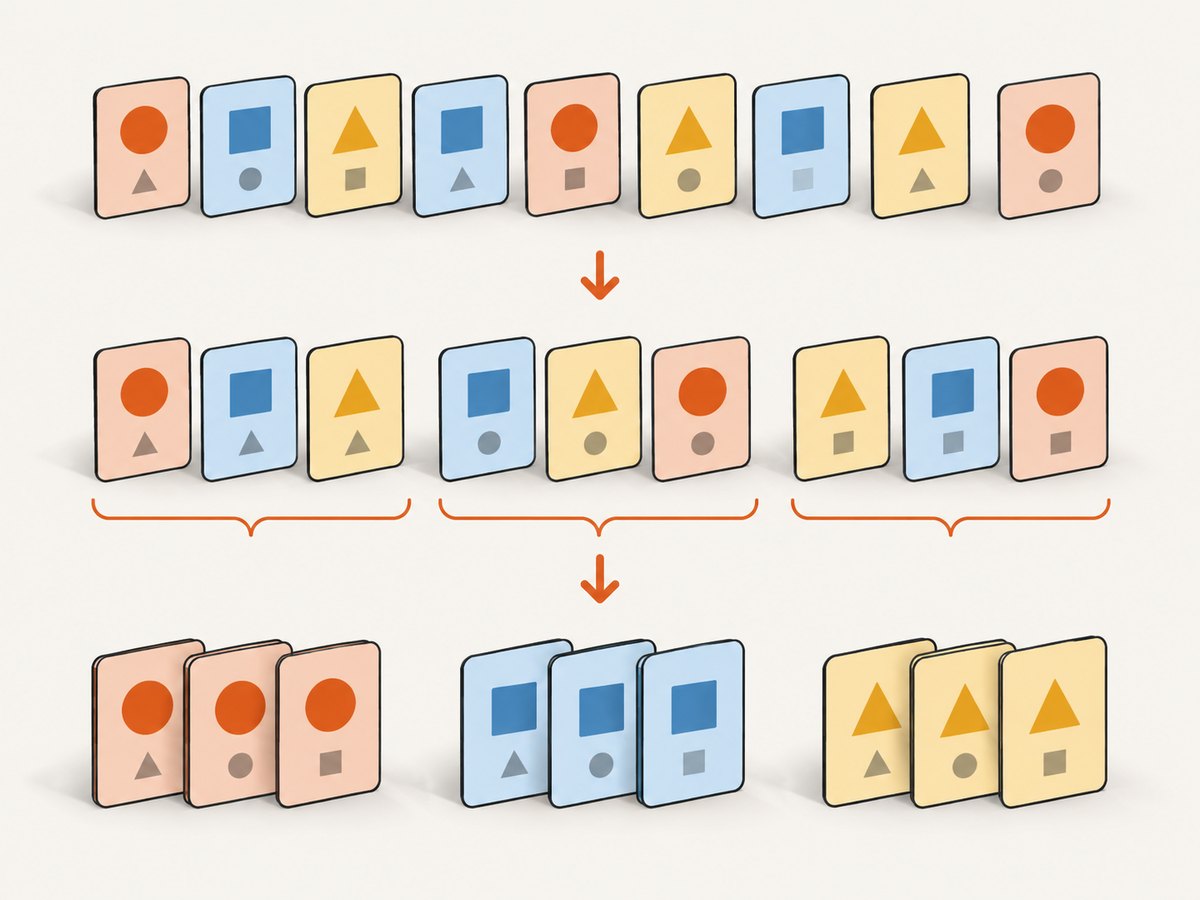
Python sorting is stable. If two records have equal keys, their original order is retained. This lets you sort by a secondary field first and then a primary field.
rows = [
    {"department": "Engineering", "salary": 120000},
    {"department": "Sales", "salary": 90000},
    {"department": "Engineering", "salary": 95000},
]

rows.sort(key=lambda row: row["salary"])       # secondary key
rows.sort(key=lambda row: row["department"])  # primary key
A tuple key is usually shorter:
ordered = sorted(rows, key=lambda row: (row["department"], row["salary"]))Tuple fields are compared from left to right. For mixed directions, use multiple stable passes:
# Department ascending, salary descending
rows.sort(key=lambda row: row["salary"], reverse=True)
rows.sort(key=lambda row: row["department"])
Because the primary sort happens last, the salary ordering remains correct within each department.
6. Strings, case, and locale-aware order
Normal string sorting compares Unicode code points, so uppercase and lowercase may not appear together as users expect.
names = ["zoe", "Ada", "grace"]
print(sorted(names))                 # ['Ada', 'grace', 'zoe']
print(sorted(names, key=str.casefold)) # case-insensitive order
For human-language alphabetical order, use locale-aware transformation functions. The Sorting HOW TO recommends locale.strxfrm() as a key function and locale.strcoll() when a comparison function is required.
import locale
from functools import cmp_to_key

locale.setlocale(locale.LC_COLLATE, "")
words = ["ångström", "apple", "Éclair"]
locale_order = sorted(words, key=locale.strxfrm)

# Equivalent comparison-style approach:
comparison_order = sorted(words, key=cmp_to_key(locale.strcoll))
7. Missing values and incomparable types
Sorting relies on less-than comparisons. Values that cannot be compared can raise TypeError. For example, integers, strings, and None do not form one naturally ordered set in Python 3.
# TypeError: '<' not supported between instances of 'str' and 'int'
# sorted([3, "2", 1])
Normalize values before sorting:
raw_numbers = ["10", "2", "30"]
numbers = sorted(raw_numbers, key=int)

records = [{"name": "Ada", "age": None}, {"name": "Grace", "age": 28}]
by_age = sorted(records, key=lambda record: (
    record["age"] is None,
    record["age"] if record["age"] is not None else 0,
))
The tuple above places real ages first and missing ages last. Choose the policy that matches your application.
8. Sorting generators and other iterables
sorted() consumes the iterable and materializes a list, so it works with generators but requires memory for all items.
def numbers_from_file(path):
    with open(path) as handle:
        for line in handle:
            yield int(line)

ordered = sorted(numbers_from_file("numbers.txt"))
There is no in-place sort() method on a generator. For data larger than memory, use an external sort strategy or a database query with ORDER BY.
9. Performance and reliability notes
- Both approaches use Python's Timsort, which can take advantage of existing order in the input.
- A key function is called once per element, so compute expensive normalized values in the key rather than repeatedly inside a comparison function.
list.sort()avoids the additional result list, whilesorted()is safer when other code still needs the original order.- Sorting is stable, making repeated passes predictable for grouped or report data.
- Do not inspect or mutate a list while its
sort()method is running. The CPython reference describes that behavior as undefined and notes that mutation may raiseValueError.
For repeated lookups, decorate data with a computed key once, sort it, and then remove the decoration. In ordinary code, the built-in key= argument already provides this optimization without a manual decorate-sort-undecorate implementation.
10. Troubleshooting checklist
| Symptom | Cause | Fix |
|---|---|---|
The variable becomes None |
Assigned the return value of .sort() |
Call items.sort() separately, or use items = sorted(items) |
TypeError comparing values |
Mixed or incomparable types | Normalize values or provide a key that returns one comparable type |
KeyError in a key function |
A record lacks the requested field | Use dict.get(), validate input, or supply a fallback |
| Wrong case order | Unicode code-point order differs from user expectations | Use str.casefold or locale-aware keys |
| Equal records appear shuffled | Input order changed before sorting, or a second operation reordered them | Keep the original sequence and rely on stable sorting |
| Large input uses too much memory | sorted() materializes the complete result |
Use in-place sorting where safe, or an external/database sort |
11. Complete runnable example
from operator import itemgetter

people = [
    {"name": "Ada", "department": "Engineering", "age": 36},
    {"name": "Grace", "department": "Engineering", "age": 28},
    {"name": "Lin", "department": "Design", "age": 31},
]

# Preserve the input and sort by age.
by_age = sorted(people, key=itemgetter("age"))

# Department ascending, then age descending.
by_department_and_age = sorted(
    people,
    key=lambda person: (person["department"], -person["age"]),
)

# Reorder the original list in place by name.
people.sort(key=itemgetter("name"))

print(by_age)
print(by_department_and_age)
print(people)
12. Or skip the browser setup
If your Python workflow also needs clean screenshots of sorted reports, dashboards, or documentation pages, ScreenshotNeo provides a website screenshot API. One GET request returns PNG, JPEG, WebP, or PDF output; the API details and all options are in the ScreenshotNeo documentation.
curl -G "https://api.screenshotneo.com/v1/shot" -d access_key=YOUR_API_KEY --data-urlencode url=https://stripe.com -o shot.webpimport requests
r = requests.get("https://api.screenshotneo.com/v1/shot", params={"access_key": "YOUR_API_KEY", "url": "https://stripe.com"}, timeout=90)
open("shot.webp", "wb").write(r.content)const q = new URLSearchParams({ access_key: 'YOUR_API_KEY', url: 'https://stripe.com' });
const res = await fetch(`https://api.screenshotneo.com/v1/shot?${q}`);Cookie banners, newsletter popups, and chat widgets are removed before the shot. Bot checks, blank pages, timeouts, failed loads, and cache hits are not billed, and response headers identify the page verdict and billing status. An MCP server lets Claude, Cursor, and other MCP clients take screenshots. The Free plan includes 1,000 screenshots each month with no card; paid plans start at $5 for 3,000.
Create a free ScreenshotNeo account and try the API with your Python project.
13. FAQ
Should I use sorted() or .sort()?
Use sorted() when you need the original sequence or are sorting any iterable. Use .sort() when changing an existing list is intentional.
Can I sort in descending order with a key?
Yes. Pass both arguments, for example sorted(rows, key=lambda row: row["score"], reverse=True).
Does Python sorting preserve ties?
Yes. Sorting is stable, so equal-key items retain their previous relative order.
How do I sort by two fields in opposite directions?
Use stable passes, sorting the secondary field first, or build a tuple key with a negated numeric field where appropriate.
Why does my key function fail?
Check that every item has the expected shape and that the key returns mutually comparable values. Handle missing fields and normalize mixed types before sorting.


