How to Speed Up ABCpdf When Generating Large PDFs from HTML or URLs
Profile retrieval, HTML size, rendering engines, timeouts and layout options to make large ABCpdf PDF jobs faster and more reliable.
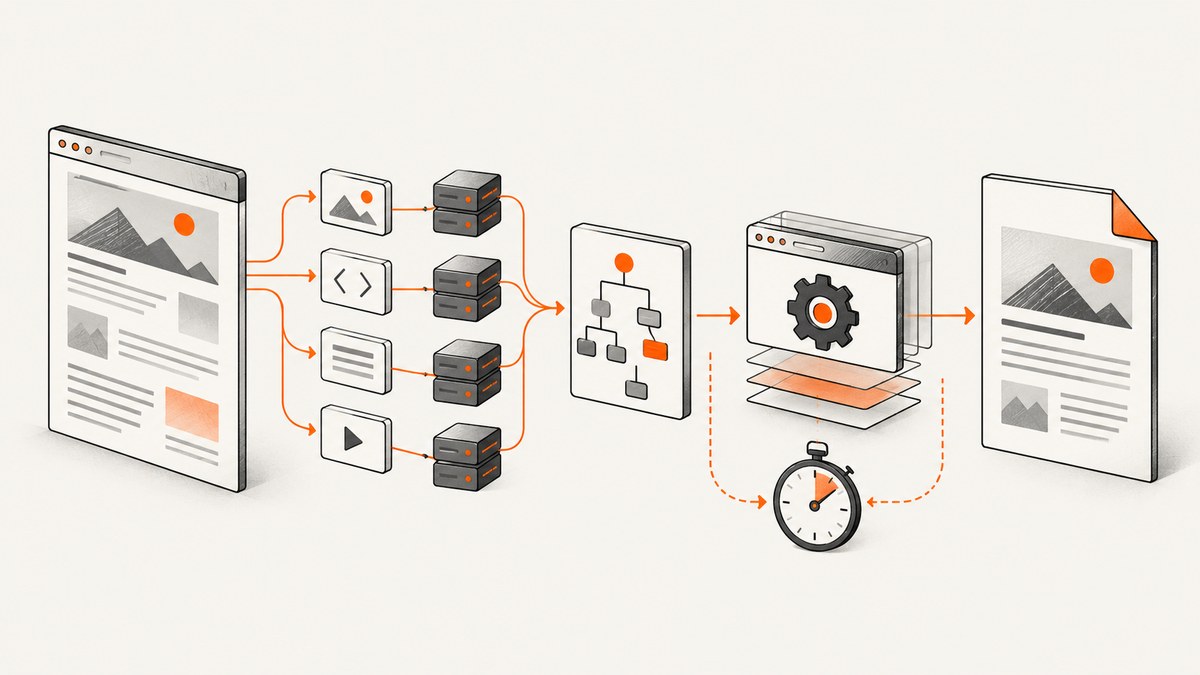
Large ABCpdf jobs usually become slow for four reasons: the source takes a long time to retrieve, the HTML and its related resources are large, the markup is expensive to lay out, or the machine running ABCpdf is underpowered. Start by measuring those inputs. Changing rendering switches before finding the bottleneck can make troubleshooting harder.
For large in-memory documents, AddImageHtml is a convenience API, not a faster rendering path. WebSupergoo’s documentation says it writes supplied HTML to a temporary file for several engines and recommends saving HTML to a file and rendering a file:// URL when the string is larger than roughly one megabyte. Read the AddImageHtml documentation.
1. Find the slow stage before changing ABCpdf
Measure a representative large document in separate stages:
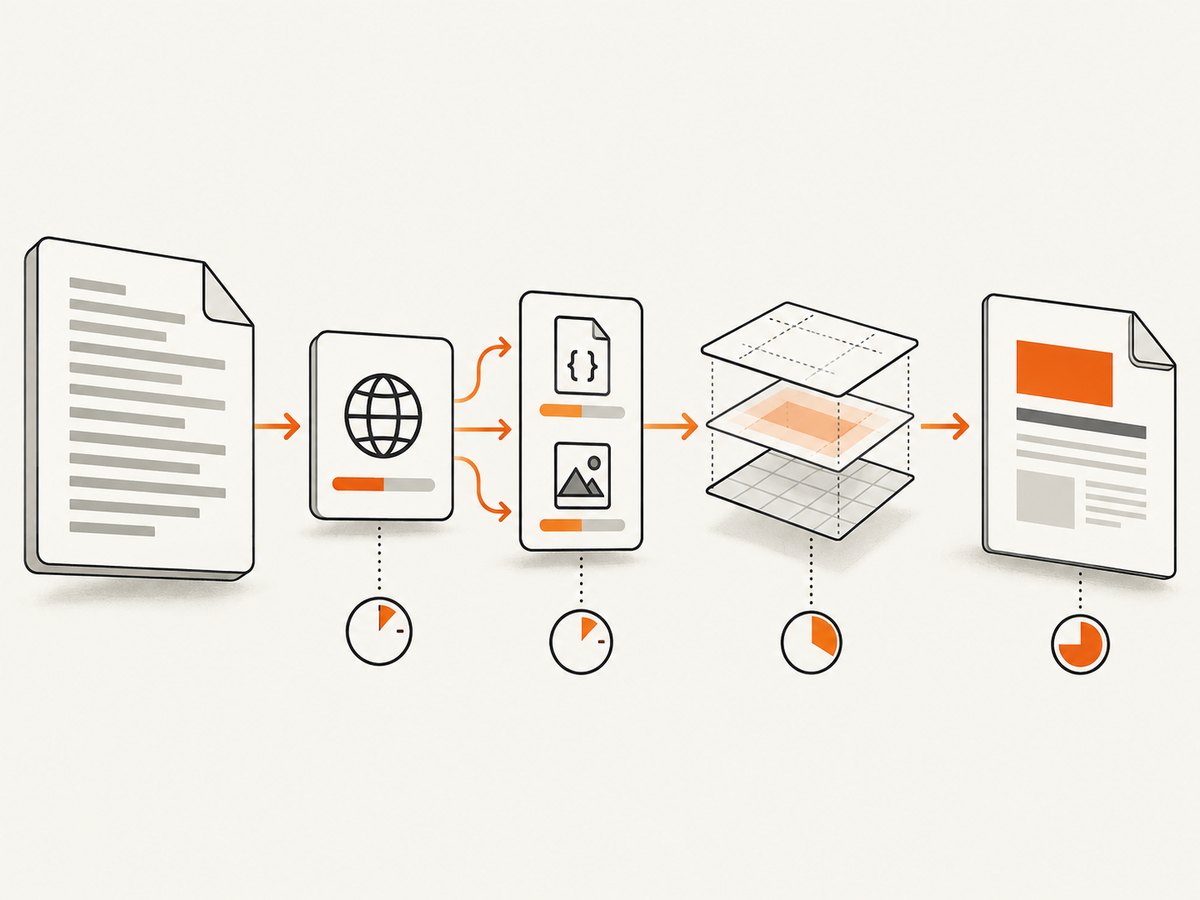
- Time the HTTP request, including redirects, DNS, TLS and authentication.
- Record the size and count of HTML, CSS, JavaScript, font and image responses.
- Measure HTML parsing and layout time with external resources disabled, then enabled.
- Measure PDF serialization and file writing separately.
- Repeat on the production machine under the expected concurrency.
The official HTML and CSS rendering guide identifies retrieval time, HTML size, related-resource size, HTML complexity and computer speed as the major variables. Keep a log containing URL, engine, document size, elapsed milliseconds, timeout, retry count, output pages and exception text.
A minimal timing harness
using System;
using System.Diagnostics;
using WebSupergoo.ABCpdf13;

class Program
{
    static void Main()
    {
        var timer = Stopwatch.StartNew();
        using var doc = new Doc();
        doc.HtmlOptions.Timeout = 60000;
        doc.HtmlOptions.RetryCount = 0;
        int imageId = doc.AddImageUrl("https://example.com/large-report");
        timer.Stop();
        Console.WriteLine($"First render: {timer.ElapsedMilliseconds} ms");

        while (doc.Chainable(imageId))
        {
            imageId = doc.AddImageToChain(imageId);
        }
        doc.Save("report.pdf");
    }
}
Use the same URL and options for every comparison. A single run can be dominated by cache state or a transient network delay, so collect several runs and compare the distribution, not only the fastest result.
2. Use file-based HTML for very large input
AddImageHtml accepts a string, which is convenient for templates and short fragments. It does not provide a performance optimization. With very large strings, memory copies, temporary-file handling and parsing can become significant. The documentation specifically suggests writing HTML to disk and passing a file URL when the document is larger than perhaps one megabyte.
using System;
using System.IO;
using WebSupergoo.ABCpdf13;

class FileRender
{
    static void Main()
    {
        string html = File.ReadAllText("report.html");
        string path = Path.GetFullPath("report.html");
        string fileUrl = new Uri(path).AbsoluteUri;

        using var doc = new Doc();
        doc.HtmlOptions.Timeout = 60000;
        doc.HtmlOptions.RetryCount = 0;
        int id = doc.AddImageUrl(fileUrl);
        while (doc.Chainable(id)) id = doc.AddImageToChain(id);
        doc.Save("report.pdf");
    }
}
File URLs also make relative references predictable: a stylesheet at css/report.css resolves relative to the HTML file. If you must use a string, convert relative links to absolute URLs or provide a base location where your selected engine supports it. A missing base URL can cause images and stylesheets to fail, which often looks like slow rendering while the engine waits for resources.
3. Reduce retrieval and resource cost
For URL input, optimize the page as a web request before optimizing ABCpdf:
- Remove redirects and avoid redirect chains.
- Serve print-specific HTML with only the data needed in the PDF.
- Compress large images and avoid loading images that are outside the printed pages.
- Self-host or prefetch fonts when third-party font servers are slow.
- Return stable content without analytics, advertisements or unrelated widgets.
- Provide authentication headers or cookies deliberately and verify that protected resources are reachable by the renderer.
- Ensure JavaScript finishes quickly; replace client-side data fetching with server-rendered markup when possible.
Profile the page with browser developer tools or server logs, then compare a stripped-down version. If the stripped page is fast, reintroduce CSS, scripts and images in groups until the expensive resource is identified.
4. Disable layout work your document does not need
ABCpdf’s HTML/CSS guide reports vendor test improvements on simple HTML when unused features are disabled: about 30% with HostWebBrowser disabled, about 10% with DoMarkup disabled and about 7% with AdjustLayout disabled. These are input-dependent documentation figures, not guarantees. Test each change against your actual layouts and compare output fidelity.
using var doc = new Doc();
var options = doc.HtmlOptions;
options.HostWebBrowser = false;
options.DoMarkup = false;
options.AdjustLayout = false;
options.Timeout = 60000;
options.RetryCount = 0;
int id = doc.AddImageUrl("https://example.com/report");
while (doc.Chainable(id)) id = doc.AddImageToChain(id);
doc.Save("report.pdf");
Do not disable an option merely because it is faster in a small sample. Check page breaks, CSS positioning, headers, footers, forms and generated content. Keep a visual regression PDF for every production template.
5. Select and benchmark the HTML engine
ABCpdf supports multiple HTML engines, and they interpret HTML differently. ABCChrome modules are selected through HtmlOptions.Engine. A faster engine that changes CSS or JavaScript behavior may be unusable for your documents. Benchmark representative pages on:
| Dimension | What to record |
|---|---|
| Speed | Median and high-percentile wall-clock time |
| Fidelity | Fonts, CSS layout, JavaScript output and page breaks |
| Resources | Memory, child processes and network behavior |
| Operations | Timeouts, retries and recoverability |
Change one engine setting at a time. Keep the engine choice explicit in configuration so a library upgrade cannot silently change production output.
6. Configure timeout and retries together
XHtmlOptions.Timeout defaults to 20,000 milliseconds. Increase it when a legitimate page needs more time, especially when it loads remote fonts or large images. A longer timeout does not fix a page that is waiting on an unreachable host.
RetryCount controls repeated attempts. If the HTML is already available locally, a retry cannot repair a deterministic layout error; set it to zero to avoid multiplying elapsed time. For transient network failures, use a small retry count and cap the total job duration at the application level.
var options = doc.HtmlOptions;
options.Timeout = 90000;
options.RetryCount = 1;
Log timeout and retry values with every job. Otherwise a change from one retry to three can look like a rendering regression when it is actually policy.
7. Keep media and script settings valid
Print media is the documented default. Gecko Screen media requires UseScript = true; an invalid combination raises an exception. Set media and script options as a pair and test both the visual result and runtime.
var options = doc.HtmlOptions;
options.Media = MediaType.Print;
options.UseScript = true;
Use print media when the page has a print stylesheet and does not require browser-screen behavior. If your layout depends on screen CSS or JavaScript, benchmark that configuration instead of assuming print mode is faster.
8. Handle concurrency, memory and reliability
Large PDF rendering is resource intensive. Limit concurrent jobs according to available CPU and memory, and place a queue in front of the renderer. Multiple simultaneous browser engines can exhaust memory before CPU reaches 100 percent. Reuse stable configuration, but isolate documents so one failed job cannot corrupt another.
- Set an application deadline shorter than the worker shutdown deadline.
- Delete temporary HTML files in a finally block.
- Write PDFs to a temporary name, then rename after a successful save.
- Capture exception text, URL, engine, timeout, retry count and resource identifiers.
- Retry only failures that are plausibly transient.
For repeatable output, pin fonts, CSS and image versions. A remote page can change between runs even when your ABCpdf code is unchanged.
9. Troubleshooting checklist
| Symptom | Likely cause | Fix |
|---|---|---|
| Timeout on a large URL | Slow server, redirect chain or blocked resource | Inspect network timings, remove redirects, fix access and raise Timeout only after measuring. |
| Large AddImageHtml call consumes memory | Very large in-memory string and temporary-file handling | Save HTML to disk and render a file URL. |
| Images or CSS are missing | Relative URLs have no base location | Use a file URL, absolute URLs, a supported BaseURI or a BASE element. |
| Same job takes several timeout periods | RetryCount repeats a deterministic failure | Set RetryCount to zero or a small value after identifying the failure. |
| Screen media throws an exception | Gecko Screen selected with UseScript disabled | Enable UseScript and retest. |
| PDF is faster but visually wrong | Engine or layout feature changed | Compare representative pages and restore the setting required for fidelity. |
| ASP cannot create temporary files | Worker identity lacks temp-directory access | Grant the application identity the required temporary-directory permissions, following your hosting policy. |
10. A complete optimization workflow
- Capture a baseline with the current engine, timeout and retry settings.
- Measure retrieval and resource timings for the exact URL.
- Move HTML larger than roughly one megabyte to a file URL.
- Remove unnecessary scripts, images, fonts and redirects.
- Test HostWebBrowser, DoMarkup and AdjustLayout disabled when unused.
- Benchmark each supported engine for speed and fidelity.
- Set a timeout based on observed tail latency and choose retries based on failure type.
- Run concurrent load tests on the production class of machine.
- Keep visual regression files and operational logs before shipping.
Or skip the browser setup
If your goal is a clean image of a URL rather than a PDF produced by your own ABCpdf pipeline, ScreenshotNeo provides a single website screenshot API call. It accepts PNG, JPEG, WebP or PDF output and exposes the options needed for production captures.
See the ScreenshotNeo API documentation for all 63 options and parameter details.
cURL
curl -G "https://api.screenshotneo.com/v1/shot" -d access_key=YOUR_API_KEY --data-urlencode url=https://stripe.com -o shot.webpPython
import requests
r = requests.get("https://api.screenshotneo.com/v1/shot", params={"access_key": "YOUR_API_KEY", "url": "https://stripe.com"}, timeout=90)
open("shot.webp", "wb").write(r.content)
Node.js
const q = new URLSearchParams({ access_key: 'YOUR_API_KEY', url: 'https://stripe.com' });
const res = await fetch(`https://api.screenshotneo.com/v1/shot?${q}`);
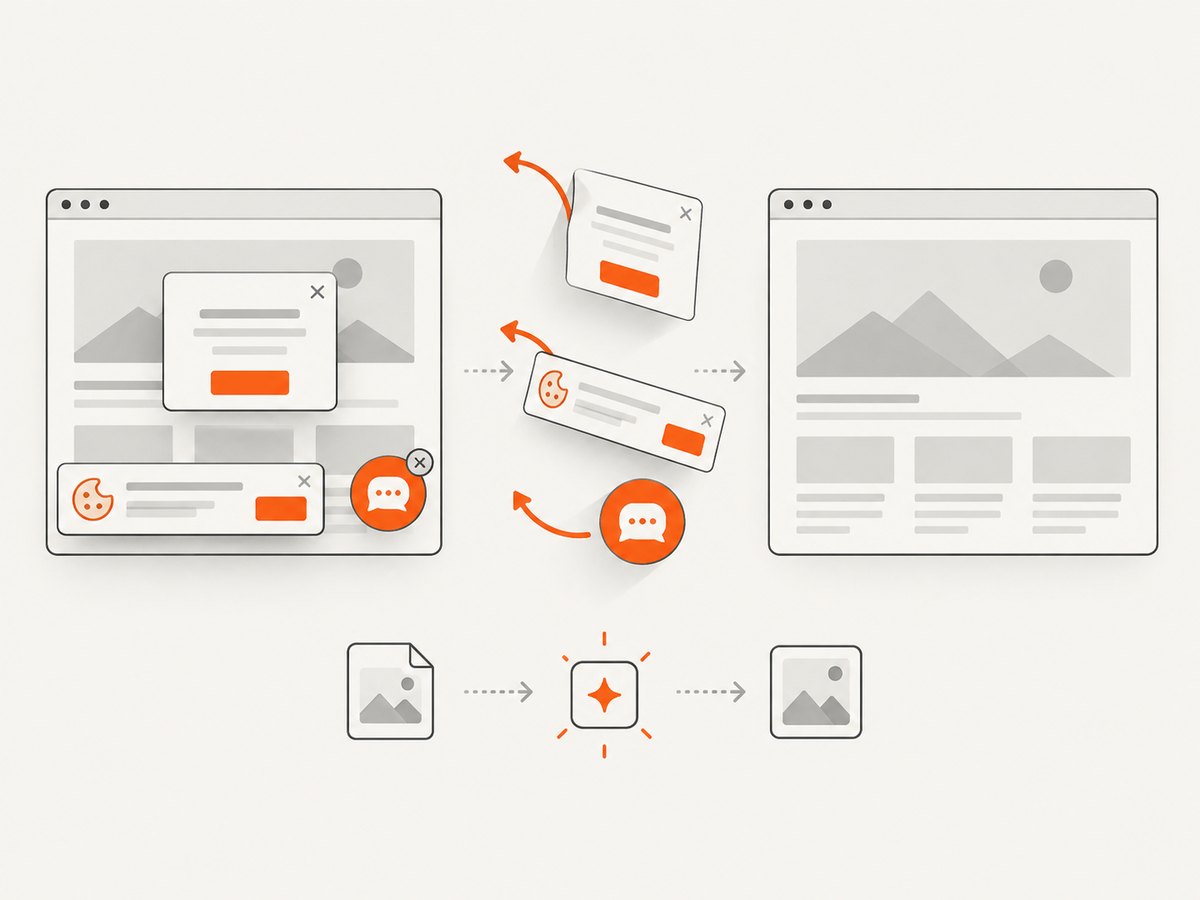
ScreenshotNeo accepts cookie and consent banners before capture and removes more than 60 known consent platforms, newsletter popups and chat widgets; each step can be disabled. Bot checks, blank pages, timeouts, failed loads and cache hits cost nothing, and response headers identify the page verdict and whether the shot was billed. An MCP server provides take_screenshot, get_page_info and capture_pdf tools for Claude, Cursor and other MCP clients. The Free plan includes 1,000 shots each month with no card; paid plans start at $5 for 3,000 shots. Create a free ScreenshotNeo account.
FAQ
Is AddImageHtml faster than AddImageUrl?
No. AddImageHtml is documented as a convenience function without performance enhancements. For very large HTML, a file URL can scale better and resolve relative resources naturally.
Should I always increase Timeout?
Only after measuring a legitimate slow dependency. A higher timeout gives a broken or unreachable resource more time to fail.
Are the 30%, 10% and 7% improvements guaranteed?
No. They are approximate vendor documentation results for simple HTML. Your markup, engine and machine determine the result.
When should I keep retries enabled?
Keep a small retry count for transient network failures. Disable retries for deterministic local rendering errors or when total latency is tightly bounded.
Can a faster engine change the PDF?
Yes. ABCpdf engines interpret HTML, CSS and JavaScript differently. Compare both timing and visual fidelity before changing the production default.


