How to Speed Up Slow Dompdf Rendering
Find the slow stage in Dompdf, then fix oversized images, table pagination, fonts, remote assets, caching and PHP runtime settings.

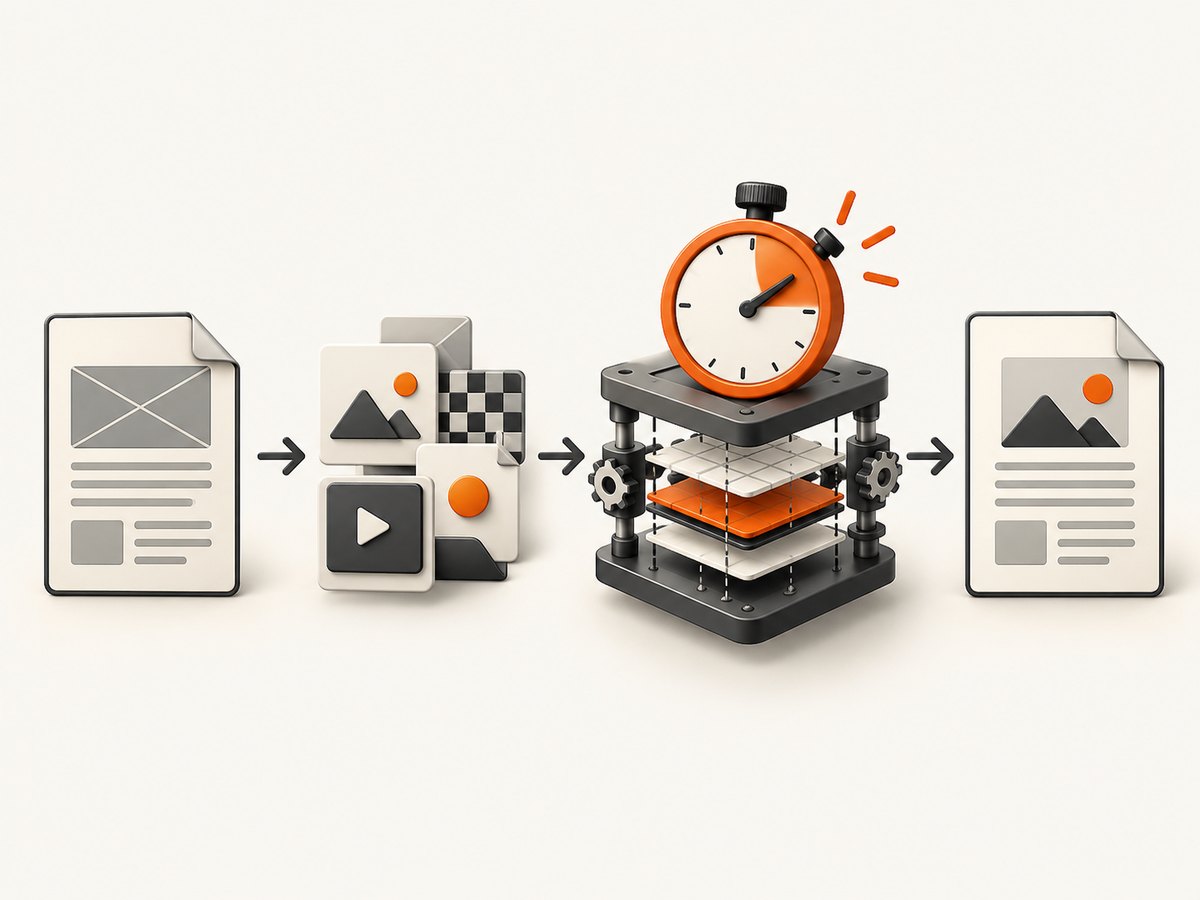
Dompdf becomes faster when you measure its pipeline and fix the stage that dominates. Time HTML generation, asset loading, render(), and output() separately. The most reliable improvements are resizing images, removing unnecessary table pagination constraints, keeping font and temporary directories writable and persistent, enabling OPcache, avoiding repeated remote fetches, and creating one Dompdf instance per document.
1. Measure before changing code
Use the same PHP version, Dompdf version, HTML, assets and output settings as production. A single total time cannot tell you whether the bottleneck is your database, a remote image, layout, or PDF serialization.
<?php
require __DIR__ . '/vendor/autoload.php';

use Dompdf\Dompdf;
use Dompdf\Options;

function mark(string $name, float $start): void {
    printf("%-16s %.3f s\n", $name, microtime(true) - $start);
}

$all = microtime(true);
$start = microtime(true);
$html = file_get_contents(__DIR__ . '/report.html'); // Include template/database work here.
mark('HTML generation', $start);

$options = new Options();
$options->setIsRemoteEnabled(false);
$options->setDpi(96);
$options->setTempDir(__DIR__ . '/var/dompdf-tmp');
$options->setFontDir(__DIR__ . '/var/dompdf-fonts');
$options->setFontCache(__DIR__ . '/var/dompdf-fonts');

$dompdf = new Dompdf($options);
$dompdf->loadHtml($html);
$dompdf->setPaper('A4');

$start = microtime(true);
$dompdf->render();
mark('render()', $start);

$start = microtime(true);
$pdf = $dompdf->output();
mark('output()', $start);
file_put_contents(__DIR__ . '/report.pdf', $pdf);
mark('write PDF', $start);
printf("peak memory      %.1f MB\ntotal             %.3f s\n", memory_get_peak_usage(true) / 1048576, microtime(true) - $all);
Also run fixtures with images removed, with remote assets replaced by local files, and with large tables reduced. If one change collapses the render time, profile that input rather than tuning unrelated PHP code.
2. Fix images first
Images often dominate Dompdf runtime. An issue report measured roughly 45 seconds with a large PNG, about 4 seconds after reverting a version, and about 1 second after using a smaller image; the report identifies image size as the practical fix (Dompdf issue #3612).
- Resize each source to the largest pixel dimensions needed in the PDF.
- Use JPEG or a smaller lossless image when transparency is unnecessary.
- Set explicit CSS dimensions so layout does not depend on unexpected intrinsic sizes.
- Download remote images once and reuse a local, cached copy.
- Inspect CSS
background-imagedeclarations as well as<img>tags. - Do not embed camera-scale PNGs when a 1,200-pixel-wide image is sufficient for the printed area.
<img src="file:///srv/app/cache/logo-1200.jpg" width="600" height="180" alt="Company logo">

.hero {
  width: 600px;
  height: 180px;
  background-image: url("file:///srv/app/cache/hero-1200.jpg");
  background-size: cover;
}
Dompdf’s documentation explains that image resolution depends on source dimensions and rendered size, and that PNGs may be resampled (Dompdf usage documentation).
3. Remove pathological table pagination
A blanket page-break-inside: avoid on every table row can cause repeated splitting and reflow. In issue #3738, reported times for 100, 200, 400 and 800 rows were 1.54, 3.46, 7.92 and 21.63 seconds, respectively (Dompdf issue #3738).
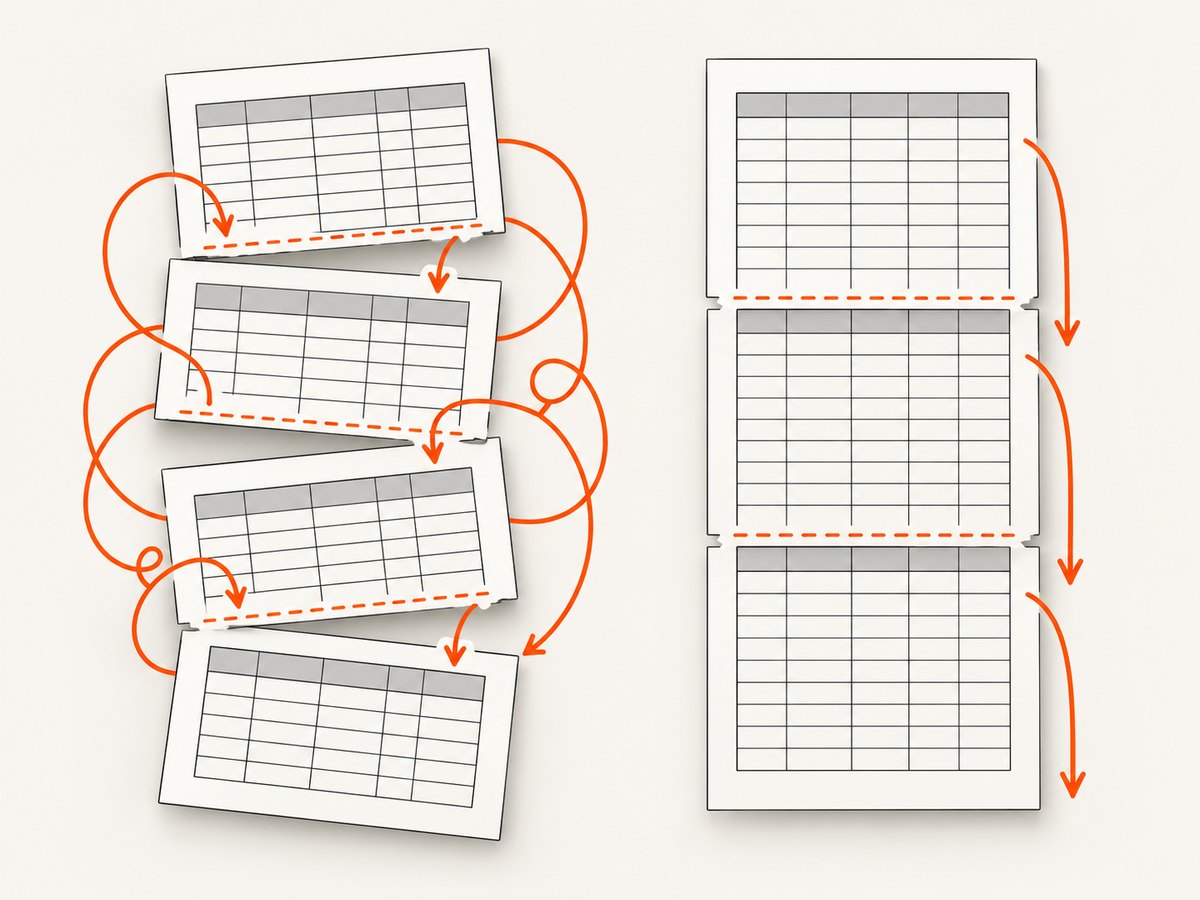
Keep rows atomic only when the business rule requires it. Otherwise let ordinary rows flow across pages, simplify nested markup, or split a long report before rendering.
/* Apply this only to small blocks that must stay together. */
.invoice-summary,
.signature-block {
  page-break-inside: avoid;
}

/* Do not apply page-break-inside: avoid to every tr in a long table. */
table.items tr {
  page-break-inside: auto;
}
For very large reports, paginate the data in application code and generate several PDFs. This reduces the frame tree Dompdf must keep in memory and makes failures easier to retry.
4. Keep fonts and temporary storage reusable
Font metrics are cached, and temporary storage is used for downloaded resources and some rendering backends. Configure directories that exist and are writable by the PHP worker, and keep them stable between requests.
$options->setFontDir('/srv/app/var/dompdf-fonts');
$options->setFontCache('/srv/app/var/dompdf-fonts');
$options->setTempDir('/srv/app/var/dompdf-tmp');
mkdir -p var/dompdf-fonts var/dompdf-tmp
chown -R www-data:www-data var/dompdf-fonts var/dompdf-tmp
chmod 750 var/dompdf-fonts var/dompdf-tmp
Use a small, intentional font set. Verify that every configured font file is readable and that the cache is not deleted on every deployment or request. Dompdf embeds accessible custom fonts, so missing files can affect both speed and layout (Dompdf Options source).
5. Tune DPI deliberately
The current Dompdf options source uses a default DPI of 96. DPI affects background-image resolution, so changing it is a fidelity decision as well as a performance experiment (Options source).
$options->setDpi(96); // Start with the default; compare quality before lowering it.
Lower DPI can reduce work for image-heavy documents, but may make backgrounds or raster artwork visibly softer. Compare page count, text placement and image quality with representative PDFs.
6. Control remote resources
Remote loading is disabled by default. If you need it, enable it explicitly and provide cURL or allow_url_fopen. Prefer local assets for repeatable latency and restrict remote hosts to trusted allowlisted domains.
$options->setIsRemoteEnabled(true);
$options->setAllowedRemoteHosts(['assets.example.com']);
Do not enable unrestricted remote fetching for user-controlled HTML. It adds DNS, TLS and server latency and can create a security exposure. Cache downloaded assets and give them deterministic local paths.
7. Improve the PHP runtime and object lifecycle
- Enable OPcache for production PHP workers; the project README lists it as a performance improvement (Dompdf README).
- Test GD versus Imagick or GMagick on your actual image set. The README notes that Imagick/GMagick can improve some image processing, but there is no universal winner.
- Create a new
Dompdfobject for every document. The project warns that persisted parsing and rendering artifacts can affect later renders. - Reuse configuration, directories and downloaded assets, but do not reuse the renderer instance.
function makePdf(string $html): string {
    $options = new \Dompdf\Options();
    $options->setIsRemoteEnabled(false);
    $options->setTempDir(__DIR__ . '/var/dompdf-tmp');
    $options->setFontDir(__DIR__ . '/var/dompdf-fonts');
    $options->setFontCache(__DIR__ . '/var/dompdf-fonts');

    $dompdf = new \Dompdf\Dompdf($options); // New instance per document.
    $dompdf->loadHtml($html, 'UTF-8');
    $dompdf->setPaper('A4', 'portrait');
    $dompdf->render();
    return $dompdf->output();
}
8. A repeatable optimization checklist
- Record wall time, peak memory, page count and output size.
- Measure template/database work, asset fetches,
render()andoutput()separately. - Render without images or with small local placeholders.
- Render a table-only fixture with and without row-level
page-break-inside: avoid. - Check writable, persistent font and temp directories.
- Confirm OPcache is active in the production workers.
- Compare GD and Imagick/GMagick only on representative files.
- Use one Dompdf instance per document.
- Re-run the same fixtures and verify visual correctness, not only elapsed time.
9. Troubleshooting slow or failed renders
| Symptom | Likely cause | Fix |
|---|---|---|
| Render time jumps when images are included | Oversized PNGs, background images or repeated downloads | Resize, convert where acceptable, cache locally and set dimensions. |
| Large tables get dramatically slower as rows increase | Row-level page-break-inside: avoid triggers repeated reflow |
Remove the blanket rule, simplify rows or split the report. |
| Remote images are missing | Remote access is disabled or cURL/URL fopen is unavailable | Enable remote access for an allowlist, install the required transport, or use local assets. |
| Fonts are slow, missing or change between requests | Font directory/cache is not writable or is rebuilt each request | Use stable writable directories and verify font files. |
| Temporary-file warnings | tempDir does not exist or PHP cannot write it |
Create it, set ownership for the worker and test permissions. |
| Later documents have strange layout | The same Dompdf instance renders multiple documents | Instantiate a fresh object for every document. |
| Lower DPI makes the PDF blurry | DPI controls raster/background resolution | Restore 96 or choose a value after comparing output quality. |
| Memory exhaustion | Huge images, a very large DOM or an oversized all-in-one report | Resize images, split data into documents and raise worker memory only after reducing input size. |
10. Reliability, performance and cost decisions
Optimize for the complete request, not just render(). Remote DNS/TLS, template queries, font discovery and PDF output can dominate a fast layout pass. Record median and tail latency, peak memory, page count and visual differences after each change. For recurring jobs, queue large documents, make output paths unique, retry only transient asset failures, and keep the HTML and asset set available for diagnosis.
If Dompdf still misses your latency or layout target, benchmark alternatives with identical documents. Compare median and tail render time, peak memory, CSS fidelity, font and Unicode coverage, table pagination, image handling, deployment dependencies, licensing and isolation controls. The available evidence does not establish one universally faster replacement.
Or skip the browser setup
If your workflow starts from a web page rather than server-side HTML, ScreenshotNeo returns a PNG, JPEG, WebP or PDF from one GET request. It accepts cookie and consent banners like a visitor, removes more than 60 known consent platforms plus newsletter popups and chat widgets before capture, and lets you turn each step off. Bot checks, blank pages, timeouts, failed loads and cache hits are not billed; response headers identify the page verdict and whether the request was billed. Its MCP server provides take_screenshot, get_page_info and capture_pdf for Claude, Cursor and other MCP clients.
See the ScreenshotNeo documentation for all options.
curl -G "https://api.screenshotneo.com/v1/shot" -d access_key=YOUR_API_KEY --data-urlencode url=https://stripe.com -o shot.webpimport requests
r = requests.get("https://api.screenshotneo.com/v1/shot", params={"access_key": "YOUR_API_KEY", "url": "https://stripe.com"}, timeout=90)
open("shot.webp", "wb").write(r.content)const q = new URLSearchParams({ access_key: 'YOUR_API_KEY', url: 'https://stripe.com' });
const res = await fetch(`https://api.screenshotneo.com/v1/shot?${q}`);There are 1,000 screenshots free each month with no card. Paid plans start at $5 for 3,000 shots. Create a free ScreenshotNeo account.
FAQ
Should I always install Imagick?
No. Test GD and Imagick/GMagick on your representative PDFs; image mix and deployment details decide the result.
Does lowering DPI fix slow HTML layout?
Usually no. DPI mainly changes raster and background-image work; table pagination and DOM complexity require separate fixes.
Can I reuse one Dompdf object for speed?
No. Use a fresh instance for each document because persisted renderer state can affect later output.
What should I optimize first?
Measure stages, then test image removal and table pagination. Those fixtures usually reveal whether the dominant cost is assets or layout.
When should I use a different renderer?
After profiling and reducing input complexity, compare candidates on your own documents and operational constraints rather than relying on a generic speed claim.


