How to Stream and Download wkhtmltopdf Output in Web Applications
Stream wkhtmltopdf PDFs safely, force downloads, handle failures, and choose buffering or stdout for production web endpoints.
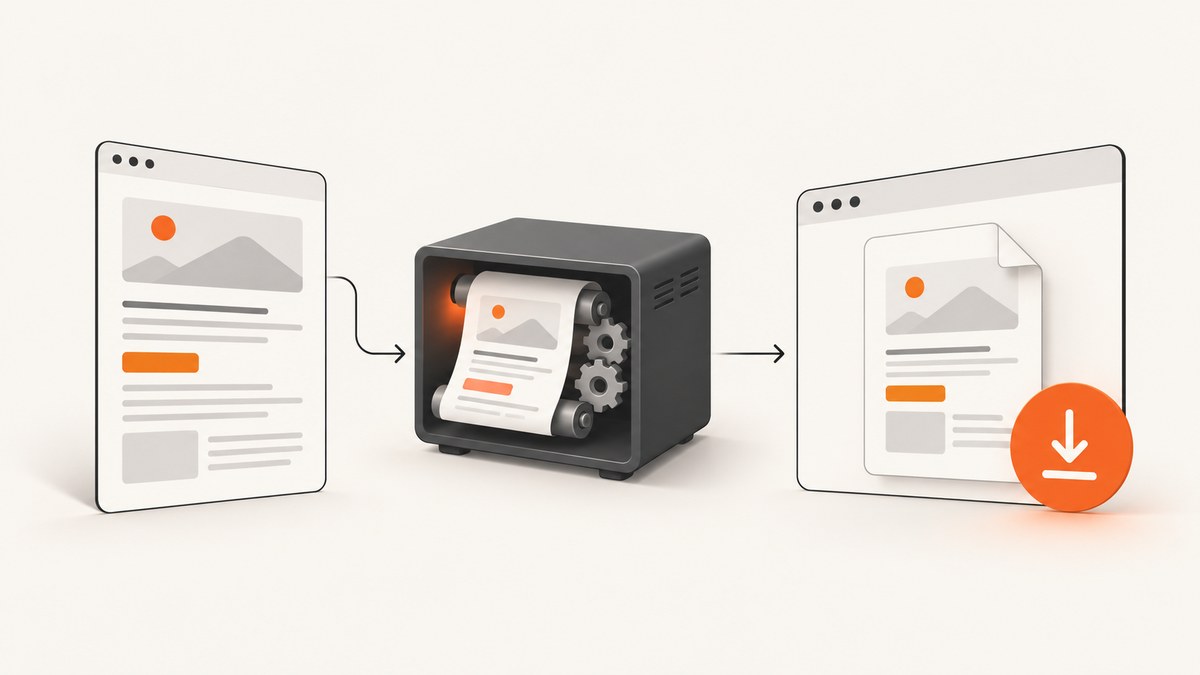
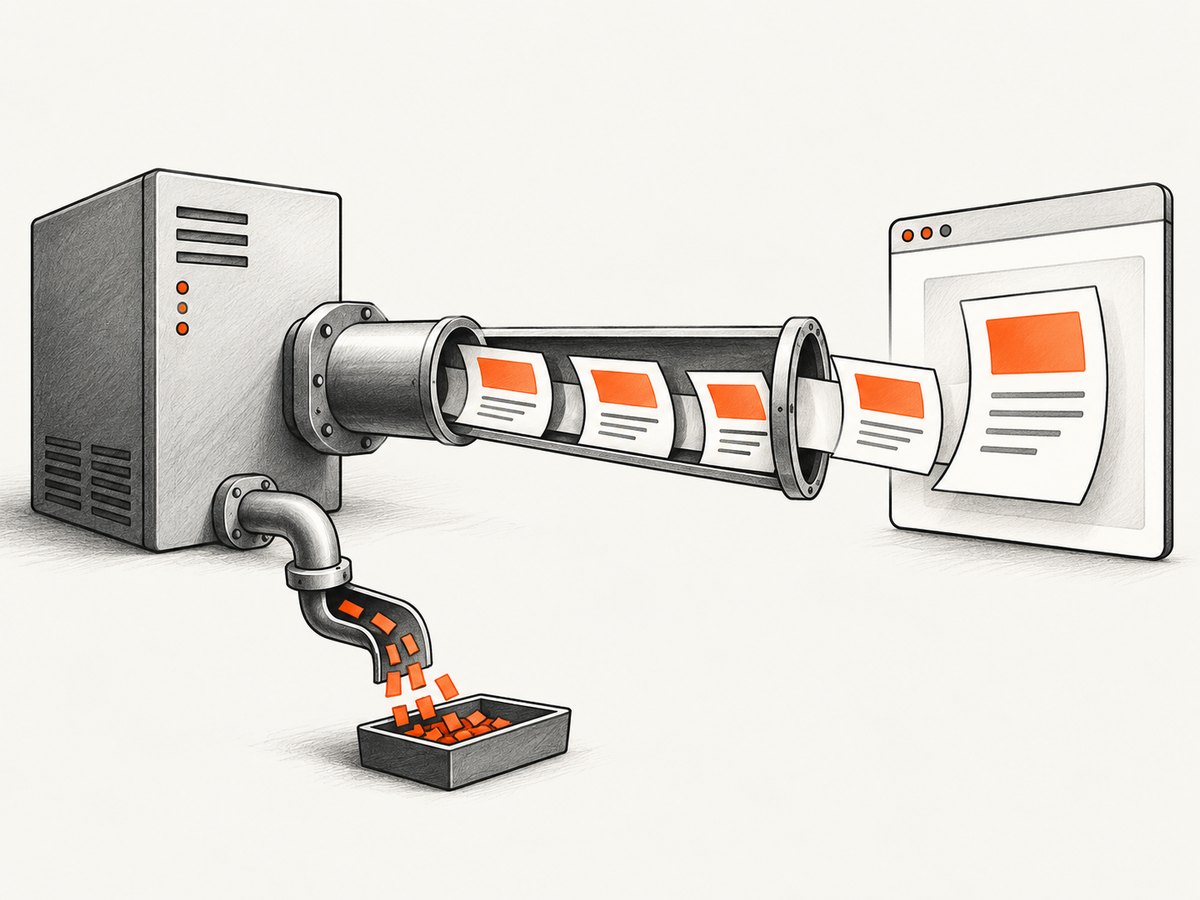
Use stdout when you want a true stream. Run wkhtmltopdf with - as its output path, copy the child process’s stdout to the HTTP response, and keep stderr separate. Set Content-Type: application/pdf before writing bytes. Add Content-Disposition: attachment; filename="report.pdf" to force a download; use inline to open the browser PDF viewer.
This guide covers process and library-buffer approaches, Express and Flask examples, browser download semantics, renderer options, security, timeouts, and production failure handling. wkhtmltopdf 0.12.6 (patched Qt) converts HTML pages to PDF in a headless process. Its output setting accepts - for stdout; an empty output value stores the PDF in an internal buffer.
1. Choose streaming or buffering
| Approach | Memory | Backpressure | Best fit |
|---|---|---|---|
| Process stdout | Bounded by pipes and response flow | Native stream backpressure | Large PDFs and endpoints that can stream |
| Library buffer | Proportional to PDF size | Simple byte-array response | Frameworks requiring a complete body |
| Node readable stream | Streamed | Pipe to response | Wrappers exposing a readable stream |
For a process endpoint, headers may already be committed when a renderer fails. Validate inputs and perform checks that can fail before sending headers whenever possible. If a failure occurs after streaming starts, terminate the response and log renderer diagnostics; do not append an HTML error page to a PDF.
2. Stream wkhtmltopdf stdout from an HTTP endpoint
Express (Node.js, no wrapper)
import express from 'express';
import { spawn } from 'node:child_process';

const app = express();

app.get('/report.pdf', (req, res) => {
  const url = String(req.query.url || 'https://example.test');
  if (!/^https:\/\//i.test(url)) return res.status(400).json({ error: 'Only https URLs are allowed' });

  const child = spawn('wkhtmltopdf', ['--quiet', '--javascript-delay', '500', url, '-'], { stdio: ['ignore', 'pipe', 'pipe'] });
  let diagnostics = '';
  const timer = setTimeout(() => child.kill('SIGTERM'), 60000);

  res.statusCode = 200;
  res.setHeader('Content-Type', 'application/pdf');
  res.setHeader('Content-Disposition', 'attachment; filename="report.pdf"');

  child.stderr.setEncoding('utf8');
  child.stderr.on('data', chunk => { diagnostics += chunk; });
  child.stdout.on('error', err => { clearTimeout(timer); res.destroy(err); });
  child.on('error', err => { clearTimeout(timer); if (!res.headersSent) res.status(502).json({ error: err.message }); else res.destroy(err); });
  child.on('close', (code, signal) => {
    clearTimeout(timer);
    if (code !== 0 && !res.destroyed) {
      console.error('wkhtmltopdf failed', { code, signal, diagnostics });
      res.destroy(new Error('PDF renderer failed'));
    }
  });
  req.on('close', () => { if (!res.writableEnded) child.kill('SIGTERM'); });
  child.stdout.pipe(res);
});

app.listen(3000);
The final argument is -, so wkhtmltopdf writes PDF bytes to stdout. Keep stderr out of the PDF stream. In production, use an allowlist or controlled fetcher instead of accepting arbitrary URLs.
Flask (Python)
from flask import Flask, Response, request, jsonify
import subprocess
import urllib.parse

app = Flask(__name__)

@app.get('/report.pdf')
def report():
    url = request.args.get('url', 'https://example.test')
    parsed = urllib.parse.urlparse(url)
    if parsed.scheme != 'https' or not parsed.netloc:
        return jsonify(error='Only valid https URLs are allowed'), 400
    process = subprocess.Popen(['wkhtmltopdf', '--quiet', '--javascript-delay', '500', url, '-'], stdout=subprocess.PIPE, stderr=subprocess.PIPE)
    try:
        pdf, diagnostics = process.communicate(timeout=60)
    except subprocess.TimeoutExpired:
        process.kill(); process.communicate()
        return jsonify(error='PDF rendering timed out'), 504
    if process.returncode != 0:
        app.logger.error('wkhtmltopdf failed: %s', diagnostics.decode(errors='replace'))
        return jsonify(error='PDF rendering failed'), 502
    return Response(pdf, mimetype='application/pdf', headers={'Content-Disposition': 'attachment; filename="report.pdf"'})
This Flask version buffers complete stdout before responding. It is simpler but uses memory proportional to the PDF. A WSGI streaming generator can yield chunks from process.stdout when your server supports safe subprocess cleanup and client disconnect handling.
cURL against your endpoint
curl -fL 'http://localhost:3000/report.pdf?url=https%3A%2F%2Fexample.test' -o report.pdf3. Use libwkhtmltox’s internal buffer
The library output setting is empty when generated content should remain in an internal buffer. Copy that buffer into your framework response, set the PDF headers, then release the buffer according to your binding. This avoids process-pipe code but uses memory proportional to the PDF, often plus a framework copy. Apply a maximum document size and request timeout.

4. Force download or display inline
Content-Type: application/pdf
Content-Disposition: attachment; filename="report.pdf"
Change attachment to inline when the browser should open its PDF viewer. Use a fixed, validated filename; never put unsanitized user input directly in a response header. Strip path separators and control characters from user-provided names.
5. Rendering options that affect output
- JavaScript: keep it enabled for application-rendered pages. Use
--javascript-delay; the documented default delay is 200 ms. A completion condition is more reliable than an arbitrary delay when supported. - Load errors: choose
abort,ignore, orskipdeliberately. Aborting protects correctness; ignoring can produce a partial document. - Local files: use an explicit allowlist for local assets rather than broadly enabling access for untrusted input.
- Cookies and headers: pass only required values. Treat authorization headers as secrets and avoid logging them.
- Layout: set page size, margins, orientation, and header/footer settings explicitly.
- Logging: use quiet/log-level settings normally, but retain stderr in structured logs for failed jobs.
6. Security and reliability checklist
- Pin and record the wkhtmltopdf binary version, documented as 0.12.6 with patched Qt.
- Allow only approved URL schemes and hosts. Block loopback, link-local, cloud metadata, and private network targets for user-supplied URLs.
- Apply request, renderer, and child-process timeouts. Kill and reap expired processes.
- Set headers before the first byte. Check exit status and capture stderr.
- Cap concurrent renderers and PDF size.
- Handle client disconnects by stopping work and cleaning up the child.
- Test JavaScript-heavy pages, missing assets, long pages, and large tables.
7. Troubleshooting
| Symptom | Cause | Fix |
|---|---|---|
| Empty or invalid file | stdout and stderr merged, or process failed | Separate pipes; inspect exit code and diagnostics. |
| HTML or JSON downloads | Headers were late, or an error was written after commitment | Validate first; set PDF headers before piping; destroy started responses. |
| Missing client-rendered content | JavaScript finished after the delay | Increase --javascript-delay or use a completion signal. |
| Missing images or CSS | Network failure or local-file restrictions | Review stderr, resource URLs, cookies, headers, and permissions. |
| Request hangs | No timeout or process reap | Kill on expiry and wait for process cleanup. |
| Unsafe filename | User input copied into Content-Disposition | Use a constant filename or sanitize to a basename. |
| High memory | Whole-buffer mode or excessive concurrency | Stream stdout, cap concurrency and document size, and measure peak usage. |
8. Performance, cost, and operational notes
Streaming reduces application buffering and can deliver bytes sooner, but the renderer still must process the document. Buffering simplifies response APIs while increasing peak memory. Cache deterministic PDFs by content hash where appropriate and avoid duplicate concurrent renders. wkhtmltopdf is open-source LGPLv3 software; infrastructure cost comes from renderer CPU, memory, network, and storage.
9. Or skip the browser setup
ScreenshotNeo provides a GET endpoint for screenshots or PDFs, so your application does not need to install or supervise a browser renderer. See the API documentation.
curl -G "https://api.screenshotneo.com/v1/shot" -d access_key=YOUR_API_KEY --data-urlencode url=https://stripe.com -o shot.webpimport requests
r = requests.get("https://api.screenshotneo.com/v1/shot", params={"access_key": "YOUR_API_KEY", "url": "https://stripe.com"}, timeout=90)
open("shot.webp", "wb").write(r.content)const q = new URLSearchParams({ access_key: 'YOUR_API_KEY', url: 'https://stripe.com' });
const res = await fetch(`https://api.screenshotneo.com/v1/shot?${q}`);Cookie banners, popups and chat widgets are removed before the shot. Bot checks, blank pages and failed loads are never billed. An MCP server lets AI agents take screenshots. The Free plan includes 1,000 screenshots a month with no card, and paid plans start at $5 for 3,000. Create a free ScreenshotNeo account.
10. FAQ
Can I stream while wkhtmltopdf is rendering?
Yes. Pipe stdout to the response and handle backpressure. Some clients wait for enough bytes before displaying anything.
Should I use inline or attachment?
Use inline for an in-browser viewer and attachment for a download prompt.
What if rendering fails after headers are sent?
Stop or destroy the response, log stderr and exit status, and make the request retryable.
Is stdout always lower memory?
It avoids holding the complete PDF in application memory, but renderer, server, pipe, and client buffers remain. Measure under production concurrency.


