Synthetic Data Generation Tools for Training Machine Learning Models
Compare synthetic data SDKs and cloud workflows, choose by modality and privacy needs, and validate whether generated data improves your model.

Synthetic data generation tools create artificial records that resemble the structure and statistical properties of real data. For machine learning, the useful question is not which generator is universally best. It is whether a tool can produce the modality, rare cases, labels and privacy controls your training task needs, and whether you can demonstrate utility on a suitable evaluation set.
The main choices documented in current product materials fall into three groups: developer SDKs such as the MOSTLY AI Synthetic Data SDK, managed platforms and SDK workflows such as Gretel, and cloud-native workflows such as AWS Clean Rooms and SageMaker Ground Truth. They are not interchangeable products. One may run in your process, another may use a managed endpoint, and an AWS workflow may be part of a larger collaboration or labeling pipeline.
Quick answer: how to choose a synthetic data tool
- Start with the training asset. Identify whether you need tabular, relational, language, time-series, or labeled image/video data. The documented tools differ substantially by modality.
- Define the source. Are you learning from sensitive records, transforming an existing dataset, or generating from a schema and specification? This determines which privacy and ingestion controls matter.
- Choose execution. A local SDK can keep computation on your infrastructure; a client mode or managed platform can reduce operations work but introduces endpoint, data-transfer and governance questions.
- Plan evaluation before generation. Measure distribution and constraint fidelity, privacy risk and downstream model utility. Vendor quality reports are useful evidence, not a universal pass/fail threshold.
- Test rare and conditional cases. A dataset can look realistic overall while omitting the minority class your model needs.
Comparison of documented options
| Option | Documented capability | Best fit to investigate | Questions to answer |
|---|---|---|---|
| MOSTLY AI Synthetic Data SDK | Python toolkit for training generators on tabular or language data assets and generating datasets. Its documentation describes LOCAL and CLIENT modes. | Teams wanting a programmable SDK, relational support and a choice between local compute and a remote SDK endpoint. | Which connectors, relational constraints, compute requirements and differential privacy settings match your environment? |
| Gretel platform and SDKs | Managed training and generation with validation plus quality and privacy scores. Safe Synthetics documents transformation, synthesis, differential privacy and evaluation configuration. | Teams that prefer a managed workflow and need documented privacy and evaluation controls. | How will data be handled, which model types are current, and how do settings affect utility and risk? |
| Gretel Trainer | Documentation covers text, tabular and time-series generation, conditional generation, validation, quality reporting, privacy filters and optional differential privacy. | Workloads requiring multiple modalities or conditional scenarios. | Can it represent your conditioning variables, scale and validation protocol? |
| AWS Clean Rooms | A privacy-enhanced synthetic dataset workflow for ML use cases. The documented template uses an ML input channel, typed schema fields and privacy settings. | Organizations already operating a governed AWS collaboration workflow. | How do collaboration permissions, schema typing, input channels and privacy configuration fit your account? |
| SageMaker Ground Truth | AWS describes synthetic labeled data as an option for building training datasets. | Teams solving labeling or training-data construction problems where synthetic labels are part of the pipeline. | What task types, labeling integrations and human review steps are required? |
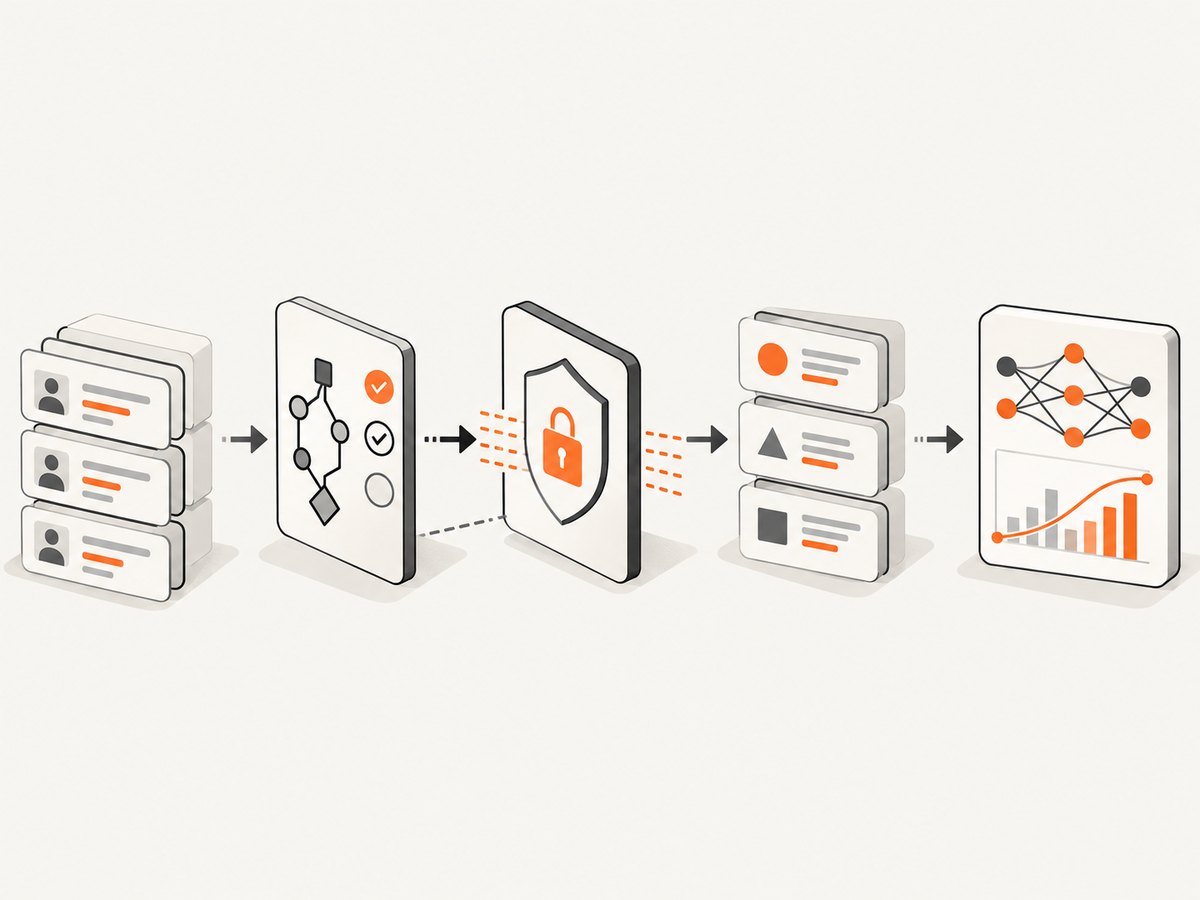
Data modality and schema decisions
Tabular and relational data
Tabular generation must preserve types, ranges, missingness, categorical relationships and business constraints. Relational data adds primary keys, foreign keys and cross-table consistency. Before selecting a tool, write down constraints such as “start date precedes end date,” “an order references an existing customer,” and “a label is available only after the event.” A quality score that ignores these rules can hide unusable rows.
Language and text
Language generators must be evaluated for format, terminology, length, toxicity and memorization. Decide whether you need free-form text, templated fields, conversations or labeled examples. Inspect rare names, identifiers and long-tail phrases separately from aggregate quality.
Time series
For time-series data, preserve ordering, seasonality, gaps, bursts and cross-series relationships. Random row-level comparisons are insufficient because they destroy temporal structure. Hold out complete time windows and evaluate forecasting or detection on those windows.
Labeled training data
Synthetic examples are often used to expand a labeled set or cover expensive edge cases. Record how each label was produced, what rules generated it and which examples still require human review. AWS positions SageMaker Ground Truth as one route for building training datasets with synthetic labeled data; that is a labeling workflow, distinct from the Clean Rooms synthetic-data workflow.
Execution models: local SDK, client mode or managed service
MOSTLY AI documentation describes a LOCAL mode that uses your compute and a CLIENT mode connected to a remote SDK endpoint. A local run may simplify data residency decisions but requires you to provide CPU, memory, storage, scheduling and monitoring. A remote endpoint can simplify operations while requiring an explicit review of transfer paths, credentials, retention and network controls.
Managed platforms can provide integrated validation, privacy filters and quality reporting. Confirm current deployment, security and release details in the provider documentation before committing. Do not infer that “synthetic” automatically means anonymous or compliant; the outcome depends on source data, configuration, attacks considered and how outputs are shared.
A practical generation workflow
- Specify the target. Write the model task, features, labels, acceptable latency and the rare cases you need.
- Profile the source. Inventory columns, types, missing values, cardinality, sensitive fields, temporal keys and relationships.
- Select controls. Choose transformation or redaction, synthesis settings, conditional generation and any differential privacy option documented by your provider.
- Generate multiple candidates. Keep seeds, configuration, source snapshot and tool version so results are reproducible.
- Run structural checks. Validate schemas, constraints, duplicates, null policies and referential integrity.
- Run privacy checks. Look for exact or near-exact records, rare combinations, memorized text and re-identification risks under your threat model.
- Train and compare models. Compare real-only, synthetic-only and mixed-data training on a permitted, representative holdout.
- Review and release. Document limitations, approved uses, retention and who may access the generated data.
Runnable Python checks for a generated CSV
The following standard-library script is a small gate you can run after any generator exports a CSV. It checks required columns, duplicate IDs, missing values and a simple date relationship. Adapt the column names and rules to your dataset.
import csv
from datetime import date
from collections import Counter

PATH = "synthetic_orders.csv"
REQUIRED = {"order_id", "customer_id", "start_date", "end_date", "label"}

with open(PATH, newline="", encoding="utf-8") as f:
    rows = list(csv.DictReader(f))

if not rows:
    raise SystemExit("No rows found")
missing_columns = REQUIRED - set(rows[0])
if missing_columns:
    raise SystemExit(f"Missing columns: {sorted(missing_columns)}")

ids = [r["order_id"] for r in rows]
duplicates = [k for k, n in Counter(ids).items() if n > 1]
if duplicates:
    raise SystemExit(f"Duplicate order_id values: {duplicates[:5]}")

for i, row in enumerate(rows, 1):
    if any(row[c] == "" for c in REQUIRED):
        raise SystemExit(f"Missing required value on row {i}")
    start = date.fromisoformat(row["start_date"])
    end = date.fromisoformat(row["end_date"])
    if end < start:
        raise SystemExit(f"end_date precedes start_date on row {i}")

print(f"Validated {len(rows)} rows")
print("Labels:", Counter(r["label"] for r in rows))
Privacy controls and validation are separate jobs
Gretel documents PII redaction or replacement, synthesis and optional differential privacy. MOSTLY AI documentation lists differential privacy configuration. These controls can reduce exposure, but they do not prove that every release is safe. Review the actual configuration, privacy budget where applicable, memorization tests, access policy and intended release context.
Evaluate at three levels:
- Fidelity: distributions, correlations, constraints, temporal patterns and label balance.
- Privacy: nearest-neighbor similarity, duplicate detection, membership or attribute-inference scenarios and inspection of sensitive tails.
- Utility: downstream metrics on a real holdout, calibration, subgroup performance and robustness to the edge cases you generated.
Vendor reports and comparisons can guide investigation, but the cited documentation does not establish a shared benchmark or universal acceptance number.
Performance, reliability and cost planning
- Profile before scaling. Measure generation time, peak memory, storage and network transfer on a representative slice.
- Separate batches. Generate deterministic validation samples and larger training sets independently so a failed batch can be retried without losing provenance.
- Use checkpoints and manifests. Store configuration, source version, seed, row counts, schema hash and validation results with every artifact.
- Watch rare categories. Oversampling a minority class can improve recall while distorting prevalence; evaluate both choices.
- Budget total cost. Include compute, managed-service usage, storage, egress, human review and the cost of retraining after a failed privacy or utility review.
- Plan failure handling. Treat timeouts, partial files, schema drift and provider API changes as normal operational cases; make jobs idempotent and alert on validation failures.
Common problems and fixes
| Symptom | Likely cause | Fix |
|---|---|---|
| Rows fail ingestion | Wrong types, delimiters, encoding or missing required fields. | Export a schema contract, normalize encoding and run a preflight validator. |
| High aggregate quality, poor model recall | Rare or conditional cases were not represented. | Generate targeted conditions, inspect subgroup counts and compare downstream metrics. |
| Broken relationships | Tables or events were generated independently. | Use relational support or enforce keys and cross-table constraints after generation. |
| Memorized records appear | Model overfit or privacy settings are too weak. | Increase deduplication and privacy testing, adjust training settings and block release pending review. |
| Temporal leakage | Random splitting allowed future information into training. | Split by time and evaluate on later, complete windows. |
| Runs are irreproducible | Seeds, versions or source snapshots were not recorded. | Persist a run manifest and pin the tool environment. |
Document generated datasets with screenshots
Teams often publish a model card, validation report or internal dashboard showing distributions and quality checks. You can capture those pages yourself with a headless browser: launch Chromium, authenticate, wait for the charts, hide navigation, set a viewport and save a PNG or PDF. This gives control, but you must maintain browser binaries, consent banners, popups, retries and page-load edge cases.
Or skip the browser setup
ScreenshotNeo provides a website screenshot API and MCP server. Its capture accepts consent banners like a visitor and removes more than 60 known consent platforms, newsletter popups and chat widgets before the shot. Bot checks, blank pages, timeouts, failed loads and cache hits are not billed, and response headers identify the page verdict and billing status.

Use the same endpoint from any environment; see the ScreenshotNeo API docs for all options.
curl -G "https://api.screenshotneo.com/v1/shot" -d access_key=YOUR_API_KEY --data-urlencode url=https://stripe.com -o shot.webpimport requests
r = requests.get("https://api.screenshotneo.com/v1/shot", params={"access_key": "YOUR_API_KEY", "url": "https://stripe.com"}, timeout=90)
open("shot.webp", "wb").write(r.content)const q = new URLSearchParams({ access_key: 'YOUR_API_KEY', url: 'https://stripe.com' });
const res = await fetch(`https://api.screenshotneo.com/v1/shot?${q}`);Features include full-page and element capture, custom CSS and JavaScript, waits, device presets, dark mode, PDF output, headers and cookies, blocking rules, caching, signed links, asynchronous webhooks, bulk capture and a usage API. Its MCP server exposes take_screenshot, get_page_info and capture_pdf for Claude, Cursor and other MCP clients. The Free plan includes 1,000 screenshots each month without a card; paid plans start at $5 for 3,000. Create a free ScreenshotNeo account.
FAQ
Is synthetic data always private?
No. Privacy depends on source data, model behavior, configuration, threat model and release controls. Test for memorization and inference risk.
Should I choose a local SDK or managed platform?
Choose after documenting data-residency, operations, integration and governance requirements. Local execution trades operational work for direct infrastructure control.
Can synthetic data replace a real holdout?
Usually, you need an appropriate real-data holdout when policy permits. Synthetic quality alone does not establish downstream model performance.
How do I compare two generators fairly?
Use the same source snapshot, schema, compute budget, conditioning targets and evaluation protocol, then report fidelity, privacy and task utility separately.


