How to Take Screenshots with Splash
Use Splash Lua scripts to capture viewport, full-page, cropped, and element screenshots, with runnable examples and troubleshooting.

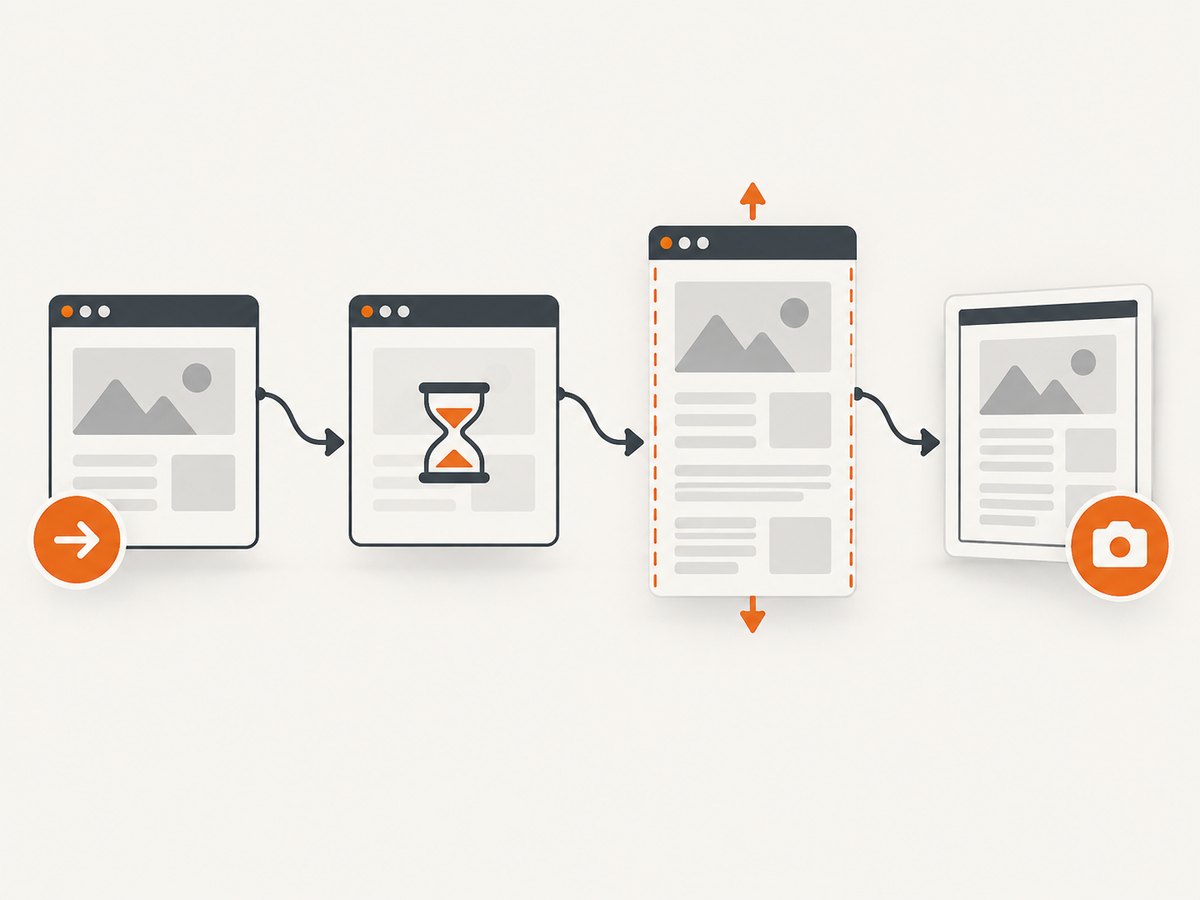
Splash takes website screenshots by rendering a page in a browser tab and returning image bytes from a Lua script. For the current viewport, navigate with splash:go(url) and return splash:png() or splash:jpeg(). For a full-page image, let the page settle, call splash:set_viewport_full(), and then capture.
This guide covers the complete workflow: viewport screenshots, full-page output, crops, individual DOM elements, dimensions, formats, scaling, HTTP calls, dynamic pages, troubleshooting, and production considerations.
1. The basic Splash screenshot
A Splash script exposes a browser tab through the splash object. The smallest useful script is:
function main(splash, args)
    assert(splash:go(args.url))
    return splash:png()
end
Pass a target URL as the url argument through Splash’s HTTP API. With no image options, splash:png() captures the visible browser viewport. Replace it with splash:jpeg() when JPEG output is more useful.
Both methods return image data. If the requested capture cannot produce an image, the result can be nil; scripts should check that page navigation, selectors, and visibility assumptions succeeded before returning.
What the first script does
splash:go(args.url)navigates the tab to the requested address.assert(...)stops the script if navigation fails.splash:png()serializes the current viewport as PNG bytes.- The HTTP client saves the response as an image file.
The stable Splash Scripts Reference documents these methods and their options.
2. Full-page screenshots
A normal screenshot covers only the current viewport. To capture the complete document, wait until the page has loaded and settled, then expand the effective viewport before calling the image method:
function main(splash, args)
    assert(splash:go(args.url))
    assert(splash:wait(0.5))
    splash:set_viewport_full()
    return { png = splash:png() }
end
The 0.5-second delay is an example, not a universal settling time. JavaScript-heavy pages, delayed images, font loading, and animations may require a page-specific condition or a longer delay. Splash also documents a render_all=true option for rendering the whole page through its HTTP rendering interface.
When full-page capture is unreliable
- Lazy images may not load until their containers enter a viewport.
- Infinite-scroll pages have no stable final height.
- Sticky headers can repeat as the page is resized or scrolled.
- Animations can produce different pixels on each request.
- Cookie banners or modal dialogs can cover the page before capture.
For deterministic output, wait for a meaningful page state, disable or finish animations with page JavaScript where appropriate, and use a fixed viewport for every run. Splash’s documentation specifically advises calling splash:set_viewport_full() after the page has loaded and some time has passed.
3. Viewport size, width, height, and cropping
Splash separates the rendered page viewport from the dimensions of the returned image.
| Option or method | Use | Important behavior |
|---|---|---|
| No options | Capture the current viewport | Returns what is visible in the browser tab |
width |
Choose output width | Scales the image to that width |
height |
Set output height | Trims or extends vertically; it does not scale page content |
region={left, top, right, bottom} |
Crop a rectangle | Coordinates are relative to the current scroll position |
splash:set_viewport_full() |
Expand for whole-page output | Call after navigation and settling |
A crop is limited by the viewport. Splash cannot use region to reach content outside the current viewport. If the desired area is below the fold, scroll or use a full viewport first. For a semantic page component, an element screenshot is usually easier than calculating crop coordinates.
Example: a fixed-size PNG response
function main(splash, args)
    assert(splash:go(args.url))
    assert(splash:wait(0.5))
    return splash:png{
        width = 1200,
        height = 800
    }
end
Use dimensions that match the consumer of the image. A social-card pipeline may need a fixed rectangle; a documentation archive usually needs full-page output instead.
Example: crop the current viewport
function main(splash, args)
    assert(splash:go(args.url))
    assert(splash:wait(0.5))
    return splash:png{
        region = {0, 0, 800, 500}
    }
end
The four coordinates describe the left, top, right, and bottom edges. They are measured from the current scroll position, so the same region can capture different content after scrolling.
4. Capturing one DOM element
When you need a chart, product card, article body, or navigation component instead of the whole page, select the node and call its image method:
function main(splash, args)
    assert(splash:go(args.url))
    assert(splash:wait(0.5))

    local element = splash:select('#my-element')
    assert(element, 'element was not found')
    return element:png()
end
Use element:jpeg() for JPEG output. The element API supports padding, which is useful when a shadow, border, or label needs breathing room around the node. Check that the selector matches a visible element: a missing or non-visible element can result in nil.
Element capture checklist
- Use a stable ID or data attribute instead of a presentation class.
- Wait until the component has rendered its data.
- Confirm that the element is visible and has non-zero dimensions.
- Include padding when shadows or focus rings would otherwise be clipped.
- Capture the full viewport when the element is outside the current scroll position.
5. PNG, JPEG, and scaling choices
PNG preserves lossless detail and supports transparency. JPEG is smaller for photographic content and accepts a quality setting. The Splash reference says splash:jpeg() is often 1.5–2 times faster than splash:png(); treat that as a documented tendency rather than a benchmark for your page.
function main(splash, args)
    assert(splash:go(args.url))
    assert(splash:wait(0.5))
    return splash:jpeg{
        quality = 85
    }
end
Vector scaling can be faster and produce sharper images, but Splash warns that it may introduce rendering artifacts. Use it only after checking representative pages at the target dimensions. For pixel-sensitive visual regression tests, prefer a fixed viewport and a conservative raster scale.
| Need | Starting choice |
|---|---|
| Transparent graphics or exact UI pixels | PNG |
| Photographic or thumbnail output | JPEG with an explicit quality |
| Fast, small previews | JPEG, then measure your own pages |
| Very sharp resized output | Scaling option, after checking for artifacts |
6. Calling Splash from cURL, Python, and Node.js
Splash is normally deployed as a service and called over HTTP. Set SPLASH_URL to the base URL of your deployment, then send your Lua script and arguments through the HTTP API. Keep the deployment URL configurable so local Docker, a private network, and a hosted instance use the same client code.
cURL
curl -sS -X POST "$SPLASH_URL/execute" \
  -H 'Content-Type: application/json' \
  --data-binary @request.json \
  -o shot.png
{
"lua_source": "function main(splash, args) assert(splash:go(args.url)) return splash:png() end",
"args": {
"url": "https://example.com"
}
}Python
import os
import requests

splash_url = os.environ["SPLASH_URL"]
payload = {
    "lua_source": "function main(splash, args) assert(splash:go(args.url)) return splash:png() end",
    "args": {"url": "https://example.com"},
}

response = requests.post(f"{splash_url}/execute", json=payload, timeout=90)
response.raise_for_status()
with open("shot.png", "wb") as output:
    output.write(response.content)
Node.js
const splashUrl = process.env.SPLASH_URL;
const payload = {
  lua_source: `function main(splash, args)
    assert(splash:go(args.url))
    return splash:png()
  end`,
  args: { url: 'https://example.com' }
};

const res = await fetch(`${splashUrl}/execute`, {
  method: 'POST',
  headers: { 'content-type': 'application/json' },
  body: JSON.stringify(payload)
});
if (!res.ok) throw new Error(`Splash returned ${res.status}`);
const image = Buffer.from(await res.arrayBuffer());
await import('node:fs/promises').then(fs => fs.writeFile('shot.png', image));
Use the HTTP API documentation for the exact request shape supported by the Splash version you deploy. Do not hard-code credentials in source; inject private deployment URLs and access controls through environment variables or a secret manager.
7. Dynamic pages and reliable capture timing
A successful navigation does not guarantee that the page is visually complete. Modern sites may fetch data after the initial response, render charts in JavaScript, or load images only after layout. Splash provides splash:wait(seconds); choose the duration from the page’s behavior rather than copying one value everywhere.
- Navigate with
splash:go. - Wait for the page’s known loading phase.
- Change the viewport or select the element.
- Capture the image.
For repeatable jobs, make the page state deterministic: use stable test data, disable rotating banners, avoid capturing during animations, and keep viewport and device settings fixed. If the page never settles, use a bounded timeout in the calling client and record the URL and script version for diagnosis.
8. Troubleshooting common failures
| Symptom | Likely cause | Fix |
|---|---|---|
| Navigation assertion fails | Invalid URL, DNS failure, TLS problem, or target timeout | Open the URL from the Splash host, verify DNS and certificates, and retry with a bounded client timeout |
| Blank or incomplete image | Capture ran before JavaScript or images finished | Add a page-specific wait and capture after the relevant content exists |
| Full-page image stops early | Viewport was not expanded or page height was still changing | Wait, call splash:set_viewport_full(), then capture |
| Crop misses content | region is relative to the current scroll position |
Scroll or use an element capture; remember region cannot reach outside the viewport |
Element result is nil |
Selector did not match, or node is hidden | Check the selector, wait for rendering, and verify visibility and dimensions |
| JPEG looks soft | Quality is too low or output was resized | Raise JPEG quality or use PNG for exact UI details |
| Different pixels on each run | Animation, rotating content, fonts, or time-dependent data | Freeze inputs, wait for fonts and data, and standardize the viewport |
9. Performance, reliability, and cost considerations
Capture time is affected by navigation, JavaScript execution, image loading, viewport size, and output encoding. JPEG is often faster than PNG according to the Splash reference, but measure on the pages and dimensions that matter to your workload. Full-page captures and very large widths consume more memory than viewport images.
For reliability, keep scripts short, fail clearly with assert, and have the caller apply retries only to transient network failures. Retrying every script error can multiply load on a slow target and hide a broken selector. Store response status, target URL, capture mode, and elapsed time so failures can be correlated.
Splash itself does not define a per-image price in the supplied documentation. Your cost is therefore determined by the infrastructure running the service and the traffic generated by your targets. Size concurrency to available CPU and memory, and set request timeouts so a stalled page cannot occupy every browser slot.
10. Or skip the browser setup
If you need an API rather than maintaining a Splash deployment, ScreenshotNeo returns a screenshot or PDF from one GET request. Its capture pipeline accepts cookie and consent banners like a visitor, then removes more than 60 known consent platforms, newsletter popups, and chat widgets. Each cleanup step can be turned off.

Only clean shots are billed. Bot checks and CAPTCHAs, blank pages, timeouts, failed loads, and cache hits cost nothing, and response headers identify the page verdict and whether the request was billed. ScreenshotNeo also provides an MCP server with take_screenshot, get_page_info, and capture_pdf tools for Claude, Cursor, and other MCP clients.
See the ScreenshotNeo API documentation for all options.
curl -G "https://api.screenshotneo.com/v1/shot" -d access_key=YOUR_API_KEY --data-urlencode url=https://stripe.com -o shot.webpimport requests
r = requests.get("https://api.screenshotneo.com/v1/shot", params={"access_key": "YOUR_API_KEY", "url": "https://stripe.com"}, timeout=90)
open("shot.webp", "wb").write(r.content)const q = new URLSearchParams({ access_key: 'YOUR_API_KEY', url: 'https://stripe.com' }); const res = await fetch(`https://api.screenshotneo.com/v1/shot?${q}`);The service supports full-page capture with lazy images loaded, CSS-element capture, dark mode, device presets, custom viewports, retina scale, PDF settings, custom CSS and JavaScript, clicks, selector hiding, wait conditions, request blocking, headers, cookies, user agents, authorization, timezone, geolocation, transparent backgrounds, resizing, configurable caching, signed links, asynchronous jobs, webhooks, bulk capture for up to 100 URLs, a usage API, and an OpenAPI specification. Parameter names used by other screenshot APIs also work, which can simplify migration.
The Free plan includes 1,000 screenshots each month with no card. Paid plans start at $5 for 3,000 shots; every feature is available on every plan. Create a free ScreenshotNeo account and start with the included monthly screenshots.
11. Splash screenshot checklist
- Choose viewport, full-page, crop, or element scope before writing the script.
- Navigate with
splash:goand handle failure explicitly. - Wait for dynamic content instead of assuming navigation means visual completion.
- Use
splash:set_viewport_full()for whole-page output. - Remember that
regioncoordinates follow the current scroll position. - Use PNG for lossless or transparent output and JPEG for smaller previews.
- Check selectors and visibility before calling an element’s image method.
- Bound HTTP timeouts and record enough metadata to diagnose failed captures.
12. Frequently asked questions
Does Splash take a screenshot of my computer screen?
No. It renders a web page in a browser tab managed by the Splash service and returns the rendered image.
Can I capture only the visible viewport?
Yes. Navigate and call splash:png() or splash:jpeg() without full-page options.
How do I capture one component?
Use splash:select('#selector'), verify the element exists and is visible, then call its :png() or :jpeg() method.
Why does changing height not resize the page?
The documented height option trims or extends the returned image vertically. It does not scale the page content.
Is JPEG always faster than PNG?
No. Splash documents that JPEG is often 1.5–2 times faster, but your page, dimensions, and deployment determine the actual result.
What should I use for a production API?
Self-host Splash when you need its Lua browser controls and can operate the service. Use ScreenshotNeo when you want a managed screenshot endpoint with cleanup, billing verdicts, MCP tools, and a free monthly allowance.


